Heads up: This post contains affiliate links. As an Amazon Associate I earn from qualifying purchases, at no extra cost to you. Learn more
Specs are compiled from manufacturer listings and verified buyer reviews and can change over time — please confirm the key details on the product page before buying.
Most of these pocket-sized machines use thermal paper (heat does the printing) instead of ink. So the big question is if you want fun black-and-white stickers for labels and notes, or full-color photo stickers worth keeping. This guide covers both types, plus the capacity, print width, and app tricks that decide how useful each one really is.
This guide is built by comparing the manufacturers’ published specifications and the patterns across verified customer reviews, so you get each pick’s real strengths and trade-offs instead of marketing spin.
Pocket printers split into monochrome thermal label machines and inkjet or Zink photo printers, and knowing which camp you belong to is the whole game. Here is my honest shortlist of the best AI sticker printer options.
Top Picks
How To Choose The Best AI Sticker Printer
Buying a pocket sticker printer is mostly about answering one question before you spend anything: do you need black-and-white labels, or full-color photos? Every other choice follows from that answer. Here is how the specs map to real life.
Black-and-White Thermal vs. Full-Color Photo Printing
Thermal label printers burn characters into heat-sensitive paper, so they use no ink and cost almost nothing per label. They only print in one color, which is fine for jar labels, address stickers, name tags, and QR codes. Full-color photo printers (inkjet or Zink, which uses heat-activated color crystals built into the paper) give you real photographs on sticky-backed paper. Those cost more per print and print slower. Decide which output you want, and the shortlist narrows fast.
Print Width Decides What You Can Make
A 2-inch print width covers most labeling jobs — a roll wide enough to fit two U.S. quarters side by side. A printer that handles 3-inch media gives you room for a shipping label or a photo-sized sticker. If you plan to print photos rather than organize shelves, look at the 2×3-inch photo printers. They are a different shape and a different price tier, but they are the only ones that produce a picture you would stick on a wall.
Resolution, App Quality, and Battery
Resolution in DPI (dots per inch) tells you how crisp small text will look. The 300 DPI machines are the ones where tiny ingredient lists and barcodes stay sharp. The app matters as much as the hardware: a deep template and font library saves you building every design from scratch. Finally, check battery capacity if you plan to carry the printer around — a 1500 mAh rechargeable battery with long standby time means fewer charges.
Side-by-Side Comparison
| Model | Best For | Print Type | Print Speed | Print Width | Amazon |
|---|---|---|---|---|---|
| Gloryang JD-23★ Best Overall | Cheap fun stickers for kids | Thermal, black-and-white | 10 pages per minute | 2 inch | Amazon |
| Hello Blink Sticker MakerFamily Favorite | Young kids and craft kits | Thermal, black-and-white | — | 5×7 inches max | Amazon |
| NIIMBOT B1 | Fast labeling and organization | Thermal, black-and-white | 50 pages per minute | 2 inch | Amazon |
| ORGBRO X3 | High-res study notes and photos | Thermal, black-and-white | 12 pages per minute | 2 and 3 inch | Amazon |
| Phomemo M108 | Small business address labels | Thermal, black-and-white | — | 20–50 mm | Amazon |
| Nelko PP01 | Full-color photo stickers | Inkjet, full color | 1 page per minute | 45×60 | Amazon |
| Kodak Step | Instant Zink photo prints | Zink, full color | 1 page per minute | 2×3 inch | Amazon |
Detailed Reviews
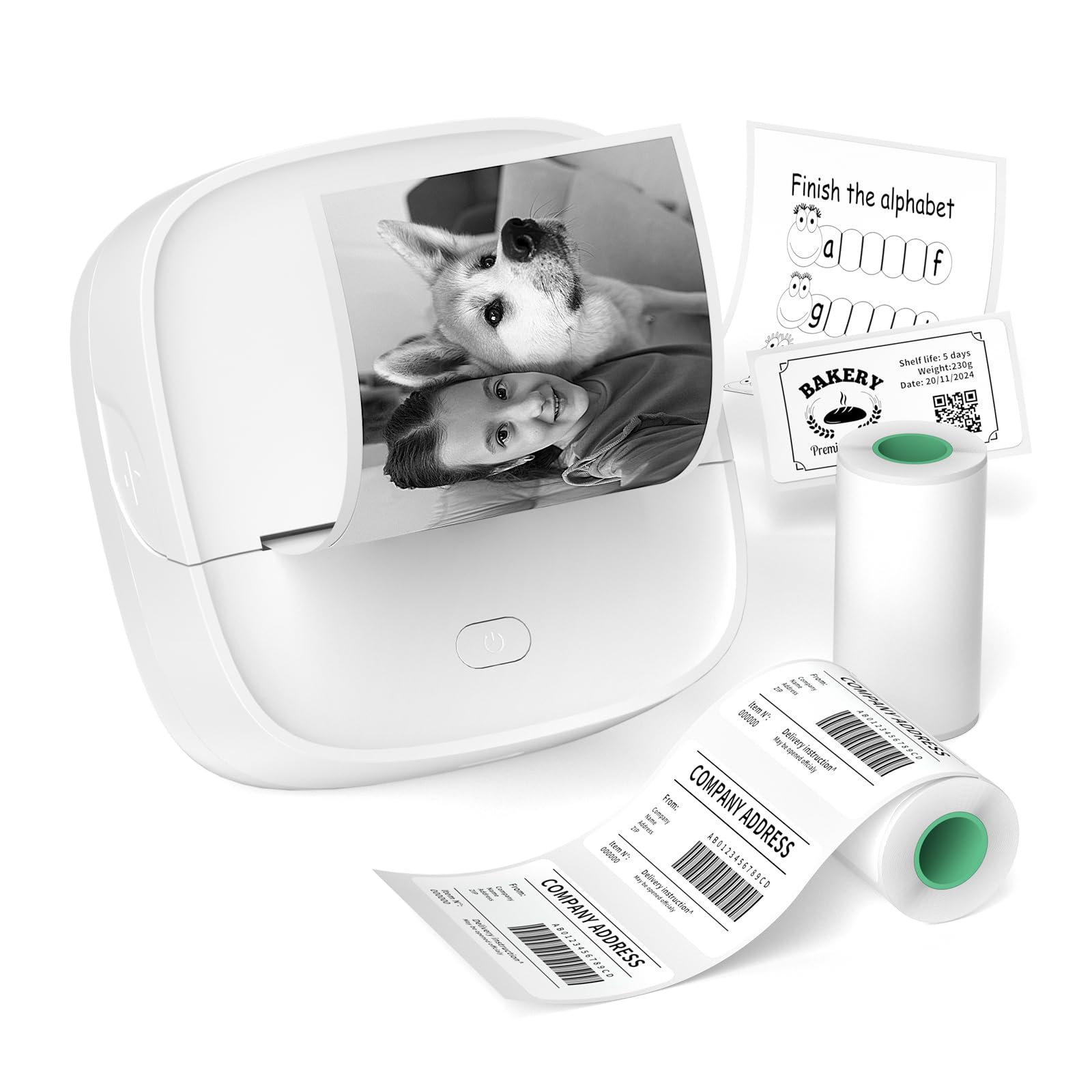
1. Gloryang JD-23 Sticker Printer
Our pick — 4.5+★ from 500+ verified ratings; the strongest balance of quality and price.
A pocket-sized sticker maker that weighs barely more than a phone and never asks for ink.
The Gloryang JD-23 is the pick here because it does the one thing most buyers actually need: it turns a photo or note from your phone into a sticker without a cartridge. It prints 10 pages per minute and uses thermal paper, meaning no ink, toner, or ribbons are ever involved. At 0.32 lbs you can keep it in a bag and forget it is there. The 2-inch maximum media size keeps it squarely in label-and-note territory rather than photo territory.
The app side (connected through the Jadens Printer App on iOS or Android) is where the AI angle earns its keep. You get document and photo printing, QR code and chart generation, OCR text recognition (it reads text out of an image so you do not retype it), drag-to-resize editing, DIY drawing, and AI-assisted image printing. There is also a broad template library for people who would rather pick than design. On the speed front it is the slowest of the mini thermal group — 10 pages per minute against the NIIMBOT B1’s 50 pages per minute — so treat it as a casual craft tool, not a labeling factory.
Two starter rolls come in the box: a 50×30mm label roll for QR codes and address tags, plus a 50mm continuous adhesive sticker roll. A built-in serrated cutter lets you tear prints cleanly. What wins people over most is the overall build and print package relative to what it asks; the recurring honest gripe is that output is strictly black and white. That is the thermal limit, not a fault, but color photo stickers are simply not this machine’s job.
Where It Puts In Work
- No ink, toner, or ribbons to buy — thermal printing keeps running costs low
- 0.32 lbs and pocket-sized, so it goes anywhere
- Two starter rolls included plus a serrated cutter for clean tears
- OCR and AI-assisted image printing in the app
What You’re Accepting
- Black-and-white only — no color stickers
- 10 pages per minute is the slowest thermal printer here
- Bluetooth connectivity is a common friction point in the reviews
Reach for this if: you want cheap, cheerful monochrome stickers for notes, labels, and kid projects without ever buying ink.
Think twice if: you want full-color photo stickers — that is the Nelko PP01 or Kodak Step’s territory.
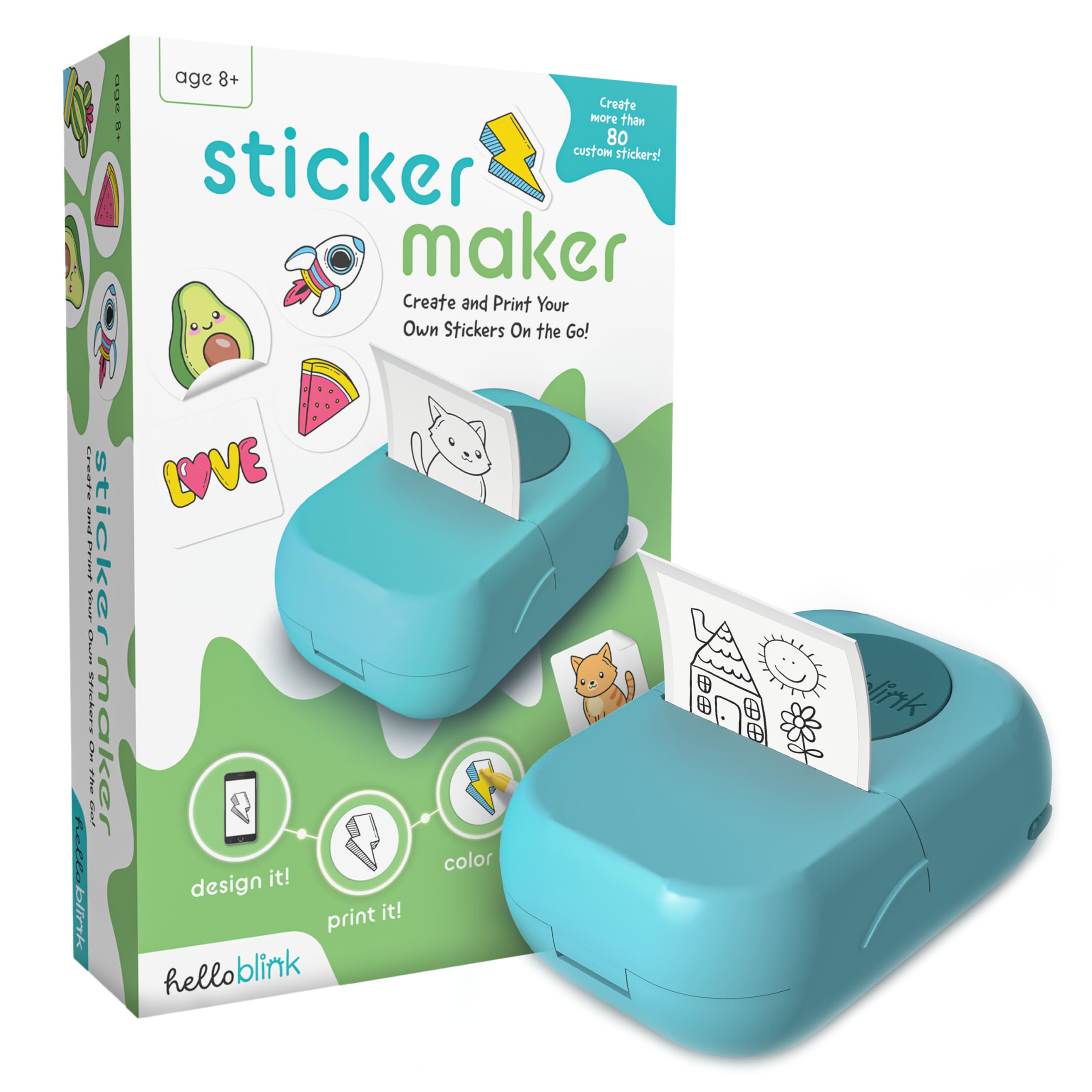
2. Hello Blink Sticker Maker
A craft-kit sticker maker built around kids, complete with marker pens in the box.
Most buyers here are parents, grandparents, and teachers shopping for a gift rather than a tool, and this package is put together for exactly that crowd. The box holds two sticker paper rolls, four markers, and the printer itself. It prints at 300 dpi (dots per inch, the measure of how sharp the output looks), so small doodles and lettering come out defined rather than mushy. It connects over Bluetooth to your phone, and a compact wireless footprint makes it easy for small hands to move around.
What makes it a joy for kids is how little setup stands between the idea and the sticker. The app interface is intuitive enough that children take to it quickly, and the sticker paper needs no ink at all. The gift angle is clearly the headline strength of this product, and the fun factor runs right behind it — this is the one pick in the list that reads as a toy you would happily give to a child. DIY crafts, scrapbooking, and personalizing school supplies are its natural homes.
The honest middle ground: print quality and reliability land in mixed territory, and Bluetooth dropouts come up as a recurring annoyance rather than a rare blip. Budget for the occasional failed connection and you will be pleased with the rest. Paper is a 5×7 inch maximum, and the printer is simplex (one-sided printing only), as you would expect for stickers.
Best gift-to-price match: parents and teachers who want a self-contained craft kit for a child, markers included.
Second guess it if: the buyer is an adult who wants dependable Bluetooth and precise labels — the thermal business machines below are steadier.
3. NIIMBOT B1 Label Maker Machine

The labeling machine of the group — 50 pages per minute and a battery that sits for months.
The headline number here is print speed: 50 pages per minute, which is far and away the fastest of the mini thermal printers reviewed here. It is a direct-thermal label machine, so no ink or toner is needed, and it pairs with iOS and Android phones through the NIIMBOT app. One caveat worth knowing before you buy — it does not work with iPads. For PC use you connect by USB Type-C and download the driver from NIIMBOT’s own site. It prints max 2 inches wide, roughly the width of two U.S. quarters side by side.
Do the math on a labeling day and this wins: 178 quality ratings land positive, and ease of use trails close behind in the praise column. The app is deep — 10+ fonts and languages, 100+ borders, 1500+ symbols, barcodes, QR codes, icons, and images, plus ready-made templates you can adopt or use as a starting point. Free materials cover everyday needs, so the VIP tier is optional rather than a requirement.
It weighs 293g, fits a pocket, and its built-in 1500 mAh rechargeable battery holds up to 100 days of standby on a single charge. The catch is that only NIIMBOT thermal paper is supported — off-brand labels may not be recognized and can trigger poor results, so stock up on the right rolls. Monochrome printing only, and print quality draws a mixed response with occasional unclear lettering noted.
Why It Leads The Label Pack
- 50 pages per minute — the fastest thermal printer in this guide
- 1500 mAh battery with up to 100 days standby
- Massive app library: 1500+ symbols and 100+ borders
- 293g and pocket-sized
The Trade-Offs
- Only NIIMBOT thermal paper works reliably
- Monochrome only — no color output
- Not compatible with iPads
For the organizer: kitchen jars, storage boxes, price tags, and name labels will pump through faster than any other machine here.
Know before you order: the paper lock-in is real — buy NIIMBOT rolls or expect poor prints.
4. ORGBRO X3 Sticker Printer Machine
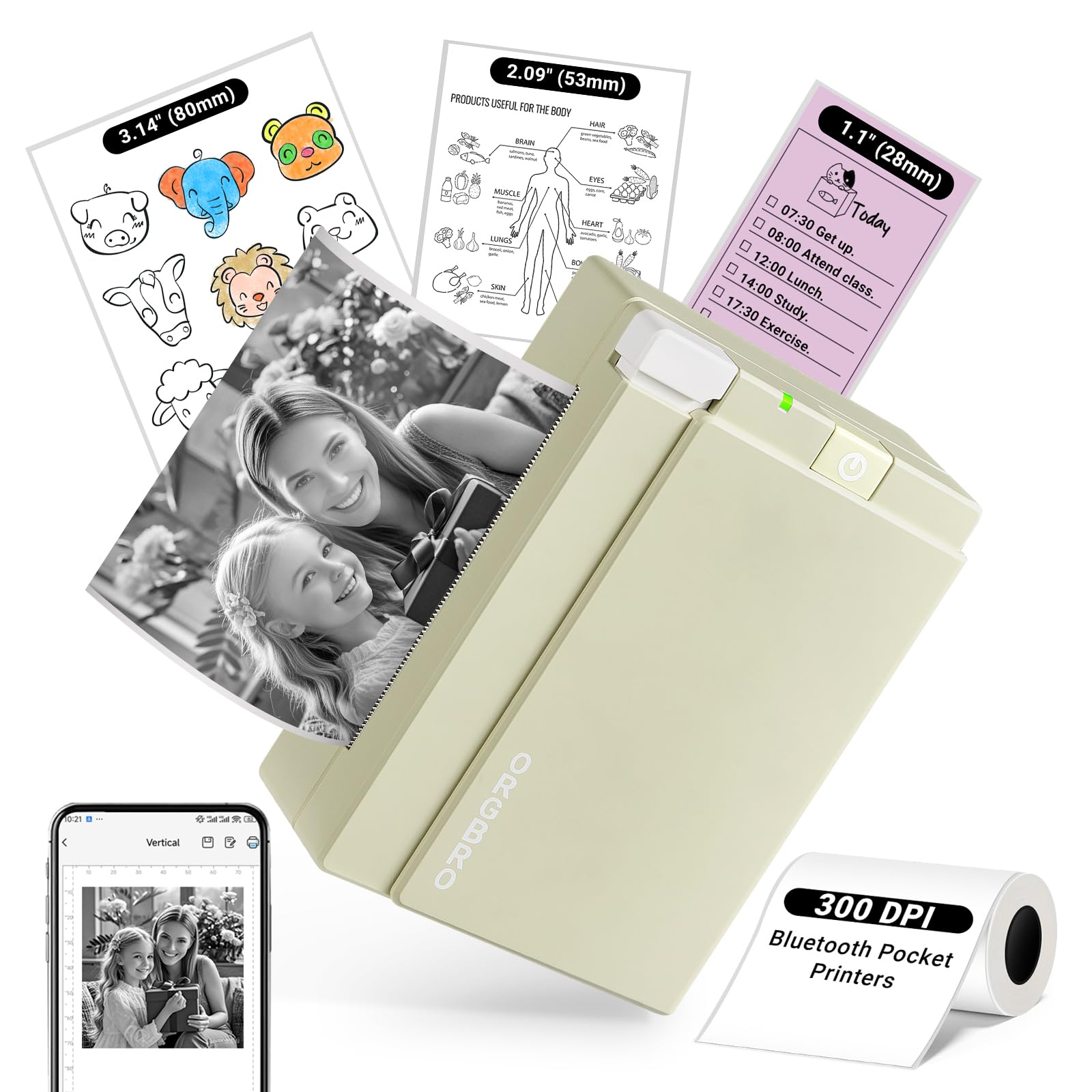
Two and three-inch prints at 300 DPI, so study notes and mini photos stay legible.
For anyone stuck deciding between the small label printer and the big-format machine, the ORGBRO X3 solves it with flexibility. It handles both 2-inch and 3-inch media (28/57/80mm), so you can switch from a scrolling list to a wider note without changing machines. Resolution is 300 DPI, which beats the typical 200 DPI of entry-level thermal printers and keeps fine text crisp. It prints around 12 pages per minute — slower than the NIIMBOT B1’s 50 pages per minute, but it is doing more per print.
The “Snap & Tag” app connects over Bluetooth to iOS and Android and offers 100+ free templates. You can print from your gallery, from social media, or from a custom design with a single tap. The box includes one 80mm×3m thermal paper roll, along with a USB Type-C cable. At 8.32 ounces it is a desk-friendly unit rather than a pocket carry, and the olive-green shell is a nice change from the usual white.
Setup is where a lot of frustration gets saved or created — the maker’s own guidance is to fully charge it before the first use, and skipping that step is the most common reason a first print goes wrong. Once running, prints are crisp and clear, and the 3-inch roll gives you room to cut labels to your own shape. It also suits children’s study materials, where the maker notes it protects eyes during reading.
Best for making your own shapes: cut the 3-inch prints freely into journal stickers, shopping-list labels, gift tags, and planner spreads. The 300 DPI edge means a barcode or a small paragraph does not blur into smoke.
One small thing to plan around: the first charge must be complete, so budget for a wait before the fun starts.
Step up here if: you want cutting flexibility and 300 DPI sharpness in one thermal machine without stepping up to the photo tier.
Stay with the B1 instead if: raw label throughput is your only measure — 50 pages per minute still wins.
5. Phomemo M108 Address Label Maker
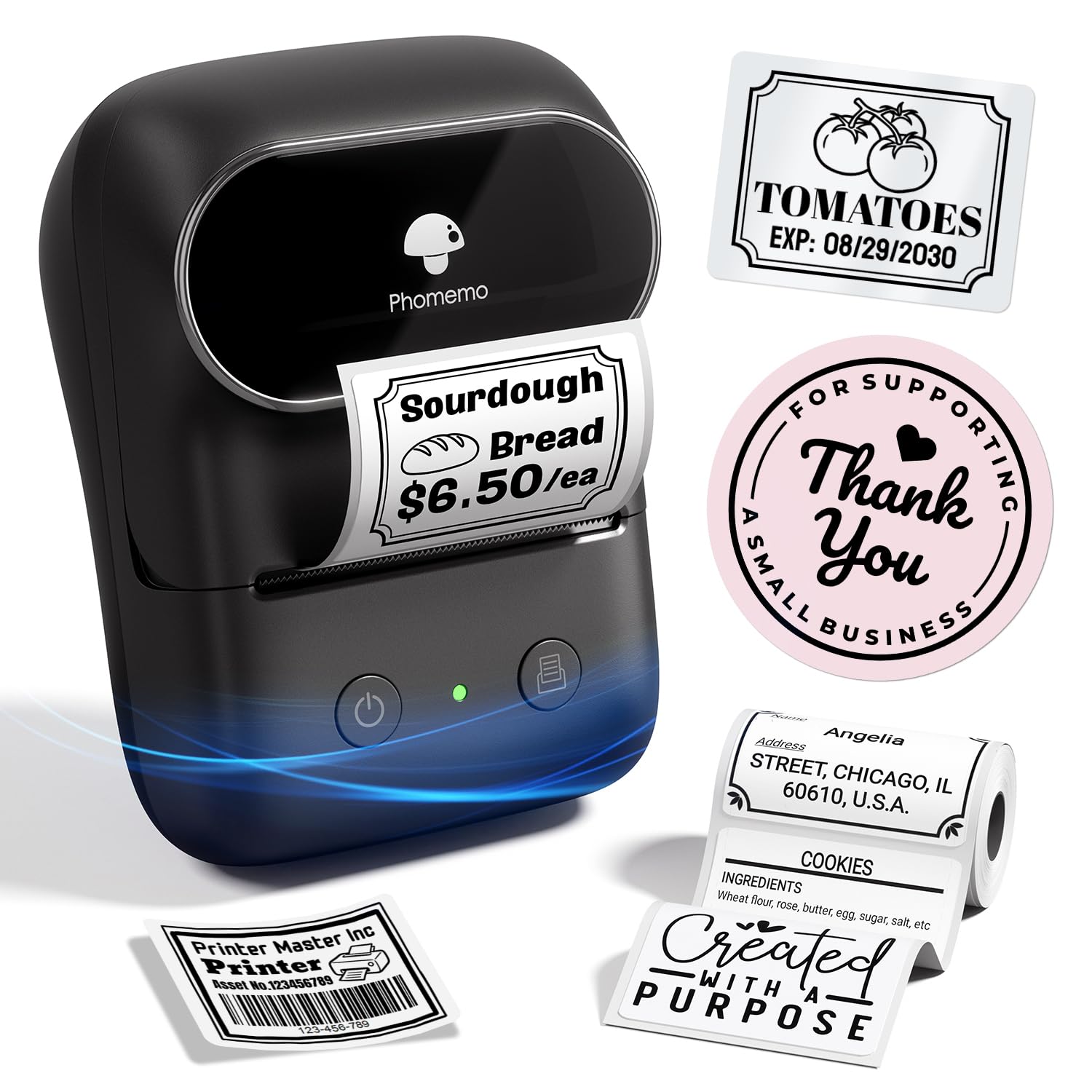
A small-business label workhorse that pairs in two seconds and prints thousands per charge.
The M108 is aimed at sellers and organizers who need labels in volume, not stickers made for fun. Its 1200mAh rechargeable battery runs for up to 6,000 prints per charge, so you are not reaching for a cable mid-afternoon on a shipping day. It weighs just 184g — the maker points out it is lighter than smaller mini models despite printing a wider label — and it prints 3/4″–2″ (20–50mm) wide labels. For addresses, product info, QR codes, brand logos, name tags, and filament labels, that covers the lot.
Connectivity is better thought out than most: Bluetooth 4.0 with a stable range up to 33 feet and 2-second pairing, plus a USB option for PC users. On mobile you print through the “Print Master” app; on PC you download the driver from Phomemo’s official site. The app itself is deep — 1900+ templates, 7900+ icons, 458+ borders, and 550+ fonts, plus QR codes, barcodes, logos, images, timestamps, and borders. Two smart touches earn their keep: OCR recognizes text from an image in 4 seconds, and voice input lets you dictate a label hands-free.
In the box you get the printer, 100 thermal labels at 40×30mm, a USB-C cable, and a manual. Printer quality is the aspect buyers praise most, with ease of use close behind, so the daily experience holds up. This is a monochrome thermal machine, and the 4.0 rating reflects a smaller, newer review base than the big-volume thermal picks — solid, but with less of a track record to lean on.
Built For Shipping Days
- Up to 6,000 prints per charge from a 1200mAh battery
- 184g despite printing a wider 3/4″–2″ label
- 2-second pairing and 33-foot Bluetooth 4.0 range
- 1900+ templates, 7900+ icons, 4-second OCR
What To Weigh
- Thermal black-and-white output only
- Smaller review base than the high-volume thermal picks
- Requires the Print Master app for mobile printing
Made for the small seller: address and product labels in bulk, charged once and printed all week.
Look elsewhere if: you want a craft gadget for kids — this one is business first.
6. Nelko PP01 Photo Printer
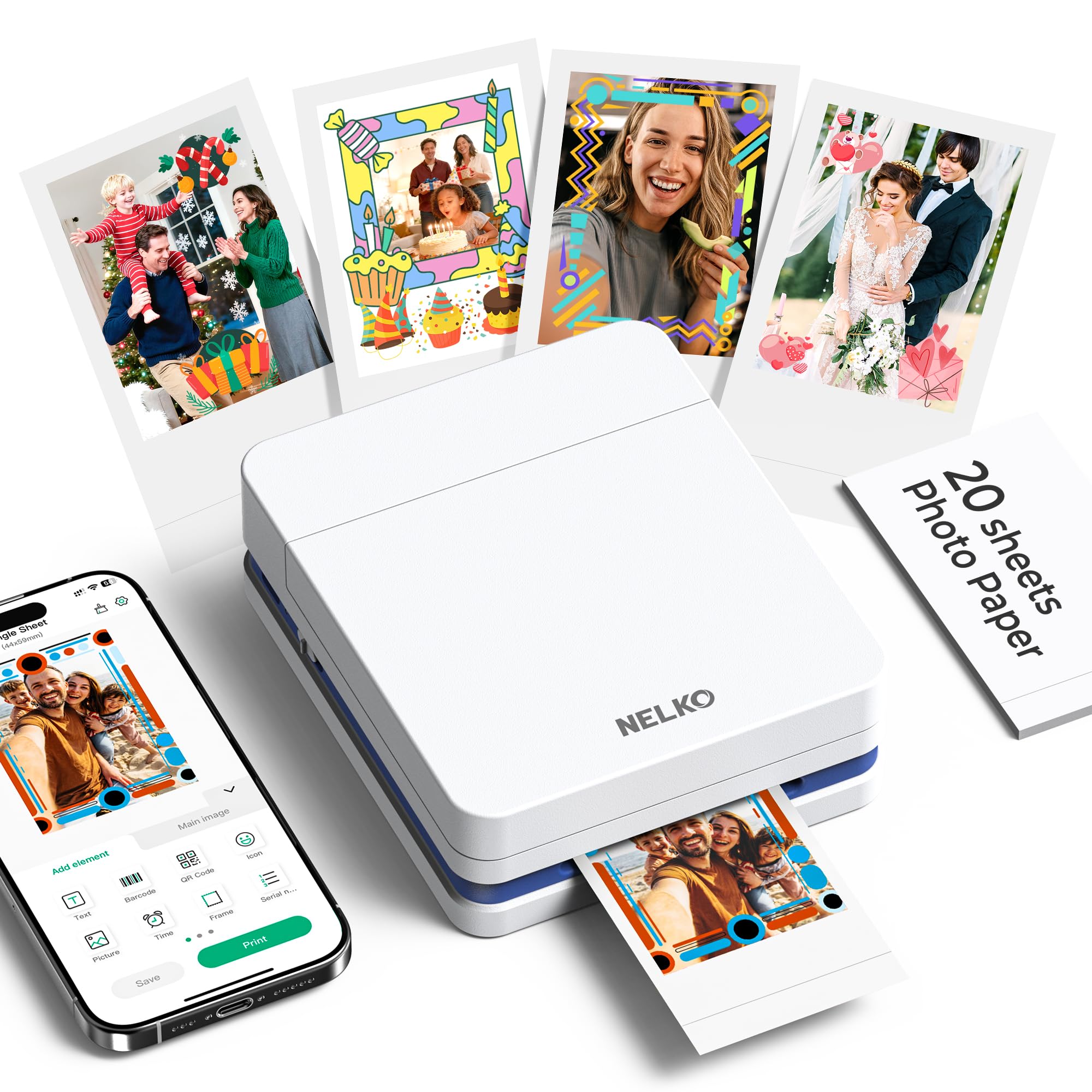
Full-color, sticky-backed photos at 600 DPI — inkjet quality in a pocket printer.
Unlike the monochrome thermal machines above, the PP01 prints real color. It runs on inkjet technology and produces 600 DPI high-resolution prints with precise colors on premium sticky-backed photo paper that is smudge-proof, water-resistant, and tear-resistant. Each ink cartridge is rated for up to 80 full-color 2×3 photos. The photo footprint is 2×3 inches; the maximum media listed is 45×60. At 308 g it is pocket-sized for school, travel, and field trips.
Those 600 DPI color photos come at museum-piece prices in time rather than just money. The PP01 prints one color page per minute, which is why you plan a batch rather than smash out a pile in one breath — each photo finishes in under 90 seconds according to the maker. Connection is Bluetooth via the Nelko app on iOS or Android, and the box includes one ink cartridge, 20 sheets of photo paper (10 inside the printer, 10 in the box), and a USB cable. No adapter is provided.
Load the paper smooth side down, fit the cartridge, pair, and print. The Nelko app adds filters, graffiti, borders, stickers, text, and AI image editing, plus collage building and frame designs. This is the strongest color option of the group, with print quality and compact size the two things buyers spotlight most. Reliability is the aspect that draws mixed commentary, so treat the cartridge and paper loading as the two steps worth getting right every time.
Where it shines: scrapbook pages, journal spreads, party favors, and event giveaways all come out as smudge-resistant sticky photographs you can hand out. The color quality is the whole reason to own it.
Where it stumbles: one photo per minute means a batch is a project, not a quick favor.
Buy it for the album: anyone making sticky photographs for journals, scrapbooks, and gifts where color is non-negotiable.
Not for the label drawer: if you want text labels at speed, the thermal picks are the better tool.
7. Kodak Step Instant Smartphone Photo Printer
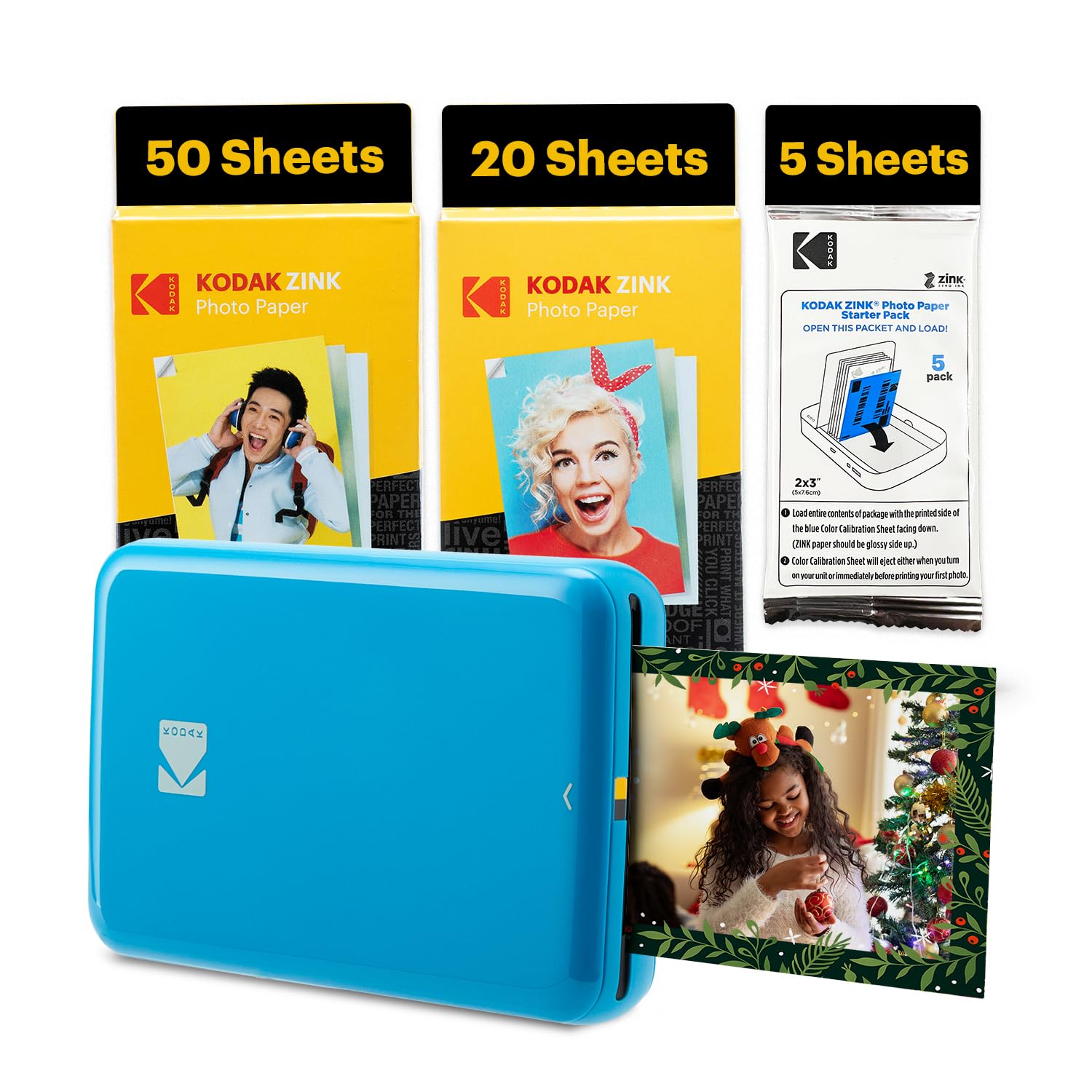
Zink Zero Ink color photos on 2×3 sticky-back paper, with 75 sheets in the bundle.
Kodak’s Step takes a different route to color than the Nelko: Zink Zero Ink technology, which prints from no ink, toner, or cartridges at all — the color is built into the paper. It produces vivid, full-color prints on adhesive-backed photo paper that is smudge-proof, water-resistant, and tear-resistant. The photos are 2×3 inches, and the bundle ships with 75 sheets. Connection is Bluetooth or NFC to an iOS or Android phone, tablet, or similar device.
Inside the free Kodak app you get collages, filters, borders, stickers, and text. Edit a photo in your camera roll, send it to the step, and the maker says it prints in less than 60 seconds. The built-in lithium-ion rechargeable battery prints 25 photos on a full charge — plan a batch rather than a marathon. It is the most expensive pick in the guide, so consider whether the 75-sheet bundle and the color output justify the outlay over the Nelko.
The honest caveat is speed under load: some prints take longer than the 60-second headline, and print quality draws mixed feedback with reports of blurry images alongside praise for great ones. Peel the backing off and press your sticker down — that part takes seconds. The device is compact and colorful, and it works as an inline photo-sticker alternative to a Polaroid-style camera.
The appeal: Zink paper means no ink cartridges to buy, ever. Snap, edit, print, peel, stick — the workflow is short.
The catch: per-photo cost is the reason this is the most premium pick here, and print consistency is the aspect with mixed praise. If you are on the fence, the Nelko PP01 gives you full-color 600 DPI at a lower outlay.
Pick the Step if: you are already committed to Zink prints and want a big sheet bundle in the box.
Try the PP01 instead if: you want the sharpest color photo sticker and the lower outlay — it prints at 600 DPI.
Know the Specs
DPI (Dots Per Inch) — Print Sharpness
DPI measures how many ink or heat dots the printer puts into every inch of output. More dots means crisper text and finer image detail. The 300 DPI thermal machines keep barcodes and small paragraphs legible, while entry-level units often run closer to 200 DPI. The color photo printers go higher still — the Nelko PP01 prints at 600 DPI. If your stickers carry small text, check DPI first.
Print Width — The Label Size Ceiling
Print width is the widest label or sticker the machine can produce. A 2-inch ceiling covers jar labels, name tags, price stickers, and QR codes — most day-to-day needs. Going to 3-inch open up shipping labels and small photo-sized prints. Some units print in the 20–50mm band, giving you a range of widths from narrow to roughly 2-inch. Match width to the widest label you actually print, not the biggest number on the box.
Thermal vs. Inkjet vs. Zink
Thermal printing uses heat on special paper and requires no ink at all, which is why those machines are cheap to run and print in one color. Inkjet (the Nelko PP01) sprays tiny droplets of cyan, magenta, yellow, and black for full-color photos. Zink (the Kodak Step) puts the color crystals in the paper itself, eliminating cartridges entirely. Each type has a different cost-per-print story; thermal is the lowest for labels, photo methods are higher.
Battery and Standby — How Long Between Charges
Pocket printers run on rechargeable lithium or similar cells. Capacity in mAh tells you how much stored power the battery holds, while standby time tells you how long it sits idle before losing its charge. The NIIMBOT B1’s 1500 mAh battery offers up to 100 days of standby, and the Phomemo M108’s 1200mAh runs up to 6,000 prints per charge. If you carry the printer around, both numbers are worth checking before you buy.
Common Questions
Do AI sticker printers need ink cartridges?
Can I print color stickers with a thermal printer?
Will a mini sticker printer work with my iPhone or Android phone?
How wide can each sticker printer print?
How long does a charge last on a portable label printer?
Does the app include AI features for making stickers?
Are the stickers from these printers waterproof?
Can I use third-party thermal paper in these printers?
How long does a photo take to print on a color sticker printer?
Is a sticker printer good for a child?
The Bottom Line
If you want one dependable pick, the ai sticker printer winner is the Gloryang JD-23 because it does pocket-sized black-and-white stickers without ever needing ink. If you want the fastest labeling machine in the group, grab the NIIMBOT B1 at 50 pages per minute. And for full-color sticky photographs, the Nelko PP01 is the one to reach for, printing at 600 DPI in living color.
How we choose
We do not accept paid placement. Every pick is matched to a real buyer and a real use-case; we do not hands-on test units.
Sources
Specifications: manufacturer listings and product documentation. Review insights: verified customer reviews, as of November 2026. Pricing: not shown on this page (it changes often); check the current price via the retailer link.
As an Amazon Associate, My Heart Lives Here earns from qualifying purchases. This does not affect which products we feature.