Heads up: This post contains affiliate links. As an Amazon Associate I earn from qualifying purchases, at no extra cost to you. Learn more
Specs are compiled from manufacturer listings and verified buyer reviews and can change over time — please confirm the key details on the product page before buying.
If you are building or upgrading a desktop and want smooth 1440p gaming without a second mortgage, the RX 9060 XT is the card class to beat right now. Every model here uses the same 16GB of GDDR6 memory, so the real decision is not raw power. It is about which cooler, board length, and power connector actually fit inside your case.
This guide is built by comparing the manufacturers’ published specifications and the patterns across verified customer reviews, so you get each pick’s real strengths and trade-offs instead of marketing spin.
You will see how board length, slot thickness, and clock speed shift from one card to the next. Below is the honest breakdown of each 9060 xt model.
Top Picks

How To Choose The Best 9060 XT Model
These cards share the same graphics processor, so they mostly render games the same way. What separates them is the physical build and the cooling design bolted on top. Measure your case before you get attached to a specific card.
Measure your case clearance first
A graphics card only works if it physically fits. A long card can bump into a drive cage or a front fan, and a thick card can block the slot below it. Check the length and width your case lists, then compare it to the card’s own published length and width before you buy.
Match the power connector to your supply
Some cards here run on a single 8-pin power connector, which keeps cable routing simple. Others ask for a supply rated for more wattage. Look at the recommended system power figure on the card you want, then check the label on your own power supply unit (the box that feeds power to every part).
Read clock speed as a noise and heat hint, not a headline
A boost clock (the highest speed the card can briefly hit) tells you how hard the maker tuned the card. Higher figures can mean more frames, but they can also mean more fan noise and heat. A dual BIOS switch (a setting that lets you pick a quiet or a fast profile) gives you both without a compromise.
Side-by-Side Comparison
| Model | Best For | GPU Clock Speed | Memory | Board Size | Amazon |
|---|---|---|---|---|---|
| GIGABYTE Radeon RX 9060 XT Gaming OC 16G★ Best Overall | Balanced 1440p build | 2700 MHz | 16GB GDDR6 | 11.06″L x 4.65″W | Amazon |
| XFX Swift AMD Radeon RX 9060 XT OCQuiet Performer | Compact quiet gaming | 3320 MHz boost | 16GB GDDR6 | 10.63″L x 4.88″W | Amazon |
| PowerColor Reaper AMD Radeon RX 9060 XT 16GB | Small cases and 1440p | 2620 MHz | 16GB GDDR6 | 200 mm internal length | Amazon |
| Sapphire Pulse AMD Radeon RX 9060 XT Gaming OC | High clock tuning | 3290 MHz | 16GB GDDR6 | 15″L x 9″W | Amazon |
| GIGABYTE Radeon RX 9060 XT Gaming OC ICE 16G | Quiet and cool builds | 2780 MHz | 16GB GDDR6 | 11.06″L x 4.65″W | Amazon |
| ASUS Dual Radeon RX 9060 XT 16GB | 1440p with FSR4 | 3250 MHz | 16GB GDDR6 | 8″L x 4.7″W | Amazon |
| ASRock Radeon RX 9060 XT Challenger 16GB OC | Compact high-clock build | 3290 MHz | 16GB GDDR6 | 249 mm x 132 mm x 41 mm | Amazon |
Detailed Reviews
1. GIGABYTE Radeon RX 9060 XT Gaming OC 16G
Our pick — 4.5+★ from 700+ verified ratings; the strongest balance of quality and price.
The balanced 1440p pick, with WINDFORCE cooling and a Hawk fan holding temps down.
This is the card to start with if you want a no-drama 1440p build. It runs a 2700 MHz GPU clock speed (how fast the processor cycles through work) and pairs it with 16GB of GDDR6 memory (the fast buffer that holds game textures). That memory figure is the one that matters for modern games with big, detailed worlds.
Owners praise its raw performance above every other trait in the feedback. It also doubles as a serious step up from older cards without a huge outlay. The WINDFORCE cooling system and Hawk fan keep temperatures in check, and the server-grade thermal conductive gel helps move heat away from the chip. It measures 11.06″ long and 4.65″ wide, so check that against your case.
The honest trade-off is that the 16GB of memory is shared across this whole family, so the GIGABYTE does not pull ahead of its siblings on capacity. It also weighs 1100 g, which is on the heavier side — see the ASUS Dual below, which is shorter at 8″ versus the GIGABYTE’s 11.06″. That said, it holds 4.5+ stars across 700+ ratings, and it earns the top spot on balance of power, cooling, and value.
What earns it the crown
- Performance is the runaway strength in owner feedback
- WINDFORCE cooling and Hawk fan keep temps down
- 16GB GDDR6 handles texture-heavy games
- 4.5+ stars across 700+ ratings
Where it gives ground
- 11.06″ length needs a roomy case
- 1100 g is heavier than some rivals
Reach for this if: you want the safest all-round 1440p card with strong cooling and a high owner score.
Measure first if: your case is tight — the 11.06″ length leaves less margin than shorter cards.
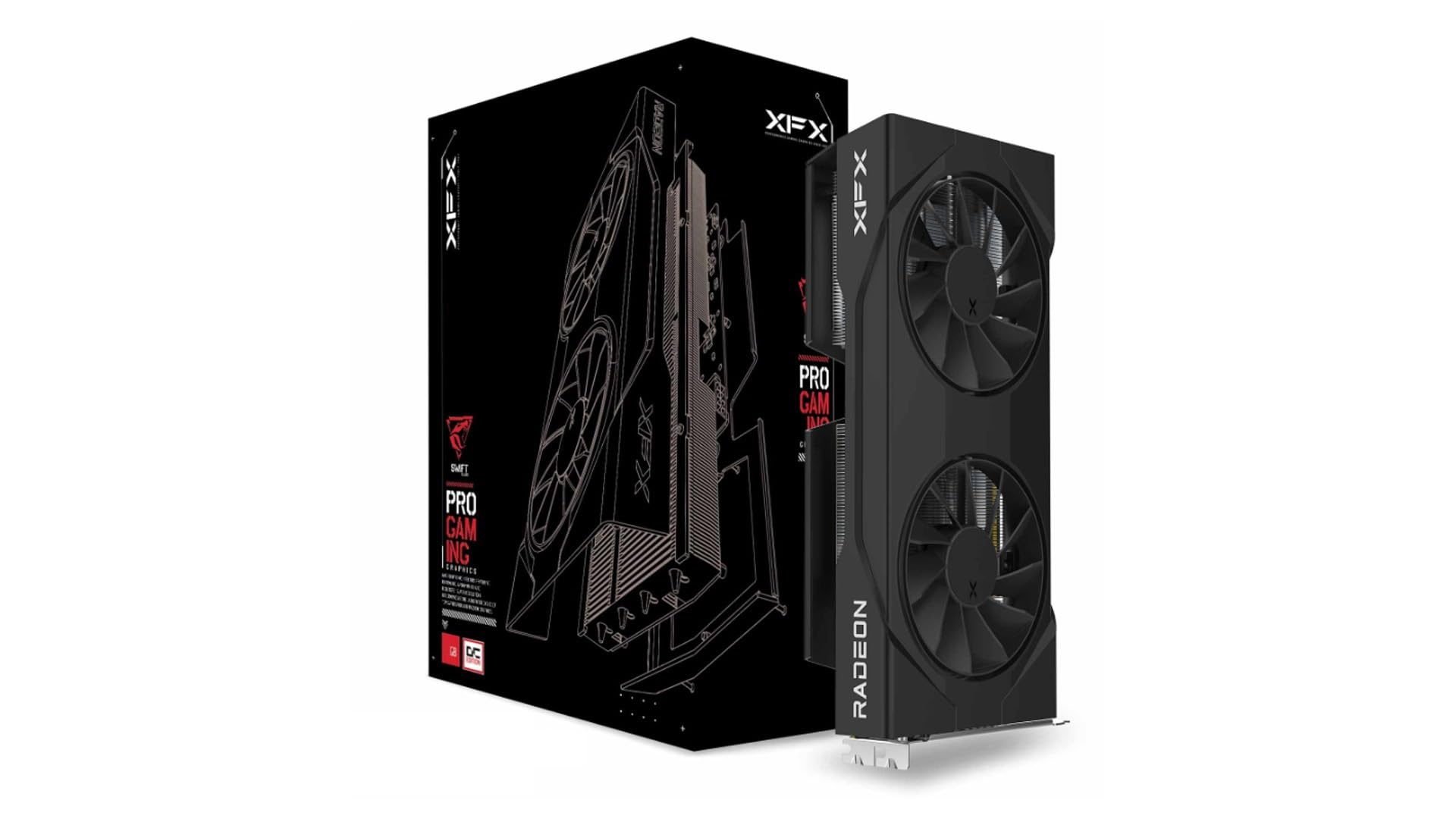
2. XFX Swift AMD Radeon RX 9060 XT OC Gaming Edition
A hushed dual-fan card at 10.63″ long, with a 3320 MHz boost clock for 1440p.
If fan noise bugs you, this one is built for you. The SWFT dual-fan cooling solution is tuned to keep things hushed, and the card sits at 10.63″ long and 4.88″ wide. The base GPU clock speed reads 1900 MHz, but the boosted figures climb to a game clock of 2780 MHz and a boost clock of up to 3320 MHz. That boost number runs well above the PowerColor Reaper’s 2620 MHz — 3320 MHz versus 2620 MHz.
Performance leads the owner feedback by a country mile, and value for money sits close behind. Stability gets steady praise too, with owners noting it holds firm in the slot rather than sagging. Temperatures stay low in real use, so long sessions do not turn your case into a space heater.
The catch is that this card weighs 1.31 kg, so it is not the featherweight its compact footprint suggests. It also lists a maximum resolution of 3840×2160, which is plenty for 1440p but ties it to 4K ceilings rather than the 7680×4320 some siblings list. For a quiet, steady 1440p card with headroom in the boost clock, it is a sharp pick.
Why it stands out: a 3320 MHz boost clock, quiet dual-fan cooling, and rock-steady mounting make it a natural fit for noise-sensitive rooms.
Built for: gamers who value a hushed rig over the last few frames.
Think twice if: you need the absolute highest resolution ceiling — some rivals list a higher maximum.
3. PowerColor Reaper AMD Radeon RX 9060 XT 16GB GDDR6

A 200 mm card that fits small-form-factor cases and runs on a single 8-pin connector.
This is the card for a small-form-factor build. Internal length lands at 200 mm, and the whole card measures 200 x 100 x 39 mm, so it slots into cases where longer cards simply will not go. It runs on a single 8-pin PCI Express power connector and asks for a 500W minimum system power — an easy ask for most modern supplies.
Owners get excellent performance, especially at 1440p, and they rate the compact size and quiet operation highly. It plays nicely with Steam OS and Linux too, which is rarer than it should be. What people mention most is performance, with the price-to-performance ratio right behind it — this card delivers a lot for what it asks.
The one thing to weigh is reliability. A small slice of buyers hit crashes tied to driver errors, so keep your drivers current and do not blame the hardware before you update. At 4.5+ stars and 658 g — lighter than the GIGABYTE above at 1100 g — it is a nimble, affordable way into 1440p. Just confirm your case can handle the 200 mm card and your supply is rated right.
The size story: 200 mm internal length is the headline here, and it is what makes tight builds possible.
One thing to watch: a few driver-related crashes show up in feedback, so start with a clean driver install.
Pick this for: small cases and tight budgets where 200 mm is the limit.
Look elsewhere if: you want the simplest no-fuss experience and would rather not troubleshoot drivers.
4. Sapphire Pulse AMD Radeon RX 9060 XT Gaming OC

The highest-tuned clock here at 3290 MHz, in a 15″ x 9″ body that needs a roomy case.
The headline here is the 3290 MHz GPU clock speed, which outruns the XFX Swift’s 1900 MHz base figure. It pairs that tuning with 16GB of GDDR6 on a 128-bit memory interface (the bus width that moves data between the memory and the chip) and lists 2 x HDMI plus 1 x DisplayPort for your monitors. If you want the fastest-tuned card on paper, this is it.
But that speed comes with serious size. At 15″ long and 9″ wide it is by far the largest card here — the ASUS Dual below measures just 8″ long, so the Sapphire takes nearly twice the shelf space. Plan your case around it, not the other way around.
Buyers report strong performance at both 1080p and 1440p, and the card runs cool and installs easily. Noise stays low, and there are no coil-whine complaints floating around. Those are the things that make a card livable day to day. It holds 4.5+ stars across 400+ ratings. The trade-off is simply the footprint — check that 15″ length against your case clearance before you commit.
The draw
- 3290 MHz clock leads the field
- Runs cool and quiet with no coil whine
- Handles 1080p and 1440p well
The size tax
- 15″ long and 9″ wide — the biggest here
- Demands a roomy case with clearance to spare
Go for it if: your case has room and you want the highest-tuned clock here.
Pass if: you are building small — 15″ will not fit many compact cases.
5. GIGABYTE Radeon RX 9060 XT Gaming OC ICE 16G
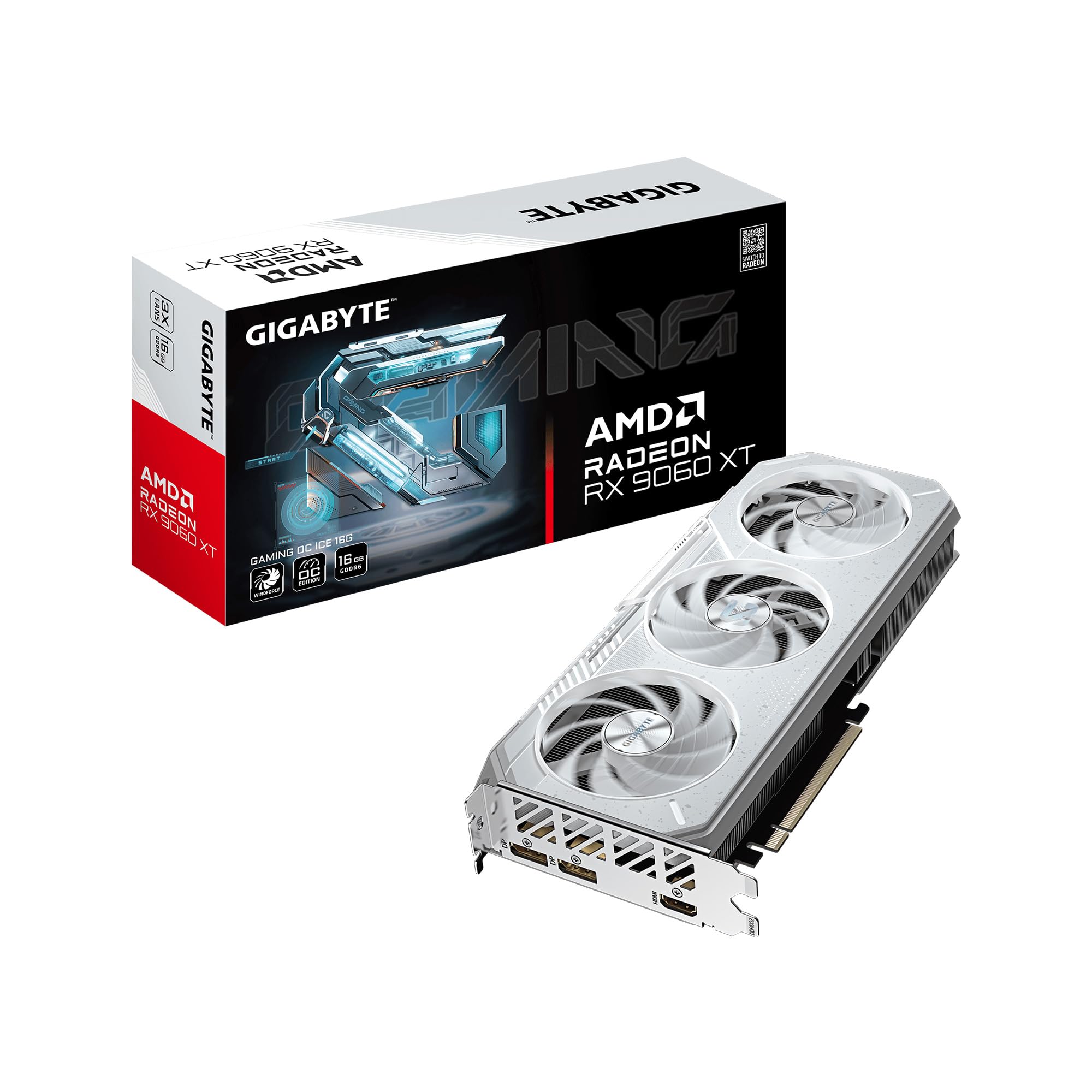
A 2-slot, 2780 MHz card with a Dual BIOS switch for a Silent mode and a single 8-pin install.
This card is built around silence and low heat rather than headline clock speed. It runs a 2780 MHz GPU clock speed and a 2-slot design, paired with the WINDFORCE cooling system — Hawk fans with alternate spinning, composite copper heat pipes, a copper plate, and server-grade thermal conductive gel. The reinforced metal backplate adds structural rigidity so the board does not flex.
The Dual BIOS switch is the clever part. It ships in Performance mode for maximum output, and you can flip to Silent mode when you want a quieter room without touching software. RGB lighting adds 16.7M color options if you like a lit-up build. The card also lists PCIe 5.0, HDMI 2.1b, and DisplayPort 2.1a for modern high-refresh displays.
Owners mention games running smoothly, temperatures sitting cool under load (55°C shows up in feedback), and easy installation thanks to the single 8-pin connector. As buyers put it, the card is easy to install and good value for money. The one thing to know: this is the ICE variant, so its clock tuning sits modestly below the higher-clocked cards here. If you want cool and quiet, this delivers.
Built for silence: the Dual BIOS Performance/Silent switch is the standout, letting you trade a little fan noise for a calm room on demand.
Your card if: you want low temps, quiet fans, and a rigid backplate without chasing peak clocks.
skip it if: you want the highest clock figure here — this one tunes for quiet.
6. ASUS Dual Radeon RX 9060 XT 16GB GDDR6
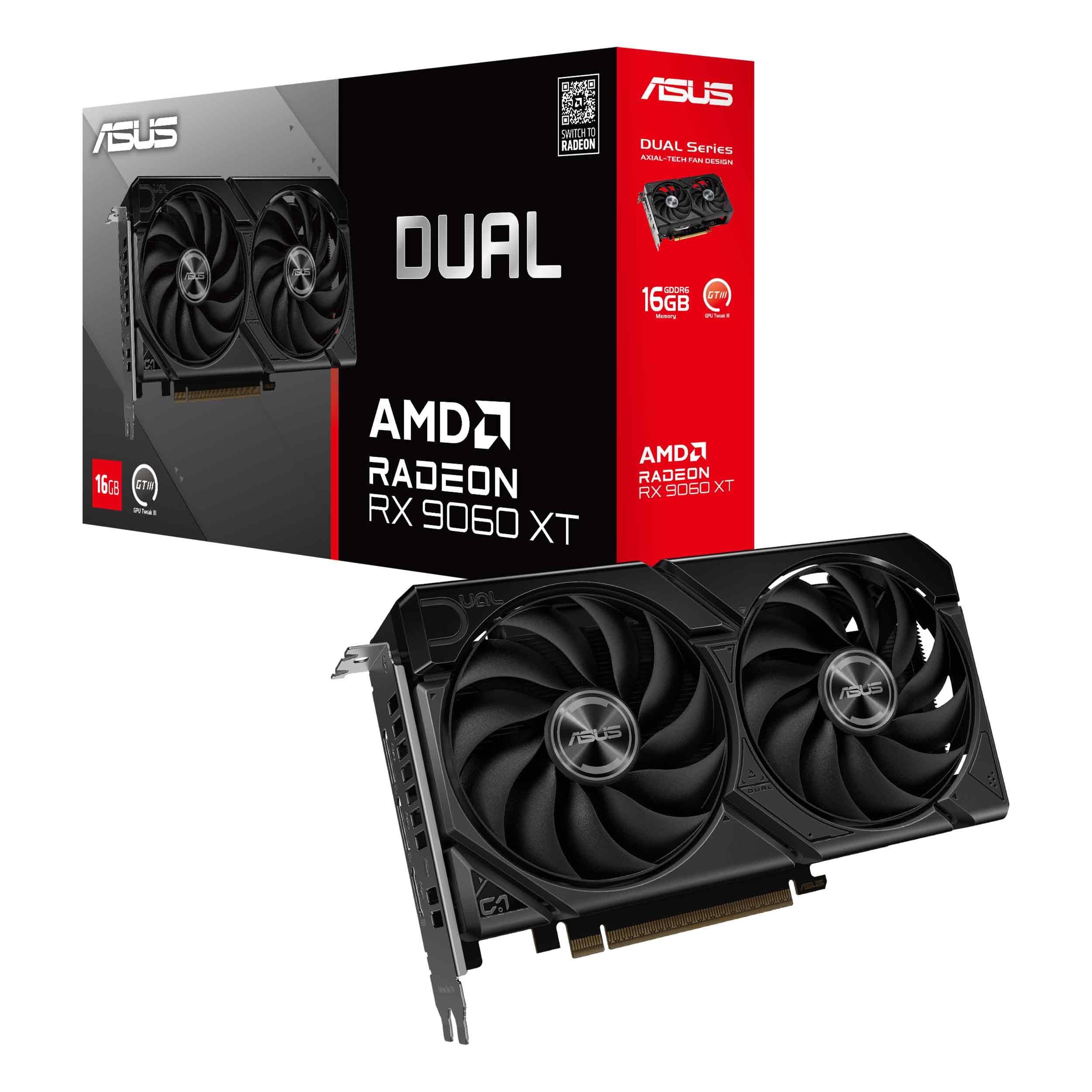
An 8″ card with a 3250 MHz OC boost clock and 0dB fans that stop at light load.
You get a card that fits small cases and still runs fast at 1440p (2560×1440 resolution). It reaches a 3250 MHz boost clock (the top speed it can hit) in OC mode with GPU Tweak III (Asus’s tuning app), plus a 2640 MHz game clock (the speed it holds while gaming). That boost is tuned well above the PowerColor Reaper’s 2620 MHz, and it does it in an 8″ long card — shorter than the Sapphire Pulse’s 15″, so it slides into tighter builds.
The Axial-tech fans use a smaller hub so the blades run longer, and a barrier ring pushes air pressure downward. A 2.5-slot design keeps cooling strong without eating every slot. The 0dB technology spins the fans down for light gaming so it stays silent when it can. Dual ball fan bearings are rated to last up to twice as long as sleeve bearings, and the Dual BIOS switch toggles quiet or performance profiles.
Owners see excellent 1440p performance and note it runs FSR4 smoothly, while the quiet fans and cool temps earn steady praise. It is easy to install and compact, and PC VR customers note solid results. At 4.5+ stars across 300+ ratings it is a strong pick. The one constraint: it lists an 8″ length, which is great for space but means it gives up some heat-sink real estate versus the giant cards — a fair trade for the compact fit.
Where it wins: 1440p performance, cool temps, and an 8″ footprint that fits builds where 15″ cards cannot go.
Best matched to: a compact 1440p build that values silent running over raw size.
Look at a bigger card if: you push sustained load and want the largest cooler possible.
7. ASRock Radeon RX 9060 XT Challenger 16GB OC
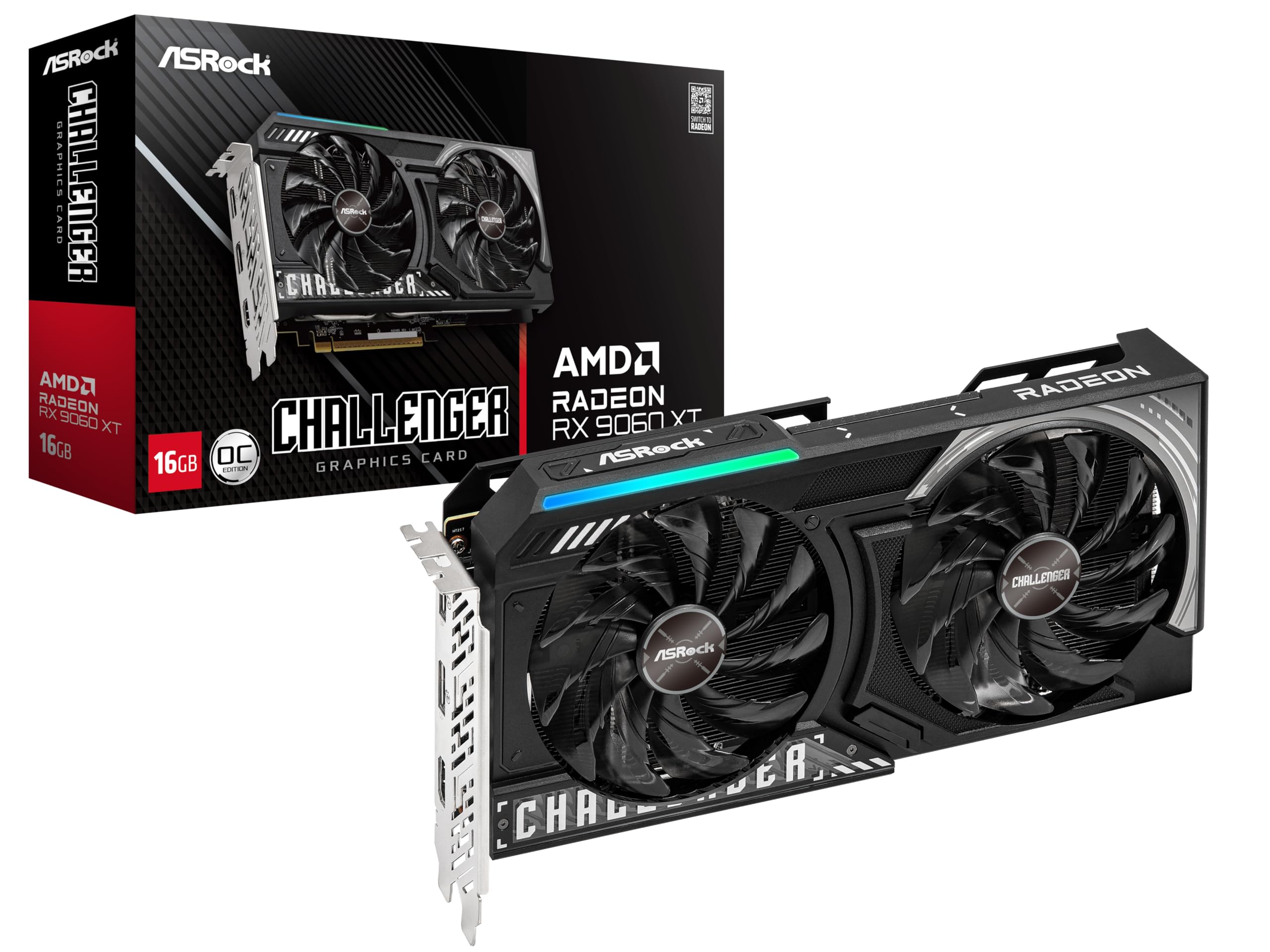
A 249 mm card with a 3290 MHz boost clock, 0dB Silent mode, and mid-60s temps under load.
ASRock tunes this one hard. It runs a boost clock of up to 3290 MHz from the start with a 2700 MHz game clock, built on the AMD RDNA 4 architecture with 32 compute units. It carries 16GB of GDDR6 on a 128-bit bus running at 20 Gbps, and packs 3rd Gen Ray Tracing with 2nd Gen AI accelerators. That is a full-performance loadout in a card that measures 249 mm x 132 mm x 41 mm.
Size is the quiet advantage here. At 249 mm it is far shorter than the Sapphire Pulse’s 15″ (381 mm), so it fits mid-tower and many smaller builds. It needs just a single 8-pin power connector, and its 0dB Silent mode keeps the fans off under light load. There is an LED indicator to help keep an eye on things.
Performance is the runaway favorite in owner feedback, with effective cooling that keeps temps in the mid-60s under full load and ultra-quiet operation that suits small-form-factor cases. Installation is straightforward. Do confirm your power supply is rated for the recommended 550W and that your chassis has the clearance for the 249 mm card. For a compact, high-clock 1440p card, it is hard to fault.
Why it punches high
- 3290 MHz boost clock leads the pack
- Runs in the mid-60s under full load
- 0dB Silent mode and LED indicator
- 249 mm fits tighter cases
Before you buy
- Asks for a 550W recommended supply
- Still needs chassis clearance for 249 mm
The right call if: you want peak clock tuning in a compact footprint with cool, quiet running.
Double-check if: your power supply sits below the recommended 550W rating.
Know the Specs
GPU Clock Speed
This is how fast the graphics chip cycles through work, measured in megahertz (MHz). A higher figure can mean more frames per second, but it raises heat and noise too. Read the boost clock (the peak speed the card can hit) alongside the game clock (the sustained speed under load) for the fuller picture.
GDDR6 Memory
Memory, here 16GB of GDDR6, is the fast holding bay for game textures and effects. With more memory, you can push higher texture settings and bigger resolutions without stutter. Every card in this family lists 16GB, so memory capacity is not the deciding factor — fit and cooling are.
Board Length and Width
The physical size decides whether a card fits your case. A 15″ card will not go in many compact builds, while an 8″ card will. Measure the internal clearance of your case, then compare it to the card’s published length and width before you buy.
Power Connector and Wattage
The power connector (an 8-pin PCIe plug) feeds the card from your power supply. Cards here list a recommended system power figure — such as 500W, 550W, or a higher rating. Match that to the label on your power supply unit so the card has room to run.
Common Questions
Will a 16GB RX 9060 XT handle 1440p gaming well?
What power supply do I need for an RX 9060 XT?
How long can these graphics cards be for my case?
Is a higher boost clock always better?
Do these cards support 4K resolution?
Can I use an RX 9060 XT in a small-form-factor case?
Will the RX 9060 XT work well for PC VR?
Do any of these cards run hot or loud under load?
Which RX 9060 XT has the highest clock speed?
Do these cards need a special PCIe slot?
The Bottom Line
The strongest all-round pick for most builds is the GIGABYTE Radeon RX 9060 XT Gaming OC 16G, because it balances performance, cool-running WINDFORCE cooling, and a 4.5+ star score better than anything else here. If a quiet room matters most, the GIGABYTE ICE with its Dual BIOS silent mode is the one to reach for. And if you are building small, the PowerColor Reaper at 200 mm is the compact way in. The one honest nudge: with hundreds of ratings behind several of these cards, the crowd has already done the sorting for you — start with the Best Overall and work down from there.
How we choose
We do not accept paid placement. Every pick is matched to a real buyer and a real use-case; we do not hands-on test units.
Sources
Specifications: manufacturer listings and product documentation. Review insights: verified customer reviews, as of November 2026. Pricing: not shown on this page (it changes often); check the current price via the retailer link.
As an Amazon Associate, My Heart Lives Here earns from qualifying purchases. This does not affect which products we feature.