Heads up: This post contains affiliate links. As an Amazon Associate I earn from qualifying purchases, at no extra cost to you. Learn more
Specs are compiled from manufacturer listings and verified buyer reviews and can change over time — please confirm the key details on the product page before buying.
If you are shopping for a 1TB micro SD card, the short answer is this: buy the SanDisk 1TB Extreme if you shoot 4K video or play on a handheld, and pick a cheaper high-endurance card if your job is a dash cam or a home security camera. The rest depends on one thing most listings bury — read speed decides how fast files leave the card, write speed decides whether your recording keeps up, and a card can be brilliant at one and mediocre at the other. This guide separates those two numbers for every pick so you stop guessing.
This guide is built by comparing the manufacturers’ published specifications and the patterns across verified customer reviews, so you get each pick’s real strengths and trade-offs instead of marketing spin.
Capacity is the easy part at 1TB; the part that trips people up is the small print on speed class and compatibility. Below you will find the honest differences between seven cards that all claim the same headline number, laid out so you can match one to your camera, console, or dash cam in a few minutes of reading.
Shopping for the best 1TB Micro SD Card gets much simpler once you match write speed and endurance rating to the device you actually own.
Top Picks


How To Choose The Best 1TB Micro SD Card
A 1TB micro SD card holds an enormous amount of data in a chip smaller than your thumbnail, which is exactly why the wrong one hurts. The card that records beautifully in a drone can feel sluggish in a phone, and the card that survives years in a dash cam is not automatically the fastest option for your camera. Start with the device, not the card.
Match write speed to what you are recording
Write speed is how quickly the card accepts data — it is the number that decides whether a 4K video keeps recording or the camera stops with a buffer warning. A V30 rating (Video Speed Class 30) means the card is designed to sustain a minimum video capture rate, which is what action cameras and drones need. If you are only storing photos and documents, write speed barely matters and you can spend your attention elsewhere.
Understand what the endurance rating buys you
High-endurance cards are built for devices that write constantly, like a dash cam looping footage or a security camera recording motion all day. Those cards trade headline speed for long-term wear resistance. A general-purpose card used the same way will still work, but it is doing a job it was not specifically designed for. Neither is better — they are built for different workloads.
Check device compatibility before you buy capacity
A 1TB card is only useful if your device accepts 1TB. Some consoles, cameras, and older phones cap out at lower capacities and will simply refuse to read the card. Check the manufacturer’s stated maximum card size for your exact model first. Several cards here are also explicitly noted as working with Nintendo Switch but not the newer Switch 2, so verify your specific device generation.
Decide how much speed you actually need
Faster read speeds make offloading files to a computer quicker, which saves real time if you move large video files every day. For a phone or a media tablet, a mid-tier read speed is plenty. Spend on speed only where it removes a wait you actually feel — transferring footage, loading games, or shooting high frame-rate video.
Side-by-Side Comparison
| Model | Best For | Read Speed | Write Speed | Speed Class | Amazon |
|---|---|---|---|---|---|
| SanDisk 1TB Extreme microSDXC★ Best Overall | 4K cameras, drones, handhelds | Up to 160MB/s | Up to 90MB/s | U3 / V30 / A2 | Amazon |
| SanDisk 512GB Extreme + AdapterFastest Offload | Fast offload for action cams and drones | Up to 190MB/s | Up to 130MB/s | U3 / V30 / A2 | Amazon |
| Samsung PRO Plus Sonic the Hedgehog 1TB | Handheld gaming with a theme | Up to 180MB/s | Up to 130MB/s | U3 / V30 / A2 | Amazon |
| Amazon Basics 1TB microSDXC | Everyday storage on a tight budget | Up to 100MB/s | Up to 80MB/s | U3 / A2 | Amazon |
| Kingston 1TB Canvas Select Plus | Security cameras and Tapo setups | Up to 150MB/s | — | U3 / V10 / A1 | Amazon |
| SanDisk 512GB Ultra + Adapter | Phones, tablets, and Chromebooks | Up to 150MB/s | — | U1 / A1 | Amazon |
| SanDisk 512GB High Endurance + Adapter | Dash cams and home monitoring | — | 30 MB/s | U3 / V30 | Amazon |
Detailed Reviews
1. SanDisk 1TB Extreme microSDXC UHS-I Memory Card with Adapter
Our pick — 4.5+★ from 355,000+ verified ratings; the strongest balance of quality and price.
A full terabyte that keeps up with 4K footage instead of choking on it.
This is the card for the person with a 1TB problem: a drone filling cards, a camera rolling 4K clips, or a handheld console with a game library that has outgrown its internal storage. It reads at up to 160MB/s, which is how fast files come off the card when you plug it into a reader. That speed is what turns an hour-long offload into a coffee-break job.
The write side reaches up to 90MB/s, and that is the number that matters while you are actually shooting. It carries a U3 speed class and a V30 video speed class, the labels that tell a camera it can sustain 4K and Full HD recording without stalling. It is also rated A2, which is the app-performance rating that governs how quickly apps load and respond when the card is used as phone or console storage. It survives temperature extremes, water, shock, and X-rays per its listed protections, so a bad drop or a wet day is not the end of your footage.
The catch is the price bracket — this sits at the premium end of the list, and if all you do is store photos and documents you are paying for speed you will never feel. It is also the smallest card physically here, with a listed length of 0.04 inches compared with the Kingston’s 0.94 inches, so hold onto the adapter that ships in the box. Buyers report consistently strong reliability and file-transfer performance, and it is the card they reach for when the shooting matters.
Where this card earns its keep
- Up to 160MB/s read speeds move big video files off the card quickly.
- V30 and U3 classes are built for sustained 4K and Full HD recording.
- A2 rating speeds up app loading when the card lives in a phone or handheld.
- Temperature, water, shock, and X-ray protection cover real-world abuse.
Where it asks more of you
- The premium bracket means you pay for speed whether or not you use it.
- Up to 90MB/s write is behind the 130MB/s cards on this list.
- Listed length of 0.04 inches makes the bundled adapter genuinely important.
Reach for this if: you shoot 4K, fly a drone, or run a handheld library and want one card that handles all three.
Hold off if: your device only ever stores photos — a mid-tier card covers that without the premium.
2. SANDISK 512GB Extreme microSD Card
Here is the card that beats the top pick on paper — a 190MB/s read against 160MB/s, and a 130MB/s write against 90MB/s.
If your work is offloading footage rather than storing a gigantic library, this is the smarter pick. That read speed comes from SanDisk QuickFlow Technology, which the maker notes is designed to reach speeds beyond the standard UHS-I 104MB/s ceiling and requires a compatible reader to hit. Pair it with the right reader and the transfer bar moves faster than anything else on this list.
The writing side is the difference that matters for action cameras and drones. It writes at up to 130MB/s, against the top pick’s up to 90MB/s, so fast shooting and high frame-rate clips clear the buffer sooner. It is rated U3 and V30 for 4K and 5K UHD recording, and A2 for app performance when you slide it into a handheld or tablet. It is also physically larger than the 1TB Extreme — a listed height of 0.59 inches versus 0.08 inches on the Kingston — which is mostly a quirk of how these listings measure, not a fit problem.
The obvious limit is capacity: this is a 512GB card, half the headline figure of this guide, so it suits someone who offloads regularly rather than one who wants a year of footage on one chip. It carries a listed weight of 14 g, heavier on paper than the 4.54 g 1TB Extreme. Anyone working with DJI drones, Steam Decks, or action cameras will find the speed well worth the smaller capacity.
Speed-first verdict: the 190MB/s read and 130MB/s write make this the fastest card in the group for anyone who moves large files or shoots fast action.
The trade you are making: 512GB instead of 1TB. Match it to a shoot-then-offload workflow and the capacity never becomes the bottleneck.
Who it beats the field for: drone pilots and action-camera shooters who want maximum transfer speed and shoot in sessions.
Who should size up instead: if you would rather never think about offloading, the 1TB Extreme above holds double the room.
3. Samsung PRO Plus Sonic The Hedgehog 1TB microSDXC + Adapter
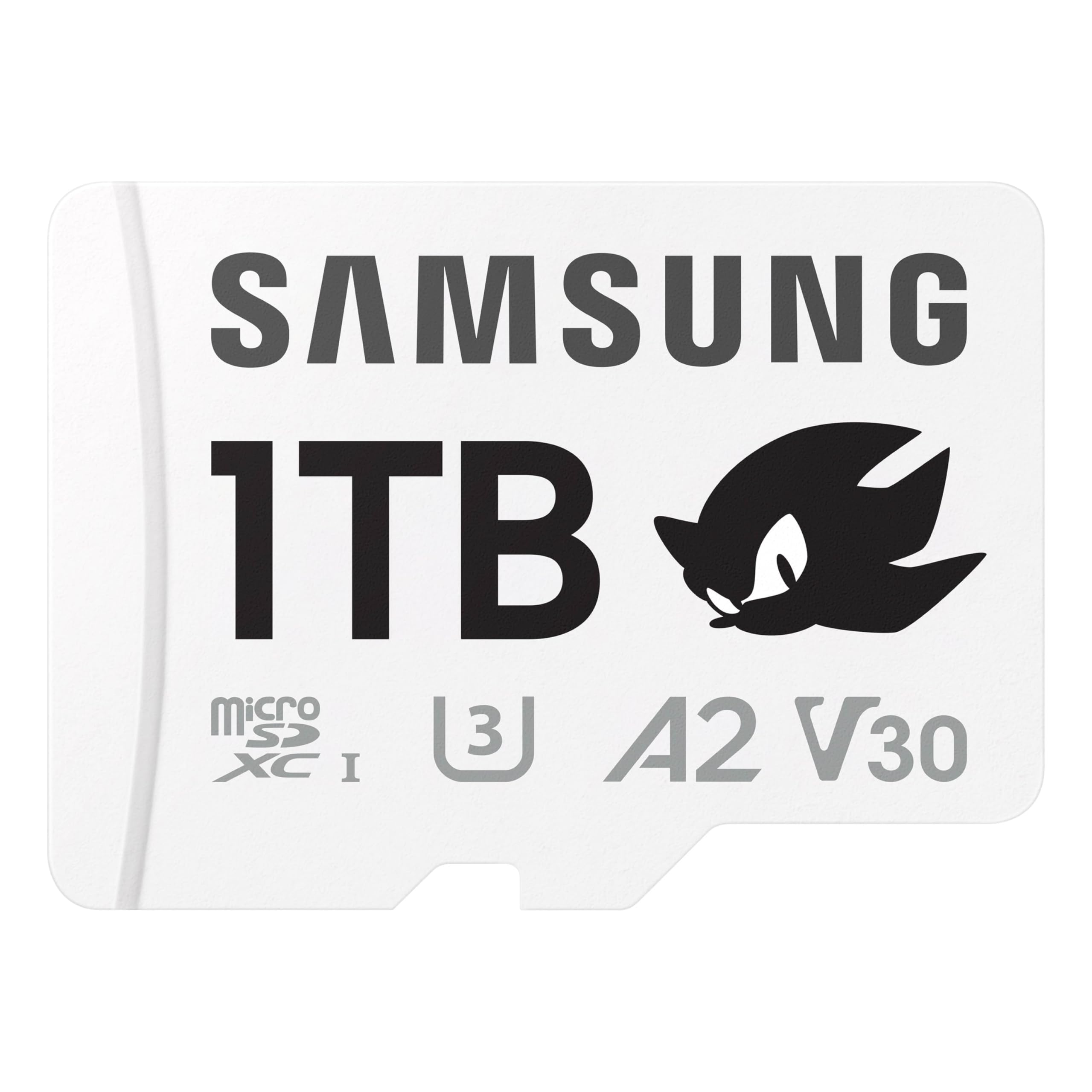
The full terabyte with the snappiest numbers on the box — and a blue hedgehog on the label.
Read speeds up to 180MB/s and write speeds up to 130MB/s put this ahead of the 1TB Extreme’s 160MB/s read and 90MB/s write on paper. In a handheld console, that is what makes load screens feel quick and lets you hop between games without watching a spinner. It is rated V30 and A2, so it is built for 4K recording as well as app-style storage.
The capacity story is simple: one terabyte holds a serious game library plus your 4K video and high-res photos, and the card covers everything from handheld consoles to action cams and drones according to its listed compatibility. A full-size SD adapter comes in the box. Samsung’s Magician Software adds authenticity verification and drive health monitoring, which is handy if you want to confirm a genuine card before trusting it with a library.
Do not assume it fits every console. The listing’s own compatibility note flags that Switch 2 is not supported, so check your exact device generation. The Sonic branding is a matter of taste, and it is priced at the top of this group — you are paying for speed, warranty coverage, and the theme. Several owners mention it pairs happily with Steam Deck and Motorola phones, and the plug-and-play simplicity is half its appeal.
The case for powering up with it
- 180MB/s read and 130MB/s write are the strongest combined figures in this guide.
- A full terabyte covers games, 4K video, and photos in one card.
- 10-year limited warranty, plus Samsung Magician software for authenticity checks and drive health monitoring.
Don’t buy it blind on
- Not compatible with Switch 2, per the listing’s own note.
- The Sonic artwork is not for everyone.
Buy it for: gaming over speed — this is the card that makes a handheld feel like it has more room and fewer waits.
Look elsewhere for: a longer-lived recording card for a dash cam or surveillance rig, where endurance beats raw speed.
4. Amazon Basics microSDXC Memory Card 1TB
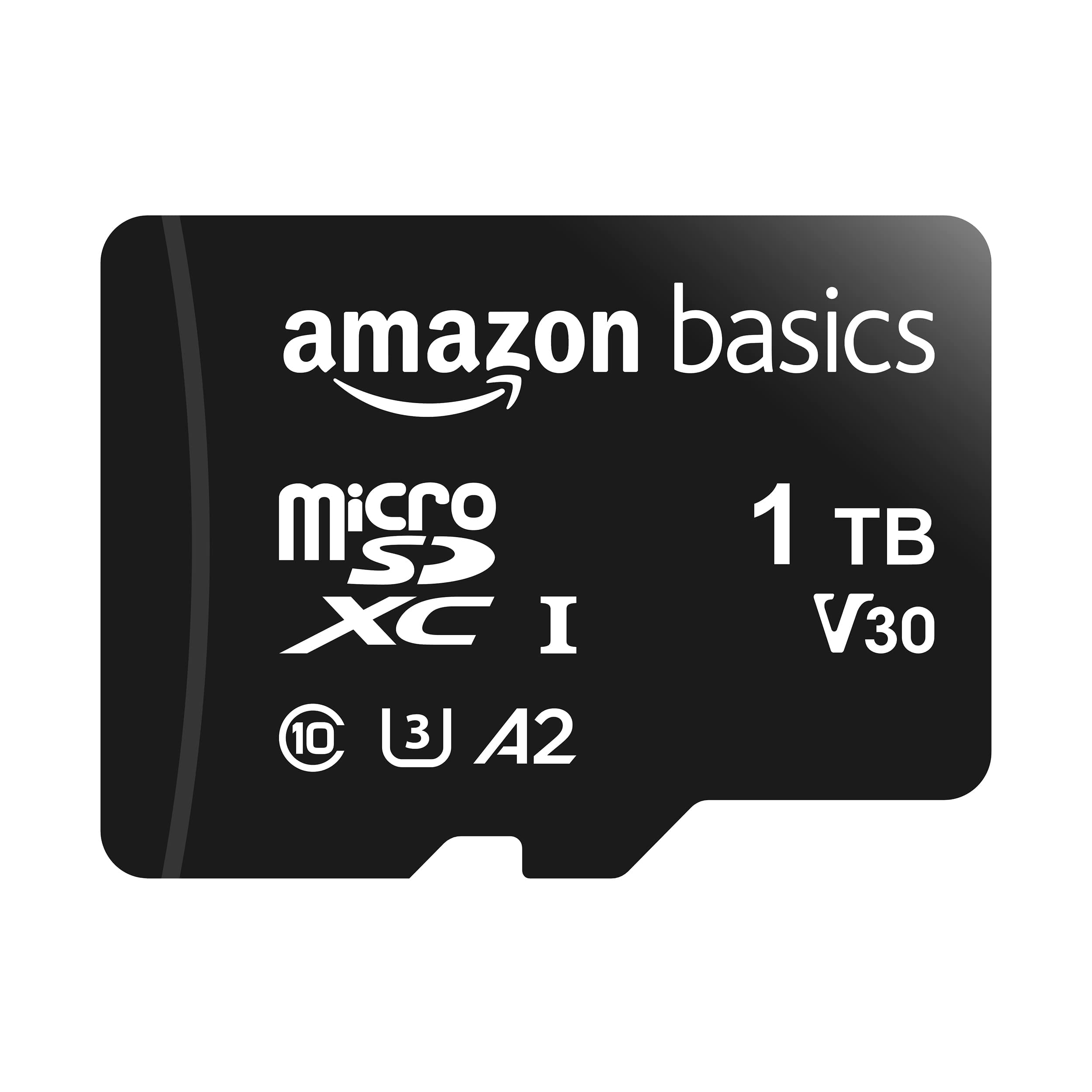
A whole terabyte at the most sensible price in the group — with speed to match the price.
Here is the trade stated plainly: read speed up to 100MB/s and write up to 80MB/s. Both figures sit below the SanDisk 1TB Extreme’s 160MB/s read and 90MB/s write, so offloading footage takes longer and fast action shooting has less headroom. For a phone, tablet, laptop, or a photo library, though, that is simply not a bottleneck you will notice.
It carries the U3 and Class 10 speed classes along with an A2 app-performance rating (a measure of how quickly apps load and respond on a phone or tablet), so apps load and respond the way they should on a phone or tablet, and it handles 4K and Full HD recording where the writing is slow-paced. Durability is listed as shockproof, IPX6 waterproof (able to take a strong spray of water without damage), temperature-proof from -10° to 80°, X-ray-proof, and magnetic-proof.
Two honest notes. First, a 1TB card always shows less than 1TB once formatted — the listing itself says available storage exceeds 908GB, which is completely normal. Second, do not buy it for a Nintendo Switch 2, which its own listing flags as unsupported. Buyers describe it as dependable in a Switch and a Steam Deck and easy to use, with storage space that gets the job done. It is the pick for someone who wants the capacity and has no appetite for a premium tier.
The plain read: it delivers the full 1TB at the value end and does the everyday jobs without drama.
What you give up: roughly two-thirds the read speed of the Extreme card, so daily big-file offloads are slower.
Pick this when: the goal is maximum storage for phones, tablets, laptops, and photos at entry-level cost.
Look past it when: you record fast 4K action or move huge video files daily and would feel the slower speeds.
5. Kingston 1TB Canvas Select Plus microSD Card, Up to 150MB/s

The terabyte that quietly became the go-to for security cameras and Tapo rigs.
What gets talked about with this card is how well it simply works in security cameras and Tapo setups for continuous video recording. It transfers at up to 150MB/s and is built for Android devices and cameras, with a U3 and V10 rating and A1 app-performance support. It is a straightforward, durable card — no headline heroics, just the storage and function a fixed recording device needs.
The 1TB capacity is the draw, and for a security camera quietly looping footage that is a lot of breathing room between clean-ups. It is also listed as lightweight, and at 13.61 g it is far heavier on paper than the 4.54 g SanDisk 1TB Extreme — a figure that reflects how this listing measures the packaged item, not a card that will fail to seat.
The honest caveat: reception is mixed on speed and reliability in the reviews, with the praise concentrated on the value and the function rather than the raw read numbers. In a security camera that is usually fine; in a card holding the only copy of a shoot, it is not the fastest or most reassuring option. If your job is fixed recording, this delivers what you need.
The fit: security cameras and Tapo systems where steady recording and a full terabyte of space matter most.
The hesitation: speed and reliability feedback is mixed, so keep this out of a card that holds irreplaceable footage.
6. SANDISK 512GB Ultra microSD Card

A phone-and-tablet card: quick reads, plenty of room, and a warranty that goes the distance.
SanDisk built this for the everyday storage problem — Android phones, tablets, Chromebooks, and Windows laptops that fill up with photos, shows, and movies. It reads at up to 150MB/s, and if you want that speed in practice the maker points to its MobileMate USB 3.0 microSD reader as the way to get it. The A1 app rating means apps load faster than the base spec, which is what makes a phone feel responsive when storage lives on the card.
A 10-year limited warranty backs it, and reviewers call it reliable across phones, cameras, tablets, and Switch. The Memory Zone app lets you view, access, and back up your phone’s files in one place, which is genuinely useful for keeping a phone’s library tidy.
This is a 512GB card and it is rated U1 rather than U3, so it is not the pick for sustained 4K recording — that job belongs to the V30 cards above. For offloading photos and keeping a phone or laptop topped up with media, the read speed and warranty make it an easy call.
Best-matched device: a phone, tablet, or Chromebook that needs more storage for everyday files.
Skip the 4K jobs: the U1 rating is below the V30 cards here, so cameras recording high-bitrate video should look upward.
Choose it for: cheap, reliable phone and tablet storage with fast reads and a decade of warranty cover.
Not for: 4K camera recording, where its U1 class falls short of the V30 picks.
7. SANDISK 512GB High Endurance microSD Card + Adapter

Made for the card that never stops writing — a dash cam that loops all day, every day.
High endurance is the whole point here, and the number backs it: rated for 40,000 hours of Full HD (1920×1080) recording, with fewer hours at 4K UHD. Buyers find it particularly suitable for exactly that — dashcams and home security systems — with write speeds reported around 77+ MBps.
The write figure on the spec sheet is 30 MB/s, against the SanDisk Extreme’s 130 MB/s, so this is a card built for stamina rather than sprint. It still carries V30 and U3 ratings (speed classes that guarantee smooth Full HD and 4K recording), and it survives temperature extremes, water, shock, humidity, and magnets — a magnet-proof build is useful if a dash cam mounts near a magnetic phone holder. The listing notes it works with Nintendo Switch but not Switch 2.
The honest note: endurance cards are meant to be written to death and replaced, so their speed is not the reason to choose them. If you want the fastest card for a camera, look at the Extreme above. If you want one that survives a dash cam doing its job for years of looping, this is the right tool.
Built for the long haul
- Rated for 40,000 hours of Full HD (1920×1080) recording, with fewer hours at 4K.
- V30 and U3 cover Full HD and 4K footage.
- Magnet-proof, humidity-proof, water-proof, and shock-proof build.
What to expect
- 30 MB/s write speed trails the 130 MB/s cards in this guide.
- 512GB, not the full terabyte, so plan on looping over old footage.
Right for: dash cams and home monitoring systems that record continuously and need a card that lasts.
Wrong for: shooters wanting the fastest card for a camera — the 130 MB/s picks above leave it behind on every transfer.
Know the Specs
Read Speed vs Write Speed
Read speed is how fast data comes off the card — it controls how quickly you can copy photos and video to a computer. Write speed is how fast the card accepts data — it controls whether a camera can record continuously without stopping. A card can be quick to read and slow to write, which is exactly why the V30 endurance card and the 130MB/s Extreme card behave so differently in the field. Match the number to your job: fast writes for recording, fast reads for offloading.
V30, U3, and A2 Explained
V30 (Video Speed Class 30) means the card is designed to sustain a video capture rate suitable for real-time recording on compatible devices. U3 (UHS Speed Class 3) is a similar performance guarantee aimed at real-time video on UHS-enabled hardware. A2 is an app-performance rating that means faster random read and write, which speeds up app loading and multitasking on phones and tablets. Higher classes mean less risk of a dropped recording or a stalled app.
Endurance Rating
A high-endurance card is built to survive constant recording, which is what a dash cam or security camera does all day. These cards trade some speed for long-term wear resistance. A general-purpose card will still work in those devices, but it is doing a job it was not designed for. If you loop footage continuously, choose endurance; if you shoot in sessions, choose speed.
Device Capacity Limits
Not every device accepts 1TB, and some current listings explicitly flag the newer Nintendo Switch 2 as unsupported. Before buying, check the maximum card size your device’s manufacturer states, and confirm its generation. A 1TB card that your camera or console refuses to read is not a bargain, no matter how good the speed rating looks on the box.
Common Questions
Will a 1TB micro SD card work in my Nintendo Switch?
What is the difference between V30 and U3 on a micro SD card?
Why does my 1TB card show less than 1TB of storage?
Do I need a high-endurance card for a dash cam?
Which card is fastest for offloading video to a computer?
Is a faster card worth it for a phone?
Can I record 4K video on every card in this list?
Are these cards safe in water, heat, and drops?
What is A2 app performance and why does it matter?
Should I buy 1TB or two smaller cards instead?
The Bottom Line
The winner for most buyers is the SanDisk 1TB Extreme, because it pairs a full terabyte of storage with the V30 and U3 ratings that keep 4K recording running, and an A2 rating that keeps apps snappy. If offload speed and fast action shooting are the priority, grab the SanDisk 512GB Extreme — at up to 190MB/s read it beats the top pick’s 160MB/s, and its 130MB/s write beats the 90MB/s top pick on paper. And for a dash cam or home monitoring system, the SanDisk 512GB High Endurance is the one to reach for, rated for 40,000 hours of Full HD recording. Match the card to your device’s workload, not the biggest number on the label.
How we choose
We do not accept paid placement. Every pick is matched to a real buyer and a real use-case; we do not hands-on test units.
Sources
Specifications: manufacturer listings and product documentation. Review insights: verified customer reviews, as of November 2026. Pricing: not shown on this page (it changes often); check the current price via the retailer link.
As an Amazon Associate, My Heart Lives Here earns from qualifying purchases. This does not affect which products we feature.