Heads up: This post contains affiliate links. As an Amazon Associate I earn from qualifying purchases, at no extra cost to you. Learn more
Specs are compiled from manufacturer listings and verified buyer reviews and can change over time — please confirm the key details on the product page before buying.
If you type numbers all day, a laptop without a number pad is a daily tax on your wrists. Every pick below has a full 10-key pad, and the HP 255 G10 is the one to buy for most people: a 15.6-inch full HD screen, 32GB of memory, a 1TB SSD, and 4.0+ stars across 200+ ratings. The rest of the list splits by job: some are built for travel, some for spreadsheets, one for gaming with a number pad bolted on.
This guide is built by comparing the manufacturers’ published specifications and the patterns across verified customer reviews, so you get each pick’s real strengths and trade-offs instead of marketing spin.
A number pad changes the geometry of a laptop — the deck gets wider, the arrow keys usually get squeezed, and the machine rarely drops below a certain weight. Every pick below accepts that trade, and each one earns its place on a 10-key laptop shortlist.
Top Picks

How To Choose The Best 10 Key Laptop
Buying a laptop with a number pad is mostly about accepting one honest trade. The pad needs physical room, so the machine is wider than a 13-inch ultraportable, and you will feel that in a backpack. Everything else — speed, storage, screen — is a normal laptop decision layered on top.
The number pad and the arrow-key squeeze
A full 10-key pad sits to the right of the main keyboard, and on most 15.6-inch and 16-inch laptops the arrow cluster gets pushed into a half-height row underneath it. If you type numbers for accounting, invoicing or data entry, that is a fair swap. If you game with arrow keys, it is worth looking closely at the keyboard photo before you commit.
Memory and storage: the numbers that decide longevity
RAM is your laptop’s short-term workspace — more of it means more browser tabs and spreadsheets open at once without stalling. 16GB is the comfortable modern baseline, 32GB is headroom for heavy multitasking, and 4GB is only sensible for light browsing. Storage works differently: an SSD (solid state drive, which has no moving parts) is what makes a laptop boot in seconds, and 1TB of it means you are not juggling external drives.
Brightness in nits, and why it matters more than resolution
Nits is a measure of screen brightness. A 250-nit panel is fine indoors but can look washed out near a bright window, while a 300-nit screen holds up better. Resolution matters too, but a 1920 x 1080 full HD panel is plenty sharp at 15.6 inches — a higher-resolution 1920 x 1200 gives you more vertical room for spreadsheet rows.
Match the processor to the job, not the badge
An entry Intel N-series chip handles browsing, email and documents without complaint. A Ryzen 5 or Core 5 is the step up for real multitasking, and a Core i9 or Ultra 7 is for gaming, video work or heavy data crunching. Buying more processor than your work needs mostly costs you battery life.
Side-by-Side Comparison
| Model | Best For | Memory (RAM) | Storage | Screen | Amazon |
|---|---|---|---|---|---|
| HP 255 G10 15.6″★ Best Overall | All-round number cruncher | 32GB | 1TB PCIe SSD | 15.6″ FHD 1920 x 1080, 250 nits | Amazon |
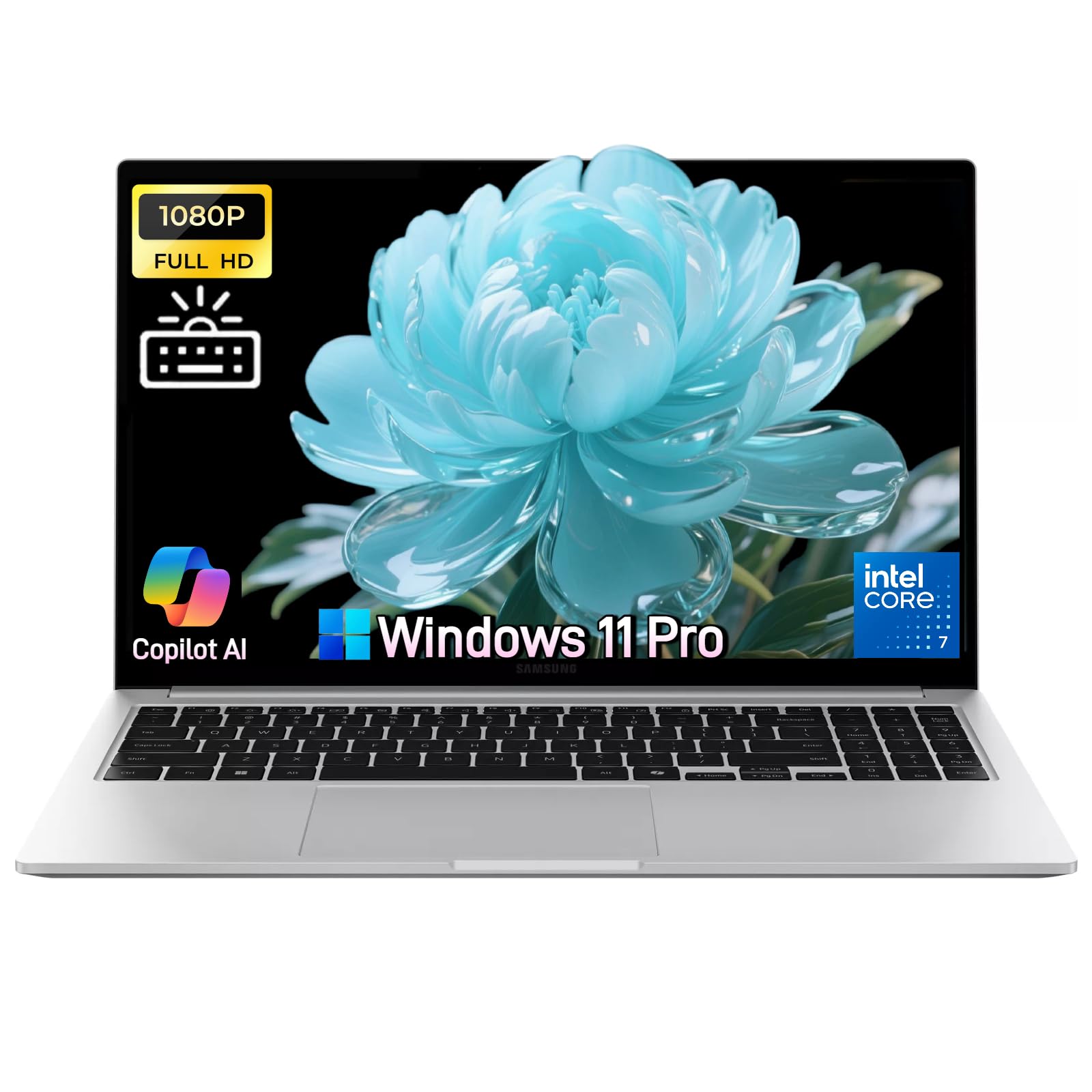
| Samsung Galaxy Book4 15.6″Best for Travel | Long battery, light carry | 16GB | 512GB SSD | 15.6″ FHD 1920 x 1080, 300 nits | Amazon |
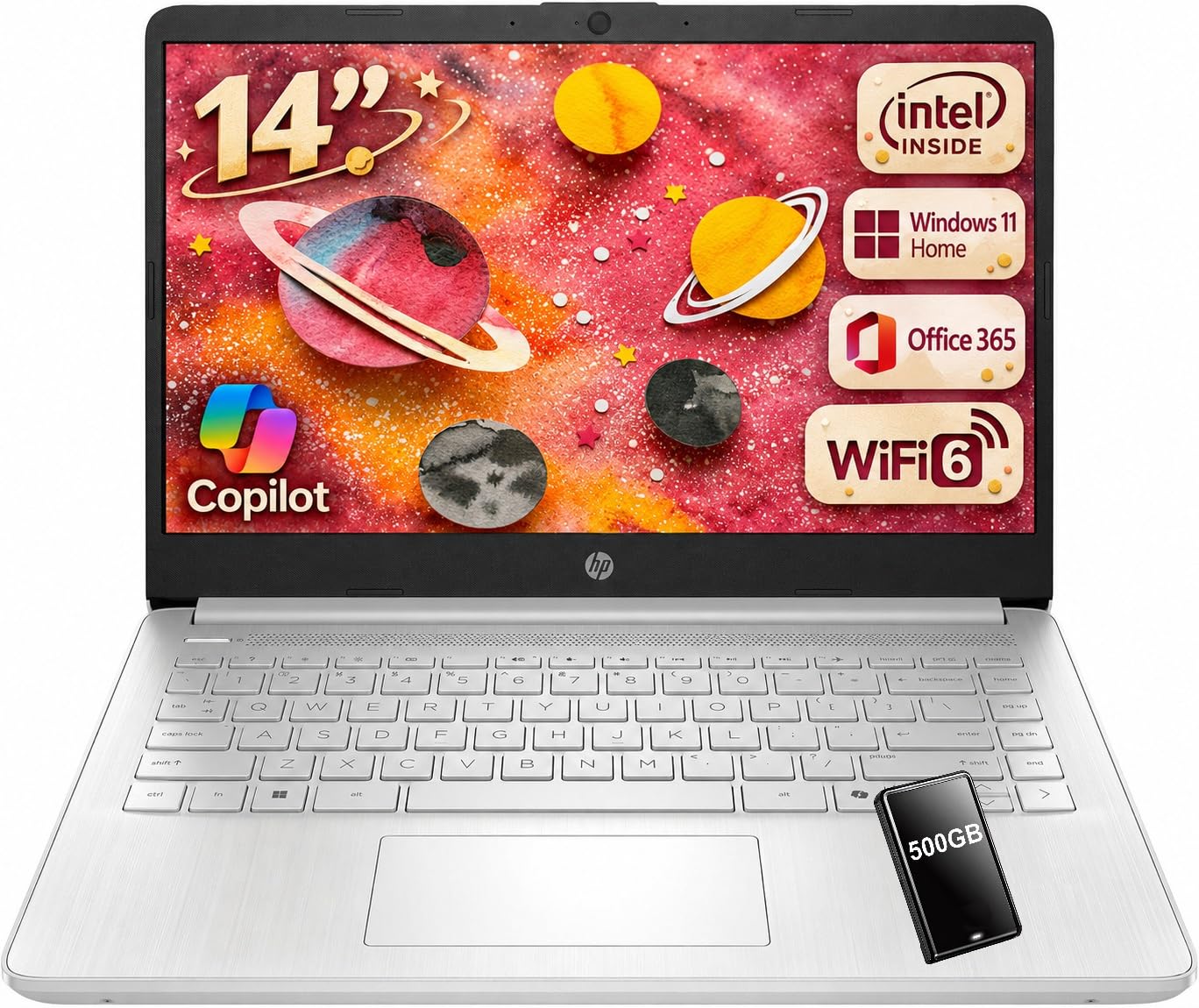
| HP 2027 14″Student Value | Students on a budget | 4GB | 128GB UFS + 500GB HDD | 14″ HD 1366 x 768, 250 nits | Amazon |
| HP 17.3″ Touchscreen | Big-screen desk work | 8GB | 256GB PCIe NVMe SSD | 17.3″ 1600 x 900, touch | Amazon |
| ASUS Vivobook 14 | Bundled extras and portability | 24GB | 512GB SSD + 500GB external | 14″ FHD 1920 x 1080 | Amazon |
| Lenovo V15 G4 | Wired-office business use | 16GB | 1TB SSD | 15.6″ FHD 1920 x 1080 | Amazon |
| Lenovo ThinkBook 16 Gen 8 | Premium build, daily multitasking | 16GB DDR5 | 512GB PCIe NVMe SSD | 16″ WUXGA 1920 x 1200, 300 nits | Amazon |
| Lenovo ThinkPad E16 Gen 3 (Core 5) | Touchscreen business workhorse | 32GB DDR5 | 2 x 512GB PCIe NVMe SSD | 16″ WUXGA 1920 x 1200 touch, 300 nits | Amazon |
| Lenovo ThinkPad E16 Gen 3 (Ultra 7) | AI-ready heavy lifting | 32GB DDR5 | 2 x 512GB PCIe NVMe SSD | 16″ WUXGA 1920 x 1200, 300 nits | Amazon |
| MSI Katana 15 HX | Gaming with a number pad | 32GB DDR5 | 1TB NVMe SSD | 15.6″ QHD+ 165Hz | Amazon |
Detailed Reviews
1. HP 255 G10 15.6″ FHD Business Laptop
Our pick — 4.0+★ from 250+ verified ratings; the strongest balance of quality and price.
Thirty-two gigabytes of memory and a full terabyte of storage — in a laptop with a proper number pad.
Most budget laptops with a number pad make you pick one or the other: a usable keyboard layout, or enough memory to actually work. This HP refuses the choice. The 32GB of high-bandwidth RAM lets you leave a dozen browser tabs, a spreadsheet and a video call running at once without the machine gasping, and the 1TB PCIe M.2 solid state drive (storage with no moving parts inside) means Windows is ready the moment you lift the lid.
The processor is an AMD Ryzen 7 7730U, an eight-core chip that keeps a workday of tabs and documents moving. Run the numbers against the cheaper HP 2027 14-inch in this list and the gap is stark — 32GB of memory against that machine’s 4GB, and 16 threads against its 4. That is not a subtle upgrade; it is a different class of machine for anyone who keeps real work open. The 15.6-inch full HD panel runs at 1920 x 1080 with an anti-glare coating, and 250 nits is bright enough for a desk well away from a window.
Owners keep coming back to speed — the Ryzen 7 7730U is the trait reviewers praise most often. The honest note is battery: several owners describe getting only 45 minutes to an hour of unplugged use, so treat this as a laptop that lives near a wall outlet. Weight gets a warm reception for a 15.6-inch machine, which makes the commute easy even if the plug has to come along.
Where it earns its keep
- 32GB of RAM and a 1TB PCIe SSD, so nothing you open gets squeezed out
- Ryzen 7 7730U with 8 cores and 16 threads for real multitasking
- Full 15.6-inch 1920 x 1080 anti-glare IPS screen with a number pad beside it
- Windows 11 Pro with single sign-on and remote desktop built in
The part that will sting
- Unplugged runtime is the recurring complaint — plan on keeping the charger close
- 250 nits can look flat in strong daylight
Buy this for: anyone who lives inside spreadsheets and browser tabs all day and wants the muscle to prove it.
Think twice if: you need genuine all-day battery — the maths does not favour you here.
2. Samsung Galaxy Book4 Business Laptop 15.6″
The number pad you want, on the laptop you can carry all day without thinking about it.
Here is the machine for the consultant who spends more time in airport lounges than at a desk. Samsung quotes up to 15 hours of battery life, and at about 3.42 pounds the Book4 slips into a shoulder bag beside a charger you will rarely need to unzip. That combination is rare among 15.6-inch laptops with a full number pad, most of which are noticeably bulkier.
The screen is a 1920 x 1080 LED panel at 300 nits — the extra brightness over a 250-nit screen is what keeps a spreadsheet legible when you are sitting near glass. Inside, the Intel Core 7-150U runs 10 cores and 12 threads with a boost up to 5.4GHz, paired with 16GB of LPDDR4X memory at 6000MHz. That is enough for video calls, several browser windows and a deck open together, and the 512GB SSD keeps boot times short.
For security and convenience you get a fingerprint reader built in, a backlit keyboard for late flights, and Windows 11 Pro. There is no large body of owner feedback to lean on yet, so weigh this one on the spec sheet rather than on reputation — the hardware story is coherent and the form factor is the real argument. If you want a number pad without being anchored to a desk, this is the cleanest answer in the group.
What the spec sheet argues: a 3.42-pound body, 15 hours of quoted battery and a 300-nit panel is the travel formula done properly — you get the pad and you still get a light bag.
The honest caveat: 512GB of storage is the least generous in the mid-tier here, so anyone hoarding video archives will be reaching for an external drive.
Reach for this if: your work is meetings, email and travel, and you want the number pad without the weight penalty.
Look elsewhere if: you need room for a large local file library or 32GB of memory.
3. HP 14″ Laptop, Intel N150, 628GB Storage
A 14-inch study machine that stretches a single charge across a full day of lectures.
The number pad is what brought you here, and on a 14-inch body it does not come free — but HP keeps the deck usable and the whole thing light enough to disappear into a school bag. The 14-inch HD panel runs 1366 x 768 with a 79.0% screen-to-body ratio, so the frame stays slim while the picture stays serviceable for notes, slides and streaming.
Battery is the headline for the student budget: HP quotes up to 11 hours of video playback or 7.5 hours of mixed use, and a 45W adapter tops it back up quickly between classes. The Intel N150 processor runs 4 cores and 4 threads with a 6MB L3 cache and a 3.6GHz turbo, and it is paired with 4GB of LPDDR5 memory. That combination is genuinely fine for Word, a browser and a video call — and genuinely tight the moment you try to run several heavy programs at once.
Storage is a split: 128GB of fast internal UFS storage for the system and apps, plus a bundled 500GB hard drive for bulk files. That totals 628GB, which is more than double the 256GB in the big-screen HP 17.3-inch pick below — a useful advantage if you download a lot of course material. A complimentary one-year Microsoft 365 Personal subscription is included too, which is the quiet but valuable part of this package.
Owners rate the day-to-day performance well — the N150 handles Word, a browser and a video call without stutter. The recurring wish is for more internal storage and a better panel, and both are fair: 4GB of memory is the ceiling you should keep in mind.
The student arithmetic: 628GB of total storage, up to 11 hours of video playback and a year of Microsoft 365 makes the essay-and-lecture workload painless.
The ceiling to know: 4GB of memory is the limiter — this is a one-or-two-apps-at-a-time machine, not a multitasker.
Fits: students and home users whose day is documents, browsing and video calls.
Not for: anything resembling heavy multitasking, or a screen you plan to judge on sharpness.
4. HP 17.3″ Touchscreen Laptop, Ryzen 5 7430U
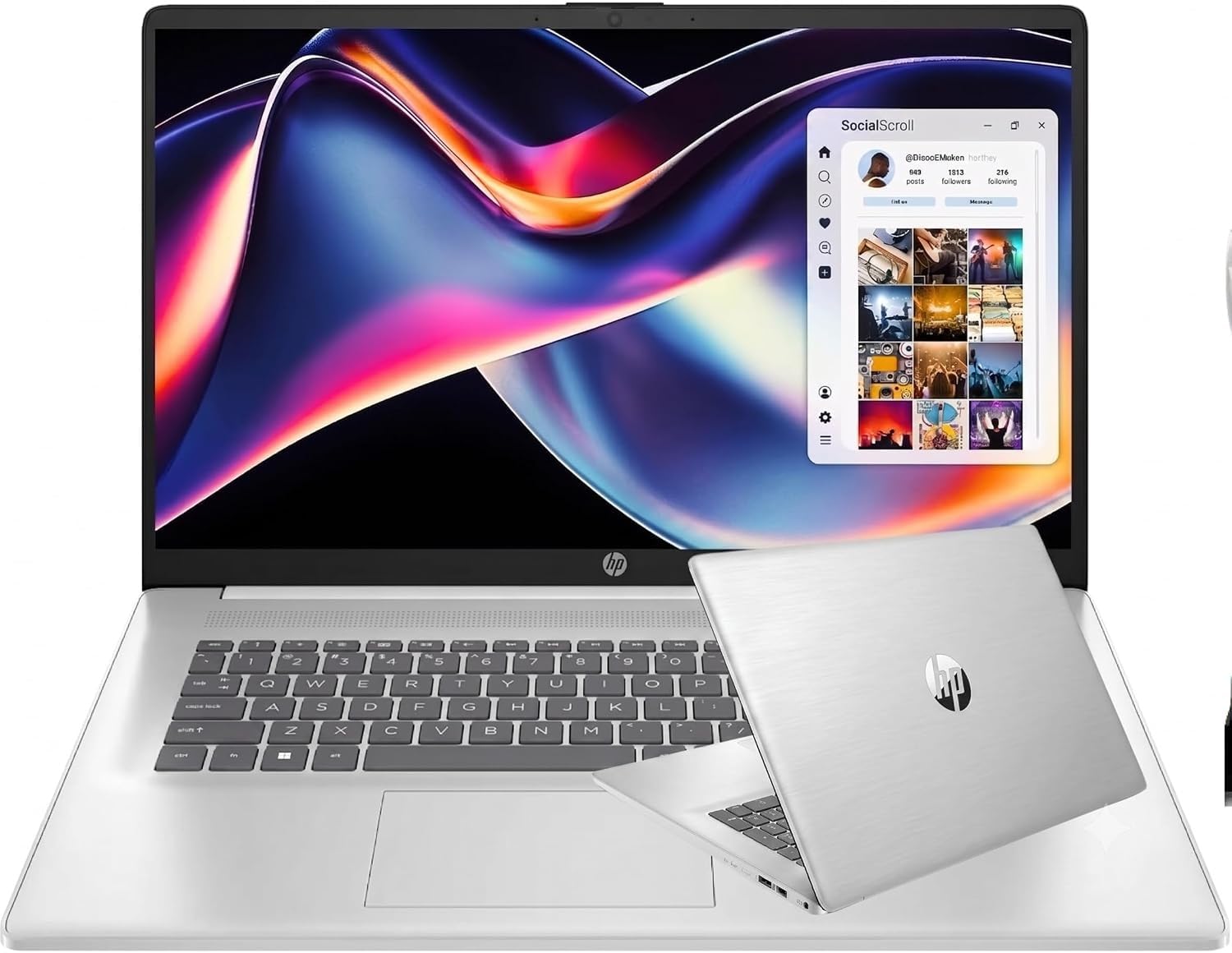
Seventeen inches of touchscreen and a number pad with a proper brushed keycap surface.
If the laptop never leaves the desk, why not take the screen? A 17.3-inch touch panel turns a spreadsheet into something you can tap and scroll through like a tablet, and the brushed full-size keyboard gives the number pad real key travel rather than the flat membrane pads you find on thinner machines. The AMD Ryzen 5 7430U runs six cores and 12 threads up to 4.3GHz, which keeps multiple windows responsive without asking you to think about the processor.
Owners praise the Ryzen 5 7430U’s performance — six cores and 12 threads keep a wall of spreadsheet columns responsive. The 17-inch screen size itself gets a strong reception for people whose job is a wall of columns and rows, and the value for what you get reads well. Wi-Fi 6 and Bluetooth 5.3 cover the connections, and a 720p camera with digital microphones handles video calls.
One thing to be clear-eyed about: 8GB of RAM and a 256GB SSD is the leanest combination among the mid-tier picks. That is fine for documents and web work, but it is half the storage of the Lenovo V15 and a quarter of the memory in the HP 255 G10 above. Reliability feedback is mixed, with a small number of units failing early, so buy from a seller with a straightforward return path.
Why it stands out: there is no substitute for a 17.3-inch touchscreen when your day is a dense spreadsheet — the extra diagonal is a productivity tool, not a luxury.
Weigh this carefully: 8GB of memory and 256GB of storage are the tightest pair in this tier, so plan your files accordingly.
Pick it for: a fixed desk, a big touchscreen and a keyboard that makes data entry pleasant.
Leave it if: the laptop needs to travel daily or you want storage headroom.
5. ASUS Vivobook 14, 24GB RAM, 1TB Total Storage

A 14-inch machine that arrives with everything but the desk — hub, mouse, cables and a spare drive.
The pitch here is completeness. You get 24GB of DDR4 memory for running games and video editing alongside a stack of browser tabs, a 512GB M.2 NVMe SSD, and a 500GB external drive in the box for another 1TB of total storage. Add a six-in-one USB-C hub with USB 3.0, 4K HDMI and SD/TF card readers, plus a wireless mouse, mouse pad, HDMI cable and USB cable, and the first-day setup is essentially done.
The processor is an Intel Core i3-1315U with six cores and eight threads, boosting to 4.5GHz with a 10MB L3 cache — modest on paper but entirely adequate for documents, classes and light editing. The 14-inch full HD panel runs 1920 x 1080 with slim three-sided bezels, and the webcam has a sliding privacy shield, which is a small feature people end up using every day. Windows 11 Pro and a Microsoft Office suite are preinstalled.
Owner feedback is split on functionality, with some reporting that bundled software did not activate cleanly, so verify the Office setup on day one rather than month three. Where owners weigh in on performance and speed, the feedback is positive. Amazon shows 3.5+ stars across 60+ ratings — the weakest score on this list, and the reason it sits mid-table rather than at the top.
The bundle does real work
- 24GB RAM and 512GB SSD plus a 500GB portable drive for 1TB total
- Six-in-one USB-C hub, wireless mouse, cables and mouse pad included
- Webcam privacy shield and Windows 11 Pro
Check on arrival
- Bundled software activation is the recurring snag — confirm it works immediately
- 14-inch body means the number pad is the compact kind, not full-width
Worth it for: a student or home worker who wants one box to open and be ready.
Skip it for: anyone who needs premium performance — the Core i3 is a steady worker, not a sprinter.
6. Lenovo V15 G4 Business Laptop, Ryzen 3 7320U
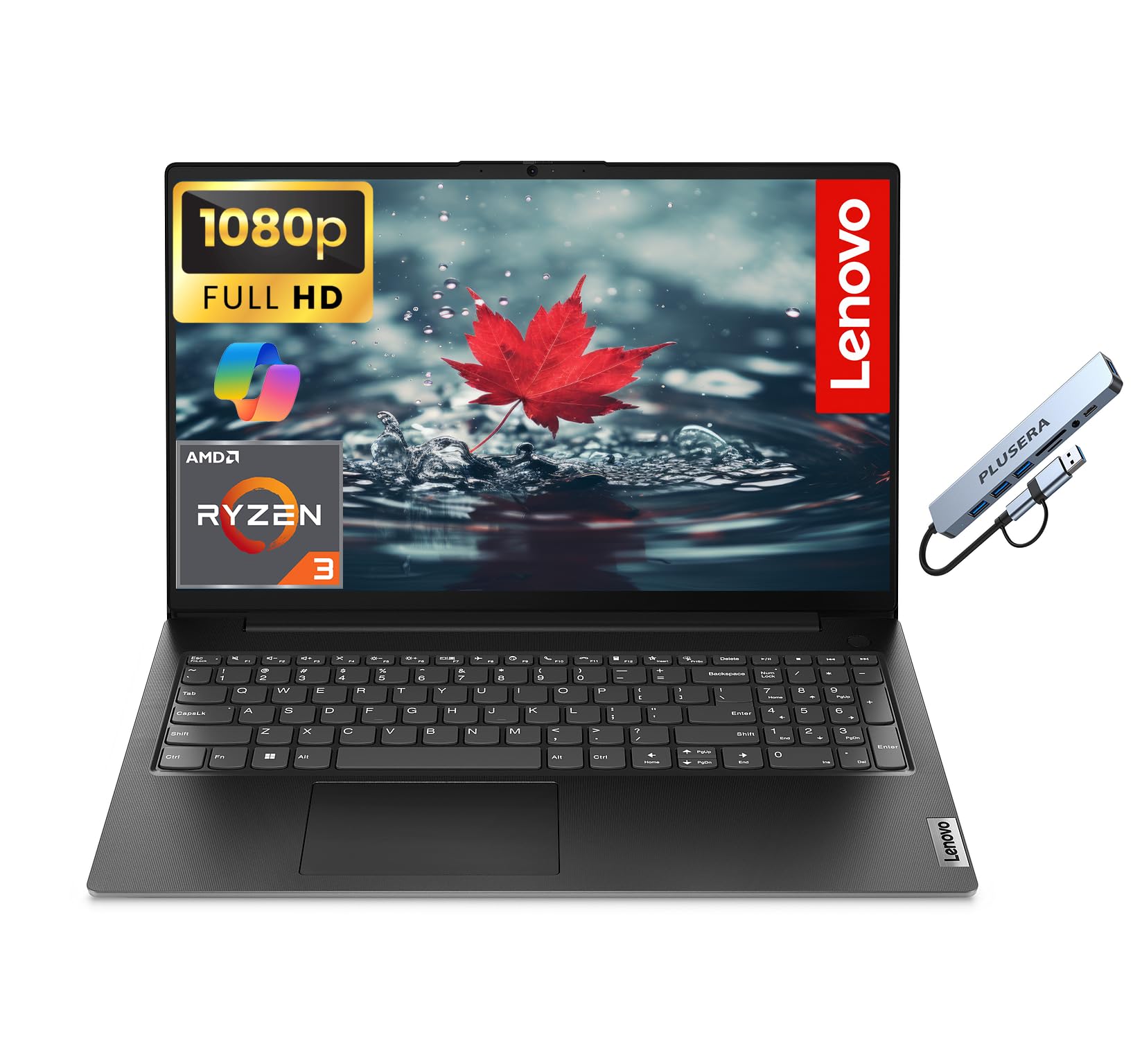
The one with a network cable socket — for the office where Wi-Fi is not trusted.
Plenty of thin laptops dropped the Ethernet port years ago, and plenty of IT departments still insist on one. The V15 G4 keeps an RJ-45 jack on the chassis, alongside USB-C, two USB-A ports, HDMI and a headphone combo jack. Add a camera privacy shutter and a numeric keypad, and you have a laptop designed by people who have actually worked in an office.
The AMD Ryzen 3 7320U runs four cores and eight threads up to 4.1GHz with 4MB of cache, paired with 16GB of LPDDR5 memory and a 1TB solid state drive. That memory-and-storage pair is the value story: you get twice the RAM of the Samsung Book4 and twice the storage of the HP 17.3-inch, which matters if you keep years of files on the machine. The 15.6-inch 1920 x 1080 LED panel gives a clean, sharp text rendering for documents and web pages.
Buyers praise performance and reliability first — the Ryzen 3 7320U handles documents and web work without complaint, and setup is quick. The honest split is on weight and battery: some find it light and long-running, others heavier and thirstier than hoped. Neither complaint is disqualifying, but if you commute on foot daily, handle one before deciding.
The office case: a wired Ethernet port, 16GB of memory and 1TB of storage is exactly the spec an office manager wants on a purchase order.
Where it gives ground: it is a heavier 15.6-inch machine, and the battery feedback does not promise a full unplugged day.
Go for this if: you work somewhere with a network cable and a need for large local storage.
Pass if: you want the lightest carry or all-day untethered runtime.
7. Lenovo ThinkBook 16 Gen 8 Laptop

Sixteen inches of 1920 x 1200 workspace, Thunderbolt 4 and a fingerprint reader in the power button.
The 16-inch WUXGA panel is the reason to start here. That 1920 x 1200 resolution is taller than the 1920 x 1080 screens on the 15.6-inch picks, which means more spreadsheet rows visible before you scroll and a natural 16:10 shape for documents. At 300 nits with an anti-glare finish and a 90% screen-to-body ratio, it is built for long sessions rather than for showing off.
Inside is an Intel Core 5 210H — eight cores split four performance and four efficient, 12 threads, up to 4.8GHz, with 12MB of Intel Smart Cache. Paired with 16GB of DDR5 memory and a 512GB PCIe NVMe SSD, that is a genuinely quick everyday machine for business apps and creative work. Security is better than most here: a firmware TPM 2.0 chip, a fingerprint reader in the power button, a Kensington Nano Security Slot and a camera privacy shutter, all built to MIL-STD-810H durability testing.
Connectivity is unusually complete for the class — Thunderbolt 4/USB4 at 40Gbps with DisplayPort 2.1, a second USB-C at 10Gbps, two always-on USB-A ports, HDMI 2.1 up to 4K/60Hz, an SD card reader, Ethernet and Wi-Fi 6E with Bluetooth 5.3. And the build is light for a 16-inch: 1.7kg, or 3.75 lb, in an Arctic Grey aluminium lid. At 4.5+ stars across a modest 20+ ratings, it is the highest-scored laptop in this list — note that the HP 255 G10 has a far deeper pool of feedback, so this one rests on a smaller base.
The highlight: a 1920 x 1200 anti-glare panel at 300 nits plus Thunderbolt 4 at 40Gbps gives you both desk comfort and future-proof docks.
The catch: 512GB of storage on a machine this capable invites an early upgrade to an external drive.
Best matched to: a professional who wants a tall, bright screen, serious ports and a light 3.75-pound carry.
Less suited to: anyone who needs 32GB of memory out of the gate.
8. Lenovo ThinkPad E16 Gen 3 Touchscreen, Core 5 210H
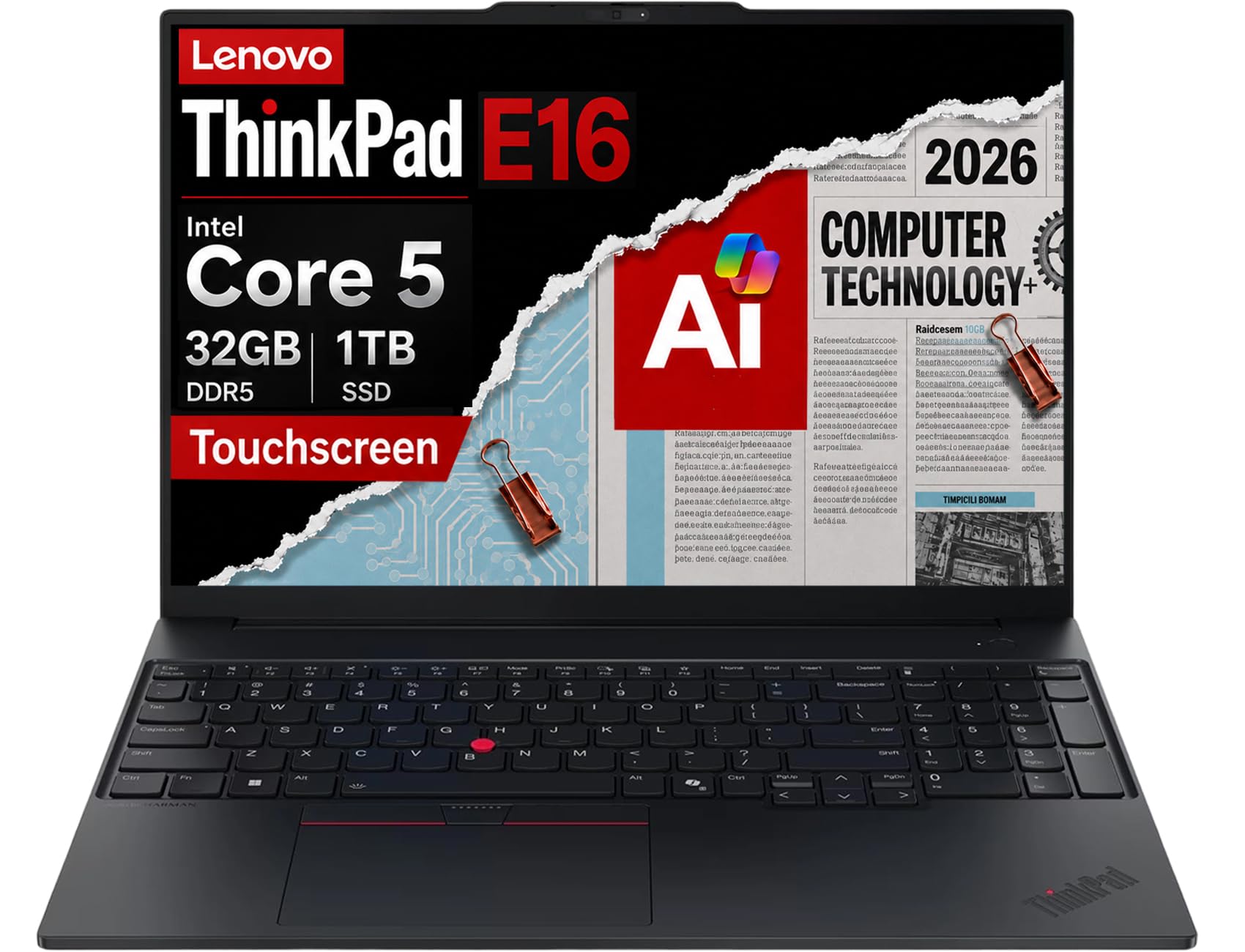
A touchscreen ThinkPad with the number pad, the ports and the military-grade testing to go anywhere.
Two separate 512GB NVMe drives is the detail worth noticing first. Splitting the system drive from the storage drive keeps Windows away from your files, which helps stability and makes file management tidier — and it gives you a full terabyte without a single point of failure on the system partition. Around that sits 32GB of DDR5 memory, enough for spreadsheets, presentations and dozens of tabs at once.
The display is a 16-inch WUXGA touchscreen at 1920 x 1200, 300 nits and anti-glare, so you can tap through a form or scroll a model without reaching for the trackpad. The Intel Core 5 210H runs eight cores up to 4.8GHz and drives Thunderbolt 4, USB-C, HDMI 2.1 and Ethernet from one chassis, with single-display output up to 8K at 60Hz. A 1080p IR webcam with a privacy shutter handles face sign-in and video calls, and the fingerprint reader sits alongside the backlit keyboard.
Durability is part of the package — MIL-STD-810H testing, fast charging and long battery life are all quoted, so it is built for remote work and travel rather than a fixed desk. On the feedback that exists, performance and value both come through positively, with responsiveness standing out. Note this unit is a resealed machine with upgraded memory and SSD: three years of warranty come from the upgrade seller, one year from Lenovo on the rest.
What makes it the touch pick
- 32GB DDR5 with a 2 x 512GB NVMe split for a 1TB total
- 16-inch 1920 x 1200 IPS touchscreen at 300 nits, anti-glare
- Thunderbolt 4, HDMI 2.1, Ethernet and a 1080p IR camera
Settle this before buying
- Resealed for the memory and SSD upgrade, so the warranty is split between two parties
- A premium-tier purchase with only a small pool of feedback behind it
Choose this when: you want touch, a number pad and enterprise security in one durable 16-inch body.
Reconsider if: you would rather buy a factory-sealed machine with a single warranty.
9. Lenovo ThinkPad E16 Gen 3, Intel Core Ultra 7 255H
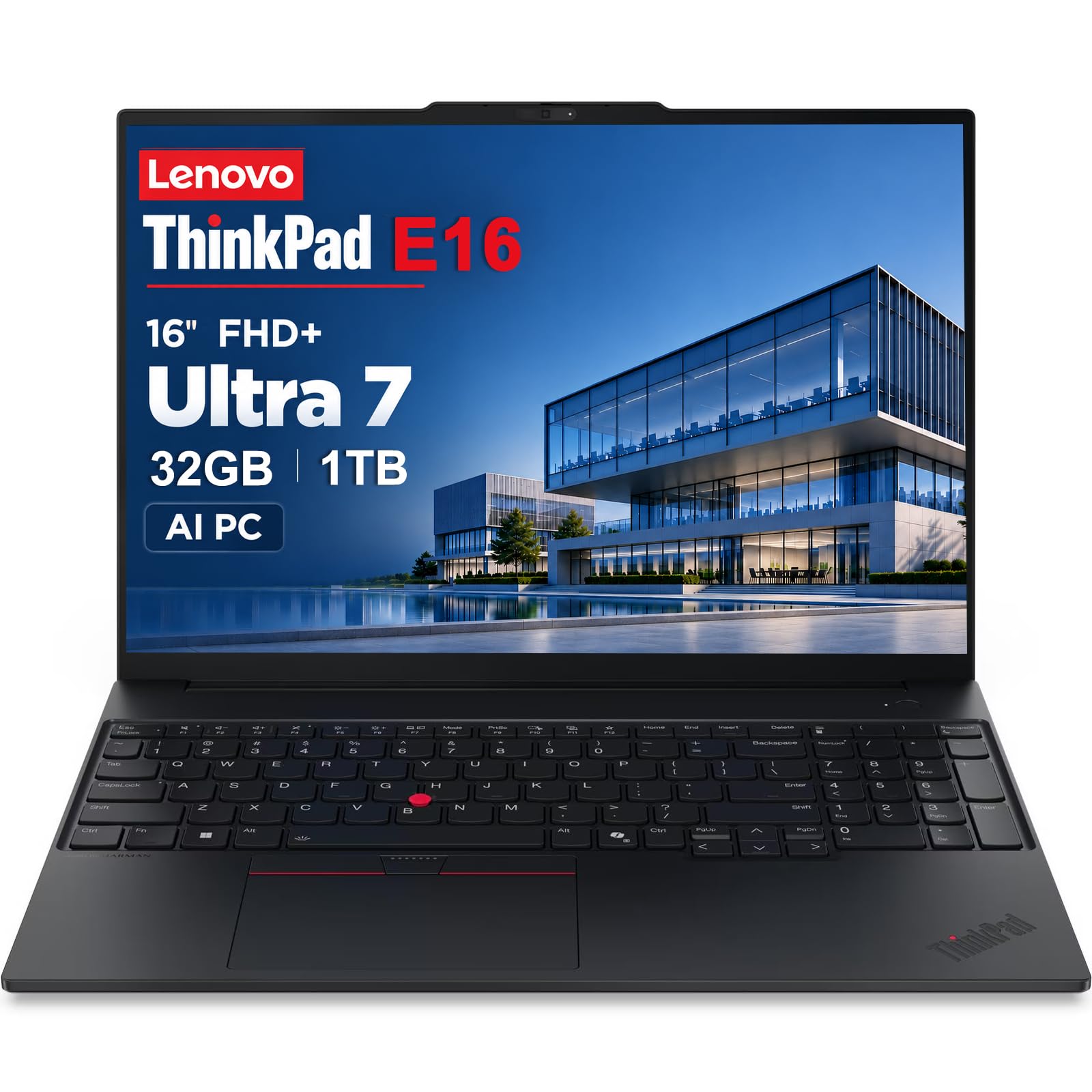
Sixteen cores, 24MB of cache and a 5MP webcam — the E16 at its most serious.
Where the Core 5 version of this ThinkPad focuses on balance, this one leans on raw processing. The Intel Core Ultra 7 255H runs 16 cores up to 5.1GHz with 24MB of L3 cache, which is double the cache of the Core 5 model and the reason it can chew through data analysis, heavier spreadsheets and local AI workloads. 32GB of DDR5 memory and the same dual 512GB NVMe arrangement back it up.
The rest of the package is the E16 formula done properly: a 16-inch 1920 x 1200 IPS anti-glare panel at 300 nits, Thunderbolt 4, USB-C 3.2 Gen 2×2, HDMI 2.1, Ethernet, Wi-Fi 6E and Bluetooth 5.3. The webcam jumps to 5MP with a privacy shutter and noise reduction, which is a real difference on long conference calls where a 720p camera starts to look tired. The fingerprint reader, backlit keyboard and number pad all carry over.
Build quality is tested to MIL-STD-810H, and rapid charge plus long battery life are quoted for the travel days. It runs Windows 11 Pro with BitLocker and Remote Desktop, and Copilot is on hand. Like its sibling, this is a resealed unit with upgraded memory and SSD, so the same split warranty applies — three years from the upgrade seller on those parts, one year from Lenovo on the rest.
Buying this over the Core 5 version is a straightforward performance question. The Core 5 handles office work beautifully; the Ultra 7 exists for people whose work is actually heavy. If your day is Word and email, you are paying for headroom you will not use.
The engine room: 16 cores at up to 5.1GHz with 24MB of cache is the most processing muscle in the ThinkPad line-up here, and a 5MP camera backs it up.
The question to ask: does your workload need 16 cores, or would the Core 5 model do the same job for less?
Right for: analysts, developers and creators running genuinely heavy local workloads.
Overkill for: documents, email and video calls, where the Core 5 sibling covers it.
10. MSI Katana 15 HX Gaming Laptop

A 165Hz QHD+ gaming panel and an RTX 5070 — this is the number pad that comes with firepower.
Gaming laptops usually shove the number pad off the deck. This one keeps it, and keeps the highlighted WASD keys and four-zone RGB alongside. The screen is the real draw: QHD+ at 165Hz with 100% DCI-P3 coverage, which is a fast panel for competitive shooters and a colourful one for cinematic titles. The Intel Core i9-14900HX with its 24-core hybrid design and the NVIDIA GeForce RTX 5070, built on Blackwell with ray tracing and DLSS 4, handle the rest.
Cooler Boost 5 uses dual fans and a shared five-heat-pipe design to hold frame rates during long sessions, and the port selection is game-ready with USB-C Gen 2, HDMI up to 8K, multiple USB-A ports, RJ45 and Wi-Fi 6E. 32GB of DDR5 memory and a 1TB NVMe SSD round out the hardware, so there is no immediate upgrade pressure.
Owners rave about gaming performance first, with frame rates reaching up to 300, and the RTX 5070’s output is the second thing they call out. The mixed feedback is worth understanding: cooling divides opinion, with some finding it runs cool and others saying the chassis cannot shed heat fast enough. Fan noise is the other talking point, and battery life is short by design — a 12-hour standby figure sits beside a 2-hour working life. This is a desk machine that needs to be plugged in.
The gaming argument: a 165Hz QHD+ panel with 100% DCI-P3 plus an RTX 5070 and a 24-core i9-14900HX is an enormous amount of frame-generating hardware in one chassis.
The noise and heat trade: that hardware needs to exhaust a lot of warmth, so expect audible fans and a warm deck under sustained load.
For you if: you want serious frame rates and a number pad, and the laptop mostly stays on a desk.
Not your machine if: you need unplugged runtime or silent operation.
Know the Specs
Numeric keypad and chassis width
A 10-key number pad adds a block of keys to the right of the main keyboard. That forces a wider deck, which is why number-pad laptops tend to sit at 15.6 inches and up, or use a compact pad on 14-inch bodies. The practical consequence is bag fit and weight — a 3.42-pound Samsung Book4 in a backpack feels very different from a 4.6-pound HP 17.3-inch. Look at the arrow keys in the keyboard photo before you buy, because they are the part most often shrunk to make room.
RAM and SSD: the pair that decides lifespan
RAM is the desk space your laptop works on, and the SSD is the filing cabinet. More RAM means more open tabs and programs without slowdown; a bigger SSD means fewer external drives. The spread in this group is wide — from 32GB in the HP 255 G10 down to 4GB in the HP 14-inch — and it changes what the machine can do, not just how fast it feels. Storage runs from a 128GB UFS plus 500GB drive arrangement to a full 1TB PCIe SSD.
Screen brightness, resolution and refresh rate
Nits measures brightness. A 250-nit panel is a fine indoor screen but loses contrast near a sunny window, while 300 nits holds up better — the Samsung Book4, ThinkBook 16 and both ThinkPad E16 models all sit there. Resolution decides how much fits on screen: 1920 x 1080 is standard, 1920 x 1200 adds vertical rows, and a 165Hz refresh rate on the MSI Katana redraws the image far more often for smoother motion in games.
Processor tiers and what they buy you
Processor names are tiered, and matching the tier to the job is the whole game. An Intel N150 with 4 cores and 4 threads is a light-work chip. A Ryzen 5 7430U or Core 5 210H with six to eight cores is the multitasking step up. A Core i9-14900HX at 24 cores or a Core Ultra 7 255H at 16 cores is workstation and gaming territory. Buying above your needs costs battery life and heat, not just money.
Common Questions
Does a 10-key number pad change how big the laptop is?
Is 16GB of RAM enough for spreadsheet work on a number-pad laptop?
How much storage do I actually need on a business laptop?
Which is better for a number-pad laptop, Intel or AMD?
Can I add more storage or memory to these laptops later?
Is a touchscreen worth it on a 17-inch laptop with a number pad?
How bright should a laptop screen be for working near a window?
Why do gaming laptops with a number pad run so hot?
Do these laptops come with Windows 11 Pro or Home?
Is the number pad layout the same as a desktop keyboard?
The Bottom Line
For most people shopping for a 10 key laptop the answer is the HP 255 G10 — 32GB of memory, a 1TB PCIe SSD and an 8-core Ryzen 7 7730U in a 15.6-inch full HD body is the most machine you can get with a number pad attached. If portability is the priority, the Samsung Galaxy Book4 gives you a 15-hour quoted battery at 3.42 pounds. Want a taller screen and Thunderbolt 4, the ThinkBook 16 Gen 8 at 1920 x 1200 with a 3.75-pound frame is the elegant compromise. And if your work needs genuine compute muscle, the ThinkPad E16 with the Core Ultra 7 255H is the engine-room choice.
One last nudge: the HP 255 G10 holds the strongest combination of feedback depth and spec-per-dollar in this group, and its 32GB of memory is the kind of headroom you will still be grateful for years from now. Just keep the charger within reach and you will not regret the pick.
How we choose
We do not accept paid placement. Every pick is matched to a real buyer and a real use-case; we do not hands-on test units.
Sources
Specifications: manufacturer listings and product documentation. Review insights: verified customer reviews, as of November 2026. Pricing: not shown on this page (it changes often); check the current price via the retailer link.
As an Amazon Associate, My Heart Lives Here earns from qualifying purchases. This does not affect which products we feature.