Heads up: This post contains affiliate links. As an Amazon Associate I earn from qualifying purchases, at no extra cost to you. Learn more
Specs are compiled from manufacturer listings and verified buyer reviews and can change over time — please confirm the key details on the product page before buying.
Here is the short answer: if you want one camera that can genuinely follow you around your room while you stream, the Sony Alpha 7 IV is the pick most VTubers should build around, because it pairs a 33MP full-frame sensor with 693 autofocus points you can lean on for hours. But plenty of streamers do not need an interchangeable-lens body at all, and a good PTZ webcam that physically pans and tilts can track your avatar movement for far less fuss. Below you get nine real options, sorted by what they actually do for a virtual streamer, so you can match one to your setup instead of guessing.
This guide is built by comparing the manufacturers’ published specifications and the patterns across verified customer reviews, so you get each pick’s real strengths and trade-offs instead of marketing spin.
You will see why sensor size, autofocus behavior, and tracking method matter more than raw pixel counts when your face is on camera for hours. Every pick below earns its place for a specific streaming job, so start with the one that matches yours and skip the rest.
Top Picks


How To Choose The Best Camera for VTubing
A VTubing camera does two jobs at once. It keeps your real face and hands sharp enough for a face-cam overlay, and it has to keep doing that while you move, lean, and gesture. The mistake most people make is buying on resolution alone. A 4K label means nothing if the camera hunts for focus every time you shift in your chair.
Autofocus is the first thing to check, not megapixels
Your stream lives or dies on whether the camera holds your face. Look at the autofocus technology and the number of focus points. The Sony Alpha 7 IV uses phase detection with 693 points, which gives it a dense map of the frame to lock onto. The Canon EOS R100 uses 143 zones with human face and eye detect, and the Nikon Z6 III runs 299 points with multi-subject recognition. More points generally means the camera has more places to grab and hold your face when you move, so you get fewer soft moments on camera.
Tracking: does the camera move, or does it crop?
This is where cheap webcams quietly fall apart. Many advertise tracking but achieve it by digitally zooming into the frame, which throws away pixels and softens your image. The OBSBOT Tiny PTZ 4K and the Insta360 Link 2 Pro physically pan and tilt to follow you instead, so the picture stays full-quality while you move. If you sit still at a desk, this matters less. If you pace or gesture broadly, a moving camera is the difference between a locked frame and a drifting one.
Low light, because your streaming room is not a studio
Sensor size drives how well a camera handles a dim room. A large sensor gathers more light, so your face stays clean without blasting a wall of lamps. The Sony Alpha 7 IV carries a full-frame sensor, the Insta360 Link 2 Pro uses a 1/1.3” sensor, and the OBSBOT Tiny 3 uses a 1/1.28” CMOS. Compare those against a small 1/2.8” sensor and you can see where the low-light advantage comes from.
Side-by-Side Comparison
| Model | Best For | Sensor | Max Video | Autofocus Points | Amazon |
|---|---|---|---|---|---|
| Sony Alpha 7 IV★ Best Overall | Face-cam depth and low light | 33MP full-frame | 4K 60p | 693 | Amazon |
| OBSBOT Tiny PTZ 4KBest Value | Budget-friendly real tracking | Sony 1/2.8” | 4K 60FPS | — | Amazon |
| Insta360 Link 2 ProLow-Light Specialist | Low light plus clean voice pickup | 1/1.3” | 4K | — | Amazon |
| BallerCam Sports System | Filming a full room or court | 180° full-field lens | — | — | Amazon |
| OBSBOT Tiny 3 | Small footprint with spatial audio | 1/1.28” CMOS | 4K 30FPS | — | Amazon |
| Tenveo 4K NDI PTZ | Wide shots and long zoom pulls | Sony 1/2.8″ CMOS | 4K 30fps | — | Amazon |
| Canon EOS R100 | Entry-level interchangeable lens | 24.1MP APS-C | 4K 24fps | 143 | Amazon |
| Canon EOS R50 Bundle | Beginner creators going vertical | APS-C | Oversampled 4K | 99 | Amazon |
| Nikon Z6 III | High-end video specs | Full-frame | 6K 60p RAW | 299 | Amazon |
Detailed Reviews
1. Sony Alpha 7 IV
Our pick — 4.5+★ from 750+ verified ratings; the strongest balance of quality and price.
A 33MP full-frame sensor and 693 autofocus points that hold your face-cam in a dim room.
A 33MP full-frame Exmor R back-illuminated sensor (a chip that gathers light from behind the wiring so more of it reaches each pixel) is why this camera holds up in a dim streaming room. That bigger sensor and back-side design mean your face-cam stays clean when your desk lamp is the only light on. For a VTuber running a late-night stream, that is the whole ballgame.
Autofocus is where it pulls ahead of everything else here. It uses phase detection with 693 autofocus points (points the camera scans to lock focus), so the camera has a dense map of the frame to grab your face and hold it as you move. The 8x more powerful BIONZ XR processing engine drives that speed, and the makers list 4K 60p 10-bit 4:2:2 with full pixel readout in all recording formats for video work.
What wins people over most is the sheer quality of the images it produces — stills and video alike. The autofocus behavior and the redesigned menu get consistent praise, and versatility comes up a lot, including the ability to jump between video and photo modes without a restart. One catch worth knowing: a few buyers report performance that does not always run the way a new camera should, and battery life comes up as a mixed point. Neither is common, but on a long stream you will want a spare on hand.
Where it earns the crown
- Full-frame 33MP sensor keeps the face-cam clean in low light
- 693 autofocus points with face and eye tracking
- 4K 60p 10-bit 4:2:2 recording with full pixel readout
- S-Cinetone color profile gives pleasing skin tones straight out of camera
- Switchable video and photo modes without a restart
Where to set expectations
- Body only — you supply a lens, and Sony E-mount glass adds cost
- Battery life is a mixed point; keep a spare for long streams
- A few units reportedly run below par from the start
Build around this if: you want the deepest face-cam quality and the most reliable focus tracking your budget can reach.
Think twice if: you want a plug-in-and-go camera — this body needs a lens before it does anything.
2. OBSBOT Tiny PTZ 4K Webcam
A pan-and-tilt gimbal that tracks you physically at webcam prices, with no digital crop.
Most webcams that claim tracking cheat by digitally zooming into the frame, which cuts resolution every inch you move. The OBSBOT Tiny PTZ 4K does it the honest way: it physically pans and tilts to follow you, so the picture stays at full pixel quality. That is the single feature that makes it worth owning for a VTuber who shifts and gestures while chatting.
Inside it runs a Sony 1/2.8” sensor (a small image chip) with 4K resolution and 60FPS for smooth motion. HDR automatic light correction brightens the shadows when your room light is behind you, and the gesture control lets you toggle tracking or zoom with a wave — handy when you are mid-stream and do not want to grab a remote. Sound is covered by an onboard mic with noise reduction and vocal enhancement, which beats a laptop’s built-in mic for basic chat audio.
What owners rave about is the picture quality first and the tracking second — the follow is smooth and the setup is genuinely quick, plugging in over USB with no app required to start. The honest catch: a share of buyers find the onboard zoom fiddly, and a smaller group hit units that did not work correctly. If you need rock-solid reliability for a paid stream, test it thoroughly in the return window. Here it still beats a fixed webcam, because you get true tracking without the digital-crop penalty.
The moving-parts trade-off: a gimbal that pans and tilts is the reason tracking stays sharp at full resolution, and it is also the part that can misbehave — sizes the risk honestly rather than hiding it.
Reach for this if: you want genuine moving-camera tracking without stepping into interchangeable-lens territory.
Look elsewhere if: you film in near darkness — the smaller sensor here needs a decent light on your face.
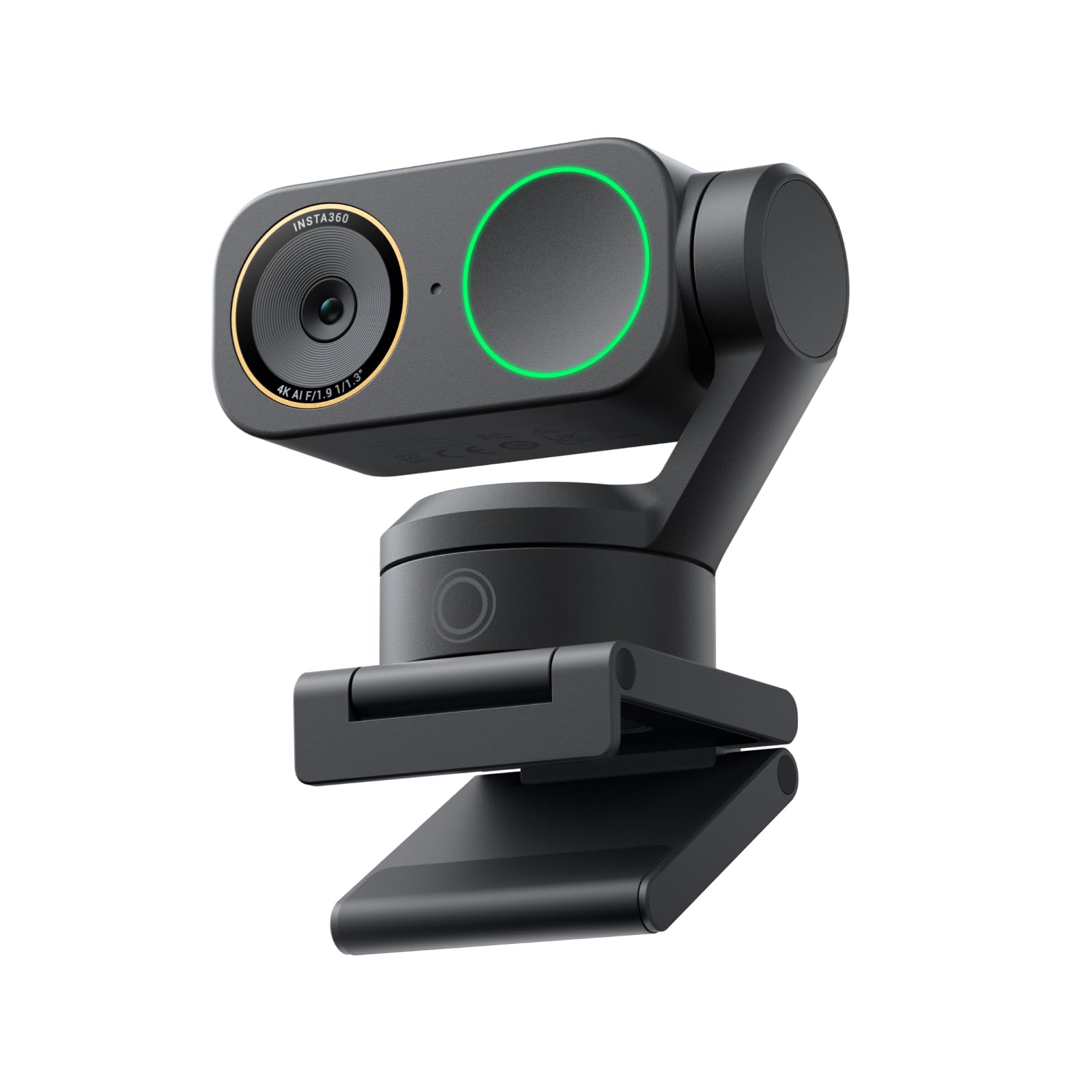
3. Insta360 Link 2 Pro
A 1/1.3” sensor that keeps your face-cam clean when the desk lamp is your only light.
Sensor size is the headline here. The 1/1.3” sensor is noticeably bigger than the 1/2.8” chips in the OBSBOT Tiny PTZ 4K and the Tenveo PTZ, which means more light reaches each pixel. In practice that gives you cleaner video and better low-light performance without lighting up your whole room like a studio.
It captures 4K sharpness with a 3840-pixel effective video resolution and adds a natural bokeh effect — a DSLR-style blurred background — straight from the software suite, so you get a professional look without extra gear. On the audio side, a redesigned dual-mic system with beamforming directional pickup isolates your voice and cuts background noise in a busy room. The AI tracking physically pans and tilts to follow you or your group, and the Stream Deck integration means you can switch modes and trigger presets without leaving your stream.
The picture quality is what earns the praise — crisp 4K and clean resolution — and the tracking follows movement smoothly with easy setup. Here is the real catch: the hardware notes say it is currently not compatible with ARM-based Windows systems or Windows Hello face recognition, and some owners hit units that could not work without issues. Check your PC’s processor type before you buy, because that one line decides whether it will run at all on your machine.
Pick this when: your streaming corner is dim and you want strong low-light footage plus clean voice pickup in one device.
Verify first: that your machine is not an ARM-based Windows system, since this camera is listed as not compatible with those.
4. BallerCam AI Auto-Tracking Sports System
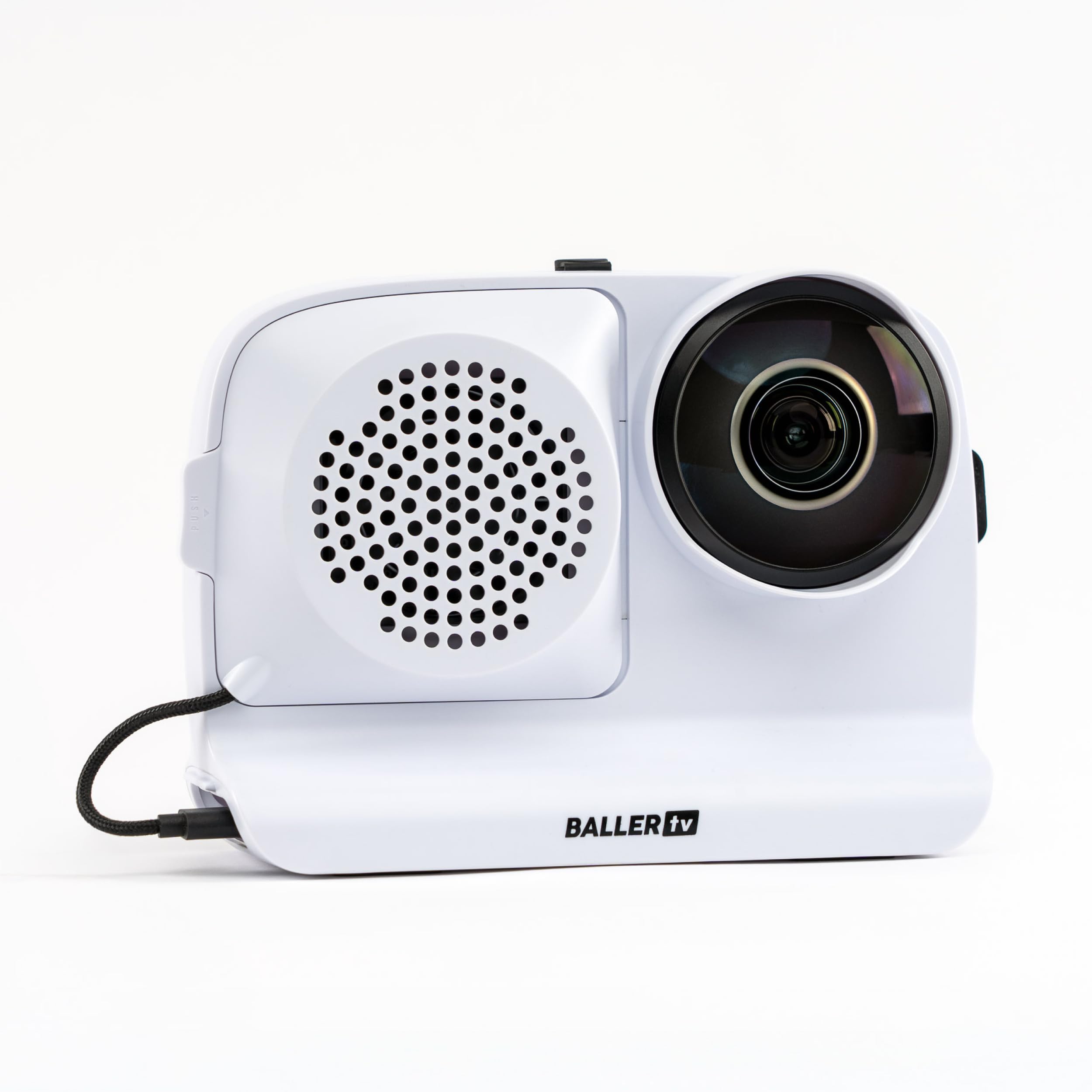
A 180° lens that holds the whole room in frame while ball-tracking AI centers the action digitally.
This one is built for a different job, and that makes it a niche pick for VTubers who want a single wide shot of a whole room. A 180° ultra wide lens takes in the entire field of view at once, and the AI keeps the action centered digitally rather than by panning. The upside is simple: no mechanical panning errors, so you never lose the moment to a camera that swung the wrong way.
It is designed around sports — basketball, soccer, futsal, flag football and volleyball — with tracking AI built on 2M+ games. You drop an iPhone on a tripod, run the app, and get easy clipping and sharing plus simple live streaming that sends a watch link in seconds. A 10000 mAh battery keeps it running through a game, and a swappable battery is included. No subscription is required and it includes 20 hours of cloud storage.
Owners find the quality strong, the setup easy, and the live streaming genuinely simple. The one honest limitation for a VTuber is the tracking itself: it follows a ball and key action, not your face, so a person sitting at a desk is not what it is tuned for. Some buyers also report tracking issues with the AI. It is a great fit for streaming a whole room or a game you are playing in, and the wrong tool if you want a close face-cam.
Where it shines: the 180° lens plus digital centering means the full room stays in frame with no moving parts, and the 10000 mAh battery plus included spare covers a long event.
Who it isn’t for: if your stream is a desk and a face-cam, this camera is tracking the wrong subject entirely.
Choose it for: filming a whole room, a court, or a game where a wide fixed view beats a tight face shot.
Skip it for: a standard talking-head face-cam, since its ball-tracking AI is aimed at play, not a seated speaker.
5. OBSBOT Tiny 3
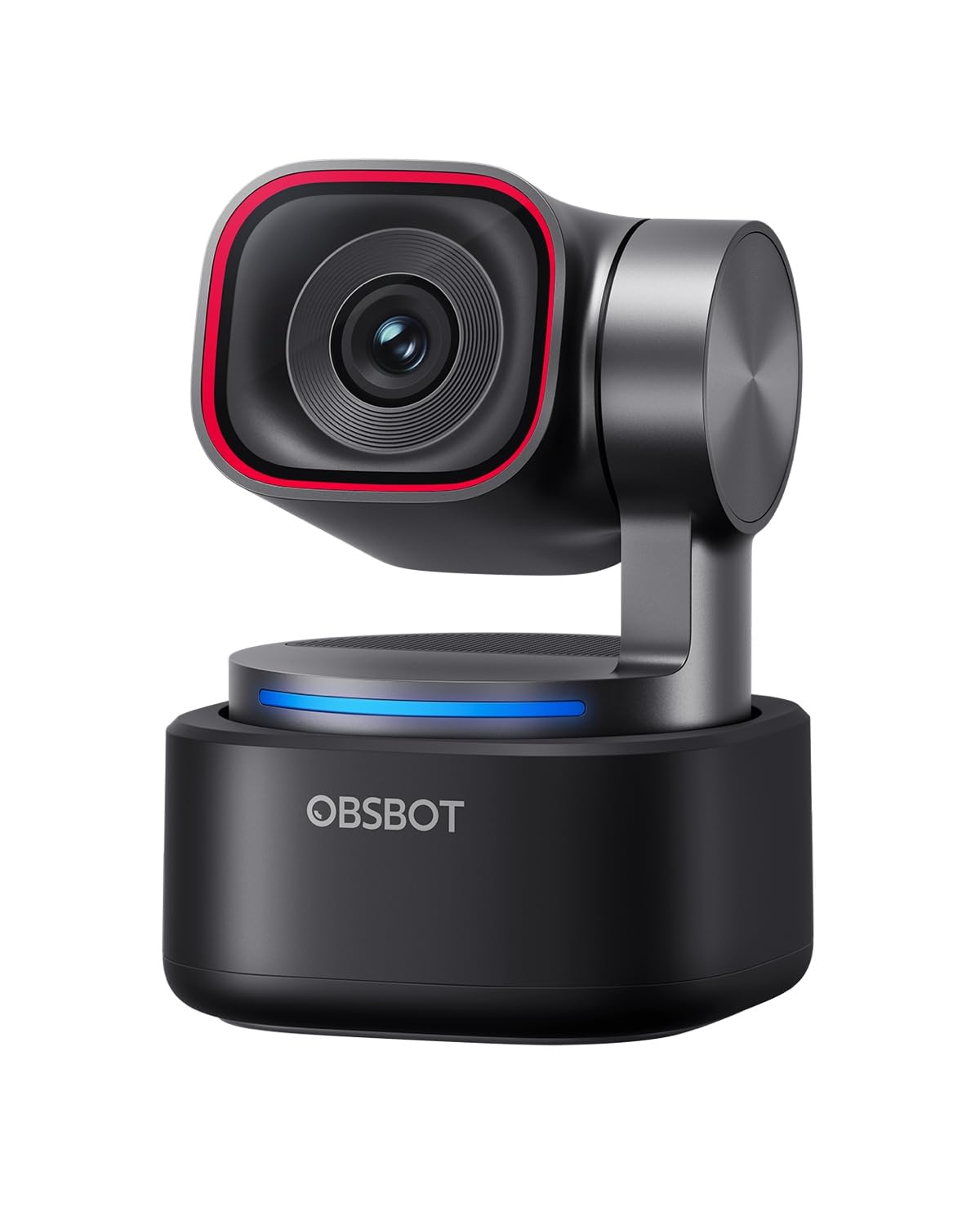
A body 48% smaller than its predecessor, with a triple-mic array that isolates your voice.
Shrink is the story. Compared to its predecessor the Tiny 3 is 48% smaller and 34% lighter, yet it houses a bigger 1/1.28” CMOS sensor. That means it sits unobtrusively on a monitor arm or tripod without crowding your desk, and the larger sensor keeps the image clean in dim conditions.
For a VTuber, the audio is the standout. An omnidirectional mic captures the full scene while two MEMS directional mics (tiny microphones that aim at a sound source) pinpoint your voice, and that array drives five specialized audio modes for noise reduction. In plain terms, your commentary comes through clearer in a room with a fan running. On video it shoots 4K at 30FPS or 1080P at 120FPS, and dual all-pixel PDAF keeps the frame sharp with a wide ISO range of 0-12800 and DCG HDR for balanced results in low light. AI Tracking 2.0 can lock onto a single person, a whole group, or over 200 types of objects.
The part that surprises people most is how much quality fits into such a small package — crisp 4K resolution, a small size, and quick setup. One honest gripe is the software and the motion dynamics, which draw mixed opinions. The PC and Mac compatibility note is worth checking too: it connects to a Windows 10 (64-bit) or later PC or macOS 11.0 or later Mac over USB, with no Wi-Fi or Bluetooth. If you need hands-free control, the voice and gesture commands cover wake, track, zoom, and preset switching.
What a small body buys you
- 1/1.28” CMOS sensor in a body that fits a tight desk
- Triple-mic array with directional pickup and five audio modes
- 4K at 30FPS or 1080P at 120FPS for smooth motion
- AI Tracking 2.0 follows a person, a group, or over 200 object types
What to weigh up
- Software and motion dynamics draw mixed opinions
- USB-C only, with no Wi-Fi or Bluetooth
- Needs Windows 10 (64-bit) or later, or macOS 11.0 or later
Worth it for: streamers with a cramped desk who want strong voice clarity and a tiny footprint.
Pass if: you need wireless freedom — this camera is USB-C only.
6. Tenveo 4K NDI PTZ Camera
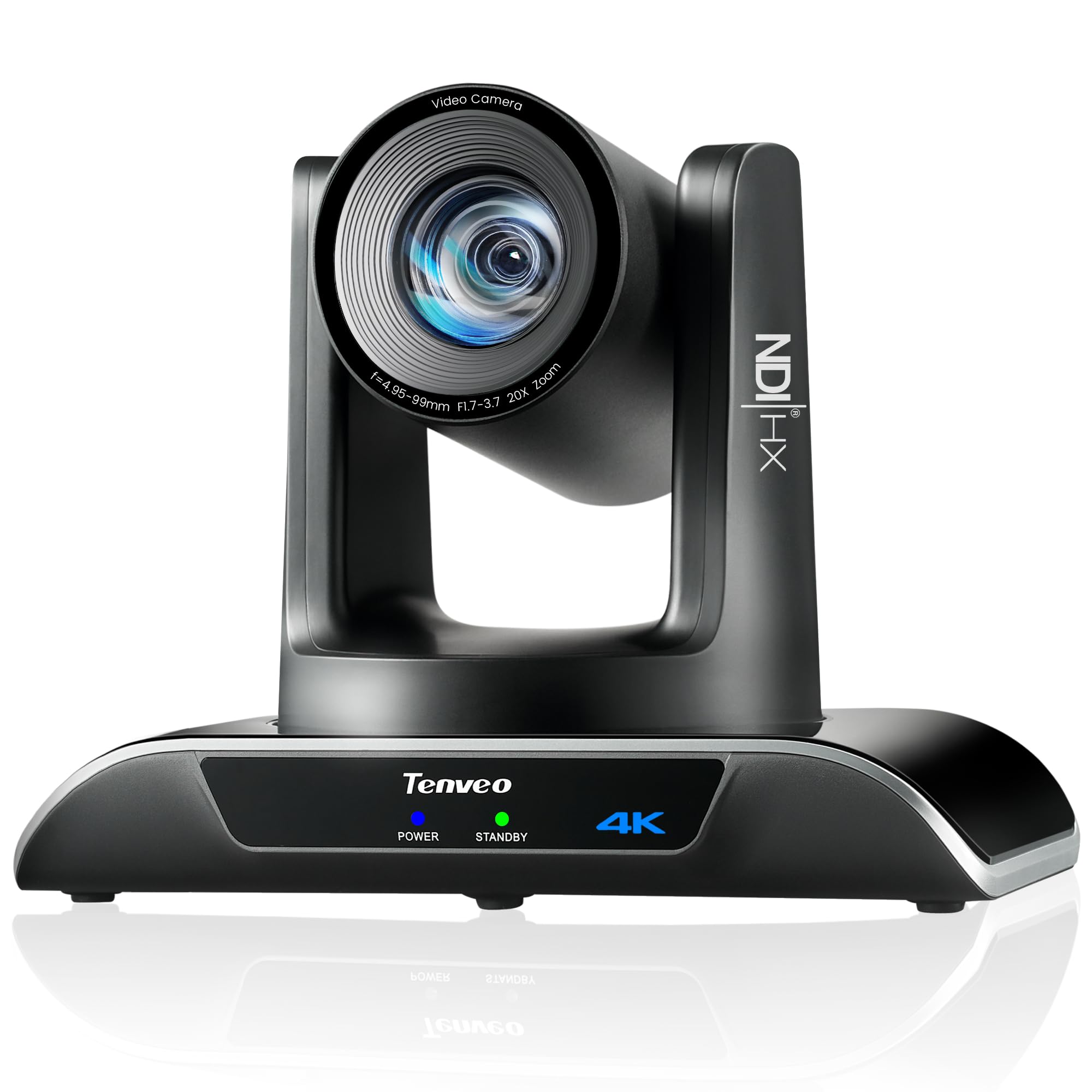
A 20X optical zoom plus USB, HDMI, and NDI outputs for streaming from a large room.
A 20X optical zoom (lens magnification that keeps resolution, unlike a digital crop) is the feature that separates this from every desk webcam here. That range lets you pull a tight shot from across a room, so a VTuber streaming from a large space can frame themselves up close without moving the camera. It runs 4K at 30fps and 1080P at 60fps from a Sony 1/2.8″ CMOS sensor with 8.29MP effective pixels.
The tracking is dual human-body and face auto-tracking on deep learning algorithms, and it holds its lock even when your body is blocked. Gesture control takes it hands-free, with an “OK” gesture toggling AI mode and a “YEAH” gesture entering Presenter Mode when AI mode is on. It offers three video outputs — USB3.0, HDMI, and LAN/NDI — plus support for MJPEG, YUY2, H.264, and H.265 encoding, so you can route it into OBS or a streaming platform directly. Pan and tilt run silently across 350° horizontally and 180° vertically, and it covers 10 presets from the included IR remote or up to 255 via RS232 and RS485.
What earns the praise is the camera quality and picture quality — 1080p 60fps support lands well, and owners highlight the variable zoom speed as a real plus. The important catch for a VTuber: this camera has no built-in mic, so you need your own audio chain. If you also want PoE, note the maker says you will need a PoE switch to connect.
Where it fits: large rooms, long sight lines, and productions that want a physical zoom lens and NDI routing rather than a fixed webcam angle.
The gap to plan around: no built-in mic means your streaming audio comes from somewhere else entirely.
Reach for this if: you stream from a big space and want a long optical zoom with flexible HDMI, USB, or NDI output.
Budget extra for: a separate microphone, because this camera ships without one.
7. Canon EOS R100 Mirrorless Camera

A 24.1MP APS-C body with a kit zoom lens that fits a small desk.
If you want real lens flexibility but cannot fit a big setup in your room, this is the lightest way in. It pairs a 24.1MP APS-C CMOS sensor (a chip smaller than full-frame) with the compact RF-S18-45mm lens in the box, so you get a usable zoom range without buying glass separately. The DIGIC 8 processor handles 4K video at up to 24 fps, Full HD at 60 fps, and HD at up to 120 frames per second for slow motion.
Autofocus covers up to 143 zones with human face and eye detect, plus animal and vehicle detect. That face and eye detection is the part that matters for a streamer, because the camera will look for your eyes rather than a general patch of the frame. The lens adds optical image stabilization at up to 4 stops of shake correction, which steadies a handheld or tripod-mounted shot.
Owners call it a good entry-level option with crisp, clear pictures and an amazingly compact body. The honest caveat is 4K capped at 24 fps, which feels choppier than the 60p of the Sony Alpha 7 IV for fast motion, and a portion of owners mention units that stopped working. For a slower, talk-focused stream it is comfortable; if you want high frame rates, look at the pricier picks.
Made for: a first interchangeable-lens camera on a tight desk and a tight budget.
Look up the list if: you need 4K at higher frame rates — 24 fps is the 4K ceiling here.
8. Canon EOS R50 Bundle
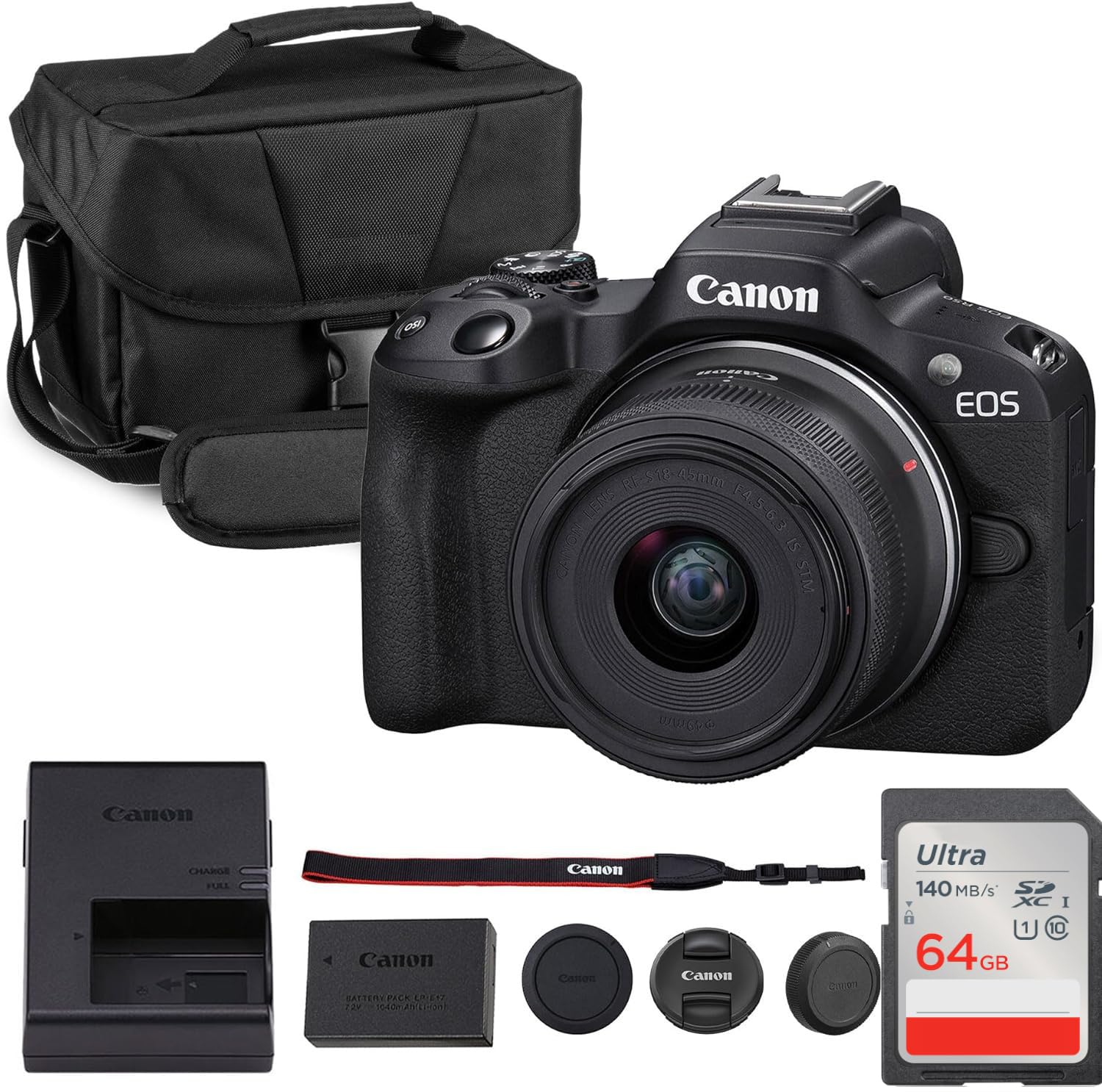
Oversampled 4K and vertical shooting for the creator who clips a lot.
Oversampled 4K is the technical reason this footage looks clean — the camera builds its 4K frame from a larger source image, so edges stay sharp. Paired with Dual Pixel autofocus and face/eye detection, it holds a subject reliably while you move. For a VTuber who also cuts shorts and vertical clips, that combination saves you a second camera.
It ships with the Canon RF-S 18-45mm f/4.5-6.3 IS STM lens, a compact zoom covering wide to standard focal lengths with image stabilization and smooth STM autofocus. In-camera guides and vertical shooting make it easy to shoot social-ready content on the fly.
Owners describe it as a great starter device that is easy to use and portable, with image quality that beats a phone in their eyes. The honest limit: it carries a 1.6 crop factor, so wide lenses behave narrower than on a full-frame body, and you will want to plan your framing around it. For a beginner who wants both a stream camera and a clip machine, it does both jobs without a steep learning curve.
The strongest reason to pick it: oversampled 4K plus face and eye detection in a body light enough to move around, with a kit lens already included.
The number to know: the 1.6 crop factor means a 18mm lens frames like a narrower lens, so tight rooms need you to step back.
Pick it for: a beginner streamer who also wants easy vertical clips and in-camera guidance.
Consider the R100 instead if: you want more autofocus zones and do not need vertical shooting.
9. Nikon Z6 III

6K/60p internal N-RAW video and a 4000-nit EVF that stays readable in a sunlit room.
The video spec is the draw: 6K/60p internal N-RAW recording plus oversampled 4K UHD, 4K/120p, and Full HD/240p slow motion. For a streamer who also produces edited content, that RAW headroom means you can fix exposure and color in post rather than bake it in. Hi-Res Zoom adds up to 2x digital zoom during HD recording and 1.4x during 4K.
The electronic viewfinder (the small screen you look into) hits a maximum brightness of 4000 nits, which stays clear in very bright conditions — a real advantage if your room has big windows. It runs a 5760k-dot resolution at up to 120 fps refresh for smooth motion, with an expanded color gamut equivalent to DCI-P3. Low light is covered by an ISO range of 100-64000, extendable up to Hi 1.7 (equivalent to ISO 204800), and autofocus detects down to -10EV with multi-subject recognition. The makers say AF is roughly 20% faster than the Z6II and can detect human faces as small as about 3% of the frame, which helps when you sit far from the lens.
What lands best is the image quality and the sheer speed and features, with autofocus drawing steady praise and value surprising people. The honest catch: reliability comes up as a mixed point, and one report flags a glitchy electronic viewfinder, while battery life is the weakest recurring note. For long streams, plan a power solution. If you want the highest-end video specs on this list, this is the one to weigh.
Why it tops the video chart: 6K/60p internal RAW and 4K/120p put it ahead of the Canon bodies here for pure recording headroom, and the -10EV autofocus keeps a distant face locked.
The honest trade: battery life is the recurring weak point, so a long session needs spare power.
Go here if: you produce edited video alongside your stream and want 6K/60p RAW plus pro monitoring tools.
Hold off if: you stream for hours on battery alone — plan external power first.
Know the Specs
Sensor size and low light
A camera sensor is the chip that turns light into your image. A physically larger sensor gathers more light per pixel, so your face stays clean when the room is dim. Full-frame sensors like the one in the Sony Alpha 7 IV are the biggest here, followed by the 1/1.3” chip in the Insta360 Link 2 Pro and the 1/1.28” CMOS in the OBSBOT Tiny 3. The 1/2.8” sensors in the OBSBOT Tiny PTZ 4K and Tenveo are smaller, so they lean more on room lighting to look their best.
Autofocus points and subject detection
Autofocus points are the spots the camera scans to lock focus. More points generally means a denser map to grab your face as you move. The Sony Alpha 7 IV lists 693 points, the Nikon Z6 III lists 299, the Canon EOS R100 covers up to 143 zones, and the Canon R50 lists 99 points. Face and eye detection tells the camera to prioritize your eyes specifically, which is what keeps a face-cam crisp rather than soft.
PTZ tracking versus digital crop
PTZ stands for pan, tilt, and zoom — the camera physically moves its lens to follow you. The OBSBOT Tiny PTZ 4K, Insta360 Link 2 Pro, OBSBOT Tiny 3, and Tenveo all track this way, which keeps the full picture quality intact. A cheap webcam that tracks by digitally zooming into the frame throws away resolution every time you move. If you move around a lot, a physically moving camera keeps your image sharp.
Connections and streaming software
How a camera connects decides how easily it drops into OBS or your streaming platform. USB is the simplest, plugging straight into a laptop or PC. HDMI carries video to a capture setup, and LAN or NDI sends video across a network for larger productions — the Tenveo offers all three. The OBSBOT Tiny 3 is USB-C only with no Wi-Fi or Bluetooth, and the Insta360 Link 2 Pro lists USB-C with a note about ARM-based Windows systems.
Common Questions
Do I need an interchangeable-lens camera for VTubing, or is a webcam enough?
What does AI tracking actually do on a streaming camera?
Will these cameras work with OBS and Twitch?
Why does sensor size matter for a dim streaming room?
Can the Tenveo PTZ camera handle my stream audio?
How many autofocus points do I need for a face-cam?
Is the Nikon Z6 III or the Sony Alpha 7 IV better for video?
Does the Insta360 Link 2 Pro work on every computer?
Which pick is best if my streaming space is a whole room, not a desk?
Do these cameras run on battery or need a power cable?
The Bottom Line
The winner across the board is the Sony Alpha 7 IV, because its 33MP full-frame sensor and 693 autofocus points give the deepest face-cam quality and the most reliable focus of anything here. If you want genuine moving-camera tracking without buying a lens, grab the OBSBOT Tiny PTZ 4K. And for a large room or a long optical zoom, the Tenveo 4K NDI PTZ is the one to reach for. Whichever you choose, match the sensor and the tracking method to your room — that pairing decides how you look on stream far more than the resolution number ever will.
How we choose
We do not accept paid placement. Every pick is matched to a real buyer and a real use-case; we do not hands-on test units.
Sources
Specifications: manufacturer listings and product documentation. Review insights: verified customer reviews, as of November 2026. Pricing: not shown on this page (it changes often); check the current price via the retailer link.
As an Amazon Associate, My Heart Lives Here earns from qualifying purchases. This does not affect which products we feature.