Heads up: This post contains affiliate links. As an Amazon Associate I earn from qualifying purchases, at no extra cost to you. Learn more
Specs are compiled from manufacturer listings and verified buyer reviews and can change over time — please confirm the key details on the product page before buying.
If your wrist aches after a long day of clicking and dragging on a Mac, a trackball replaces arm travel with a flick of the thumb or finger. These picks are chosen for how well they pair with macOS, from smooth Bluetooth to handshake-shaped comfort.
This guide is built by comparing the manufacturers’ published specifications and the patterns across verified customer reviews, so you get each pick’s real strengths and trade-offs instead of marketing spin.
A good trackball should feel invisible next to your Mac, not like a compromise. Here are the trackball mice that earn their desk space for Mac users.
Top Picks

Side-by-Side Comparison
| Model | Best For | Control Type | Connection | Battery Life | Amazon |
|---|---|---|---|---|---|
| Logitech MX Anywhere 3S Mac Mouse★ Best Overall | Mac laptop travel | Compact mouse | Bluetooth | 3 hours | Amazon |
| ProtoArc EM05 NL Trackball MouseBest Vertical Value | All-day desk comfort | Thumb ball | Bluetooth + 2.4G | — | Amazon |
| Nulea Vertical Trackball Mouse | Smooth thumb navigation | Thumb ball | Bluetooth | — | Amazon |
| Logitech Ergo M575S Trackball Mouse | Set-and-forget desk use | Thumb ball | Bluetooth | 18 months | Amazon |
| Nulea RGB Trackball Mouse | Wrist-pain relief | Index-finger ball | Bluetooth + USB | 90 days | Amazon |
| Logitech Lift for Mac Mouse | Small-hand Mac setups | Vertical mouse | Bluetooth LE | 24 months | Amazon |
| Logitech MX Ergo S Trackball Mouse | Serious ergonomic investment | Thumb ball | Bluetooth + USB | 4 months | Amazon |
Detailed Reviews
1. Logitech MX Anywhere 3S Mac Mouse
Our pick — 4.5+★ from 600+ verified ratings; the strongest balance of quality and price.
A compact Mac-matched mouse that tracks smoothly on almost any surface.
Built with Apple finishes and Logi Options+ support for macOS, this one slips into a bag and works across Mac, PC and tablet without fuss. The sensor reads cleanly on glass and desks alike, and owners praise the reliable, long-lasting charge.
It is a mouse rather than a trackball, so wrist-heavy users may still want a ball.
Why it works
- Pairs cleanly with Mac
- Tracks on many surfaces
Watch out
- Premium price for some
Best for: MacBook users who want a portable pointer
Limitation: Not a trackball, so no wrist relief
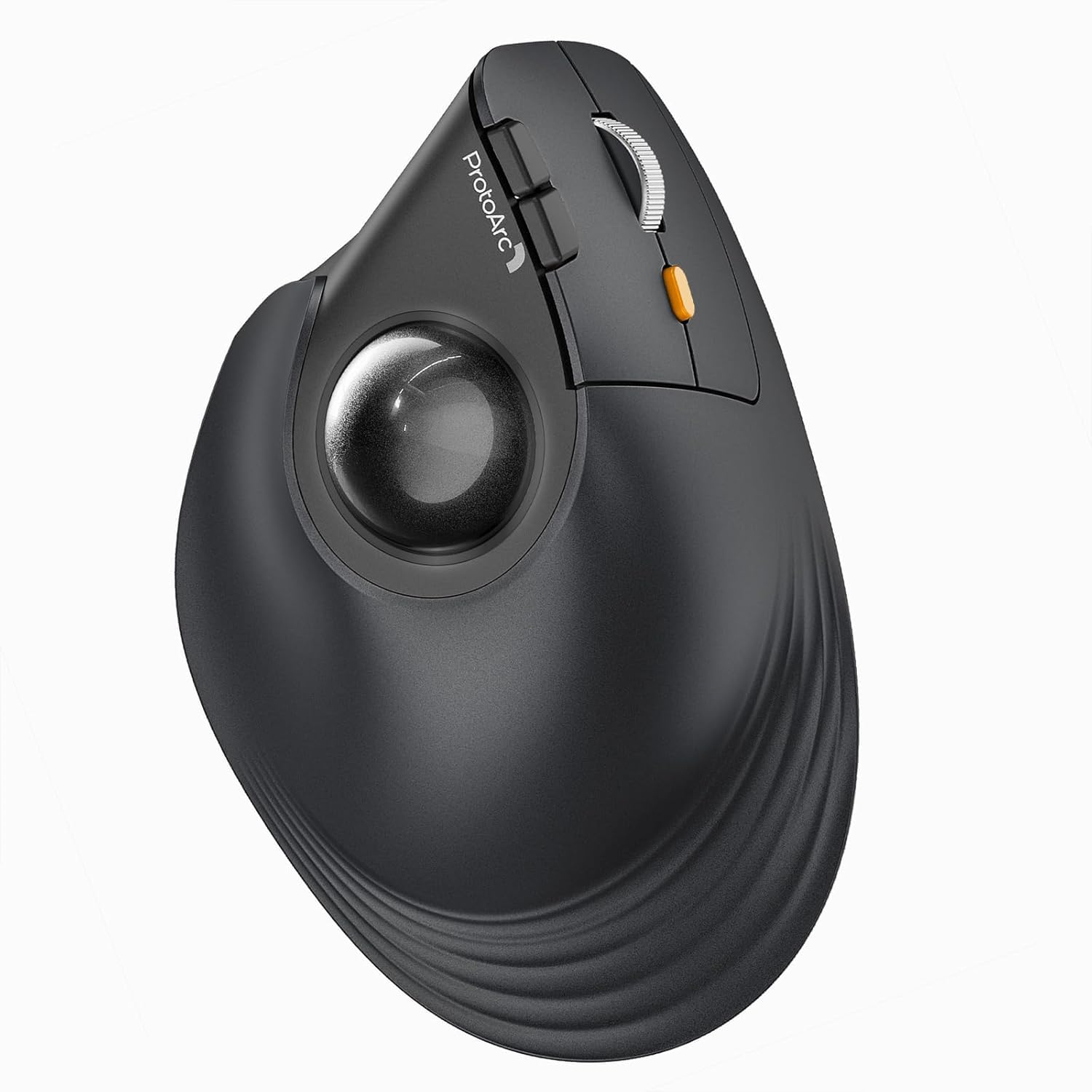
2. ProtoArc EM05 NL Trackball Mouse
A vertical trackball shaped around a natural handshake grip.
The 62-degree tilt keeps your arm and wrist relaxed through a full workday, and the dual Bluetooth and 2.4G connection makes switching between devices simple. Comfort and performance are what owners keep coming back to.
Ergonomics and trackball responsiveness draw mixed notes, so give yourself a few days to adjust. It is a right-hand-only design, which limits who can use it.
What shines
- Relaxed handshake angle
- Easy multi-device pairing
Keep in mind
- Right hand only
Great for: Desk workers easing wrist strain
Trade-off: Mixed reports on ball responsiveness
3. Nulea Vertical Trackball Mouse
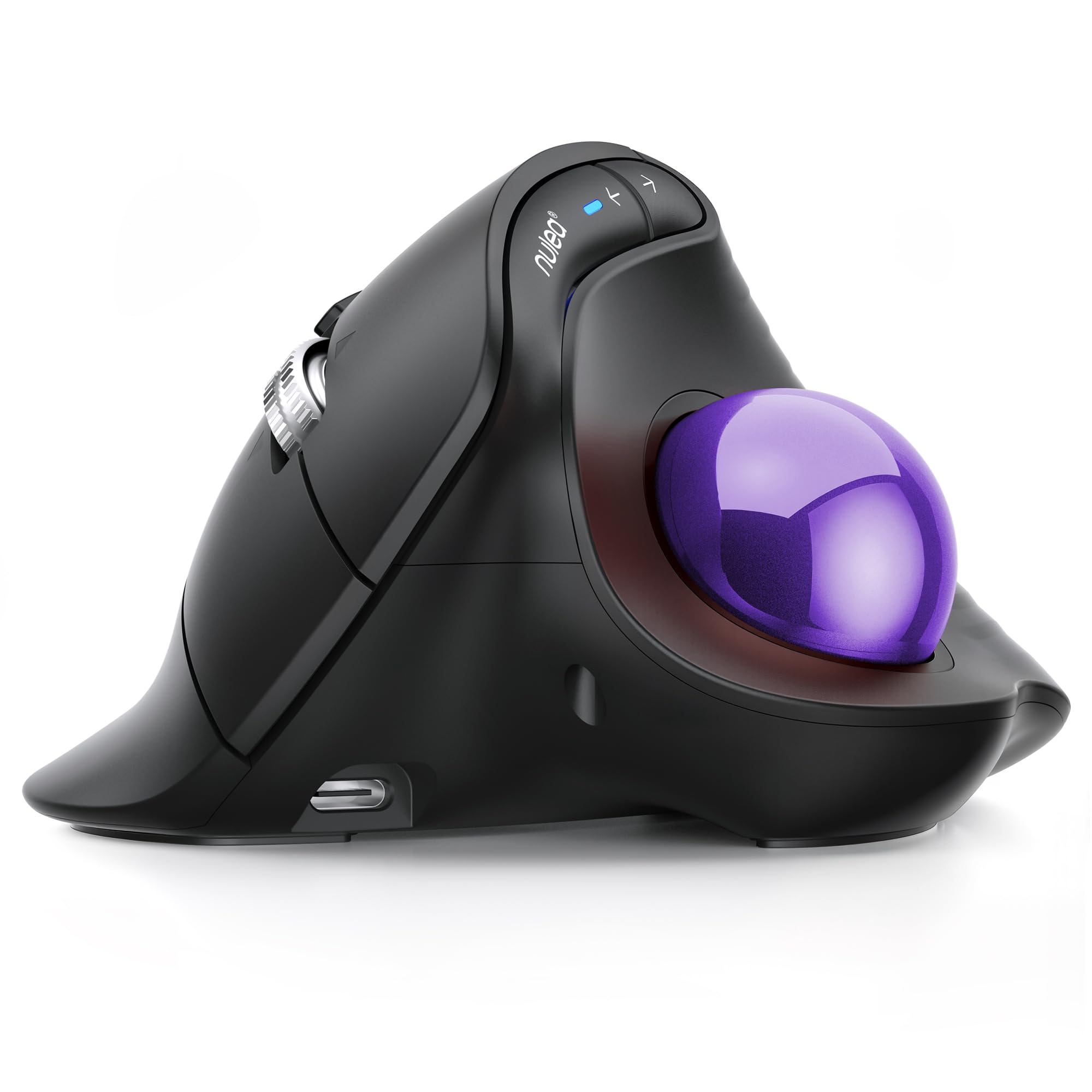
A sculpted vertical trackball with a textured surface that fits the palm.
The 65-degree ergonomic angle and wave-textured shell keep your wrist naturally relaxed, while thumb control handles navigation with smooth, precise tracking. Owners single out the tracking and smooth operation as standouts.
Ergonomic fit divides opinion, so hand size matters here. It is also right-hand oriented and fairly light, which some find less planted on the desk.
Standout traits
- Smooth, precise tracking
- Comfortable textured grip
Caveat
- Fit varies by hand size
Suits: Right-handed users wanting thumb control
Limitation: Ergonomic fit is divisive
4. Logitech Ergo M575S Trackball Mouse

Logitech’s thumb trackball built to keep your hand relaxed for hours.
The sculpted shape and quiet clicks make long sessions easier, and the battery stretches to 18 months so charging rarely crosses your mind. Bluetooth pairing is smooth and owners find it almost easy to use.
Some report unplanned cursor movement, so a steady surface helps. Value draws mixed notes, and the two-button layout is simpler than rivals.
Why owners like it
- Very long battery life
- Quiet, easy clicks
Watch for
- Occasional cursor drift
Ideal for: Desk users tired of charging
Trade-off: Simpler two-button layout
5. Nulea RGB Trackball Mouse

An index-finger trackball that puts cursor control under your fingertip.
The 44mm index-finger ball sharpens cursor control and eases arm stiffness, making it a favorite for wrist-pain relief. Owners find it comfortable and smooth, with the hand staying relaxed.
Battery life is the sticking point, with some reporting frequent charging despite the 90-day claim. Button placement also draws mixed notes, so expect a short adjustment.
What wins people over
- Fine fingertip cursor control
- Comfortable relaxed hand
Honest gripe
- Battery life inconsistent
Great for: Users wanting finger control
Limitation: Charging needs vary widely
6. Logitech Lift for Mac Mouse

A vertical ergonomic mouse sized for small to medium hands.
Crafted for all-day comfort, this vertical design puts your hand in a natural handshake position and pairs over Bluetooth Low Energy with MacBook, iMac and iPad. Buyers report wrist-pain relief and better posture.
Reliability draws mixed notes, with some units stopping working, and value divides opinion on price. It is a vertical mouse rather than a trackball, so no ball to roll.
Why it helps
- Natural handshake posture
- Works well with MacBooks
Caveat
- Mixed reliability reports
Suits: Small to medium hands
Limitation: Not a trackball
7. Logitech MX Ergo S Trackball Mouse

A thumb trackball with an adjustable tilt and switchable precision modes.
Advanced thumb control means more cursor command with less arm movement, and the 20-degree tilt improves forearm posture. A button toggles between speed and high-precision tracking, and owners note immediate wrist relief.
Reliability and button responsiveness draw mixed notes, and cost divides opinion. It is the priciest route here, but the battery stretches to four months.
What stands out
- Switchable precision modes
- Tilt eases forearm strain
Keep in mind
- Premium cost
Great for: Power users wanting precision
Trade-off: Mixed button feedback
Common Questions
Do trackball mice work with Mac?
Thumb or finger trackball for wrist pain?
Do I need a dongle for these?
The Bottom Line
For most people, the best trackball mouse for mac winner is the Logitech MX Anywhere 3S Mac Compact Wireless Mouse 8K DPI – Space Grey because It pairs cleanly with macOS, tracks on almost any surface and stays charged for long stretches, making it the easiest all-round fit. If wrist comfort matters more than portability, look at ProtoArc EM05 NL Wireless Trackball Mouse, Vertical Trackball Mouse or Nulea Wireless Ergonomic Vertical Trackball Mouse Thumb Control for vertical thumb control. For the longest battery life, Logitech Ergo M575S Wireless Bluetooth Trackball Mouse – Graphite Blue Ball is the set-and-forget choice, and Nulea Wireless Trackball Mouse Ergonomic RGB 44mm Index Finger Control suits anyone wanting fingertip precision.
How we choose
We do not accept paid placement. Every pick is matched to a real buyer and a real use-case; we do not hands-on test units.
Sources
Specifications: manufacturer listings and product documentation. Review insights: verified customer reviews, as of November 2026. Pricing: not shown on this page (it changes often); check the current price via the retailer link.
As an Amazon Associate, My Heart Lives Here earns from qualifying purchases. This does not affect which products we feature.