Heads up: This post contains affiliate links. As an Amazon Associate I earn from qualifying purchases, at no extra cost to you. Learn more
Specs are compiled from manufacturer listings and verified buyer reviews and can change over time — please confirm the key details on the product page before buying.
Scanning a signed page and emailing it should take one button press, not a walk to the computer. The printers on this list can send a scan straight to an email address from the machine itself — you place the page, you touch the screen, you walk away. Below you’ll find nine machines that do that job, sorted by who each one actually suits, from a laser workhorse for a small office to a wide-format unit for people who print bigger than a letter page.
This guide is built by comparing the manufacturers’ published specifications and the patterns across verified customer reviews, so you get each pick’s real strengths and trade-offs instead of marketing spin.
Some of these machines scan to a cloud app instead of raw email, and one has almost no review history yet — both matter before you commit. Here is the plain-English read on every scan to email printer that made the cut.
Top Picks

How To Choose The Best Scan to Email Printer
The thing that separates a machine that scans to email well from one that fights you is not the scan resolution — it’s the feeder and the screen. Here is what to check before you buy.
Does it actually send to email, or only to an app?
Read the feature list carefully. A printer that scans to Google Drive or Dropbox is doing something different from one that scans to an email address. Some machines offer both. If emailing is your whole workflow, confirm the send-to-email step is listed before you commit.
The auto document feeder is the real workhorse
An auto document feeder (the tray that grabs pages and pulls them through the scan head one at a time) turns a ten-page contract into one job instead of ten. The HP LaserJet Pro 3101sdw carries a 50-sheet feeder, and so does the Canon imageCLASS MF665Cdw. Without one, you lift the lid for every single page.
Laser or inkjet for a scan-heavy desk
If most of your scanning ends in a black-and-white PDF, a monochrome laser (a printer that uses powdered toner instead of wet ink) keeps text sharp and never dries out between jobs. If you also print color photos or marketing sheets, an inkjet earns its place. Pick the output first, then the machine.
Speed you can feel
Pages per minute (ppm) is the speed rating the maker publishes. The Brother HL-L2480DW is rated at 36 ppm and the Xerox B315DNI at 42 ppm, while the Canon PIXMA TR7120 is rated at 14 ppm black and 9 ppm color. Faster is not automatically better — but on a busy office desk, it changes how long a document job holds the machine.
Side-by-Side Comparison
| Model | Best For | Print Type | Black ppm | Auto Document Feeder | Amazon |
|---|---|---|---|---|---|
| HP LaserJet Pro 3101sdw★ Best Overall | Small teams scanning to email all day | Monochrome laser | 35 ppm | 50 sheets | Amazon |
| Canon PIXMA TR7120Best Value | Home and hybrid workers on a budget | Color inkjet | 14 ppm | Yes | Amazon |
| HP Envy Photo 7975Best for Photos | Families printing photos and schoolwork | Color inkjet | 15 ppm | Yes | Amazon |
| Epson WorkForce Pro WF-7840 | Wide-format documents up to 13×19 | Color inkjet | 25 ppm | Yes | Amazon |
| Brother HL-L2480DW | Compact black-and-white scanning | Monochrome laser | 36 ppm | — | Amazon |
| Brother MFC-L2820DW | Bulk multi-page scanning and faxing | Monochrome laser | 34 ppm | 50 sheets | Amazon |
| Epson EcoTank ET-4950 | High-volume color without cartridge swaps | Color ink tank | 18 ppm | Yes | Amazon |
| Canon imageCLASS MF665Cdw | Color laser scanning in a busy office | Color laser | 26 ppm | 50 sheets | Amazon |
| Xerox B315DNI | Fast monochrome output in an active office | Monochrome laser | 42 ppm | — | Amazon |
Detailed Reviews
1. HP LaserJet Pro 3101sdw
Our pick — 4.0+★ from 650+ verified ratings; the strongest balance of quality and price.
Seven seconds to the first page, then a steady 35 pages a minute behind it.
For a small team that scans a signed contract and emails it out several times a day, this is the machine that gets out of your way. The first page lands in 7 seconds, and from there it holds 35 pages per minute in black and white. That first-page figure is more than three times quicker than the HP Envy Photo 7975 at 22 seconds — on a one-page scan-and-send job, that gap is the whole task.
The paper handling is built for real office paperwork. A 50-sheet auto document feeder takes a stack of pages and pulls them through on its own, so a ten-page report is one loaded job rather than ten lid lifts. A 250-sheet input tray means you are not feeding paper between jobs, and automatic 2-sided printing saves the second half of every duplex document. What wins people over most is raw performance — it is the thing owners bring up first, far ahead of anything else, and reliability sits right behind it.
Here is the catch worth knowing before you buy. The connectivity is the one area where experiences split — plenty of buyers are up and running on Wi-Fi in minutes, while others hit connection trouble, so plan to set it up once and leave it wired to Ethernet if your network is fussy. It is also black-and-white only, and it takes HP chipped cartridges only. If you need color scans of photos or branded sheets, this is the wrong machine. The crowd verdict sits at 4.0+ stars across 600+ ratings, which is a lot of goodwill for a mono laser.
Where it earns its keep
- 7-second first page and 35 ppm black keeps a queue moving
- 50-sheet feeder plus 250-sheet tray means fewer reload breaks
- Reliability is the second most-discussed strength among owners
- Automatic 2-sided printing halves the paper on long documents
What to weigh first
- Wireless setup splits owners — some connect instantly, some do not
- Black and white only, with no color scans
- Locked to HP chipped cartridges
Reach for this if: your day is black-and-white documents that need to leave the building as a scan.
Look elsewhere if: color scans or photo printing are part of the job.
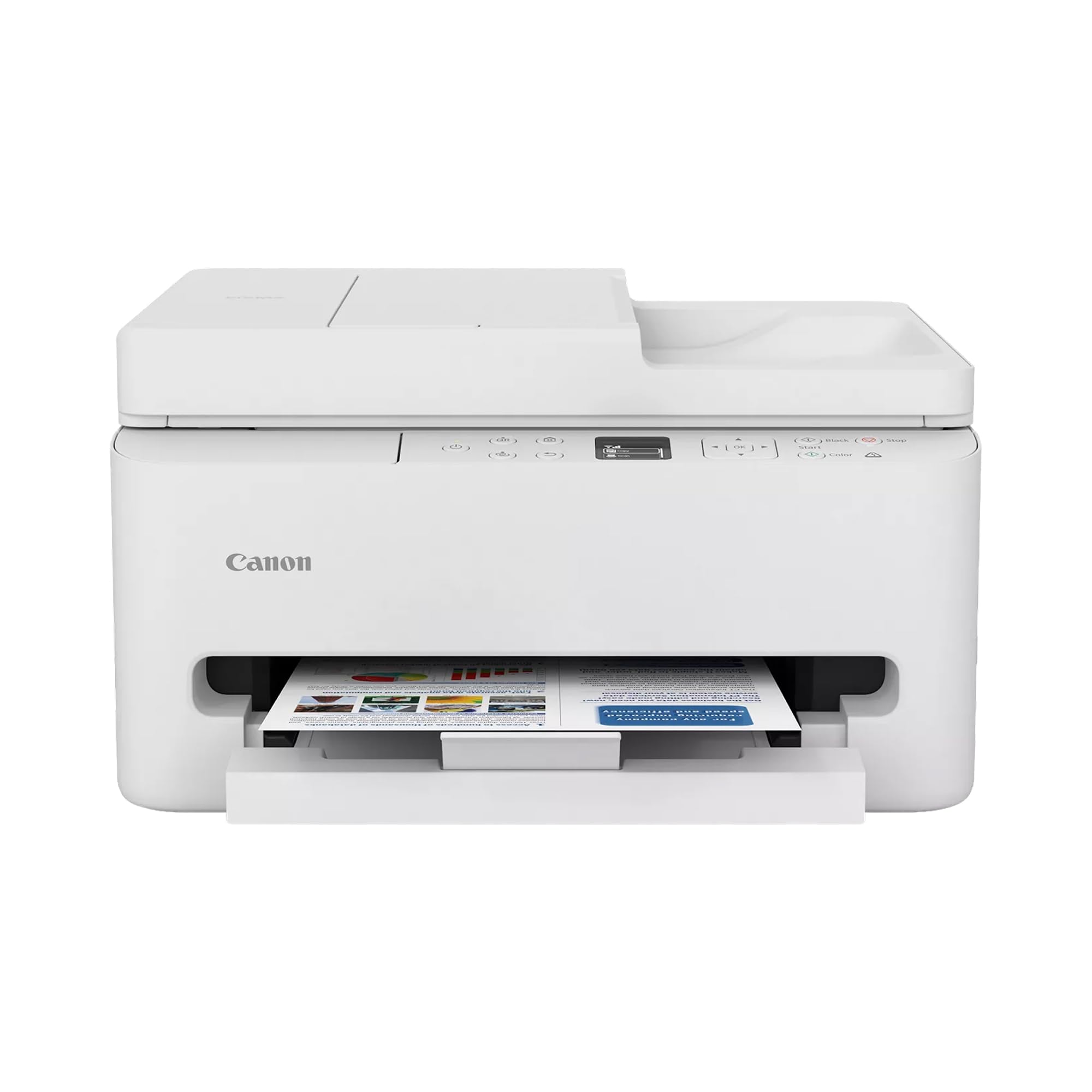
2. Canon PIXMA TR7120
The compact all-in-one that fits a desk corner and still scans a stack.
If you work from a kitchen table or a spare-room desk, the footprint matters as much as the spec sheet. This one is a color inkjet with an auto document feeder, automatic 2-sided printing, and a 1.42-inch monochrome OLED screen (a small readout that shows ink levels and status at a glance). It handles pages up to 8.5 x 11 inches, with or without borders, so both documents and photos come out of the same machine.
Speed is where it asks you to be patient. It is rated at 14 pages per minute in black and 9 in color — noticeably slower than the Xerox B315DNI at 42 ppm, and behind the Epson WorkForce Pro WF-7840’s 12 ppm color figure. For a home desk sending the occasional signed form, that is fine. For a queue of fifty pages, it is not the tool. Setup is the bright spot: owners consistently call it easy, and dual-band Wi-Fi (2.4GHz or 5GHz, so you can use the less-crowded band) helps it hold a stable connection.
What buyers praise most is overall build and output quality, with setup close behind — the general read is that it punches above its station as a home machine. The honest trade-off is consistency: functionality and value both split the room, and some units reportedly drop their wireless link or balk at a job. Treat this as a light-duty scanner that prints color on the side, not an office workhorse.
The home-desk read: a genuinely compact color all-in-one with a real document feeder, at a budget-friendly tier — the trade is speed and the occasional connectivity sulk.
Suits: hybrid workers who scan a few pages a week and want color printing too.
Think twice if: you send multi-page batches daily — the 14 ppm rating will feel slow.
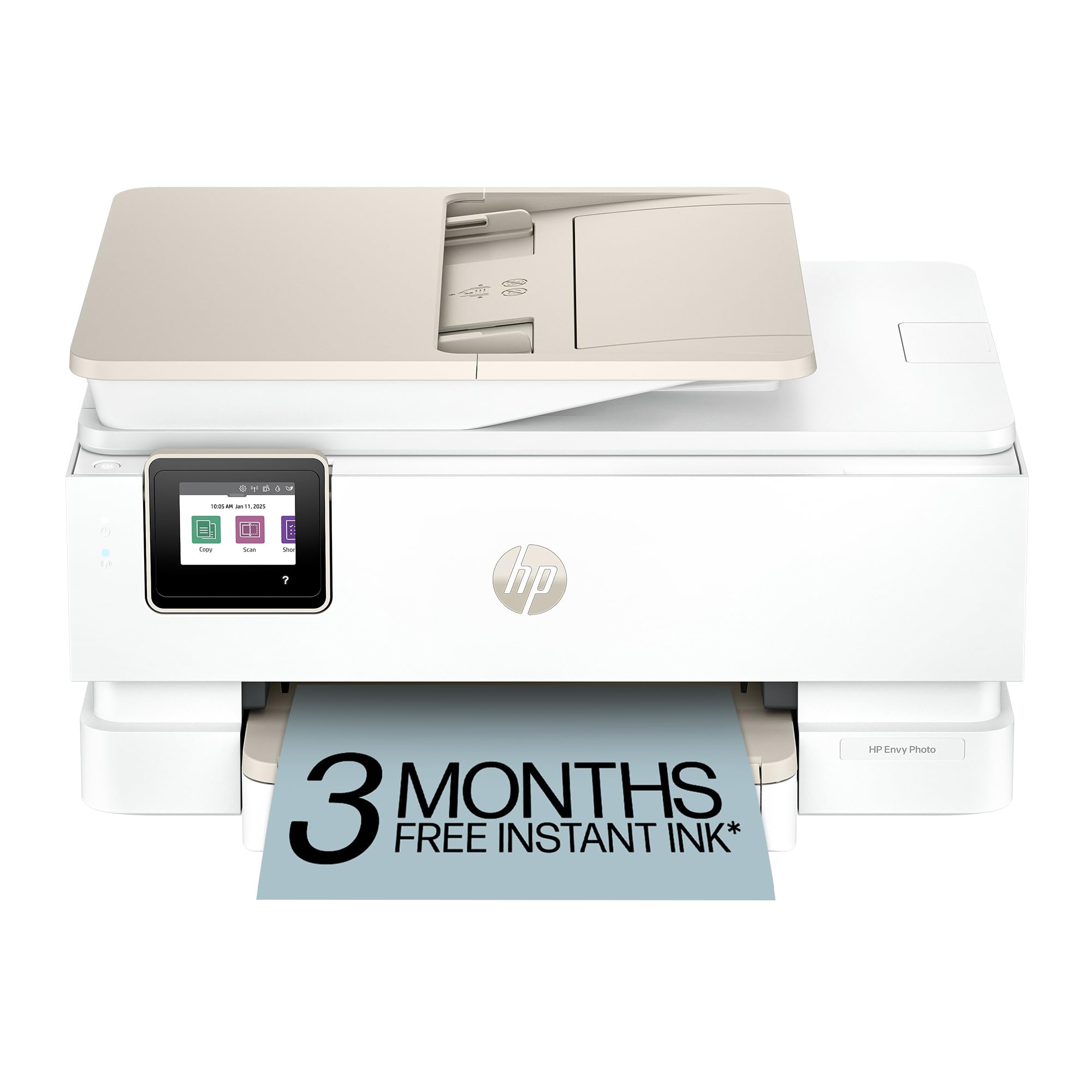
3. HP Envy Photo 7975
A family printer that treats a borderless photo as seriously as a homework sheet.
This is the pick for the household that scans a school form on Monday and prints a birthday photo on Friday. It prints up to 15 pages per minute in black and 10 in color, with a separate photo tray so you are not swapping paper stock every time someone wants a picture. A large color touchscreen runs the show, and an auto document feeder handles the scanning side. Borderless photo printing is part of the package, and three months of Instant Ink delivery are included before any monthly charge applies.
Where it shows its limits is patience. The first page takes 22 seconds — over three times the 7 seconds the HP LaserJet Pro 3101sdw manages — so a quick one-page scan-and-email is not this machine’s strength. Print quality on glossy photo paper is the standout, and the resolution holds up for both pictures and documents.
The bigger picture is more mixed. Setup and reliability both divide owners, with some reporting a straightforward half-hour setup and others hitting a wall, and the wireless link draws its share of complaints too. Some units reportedly stop working early. That is the reason it lands at 3.5+ stars across 600+ ratings rather than higher — buy it for the photo output and treat the rest as ordinary home-printer fussiness.
What it does beautifully: rich borderless photos and clean document scans from the same tray-loaded machine.
The trade you accept: a 22-second first page and a setup process that some owners find takes a full half hour.
Pick it for: family photo printing with occasional document scanning.
Pass if: you need fast, repeatable scan-to-email on a deadline.
4. Epson WorkForce Pro WF-7840

When the document is bigger than a letter page, this is the one that can handle it.
Most printers on this list top out at letter size. This one prints color up to 13×19 inches, which is why it suits presentations, marketing sheets, and detailed graphics a standard machine simply cannot produce. It scans, copies, prints, and faxes from the same body, and it does 12 pages per minute in color against the Canon PIXMA TR7120’s 9 — a real edge when a batch is color. Black output runs at 25 ppm.
Paper handling is generous: a 500-sheet main tray plus a 50-sheet rear tray means demanding runs do not stall for reloads. Built-in 802.11a/b/g/n/ac Wi-Fi (the wireless standard, with the “ac” tier being the faster generation) keeps it connected across a workspace, and AirPrint, Android, and Mopria support let phones and tablets print directly. Resolution is listed at 4800 x 2400 dpi, and the large-format output is the thing owners praise most.
The honest limit is ongoing cost and dependability. Ink cost is a recurring sore point, and reliability and connectivity both split owners — some report flawless wireless, others fight constant disconnects. This is a specialist machine: buy it because you genuinely need the 13×19 capability, and the day-to-day color scanning comes along for the ride.
Why it stands out
- 13×19 color output no standard printer here can match
- 500-sheet tray plus 50-sheet rear tray for heavy runs
- 12 ppm color beats the 9 ppm Canon PIXMA TR7120
- Phone and tablet printing via AirPrint and Mopria
Honest drawbacks
- Ink cost draws steady complaints
- Wireless reliability is a coin flip for some owners
- It is a large machine — check your desk space
Best fit: designers and small businesses printing large-format color sheets.
Not for you if: letter-size documents are all you ever handle.
5. Brother HL-L2480DW

A small-footprint laser that scans from a flatbed glass and prints at 36 pages a minute.
If you scan single pages — a receipt, an ID, a signed form — rather than stacks, a flatbed glass is all you need and this machine keeps the footprint tight. It prints black and white at 36 ppm, handles automatic 2-sided printing, and takes a 250-sheet paper tray. First page lands in 8.5 seconds.
The 2.7-inch touchscreen (a small color display you tap) is where the scan-to-email job happens. It supports printing from and scanning to cloud apps like Google Drive, Dropbox, Evernote, and OneNote, so a scanned page can leave the machine without a computer. Dual-band Wi-Fi (2.4GHz or 5GHz) or Ethernet keeps it on the network, and the Brother Mobile Connect app lets you manage it from your phone. Output quality is what owners rave about most — clear, crisp copies — with reliability ranked right behind it.
The one thing to plan around: this is a flatbed scanner, not a document feeder. A ten-page stack means ten lids. And the wireless link is the recurring gripe — some owners find setup happy and easy, others lose the connection and fight to restore it. Once it is on Wi-Fi, though, the speed impresses; owners describe it finishing almost instantly.
Small-desk hero: a genuinely compact mono laser with a cloud-scan touchscreen and 36 ppm output.
Great for: home offices scanning single pages and cloud-saving them.
Skip if: you regularly scan multi-page contracts — you want a feeder for that.
6. Brother MFC-L2820DW

A 50-page feeder that scans both sides without you touching a page.
For a small office that scans multi-page documents every day, the auto document feeder is the whole story. This one holds 50 pages, scans up to 23.6 images per minute (ipm, a speed rating for how many pages the scanner processes per minute) in black and 7.9 in color, and handles copy, scan, and fax. Print speed is 34 ppm black and white, with a first page in 8.5 seconds.
The 2.7-inch touchscreen supports scanning to cloud apps like Google Drive, Dropbox, Evernote, and OneNote, so a scanned stack can leave the machine without a computer in the loop. Dual-band Wi-Fi (2.4GHz or 5GHz), Ethernet, or USB cover every connection case. Quality is what owners praise most, with setup a close second — the general read is that it sets up easily and prints fast.
What you should know: the wireless link is the split point. Plenty of buyers report a solid connection, others wrestle with maintaining it. Reliability also draws mixed reports, with a few units reportedly faltering after a couple of months. That is why the score settles at 4.0+ stars across 1,000+ ratings — a well-liked machine with a real caveat worth acknowledging.
Why it fits a scanning desk: the 50-page feeder and 23.6 ipm scan speed turn a stack into one job, not a chore.
The caveat to weigh: mixed reliability reports and a Wi-Fi link that does not always hold.
Worth it if: you scan multi-page documents daily and want a feeder to do the work.
Look past it if: stable wireless is your one non-negotiable.
7. Epson EcoTank ET-4950
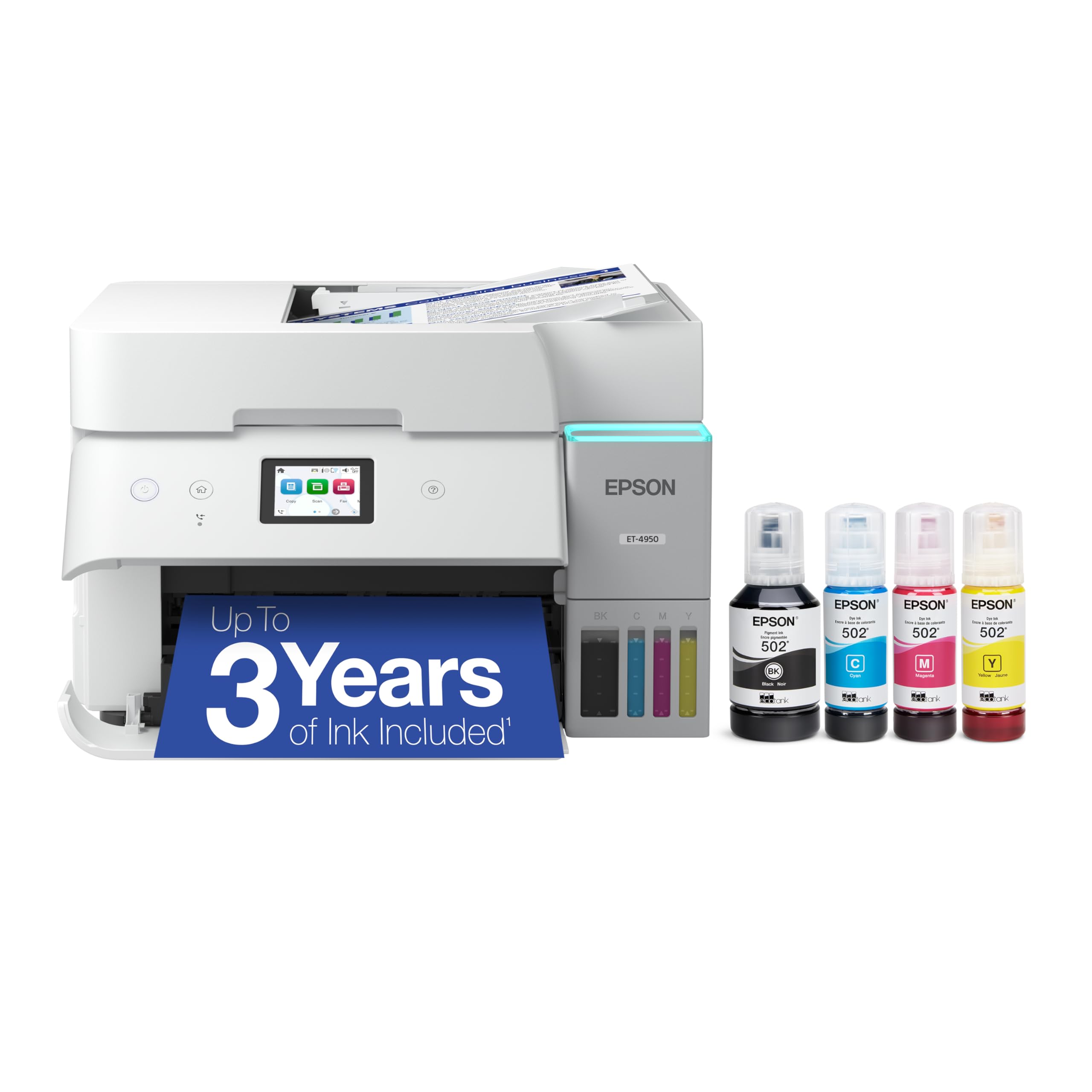
Bottled ink that skips cartridges entirely, in a white all-in-one that scans and faxes.
If the cost of ink is what wears you down, the EcoTank is built around solving exactly that. There is no cartridge — you refill from keyed bottles into supersized tanks, and the included ink is rated for up to 6,600 pages black and 5,500 in color. The started kit includes one 502 Black bottle at 127 mL and one each of Cyan, Magenta, and Yellow at 70 mL. Refilling is designed to be mess-free with bottles that only fit their own color.
The rest of the spec sheet is solid. It prints 18 ppm black and 9 ppm color, with zero warmup time, a 250-sheet paper tray, automatic 2-sided printing, fax, and a 2.4-inch color display. An auto document feeder handles stacks for the scanning side. It weighs 16.1 pounds, so give it a sturdy shelf. Image quality is what owners praise most — clean, crisp text and images — with setup a close second, helped by detailed step-by-step instructions.
The wrinkle is connectivity. The wireless link is the recurring complaint, with owners reporting dropped connections. Reliability splits too, with some units reportedly needing a reboot to print without errors. That lands it at 4.0+ stars across 600+ ratings. Buy it for the ink economics and the scan-to-cloud workflow, and plan to keep it on a steady network.
What makes it different
- Bottled ink rated to 6,600 black / 5,500 color pages
- Keyed refill bottles prevent color mix-ups
- 250-sheet tray, duplex printing, fax, and auto document feeder
Keep in mind
- Wireless connection drops for some owners
- 18 ppm black is not built for speed-critical queues
- Reliability reports split the room
Choose it for: high-volume color printing where ink refills are the pain point.
Think again if: you need the fastest scan-and-email turnaround.
8. Canon imageCLASS MF665Cdw

A color laser that scans both sides of a stack in a single pass.
This is the pick for an office that needs color documents without inkjet fuss. It prints 26 pages per minute in both color and black, with a first page in about 10.3 seconds. The 50-sheet auto document feeder is duplex and scans both sides in a single pass, so a double-sided contract goes through once instead of twice. Output is crisp and sharp, and color reproduction is praised specifically.
A 5-inch color touchscreen gives quick access to the features you use most, and mobile printing runs through the Canon PRINT app, AirPrint, and Mopria. A 250-sheet cassette plus a 1-sheet multipurpose tray keeps paper loaded. Toner is Canon Genuine 075, with high-capacity options. There is also a 3-year limited warranty and IT-friendly certifications (ENERGY STAR, EPEAT Silver). Quality is what owners praise most — drawing praise for its copy output — with print quality close behind.
The honest note: setup and reliability both draw mixed feedback, with some owners finding the software not intuitive and others reporting spotty wireless. At 3.5+ stars across 400+ ratings, it is a solid color laser with a real learning curve, and the color output is what keeps people on board.
The color-office case: 26 ppm at both color and mono, a duplex feeder that scans once, and a 5-inch touchscreen.
Right for: offices printing color documents who want laser text sharpness.
Rethink if: an easy setup is what you value most — the software draws complaints.
9. Xerox B315DNI
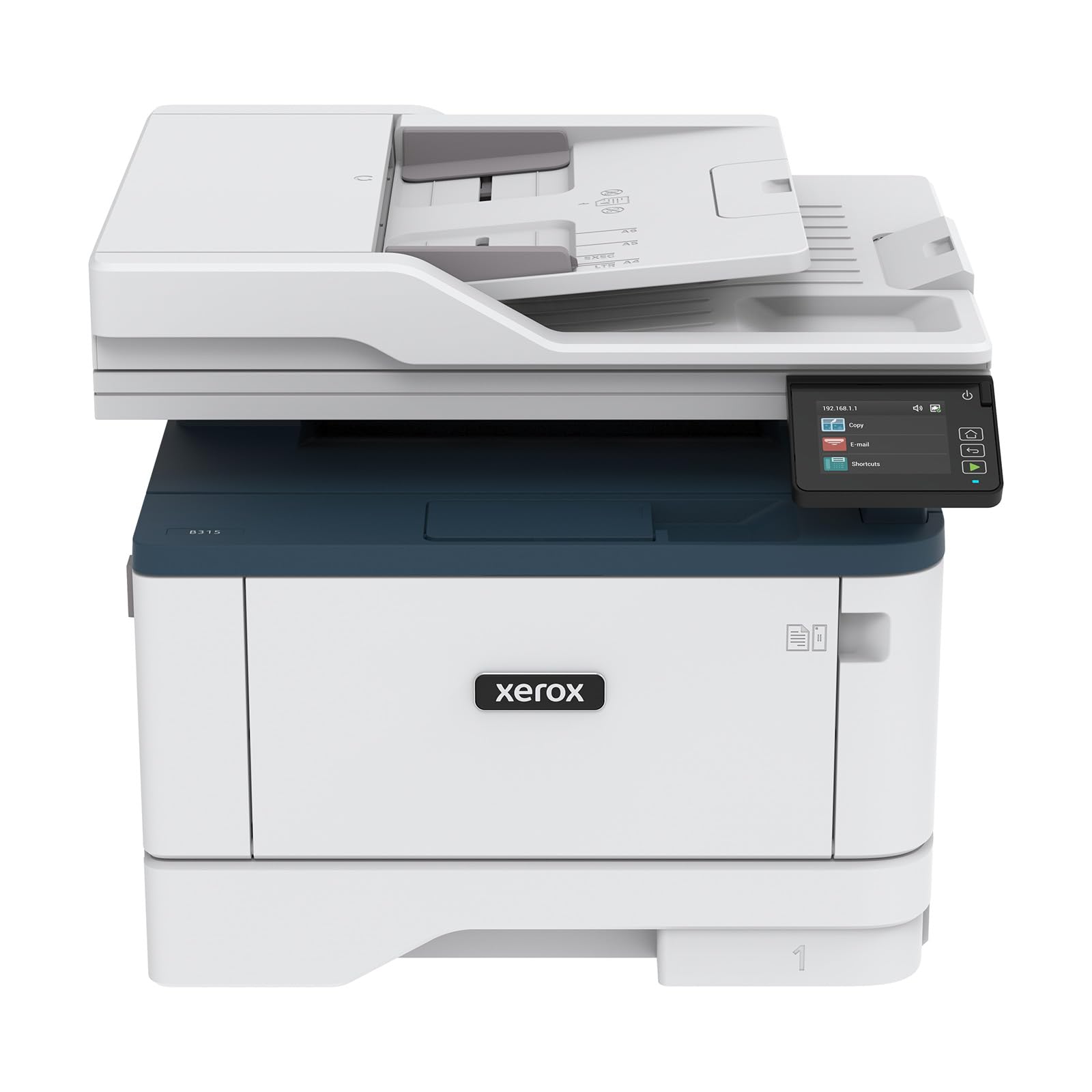
A 42-page-a-minute office laser built for workgroups that print all day.
The standout number here is 42 ppm in black and white — the fastest on this list, ahead of the Brother HL-L2480DW’s 36 ppm. It scans and copies too, so a signed page can leave the machine without a computer. Wi-Fi, Apple AirPrint, and Mopria cover mobile printing from laptops, phones, and tablets. The Xerox Easy Assist app guides the setup on your phone, which cuts down the manual-and-driver routine.
Xerox positions this one for active workgroups that push monochrome printing up to 8,000 pages per month, with high-yield toner options to stretch time between replacements. Automatic 2-sided printing is standard, and it holds 250 sheets in the base tray. It is a straight-ahead business machine: no color, no photo printing, just fast black-and-white output and scanning.
One honest caveat: this is the newest listing here, with only a slim stack of owner feedback so far, and the rating sits lower than the veteran picks. That is a signal to read the specs and trust the design rather than a deep track record. If you want a proven consensus, the HP LaserJet Pro 3101sdw has years of owner history behind it. If raw page-per-minute output is what matters, the numbers speak.
The speed argument: 42 ppm in mono is the top figure on this list, and the Easy Assist app trims setup time.
Best if: your office lives on black-and-white output and you want the fastest mono printer here.
Hold back if: you want a long, proven owner track record before committing.
Know the Specs
PPM vs IPM
PPM (pages per minute) rates how fast the printer puts ink or toner on paper. IPM (images per minute) rates how fast the scanner moves pages through. They are different jobs, so a printer with a high ppm can still scan slowly through its feeder. Check both if you scan more than you print.
Auto Document Feeder Capacity
The feeder holds a stack of pages and pulls them through the scan head one at a time. A 50-sheet feeder turns a fifty-page report into one loaded job. A flatbed-only machine makes you lift the lid for each page. If scan-to-email is a daily habit, the feeder is the single most important spec on this list.
Laser vs Inkjet
A laser uses powdered toner and heat to fuse text to paper — sharp, dry, and never clogging. An inkjet uses liquid ink cartridges and handles color photos well but can dry out between jobs. For black-and-white scan-and-email work, laser is the sturdier choice; for photos and color sheets, inkjet wins.
Duplex and Scan-to-Cloud
Duplex (automatic 2-sided printing) saves paper on documents. Scan-to-cloud apps let the machine send a scan to Google Drive, Dropbox, or similar without a computer. That is close to, but not the same as, scanning straight to an email address — check which one your workflow actually needs.
Common Questions
Can a printer scan straight to an email address without a computer?
Which printer scans multi-page documents fastest?
Is a laser or an inkjet better for scan-to-email work?
Do I need an auto document feeder if I only scan single pages?
How much paper does each machine hold?
Will a monochrome laser printer scan color documents?
Why do so many printers have wireless problems?
Can I print from my phone to a scan-to-email printer?
What is duplex printing and do I need it?
How long does an EcoTank ink bottle last?
The Bottom Line
For most desks, the scan to email printer worth starting with is the HP LaserJet Pro 3101sdw — it pairs a 7-second first page with a 50-sheet feeder and 35 ppm black, which is the combination that makes scan-and-send fast without a computer. If multi-page scanning is your daily routine, the Brother MFC-L2820DW and its 50-page feeder and 23.6 ipm scan speed are the better fit. And for offices that need color laser output, the Canon imageCLASS MF665Cdw leads with 26 ppm at both color and mono. Whichever you pick, the machine with the most years of owner history — the HP — is the safest bet if you value a proven track record over a single faster number.
How we choose
We do not accept paid placement. Every pick is matched to a real buyer and a real use-case; we do not hands-on test units.
Sources
Specifications: manufacturer listings and product documentation. Review insights: verified customer reviews, as of November 2026. Pricing: not shown on this page (it changes often); check the current price via the retailer link.
As an Amazon Associate, My Heart Lives Here earns from qualifying purchases. This does not affect which products we feature.