Heads up: This post contains affiliate links. As an Amazon Associate I earn from qualifying purchases, at no extra cost to you. Learn more
Specs are compiled from manufacturer listings and verified buyer reviews and can change over time — please confirm the key details on the product page before buying.
Your childhood games deserve better than a blurry smear on a flat panel. A good upscaler rebuilds those pixels cleanly, and the right one depends on which console is sitting under your TV.
This guide is built by comparing the manufacturers’ published specifications and the patterns across verified customer reviews, so you get each pick’s real strengths and trade-offs instead of marketing spin.
A practical guide to picking a retro gaming upscaler for your console and display. Here is how to choose the best retro gaming upscaler for crisp, lag-free play.
Top Picks

Side-by-Side Comparison
| Model | Best For | Inputs | Output | Lag | Amazon |
|---|---|---|---|---|---|
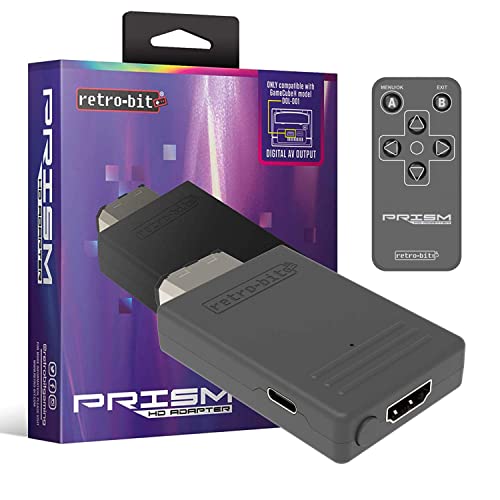
| Retro-Bit Prism HDMI Adapter for Gamecube★ Best Overall | GameCube owners | GameCube | HDMI | Plug-and-play | Amazon |
| RetroScaler2x ConverterBudget Pick | Budget setups | Composite, S-Video, component | HDMI | Zero lag | Amazon |
| Marseille mClassic OG | Smoother edges | HDMI | Up to 1440p/60hz | Zero lag | Amazon |
| Mcbazel SCART RGB to HDMI Converter | SCART consoles | SCART, component, VGA | HDMI or VGA | Low latency | Amazon |
| Mcbazel OSSC v1.6 | Tinkerers | SCART, component, VGA | HDMI | — | Amazon |
| GCHD Mk-II | Sharp GameCube HD | GameCube | HDMI | Plug-and-play | Amazon |
| Kaico OSSC 1.8 | Crisp pixel purists | SCART, component, VGA | HDMI | No lag | Amazon |
Detailed Reviews
1. Retro-Bit Prism HDMI Adapter for Gamecube
Our pick — 4.5+★ from 850+ verified ratings; the strongest balance of quality and price.
A simple bridge from GameCube to a modern TV, with picture quality that wins people over.
This adapter is built for the GameCube specifically, and it shows. Progressive scan games look noticeably less blurry, and the plug-and-play setup means you are playing within minutes rather than fiddling with menus.
The on-screen display and scan filters give you room to tune the image, and the USB-C port lets you install firmware updates. The included remote is handy, though opinions on it are split.
Plug-in Gamecube HDMI
- Outstanding picture clarity
- Simple plug-and-play setup
Adapter only no cable
- Remote divides opinion
Cube owners: Anyone with a progressive-scan GameCube
Cable needed: Remote control is a mixed bag
2. RetroScaler2x Converter
An affordable converter that takes classic analog signals and hands them to HDMI.
This little blue box accepts composite, S-Video and component sources and outputs clean HDMI, covering a wide spread of retro consoles. It supports both NTSC and PAL, so imports are not a problem.
The catch is consistency. Some units work beautifully and sharpen the picture, while others leave owners underwhelmed on both fronts, so buy from a seller with easy returns.
Composite to HDMI scaling
- Wide console compatibility
- Easy to use
No component passthrough
- Results vary between units
Legacy consoles: Budget-minded retro fans
Limited inputs: Picture improvement is inconsistent
3. Marseille mClassic OG
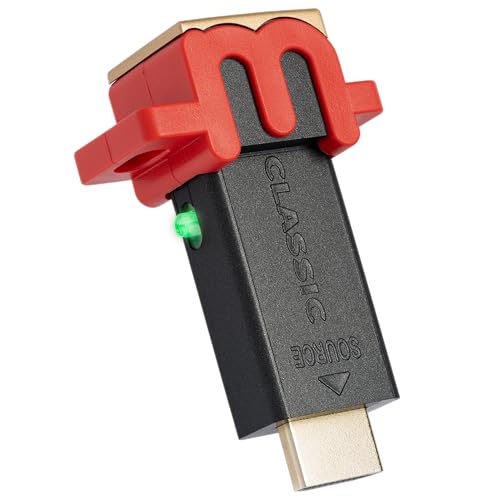
A graphics processor that smooths jagged edges on modern displays without adding lag.
The mClassic focuses on making older games look smoother on big screens, with a proprietary anti-aliasing algorithm and support for widescreen and 4:3 games alike. Switch titles in particular benefit on 4K televisions.
Compatibility is the honest caveat. It shines with newer systems but can misbehave with some Samsung smart TVs, and the visual gains are described as modest rather than transformative.
Sharpens game mode
- Smooths jagged edges
- Works across many consoles
Subtle smoothing only
- Spotty with some smart TVs
Soft image fix: Switch and modern-console owners
Not a scaler: Improvements can be subtle
4. Mcbazel SCART RGB to HDMI Converter
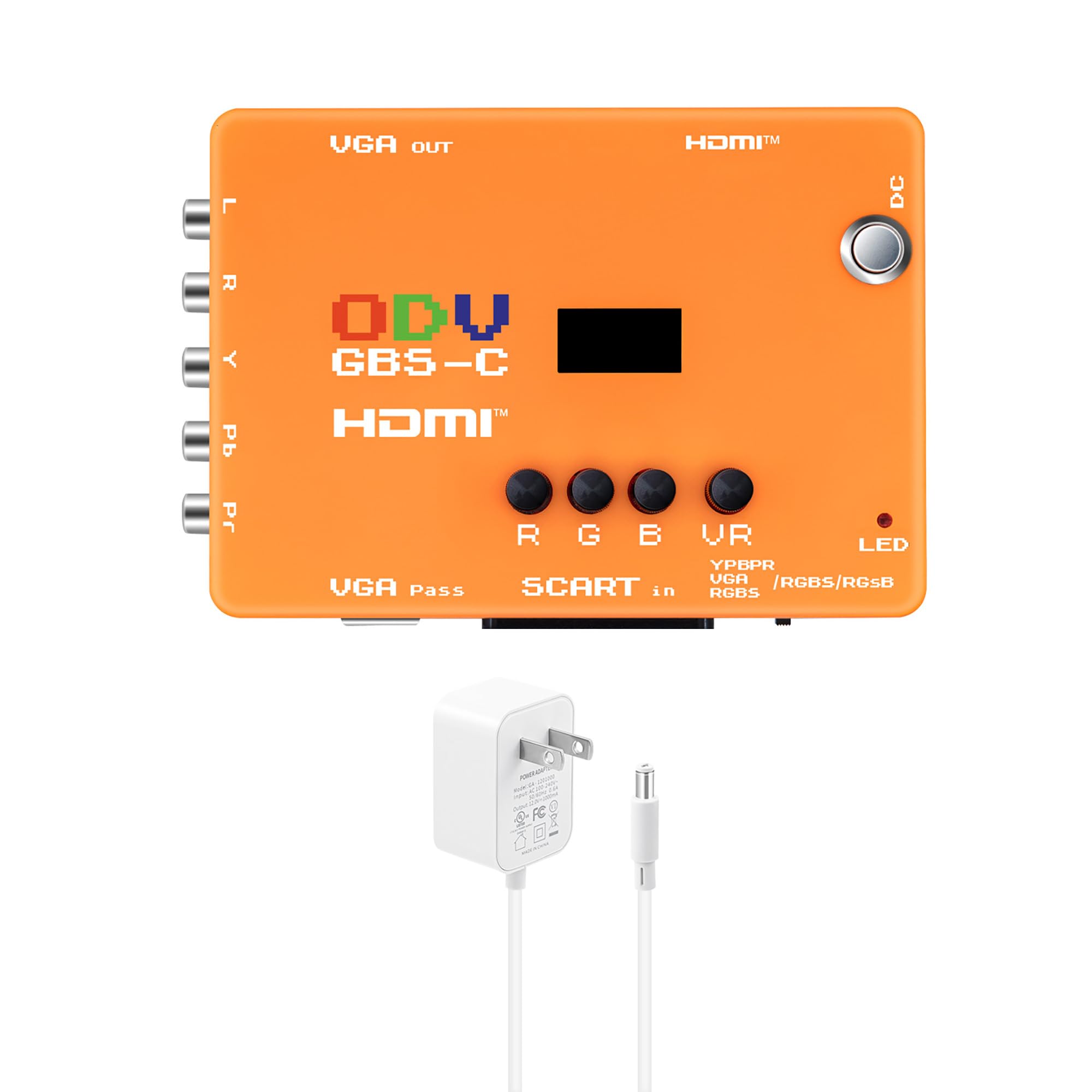
A flexible converter for classic analog systems that need a clean digital handoff.
This unit accepts RGBS/SCART, YPbPr component and VGA sources and outputs to HDMI or VGA displays, covering a long list of classic consoles from the start. It works well right away and delivers great picture quality.
Setup is where experiences divide. Some find it easy to configure, while others find the menus less than intuitive, so patience helps if you are new to SCART wiring.
SCART RGB conversion
- Great picture quality
- Good value
No HDMI audio out
- Setup can be unintuitive
RGB scart setups: Owners of SCART-era consoles
Audio workaround: Configuration takes patience
5. Mcbazel OSSC v1.6

A tinkerer’s converter that rewards owners who understand what it does.
This open source scan converter handles SCART, component and VGA sources for classic consoles, and it is well made with solid value for the money. Those who get it working tend to be very happy.
It is not a casual purchase, and the listing says so plainly. Functionality is a coin flip for some buyers, so go in expecting to learn the settings before you judge it.
Open source scanning
- Well-made build
- Good value
Steep setup curve
- Mixed reliability reports
Tinkerers: Hands-on retro enthusiasts
Manual tuning: Not plug-and-play
6. GCHD Mk-II

A dedicated GameCube adapter that pushes sharp HD visuals to modern screens.
Built specifically for the GameCube, this adapter outputs upscaled 1080p over HDMI and makes games look insanely good on modern displays. The plug-and-play design keeps setup simple.
Audio is a highlight, with both digital and analog outputs to suit different setups. Performance is the honest caveat, since a few units reportedly fail to output a signal at all.
Native digital Gamecube
- Amazing picture quality
- Flexible audio outputs
Expensive single console
- Occasional no-signal units
Purist Cube fans: GameCube purists
High price: Performance can vary
7. Kaico OSSC 1.8

A refined open source scan converter with sharp pixels and no perceptible lag.
This OSSC revision brings improved synchronization, a new HDR mode and a 6x output mode with pixel repeat and shadow mask emulation. The result is crisp, sharp pixels that make older games look great on newer TVs.
Owners consistently praise the build quality and the fact that it does exactly what it claims, with no lag at all. It still expects you to understand its settings, so it is not for the impatient.
Line doubling flexibility
- Excellent picture quality
- Solid build
Firmware fiddling
- Requires some expertise
Multi console rigs: Serious retro collectors
Config time: Demands understanding of settings
Common Questions
What does a retro gaming upscaler actually do?
Do upscalers add input lag?
Which inputs should I check for?
The Bottom Line
For most people, the best retro gaming upscaler winner is the Retro-Bit Prism HDMI Adapter for Gamecube because it pairs a dedicated GameCube connection with plug-and-play simplicity and picture quality owners consistently praise. If you want a smoother look for modern consoles, Marseille mClassic OG – Restore Your TVs Game Mode Image Quality, Lag Free, on Nintendo Switch, Xbox, PlayStation, Gamecube, N64, Wii, SNES, and More – Supports 1440p/60hz is worth a look, while Kaico OSSC 1.8 Open Source Scan Converter, SCART Component VGA to HDMI suits pixel purists chasing crisp scan-converted output. Budget setups can start with RetroScaler2x AV/SV/YPBPR to HDMI™ Converter, NTSC/PAL Support (Blue).
How we choose
We do not accept paid placement. Every pick is matched to a real buyer and a real use-case; we do not hands-on test units.
Sources
Specifications: manufacturer listings and product documentation. Review insights: verified customer reviews, as of November 2026. Pricing: not shown on this page (it changes often); check the current price via the retailer link.
As an Amazon Associate, My Heart Lives Here earns from qualifying purchases. This does not affect which products we feature.