Heads up: This post contains affiliate links. As an Amazon Associate I earn from qualifying purchases, at no extra cost to you. Learn more
Specs are compiled from manufacturer listings and verified buyer reviews and can change over time — please confirm the key details on the product page before buying.
If a fake login page can trick you into typing your password, a passkey device is the fix: it proves who you are with a physical key instead of a typed secret. Below are the seven worth your keychain, ranked by real-world reliability rather than marketing.
This guide is built by comparing the manufacturers’ published specifications and the patterns across verified customer reviews, so you get each pick’s real strengths and trade-offs instead of marketing spin.
Each key here does the same core job, so the differences come down to connector, protocol support, and how much friction you accept. Pick the one that matches your phone and laptop first — that single match matters more than any spec badge. Here are the seven strongest options for a passkey device that just works.
Top Picks

How To Choose The Best Passkey Device
Three things decide whether a key earns a spot on your ring.
Connector match
Buy the plug your daily laptop and phone actually use — USB-A or USB-C — because an adapter-free fit is the difference between a smooth tap and a hunt for a dongle.
Protocol coverage
Check that the key supports FIDO2/WebAuthn (the modern passkey standard) and U2F (the older two-factor standard), since that pair covers the accounts you log into most.
NFC for phones
If you log in on a phone, look for Near Field Communication, the tap-to-authenticate chip, so you can authenticate without plugging anything in.
Side-by-Side Comparison
| Model | Best For | Connector | NFC | Weighs | Amazon |
|---|---|---|---|---|---|
| YubiKey 5 NFC★ Best Overall | Most people | USB-A | Yes | 2.86 g | Amazon |
| GoTrust Idem Key AMost Certified | Compliance-heavy work | USB-A | Yes | — | Amazon |
| Security Key C NFC | USB-C laptops | USB-C | Yes | 0.16 oz | Amazon |
| SecuX PUFido | Pocket carry | USB-C | — | — | Amazon |
| Cryptnox FIDO2 Card | Door plus login | NFC / contact card | Yes | 5 g | Amazon |
| Thetis Pro-A | Mixed device setups | USB-A | Yes | 8.53 g | Amazon |
| OnlyKey | Power users | USB-A | — | 17.01 g | Amazon |
Detailed Reviews
1. Yubico YubiKey 5 NFC
Our pick — 4.5+★ from 12,500+ verified ratings; the strongest balance of quality and price.
The key that just works, whatever you plug it into.
For most people this is the easy answer. It plugs into a USB-A port or taps against a phone over NFC (the tap-to-authenticate chip), and it covers FIDO2/WebAuthn as well as older standards like U2F, OTP, and PIV, so your accounts work now and after an upgrade. It holds 100 passkey slots — one key covers a hundred logins.
What wins people over is raw reliability: it authenticates on PCs and phones alike and lasts for years. The honest caveat is compatibility — some setups expect Windows Hello instead, and setup isn’t always plug-and-play. Give yourself an evening to register your accounts.
At 2.86 g it disappears on a keychain, and at 3.94 inches on every side it is the chunky one versus the GoTrust Idem Key A at 0.63 by 0.75 by 0.13 inches. That size buys you a rugged shell. The crowd backs it too — 4.5+ stars across 12,000+ owners.
Reasons it earns the top spot
- USB-A plus NFC covers desktops and phones in one key
- 100 passkey slots and six protocol standards
The honest caveat
- Setup can be fiddly and Windows Hello isn’t supported
Reach for this if: you want one key that handles almost every account and device.
Look elsewhere if: your phone or laptop is USB-C only — go for the Security Key C NFC.
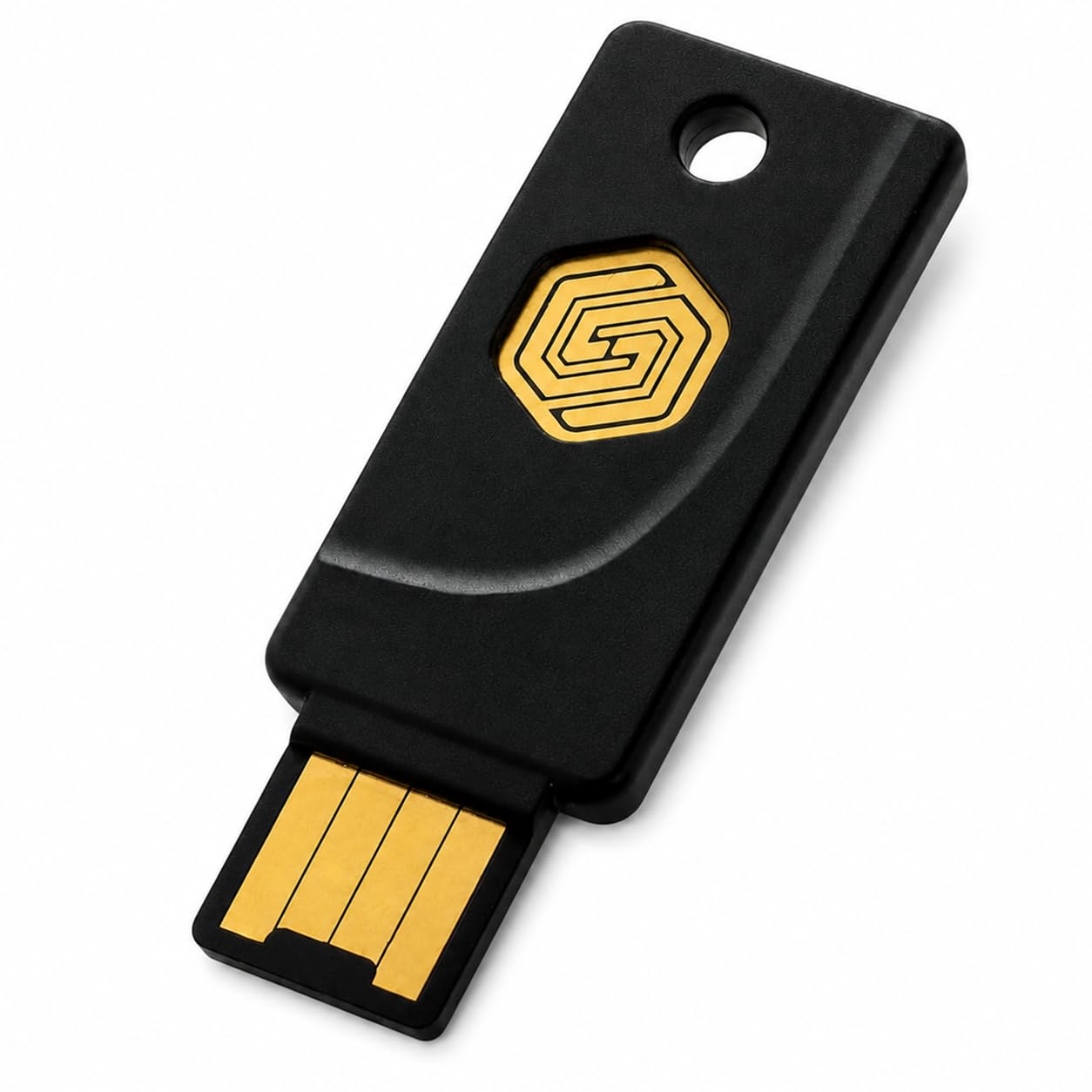
2. GoTrust Idem Key A
Compliance paperwork already done, in a key that fits a wallet slot.
Work in healthcare, education, or government and this key has the badges your IT team asks about: FIDO2 Level 2 certification, TAA compliance, and a FIPS 140-2 Level 3 secure element. It’s IP68 waterproof and dustproof, so a tossed-in-a-bag life won’t kill it. Plug in over USB-A or tap over NFC.
Reliability is what owners talk about — it authenticates against Google, Azure, AWS, and Facebook without drama. The catch is that setup takes patience, and it’s the pricier kind of key for that privilege. Where the YubiKey is the household name, this is the compliance-first pick.
Where it shines
- FIDO2 Level 2, TAA, and FIPS 140-2 L3 certification
- IP68 waterproof and crush-resistant shell
What to weigh
- Setup can be less than plug-and-play
Best for regulated workplaces: pick it when your employer asks for certified hardware.
Consider simpler: for a home user, the entry-level Yubikey does the same core job with less paperwork.
3. Yubico Security Key C NFC

A USB-C plug for the laptop you actually own, kept simple on purpose.
If your laptop and phone have moved to USB-C, this is the connector that skips the dongle. It handles FIDO2/WebAuthn and U2F — plenty for Google, Microsoft, and Apple accounts — and taps over NFC on a phone. Weighing 0.16 ounces, it vanishes on your ring.
The trade-off is deliberate simplicity: no one-time passwords, and it won’t work with the Yubico Authenticator app. If you need OTP codes or PIV smart-card work, the YubiKey 5 series above is the step up. For plain passkey logins, this is enough.
Why it fits a modern laptop
- USB-C plug with no adapter needed
- Waterproof, crush-resistant build
Where it stops short
- No OTP support and incompatible with the Yubico Authenticator app
Made for USB-C daily drivers: buy it if every device you log into has moved to USB-C.
Then don’t buy it if: your accounts still ask you for one-time codes.
4. SecuX PUFido Clife Key

A hardware fingerprint baked into the chip, in a key you forget you’re carrying.
This one leans on PUF technology — a physical unclonable function that gives each chip its own unclonable identity, making it harder to tamper with. It’s FIDO2 and U2F certified, plugs in over USB-C, and works across Windows, macOS, Linux, iOS, and Android. Owners describe registration as quick and the whole thing easy to use.
Compatibility is the honest note: older devices and a few specific websites don’t play along. Small gripes, but worth checking against your accounts before you commit.
What sold owners
- PUF chip resists tampering and cloning
- Fast registration and compact carry
Worth knowing
- Some older devices and websites won’t authenticate
Good match for: someone who wants strong on-chip security in a tiny USB-C key.
Skip if: you depend on older hardware that may not recognize it.
5. Cryptnox FIDO2 Card

One card that opens your accounts and your office door.
This is a card-shaped key you slip into a wallet, not a stick you plug in. It packs a MIFARE DESFire EV2 4K applet for building access alongside FIDO2 v2.1 and legacy U2F for logins, running on an NXP Common Criteria EAL6+ secure controller. It talks over contactless NFC or a contact reader, needs no battery, and carries a 2-year warranty.
Setup and portability are what owners like most. Compatibility is the split: Android and Linux users sometimes hit walls. Check your platforms before ordering.
Why it’s different
- Building access plus digital login on one card
- Passive NFC with no battery to charge
The catch
- Mixed results on Android and Linux
Built for dual-duty: ideal if you want door access and 2FA from one wallet card.
Not for you if: you’re locking Linux or Android first — test compatibility first.
6. Thetis Pro-A

One key that does passkeys and old-style codes, for hardware that won’t agree.
Pick this when your accounts are split between modern passkeys and older one-time-code setups. It does FIDO2 and TOTP/HOTP codes in one device, connects over USB-A or NFC, and works across Windows, Mac, Linux, and Chrome OS. The 360° rotating metal cover protects the plug, and at 8.53 g it clips to a keychain without bulk.
Build quality gets the most praise. Compatibility is the variable — confirm your service supports hardware keys before you buy, because some setups don’t.
Solid points
- FIDO2 plus TOTP/HOTP codes in one
- Rotating metal cover guards the plug
Be aware
- Some services simply won’t recognize hardware keys
Right if: you need code generators and passkeys from one key.
Wrong if: your must-have service doesn’t support security keys at all.
7. OnlyKey

A password manager and security token that types your login for you.
The OnlyKey does more than authenticate — it stores your usernames and passwords, then types them into the login box when you plug it in and press a button. It handles FIDO2/U2F, Yubico OTP, TOTP, and challenge-response, and it’s open source so the code can be audited. Waterproof, tamper-resistant, and PIN-protected: after 10 failed open up attempts, the data erases itself.
Reliability is the thing people rely on it for. Setup is where it stings — expect real effort to configure it, and some older phones like the Galaxy N9 won’t cooperate. This is the pick for someone who wants every credential in one hardened place.
Where it earns power users
- Built-in password manager types your login
- Open source and self-erasing after 10 failed PIN attempts
Cost of entry
- Setup is unintuitive and takes real effort
The all-in-one: get it if you want credentials and 2FA in one device and enjoy setting things up.
Better to skip if: you want plug-and-play from minute one.
Know the Specs
FIDO2 and U2F
FIDO2 is the modern passkey standard that lets a key prove your identity without a typed password, while U2F is the older two-factor standard; a key with both covers new and older logins.
Connector and NFC
USB-A or USB-C decides which laptops take the key directly, and NFC adds tap-to-authenticate on phones so you can log in without a cable.
Common Questions
Do I need two security keys?
Will a USB-A key work with my USB-C laptop?
Do security keys need batteries or an internet connection?
The Bottom Line
The safest bet for most people is the YubiKey 5 NFC, because it handles the widest spread of accounts and a phone tap too. If every device you own is USB-C, grab the Security Key C NFC instead. And if you want your passwords and your two-factor in one hardened device, the OnlyKey is the one to reach for.
How we choose
We do not accept paid placement. Every pick is matched to a real buyer and a real use-case; we do not hands-on test units.
Sources
Specifications: manufacturer listings and product documentation. Review insights: verified customer reviews, as of November 2026. Pricing: not shown on this page (it changes often); check the current price via the retailer link.
As an Amazon Associate, My Heart Lives Here earns from qualifying purchases. This does not affect which products we feature.