Heads up: This post contains affiliate links. As an Amazon Associate I earn from qualifying purchases, at no extra cost to you. Learn more
Specs are compiled from manufacturer listings and verified buyer reviews and can change over time — please confirm the key details on the product page before buying.
Buying a mouse for long term use means picking the one that still clicks cleanly after thousands of workdays. The short answer: the Logitech Signature M650 gets you the longest stretch between battery changes of anything here, while the E-YOOSO Tri-Mode gives you a rechargeable battery and three ways to connect.
This guide is built by comparing the manufacturers’ published specifications and the patterns across verified customer reviews, so you get each pick’s real strengths and trade-offs instead of marketing spin.
Below, every pick is judged on the things that actually stretch a mouse’s service life: click durability, battery type, surface tracking and connection stability. Here is the honest shortlist of the best mouse for long term use.
Top Picks


How To Choose A Mouse For Long Term Use
Longevity for a mouse depends on three practical things, and none of them are the flashy specs on the box.
Pick your battery type first
A single AA that runs for up to 24 months (like the M650) means almost no upkeep, while a rechargeable 1000mAh cell saves you buying batteries but asks for a charging habit.
Match the shape to your hand
A right-handed contoured shell with side grips keeps your hand supported through a full day, which is what the M650 and the Philips both build around.
Decide if you need silent clicks
Quiet switches stop the clicking from wearing on you and your coworkers, and the M650 and Philips both make that a core feature.
Side-by-Side Comparison
| Model | Best For | Battery | Connectivity | Weight | Amazon |
|---|---|---|---|---|---|
| Logitech Signature M650★ Best Overall | All-day office work | 24 months (1 AA) | Bluetooth / Logi Bolt | 23 g | Amazon |
| Redragon M908Top Performer | MMO gaming | Wired USB | USB | 175 g | Amazon |
| E-YOOSO Premium | Versatile tri-mode use | 75 hours (1000mAh) | BT / 2.4G / USB-C | 0.1 kg | Amazon |
| Logitech Ergo M575S | Small desks | 1 AA | Bluetooth / Logi Bolt | — | Amazon |
| Philips SPK7858 | Spreadsheet work | 25 days (500mAh) | Bluetooth / USB-A/C | 97 g | Amazon |
Detailed Reviews
1. Logitech Signature M650 Wireless Mouse
Our pick — 4.5+★ from 5,500+ verified ratings; the strongest balance of quality and price.
The set-and-leave-it option that runs two full years on one AA battery.
What makes this the top pick for the long haul is the upkeep — there barely is any. One included AA battery lasts up to 24 months, so you are not hunting for chargers or spare cells every few weeks. It weighs just 23 g, which makes it the lightest pick here, and at 4.22″ long by 2.43″ wide it is the most compact of the group.
The soft thumb area and rubber side grips keep your hand snug through a full workday, and SilentTouch quietens the clicks so they do not carry across an open office. You connect by Bluetooth Low Energy or the Logi Bolt receiver, and it works across Windows, macOS, Linux, ChromeOS, iPadOS and Android.
Bluetooth is the one part with a mixed reputation — setup is easy on some machines and flaky on others, so the included receiver is your safer bet if your laptop ever drops the signal.
Where it earns its keep
- Up to 24 months on one AA battery — almost zero upkeep
- SilentTouch quiets the click and rubber grips keep your hand steady
The one snag
- Bluetooth pairing is the weak link; the Logi Bolt receiver is more dependable
Reach for this if: you want a workhorse office mouse you touch twice a year at most.
Look elsewhere if: you need multiple device pairing or a rechargeable battery.
2. Redragon M908 Wired MMO RGB Gaming Mouse
A wired MMO tool with 18 buttons and no battery to ever worry about.
For a mouse that never needs charging, this is the one — the USB cable provides constant power. Its 12400 DPI sensor with a Pixart PAW3327 chip tracks precisely, and the 18 programmable buttons are the key difference from the E-YOOSO, which has a single-button setup. The 8-piece weight tuning set lets you tune the 175 g body to suit.
The trade-off is heft. At 175 g it is far heavier than the 23 g M650, and its 4.81″ length makes it a bigger footprint on the desk.
What holds up: the Pixart sensor and the broad programmability earn the most praise from owners, and the value comes through clearly.
What to watch: durability is the honest split — some units run for years while others see the right-click fail early, so treat the buttons with care.
Best fit: gamers who want endless macros and a cable that never quits.
The asterisk: that right-click button is the recurring failure point.
3. E-YOOSO Premium Wireless Bluetooth Mouse
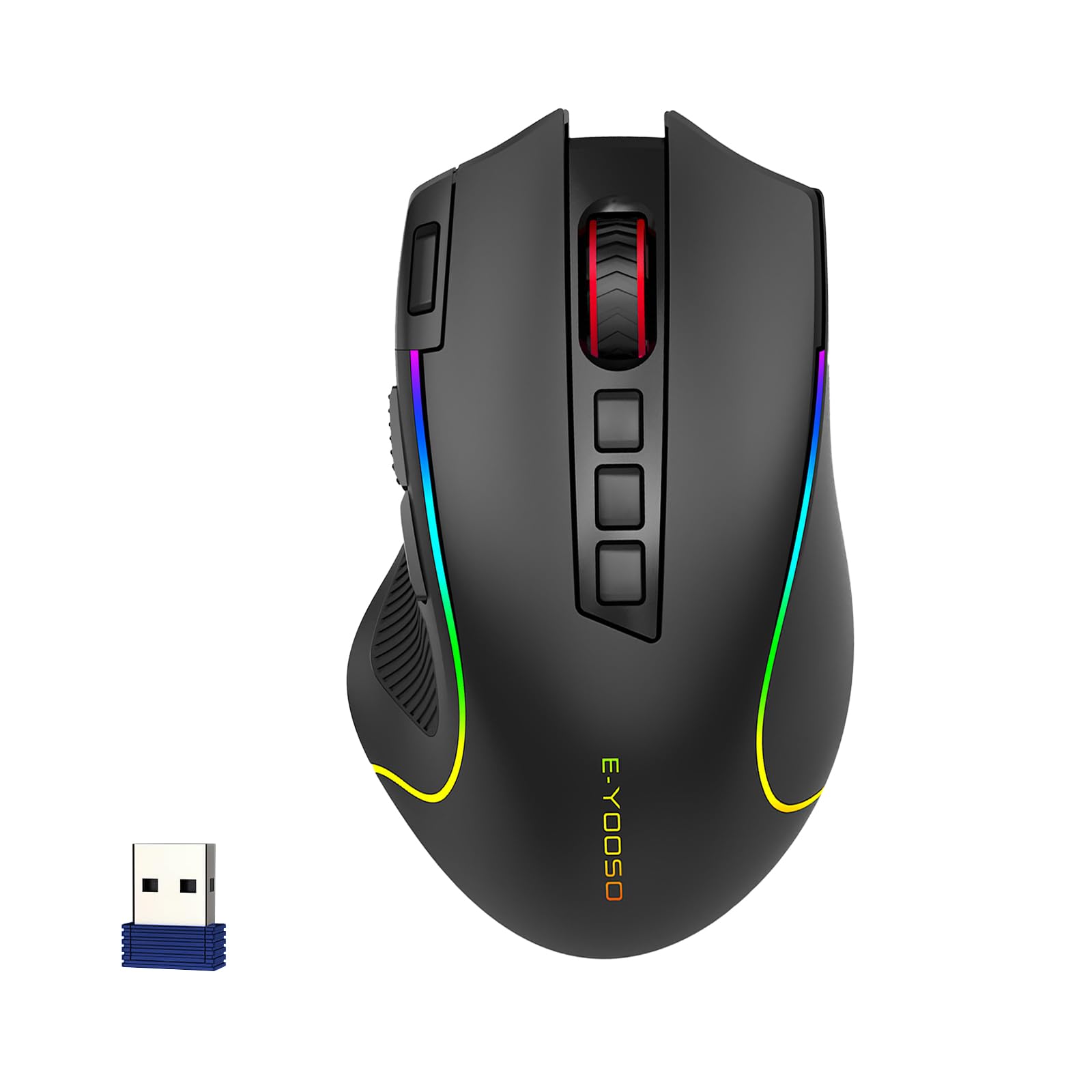
One mouse that switches between Bluetooth, 2.4G and a USB-C cable.
This is the pick if you want the flexibility of three connections rather than one. A switch on the base flips between Bluetooth, 2.4GHz wireless and a Type-C wired mode, and the wireless side holds a stable link within 33 ft. The 8000 DPI sensor with 5 levels gives you control over cursor speed for both gaming and office work.
The 1000mAh rechargeable battery gives up to 75 hours with RGB off, and a 1.5-hour charge tops it up. A sleep mechanism kicks in after 5 minutes idle to stretch that further. Owners rate it highly for build quality and cross-platform function, though responsiveness gets split opinions.
Pick this when: you hop between a laptop, iPad and desktop and want one mouse to rule them all.
Worth knowing: button customization needs software you will have to seek out separately.
4. Logitech Ergo M575S Wireless Trackball Mouse
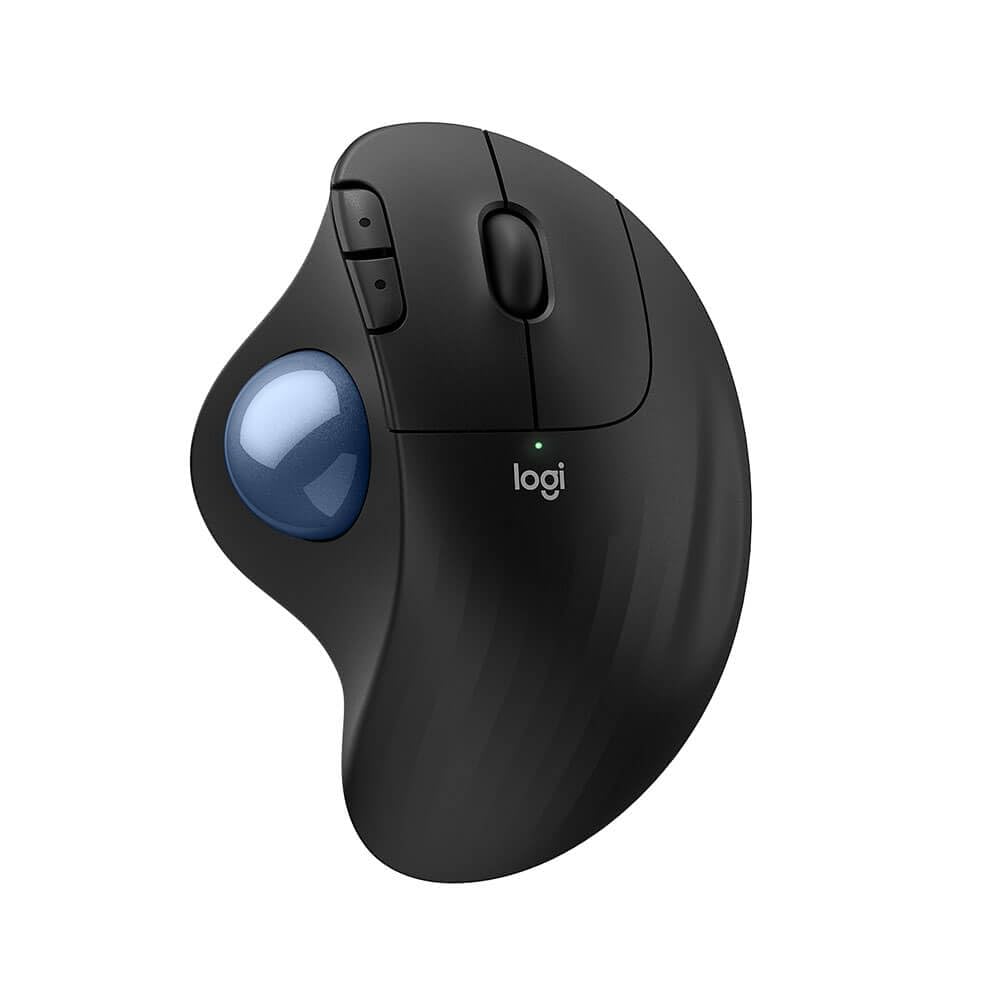
Move the cursor with your thumb and never slide the mouse again.
If your desk is cramped, this trackball solves the problem the moving mice cannot — your hand stays put while the cursor travels. The thumb-operated ball works on any surface, the ergonomic shape realigns your forearm, and the 3 customizable buttons take shortcuts. It runs on an included AA battery and connects by Bluetooth or the Logi Bolt receiver.
The difference from a standard mouse is the learning curve — it takes a shift in muscle memory before it feels natural. The main buttons are also on the sensitive side.
The standout: build quality and quiet operation are what owners bring up most, and the smooth ball motion keeps it reliable.
Fair warning: durability reviews split, with a few units giving out after several years of use.
Best for: small desks, tight laptop setups and hands that tire from constant sliding.
Think twice if: you want zero adjustment period.
5. PHILIPS Ergonomic Wireless Mouse
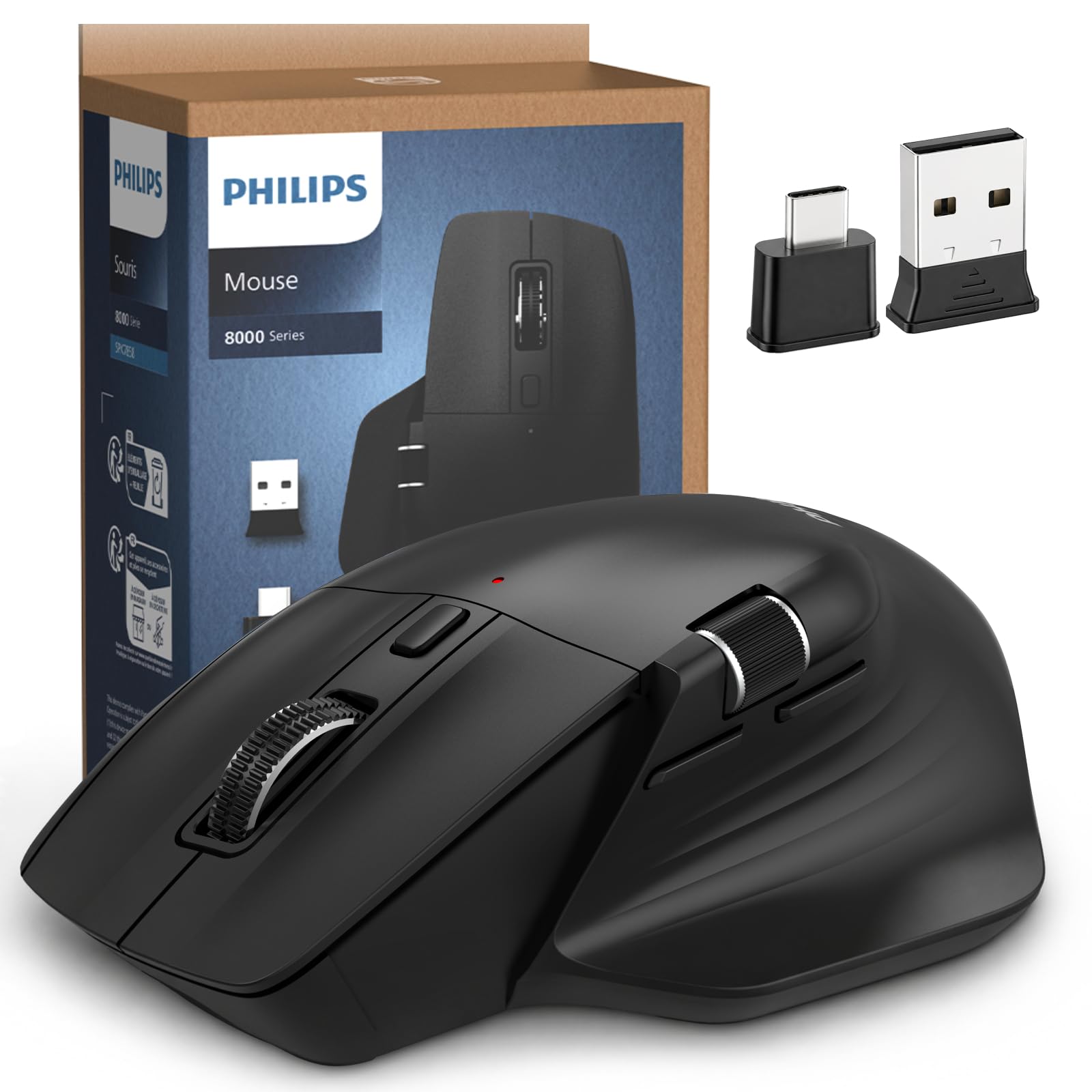
A spreadsheet specialist with a second wheel for sideways scrolling.
Built for anyone who lives inside Excel, the Philips adds a thumb-side horizontal scroll wheel to the main one. That means you slice across columns without dragging the cursor to a scrollbar. The 5-level DPI sensor spans 800 to 4000, and the contoured right-handed shell with an anti-slip thumb rest supports wider grips. Silent switches keep the clicks library-quiet.
It weighs 97 g and pairs with three devices at once, switching instantly between them via Bluetooth or the dual USB-A/C receiver. The 500mAh battery handles 25 days at 8 hours a day, and a 5-minute top-up gives you an hour of tracking in a pinch.
Why it works: owners rate the build quality and the ergonomics highly, and the multi-device connection sets up instantly.
The honest note: it needs Windows 11 or Mac OS 14 Sonoma at minimum, so older machines are out.
Made for: analysts and number-crunchers who bounce between monitors and devices.
The catch: that modern OS requirement rules out older laptops.
Know the Specs
Battery Life And Type
An AA-powered mouse can run for up to 24 months without a change, while a rechargeable cell like the 1000mAh in the E-YOOSO gives 75 hours and needs a charging habit.
DPI And Sensor Sensitivity
DPI (dots per inch) sets how far the cursor travels per inch of hand movement — higher numbers mean faster tracking on large screens, and 5 adjustable levels let you switch on the fly.
Common Questions
How long does a wireless mouse battery actually last?
Is a wired mouse better for long term use?
Do I need a high DPI for office work?
Will the Logitech M650 work with my Mac?
Does the E-YOOSO work as a wired mouse too?
Can the Philips mouse remember more than one device?
Is a trackball harder to learn than a standard mouse?
Are silent mouse clicks still precise?
The Bottom Line
For most people, the mouse for long term use winner is the Logitech Signature M650 because a 24-month battery and silent clicks mean the least upkeep of anything here. If you want a rechargeable battery with three connection modes, the E-YOOSO Premium is the flexible choice. And for cramped desks or spreadsheet-heavy days, the Philips SPK7858 earns its place with that second scroll wheel.
Whichever you choose, the M650 remains the safest long-term bet — the smallest footprint and the lightest body at 23 g make it the easiest to live with day after day.
How we choose
We do not accept paid placement. Every pick is matched to a real buyer and a real use-case; we do not hands-on test units.
Sources
Specifications: manufacturer listings and product documentation. Review insights: verified customer reviews, as of November 2026. Pricing: not shown on this page (it changes often); check the current price via the retailer link.
As an Amazon Associate, My Heart Lives Here earns from qualifying purchases. This does not affect which products we feature.