Heads up: This post contains affiliate links. As an Amazon Associate I earn from qualifying purchases, at no extra cost to you. Learn more
Specs are compiled from manufacturer listings and verified buyer reviews and can change over time — please confirm the key details on the product page before buying.
A KVM switch is one of those purchases you make once and then wonder how you ever worked without it — one keyboard, one mouse, one screen, several machines. The trick is matching the port count and the video standard to the computers you actually own, because the wrong box creates more cable chaos than it solves.
This guide is built by comparing the manufacturers’ published specifications and the patterns across verified customer reviews, so you get each pick’s real strengths and trade-offs instead of marketing spin.
A practical guide to picking a KVM switch for your desk, from remote BIOS control to dual-monitor setups. I compare ports, video standards and switching methods so you can find the best kvm for your workflow.
Top Picks


Side-by-Side Comparison
| Model | Best For | Ports | Video Standard | Switching Method | Amazon |
|---|---|---|---|---|---|
| GL.iNet Comet GL-RM1 Remote KVM★ Best Overall | Remote IT management | 1 computer | 4K 30Hz | Network remote | Amazon |
| 4 Port Dual Monitor HDMI KVM Switch 4 Computers 2 MonitorsDual Monitor Pick | Four-PC dual-screen desks | 4 computers | HDMI | One button | Amazon |
| 4 Computers 1 MonitorSimple Four-Port | Basic four-way sharing | 4 computers | HDMI | Push button | Amazon |
| kvm Switch 2 Monitors | Simple two-PC switching | 2 computers | HDMI | Button or remote | Amazon |
| USB 3.0 HDMI KVM Switch S7232H | Everyday two-PC desks | 2 computers | 4K 60Hz | Push button | Amazon |
| MINIX K1 USB C KVM Switch | USB-C laptop users | 2 computers | 4K 120Hz | Button press | Amazon |
| USB3.0 KVM Switch HDMI 4 Port | Four-PC single-screen desks | 4 computers | 4K 60Hz | Push button | Amazon |
| 8K HDMI KVM Switch 2 Monitors 2 Computers | High-res dual displays | 2 computers | 8K 60Hz | Button and remote | Amazon |
| HDMI 2.1 Switch 5 in 1 Out | Console and TV setups | 5 inputs | 8K 60Hz | Remote control | Amazon |
| UGREEN 8K@60Hz HDMI Displayport KVM Switch | Three-screen workstations | 2 computers | 8K 60Hz | Push button | Amazon |
| AV Access KVM Switch 2 Monitors 2 Computers | Flexible dual-screen work | 2 computers | HDMI 2.0 | Hotkey and button | Amazon |
Detailed Reviews
1. GL.iNet Comet GL-RM1 Remote KVM
Our pick — 4.5+★ from 850+ verified ratings; the strongest balance of quality and price.
A KVM that lives on your network, so the computer can be a thousand miles away.
This is remote management rather than desk switching: reboot a machine, drop into its BIOS and reinstall an operating system without anyone standing in the data center. Setup is described as straightforward, and the hardware encoding keeps the remote session usable.
The honest trade-off is video quality, which draws mixed reactions, and it will not accept a PD adapter — plan your power arrangement around that before you buy.
BIOS level access
- Genuine out-of-band control, BIOS included
- Simple setup and strong value
power reset limits
- Video quality divides opinion
remote admins: IT pros and smart-home tinkerers managing machines off-site
power caveat: PD adapters cannot be used with it
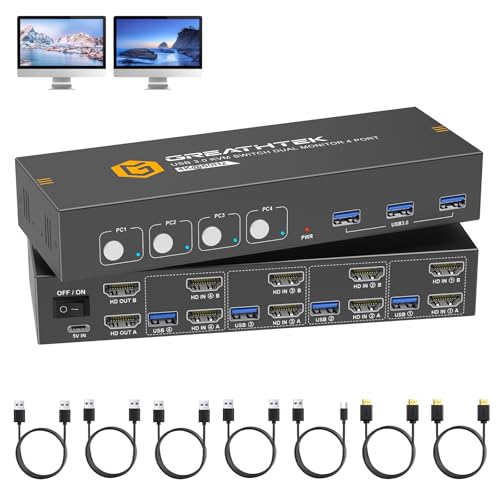
2. 4 Port Dual Monitor HDMI KVM Switch 4 Computers 2 Monitors
Four machines feeding two screens, with one button to move between them.
This is the classic office arrangement: four computers sharing two monitors and four USB peripherals, plug and play with a single button for the handoff. It saves desk space and the tedium of replugging cables every time you change tasks.
Read the requirements before ordering — each computer needs two HDMI ports of its own and both monitors have to match the setup, which trips up plenty of buyers.
four dual displays
- Handles four machines and two screens
- Plug and play with one-button switching
cable check needed
- Each PC needs two HDMI ports
multi-machine desks: Anyone running several computers against a pair of monitors
check first: Requires two HDMI outputs per computer
3. 4 Computers 1 Monitor
A no-frills four-way switch for people who just want one screen to rule them all.
Four computers share a single monitor here, with HDMI connectivity and push-button control, and it plays nicely with Windows, Linux and Mac machines as well as consoles. The dark gray box is the sort of unglamorous kit that quietly does its job.
This is a bare-bones unit with a thin listing and modest owner feedback, so go in expecting the basics and nothing more in the way of documentation or extras.
four into one
- Covers four machines on one display
- Works across Windows, Mac and Linux
budget build feel
- Sparse documentation and extras
budget desks: Users who need four inputs and one monitor without spending much
expectations: Little supporting material in the box
4. kvm Switch 2 Monitors
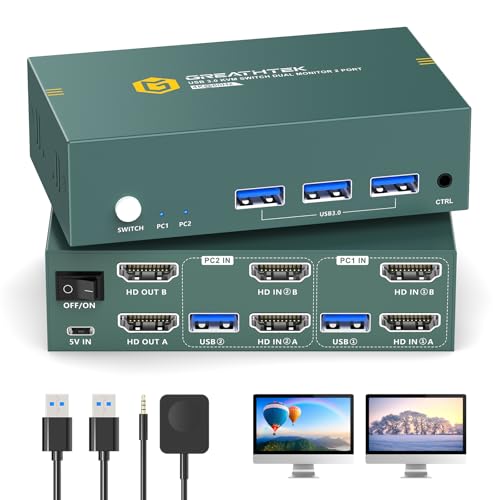
A small two-way switch you can trigger by hand or from a remote.
Two computers share monitors through this compact matte-black unit, and you can switch with the push button or the included remote control when the box sits out of reach. Copper and brass contacts suggest a build meant to survive regular use.
The listing is thin on detail and the owner base is small, so treat it as a straightforward two-way switch and confirm your cable and monitor combination before committing.
two monitor share
- Remote control included
- Compact matte-black housing
small port count
- Very limited product detail
small setups: Two-computer desks that want remote switching
caveat: Little information to go on
5. USB 3.0 HDMI KVM Switch S7232H

The sensible middle ground: two computers, one monitor, and a button that just works.
This rolls a USB switch and an HDMI switch into one box, letting two computers share a monitor, keyboard and mouse with a single button press. Owners consistently describe it as easy to set up and good value, and the button is the part people single out.
Connectivity is where it gets choppy — MacBook compatibility draws complaints and switching speed varies — so check your laptop against the requirements before you commit.
USB 3.0 speed
- Easy setup and fair price
- Dedicated switching button
hotkey quirks
- MacBook compatibility complaints
home offices: Two-machine desks with a single monitor
check first: MacBook users report trouble
6. MINIX K1 USB C KVM Switch
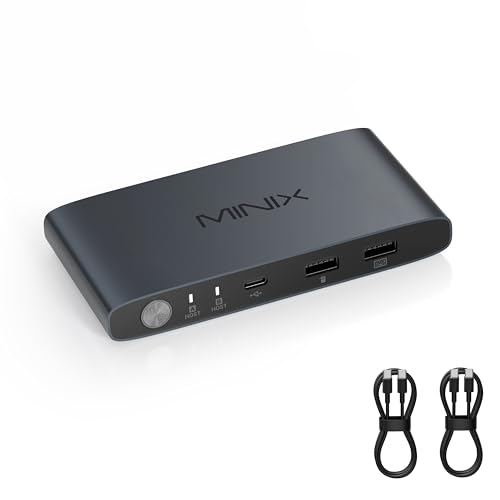
A laptop-first switch with USB-C on both inputs and a metal shell.
Two USB-C computers share one monitor, keyboard and mouse here, with 100W power delivery and an aluminum chassis that feels like a premium piece of desk hardware. It is built for modern laptops and works across Windows, macOS, Linux and Android.
Reliability is the sticking point — some units are reported to stop working after a couple of months — and the build and value draw split opinions, so weigh the warranty carefully.
USB C 120Hz
- Clean aluminum design
- Dual USB-C inputs with power delivery
single monitor only
- Reliability reports are concerning
laptop setups: USB-C laptop owners wanting one-cable docking
risk: Some units reportedly fail early
7. USB3.0 KVM Switch HDMI 4 Port
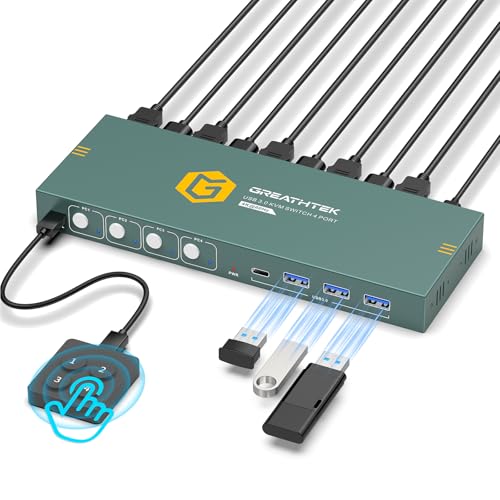
Four computers, one screen, and switching that owners call quick and lag-free.
Four machines share a single monitor and one keyboard and mouse, with three USB 3.0 ports for peripherals and 4K at 60Hz on tap. Switching is described as fast and easy, and setup is simple enough to be plug and play.
USB connectivity is the weak spot, with ports losing connection reported, and durability draws criticism — so keep the load light and treat the cables gently.
four share one
- Fast, lag-free switching
- Three shared USB 3.0 ports
long term wear
- USB ports can drop connection
busy desks: Four machines against one monitor
durability: Build longevity questioned
8. 8K HDMI KVM Switch 2 Monitors 2 Computers
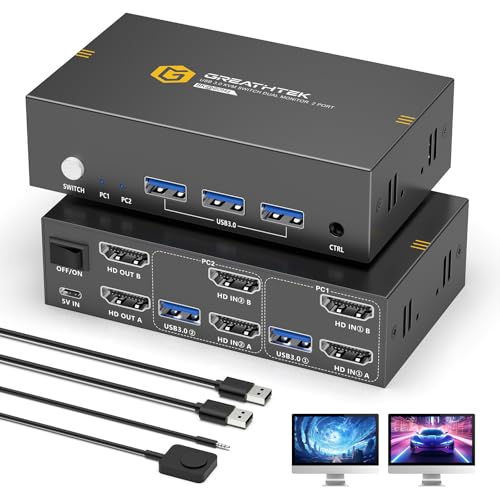
Dual monitors and dual computers, with high-resolution video and EDID handling.
Two computers share two monitors and one keyboard and mouse, with 8K at 60Hz support, EDID adaptive handling and USB 3.0 for peripherals. Two USB cables and a controller come in the box, and setup is described as very easy.
The remote switch is the recurring complaint — several buyers report it not working — so plan on switching at the unit itself rather than from across the room.
8K dual output
- Two monitors and two PCs in one box
- Very easy to set up
remote lag
- Remote switch often reported dead
creators: Users with two high-resolution monitors
remote: Do not count on the remote working
9. HDMI 2.1 Switch 5 in 1 Out
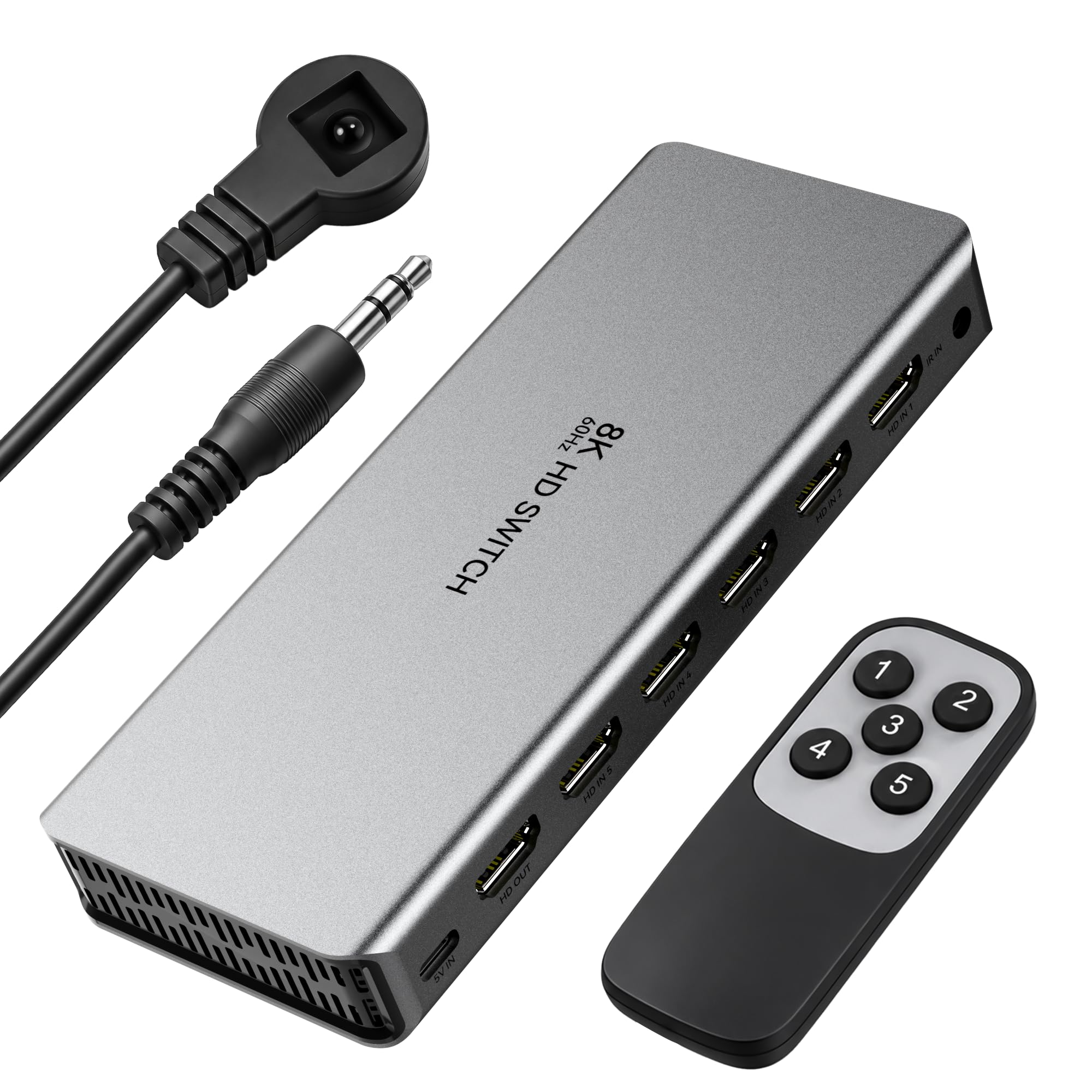
Not a KVM in the strict sense, but the tidy answer to a crowded TV stand.
Five HDMI sources feed one display here, with 8K at 60Hz, high frame rates at lower resolutions, HDR and Dolby Atmos support, all in an aluminum case. It is built for consoles, streaming sticks and laptops crowding a single screen, and setup is described as very easy.
Remember what it is not: it switches video only, so your keyboard and mouse stay where they are — this is for entertainment hardware, not a workstation.
five inputs
- Five inputs on one display
- Aluminum case and included remote
not desk grade
- Video switching only, no USB sharing
living rooms: Gamers and streamers juggling many HDMI sources
not for desks: No keyboard or mouse switching
10. UGREEN 8K@60Hz HDMI Displayport KVM Switch
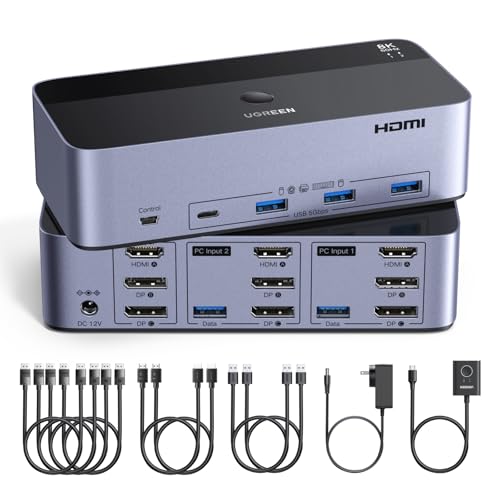
Two computers, three monitors and four USB ports, switched with one click.
Two computers share three monitors and four USB 3.0 ports for keyboard, mouse, printer and webcam, with two DisplayPort inputs plus HDMI and a space-saving aluminum build. It suits home offices and content creators who refuse to give up screen real estate.
Functionality splits opinion — USB and Type C ports not working is a common report, along with display detection and bandwidth issues — so test every port inside the return window.
triple monitor DP
- Three monitors from two machines
- Solid build with cables included
needs testing
- Port and display detection issues
creators: Traders and editors running three screens
testing: Verify every port on arrival
11. AV Access KVM Switch 2 Monitors 2 Computers

Two computers, two monitors, and a mode for each job you do.
Two PCs share a keyboard, mouse and dual monitors in extended or mirror mode, with four USB ports, EDID handling and hotkey switching. A separate USB mode lets the two machines display independently, which is genuinely useful for mixed work.
Reliability and compatibility draw mixed reports — Mac minis often behave, while USB devices and HDMI ports sometimes do not — and durability is questioned, so buy with support in mind.
EDID stable
- Two distinct operating modes
- Hotkey switching plus four USB ports
port crowding
- Durability concerns raised
mixed workflows: Users who want two screens and two modes
ports: USB and HDMI faults reported
Common Questions
Do I need a KVM or just an HDMI switch?
How many computers can one KVM handle?
Does a KVM hurt video quality?
The Bottom Line
Across the board, the best kvm winner is the GL.iNet Comet GL-RM1 Remote KVM, 4K 30Hz, BIOS Control, Tailscale because it is the only pick that lets you reach a machine’s BIOS and reboot it from anywhere, which is a different job from switching cables at a desk. If your work stays on one desk, USB 3.0 HDMI KVM Switch for 2 Computers 1 Monitor, 4K@60Hz, S7232H and USB3.0 KVM Switch HDMI 4K@60Hz for 4 Computers Share 1 Monitor, KVM Switch 4 Port with 3 USB 3.0 Ports Share Keyboard Mouse, Support Button Switch, Plug and Play cover two-PC and four-PC setups with far less fuss, while UGREEN 8K@60Hz HDMI Displayport KVM Switch 3 Monitors 2 Computers, Aluminum is the one to look at when three monitors are non-negotiable.
How we choose
We do not accept paid placement. Every pick is matched to a real buyer and a real use-case; we do not hands-on test units.
Sources
Specifications: manufacturer listings and product documentation. Review insights: verified customer reviews, as of November 2026. Pricing: not shown on this page (it changes often); check the current price via the retailer link.
As an Amazon Associate, My Heart Lives Here earns from qualifying purchases. This does not affect which products we feature.