Heads up: This post contains affiliate links. As an Amazon Associate I earn from qualifying purchases, at no extra cost to you. Learn more
Specs are compiled from manufacturer listings and verified buyer reviews and can change over time — please confirm the key details on the product page before buying.
A keyboard is the one tool your hands touch for hours every workday, so the wrong one turns eight hours into a slow ache. These picks were chosen for real desk work — spreadsheets, long documents, back-to-back calls — not for gaming flash.
This guide is built by comparing the manufacturers’ published specifications and the patterns across verified customer reviews, so you get each pick’s real strengths and trade-offs instead of marketing spin.
A practical guide to the keyboards that make long workdays easier on your hands, your desk and your focus. We cover the best keyboards for work across Mac, Windows and hybrid setups.
Top Picks


Side-by-Side Comparison
| Model | Best For | Layout | Connection | Switch Feel | Amazon |
|---|---|---|---|---|---|
| Apple Magic Keyboard with Numeric Keypad – White★ Best Overall | Mac-heavy desk work | Full size + numpad | Bluetooth wireless | Low-profile quiet | Amazon |
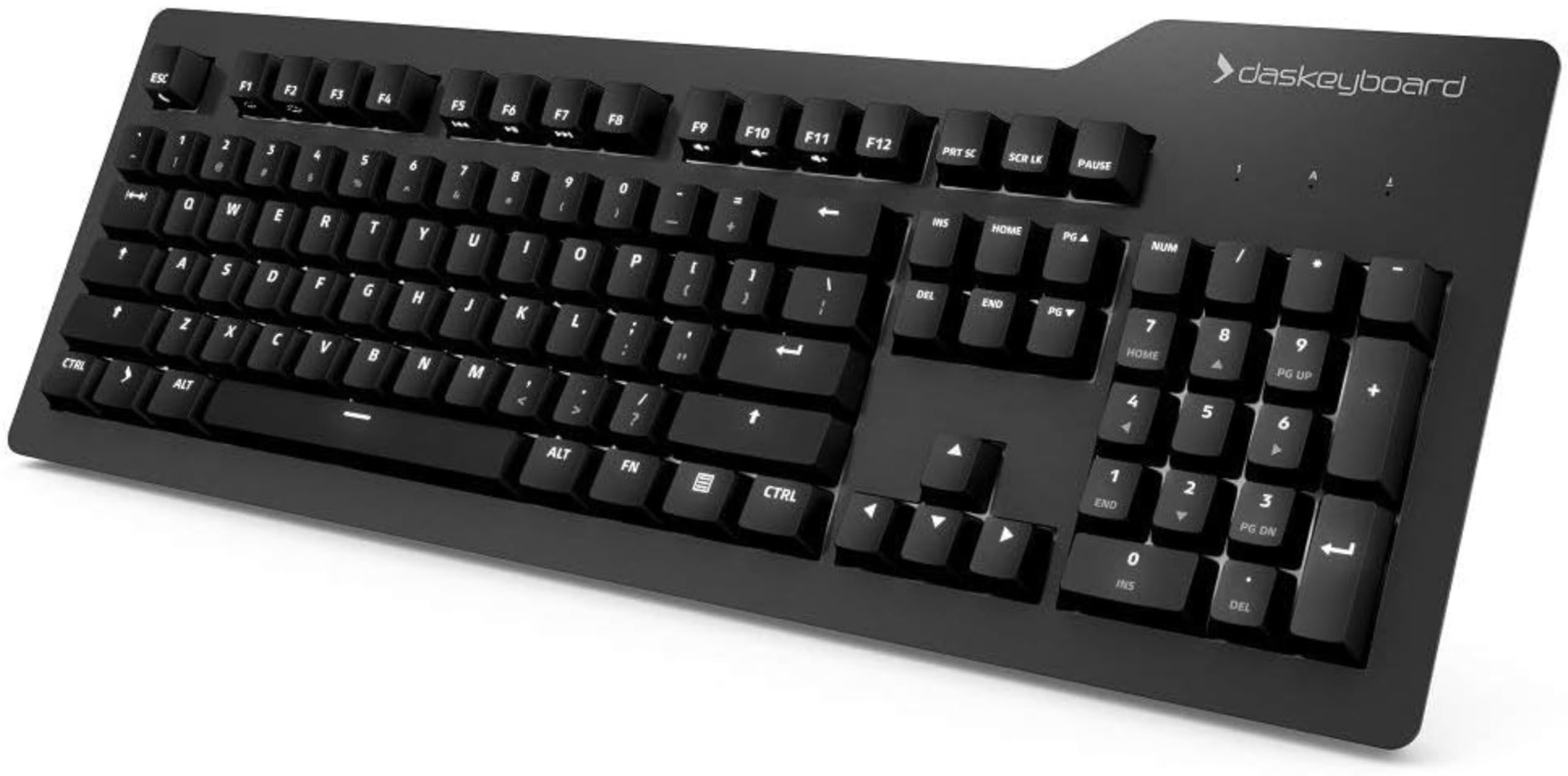
| Das Keyboard Prime 13Best Mechanical | Tactile typing fans | Full size 104 keys | Wired USB | Tactile brown | Amazon |
| Satechi SM3 Mechanical KeyboardBest Multi-Device | Switching between devices | Full size 108 keys | Triple-mode wireless | Low-profile tactile | Amazon |
| Logitech K845 Mechanical Illuminated Keyboard | Budget mechanical typing | Full size 104 keys | Wired USB | Clicky blue | Amazon |
| HUO JI E-Yooso Creamy Mechanical Keyboard | Tight desks | 99-key compact | Wired USB-C | Soft creamy | Amazon |
| Macally Wired Keyboard for Mac | Port-starved Macs | Compact | Wired USB | Built-in hub | Amazon |
| Arteck Split Ergonomic Keyboard | Wrist comfort | Split 102-key | 2.4G wireless | Cushioned rest | Amazon |
| Purple MA31 Ergonomic Wireless Keyboard and Mouse Combo | All-in-one setups | Full size wave | Wireless combo | Leather rest | Amazon |
| Logitech Wave Keys Ergonomic Wireless Keyboard | Long typing sessions | Compact wave | Wireless | Cushioned rest | Amazon |
| Apple Magic Keyboard with Touch ID and Numeric Keypad Silicon | Value Mac security | Full size + numpad | Bluetooth wireless | Renewed unit | Amazon |
| Magic Keyboard with Touch ID and Numeric Keypad | Secure Mac logins | Full size + numpad | Bluetooth wireless | Touch ID | Amazon |
Detailed Reviews
1. Apple Magic Keyboard with Numeric Keypad – White
Our pick — 4.5+★ from 700+ verified ratings; the strongest balance of quality and price.
The cleanest bridge between a Mac and a full working day.
A full-size Apple layout with a numeric keypad that makes spreadsheet entry genuinely quick, paired with smooth, quiet keystrokes and a rechargeable battery that holds up over long stretches.
The trade-off is price — this is a premium spend — and it is built for Apple devices, so Windows users should look elsewhere.
Mac numeric keypad
- smooth pairing with Mac, iPad and iPhone
- Numeric keypad speeds up data entry
no backlight
- Premium price for the feature set
Mac desktop: Mac users who type numbers all day
Windows users: You work primarily on Windows
2. Das Keyboard Prime 13
A no-nonsense mechanical deck that disappears under your fingers.
Cherry MX Brown switches give a soft tactile bump without a sharp click, and the clean white backlight keeps keys readable in dim rooms. The aluminum top panel feels solid and the USB pass-through is a small but welcome convenience.
Noise is the honest catch — mechanical keys carry, so shared quiet offices may notice, and some units draw mixed reports on long-term reliability.
solid metal frame
- Satisfying tactile feedback for long typing
- Backlighting suits dim workspaces
plain no extras
- Audible enough for quiet shared offices
typists: Writers who want tactile confirmation
RGB fans: Your office is library-quiet
3. Satechi SM3 Mechanical Keyboard
One deck that hops between laptop, desktop and tablet.
A full-size 108-key wireless board with a numeric keypad and low-profile brown switches that give tactile feedback with fast actuation. It pairs over Bluetooth, a 2.4GHz receiver or USB-C wired, across up to four devices.
Compatibility is the recurring gripe — it shines with Mac Mini setups but some report dropouts, and the backlight and value draw split opinions.
low-profile white LED
- Connects up to four devices at once
- Quiet tactile keys suit shared desks
compact layout
- Compatibility reports are inconsistent
slim setups: People juggling several machines
full-size need: You need rock-solid single-OS pairing
4. Logitech K845 Mechanical Illuminated Keyboard

A sturdy full-size mechanical board that punches above its price.
An aluminum top case and adjustable tilt legs let you set a comfortable angle, with white backlighting in several patterns for late shifts. Build quality and tactile feel are the strengths people keep coming back to.
The blue switches are loud — some find the click too much for office use — and lighting brightness draws mixed reactions.
illuminated aluminum top
- Solid aluminum build at a fair price
- Adjustable tilt for comfort
wired only
- Clicky switches are loud for shared rooms
office desks: Budget buyers wanting mechanical feel
cable-free: You share a quiet open office
5. HUO JI E-Yooso Creamy Mechanical Keyboard

Saves desk space without giving up the keys you use.
A 99-key layout trims the footprint while keeping full functionality, and hot-swappable switches let you change the feel later. The creamy sound avoids high-pitched clicking, and setup takes seconds.
Reliability is the mixed note — most units run fine, but a few buyers report issues over time, so buy with a return window in mind.
creamy RGB switches
- Compact footprint frees up desk room
- Pleasant sound without harsh clicks
budget build
- Occasional reliability complaints
first mechanical: Small desks and tidy setups
quiet rooms: You need a full numeric keypad
6. Macally Wired Keyboard for Mac
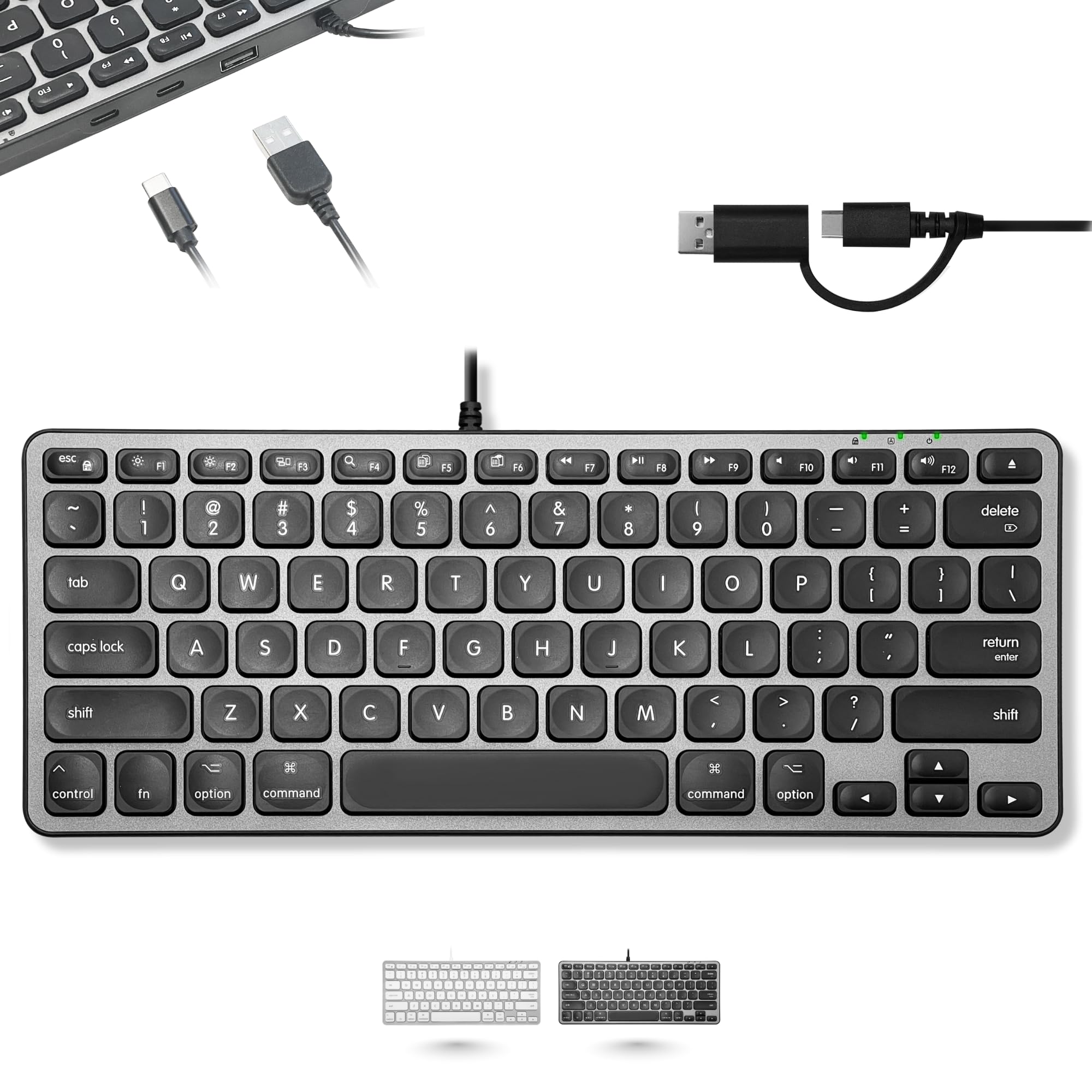
A small Mac keyboard that doubles as a port expander.
A compact wired Mac keyboard with a built-in hub — two USB-C ports and one USB-A — so a mouse and drive plug straight in. Setup is quick and the keys feel good under the fingers.
It is small, which suits tight desks but not everyone’s hands, and it is wired, so cable clutter is part of the deal.
built-in USB hub
- Adds USB-C and USB-A ports at the desk
- Quick plug-and-play setup
membrane keys
- Wired only, no wireless option
Mac hubs: MacBook users short on ports
mech lovers: You want a wireless desk
7. Arteck Split Ergonomic Keyboard

Built to take the strain off wrists during long shifts.
A split layout positions wrists and forearms in a more natural, relaxed angle, and the cushioned palm rest adds support through the day. The rechargeable battery holds a charge for a long time.
There is a learning curve — some find the split hard to get used to — and noise levels split opinion, so give yourself a week to adapt.
split ergonomic shape
- Split shape eases wrist and elbow strain
- Long battery life between charges
wireless dongle only
- Takes time to adjust to the split
wrist relief: Anyone with wrist discomfort
travel bags: You want zero learning curve
8. Purple MA31 Ergonomic Wireless Keyboard and Mouse Combo
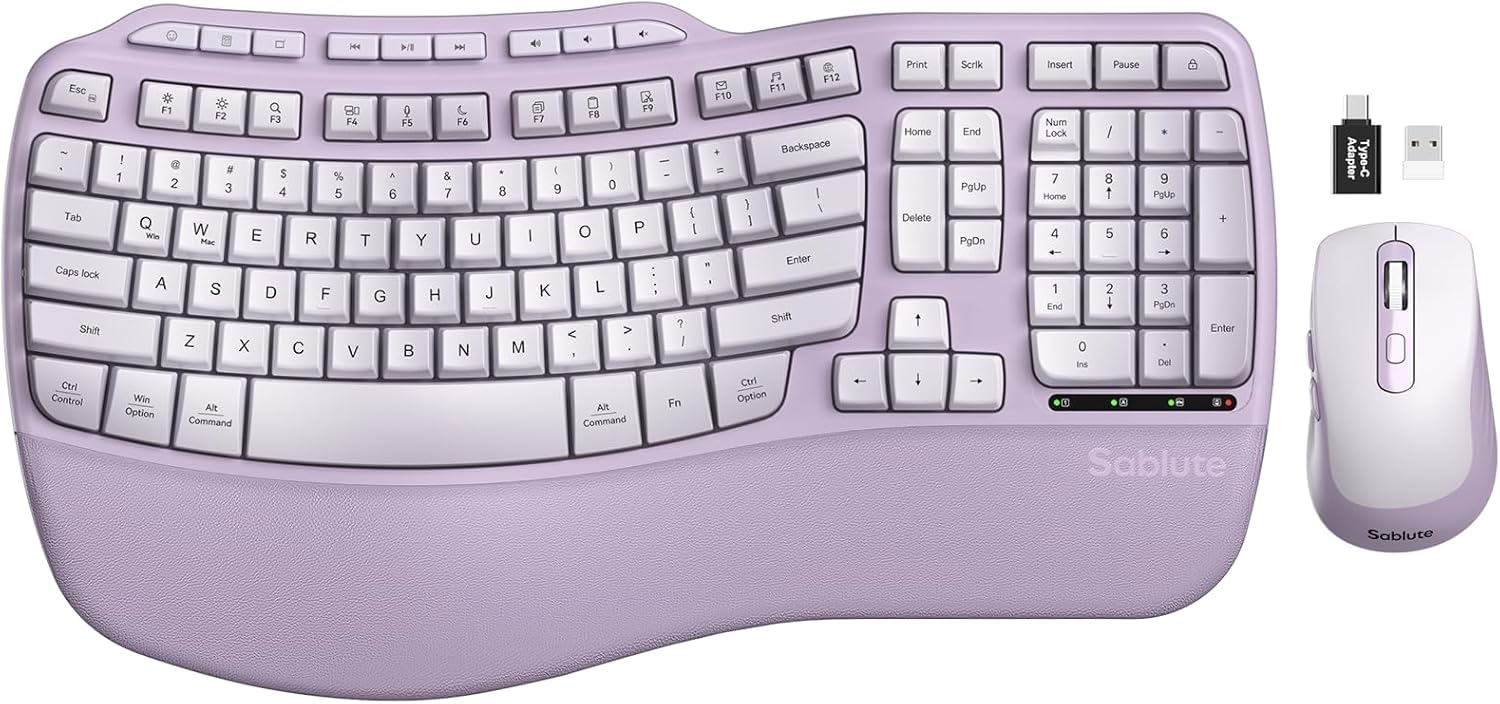
A curved key layout plus a matching mouse in one box.
Wave-shaped keys cradle fingertips for a softer, more responsive press, and the leather palm rest adds comfort through the day. The set includes a matching mouse, so the whole desk matches.
Reliability and connectivity draw mixed reports — most run smoothly, but a few owners hit pairing snags, so keep the receiver close.
combo with mouse
- Comfortable curved key layout
- Mouse included for one price
mushy keys
- Occasional connectivity complaints
couch browsing: Buyers outfitting a whole desk
fast typing: You already have a favorite mouse
9. Logitech Wave Keys Ergonomic Wireless Keyboard

A compact wave deck that eases the strain of long workdays.
The wavy design places hands, wrists and forearms in a natural typing position, and the cushioned palm rest reduces pressure through the day. Sound quality and touch feel keep people typing happily.
Size is divisive — some love the compact footprint, others find it cramped — and wireless connections occasionally need a retry.
wave curve palm rest
- Ergonomic shape eases wrist pain
- Quiet, comfortable key feel
no backlight
- Compact size feels cramped to some
all-day typing: All-day typists with wrist fatigue
dark rooms: You prefer a large full-size board
10. Apple Magic Keyboard with Touch ID and Numeric Keypad Silicon

Touch ID and a numpad for Mac users watching the budget.
A wireless rechargeable Mac keyboard with Touch ID and a numeric keypad that suits spreadsheets and finance work. It pairs over Bluetooth and keeps the clean Apple layout.
This is a renewed unit, so expect possible cosmetic wear, and the blue finish will not match every desk.
Touch ID sensor
- Touch ID speeds up secure logins
- Numeric keypad for finance work
Mac only
- Renewed condition may show wear
secure logins: Budget-minded Mac users
PC builds: You want a factory-new unit
11. Magic Keyboard with Touch ID and Numeric Keypad

Fast, secure logins and a precise typing feel in one deck.
Touch ID brings quick, secure authentication for logins and open up, and the extended layout adds document navigation controls plus a numeric keypad. Build quality and battery life are the standouts.
Value draws mixed feelings — it is a premium Apple spend — and reliability reports vary, so it suits buyers already settled into the Mac ecosystem.
Touch ID open up
- Touch ID makes logins easy
- Long-lasting rechargeable battery
pricey upgrade
- Premium price for Apple-only use
Mac power users: Mac users who value fast logins
budget buyers: You need Windows compatibility
Common Questions
Do I need a numeric keypad for work?
Are mechanical keyboards too loud for an office?
Is a split keyboard worth the learning curve?
The Bottom Line
If you want one dependable pick, the best keyboards for work winner is the Apple Magic Keyboard with Numeric Keypad – White because it pairs a full numeric keypad with quiet, smooth keystrokes and smooth Apple connectivity, making it the most easy all-day desk companion. If wrist comfort matters most, Arteck Split Ergonomic Keyboard with Palm Rest, 2.4G USB Wireless Keyboard and Logitech Wave Keys Ergonomic Wireless Keyboard with Palm Rest – Graphite take the strain off long shifts, while Logitech K845 Mechanical Illuminated Keyboard,Mechanical Switches, Strong Adjustable Tilt Legs, Full Size, Aluminum Top Case, 104 Keys, USB Corded, Windows (TTC Blue Switches) and HUO JI E-Yooso Creamy Mechanical Keyboard Wired, RGB Backlit, White deliver mechanical feel without the premium spend. Mac users short on ports should look at Macally Wired Keyboard for Mac with USB Hub (2X USBC / 1x USBA) – Compatible Small Apple Keyboard with 2 in 1 USB Plug – for MacBook Pro/Air, Mac mini, iMac.
How we choose
We do not accept paid placement. Every pick is matched to a real buyer and a real use-case; we do not hands-on test units.
Sources
Specifications: manufacturer listings and product documentation. Review insights: verified customer reviews, as of November 2026. Pricing: not shown on this page (it changes often); check the current price via the retailer link.
As an Amazon Associate, My Heart Lives Here earns from qualifying purchases. This does not affect which products we feature.