Heads up: This post contains affiliate links. As an Amazon Associate I earn from qualifying purchases, at no extra cost to you. Learn more
Specs are compiled from manufacturer listings and verified buyer reviews and can change over time — please confirm the key details on the product page before buying.
The Mac mini M4 is a tiny marvel until you count its ports — then the dongle parade begins. The right hub sits under the machine as a stand, adds the storage and screen outputs you actually need, and disappears into the desk.
This guide is built by comparing the manufacturers’ published specifications and the patterns across verified customer reviews, so you get each pick’s real strengths and trade-offs instead of marketing spin.
A practical guide to the docks that turn the Mac mini M4 into a proper desktop workstation. Here are the best hubs for mac mini m4 buyers actually keep.
Top Picks

Side-by-Side Comparison
| Model | Best For | Built-in SSD | Display Out | USB Ports | Amazon |
|---|---|---|---|---|---|
| RayCue Mac mini M6 Dock★ Best Overall | One-box setups | M.2 NVMe/SATA | 4K60Hz HDMI | 10G USB-A/C | Amazon |
| Lemorele 9-in-1 Mac mini M4 DockDual Display Pick | Two-monitor desks | M.2 NVMe | HDMI + DP | 10Gbps USB-C/A | Amazon |
| Mac mini M6 Hub & Dock | Plug-and-play desks | M.2 SSD | 4K 60Hz HDMI | USB 2.0 A | Amazon |
| Minisopuru MINI4PRO Mac Mini M6 Dock | Matching the mini | M.2 NVMe | 4K 60Hz HDMI | USB-A SD | Amazon |
| BENFEI Mac mini M4 Dock | DisplayPort monitors | NVMe enclosure | 4K DisplayPort | 10Gbps USB-C/A | Amazon |
| Macally Mac mini M4 Dock and Stand | Backup drives | M.2 NVMe/SATA | 4K 60Hz HDMI | 3 USB-A | Amazon |
| Plugable Thunderbolt 4 Dock with 100W Charging, Dual Monitor | High-bandwidth work | No SSD bay | Dual 4K 60Hz | 13 ports | Amazon |
Detailed Reviews
1. RayCue Mac mini M6 Dock
Our pick — 4.0+★ from 850+ verified ratings; the strongest balance of quality and price.
A stand, a hub and a drive bay in one piece of aluminium that matches the mini.
This is the closest thing to a docking station built for the Mac mini chassis itself: it lifts the machine, mirrors its finish, and adds a 4K60Hz HDMI output, 10G USB-A and USB-C ports, two 5G USB-A ports, SD and TF readers, audio, and a bay for an M.2 drive.
The honest trade-off is that connectivity and transfer speed draw mixed reports — the ports are all there, but not every drive or cable hits the headline rate. Treat it as a very good all-rounder rather than a guaranteed speed demon.
aluminum stand build
- Everything in one stand
- Matches the mini’s finish
M4 dock only
- Speed varies by drive and cable
desk tidy setup: Anyone who wants one box to do it all
port limits: Not every drive will hit the rated rate
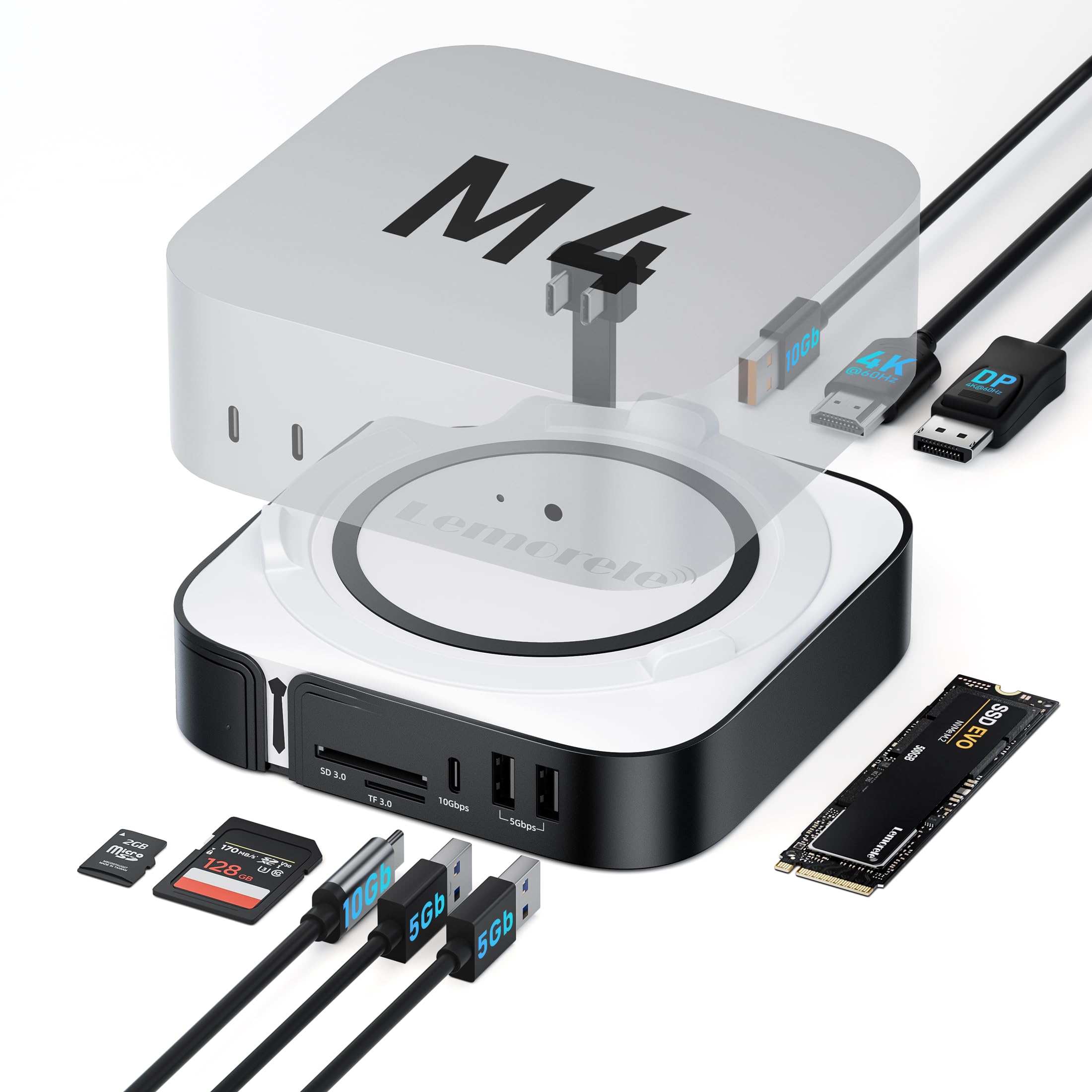
2. Lemorele 9-in-1 Mac mini M4 Dock
Two screens, one dock, and a footprint that hugs the mini instead of crowding it.
Built specifically around the M4 and M4 Pro, this dock pairs dual 4K at 60Hz over HDMI and DisplayPort with a 10Gbps M.2 NVMe slot and 10Gbps USB-C and USB-A ports. The power button stays reachable without lifting the machine, and it sits flush alongside it for a tidy desk.
The catch is simply that it is a newer, less-travelled option, so there is less owner history to lean on than the bigger names here. The hardware list, though, is exactly what a two-monitor desk wants.
dual 4K HDMI
- Dual 4K60 output
- Power button stays clear
nine ports crowd
- Shorter track record
multi display work: Desks running two displays
heavier price: Less owner history to check
3. Mac mini M6 Hub & Dock

Plug-and-play simplicity for the mini, with a drive bay for extra storage.
A silver aluminium stand and USB-C dock in one, with a 4K 60Hz HDMI output, an M.2 SSD expansion slot, SD and microSD readers, and USB-A ports aimed at mice and keyboards. Setup is genuinely plug-and-play, and the design and compatibility are what people notice first.
Port availability and value draw mixed feelings — the USB-A data ports run at 2.0 speeds, which is fine for peripherals but not for moving big files. If your plan is a mouse, a keyboard and a backup drive, that is a fair trade.
hub plus HDMI
- Truly plug-and-play
- Clean matching design
M4 Pro caveat
- USB-A data ports are slow
single cable desk: Peripherals and light storage
check wattage: Not for fast external drives
4. Minisopuru MINI4PRO Mac Mini M6 Dock

A brushed-aluminium stand that looks factory-made and puts the power button within reach.
The all-in-one stand and hub adopts the mini’s brushed silver finish, with a switch design placed within easy reach and a cutout that keeps the power button accessible. It handles basic peripherals well, with USB-A ports and SD card slots, plus a 4K 60Hz HDMI output and an M.2 NVMe bay.
It is built for everyday duty rather than heavy throughput, so treat it as a companion for peripherals and storage rather than a workstation hub. For most desks that is exactly the right amount of dock.
8TB storage slot
- Factory-matched finish
- Power button cutout
bulky footprint
- Built for basic peripherals
large file hoarders: Desks that care how it looks
fan noise: Not a heavy-throughput hub
5. BENFEI Mac mini M4 Dock
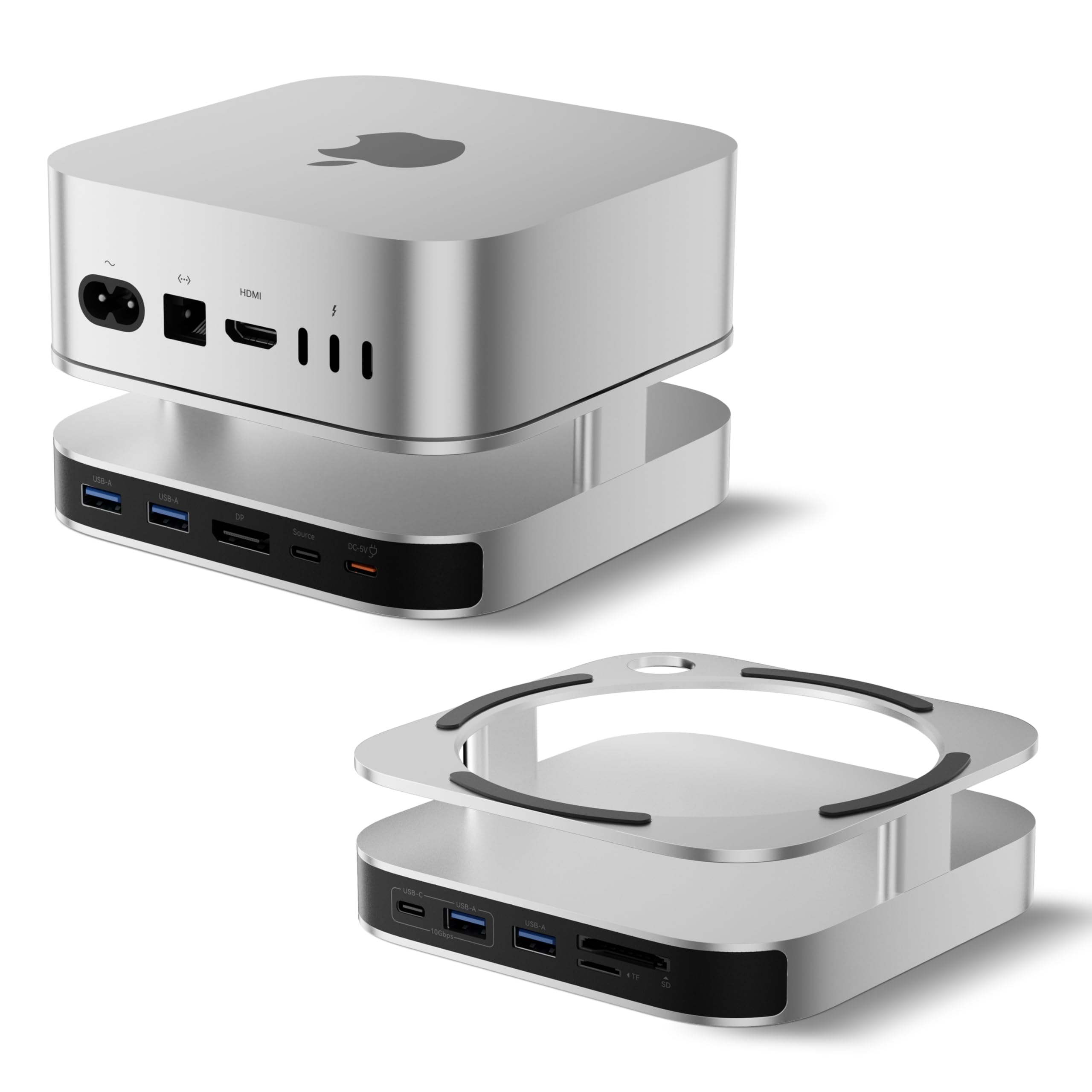
The pick for anyone whose monitor wants DisplayPort rather than HDMI.
A 10-in-1 stand dock with a 4K DisplayPort output, an NVMe SSD enclosure, 10Gbps USB-C and USB-A 3.2 ports, three 5Gbps USB-A 3.0 ports, SD and TF readers and a USB-C power supply port. Every port functions as advertised, and the design holds up on a desk.
The trade-off is that it asks for a little more care in matching your monitor and cable — DisplayPort is the headline here, not HDMI. Get that right and it is a tidy, reliable expansion for the mini.
NVMe SSD bay
- DisplayPort output
- Generous port count
BENFEI brand new
- DisplayPort-led, not HDMI
fast scratch disk: Monitors with DisplayPort input
thermal watch: Check your cable before buying
6. Macally Mac mini M4 Dock and Stand
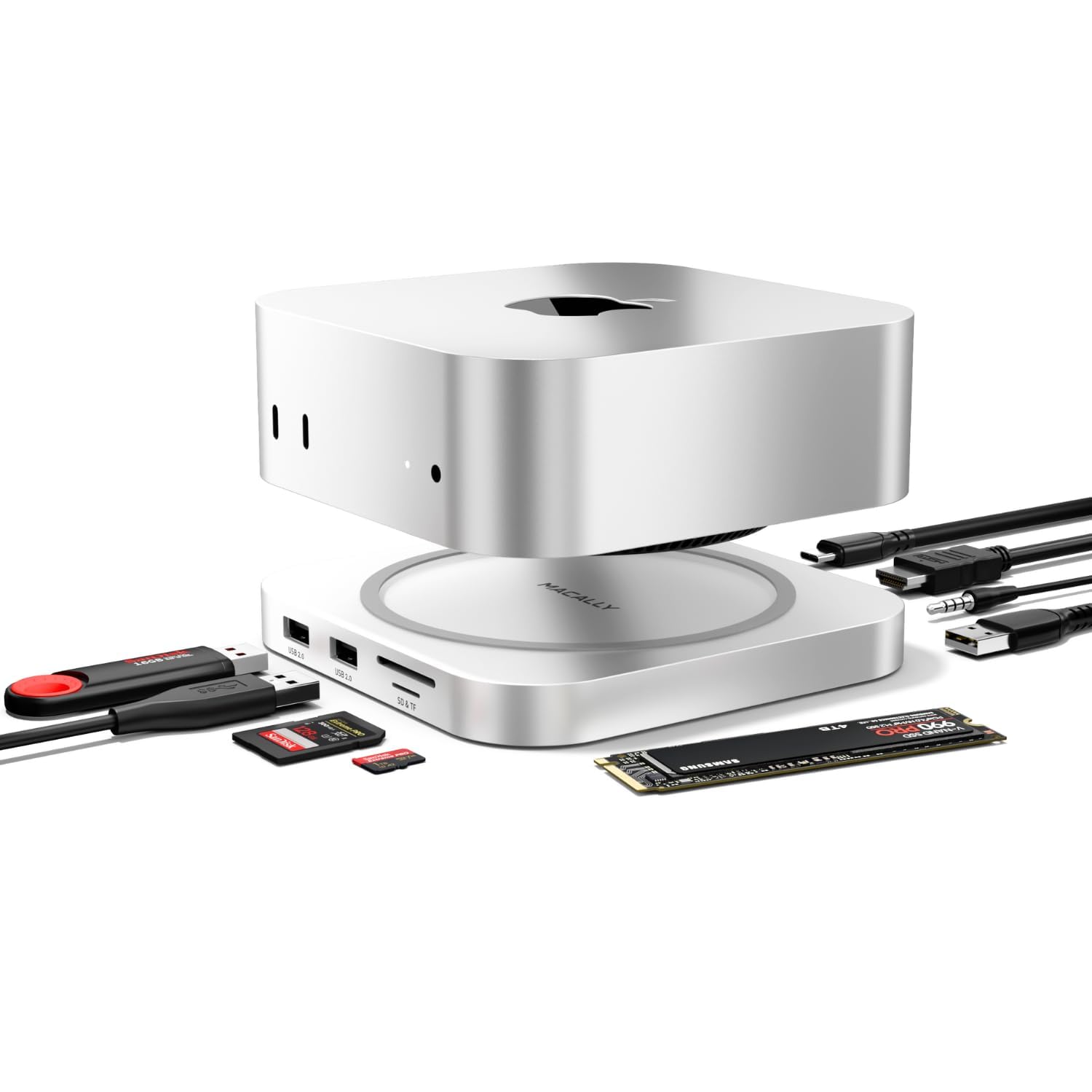
A stand dock that leans into Time Machine duty and everyday accessories.
The integrated enclosure takes M.2 NVMe PCIe or NGFF SATA drives, which makes it a natural home for Time Machine backups and large project libraries. Around it sit a 4K 60Hz HDMI output, three USB-A ports, a 10Gbps USB-C data port, an SD card reader and a 3.5mm audio jack.
With eight ports total it is the smallest-feeling of the full docks, and it is happiest as a backup-and-peripherals companion rather than a port monster. Setup is easy and the power button stays accessible.
stand and hub combo
- Great for Time Machine
- Audio jack included
fewer fast ports
- Fewer ports than rivals
simple tidy desk: Backups and everyday devices
bandwidth cap: Modest port count
7. Plugable Thunderbolt 4 Dock with 100W Charging, Dual Monitor
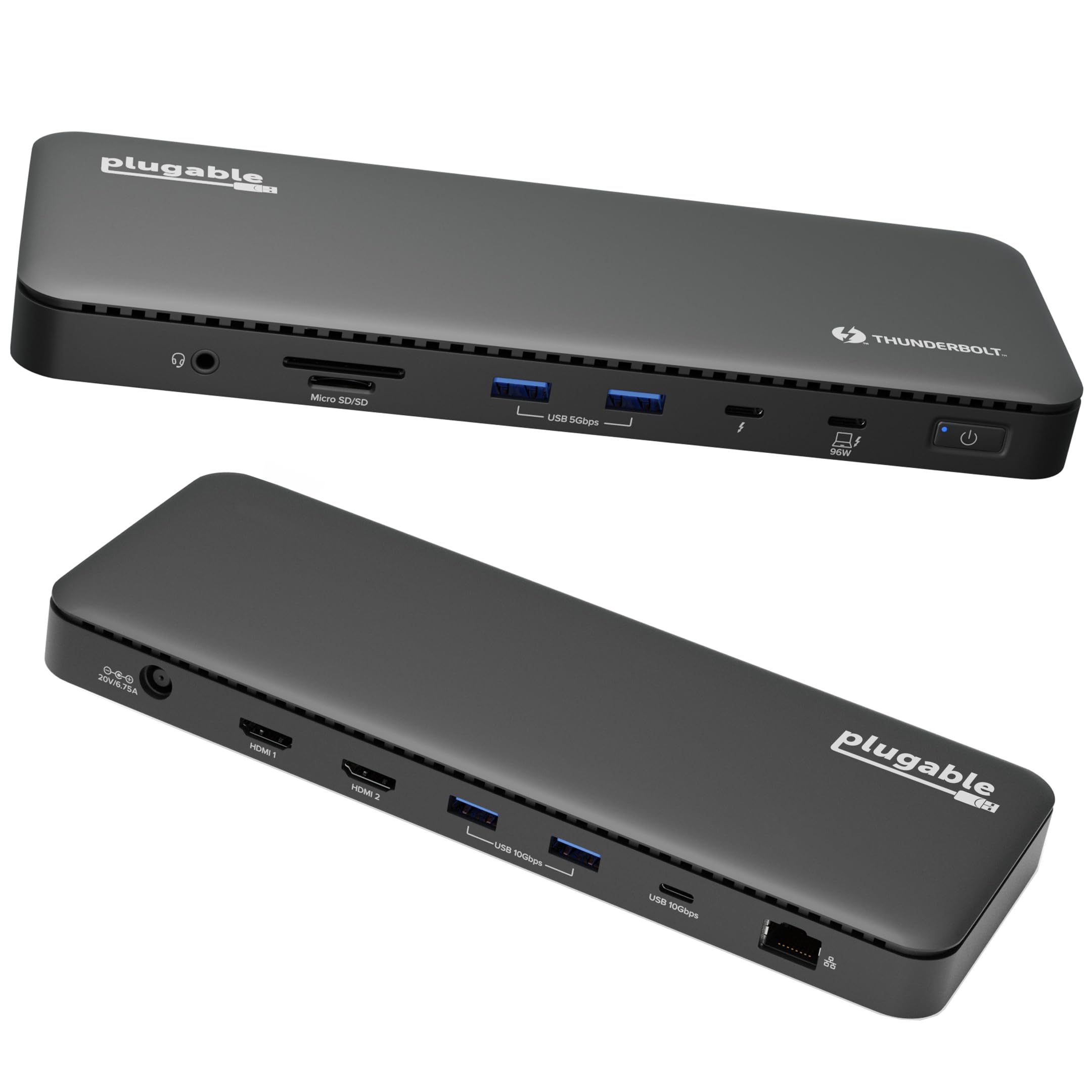
Not a mini stand — a serious Thunderbolt dock for people who need the bandwidth.
A 40Gbps Thunderbolt 4 dock with up to 100W charging, dual 4K 60Hz HDMI support and 13 ports, built for a streamlined home or office workstation. Setup is easy and there are plenty of ports for dual monitors and accessories.
Be clear about what it is: a desktop dock for Thunderbolt hosts, not a stand that hugs the mini. Power delivery, value and compatibility draw mixed reports, so check your exact machine and monitor setup before committing.
100W charging
- 40Gbps Thunderbolt 4
- 13 ports on tap
premium price tag
- Not a mini stand
- Mixed power reports
Thunderbolt laptop rig: Thunderbolt desks needing bandwidth
cost hurdle: Check compatibility first
Common Questions
Does a Mac mini M4 hub need an SSD bay?
Can these docks drive two monitors?
Will a hub block the Mac mini power button?
The Bottom Line
For the majority of shoppers, the best hubs for mac mini m4 winner is the RayCue Mac mini M6, M5 Pro, M4 Dock, Aluminum Stand and HDMI Hub for Mac mini M4/M5 Pro and M6 2026 with M.2 NVMe/SATA SSD Enclosure, 4K60Hz HDMI,10G USB A/C, 5G USB A*2, USB-C Charge, SD/TF, Audio because it is the only pick that combines a matching stand, a full port set and a built-in drive bay in a single piece. If you run two screens, look at Lemorele 9-in-1 Mac mini M4 Dock, Dual 4K@60Hz HDMI 2.0 & DP 1.4; if your monitor wants DisplayPort, BENFEI Mac mini M4 Dock, Mac mini M4 Stand with NVMe SSD Enclosure, 4K DisplayPort Hub for Mac mini M4 &M4 Pro (2024), 10 Gbps 1 x USB C & 1 x USB A 3.2, 5 Gbps 3 x USB A 3.0, SD/TF 170 MB/s is the one. For backup duty and a tidy desk, Macally Mac mini M4 Dock and Stand, Mac mini M4 Hub with M.2 NVMe Enclosure, 4K HDMI 60hz, 3 USB A,10Gbps USB C Data Port, SD Card Reader, 3.5mm Audio Jack keeps things simple.
How we choose
We do not accept paid placement. Every pick is matched to a real buyer and a real use-case; we do not hands-on test units.
Sources
Specifications: manufacturer listings and product documentation. Review insights: verified customer reviews, as of November 2026. Pricing: not shown on this page (it changes often); check the current price via the retailer link.
As an Amazon Associate, My Heart Lives Here earns from qualifying purchases. This does not affect which products we feature.