Heads up: This post contains affiliate links. As an Amazon Associate I earn from qualifying purchases, at no extra cost to you. Learn more
Specs are compiled from manufacturer listings and verified buyer reviews and can change over time — please confirm the key details on the product page before buying.
If your parent or loved one lives without a cell phone, you need an alert device that works on its own — a button that reaches help through a landline or a built-in cellular connection, not through a smartphone they will never carry. The picks below all do exactly that. Some plug into an existing home phone line, some run on their own 4G signal, and some are simple caregiver pagers that ring a receiver in the next room. What separates the good ones from the frustrating ones is how far the signal actually travels and whether the alert reaches a real person the first time.
This guide is built by comparing the manufacturers’ published specifications and the patterns across verified customer reviews, so you get each pick’s real strengths and trade-offs instead of marketing spin.
You will see how far each device reaches, what it needs to operate, and who it truly suits. Below are the strongest options for keeping a senior without a phone connected to help. These are the Emergency Alert Options for Seniors Without Cell Phones that hold up best when someone actually needs them.
Top Picks

How To Choose The Best Emergency Alert Options for Seniors Without Cell Phones
Start with one question: what does your loved one’s home already have? If there is an active landline phone jack, a device that dials out over that line needs no cell signal at all. If there is no phone line, you need a device with its own cellular radio inside and a service plan behind it. Get that decision right first, because everything else — range, fall detection, monthly cost — only matters after the device can actually reach someone.
Landline, cellular, or in-home pager
A landline pendant plugs into the wall phone service and calls out over it, so it can ring 911 or family directly with a two-way speaker. A cellular pendant carries its own 4G connection and usually needs a subscription to stay active. An in-home caregiver pager is the simplest type: a button sends a signal to a receiver in the house, and a family member nearby responds. That last type calls no one outside the home — it only reaches a person who is already there.
Does the signal reach where it needs to go
Maximum range is the distance the button or sensor can talk to its receiver or base. A 500-foot range can cover a multi-story house. A 30-foot range is roughly one room and the hallway beside it. Walls, doors, and floors all cut that distance down, so treat the published number as a best case and buy more range than you think you need.
Fall detection versus a press of the button
Fall detection watches for the sudden drop and stillness of a fall and sends the alert without anyone pressing anything. That matters most for a senior who may be knocked unconscious or too hurt to reach the button. A press-only system depends on the person being awake, oriented, and able to reach the device — fine for some, a gap for others.
The monthly bill question
Some devices carry no monthly fees and work off your existing phone service. Others require an ongoing plan to keep the cellular connection and call center running. Ask plainly whether the device still functions if the plan lapses, and write the answer down before you buy.
Side-by-Side Comparison
| Model | Best For | Signal Type | Max Range | Alarm Loudness | Amazon |
|---|---|---|---|---|---|
| Smart Caregiver Bed Exit Alarm with Wireless Pager★ Best Overall | Watching for nighttime bed exits | Wireless pad to pager | 300 feet | 70 db | Amazon |
| SOS Mobile GPS Medical AlertBest for Roaming | Roaming help with no phone line | 4G LTE cellular | — | — | Amazon |
| CallToU Caregiver Pager Call Button System | Whole-house reach on a budget | Wireless button to receiver | 500 feet | 110 db | Amazon |
| Daytech Caregiver Pager Call Button | Simple press-for-help in the home | Wireless button to pager | 30 meters | 55 db | Amazon |
| Caregiver Call Button with App Alerts | Phone alerts while you are out | Wi-Fi + 433MHz | 30 feet | 90 db | Amazon |
| Medical Alert Pendant with Fall Detection | GPS tracking and direct-to-family calls | 4G LTE cellular | — | — | Amazon |
| Freedom Alert Landline Personal Emergency Device | No monthly fee, calls 911 by landline | Landline phone service | — | — | Amazon |
Detailed Reviews
1. Smart Caregiver Bed Exit Alarm with Wireless Pager
Our pick — 4.5+★ from 400+ verified ratings; the strongest balance of quality and price.
A weight-sensing bed pad that pages your caregiver the moment your loved one sits up.
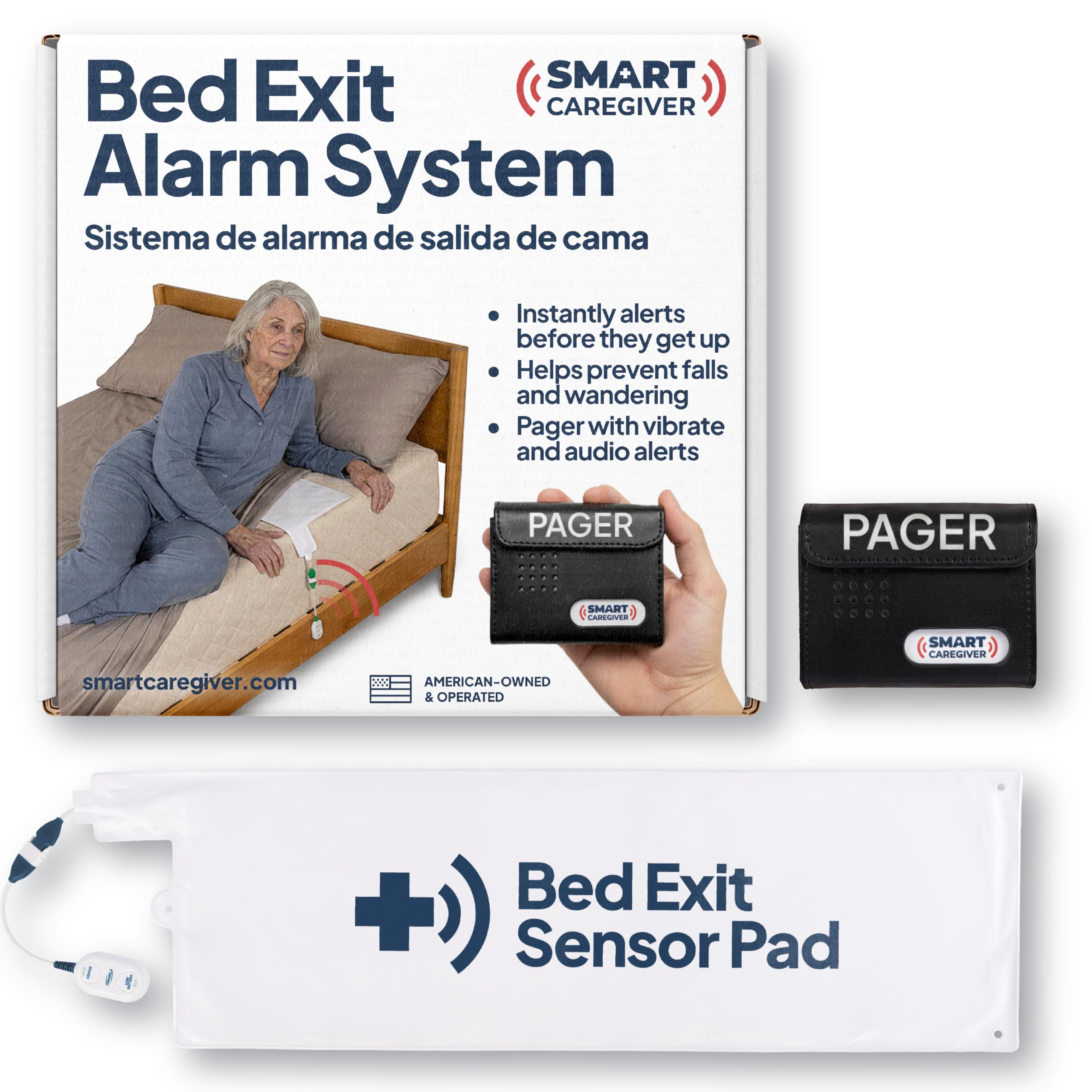
Unlike a press-button pendant, this pad needs no action from your loved one. It triggers on weight lifting off the pad, so it alerts before they are fully upright. A soft 10″ x 30″ pad slides under the shoulders and senses body weight, and the moment that weight lifts off, a wireless pager in your pocket buzzes or beeps. For a parent with dementia who wanders at 2 a.m. without calling out, that head start is the whole point.
The pager travels up to 300 feet from the pad, which covers a full single-story home and most two-story layouts. It runs on alkaline batteries and comes with the bed pad, the caregiver pager, and batteries in the box. One pager can carry up to six different Smart Caregiver sensors, so you can add a chair pad, a door exit sensor, or a floor mat later and monitor several rooms from one device. The maker backs it for one year.
Owners praise its functionality above all else, and it holds 4.5+ stars across 400+ ratings. The recurring gripe is the pad cover itself: it crinkles, and that rustling is the most common noise complaint. Setup also splits opinion — some find it quick, while others want clearer instructions. Tuck the pad under a fitted sheet and the crinkle mostly disappears.
What earns its keep
- Full-coverage weight sensor alerts the caregiver the moment pressure leaves the pad — before the person is out of bed
- Pager offers both vibrate and sound, so it can wake a light sleeper without a loud alarm
- Expandable to six sensors for beds, chairs, doorways, and floors
- 300-foot wireless range covers a whole house
What to plan around
- Pad cover rustles — noise is the most-cited trade-off
- Setup instructions split opinion; allow time to read through them
- It pages a caregiver in the home — it does not call 911 on its own
Worth it for: families watching a nighttime wanderer, especially a parent with dementia who leaves the bed unannounced.
Look elsewhere if: you need a device that dials emergency services directly — this one rings a caregiver already in the house.
2. SOS Mobile GPS Medical Alert
An under-2-oz pendant with its own 4G LTE connection, so your parent never needs a phone.
For a senior who still walks the yard, runs errands, or lives in a home without a working phone line, a device that carries its own 4G LTE cellular connection is the honest answer. This one weighs under 2 oz, hangs from a lanyard with a magnetic clasp, or clips to a belt, and it connects a trained operator through a built-in two-way speaker. It works as a standalone device — no smartphone pairing required. That makes it the most phone-free option on this list for anyone who leaves the house.
The battery is rated at 144 hours of average use on a single charge, from a 420 mAh cell, so expect to charge it a couple of times a week depending on how much the GPS runs. The enclosure is water-resistant and made of plastic, which handles a splash but not a soak. A caregiver app shows device status, battery level, and activity, and optional fall detection is available.
Where it wins: the setup is quick — activation is reported around 15 minutes — and it is genuinely easy to use. Where it needs a clear-eyed look: reliability is the most-discussed topic in the reviews, and it lands mixed, with some reporting the system stopping unexpectedly. Battery life draws the most consistent criticism, with users finding it does not hold a charge as long as they hoped. A subscription is required for full functionality, so this is a device with an ongoing service commitment, not a one-time buy.
The value read: you are paying for independence — a senior who can summon a live operator from anywhere on the Verizon 4G LTE network, with GPS plotting their location and no phone in their pocket. The caregiver app adds a second set of eyes on battery and movement.
The honest catch: plan on a service plan and a charging routine, and keep the lanyard or belt clip where it can be seen — this device only helps if it is worn.
Reach for this if: your loved one leaves the house and you want a live operator on the line without them owning a cell phone.
Think twice if: you need a one-time purchase with no ongoing plan — the subscription is part of how this device operates.
3. CallToU Caregiver Pager Call Button System

A 500-foot wireless range and a 110 dB alarm — loud enough to hear from the far end of the house.
If the house is big, or the caregiver works in the basement while Mom is upstairs, this is the pick. The signal reaches up to 500 feet, and that 500-foot figure beats the Smart Caregiver bed pad’s 300 feet by a clean margin. The receiver alarm hits up to 110 dB, which is loud — it also tops the Daytech system here at 55 dB by twice. For a household where the caregiver is always somewhere else, that combination of reach and volume is the whole appeal.
Setup is as simple as plugging in the receiver and placing the waterproof call button anywhere — it is rated IP65, meaning it shrugs off splashes, so the bathroom wall is fair game. You get 55 ringtones and five volume levels. Buttons are paired with a unique number so the large display tells you who called, which helps in a home with more than one senior. It can also pair to extra receivers or buttons to stretch coverage. It comes with an AAA battery and a one-year manufacturer warranty.
One catch: no customers-say summary is published for this system, so there is no consensus pattern to lean on yet. What you can count is the hardware — the 500-foot range and 110 dB alarm are the spec-sheet facts, and for a whole-house caregiver pager they are exactly the two numbers that matter.
Why it earns the reach crown: it covers a 500-foot wireless span (about 150 meters) so your loved one can call for help from the yard or the far bedroom, and it adds a 110 dB alarm (loud enough to hear across the house), IP65 splash protection (safe from splashes but not full water immersion), 55 ringtones, and unique numbered buttons on a large display — that is a lot of coverage for an entry-level caregiver pager.
Set your expectations: this is an in-home system. The button reaches a receiver in your house, not a call center, so a caregiver needs to be within range.
Best for: large or multi-floor homes where the caregiver is constantly moving between rooms.
Skip if: you need an alert that leaves the property — this one stays inside the wireless radius.
4. Daytech Caregiver Pager Call Button
Four hundred-plus owners round a simple watch-style button into a 4.0+ star staple.
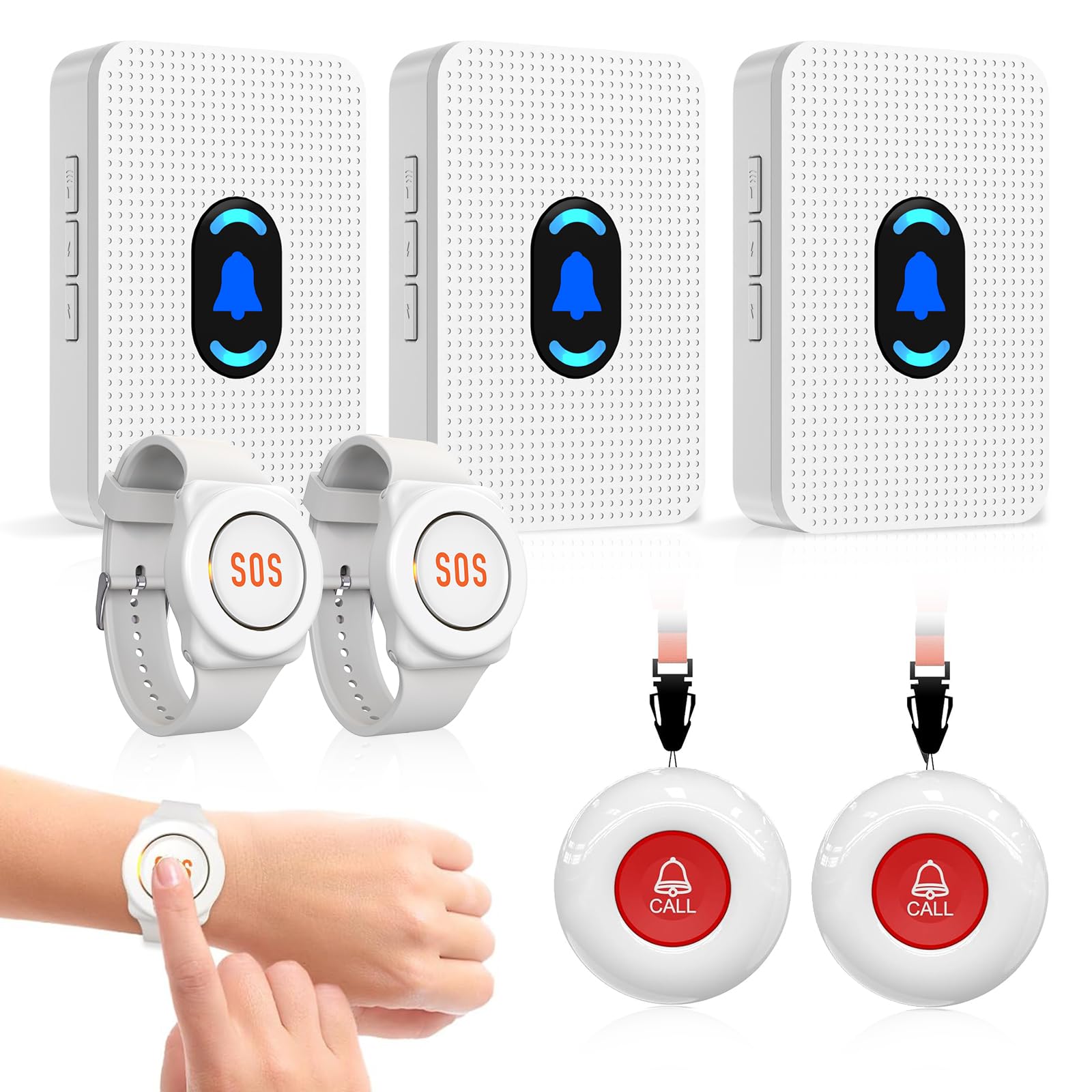
Not every situation needs a 500-foot signal or a monthly bill. Sometimes Dad just needs to press a button on his wrist and have a pager buzz in the kitchen. This Daytech kit does exactly that — a wearable watch pager and a call bell button, both pre-paired at the factory, so it works as soon as the batteries are in. A neck strap keeps the pager within reach, and the button can be wall-mounted in the bathroom.
It works for hands with limited strength: a light press on the watch or the bell sends the alert. The volume comes in at 55 dB (about as loud as a normal conversation), noticeably softer than the CallToU’s 110 dB, and the range runs up to 30 meters (about 100 feet) — enough for a single room and the hallway, not a whole large house. You get 20 ringtones and adjustable volume, plus the option to pair extra receivers and transmitters. Four 12V batteries come included.
The beauty here is how settled it is. Functionality and build quality are the two things owners praise most, by a wide gap over everything else. It is described again and again as working right from the start, being easy to set up, and providing genuine confidence for elder care. The pager is splash proof, so it handles the bathroom wall, but it should come off before bathing or showering. Treat the modest range and softer alarm as the fit line: perfect for one caregiver in one home, not a large property.
Why it holds up
- Pre-paired at the factory — no programming to get it working
- Watch-style pager with neck strap suits hands with limited strength
- 20 ringtones and adjustable volume; splash-proof button for the bathroom wall
- 4.0+ stars across 900+ ratings, with functionality and quality leading the praise
The fit limits
- 30-meter range keeps it to a single room and nearby hallway
- 55 dB alarm is softer than louder rivals
- Pager and button must come off before bathing or showering
Go with it if: you want a dependable in-home press-for-help button that works the moment it is unboxed.
Pass if: you are covering a large or multi-floor home where 30 meters will not cut it.
5. Caregiver Call Button with App Alerts
A press at home lights up every family member’s phone — even the ones across town.
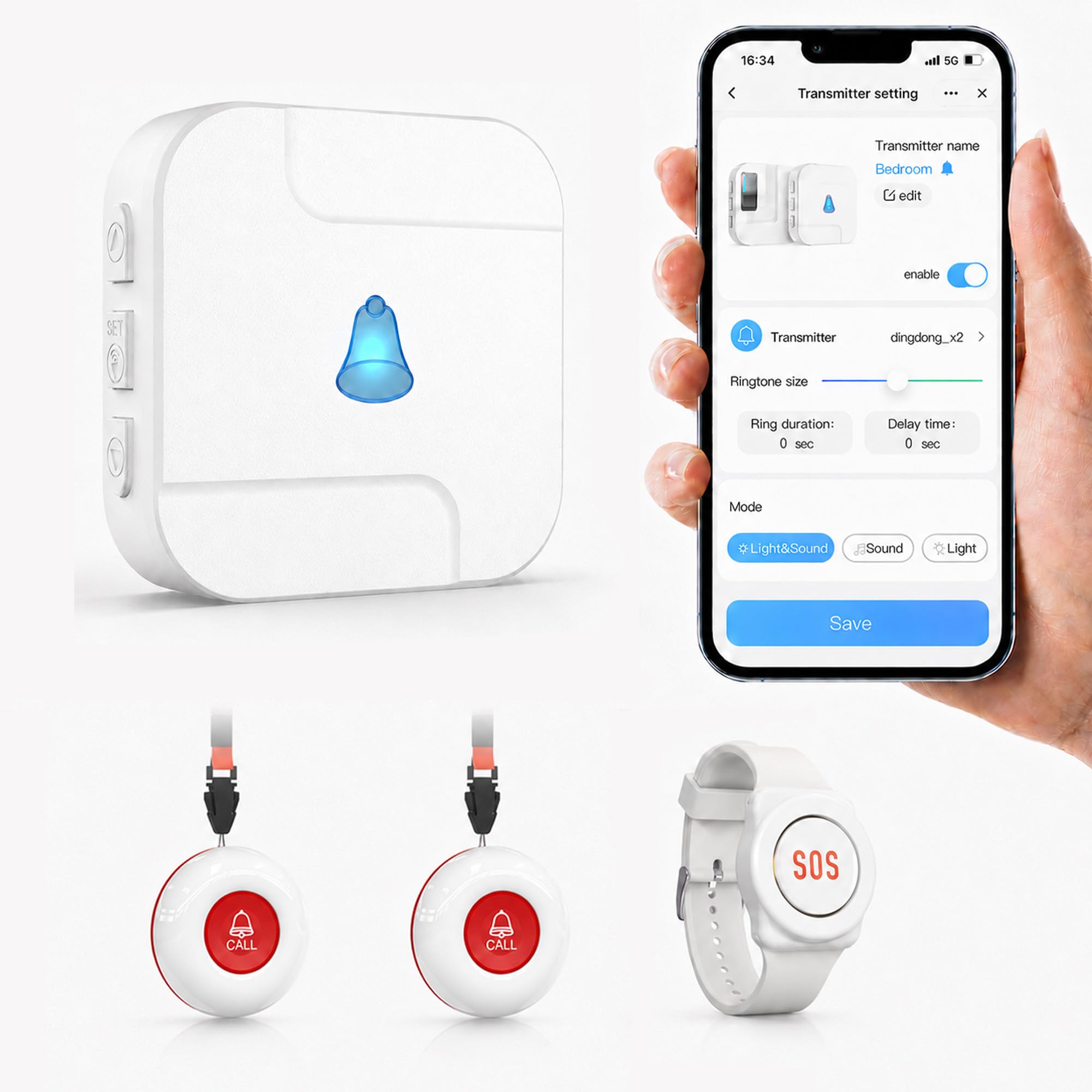
The other systems on this list ring a pager inside the house. This one connects its receiver to your home’s 2.4GHz Wi-Fi and pushes the alert to an app on your phone, so a daughter at work knows the instant Mom presses the button. That is a different kind of reach, and it is the reason to consider it. The receiver also sounds its own alert at up to 90 dB, and the button-to-receiver signal travels up to 328 ft (100 m) on 433MHz radio, though walls and doors cut that down.
Through the Tuya app you can link several family members’ phones so an alert goes to all of them, and you can name each button by person or room — Mom, Dad, Bedroom, Bathroom — so you know who needs what. You get five volume levels up to 110dB (loud enough to hear across the house) and 20 ringtones. App and receiver notifications are free; SMS and phone-call alerts come with a paid upgrade. One important limit: it runs on 2.4GHz Wi-Fi only (the older, longer-range Wi-Fi band), and 5GHz networks are not supported.
Now the honest part. Notifications and reliability both split opinion — some find the alerts extremely dependable, while others report the alarm triggering at random times through the day and night. The build itself draws the strongest praise. This is 4.0+ stars across 90+ ratings territory: a smart, family-friendly design that works beautifully when your Wi-Fi is solid, with a false-alarm risk worth testing in the first week.
The reason to buy: free app alerts to multiple family phones, custom button names by room, and a 90 dB in-home alarm, all riding on your existing 2.4GHz Wi-Fi — no new subscription to start.
Watch this: false triggers are the reported risk, and 5GHz Wi-Fi is a no-go, so confirm your router runs a 2.4GHz band before you set it up.
Pick it if: you want away-from-home alerts sent to several family phones without committing to a monthly bill.
Avoid it if: your network is 5GHz only, or you need a system that never false-alarms.
6. Medical Alert Pendant with Fall Detection
Calls go straight to family — no call center — with GPS tracking built into the pendant.
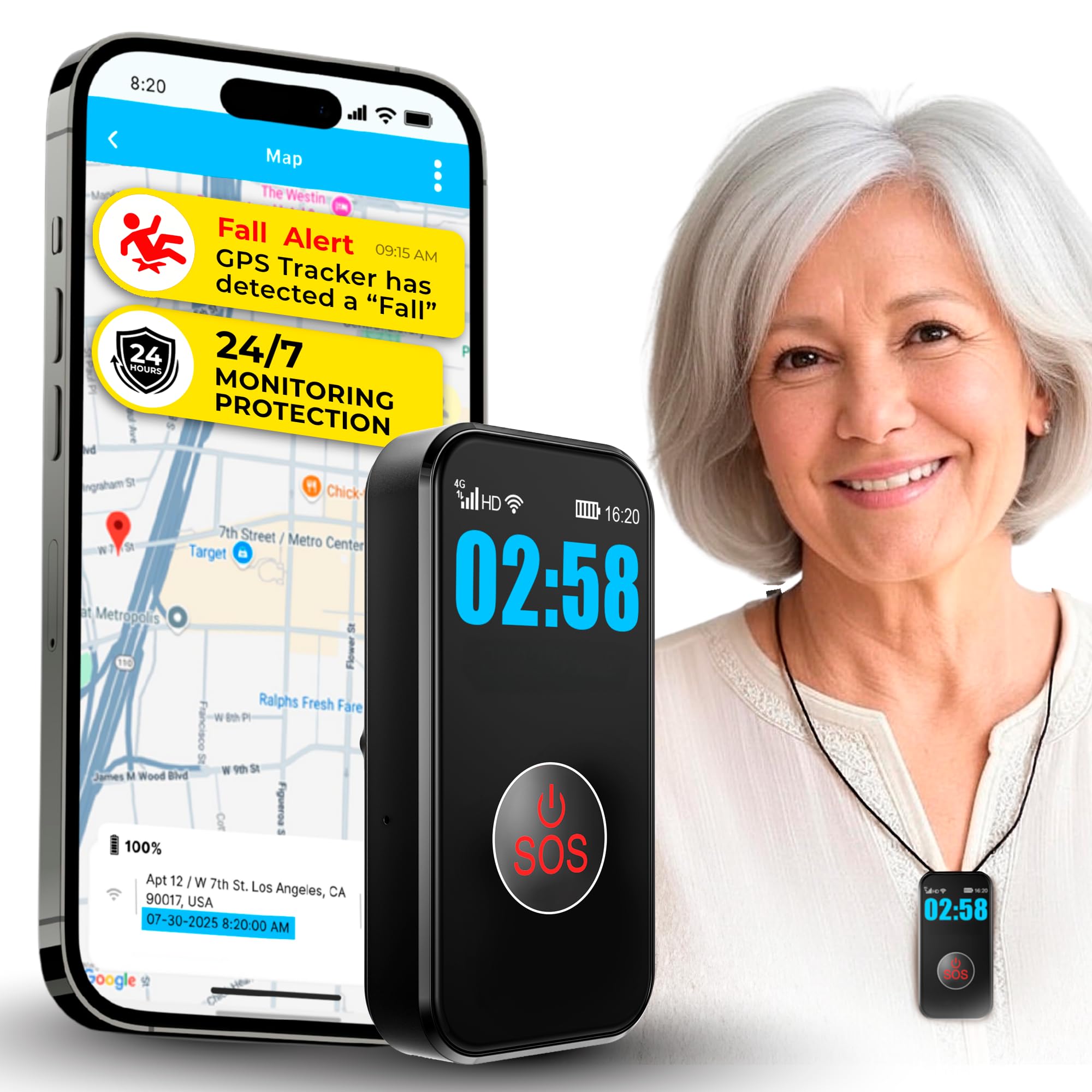
Most medical alert services route you through a monitoring center. This pendant skips that entirely: when it detects a fall, it automatically calls and sends an SOS notification to the emergency contacts you chose. Two-way calling lets your loved one speak with family hands-free, and a clear display shows time, battery, and signal so they can read the status at a glance. Wearing it is meant to be 24/7 — the pendant is fully waterproof to IP67, so a shower or a rain shower on the porch is fine.
It runs on 4G LTE cellular (the same mobile network your phone uses) with GPS tracking and geo-fence zones (a virtual boundary you draw on a map): set a safe area and get an alert when your loved one leaves or enters it, with a year of location history. The battery is a 1000 mAh cell (a small rechargeable battery) rated up to 5 days with 24-hour-interval tracking — the product page also states up to 6 days, so treat the shorter figure as the realistic one and charge nightly if you can. There is a monthly subscription, and it is required for full functionality.
Here is the trade-off to take seriously. Quality, setup, and ease of use draw solid praise — the app is simple and the instructions are clear. But reliability and cost-effectiveness both split opinion, with some families finding it works well and others reporting it stops working. Battery life is the softer spot: some praise it, others report needing to charge daily. Buy this for a senior who wants direct family contact and location visibility, and test the fall detection in the first week so you know how it behaves.
What stands out: auto fall detection (a sensor that calls for help if your loved one falls), a one-touch SOS that rings family directly, IP67 waterproofing (safe to wear in the shower), GPS with geo-fence zones, and a 1000 mAh battery rated up to 5 days — a feature-dense pendant for a senior with no phone.
The catch: a required subscription and a genuinely split record on reliability mean you should confirm coverage in your area and keep it charged.
This one fits: families who want the alert to land on their own phones, not a call center, with GPS showing where their loved one is.
Consider a different pick if: you want a device with no monthly fee at all — the subscription here is not optional.
7. Freedom Alert Landline Personal Emergency Device

Runs on the home phone line, dials 911 at the touch of a button, and never sends a monthly bill.
Some seniors keep a landline and nothing else. For them, this is the cleanest solution on the list. The pendant uses the existing home phone service to connect with emergency personnel — 911 dispatchers, police, and fire — as well as your family and friends. There are no monthly fees to operate it, so it works without interruption and without a subscription hanging over it. That no-fee model is the same reason it costs more up front, and it is why the value crowd here tends to be long-term planners.
The two-way pendant lets your loved one speak directly with whoever answers — a loved one or an emergency worker who can dispatch help. It can be worn around the neck or left on its mount for easy access. Rechargeable, with a 24-hour battery backup so a power outage does not leave the pendant dead. It comes with a battery included.
This is the most settled device of the group by owner feedback: reliability and quality are the two most-praised qualities, and the consensus is that it does exactly what it promises. Setup and programming of numbers are widely described as easy. The trade-off is structural — it needs an active landline phone service to do anything, so a home with no phone line at all cannot use it. And unlike the roaming cellular pendants above, it helps at home and not out on a walk.
What buyers value
- No monthly fees — you own it and it keeps working
- Two-way talk with 911, police, fire, family, and friends
- 24-hour rechargeable battery backup for power outages
- 4.0+ stars across 500+ ratings, with reliability and quality leading the praise
Where it stops
- Requires an active landline phone service to function
- Home-only — no cellular roaming when your loved one is out
- Higher up-front cost for the no-fee model
Made for: a senior with a working landline who wants a no-subscription pendant that calls 911 directly.
Not for: anyone without phone service at home, or a senior who needs help away from the house.
Know the Specs
Maximum Range (feet and meters)
The distance a wireless button or sensor can talk to its receiver before the signal drops. A high number like 500 feet means the button can be several rooms and a floor away; a low number like 30 feet is roughly one room and the hallway beside it. Walls, doors, and floors reduce the real reach, so always allow headroom above the published figure. Range measures signal distance, not phone-call distance — it does not tell you whether anyone outside the home receives the alert.
Alarm Loudness (decibels, dB)
How loud the receiver or pager sounds when the button is pressed. A higher dB number is louder and easier to hear across a house or over a TV. A softer number suits a small home or a caregiver who stays close. For a home with hearing loss or a big floor plan, match the loudness to the distance the caregiver is likely to be, and note that many kits also offer a vibration mode for quiet rooms.
Signal Type (landline, cellular, Wi-Fi, pager)
The channel the alert travels on. Landline uses an existing home phone service and can dial 911 with no monthly fee. Cellular carries its own 4G LTE connection and usually needs a subscription. Wi-Fi connects a receiver to your internet so alerts reach a phone app, and requires a 2.4GHz network on the models here. A plain in-home pager uses its own radio link and only reaches a caregiver inside the house.
Fall Detection and Weight Sensing
Fall detection watches for a sudden drop or stillness and sends an alert without a press — useful when the person cannot reach the button. A weight-sensing bed pad works differently: it senses body weight leaving the pad and pages the caregiver the moment someone gets up. One detects a fall after it happens; the other warns you before a bed exit turns into a fall. Know which job you need covered.
Common Questions
Can these devices work for a senior who truly has no phone of any kind?
Does the Freedom Alert work without a landline phone service?
Which option reaches the farthest across a large house?
Do the caregiver pagers call 911 or a monitoring center?
Is fall detection worth having for someone who may not be able to press a button?
Will the Wi-Fi call button work on my 5GHz network?
How long do the batteries last, and how often will I charge them?
Do any of these need a monthly subscription?
Can the bed exit pad reduce false alarms during the night?
Can I add more buttons or sensors to one system later?
The Bottom Line
For most families, the winner is the Smart Caregiver Bed Exit Alarm because it catches the moment that matters most — a nighttime bed exit — and pages a caregiver before a fall. The crowd favorite in its class, it holds 4.5+ stars across 400+ ratings, and the pad-plus-pager design is the single most useful setup for a senior with dementia. If your loved one roams outside the house, the SOS Mobile GPS travels with them and connects a live operator. And if there is a landline in the home and you want no monthly bill, the Freedom Alert is the one to reach for. Pick the device that matches the home and the day, and you have real coverage instead of a drawer full of good intentions.
How we choose
We do not accept paid placement. Every pick is matched to a real buyer and a real use-case; we do not hands-on test units.
Sources
Specifications: manufacturer listings and product documentation. Review insights: verified customer reviews, as of November 2026. Pricing: not shown on this page (it changes often); check the current price via the retailer link.
As an Amazon Associate, My Heart Lives Here earns from qualifying purchases. This does not affect which products we feature.