Heads up: This post contains affiliate links. As an Amazon Associate I earn from qualifying purchases, at no extra cost to you. Learn more
Specs are compiled from manufacturer listings and verified buyer reviews and can change over time — please confirm the key details on the product page before buying.
If you want the short answer: the Kindle Scribe is the device most writers should buy, because it pairs an 11″ glare-free screen with a pen that never needs charging and no apps to pull you away. The rest of this list exists for writers who want something different — real paper that digitizes itself, a keyboard that refuses to open a browser, or a color screen for marking up manuscripts. Below you get each pick’s real strengths, the honest trade-offs, and which writer each one actually fits.
This guide is built by comparing the manufacturers’ published specifications and the patterns across verified customer reviews, so you get each pick’s real strengths and trade-offs instead of marketing spin.
Every entry here was judged on the same handful of things writers care about: how the screen feels under a pen, how long you can draft away from a socket, and how much distraction the hardware lets in. Below you’ll find the strongest device for writers for every kind of drafting habit.
Top Picks


How To Choose The Best Device for Writers
Start with one question: are you drafting with a pen or with keys? Everything else — screen technology, battery, sync — follows from that answer. A stylus tablet rewards people who think on paper; a keyboard machine rewards people who think in sentences. Buying a keyboard machine when you outline by hand — or the reverse — is the most common regret in this category.
Pen-first or keyboard-first
If you outline by hand, annotate margins, or sketch scenes before writing them, you want a stylus and a pressure-sensitive screen. If your draft appears only when you type, a keyboard-only device like a Freewrite removes the browser tab that eats your afternoon. Some writers buy both and use the tablet for planning and the typewriter for drafting.
What the screen actually does to your eyes
E Ink is a reflective display — it shows text by moving tiny particles and reflects room light back at you rather than shining a lamp into your face. That is why E Ink devices can run for weeks and why a bright office window does not wash them out. LCD screens like the XPPen Magic Note Pad are brighter and more colorful but drain faster.
Sync, storage, and the draft you cannot lose
Look at two numbers: how much the device stores on its own, and whether it backs up without you remembering to. The Freewrite machines hold up to 1,000,000 words internally and push drafts to the cloud over Wi-Fi. Tablets usually lean on apps like OneDrive or Google Drive instead. Whichever you pick, know how the backup works before you trust it with a chapter.
Side-by-Side Comparison
| Model | Best For | Screen | Input | Weight | Amazon |
|---|---|---|---|---|---|
| Amazon Kindle Scribe 32GB★ Best Overall | Most writers | 11″ glare-free, front light | Included pen | 400 g | Amazon |
| HUION NotePaper-First Pick | Real paper, digitized | No screen (paper pad) | Battery-free pen | 433 g | Amazon |
| XPPen Magic Note Pad 10.95”Color Note Machine | Color notes and meetings | 10.95″ LCD, 90Hz | X3 Pro Pencil | 495 g | Amazon |
| BOOX Go Color 7 Gen II | Pocket reading and notes | 7″ Kaleido 3 color E Ink | Active stylus (sold separately) | 195 g | Amazon |
| Freewrite Alpha | Drafting without tabs | 12.6″ backlit LCD | Mechanical keyboard | Under 2 lbs | Amazon |
| iFLYTEK AINOTE Air 2 | Lecture and interview notes | 8.2″ E Ink, 24 light levels | Stylus | 230 g | Amazon |
| Kindle Scribe Colorsoft 64GB | Color markup and reading | 11″ Colorsoft, front light | Included pen | 400 g | Amazon |
| reMarkable Paper Pro Move | Carry-everywhere notes | 7.3″ color Canvas display | Marker Plus included | 248.4 g | Amazon |
| Freewrite Traveler | Long-form drafting on the move | E Ink display | Full-size scissor keyboard | 1.6 lbs | Amazon |
Detailed Reviews
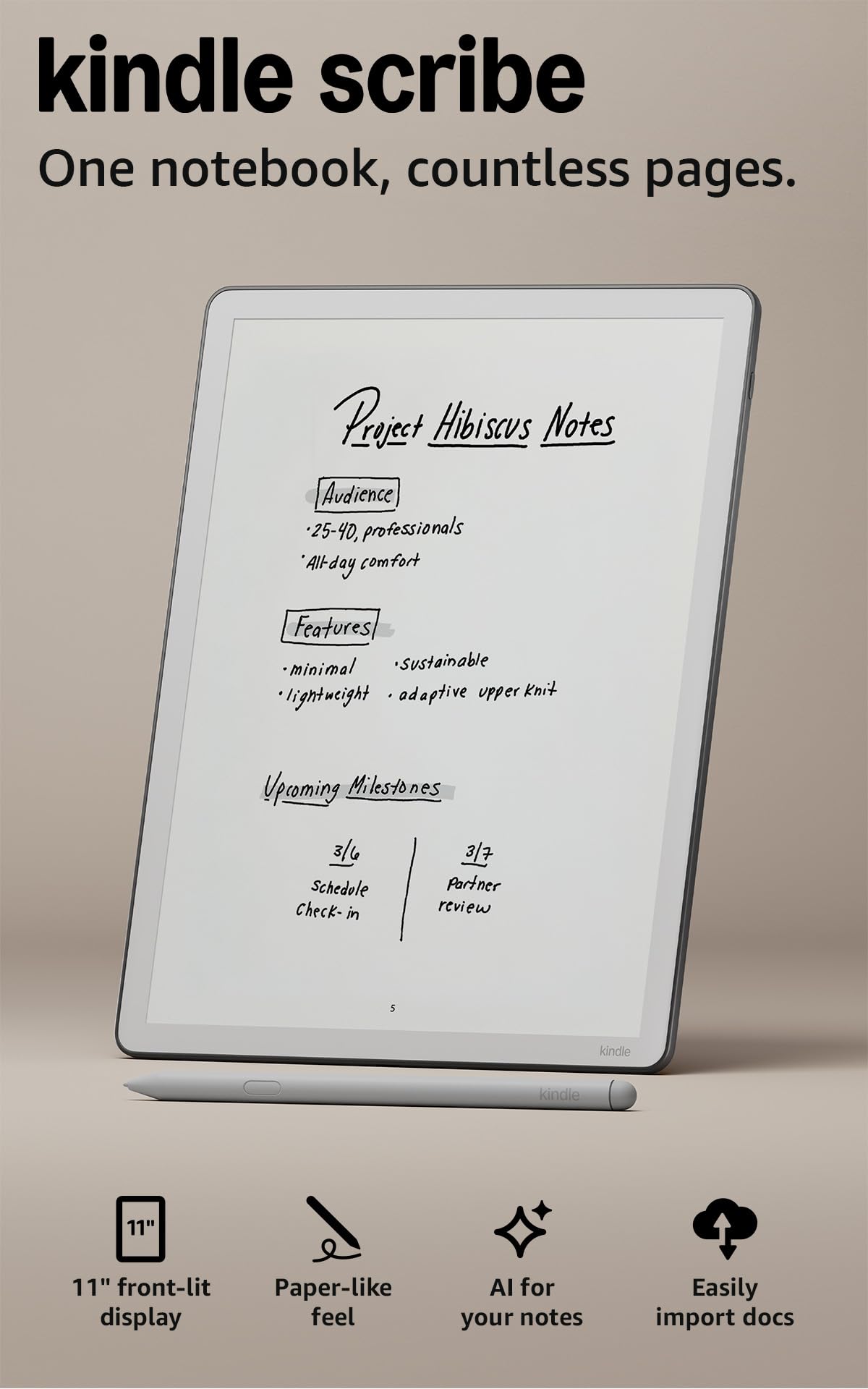
1. Amazon Kindle Scribe 32GB (newest model)
Our pick — 4.0+★ from 550+ verified ratings; the strongest balance of quality and price.
A writing slate that refuses to become a browser — and the pick most writers should start with.
What makes this the default recommendation is how little it asks of you. The display is 11″ and glare-free with a front light, so a bright window or a dim bedside lamp does not stop the work. The included pen never needs charging, which means there is no battery to forget and no cable to hunt for before a session. And because it is purpose-built for reading and writing rather than running apps, no notification is waiting to interrupt you.
The physical numbers tell you how it behaves in the hand. At 5.4 mm thin and 400 g, it sits lighter against your wrist than the XPPen Magic Note Pad — 400 g versus 495 g — which matters when you are holding a page for an hour. Its 11″ display is also slightly larger than the XPPen’s 10.95″, giving you a little more margin room for annotations. Writing and page turns are 40% faster than the previous generation, and the adaptive front light shifts brightness and warmth as your room changes.
What wins people over is the fundamentals: the device quality and the pen-on-paper writing feel are the most-discussed strengths in the review pages, and the lightweight body comes up often too. The catch worth knowing is twofold. Price relative to features is the most argued-about point, and a handful of owners hit sluggishness or interface confusion. Neither is universal, but if you expect tablet-grade smoothness from every swipe, temper that expectation. The AI tools — searching your notes, generating summaries, cleaning up handwriting and converting it to text — are what make the notebook side genuinely useful rather than a novelty.
large writing canvas
- 11″ glare-free display with a front light that adapts brightness and warmth automatically
- Pen needs no charging and carries a built-in eraser and shortcut button
- 5.4 mm and 400 g — lighter than the XPPen Magic Note Pad’s 495 g
- Notebook AI converts handwriting to text and summarizes what you wrote
- Imports files from Google Drive or OneDrive and exports marked-up PDFs
heavy for travel
- Price-to-feature value is the most contested point in the review pages
- Some owners describe sluggish pen response and freezing
- The interface splits opinion — friendly to some, confusing to others
note takers: you want one device for reading reference books and drafting longhand notes without an app store in reach.
small hands: you need pinpoint-accurate color markup — a gray-scale screen cannot give you that.
2. HUION Note Digital Notebook with Real-Time & Offline Sync
You write on actual paper; the pen quietly turns it into a file you can email.
This is the one for writers who cannot draft on glass. The HUION Note is a battery-free pen plus a regular A5 notepad plus an app, and everything you put on the paper is captured as vector lines and pushed to your phone or tablet over Bluetooth 5.0. The active surface measures 7.35×5.5″, so the writing area mirrors the pad you are actually holding. Open it and it pairs automatically; there is no button sequence to memorize.
Two features separate it from the stylus tablets on this list. First, audio recording syncs with your handwriting, so you can play back the moment a thought landed and watch the strokes appear in order. Second, offline storage means a session with no phone nearby is not a session lost — it syncs once Bluetooth is back. Battery runs 18 hours of use with about 30 days of standby. The A5 pad itself is the part buyers praise most, with the notebook’s quality the single most-discussed positive. Swap the inner pages for the panel in the box and it becomes a drawing tablet on your PC.
Where it frustrates is setup and connection: getting the app configured is the recurring rough patch, and Bluetooth drops happen for a share of owners. Functionality and note-taking both split opinion rather than landing clean. Here is the honest read — this is a paper-capture tool, not a drafting machine. There is no screen, so you cannot scroll a finished chapter on it. You write, you review on your phone, you move on.
offline syncing pen: you trade a screen for paper feel and gain a vector copy of every page, which is a fair trade if handwriting is how ideas arrive.
grayish display: budget ten quiet minutes for the app setup the first time, because that step is where most complaints originate.
paper loyalists: your best thinking happens with a real pen on a real page and you just want the digital copy handled for you.
color seekers: you expect to read or edit finished drafts on the device itself.
3. XPPen 3-in-1 Color Digital Notebook 10.95” Magic Note Pad
An Android tablet wearing a paper costume — three color modes, one hardware key.
Understand what this is before you buy it: a normal Android tablet with an etched-glass screen, not an E Ink reader. The 10.95″ LCD uses TCL NXTpaper 3.0 with AG nano-etching and the maker claims it cuts up to 95% of ambient light interference, giving a matte, paper-like surface. A single X-key flips between Monochrome LCD, Light Color, and Nature Color, so the same page reads as a manuscript or a color-marked draft. The 90Hz refresh rate keeps pagination and scrolling liquid, and the screen covers 16.7 million colors at 400 nits — a very different feel from the gray E Ink screens elsewhere on this list.
The pen is the headline for anyone marking up their own work. The X3 Pro Pencil runs the X3 Pro smart chip and offers 16K pressure sensitivity, so stroke weight and color depth respond to how hard you press. Android 15 brings XPPen Notes with handwriting-to-text, audio recording that transcribes in 13 languages, meeting summaries, and export to OneDrive or Google Drive. MyScript Notes handles 66-language handwriting recognition and MyScript Math recognizes equations you write by hand. Storage is 128GB, the battery is 8000mAh with a 20W charger, and there is a 13-megapixel front camera with two speakers and two microphones for remote meetings.
Against the Kindle Scribe it is thicker and heavier: 7 mm versus 5.4 mm, and 495 g versus 400 g, so it is the one you notice on a long reading session. Performance is what gets praised most, and the eye comfort is certified — TÜV SÜD Low Blue Light and Paper-like Display certifications, with the maker stating it minimizes 75% of harmful blue light. The honest limits are battery and glitches. Running Android apps drains the cell fast, and functionality splits opinion with reports of software hiccups.
visual planners: you want a color screen for marking up drafts and joining meetings without carrying a laptop.
simple scribblers: it charges more often than the E Ink picks here, so plan a socket at the end of a heavy day.
4. BOOX Tablet Go Color 7 Gen II E Ink Tablet

A 195 g color E Ink slab that fits a jacket pocket and runs Android apps.
Portability is the whole pitch. At roughly 195 g and 6.4 mm thin, this disappears into a bag and comes out for a five-minute note between trains. The 7″ Kaleido 3 screen shows 4096 colors at 1680 × 1264 resolution — 300 ppi in black and white, 150 ppi in color — and the front light has warm and cold settings plus a G-sensor that rotates the page automatically. Internal storage is 64GB with a microSD slot, and 4GB of RAM runs Android 13 and third-party apps from Google Play.
Know the stylus situation before you order. This model does not support an EMR pen; it takes an Active Stylus InkSense, and that stylus is not in the box, so budget for it separately. For a writer, that means the cost of entry is a little higher than the listing suggests. Document support is broad — PDF, EPUB, AZW3, MOBI, DOCX and more — and the page-turn buttons make reading galleys less fiddly than tapping glass.
Here is the honest part about this model’s screen. Color E Ink is inherently dimmer than an LCD, and screen quality is the most contested point in the reviews, with muted color and low vibrancy the frequent note. Reliability also draws fire, with freezes reported. The maker’s own framing is that this is a characteristic of all color E Ink, which is fair — but if you want lamp-bright color, this is not the device. Refresh modes (HD, Balanced, Fast, Ultrafast) do let you dial ghosting down for reading and smoothness up for video.
pocket color reading: reading drafts, reference PDFs, and marked-up chapters on a screen that does not glow like a phone at midnight.
slow refresh: treat the color as a gentle wash for highlights, not a photo-quality panel.
commuters: writers who read more than they scribble and want a light, pocketable E Ink companion.
fast scrollers: the stylus cost and muted color will bother you more than the portability delights you.
5. Freewrite Alpha Distraction-Free Word Processor

The typing machine with nothing to open but the next sentence.
Buy this if a browser tab is the reason your word count stalls. The Alpha is a word processor and nothing else — it boots instantly with no software to load and no apps to wander into. The keyboard is the part that sells it: low-profile Kailh Choc V2 tactile switches give real feedback under your fingers, which is why the typing experience is the second most-praised thing about it. The 12.6″ backlit LCD has five brightness levels and uses ambient light to stay readable under direct lighting, and the screen shows two to four lines at your chosen font size so you always see just enough forward momentum.
The practical numbers are generous. Battery runs up to 100 hours depending on backlight use, the whole thing weighs under 2 lbs, and internal flash storage holds up to 1,000,000 words. Everything is backed up twice — on the device and automatically to the cloud over Wi-Fi — and drafts land in Freewrite’s free Postbox web app for transfer to your editing software. What people enjoy most is simply the act of drafting on it, and the simplicity lands well with writers who want a single job done.
The candid caveat is reliability and the price-to-feature math. A share of buyers report the screen stopping or the power button failing, and some find the layout counter-intuitive at first. That is a real risk on a device whose only job is drafting, so keep the cloud sync current. What it is not is a laptop replacement — no editing, no formatting, no spell-check rescue mid-draft.
draft writers: your drafting problem is distraction rather than tools, and a mechanical keyboard keeps you at the desk.
editors: single-purpose hardware means a failed part takes the whole workflow with it, so keep the cloud sync current.
6. iflytek AINOTE Air 2
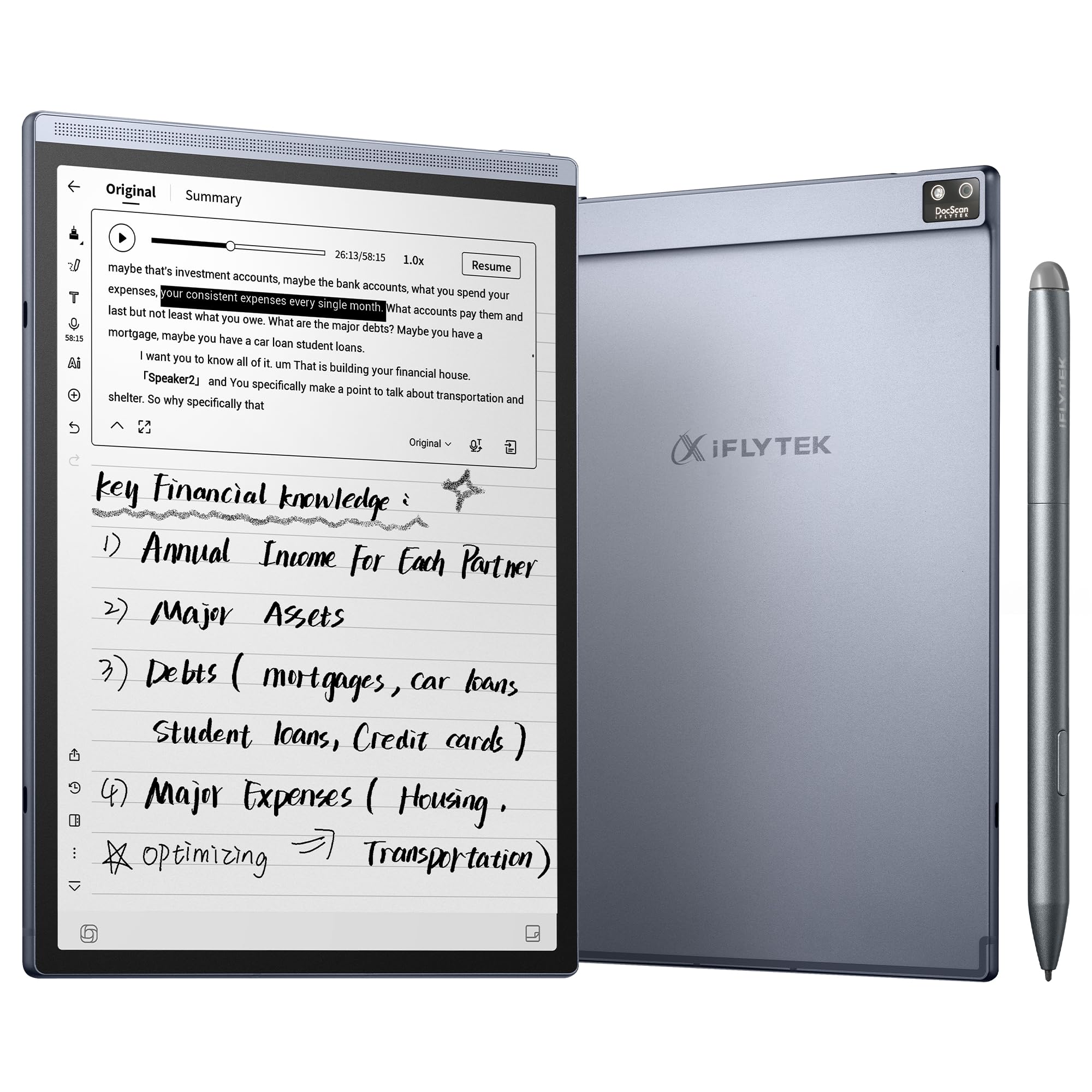
For the writer who interviews: it listens, transcribes, and hands back a summary.
Reporters and nonfiction writers should look here first. The AINOTE Air 2 turns speech into text in 18 languages, translates across 14, and then produces an AI meeting summary that organizes the discussion and pulls out highlights. You can also ask questions about the current note and get answers drawn from its content — useful when you need to find who said what three days later. The 8.2″ E Ink display has a matte texture and 4,096 levels of pressure sensitivity with eight pen styles.
The office skills go further than transcription. Star or circle a handwritten line and the device turns key points into to-dos and focus items, and you can view weekly plans at a glance. Handwriting-to-text uses iFLYTEK’s own recognition engine, tuned for English, across 100+ languages. Reading lights adjust across warm and cool with 24 brightness levels. It measures 193 × 137 mm at 5–6.5 mm thick and 230 g, so it comes out of a bag easily for a lecture or a document review.
Two constraints deserve clear warning. Voice transcription and handwriting-to-text cannot run at the same time, so you cannot record an interview and convert old notes simultaneously. And E Ink page turns and scrolling will feel less fluid than an LCD, with brief refreshes or faint afterimages during movement. Quality is the most-discussed positive; value for money is the loudest complaint. This is an interview and lecture tool, and it rewards writers who record sources rather than draft prose on it.
note jotters: journalists, researchers, and students who need a lecture or interview captured without typing every word.
big readers: long-form drafting comfort — the small 8.2″ surface and E Ink refresh limit sustained typing sessions.
7. Amazon Kindle Scribe Colorsoft 64GB (newest model)
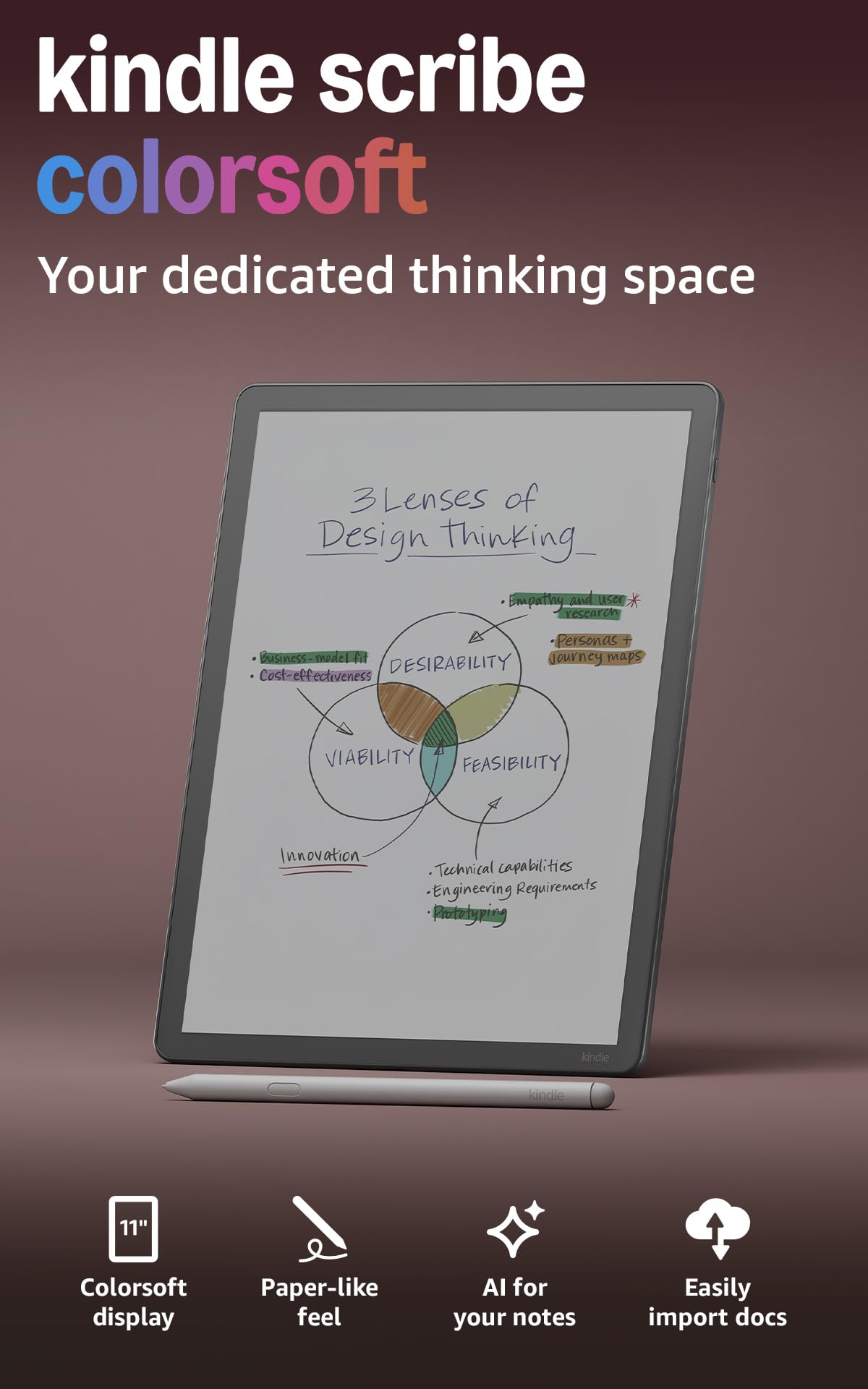
The Scribe gets a color screen — highlight in yellow, mark a margin in red, keep reading at night.
The Colorsoft display is why this model exists. It delivers high-contrast, paper-like color without distracting flashes while you write, and the front light means you can work in any light. Everything else you liked on the standard Scribe is still here: just 5.4 mm thin and 400 g light, an 11″ writing surface, and an included pen that never needs charging with a built-in eraser and shortcut button. Storage is 64GB. The AI notebook side still searches your notes, answers questions about what you wrote, and generates summaries.
Functionality is what people discuss most and it lands strongly, and the color is the second most-talked-about win. Writers who mark up their own drafts across multiple passes notice this most: a color highlight is easier to spot at a glance than a gray one. Document workflows are unchanged — import from Google Drive or OneDrive, add handwritten notes, export as PDF, or send notebooks to Microsoft OneNote. Jotting notes between the lines of a book, with text shifting to make room, works exactly as it does on the standard version.
The honest tension is value against the standard Scribe. The color screen asks a premium, and some owners find the outlay hard to justify; sluggishness and pen-function complaints also surface in a minority of reports. If gray-scale marking satisfies you, the standard model is the sensible spend. If color coding is core to how you revise, this is where the extra buys real function.
color highlights: layered revision — highlighters, margin notes, and reference marks in different colors on one page instead of three.
pricey upgrade: you pay meaningfully more than the standard Scribe for that palette.
annotators: writers who revise in multiple passes and think in colors while editing their own drafts.
budget buyers: you write mostly in black and white and rarely annotate.
8. reMarkable Paper Pro Move Digital Notebook with Marker Plus
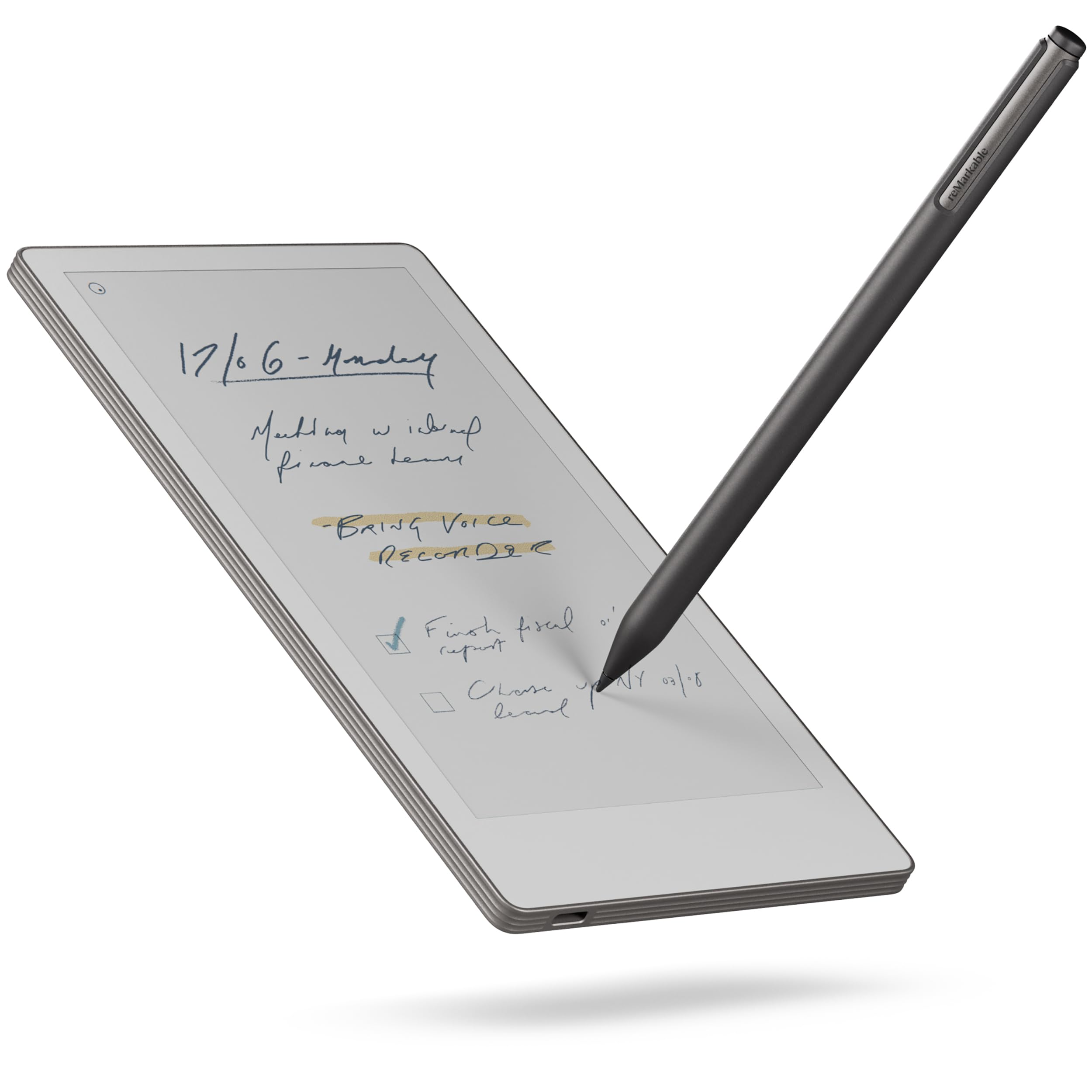
A color notepad smaller than a paperback, built to catch ideas before they evaporate.
Size is the argument here. The Paper Pro Move carries a 7.3″ Canvas Color display in a body that measures smaller than a paperback and weighs 248.4 g, so it slips into a jacket pocket or purse and comes out in seconds. The writing feel is the second thing it gets right: the included Marker Plus is designed to work with that display for realistic friction, and the package includes six spare Marker tips and a USB-C cable. It runs up to 15 days on a charge based on one hour of regular use per day, and goes from 0 to 90% in under 45 minutes.
The organizational side is built for people who write in fragments. You sort notes into folders and tags, write directly on PDFs, and convert handwriting to typed text, so every scrap ends up somewhere findable. Hardware is the most-discussed strength, and portability comes up again and again — owners describe it sliding into a purse without a second thought. It is distraction-free by design, which is the point: no laptops on the table during a meeting, no notifications interrupting a thought.
What you should weigh carefully is the software and the subscription. Software performance splits opinion, with some reporting poor behavior, and a portion of owners find the 7.3″ screen too small for dense documents. Cloud storage, searching handwritten notes, and sharing to apps like Slack and Miro require a Connect subscription sold separately. Value for money is the sharpest criticism in the reviews, so buy this for the size and the feel — not for a sprawling feature list.
paperlike marker feel: capturing fragments in color while standing up — a hallway idea, a meeting note, a line you do not want to lose.
premium cost: the subscription if you want cloud features, and a bigger screen if you revise long documents.
sketchers: note-takers who value pocketability and paper friction over a large canvas.
casual users: you draft full chapters and need room to spread out.
9. Freewrite Traveler Portable Typewriter

Four weeks of battery, 1.6 lbs on the shoulder, and no internet to fall into.
This is the long-haul option for writers who draft away from a desk. The Traveler pairs a blue-light-free E Ink display with a full-size scissor-switch keyboard, so the tactile feedback is the part people rave about — keyboard quality is the single most-discussed positive in the reviews and the writing experience runs close behind. Because the screen never lights up in blue, it stays easy on the eyes in any light, and there is nothing to open but your draft. Battery runs up to 4 weeks, and the whole unit weighs only 1.6 lbs.
Storage and sync are the reasons it earns a spot over a plain typewriter. Internal flash holds up to 1,000,000 words, and with built-in Wi-Fi everything syncs to the cloud automatically, so a lost thought stays a scare rather than a loss. When you are ready to edit, you transfer the draft to your software of choice. Appearance is the third consistent compliment — owners describe it as sleek, which matters if you write in cafes and want to feel good pulling it out.
The honest downside lands in latency and value. Some users report a half-second delay between keystrokes, and reliability is mixed with reports of units that stopped functioning. Value for money is the sharpest complaint, which is fair for a single-purpose device. There is no backlight, so you write in ambient light — a trade that buys the four-week battery but limits midnight drafting.
travelers: novelists and long-form writers who need a dedicated drafting machine they can carry all day.
night writers: the half-second delay some users feel between keystrokes — try before you commit if you type at speed.
Know the Specs
E Ink vs LCD — what your eyes actually feel
E Ink is a reflective display: tiny particles shift to form text and it bounces room light back at you instead of shining a lamp in your face. That is why an E Ink device can last weeks on a charge and stays readable in a bright window. The trade is color and motion — color E Ink is dimmer than LCD, and scrolling has visible refresh. An LCD like the XPPen’s 90Hz panel is brighter and faster but drains the battery faster.
Pressure sensitivity and latency explained
Pressure sensitivity is how many distinct levels of pen pressure a screen can register — 4,096 levels, as on the AINOTE Air 2, means a light touch and a firm press produce clearly different line weights. The XPPen’s 16K sensitivity goes further still. Latency is the delay between your pen or key and the mark appearing; it is why a half-second lag, as some Traveler users report, feels wrong even when the words are arriving fine.
Battery hours vs battery weeks
Compare like with like. The HUION Note’s 18 hours is active pen time. The Freewrite Alpha’s up to 100 hours includes backlight use. The Traveler’s up to 4 weeks and the Paper Pro Move’s up to 15 days both assume modest daily use rather than continuous writing. A device that lasts weeks is not magic — it is drawing almost no power because the screen holds its image without a backlight.
Cloud sync and offline safety
Storage on the device is your first backup; sync is your second. The Freewrite machines hold up to 1,000,000 words internally and push to the cloud automatically. The HUION Note stores sessions offline and syncs when Bluetooth returns. Tablets lean on apps — XPPen exports to OneDrive or Google Drive, while the Kindle Scribe imports from those services. Know which one runs without you thinking about it.
Common Questions
Can I use the BOOX Go Color 7 Gen II stylus from another E Ink tablet?
Does the Kindle Scribe pen ever need charging?
Can the Freewrite Traveler connect to the internet to research while I write?
Can the iFLYTEK AINOTE Air 2 transcribe audio and convert handwriting at the same time?
Is the XPPen Magic Note Pad an E Ink tablet?
Do I need a subscription to get the most from the reMarkable Paper Pro Move?
How many words can the Freewrite Alpha hold if Wi-Fi drops?
Why does color E Ink look duller than my phone screen?
Can I write on PDFs and export them with the Kindle Scribe?
How long does the HUION Note battery last between charges?
The Bottom Line
The device for writers that earns the top spot is the Amazon Kindle Scribe 32GB, because an 11″ glare-free screen, an included pen that never charges, and a notebook that converts your handwriting to text cover both reading and drafting in one carry. If your ideas only arrive on real paper, the HUION Note gives you the pad and the vector copy without asking you to switch medium. And if distraction is the real enemy of your word count, the Freewrite Alpha is the machine that writes and does nothing else. Pick the one that matches how you actually think, then give it a full week — the Kindle Scribe holds 4.0+ stars across 500+ owners, and habit, not hardware, is what turns a purchase into a daily writing practice.
How we choose
We do not accept paid placement. Every pick is matched to a real buyer and a real use-case; we do not hands-on test units.
Sources
Specifications: manufacturer listings and product documentation. Review insights: verified customer reviews, as of November 2026. Pricing: not shown on this page (it changes often); check the current price via the retailer link.
As an Amazon Associate, My Heart Lives Here earns from qualifying purchases. This does not affect which products we feature.