Heads up: This post contains affiliate links. As an Amazon Associate I earn from qualifying purchases, at no extra cost to you. Learn more
Specs are compiled from manufacturer listings and verified buyer reviews and can change over time — please confirm the key details on the product page before buying.
Mac gaming has quietly grown up, and the right pad makes all the difference between fighting your setup and just playing. These seven controllers are the ones Mac owners actually reach for, from DualSense classics to 8Bitdo’s Mac-friendly wireless.
This guide is built by comparing the manufacturers’ published specifications and the patterns across verified customer reviews, so you get each pick’s real strengths and trade-offs instead of marketing spin.
A practical guide to picking a controller that pairs cleanly with your Mac and feels right in the hand for long sessions. Here is the best controller for mac.
Top Picks

Side-by-Side Comparison
| Model | Best For | Connectivity | Mac Support | Stick Type | Amazon |
|---|---|---|---|---|---|
| PlayStation DualSense® Wireless Controller – Midnight Black★ Best Overall | PS5-style feel | USB-C, wireless | Mac via Bluetooth | — | Amazon |
| NYXI Imperial PC Gaming ControllerMost Versatile | Multi-device setups | 2.4GHz, Bluetooth, wired | Mac supported | Adjustable tension | Amazon |
| EasySMX D05 PC Controller | Desk charging | Wireless, wired | Windows-focused | Hall sensor | Amazon |
| QRD Spark N5 Wireless Controller | Mixed console libraries | Bluetooth, USB | macOS supported | — | Amazon |
| XBOX Wireless Gaming Controller + USB-C Cable | Carbon Black | Plug-and-play wired | Wireless, USB-C | Windows, Android, iOS | — | Amazon |
| 8Bitdo Ultimate 2 Wireless Controller | Mac and Steam players | 2.4G, Bluetooth, wired | Mac and Apple supported | TMR | Amazon |
| PlayStation DualSense Wireless Controller | Collectors and PS5 fans | USB-C, Bluetooth | Mac via Bluetooth | — | Amazon |
Detailed Reviews
1. PlayStation DualSense® Wireless Controller – Midnight Black
Our pick — 4.5+★ from 52,000+ verified ratings; the strongest balance of quality and price.
The pad that brings PS5 feel to your Mac desk with haptics and adaptive triggers.
Haptic feedback and adaptive triggers make supported games feel physical, and the built-in microphone and headset jack keep chat simple. The Midnight Black finish looks clean and matches the product photos closely.
The trade-off is value: it is a premium pad, and not every Mac game takes advantage of the haptics or triggers. Pairing is straightforward over Bluetooth or USB-C.
Why it wins
- Haptics and adaptive triggers feel great
- Comfortable, familiar shape
Worth knowing
- Premium price for Mac players
Best for: Players who want console feel on Mac
Trade-off: Costs more than basic pads
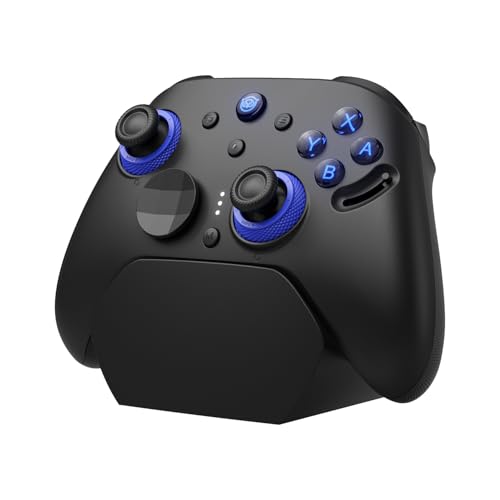
2. NYXI Imperial PC Gaming Controller
One pad that hops between PC, Switch and Android with adjustable stick tension.
Triple-mode connectivity covers 2.4GHz wireless, Bluetooth and wired, and the adjustable tension joysticks let you dial in the feel. Owners praise the build quality and the multi-day battery life on a single charge.
It is not compatible with Xbox or PlayStation consoles, so it is a PC-and-Switch-first pad. The interchangeable ABXY buttons divide opinion, though many find them a lifesaver.
What stands out
- Adjustable stick tension
- Long battery life
Keep in mind
- Not for Xbox or PlayStation
Great for: Players juggling several devices
Limitation: Console owners should look elsewhere
3. EasySMX D05 PC Controller
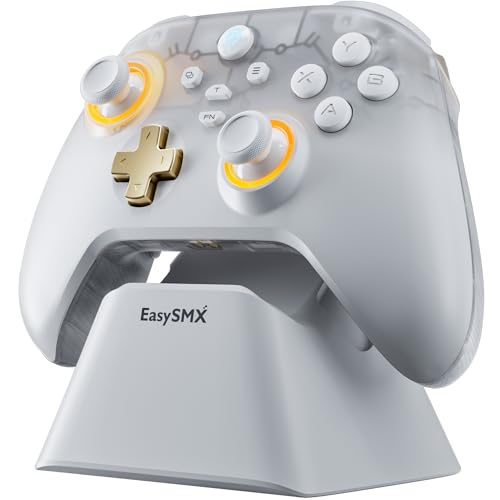
A pro-style pad with hall sensor sticks and a dock that keeps it topped up.
Hall sensor sticks aim to banish drift and dead zones, and the grippy texture and smooth thumbpads feel good in hand. The fast charging dock is a genuinely handy addition for desk setups.
Wireless connectivity is the weak point, with reports of frequent disconnections in wireless mode. Wired play is steadier, and value for money splits opinion.
Highlights
- Hall sensor sticks resist drift
- Fast charging dock
Watch out
- Wireless mode can disconnect
Suits: Desk players who want a dock
Caveat: Wireless reliability is mixed
4. QRD Spark N5 Wireless Controller
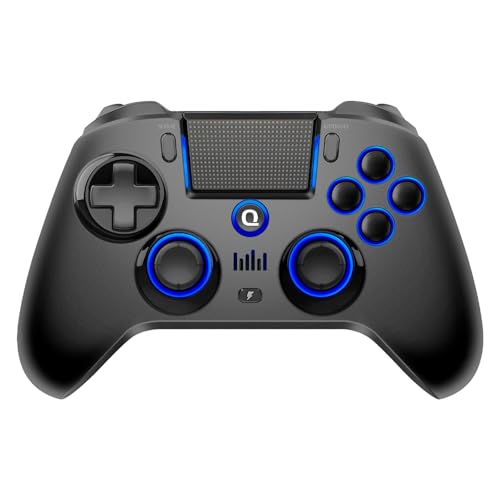
A flexible pad that covers PS4, PS3, Steam Deck and Mac in one package.
Bluetooth and USB support stretch across PS4, PS3, Steam Deck, PC and macOS, with a headphone jack, touchpad and speaker onboard. The ergonomic shape and adjustable vibration feedback make longer sessions comfortable.
Compatibility is broad but mixed in practice, and a firmware update is required for stable pairing and accurate button response. Value for money divides buyers.
Good to know
- Wide platform support
- Comfortable ergonomics
Trade-off
- Firmware update needed first
Ideal for: Retro and Steam Deck players
Limitation: Setup takes a firmware step
5. XBOX Wireless Gaming Controller + USB-C Cable | Carbon Black
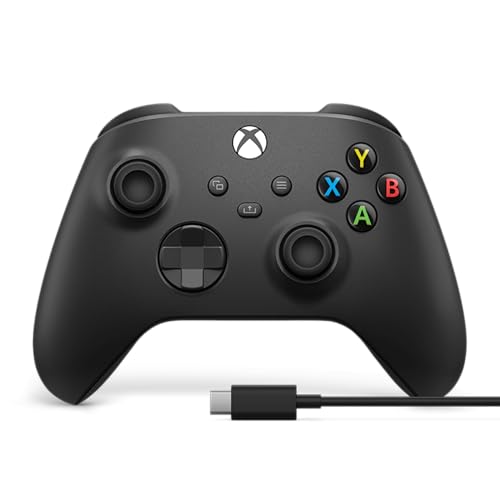
An Xbox pad bundled with a long USB-C cable for zero-setup wired play.
The Carbon Black controller ships with a 9′ USB-C cable, so you can plug in for wired play or go wireless right from the start. Build quality and reliability are the standout strengths owners keep coming back to.
Connectivity is mixed, with some players hitting connection problems, and stick drift is a recurring complaint that can make games unplayable. Treat the sticks with care.
Strengths
- Includes a 9′ USB-C cable
- Solid, reliable build
Honest caveat
- Stick drift reported over time
Best for: Players who prefer a wired setup
Caveat: Long-term stick wear is a risk
6. 8Bitdo Ultimate 2 Wireless Controller

An 8Bitdo collaboration pad tuned for PC, Apple and Steam with TMR sticks.
TMR joysticks promise higher sensitivity, precision and durability, and the back buttons and ergonomics win people over. It pairs quickly over Bluetooth and feels worth the price for the feature set.
It is not an Xbox pad, and some buyers find it will not work with Xbox consoles. Reliability and button functionality draw mixed notes, so check your specific game’s mapping.
Why it shines
- TMR sticks feel precise
- Great ergonomics and back buttons
Note
- Not for Xbox consoles
Great for: Mac and Steam gamers
Limitation: Xbox owners need another pad
7. PlayStation DualSense Wireless Controller
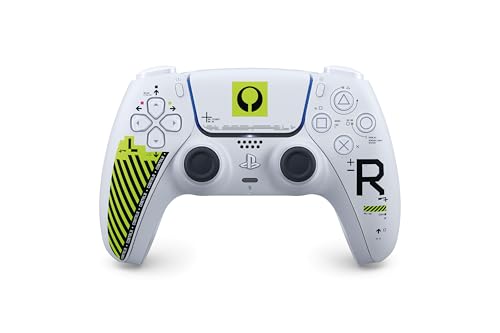
A collectible DualSense that keeps the haptics and adds a striking finish.
Haptic feedback and the built-in microphone carry over, and multi-device connectivity via USB-C or Bluetooth lets you play across more devices including Mac. Owners call it one of the best-feeling pads around.
The Marathon Limited Edition finish is the draw, but it is a pricey pick and value divides buyers. If you want the standard look for less, the Midnight Black version covers the same ground.
Highlights
- Great in-hand feel
- Striking limited finish
Trade-off
- Pricey for what it adds
Suits: Collectors who want the look
Caveat: Costs more than the standard pad
Common Questions
Do PlayStation controllers work on a Mac?
Is Bluetooth or wired better for Mac gaming?
Which pad is best for Steam on Mac?
The Bottom Line
For most people, the best controller for mac winner is the PlayStation DualSense® Wireless Controller – Midnight Black because it delivers the most complete console-grade feel with haptics and adaptive triggers that supported Mac games actually use. If you juggle several devices, NYXI Imperial PC Gaming Controller for PC, Switch, Android, TV is the flexible choice, while 8Bitdo Ultimate 2 Wireless Controller for PC, Apple, Steam&Android, WUCHANG is the value pick for Mac and Steam players. Prefer a wired setup? XBOX Wireless Gaming Controller + USB-C Cable | Carbon Black has you covered.
How we choose
We do not accept paid placement. Every pick is matched to a real buyer and a real use-case; we do not hands-on test units.
Sources
Specifications: manufacturer listings and product documentation. Review insights: verified customer reviews, as of November 2026. Pricing: not shown on this page (it changes often); check the current price via the retailer link.
As an Amazon Associate, My Heart Lives Here earns from qualifying purchases. This does not affect which products we feature.