Heads up: This post contains affiliate links. As an Amazon Associate I earn from qualifying purchases, at no extra cost to you. Learn more
Specs are compiled from manufacturer listings and verified buyer reviews and can change over time — please confirm the key details on the product page before buying.
A cheap e-ink display is the quietest upgrade you can make to a project — it holds an image with no backlight and barely sips power. These five panels cover the small touch screens and the big readable sheets, all without stretching the budget.
This guide is built by comparing the manufacturers’ published specifications and the patterns across verified customer reviews, so you get each pick’s real strengths and trade-offs instead of marketing spin.
A hands-on guide to the best cheap e-ink display panels for Raspberry Pi and ESP32 projects, from tiny touch screens to big readable sheets. Here is the best cheap e-ink display for your build.
Top Picks


Side-by-Side Comparison
| Model | Best For | Panel Size | Resolution | Interface | Amazon |
|---|---|---|---|---|---|
| Waveshare 2.13inch Touch E-Paper HAT★ Best Overall | touch-driven Pi Zero builds | 2.13 inch | 250×122 | GPIO | Amazon |
| 2PCS 2.13inch E-Ink Display HATBest Value Pair | spare-panel prototyping | 2.13 inch | 250×122 | SPI | Amazon |
| ELECROW ESP32 E-Ink Display 4.2 Inch | standalone e-paper projects | 4.2 inch | 400×300 | GPIO, USB | Amazon |
| 7.5inch e-Paper HAT 800×480 | wall-mounted information boards | 7.5 inch | 800×480 | SPI | Amazon |
| Waveshare 7.5inch E-Ink Display HAT | patient big-panel builders | 7.5 inch | 800×480 | SPI | Amazon |
Detailed Reviews
1. Waveshare 2.13inch Touch E-Paper HAT
A tiny touch panel that turns a Pi Zero into a pocket-sized interface.
This is the rare cheap e-ink display that adds touch — a 2.13-inch, 250×122 panel with five-point capacitive sensing and partial refresh, wrapped in an ABS case. It wakes on a user-defined gesture, so a swipe or tap can bring a sleeping project to life.
The honest trade-off is documentation: the manual exists online but leaves gaps, and several buyers found themselves hunting for setup help. Pair it with a Pi Zero and budget extra time for the first wiring session.
Why it wins
- Adds real capacitive touch
- Partial refresh keeps updates quick
Watch for
- Setup documentation is thin
Great for: Gesture-controlled badges and status screens
Skip if: You want plug-and-play instructions
2. 2PCS 2.13inch E-Ink Display HAT
Two panels in one box, so a failed experiment never stalls the build.
You get two 2.13-inch, 250×122 black-and-white HATs with the 40-pin GPIO header, plus cables and screws. Compatibility stretches across the Pi family and Jetson Nano, and the panels simply work once wired — quality and function are what buyers keep coming back to.
The limitation is scope: this is a small monochrome panel with no touch, so it suits readouts rather than interactive surfaces. Two units soften the sting, letting you prototype on one and deploy on the other.
What shines
- Two panels and cables in the pack
- Works across many Pi boards
Bear in mind
- No touch input
Ideal for: Makers who want a backup panel
Not for: Touch or gesture interfaces
3. ELECROW ESP32 E-Ink Display 4.2 Inch
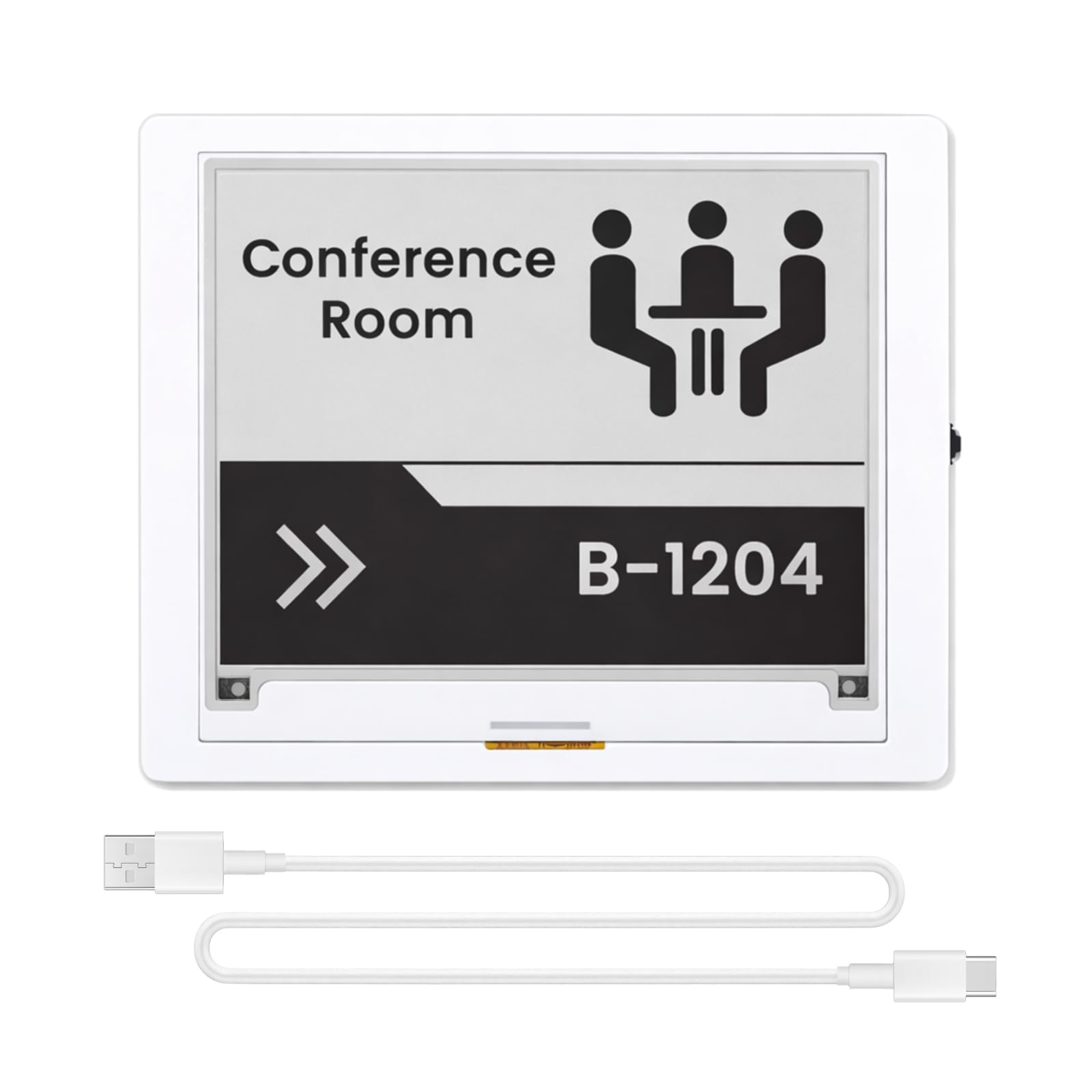
A self-contained e-paper board that skips the Raspberry Pi entirely.
This 4.2-inch panel carries its own ESP32-S3 controller, so it runs standalone over USB or GPIO with no host board required. The 400×300 screen keeps the classic e-reader feel, and power-off retention means the image stays put with the power cut.
Connectivity and battery life draw mixed reports, so plan your power budget carefully. Otherwise it is a straightforward, well-built development platform that owners consider good value for the money.
Why makers like it
- No host board needed
- Keeps its image with power off
Watch for
- Mixed reports on connectivity and battery life
Great for: Standalone dashboards and readers
Skip if: You need rock-solid wireless
4. 7.5inch e-Paper HAT 800×480

A large sheet of e-paper that reads like a printed page on your wall.
The 7.5-inch, 800×480 two-color HAT fits the Pi family, the Pico line and Jetson Nano through the standard 40-pin header. With no backlight, it holds its last image indefinitely once power drops, refreshing only when you tell it to.
That same low-power design means updates are deliberate rather than instant. Treat it as a display for information that changes slowly — a calendar, a weather board, a dashboard — and it rewards you with near-silent operation.
What shines
- Big, readable 800×480 canvas
- Holds content with power off
Bear in mind
- Refresh is slow by design
Ideal for: Calendars and weather dashboards
Not for: Fast-changing animation
5. Waveshare 7.5inch E-Ink Display HAT

The big-panel veteran with the widest pool of owner experience behind it.
This 7.5-inch, 800×480 HAT packs an embedded controller and talks SPI to the Pi family and Jetson Nano. The display quality is what people rave about — crisp, paper-like and genuinely impressive once it lights up your project.
Reliability is the recurring gripe: some units work flawlessly, others take real effort to bring to life. Read the online manual before you start, and be ready to troubleshoot the first connection.
Why it wins people over
- Striking display quality
- Embedded controller simplifies wiring
Watch for
- Setup can be hit or miss
Great for: Builders who enjoy a challenge
Skip if: You want guaranteed first-boot success
Common Questions
Do cheap e-ink displays need a Raspberry Pi?
Can these displays show anything when unplugged?
Why do some e-ink panels update slowly?
The Bottom Line
For most buyers, the best cheap e-ink display winner is the Waveshare 2.13inch Touch E-Paper E-Ink Display HAT Compatible with Raspberry Pi Zero/Zero W 250×122 Pixels with ABS Protection Case Supports Partial Refresh because it is the only pick that pairs a usable touch layer and partial refresh with a protective case, turning a bare panel into a real interface. If you want two panels for prototyping, look at 2PCS 2.13inch E-Ink Display HAT, 250×122 Pixel E-Paper, SPI Interface; for a standalone board with its own controller, ELECROW ESP32 E-Ink Display 4.2 Inch E-Paper HMI Display Black/White Color is the easier start. 7.5inch e-Paper HAT Compatible with Raspberry Pi 5/4B/3B+/Zero/Zero W/Zero 2W/Pico/Pico W/Pico 2/Pico 2W/Jetson Nano, 800×480 Resolution 7.5inch E-Ink Display HAT, SPI Interface,Black White Two-Color and Waveshare 7.5inch E-Ink Display HAT for Raspberry Pi 800×480 Resolution with Embedded Controller Communicating via SPI interface Supports Raspberry Pi Series Boards and Jetson Nano cover the big-sheet jobs when readability matters more than speed.
How we choose
We do not accept paid placement. Every pick is matched to a real buyer and a real use-case; we do not hands-on test units.
Sources
Specifications: manufacturer listings and product documentation. Review insights: verified customer reviews, as of November 2026. Pricing: not shown on this page (it changes often); check the current price via the retailer link.
As an Amazon Associate, My Heart Lives Here earns from qualifying purchases. This does not affect which products we feature.