Heads up: This post contains affiliate links. As an Amazon Associate I earn from qualifying purchases, at no extra cost to you. Learn more
Specs are compiled from manufacturer listings and verified buyer reviews and can change over time — please confirm the key details on the product page before buying.
You want a second screen you can actually carry, and the one thing that ruins most portable monitors is a dangling power cable hunting for an outlet. A battery powered computer monitor cuts that cord, so you can set up at a coffee shop, on a plane tray table, or at a client’s table without begging for a wall socket. Your pick depends on three things: a touchscreen, a 2.5K panel, or the longest runtime.
This guide is built by comparing the manufacturers’ published specifications and the patterns across verified customer reviews, so you get each pick’s real strengths and trade-offs instead of marketing spin.
Every monitor here runs on its own built-in battery, so no outlet hunt. Below are eight battery-powered panels, sorted by what each one does best. Every option runs on its own built-in battery, so your choice depends on screen quality, runtime, and how you plan to connect.
Top Picks

How To Choose The Best Battery Powered Computer Monitor
A battery powered computer monitor trades the guaranteed power of a desk outlet for freedom of placement, and that single swap decides almost everything else. You are choosing a screen that has to run its own panel, its own backlight, and often a wireless radio off a pack you charge yourself. Battery capacity and connection method decide the rest.
Start with how long you need to stay unplugged
Most cable-free panels in this group carry an 8000mAh battery (mAh is a measure of how much charge the pack holds), and that translates to roughly 4 to 5 hours of cord-free running on the wireless models. If a long-haul flight or an all-day offsite is your reality, that runtime is the number to weigh first. A shorter stretch, like a single meeting or a lunchtime work session, is comfortably covered by any of them.
Decide between wireless casting and a wired hookup
Wireless casting means beaming your screen over AirPlay or Miracast (two common screen-sharing standards), so no cable runs between your laptop and the monitor. It is the cleanest setup, but streaming apps like Netflix block it because of HDCP copyright protection, and some phones only mirror rather than extend. A wired USB-C or mini-HDMI connection is more stable and lower-latency, so keep a cable in the bag as your backup.
Weigh resolution against battery drain
Resolution is the pixel count on the panel, and a 1920 x 1080 image is the standard full-HD baseline for sharp text. A 2.5K panel at 2560 x 1600 shows finer detail for dense spreadsheets and long documents, but keep in mind wireless mode often caps at 1080P anyway. Match the resolution to the work: crisp text for writing and reading, standard full-HD for general second-screen duty.
Think about the stand and where it sits
A built-in kickstand lets you prop the monitor on any flat surface, while VESA mounting holes (a standard screw pattern for arms and brackets) let you hang it on a monitor arm back at the desk. If you split time between travel and a home office, having both options keeps one screen useful in two places.
Side-by-Side Comparison
| Model | Best For | Battery | Resolution | Screen Size | Amazon |
|---|---|---|---|---|---|
| UPERFECT 15.6” Touchscreen★ Best Overall | Touch-heavy work on the go | 8000mAh | 1920 x 1080 | 15.6″ | Amazon |
| ASUS ROG Strix XG17AHPEGaming Pick | High-refresh portable gaming | Up to 3 hours at 240Hz | 1920 x 1080 | 17.3″ | Amazon |
| HotYeah 15.6″ WirelessBest Brightness | Bright cable-free casting | 8000mAh, 4–5 hours | 1920 x 1080 | 15.6″ | Amazon |
| EVICIV 15.6″ Wireless | Travellers who want fast recharge | 8000mAh, up to 5 hours | 1920 x 1080 | 15.6″ | Amazon |
| ELECROW CrowView Note | A full laptop-style lapdock | 6000mAh | 1920 x 1080 | 15.6″ | Amazon |
| MAGICRAVEN 16″ 2.5K | Sharp text and fine detail | 8000mAh, up to 4 hours | 2560 x 1600 | 16″ | Amazon |
| KEEPTIME 15.6″ Wireless | Thin, light travel companion | 8000mAh, 4–5 hours | 1920 x 1080 | 15.6″ | Amazon |
| ViewSonic VG1656N | Office-grade wireless second screen | Built-in battery | 1920 x 1200 | 16″ | Amazon |
Detailed Reviews
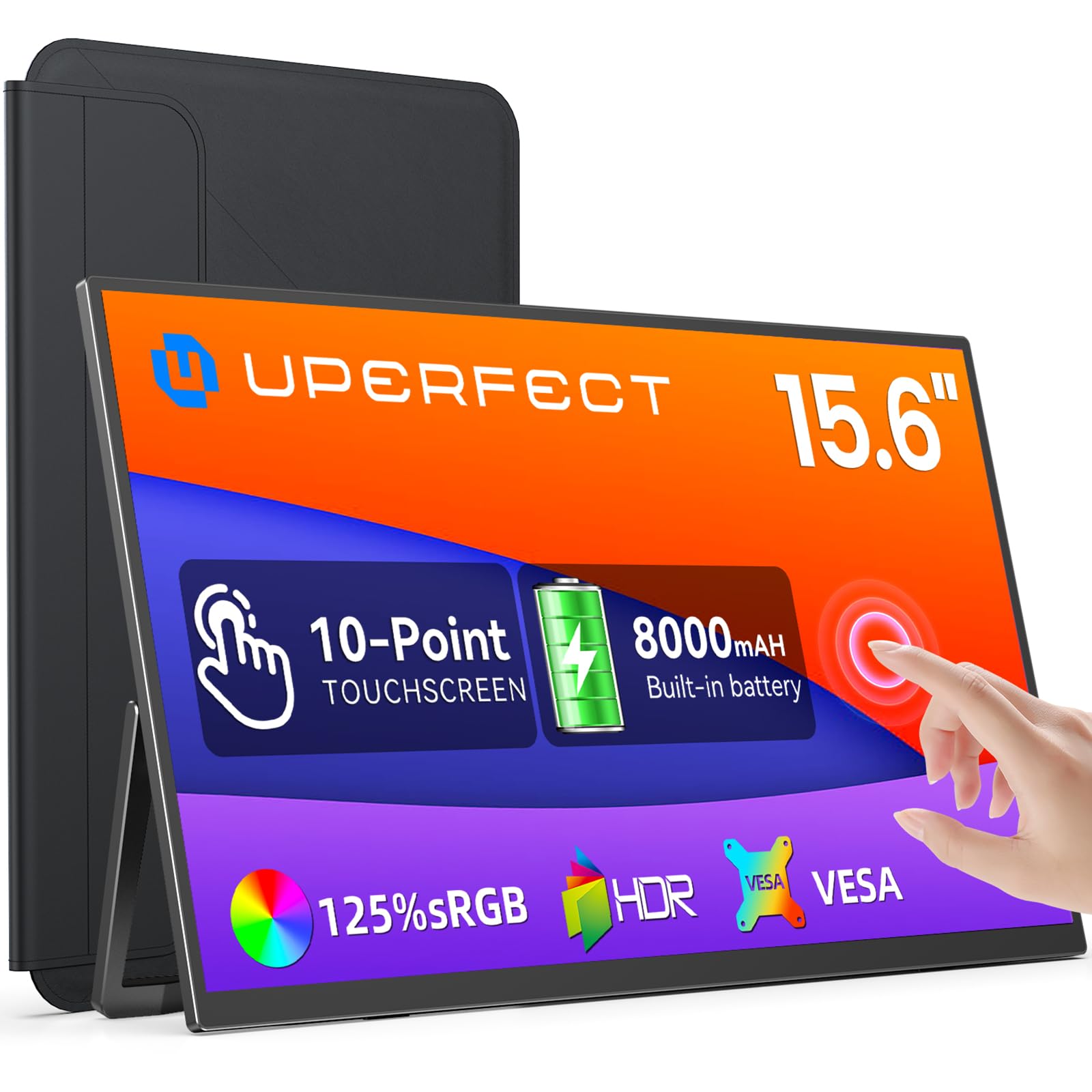
1. UPERFECT 15.6” Touchscreen Portable Monitor
Our pick — 4.5+★ from 1,000+ verified ratings; the strongest balance of quality and price.
The touchscreen travel monitor that lets your fingers do the clicking when there is no mouse in sight.
Reach out and tap: that is the pitch here. The 15.6-inch screen carries a 10-point touch layer, so you can tap apps, swipe through files, and pinch to zoom with your fingers rather than hunting for a mouse. It pairs with Windows machines, Android phones, and MacBooks over USB-C or mini HDMI. Just know the touch layer goes quiet when you hook up an iPad or iPhone, so it is really a touch tool for laptop and Android users.
You get a full remote-work session or an outdoor gaming stint away from a socket, thanks to an 8000mAh battery pack (a chunky internal power cell). That same pack doubles as a power bank, so you can top up a phone or headphones in a pinch. The screen is a 1920 x 1080 IPS display (IPS is a screen type known for steady color from wide angles) at 300 nits of brightness, so it stays readable in a bright room. A 1500:1 contrast ratio gives solid depth between light and dark.
Reviewers praise the build quality and portability above all. The build and overall quality draw the loudest praise, portability follows close behind, and buyers routinely note it slides into a briefcase alongside a laptop. Cables come in the box, so there is no scramble to buy extras. The honest catch sits in connectivity: the wireless-free nature of this one means you must wire it to your source, and that connection draws mixed feelings in the reviews, so keep the right cable handy.
Why it earns the top slot
- 10-point touch layer turns the screen into a finger-driven workspace
- 8000mAh battery doubles as an emergency power bank for your phone
- IPS panel at 1920 x 1080 keeps text crisp and colors steady off-angle
- Integrated stand plus VESA holes cover desk and arm setups
Where it asks for a cable
- Touch does not work when connected to an iPad or iPhone
- No wireless casting, so a cable always links it to your source
- Touch over mini HDMI needs separate power and a USB-A to USB-C link
Grab this one if: you want a finger-friendly second screen for laptop or Android work and are happy to run a cable.
Pass it over if: you need cable-free casting to an iPhone or iPad, since the touch layer and wireless both fall away there.
2. ASUS ROG Strix XG17AHPE Portable Gaming Monitor
A big, fast panel built for gamers who carry their console or laptop to the fight.
Fast camera swings in shooters read clearly instead of smearing, because the 17.3-inch panel refreshes at 240Hz (Hz, or hertz, counts how many times per second the image updates). That is four times the 60Hz of the HotYeah model below, so this is the one to beat on paper for smooth motion. A 3ms GTG response time (the lag between one pixel changing color and settling) keeps that speed honest, and Adaptive-Sync with FreeSync support smooths out screen tearing during play.
This is also the largest screen in the group at 17.3 inches, a touch bigger than the 15.6-inch frame most of these use, so split-screen work and wide game maps get more room. The built-in battery holds up to 3 hours at that 240Hz refresh rate, which is enough for a serious gaming session on the road. USB-C and micro-HDMI ports let it talk to phones, laptops, consoles, and cameras, and it ships with a smart case and the cables you need to start.
Here is the fair warning: a screen tuned for speed tends to split opinion on color and crispness. The display itself draws mixed reactions, with some loving the picture and others finding the clarity short of what they hoped for at this size. That 3-hour battery is also the shortest run time here, tied directly to the high refresh rate. If you want all-day cord-free desktop work, this is not the panel for that job.
Fast-motion specialist: 240Hz and 3ms put this far ahead of the 60Hz pack for competitive play, and the 17.3-inch footprint is the biggest you will find in this lineup.
Runtime reality: plan on charging after roughly 3 hours at full refresh, and weigh whether the mixed clarity feedback matters for your mix of work and play.
The gamer’s call: pick it for competitive titles and console sessions where 240Hz is the payoff.
The work-first view: for document and spreadsheet duty, a standard full-HD panel with longer runtime serves you better.
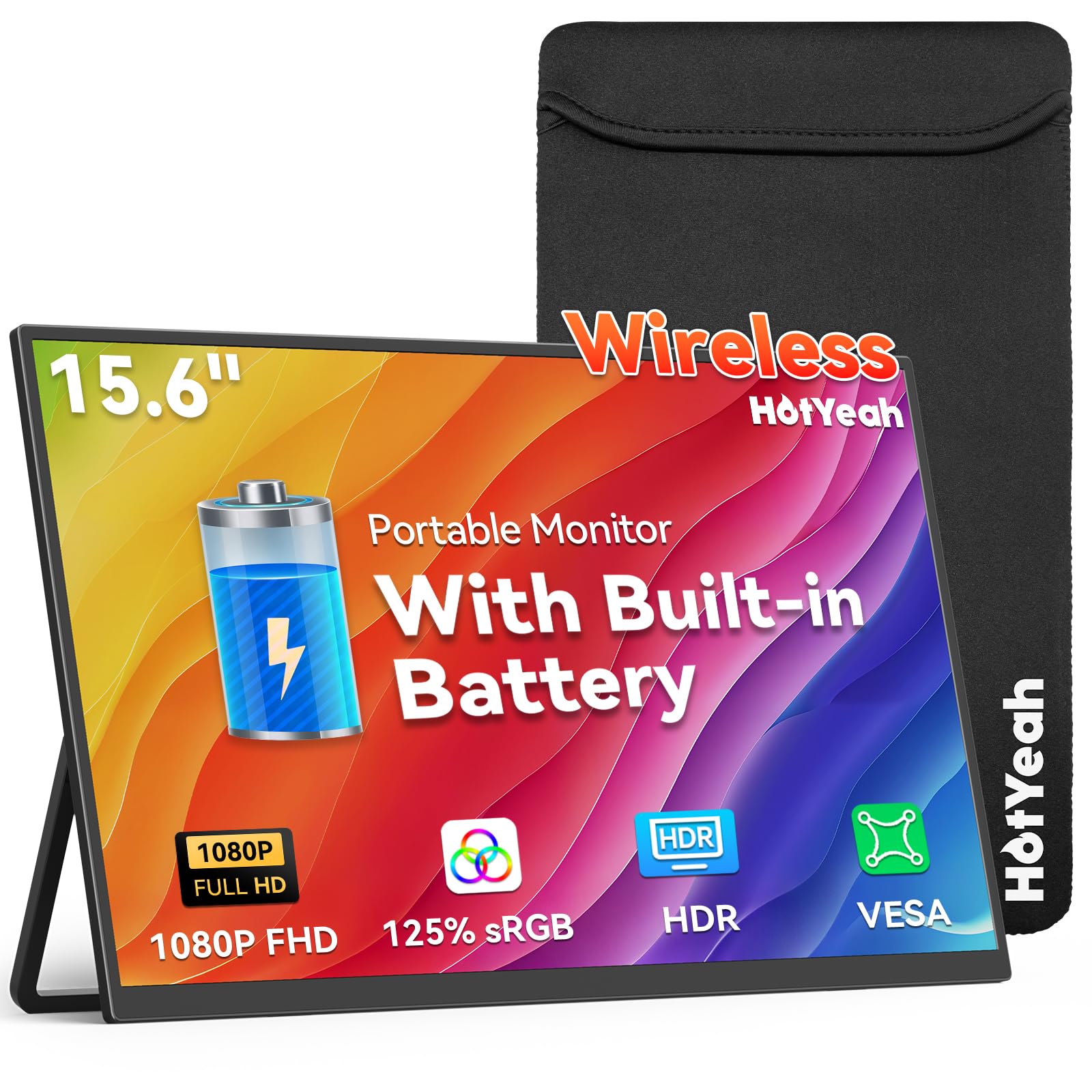
3. 15.6″ Wireless Portable Monitor
The cable-free caster that stays readable in a sunlit room, thanks to serious brightness.
Brightness is the headline here. The matte IPS panel pushes 400 nits (a nit measures screen brightness), which is the brightest in this group and the spec that keeps text legible near a window or on a patio. Color coverage reaches 125% sRGB for punchy, saturated visuals, and the 1920 x 1080 resolution at 60Hz handles everyday second-screen work cleanly. The anti-glare coating backs up the brightness number so reflections are not fighting you.
The wireless side is genuinely convenient: tap the screen-casting icon on your phone, tablet, or laptop and your display mirrors or extends over AirPlay or Miracast with no cable in sight. An 8000mAh battery gives 4 to 5 hours of that cord-free use, ideal for coffee shops and hotel rooms. A gravity sensor auto-rotates the screen when you spin it, but only for phones and tablets. Laptops need you to flip orientation in the display settings yourself.
There is a paper trail of caveats worth knowing before you buy. Streaming apps like Netflix and Hulu will not cast wirelessly because of HDCP copyright protection, and there is no Google Cast or Bluetooth support. Pixel and Chromebook owners must go wired. The element that splits opinion is reliability, where the monitor works straight from the box for many yet a slice find it quitting over time, so buying from a seller with a clear return window is smart here. What most agree on is the display quality itself, which is where this one shines.
Bright and colorful: 400 nits and 125% sRGB mean vivid, glare-resistant images that hold up in daylight, backed by an adjustable metal kickstand that swings to 180 degrees.
Know the wireless limits: phone casting is mirror-only and streaming apps are blocked, so the dual USB-C and mini HDMI ports are your reliable fallback.
Made for casters: the buyer who wants a bright, near-cableless screen for phone or tablet mirroring at a cafe table.
Look elsewhere if: you rely on Netflix casting or own a Pixel or Chromebook, where the wired path is your only option.
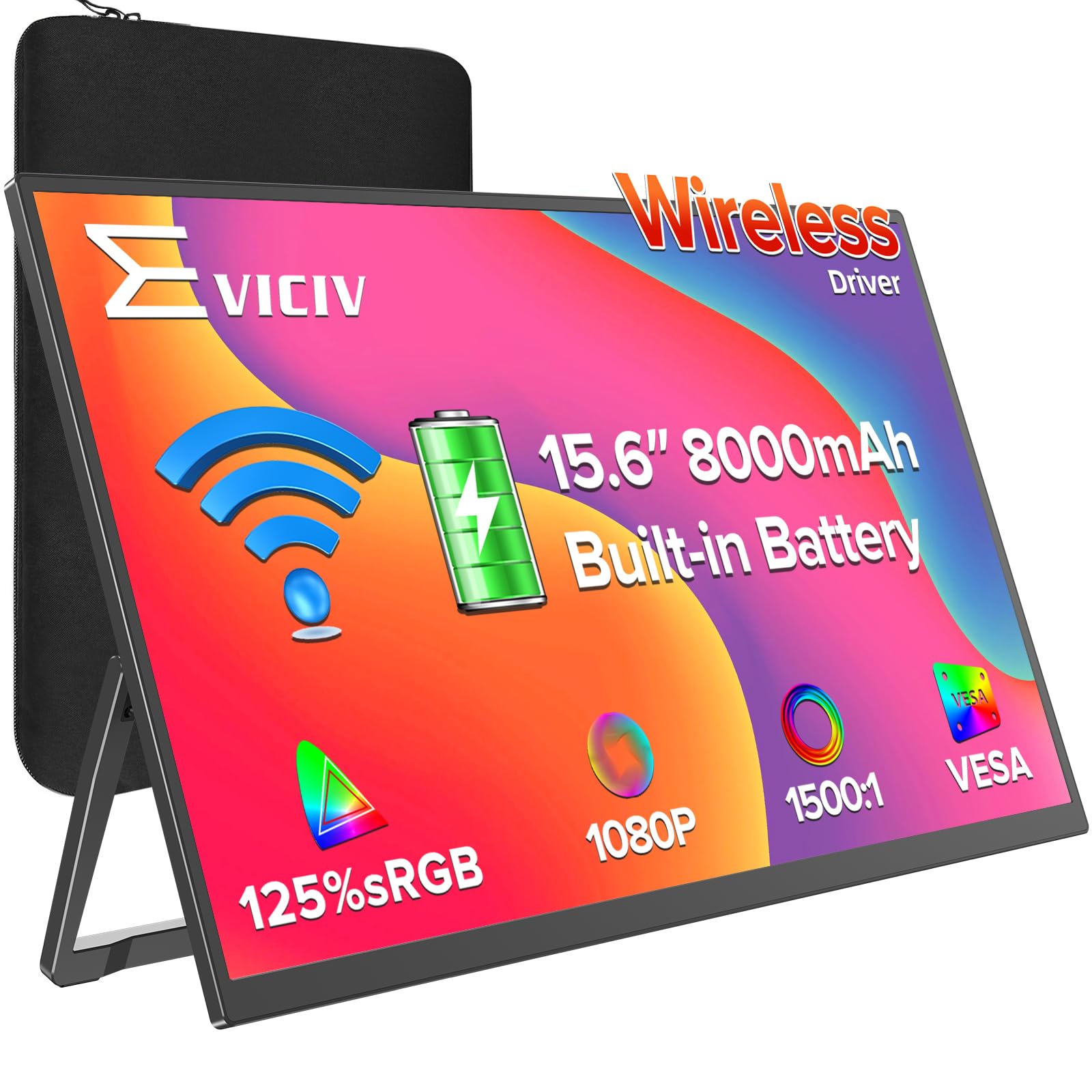
4. EVICIV Wireless Portable Monitor 15.6″
A featherweight wireless panel that refills to full in about the time it takes to grab lunch.
Two numbers define this one. It weighs 1.7 pounds and measures 0.23 inches thin, so it slips into a laptop bag without adding noticeable heft. And its 8000mAh battery recharges to 100% in about 2 hours with fast charging, which is the real draw for anyone who moves between meetings all day. Run time reaches up to 5 hours at standard brightness, a match for the HotYeah’s 4-to-5-hour window, and longer than the ASUS’s 3 hours at full refresh.
The wireless connection runs over Miracast and AirPlay, and it is built to hold a stable link even without a WiFi network around, which matters for a client presentation in a room with no connectivity. A high-precision gravity sensor flips the screen automatically when you rotate it with a phone attached. For reliability when a signal must not drop, one HDMI and two USB-C ports wait as a wired fallback, so a critical presentation can switch to a cable on the spot.
The screen is a 1920 x 1080 LCD at 350 nits with a 2000:1 contrast ratio and 125% color coverage, so images carry good depth and color. Owners describe the picture as crisp and note it plays nicely with Raspberry Pi, laptops, phones, and computers, and the touchscreen responds well when used that way. VESA compatibility at 75mm adds arm-mount flexibility back at a desk. It is the most balanced traveler in the group, with no single weak spec.
What travelers will love
- 1.7 lb and 0.23-inch body is genuinely carry-anywhere light
- Full recharge in about 2 hours keeps it ready between meetings
- Up to 5 hours of cord-free runtime beats the 3-hour ASUS
- Gravity sensor auto-rotates for phone-based vertical reading
The trade-offs to weigh
- 350 nits is dimmer than the 400-nit HotYeah panel
- Wireless mode is capped well below a wired image quality ceiling
- Streaming apps are limited on the wireless path, so keep a cable
An easy yes for: frequent flyers and meeting-hoppers who value light weight and a fast top-up over maximum brightness.
Think twice if: you work near bright windows all day and want the brightest panel available.
5. ELECROW 15.6″ Portable Monitor with Keyboard

More than a screen: a full laptop-shaped workstation you plug your phone or mini PC into.
This is the odd one out in the best possible way. Rather than a bare panel, the CrowView Note packs a 15.6-inch screen, a keyboard, a touchpad, and speakers into a laptop-style shell. Connect it to a phone, a Raspberry Pi, or a mini PC and you have an instant workstation with proper input built in. That makes it the pick for someone who wants the whole typing surface solved in one piece, not just an extra display.
The panel is a 1920 x 1080 full-HD IPS screen at 60Hz with 100% sRGB color coverage and 300 cd/m² of brightness (cd/m² and nits both describe brightness). Power comes from a 6000mAh battery, the smallest pack here, but it doubles as a charger for your phone or Raspberry Pi through the USB-C port. Upgraded Type-C fast charging at 45W tops the monitor up quickly, and USB-A, mini HDMI, and Type-C ports broaden what it can plug into, from laptops to PS4/5, Xbox, and Switch.
What earns trust here is the screen and the reliability that ride alongside it. The screen quality is what owners praise most, and reliability sits right behind it, with the versatility catching eyes as a SteamDeck companion and a handy way to charge an iPad or iPhone when connected. The build is where the grumbling lives: some find the construction short of what they expect, so treat the shell with a little care. It is a specialized tool, not a rugged road warrior.
One-piece workstation: keyboard, touchpad, speakers, and a 15.6-inch 1080P screen in a single unit removes the need to pack separate peripherals.
Battery nuance: the 6000mAh pack is the smallest in the group, so it favors shorter stints even as it shares power back to your phone.
The tinkerer’s pick: ideal if you run a Raspberry Pi, mini PC, or phone-as-desktop and want the whole laptop deck in one device.
Skip the lapdock if: you only want a plain second panel and would rather not pay for the built-in keyboard.
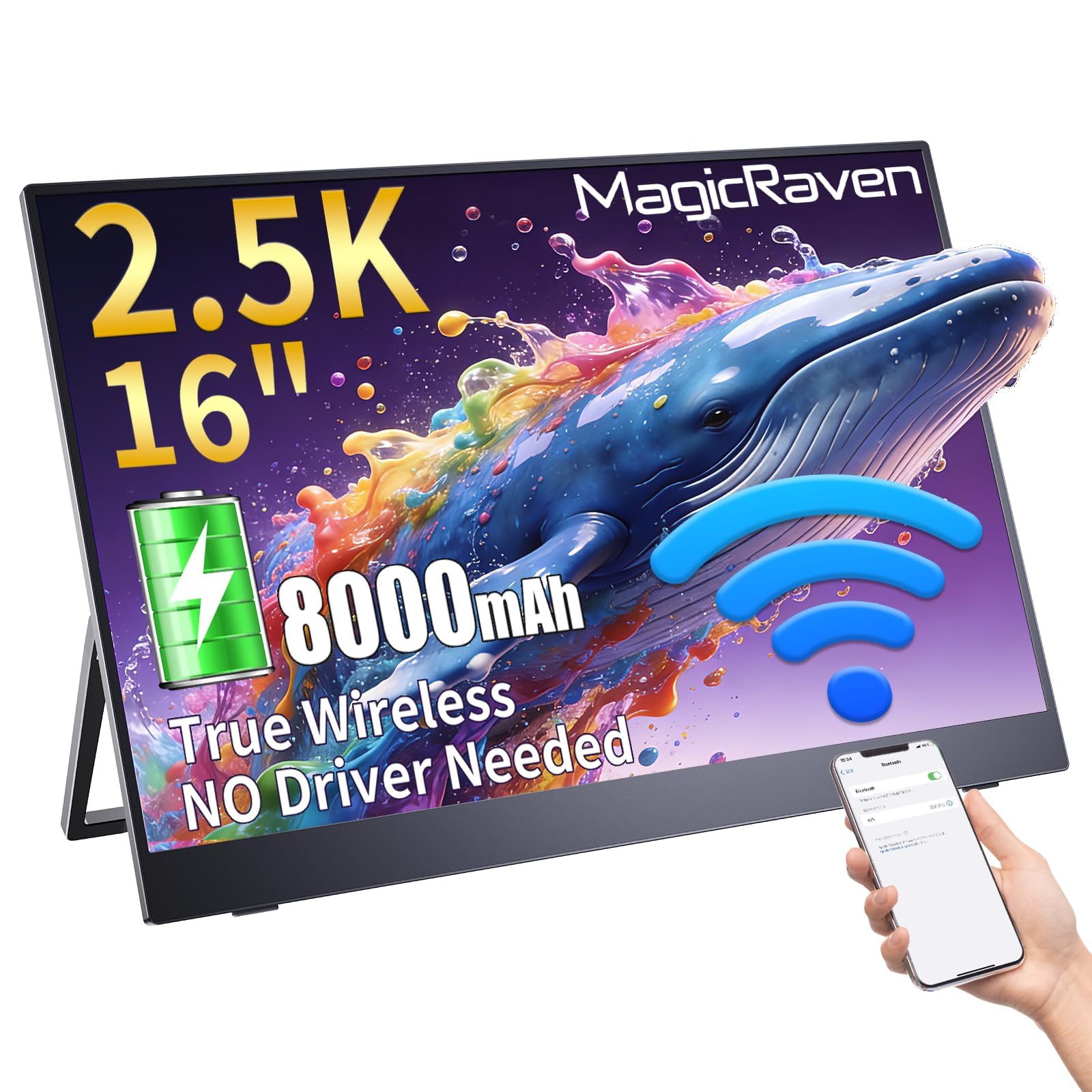
6. MAGICRAVEN 16″ Wireless Portable Monitor
The resolution king of the lineup, built for pixels so sharp the text almost cuts.
If crisp text is your whole reason for a second screen, start and end here. The 16-inch panel runs at 2560 x 1600, a 2.5K resolution that tops every 1920 x 1080 screen in this group, so dense spreadsheets and long documents stay pin-sharp. The 16:10 aspect ratio gives a little extra vertical room compared with the 16:9 panels most others use, which means fewer scrolls through a page. Just remember wireless mode caps at 1080P, so plug in over USB-C or HDMI to see the full 2.5K detail.
An 8000mAh battery gives up to 4 hours of cable-free work, and it can also pull charge from a power bank, so a wall outlet never becomes the hard limit. An upgraded low-latency wireless link keeps the setup clean, and the built-in gravity sensor flips between portrait and landscape on its own for coding or vertical content, though portrait is unavailable on MacBooks in wireless mode. A built-in stand sets up instantly, and VESA mounting handles a permanent desk arrangement.
The details people respond to are quality and picture clarity, with the sharp resolution and the dual USB-C plus HDMI connectivity earning steady praise. It fits in a backpack as a travel companion and sets up without fuss. The one thing to keep an honest eye on is long-term reliability, which draws a mixed read, so lean on the 3-year warranty and lifetime support the maker includes. Its 2560 x 1600 panel is the sharpest in this lineup, and it shows.
Detail that pays off
- 2560 x 1600 panel is the sharpest resolution in this lineup
- 16:10 aspect ratio fits more rows of a spreadsheet on screen
- 8000mAh battery can top up from a power bank for extra runtime
- 3-year warranty and lifetime support back the purchase
Small print to note
- Wireless mode drops to 1080P, so the 2.5K only shows wired
- Portrait auto-rotation is unavailable on MacBooks wirelessly
- Long-term reliability is the area reviewers watch most closely
Best for pixel-hounds: readers, coders, and spreadsheet workers who want the most detailed text in the group.
Not the budget route: if top resolution does not matter to you, a 1080P panel does the same job for less.
7. Wireless Portable Monitor 15.6″ 1080P IPS
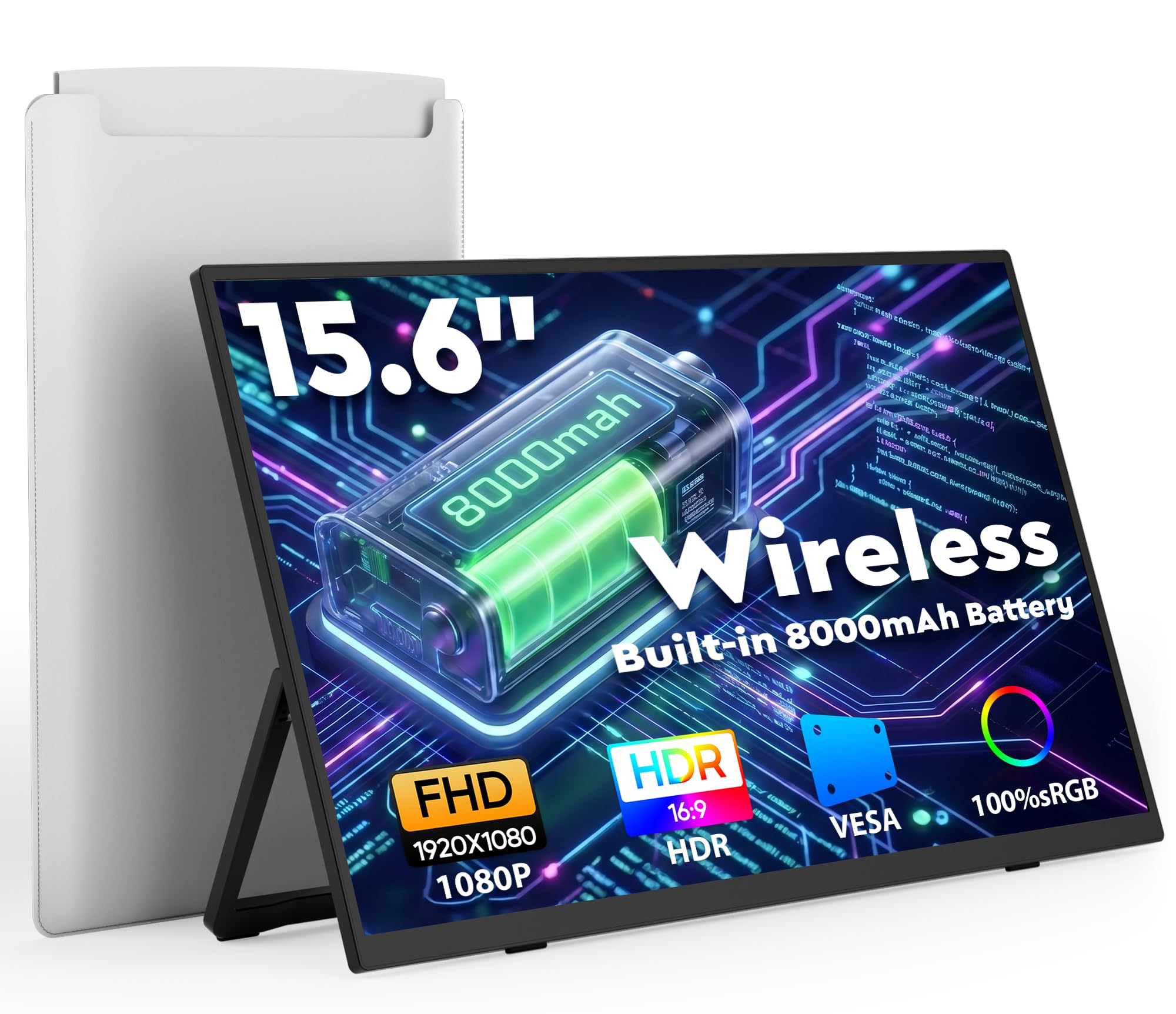
Built to disappear into a bag: a paper-thin screen that travels with its own carry case.
At 0.2 inches thick and 1.75 pounds, this is the slimmest and one of the lightest screens in the lineup, and it ships with a dedicated carry bag to match. If your priority is a monitor you forget you packed, that combination is the whole argument. The 15.6-inch IPS panel runs 1920 x 1080 at 60Hz with 100% sRGB coverage, so everyday second-screen work looks clean and correctly colored.
Wireless casting over AirPlay and Miracast connects in seconds with no driver installs, and the 8000mAh battery delivers 4 to 5 hours of cord-free use for meetings, flights, and outdoor work where outlets are scarce. A gravity sensor auto-rotates the picture for vertical reading, but, as with the other casters here, that flip only works on phones. Laptops need manual orientation changes in their display settings. Dual USB-C and mini HDMI ports stand by as a stable, low-latency wired fallback when you need certainty.
The setup is built for flexibility on the go: a built-in adjustable metal stand props it up anywhere, and 75 x 75mm VESA compatibility lets you hang it on an arm at the desk. The catch to plan around is the wired requirement for some devices. USB-C video needs your port to support DP ALT-MODE or Thunderbolt 3.0/4.0, so an older or basic laptop may need the mini HDMI cable instead. Check your ports before you commit.
Travel-first design: 0.2 inches thin, 1.75 pounds, plus a carry bag and a metal stand make this the easiest one to pack and prop up.
Port-check up front: confirm your laptop’s USB-C handles video, or plan on the mini HDMI path for a reliable wired backup.
Pack it and go: the right screen for frequent travelers who prize thinness and a bundled bag above all.
Check your ports first: if your laptop’s USB-C cannot output video, line up the mini HDMI cable before you rely on a wired session.
8. ViewSonic VG1656N 16 Inch 1200p Wireless Portable Monitor

A buttoned-down office monitor that happens to fold into a bag and run on its own battery.
This one is aimed squarely at work, not gaming. The 16-inch panel runs at 1920 x 1200 in a 16:10 shape, and that extra 120 pixels of height over a standard 1080P screen means more rows of a spreadsheet or document are visible without scrolling. It ships with a WiFi transmitter dongle for cable-free casting, an integrated battery for meetings away from an outlet, and a smart cover that doubles as a stand. Dual speakers round out the presentation-ready package.
The connectivity story is built around a two-way 60W USB-C port (60W, or watts, measures power delivery). That single port can carry video, audio, data, and power at once, so a compatible laptop sends the picture and charges the monitor through one cable. That keeps a mobile workstation tidy. Broad device support covers compatible Mac and PC laptops, and a 3-year warranty backs the whole thing for the long haul.
Set expectations on the panel and you will be happy. Brightness sits at 250 nits, which is the dimmer end of this group and best suited to indoor rooms rather than a sunny patio. A 1000:1 contrast ratio is standard for office work. What you gain is a cleaner, meeting-focused setup from a brand built for desk environments, with the WiFi dongle removing cable clutter when you present. It is a quieter, more corporate take on the cable-free second screen.
Work-first design: the 1920 x 1200 resolution and 16:10 ratio give documents and spreadsheets more vertical room, and the bundled WiFi dongle cuts cables for presentations.
Brightness reality: at 250 nits it suits conference rooms and home desks but not a bright outdoor table.
For the desk-and-meeting set: a solid pick for office workers who want a tidy wireless second screen from an established display brand.
Not your outdoor screen: if you work in daylight or on a patio often, a brighter panel serves you better.
Know the Specs
Battery capacity in mAh
Battery capacity is measured in mAh, or milliamp-hours, which tells you how much charge the internal pack holds. Most cable-free monitors here carry an 8000mAh battery, and that generally translates to 4 or 5 hours of wireless use. A larger number is not automatically better, because a bright screen or a high refresh rate drains the pack faster, so weigh capacity together with how you plan to run the panel.
Refresh rate in Hz
Refresh rate is written in Hz, or hertz, and counts how many times per second the screen redraws. Everyday monitors run at 60Hz, which is comfortable for documents and browsing. A gaming panel like the ASUS pushes to 240Hz for buttery motion, but that speed costs battery life, so a high-Hz screen usually runs shorter between charges.
Resolution and aspect ratio
Resolution is the pixel count, written as width by height, and 1920 x 1080 is the standard full-HD baseline for crisp text. A 2560 x 1600 screen shows finer detail for dense work. The aspect ratio, like 16:9 or 16:10, describes the screen’s shape: a 16:10 panel is a little taller, so you see more rows of a document before scrolling.
Brightness and contrast
Brightness is measured in nits (or cd/m²), and higher numbers stay readable in brighter rooms. 400 nits fights glare better than 250 nits. Contrast ratio, like 1500:1, describes the difference between the brightest white and deepest black, and a higher figure gives images more depth and pop.
Common Questions
How long does a battery powered computer monitor run on a charge?
Can I use a battery powered monitor as my only screen for a laptop?
Why do streaming apps like Netflix refuse to cast to a wireless monitor?
What is the difference between a wireless monitor and a wired one?
Will the touchscreen work when I connect my iPad or iPhone?
Do these monitors charge other devices too?
How much brightness do I need for outdoor use?
Does a 2.5K resolution work in wireless mode?
Do these portable monitors come with a stand or mount option?
Can I wall-mount a battery powered monitor in a fixed spot?
The Bottom Line
For most people, the battery powered computer monitor that balances ability and ease is the UPERFECT 15.6” Touchscreen, because its 10-point touch and 8000mAh power bank turn a bare screen into a finger-driven workspace you can carry. If you want paper-thin portability with a carry bag included, the KEEPTIME 15.6″ Wireless is the one to reach for. And for the sharpest text money can buy here, the MAGICRAVEN 16″ 2.5K delivers the finest detail in this lineup, which is the nudge to grab it if resolution is your priority.
How we choose
We do not accept paid placement. Every pick is matched to a real buyer and a real use-case; we do not hands-on test units.
Sources
Specifications: manufacturer listings and product documentation. Review insights: verified customer reviews, as of November 2026. Pricing: not shown on this page (it changes often); check the current price via the retailer link.
As an Amazon Associate, My Heart Lives Here earns from qualifying purchases. This does not affect which products we feature.