Heads up: This post contains affiliate links. As an Amazon Associate I earn from qualifying purchases, at no extra cost to you. Learn more
Specs are compiled from manufacturer listings and verified buyer reviews and can change over time — please confirm the key details on the product page before buying.
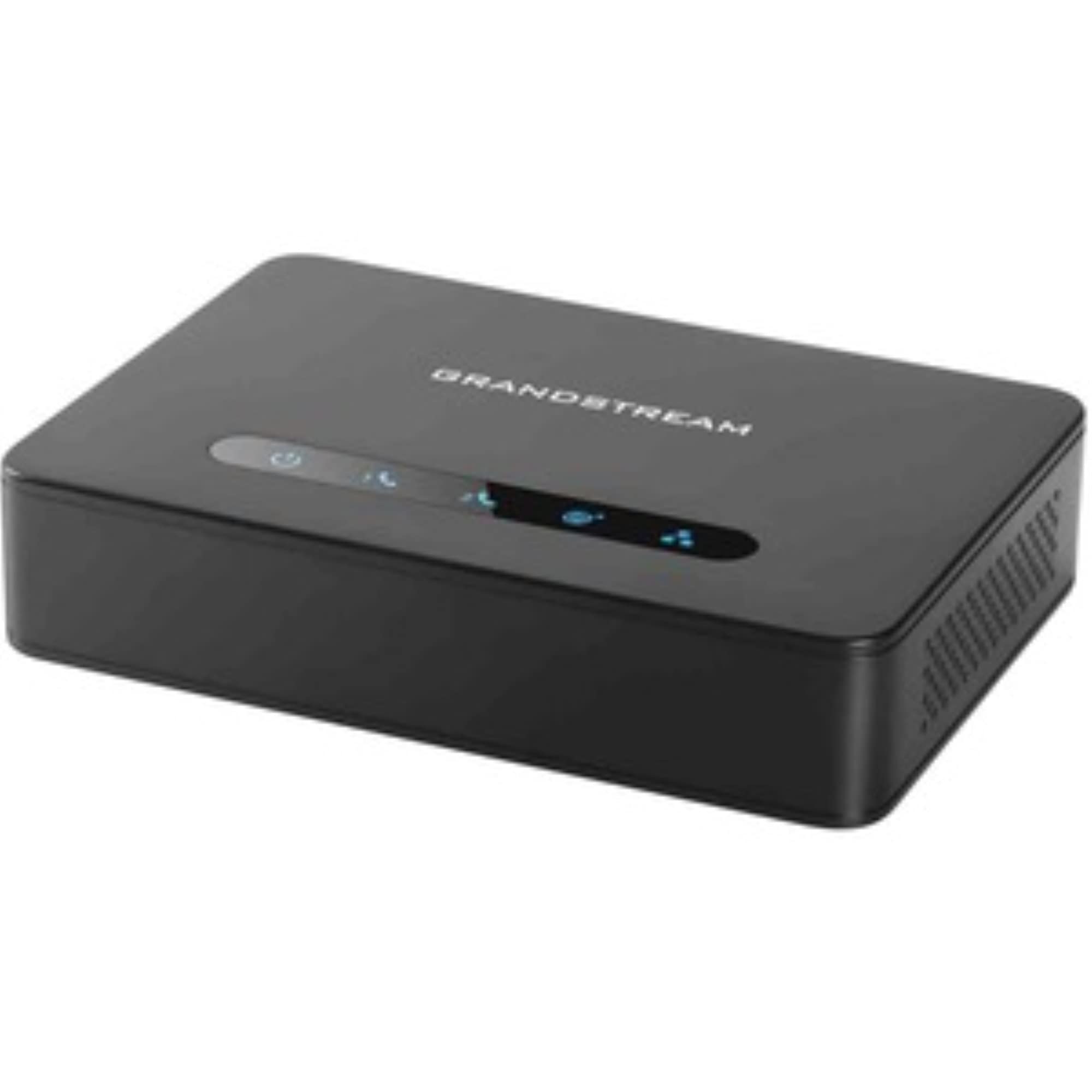
You have a landline phone you trust and a VoIP account you pay for, and the two refuse to speak to each other. That gap is exactly what an ATA (analog telephone adapter — a small box that translates an old-style phone signal into internet calling) is built to close. The short answer for most people: the Grandstream HT802 v2 is the safest pick, because it handles two phones at once, encrypts your calls, and has the deepest track record of the group.
This guide is built by comparing the manufacturers’ published specifications and the patterns across verified customer reviews, so you get each pick’s real strengths and trade-offs instead of marketing spin.
Two or three specs often decide whether your ata telephone adapter setup takes minutes or a week of head-scratching. This breakdown covers those specs port by port and phone line by phone line.
Top Picks

How To Choose The Best ATA Telephone Adapter
An ATA is a translator, not a phone system. It sits between your analog handset and your internet router and makes the handset look like a VoIP phone to your provider. Get the port count and the ethernet right and most of the rest falls into place.
Count your handsets before anything else
Each FXS port (the old-style phone jack on the adapter) drives one analog device. Two FXS ports means two phones, or one phone plus a fax machine. If you plan to keep a kitchen phone and a desk phone, you need two. If you also want a fax machine running, you need three jacks or a second adapter.
Gigabit ethernet versus 10/100
A 10/100 Mbps ethernet port moves data at up to 100 megabits per second, which is plenty for a voice call but leaves nothing spare for a router sitting behind it. A gigabit port (1000 Mbps) keeps your network at full speed when the adapter is inline with your computer or another device. Choose based on whether the adapter is a dead-end for phones or a pass-through for your whole desk.
Encryption is not optional
TLS (Transport Layer Security — the same encryption that secures a banking website) and SRTP (Secure Real-time Transport Protocol — encryption for the audio stream itself) protect your account credentials and your voice from being intercepted. Any adapter on your shortlist should list both. It is the single easiest spec to verify and the easiest one to regret skipping.
Fax machines need explicit support
Fax over IP is not automatic. It relies on T.38 (a standard for sending fax signals across an internet connection), and only adapters that name it can be trusted to carry a fax reliably. If a fax machine is part of your setup, this is a hard filter, not a nice-to-have.
Side-by-Side Comparison
| Model | Best For | FXS Ports | Ethernet | Fax / Encryption | Amazon |
|---|---|---|---|---|---|
| Grandstream HT802 v2 2xFXS Gateway★ Best Overall | Two phones on one small box | 2 | 1 x 10/100 Mbps | T.38 fax, TLS + SRTP | Amazon |
| Grandstream 2-Port ATA with Gigabit NAT RouterBuilt-In Router | Desk that needs a router too | 2 | Dual Gigabit | Not listed, TLS + SRTP | Amazon |
| Yeastar TA200 2 Port FXS Gateway | Small office remote extension | 2 | Not listed | Not listed, SIP standard | Amazon |
| Ubiquiti Talk Telephone Adapter | Existing UniFi deployments | Not listed | Not listed | Not listed | Amazon |
| Cisco ATA 191 Multiplatform Adapter | Single phone, tight desk space | 2 | 1 x 10/100 Mbps | Not listed, TLS + SHA-2 + sRTP | Amazon |
| Cisco ATA 192 Multiplatform Adapter | Paging and fax in one room | 2 | 2 x 10/100 Mbps | Not listed, TLS + SHA-2 + sRTP | Amazon |
Detailed Reviews
1. Grandstream HT802 v2 2xFXS Gateway
Our pick — 4.5+★ from 250+ verified ratings; the strongest balance of quality and price.
Two phone jacks and a fax line, on a box that almost nobody complains about.
The two FXS ports are the heart of it. Each one drives an old-style handset — a kitchen wall phone and a desk phone, for instance — so both ring and dial through your VoIP account at the same time. Grandstream also builds in 3-way voice conferencing, which means you can pull a second caller into a line without a separate bridge service.
What wins people over is plain device quality: it boots, registers, and keeps working. Compatibility runs a close second, and the sound report is clean: no echo, no choppiness on calls. It supports pulse dialing, a real mercy if you are keeping a genuinely old rotary-style handset alive. Custom ring patterns are on the table too, and caller ID arrives in a wide spread of formats so your provider’s version has a fair chance of displaying correctly.
The catch is setup: easy for some, fiddly for others. Grandstream also pushes a firmware upgrade to 1.0.19.11 or the latest version immediately, so plan on a first-session update before you trust it with your main line. If you run a Grandstream UCM series PBX, Zero Configuration provisioning handles most of that for you; without one, budget an evening with the TR-069 or XML config files.
What the box actually delivers
- Two FXS ports, so two analog handsets work side by side
- T.38 support carries Fax-over-IP from a real fax machine
- TLS and SRTP encrypt both the account and the call audio
- Failover SIP server jumps to a backup automatically if the main one drops
- TR-069 and XML config files keep provisioning repeatable across units
Where it asks for patience
- The single 10/100 Mbps port is the only network connection you get
- Setup is the most divided topic in its own feedback — easy for some, fiddly for others
- Requires an immediate firmware upgrade to 1.0.19.11 or newer
Reach for this if: you want two handsets and a fax on one adapter, and you are willing to read a setup page once.
Look elsewhere if: you need gigabit throughput through the adapter — the single 10/100 Mbps port will cap that run.
2. Grandstream Powerful 2-Port ATA with Gigabit NAT Router
The adapter that also plays router, for a desk where the ethernet jack is already spoken for.
Two gigabit ethernet ports are the reason this one earns its spot. Instead of dead-ending your network at the phone adapter, you can run a computer downstream and keep the connection at full speed. That is a different job than the HT802’s single 10/100 Mbps port does, and it is the right answer if the adapter sits between your wall jack and your PC.
You get two phone lines from one box: it carries 2 SIP profiles (the account settings that connect your calls) through 2 FXS ports (the jacks your regular phones plug into). The built-in NAT router (the part that directs internet traffic) handles routing at up to 100 Mbps — a separate figure from the gigabit port speed, and worth understanding before you buy. Performance is the thing it is known for: a dedicated SIP-to-analog converter that does not wander off mid-call. Value comes up as a recurring theme too, because you are effectively getting a small router and an ATA in one chassis.
It is also the largest box in this group — at 13″L x 9″W x 2.8″H it takes up a real footprint compared with the Cisco ATA 191, which measures 1.1″L x 3.9″W x 3.9″H. Setup draws the same divided reaction as most adapters in this class: easy for some, fiddly for others. The security side is covered with TLS and SRTP, so your call encryption is at the same level as the top pick — it is the port layout that separates them.
The port math: dual gigabit in, dual FXS out. If your desk is a wiring junction rather than just a phone point, this is the layout that saves you a switch.
Think about the footprint: at nearly a foot long, it wants a shelf edge or a cable tray, not a crowded corner.
The one to pick when: your desk doubles as a network junction and you want the adapter to pass traffic through at gigabit speed.
Space is the trade-off: 13 inches of length is a lot of real estate for a phone adapter.
3. Yeastar TA200 2 Port Fxs Gateway
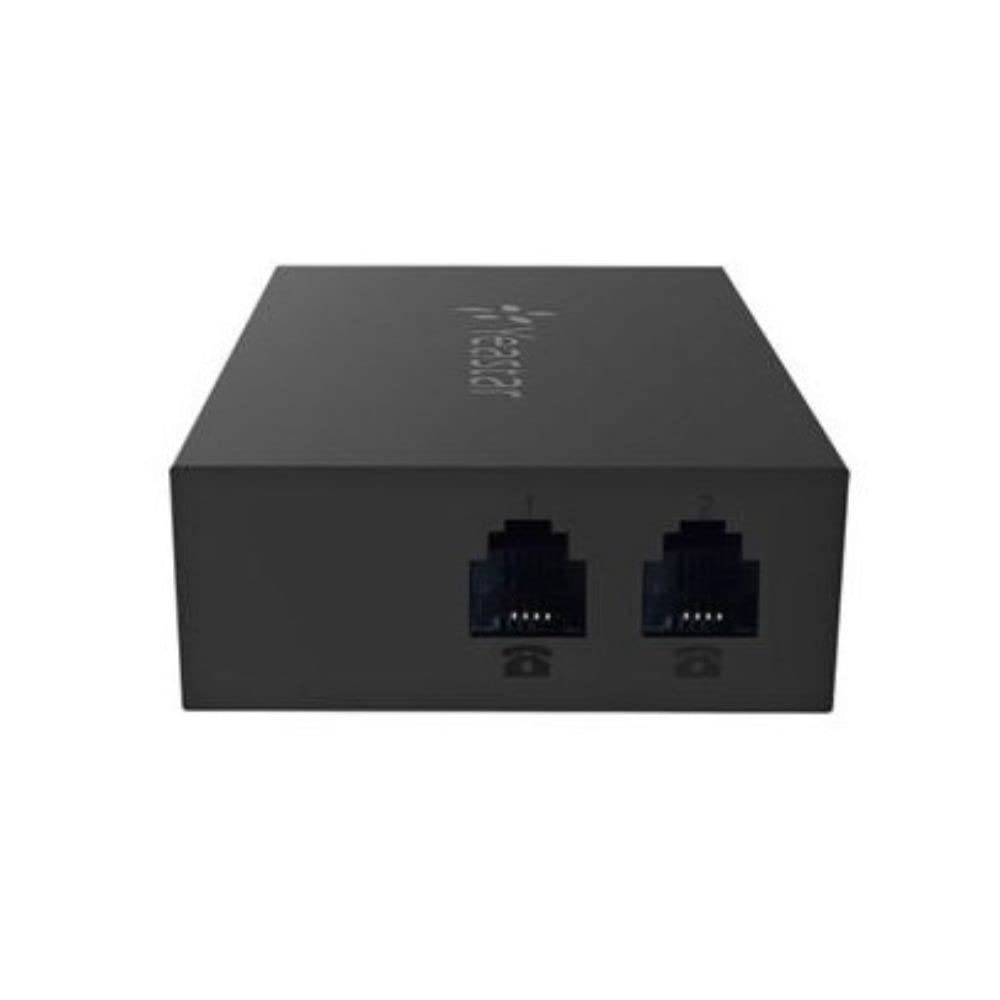
A bare-bones two-port converter built for the small office that needs one remote extension.
The pitch here is simplicity, not features. Two analog interfaces turn two existing phones or fax machines into IP-based endpoints, and Yeastar positions it squarely at home users and small businesses setting up a remote office.
Provisioning is where it earns its keep — FTP, TFTP and HTTP automatic provisioning mean you can push a config file from a server rather than hand-typing settings into every unit. Web-based configuration handles the local side, and the whole box sticks to the SIP standard, so it will talk to Yeastar’s own IP phone systems and other compatible ones. Multiline operation is supported, and there is a basic conference call function on board.
The honest limit is documentation depth: ethernet port count and encryption protocols are not published in the listing data. There is no shipped review commentary to lean on here, and several core specs — ethernet port count and encryption protocols among them — simply are not published in the listing data. That does not make it a bad adapter; it makes it a poor fit for anyone who needs to verify TLS and SRTP support before committing. It measures 3.94 x 18.9 x 19.69 inches, so measure your shelf before you assume it is the small one.
The provisioning angle: for an office wanting a repeatable remote setup, the FTP/TFTP/HTTP automation is a genuine time-saver.
The missing-spec question: when a listing does not state encryption protocols, ask the seller before you buy — it is not something to discover later.
Worth it for: a small business linking a couple of old handsets into an IP phone system with automated provisioning.
Verify before you buy: the encryption and ethernet specs are not stated on the listing, so confirm them with the seller first.
4. Ubiquiti Talk Telephone Adapter

Only worth it if UniFi already runs your network — otherwise the value curve falls off fast.
This is a UniFi product first and an analog adapter second. It plugs traditional analog telephones into an IP-based network and hands control to the UniFi ecosystem, where call routing and auto-attendant features become available through the console you already log into. If you are already running UniFi gear, that single-pane management is the whole argument.
Physically it is the opposite of the Grandstream router box. It measures 5.16 x 4.33 x 1.1 inches and weighs 0.6 kg, so it tucks onto a desk without needing a shelf of its own. The enclosure is plastic and the body is a plain black slab, which suits a device you configure once and then ignore.
The narrow fit is the caveat: outside UniFi, most of the feature set is unreachable. If UniFi does not already run your office, you lose most of the reason to buy it. The published data does not name an explicit FXS port count, ethernet rate, or encryption suite — so as an open-standard converter it asks you to take the spec on trust. It also lists 4 AA batteries as required, which is worth understanding before the box arrives. Buy this because UniFi already runs your office, not because you want a generic two-port gateway.
Why UniFi households gravitate here
- Managed through the UniFi console you already use for the rest of your network
- Call routing and auto-attendant features come through that same ecosystem
- Small desk footprint at 5.16 x 4.33 x 1.1 inches
What narrows its appeal
- Outside UniFi, most of the feature set simply is not reachable
- FXS port count and encryption suite are not stated in the listing data
- Listing notes 4 AA batteries required
Its natural owner: someone whose office already lives inside UniFi and wants phones managed from the same dashboard.
The honest boundary: bring this to a non-UniFi network and you are paying for a feature set you cannot switch on.
5. Cisco ATA 191 Multiplatform Analog Telephone Adapter
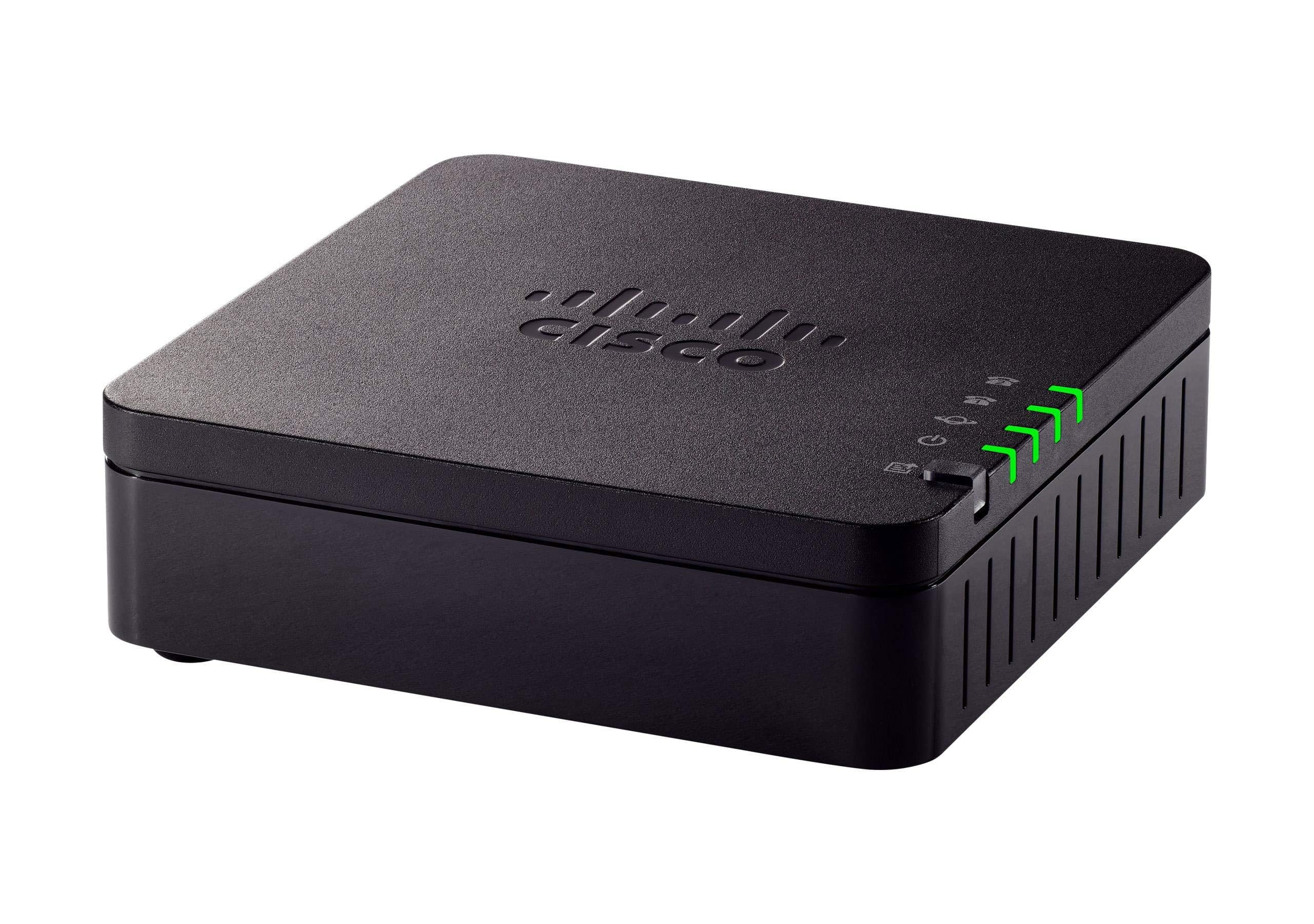
The adapter built around how a call sounds, not how many extras it can list.
Cisco puts the audio work front and center. Advanced preprocessing, high-performance echo cancellation, voice activity detection, and comfort noise generation all sit inside a box whose job is making an aging handset sound like a modern phone. If your current setup echoes or drops syllables, that spec list is the part to read twice.
The security suite is the most explicitly named in this group: TLS for the connection, SHA-2 (a modern hashing algorithm used to verify data integrity) and sRTP cipher suites for the audio. Hardware is a straight two-in-one-out arrangement — two RJ-11 FXS ports for handsets and one 10/100 Mbps RJ-45 ethernet port. It comes with a 1-year limited hardware warranty.
Two things to weigh. It is the smallest adapter here at 1.1″L x 3.9″W x 3.9″H and 4.64 ounces, which is a real advantage on a crowded desk but means nothing in a wiring closet. And reliability is the topic that divides opinion most — some users report a flawless run while others hit problems. Buy it for the voice engineering, and keep the 1-year warranty details handy. It is also worth checking your platform against the stated compatibility list before ordering.
The audio case: echo cancellation plus voice activity detection is a serious toolkit for a box this small, and it directly targets the complaint most analog setups produce.
The reliability read: experiences split rather than converge, so treat the 1-year hardware warranty as part of the product, not a footnote.
Choose it if: call clarity is your priority and one handset is all you need on the line.
Check first: confirm your phone platform appears on Cisco’s compatibility list — the multiplatform tag has a specific meaning.
6. Cisco ATA 192 Multiplatform Analog Telephone Adapter

The second ethernet port is the quiet reason a shop floor picks this one.
Where the ATA 191 gives you one ethernet port, the 192 gives you two — and that extra jack changes what you can do with it. Two 10/100 Mbps RJ-45 ports let the adapter sit inline rather than dead-ending the run, so a back-office terminal can share the same cable drop. It is the same family, just with one more door.
The supported device list is where it separates from its sibling. Cisco names traditional telephones, fax machines, and overhead paging communications devices as compatible, which makes it the pick for a workshop or warehouse that still runs a paging horn. Audio and security mirror the 191: advanced preprocessing, echo cancellation, voice activity detection, comfort noise generation, plus TLS, SHA-2 and sRTP cipher suites. Two RJ-11 FXS ports and the same 1-year limited hardware warranty round it out.
It is also nearly four times lighter on the scale than the Grandstream HT802 v2 — 132 g against 313 g — which matters if you are zip-tying it to a rack rail rather than setting it on a desk. The trade-off is that nothing in the listing data explains why one unit should behave better than another over time, so the reliability question sits open. Buy it for the second port and the paging support, not for a guarantee the first unit will be perfect.
Where the second port pays off
- Two 10/100 Mbps RJ-45 ports instead of one, so it can sit inline in a cable run
- Listed support for overhead paging devices, not just handsets and fax
- At 132 g it is the lighter of the two Cisco bodies — easy to mount
- TLS, SHA-2 and sRTP cipher suites cover both the link and the audio
What stays unresolved
- Both ethernet ports are 10/100 Mbps, so no gigabit passthrough
- Long-term reliability is not settled in the published feedback
- Paging support does not extend to devices not named on the compatibility list
Suits: a shop or warehouse clinging to an analog paging horn alongside its handsets.
Mind the ceiling: 10/100 Mbps on both ports means this is a phone endpoint, never a network backbone.
Know the Specs
FXS Ports And SIP Profiles
An FXS port is the jack your old phone plugs into — think of it as the adapter pretending to be a phone wall socket. Each port handles one analog device, so two ports mean two handsets or one handset plus a fax. SIP profiles are separate accounts or configurations the adapter can hold at once; two profiles through two FXS ports lets one box serve two different lines. Count your devices before you shop, because this is the one spec you cannot work around later.
T.38 And Fax Over IP
T.38 is a standard for pushing fax signals across an internet connection, and without it a fax machine generally will not complete a page. Regular voice compression mangles the tones a fax relies on, so the adapter needs to switch modes for the transmission. If fax is part of your workflow, treat T.38 as a required line item on the spec sheet, not a bonus feature you might use someday.
TLS, SRTP And SHA-2
TLS encrypts the connection between your adapter and your provider, the same way a browser lock protects a form submission. SRTP and sRTP encrypt the audio itself, which matters because the voice stream travels separately from the setup conversation. SHA-2 is a hashing algorithm used to verify data has not been altered in transit. All three together cover both the credentials and the conversation.
Gigabit Versus 10/100 Ethernet
A 10/100 Mbps port caps throughput at 100 megabits per second — fine for a voice call, cramped if a computer sits behind the adapter. A gigabit port keeps that downstream run at full network speed. Decide based on topology: a dead-end phone adapter needs only one modest port, while an inline adapter feeding a desk machine should pass gigabit so you do not bottleneck the whole desk.
Common Questions
Will an ATA work with my existing corded desk phone?
Can I keep my fax machine running through an ATA?
What is the difference between the Cisco ATA 191 and the ATA 192?
Does a gigabit port matter on a phone adapter?
What do TLS and SRTP actually protect on a VoIP call?
Will an ATA work with any VoIP provider?
Do I need the Ubiquiti adapter to be on a UniFi network?
How many analog phones can one adapter support?
Is it difficult to set up an ATA telephone adapter?
Why does the Grandstream HT802 v2 need a firmware upgrade right away?
The Bottom Line
The ata telephone adapter that earns the top spot is the Grandstream HT802 v2, because it covers the two things most home and small-office setups actually need: two FXS ports (phone jacks) for two handsets, and T.38 (a fax-over-internet standard) for the fax machine nobody wants to retire. Add TLS and SRTP encryption (security for calls) and automatic SIP failover (backup connection if the main one drops) and the important bases are closed. If your desk is really a wiring junction and you need gigabit passthrough (a full-speed network port), the Grandstream 2-Port ATA with Gigabit NAT Router is the inline answer. For a shop floor still running a paging horn, the Cisco ATA 192 names the hardware it supports and gives you a second ethernet port to insert into the run.
One last nudge: the HT802 v2 holds 4.5+ stars across 200+ ratings, the strongest showing of anything here. Upgrade the firmware, set your SIP profile, and let the old phones keep ringing.
How we choose
We do not accept paid placement. Every pick is matched to a real buyer and a real use-case; we do not hands-on test units.
Sources
Specifications: manufacturer listings and product documentation. Review insights: verified customer reviews, as of November 2026. Pricing: not shown on this page (it changes often); check the current price via the retailer link.
As an Amazon Associate, My Heart Lives Here earns from qualifying purchases. This does not affect which products we feature.