Heads up: This post contains affiliate links. As an Amazon Associate I earn from qualifying purchases, at no extra cost to you. Learn more
Specs are compiled from manufacturer listings and verified buyer reviews and can change over time — please confirm the key details on the product page before buying.
A controller is the difference between a case full of flickering LEDs and a lighting rig that actually obeys you. These five hubs cover everything from a simple button-driven ARGB box to a full software-synced ecosystem.
This guide is built by comparing the manufacturers’ published specifications and the patterns across verified customer reviews, so you get each pick’s real strengths and trade-offs instead of marketing spin.
A good ARGB controller decides whether your lighting syncs cleanly or fights you every boot. Here are the hubs that earn their place in the case. Which ARGB controller keeps your build in sync without the cable chaos?
Top Picks


Side-by-Side Comparison
| Model | Best For | ARGB Ports | Power | Sync Method | Amazon |
|---|---|---|---|---|---|
| NZXT RGB & Fan Controller★ Best Overall | Full NZXT builds | 6 | 4-pin | NZXT CAM | Amazon |
| Alphacool Aurora EiscontrolSimplest Setup | Software-free lighting | 2 | SATA | Onboard buttons | Amazon |
| ASUS TUF Gaming ARGB PWM Fan Hub | Six-fan cases | 6 | Dual SATA | Master control | Amazon |
| CORSAIR COMMANDER DUO | Mixed Corsair rigs | — | — | iCUE LINK | Amazon |
| Airgoo 16-Port USB ARGB Controller | Big ARGB arrays | 16 | SATA | USB software | Amazon |
Detailed Reviews
1. NZXT RGB & Fan Controller
Our pick — 4.5+★ from 900+ verified ratings; the strongest balance of quality and price.
A dual-purpose hub that handles both your lighting and your fan curves in one place.
Six lighting channels and enough fan headers to run a serious cooling stack make this the natural centre of a build. Everything is managed through NZXT CAM, and the magnetic body snaps onto a metal case panel instead of demanding screws.
The catch is cabling: it wants specific connectors that do not always come in the box, so check what your fans ship with before committing. It also leans hard on the NZXT ecosystem for the smoothest experience.
six RGB channels
- Runs fans and RGB together
- Magnet mount is painless
cable routing fuss
- Needs special cables not included
NZXT builds: Builders already inside the NZXT ecosystem
extra wiring: Extra cables may be required
2. Alphacool Aurora Eiscontrol
No software, no accounts — three buttons and two ARGB outputs, powered by SATA.
This is the no-fuss option: two 3-pin ARGB outputs and onboard buttons let you cycle lighting effects without ever opening an app. SATA power keeps it fed, and the small footprint tucks away easily behind a panel.
What you give up is depth. Two channels is a modest ceiling, and button-driven control means no per-LED programming or software syncing for elaborate layered effects.
addressable per port
- Zero software needed
- Tiny and easy to hide
short cable runs
- Only two ARGB channels
Aqua tuning: Anyone who wants lighting without an app
reach limits: No software-level effects
3. ASUS TUF Gaming ARGB PWM Fan Hub

A fan hub first and an RGB hub second, built to keep a six-fan case fed and lit.
Six PWM fan connections plus RGB passthrough make this a tidy way to bring a whole case of fans under one master control. Dual SATA connectors keep the power steady under full load, and visible power and operation indicators take the guesswork out of troubleshooting.
The magnetic mount sticks to a metal case surface in seconds. Value is the one thing people weigh up, so compare it against simpler splitters if you only need a couple of fans.
TUF PWM hub
- Status indicators help diagnose
- Magnetic mounting is quick
price creep
- Value is debatable versus splitters
ASUS rigs: Builds running a full set of PWM fans
budget watch: Costlier than a basic splitter
4. CORSAIR COMMANDER DUO
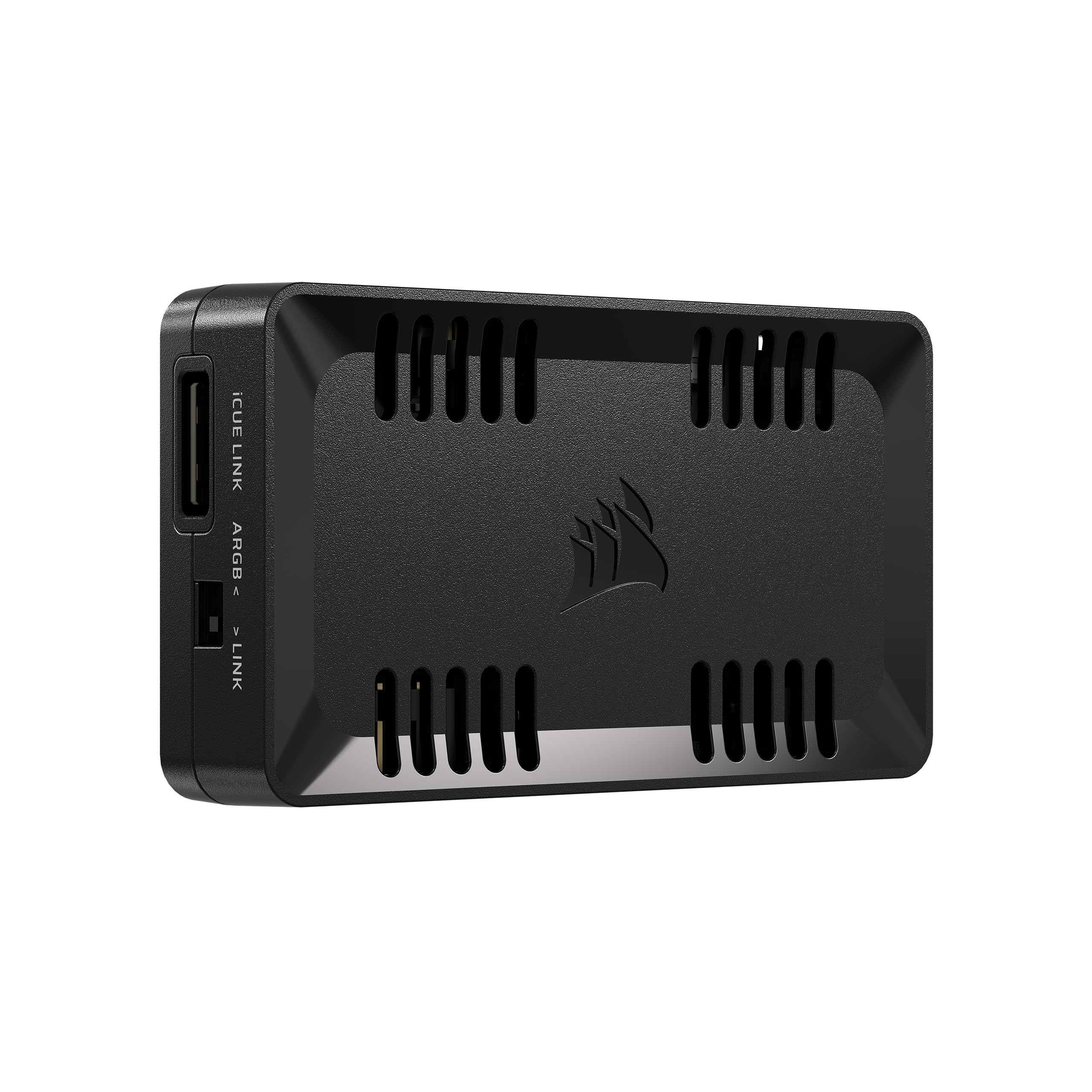
One box that speaks both to ordinary ARGB PWM fans and to Corsair’s own link devices.
This controller is built to unify two fan and lighting ecosystems under one interface, so a mixed Corsair-and-standard setup stops needing two separate brains. Setup is straightforward and fan control behaves predictably once configured.
Build quality divides opinion — some units feel excellent, others merely average — and the software side of things is the usual Corsair caveat. It rewards you most if you are already invested in that ecosystem.
iCUE LINK pairing
- Bridges two ecosystems
- Clean single interface
brand lock-in
- Build quality varies between units
Corsair setups: Corsair owners mixing fan types
dongle cost: Best value only inside iCUE
5. Airgoo 16-Port USB ARGB Controller
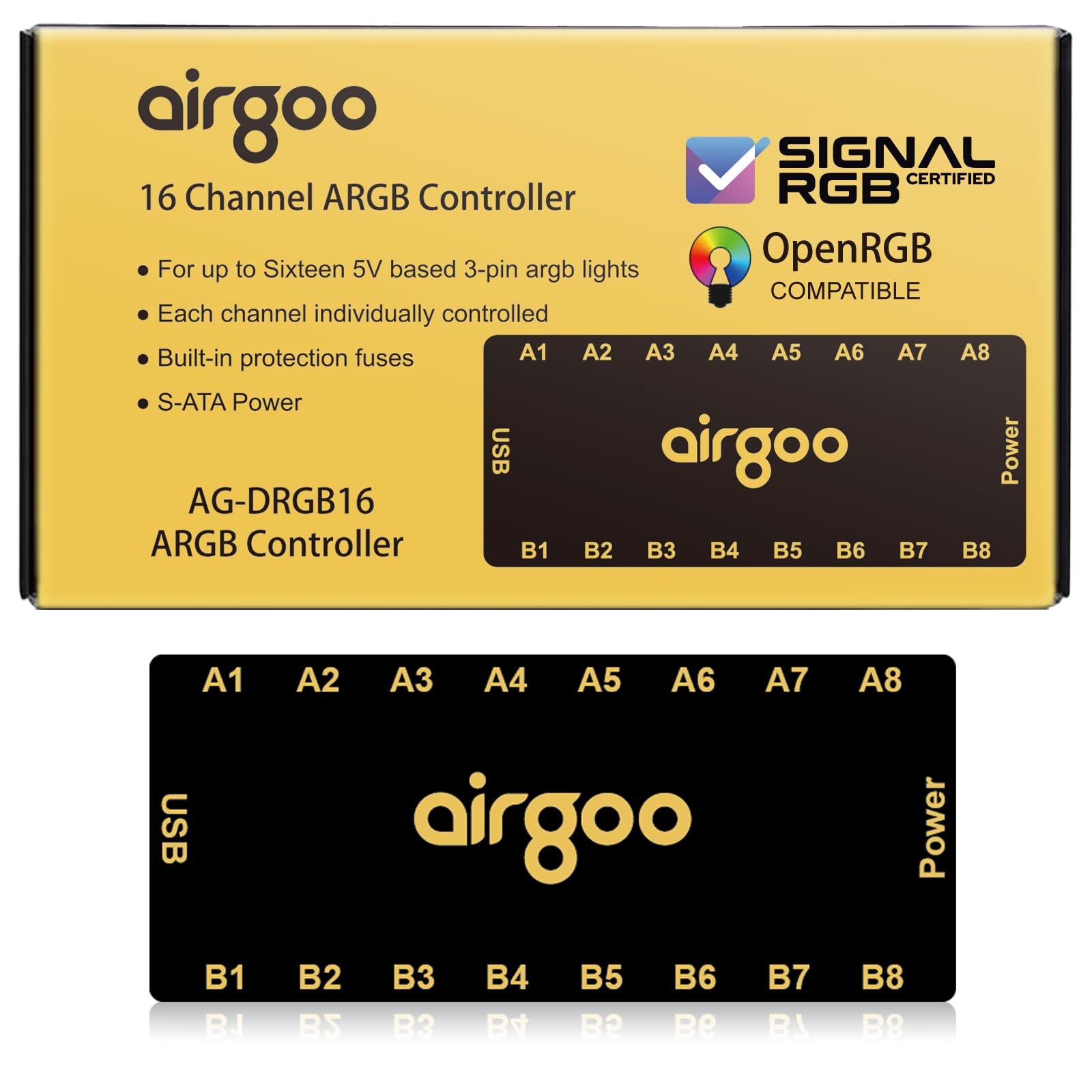
Sixteen ARGB ports on a magnetic strip, made for sprawling multi-device light shows.
Sixteen 5V 3-pin ports with independent channel control turn a motherboard header shortage into a non-issue, and each channel carries a generous LED load. It plays happily with SignalRGB and OpenRGB, and setup is genuinely plug-and-play over USB.
The strong magnets hold it firmly to a steel panel. The trade-off is that this is a lighting hub only — it does nothing for fan speed, so plan your cooling separately.
sixteen USB ports
- Huge port count
- Works with SignalRGB and OpenRGB
no fan control
- No fan control at all
magnetic mounting: Builders with many ARGB devices
lighting only: Fans need separate control
Common Questions
Do I need a controller if my motherboard has ARGB headers?
Can an ARGB controller also control fan speed?
Will these work with SignalRGB or OpenRGB?
The Bottom Line
For the majority of shoppers, the best argb controller winner is the NZXT RGB & Fan Controller – AC-CRFR0-B1-6 RGB Lighting Channels – 3 Fan Channels – RGB Lighting Customization – Black because it is the only pick that manages both the fan curves and the lighting from one place, with a magnet mount that makes installation genuinely easy. If you want lighting without any software, Alphacool Aurora Eiscontrol Addressable RGB Controller – Black (15360) is the simplest route, while Airgoo 16-Port Magnetic-Mount USB ARGB Controller Support SignalRGB OpenRGB handles sprawling ARGB arrays and CORSAIR COMMANDER DUO iCUE LINK RGB Lighting and Fan Controller – Black makes most sense for a mixed Corsair build.
How we choose
We do not accept paid placement. Every pick is matched to a real buyer and a real use-case; we do not hands-on test units.
Sources
Specifications: manufacturer listings and product documentation. Review insights: verified customer reviews, as of November 2026. Pricing: not shown on this page (it changes often); check the current price via the retailer link.
As an Amazon Associate, My Heart Lives Here earns from qualifying purchases. This does not affect which products we feature.