Heads up: This post contains affiliate links. As an Amazon Associate I earn from qualifying purchases, at no extra cost to you. Learn more
Specs are compiled from manufacturer listings and verified buyer reviews and can change over time — please confirm the key details on the product page before buying.
You want more than one screen floating in front of your eyes — real desktop space you can spread out in, without a desk to pay rent on. The catch is that most AR glasses sold today were built for watching movies, not for running your workday across several windows. Here is the plain truth: the single most important number on a pair of monitor-replacement glasses is not screen size or brightness — it is whether the display actually holds three separate windows stable in space without wobbling.
This guide is built by comparing the manufacturers’ published specifications and the patterns across verified customer reviews, so you get each pick’s real strengths and trade-offs instead of marketing spin.
A pair that lists a huge virtual screen but no spatial anchoring will still only mirror your laptop, so knowing which specs decide that matters. Every pick below was judged on how well it turns one small laptop into a workable multi-window setup, which is the whole point of ar glasses for multiple monitors.
Top Picks

How To Choose The Best AR Glasses for Multiple Monitors
The wrong assumption most first-time buyers carry is that any big virtual screen means more room to work. It does not. A giant virtual display can still be a single mirrored window, and no amount of inches fixes that. You need to check three things in order: does it anchor windows in space, does it support more than one screen, and is the text sharp enough to read for hours.
Spatial anchoring separates a desk from a movie
3DoF means three degrees of freedom — a motion sensor that keeps a window parked at a fixed point in the room while your head moves. That is what lets you glance left at one window and right at another. 0DoF, in contrast, glues the display to your face, so every head turn drags the whole image with you. For multi-monitor work, 0DoF is a movie mode, not a workspace. Pair a spatial anchor with a PC software layer and you can place several windows side by side.
Per-eye resolution and PPD decide readable text
Pixel density, measured in PPD (pixels per degree of your field of view), is the number that predicts whether small text stays crisp. A headline resolution can look impressive and still blur at the edges if the optics struggle. When you read documents all day, edge clarity matters as much as the center. Models that publish an exact PPD figure are telling you they expect you to read on them.
Connection type caps how many windows you get
A USB-C port that carries DisplayPort video can push real desktop output to the glasses. A port that only mirrors or only works over a wireless casting standard may be limited to a single screen. Laptops running Mac OS or Windows with a proper app layer open up multi-screen and ultra-wide modes. Phones tend to be more restricted, and a phone that lacks DisplayPort output may need an adapter.
Brightness, dimming, and fit for long sessions
Brightness in nits decides whether the image survives a lit room. A dimming film — a coating that darkens the lens electrochemically — lets you block the room when you need focus. IPD, the distance between your pupils, decides whether the image lands cleanly on both eyes. Pairs sold in two IPD sizes fit far more people than a one-size frame, and nose-pad options help spread the weight for longer stretches.
Side-by-Side Comparison
| Model | Best For | Virtual Screen | Refresh Rate | Spatial / Multi-Screen | Amazon |
|---|---|---|---|---|---|
| Rokid Max 2 AR Glasses Silver★ Best Overall | Big-screen viewing on a budget | 215 inches (Micro-OLED) | — | Single display | Amazon |
| VITURE Luma ProAlso Great | Sharpest daily driver | 152 inches (1200p) | 120Hz | Up to three screens via SpaceWalker | Amazon |
| XREAL One ProTop Performer | Widest field of view | 171 inches | 120Hz | 3DoF, 6DoF with XREAL Eye | Amazon |
| HUD Display Sports Glasses | Cycling and hiking metrics | Dual-eye HUD | — | — | Amazon |
| RayNeo Air 4 Pro | HDR movies and gaming | 201 inches (HDR10) | 120Hz | Single display, 2D-to-3D | Amazon |
| TOZO VIZO Z1 Pro | Bright OLED entertainment | 160 inches (Micro-OLED) | 120Hz | Single display | Amazon |
| INAIR 2 Pro | Multi-screen office work | 135 inches, 49 PPD | 120Hz | Up to four screens with app | Amazon |
| XREAL 1S | Native 3DoF plug-and-play | 500 inches | 120Hz | 3DoF, Ultrawide 32:9 / 21:9 | Amazon |
| Rokid AR Spatial (Max2 + Station2) | All-in-one 3-screen setup | 360 inches (Micro-OLED) | 120Hz | 3-screen multitasking | Amazon |
| VITURE Luma Ultra | Brightest 6DoF option | 152 inches (1200p) | 120Hz | Full 6DoF with Pro Neckband | Amazon |
Detailed Reviews
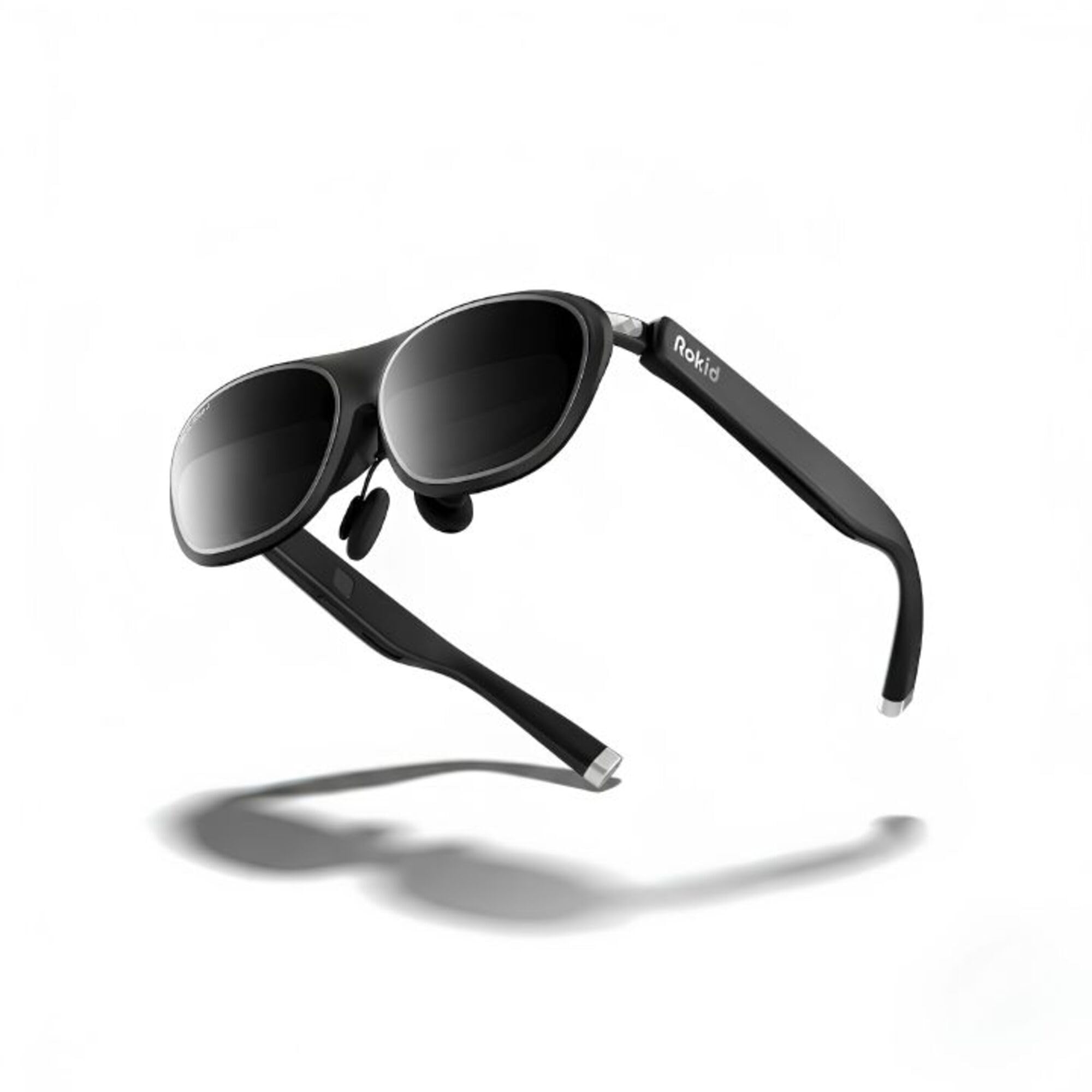
1. Rokid Max 2 AR Glasses Silver
A 215-inch Micro-OLED screen and high-contrast visuals at the lowest entry point here.
This is the simplest way into a big virtual screen. The 215-inch Micro-OLED display delivers high-contrast visuals and lifelike imagery, aimed at movies, shows, and games rather than a multi-window desk. Adjustable nose pads and a slip-resistant frame keep the 215-inch screen steady through longer viewing sessions. Adjustable nose pads, included in the package, let you dial in the screen fit to your face. The package measures 8.54 x 4.92 x 4.09 inches.
There is an important boundary to know: this is a single display, so the multi-monitor trick does not live here. Myopia correction is built to a limit — anyone stronger than 600 diopters needs to buy prescription lenses separately, and frames are sold separately too. Device compatibility depends on the specific brand and model, so check the flagship store for your device before you commit. If your goal is one large, contrasty Micro-OLED screen for movies and games on a budget, it does the core job.
Why it earns a spot: the 215-inch Micro-OLED canvas is larger than many pricier pairs, at the friendliest tier.
The trade-off: no spatial multi-screen anchoring, and strong prescriptions need separate lenses.
Go here if: you want an entry-level big screen mainly for movies and games.
Look up the list if: your real need is spreading multiple windows across your view.
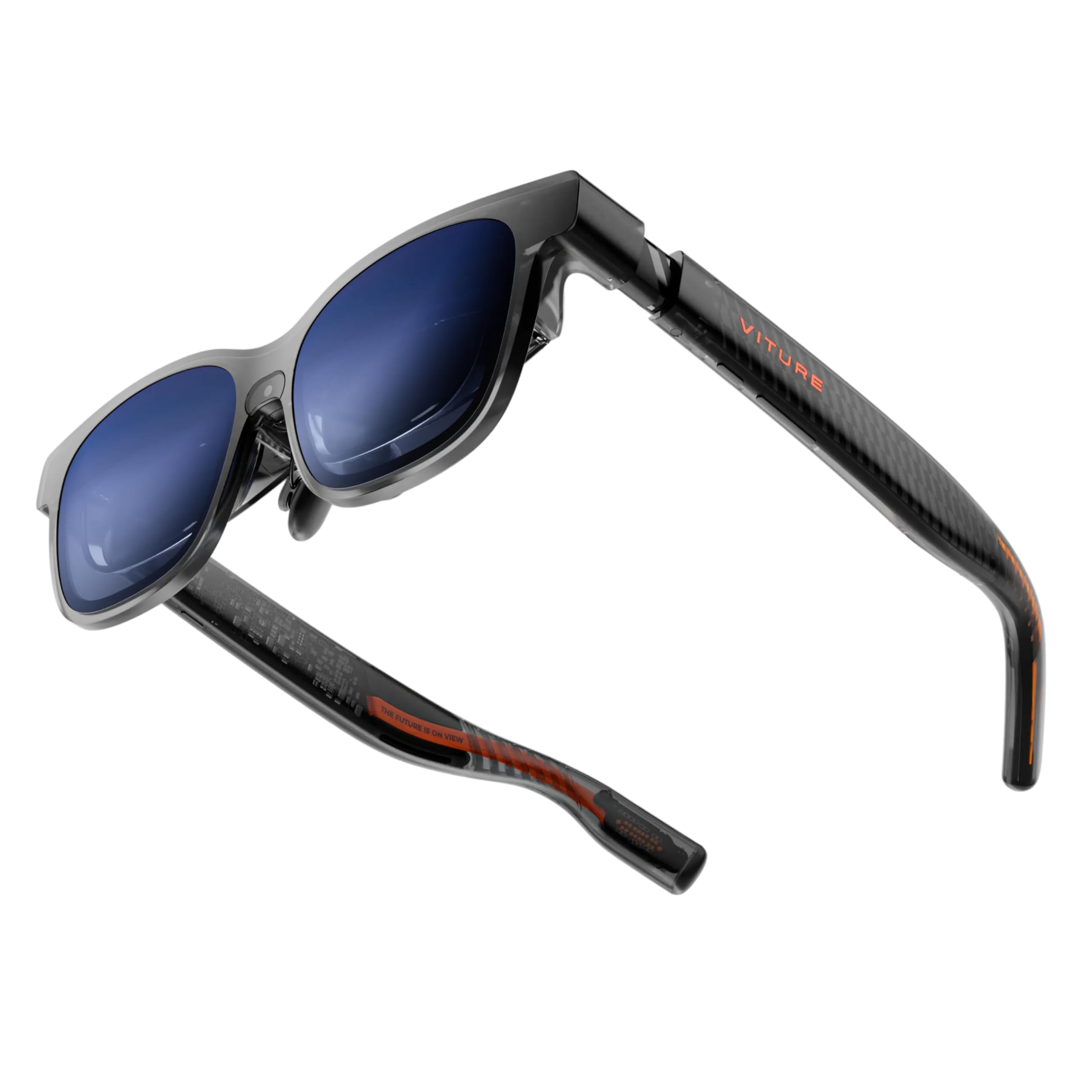
2. VITURE Luma Pro XR/AR Glasses
The pick that turns a cramped laptop into a three-window spread of desk space.
If your real goal is spreading documents, a browser, and a chat window side by side, this is where the search should start. The Luma Pro runs a 152-inch virtual screen at 1200p — a per-eye resolution high enough that small text stays legible rather than turning into gray smudge. Through the SpaceWalker app on a Mac or PC, it opens up to three virtual screens in horizontal, vertical, or even code mode. That is the exact feature most buyers in this category are actually paying for.
Brightness is the other half of a workday. At 1000 nits, it stays readable under bright office lights, and the 120Hz refresh keeps scrolling smooth so your eyes are not chasing a stuttering page. The electrochromic film — a lens coating that darkens on demand — means one tap kills reflections when a window or overhead light is washing out the screen. Fit gets more thought than most: the glasses come in Regular (IPD 64.0±6.0 mm) and Large (IPD 68.0±6.0 mm) frames, with a magnetic nose pad and tilt-adjustable temples. Built-in myopia adjustment runs up to -4.0D, so nearsighted users can focus without prescription inserts.
What wins people over is the sheer sharpness of that 1200p panel — the picture quality and overall build are what owners talk about most. It is not flawless on value, though; a few treat the price as the sticking point rather than the display. The honest trade-off for monitor work is that the three-screen trick depends on the SpaceWalker app, not on the glasses alone, so a phone-only setup will not open up it.
What makes it the anchor pick
- Up to three virtual screens on Mac or PC gives you a genuine multi-window desk.
- 1200p per-eye resolution keeps spreadsheet text crisp.
- 1000 nits plus electrochromic dimming handles bright rooms and glare.
- Two IPD sizes and magnetic nose pads fit a wide range of faces.
Worth knowing before you commit
- Multi-screen needs the SpaceWalker app on a computer, not a phone.
- Some owners see the pricing as the hurdle, not the hardware.
Reach for it if: you work on a laptop all day and want extra windows without a second monitor.
Think twice if: you only ever connect to a phone — the three-screen mode lives on desktop.
3. XREAL One Pro AR Glasses
The widest window on your work — 57° of field of view that fills your vision with a 171-inch screen.
Field of view is the spec that decides how much desk you actually feel in front of you. The One Pro pushes a 57° FOV, wider than the VITURE Luma Pro’s 52°, so the virtual canvas wraps further around your view. That pairs with a 171-inch virtual screen floating at what feels like four meters away. Add the XREAL Eye sensor and it flips to full 6DoF spatial anchoring — the screen locks to a real spot in your room, so you can lean in or walk around and the window stays put.
The screen itself is Sony Micro-OLED behind XREAL’s X-Prism optics, running 120Hz with a self-developed X1 chip holding latency to 3ms. In plain terms, that low latency is why lines and cursors do not smear when your head swivels quickly. Brightness reaches up to 700 nits with electrochromic dimming for focusing in a lit room. Fit is handled carefully with two IPD sizes — M at 57-66mm and L at 66-75mm — which XREAL says covers over 95% of users, plus three nose-pad sizes and adjustable arms.
Where it earns a place for work is the everyday-reliability angle: owners regularly describe using it all day for small-text reading and spreadsheets, and the Bose-tuned audio means you can sit in a call without headphones. The catch is fair to name — the honest 6DoF anchoring needs the XREAL Eye accessory, so at its base the spatial work is the 3DoF kind. Gaming and movies are its well-trodden ground, with productivity a close second.
What stands out: a 57° field of view is the widest in this whole roundup, so the 171-inch canvas genuinely surrounds you rather than sitting in a box.
Where it strains: full room-locked 6DoF is an add-on, and the eye sensors that make it happen are not bundled with the glasses.
Pick this one when: you want the most enveloping screen and you are willing to add the Eye sensor later.
Go smaller if: you need multi-screen only and do not care about a wide field of view.
4. VITURE Luma Ultra XR/AR Glasses
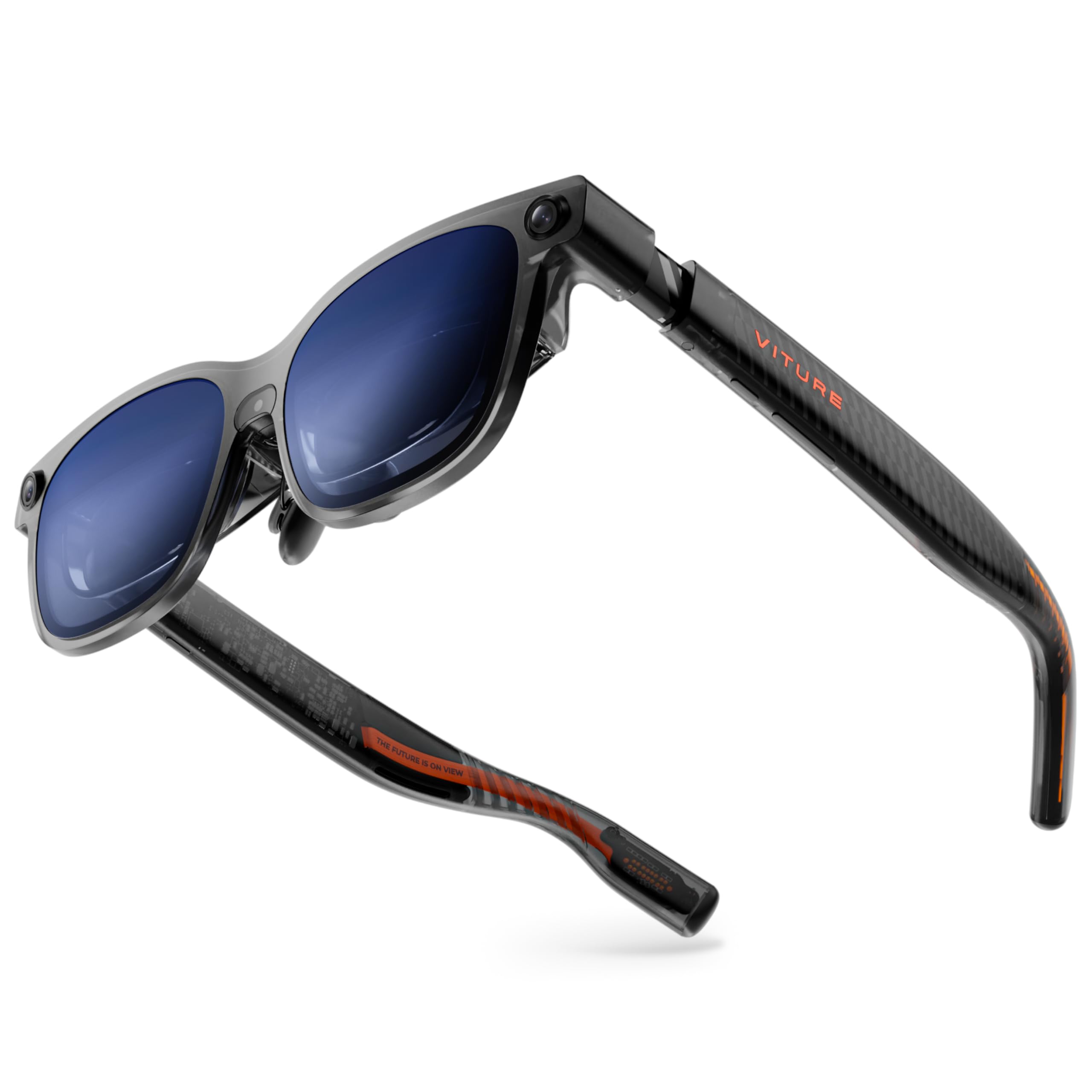
Out-brights everything else here — 1500 nits that survive a sunlit room without flinching.
If you work near a window or game outdoors, brightness is not a luxury. The Luma Ultra pushes 1500 nits through Sony Micro-OLED panels, up from the 1000 nits of the Luma Pro below, and that extra head-room keeps the image punchy when daylight is hitting the lens. It carries the same 152-inch virtual screen at 1200p with zero blurry edges, and slots into SpaceWalker for multi-screen workspaces, ultra-wide mode, and one-click 3D on Mac and Windows. Cinematic viewing and work share the same panel here.
The ambitious part is spatial interaction. A front RGB camera and dual depth cameras give the glasses awareness of your room, and paired with the VITURE Pro Neckband it supports full 6DoF tracking plus hand-gesture control. That means the windows can live in your actual space rather than following your head. Built-in myopia adjustment to -4.0D saves nearsighted buyers from prescription inserts, and three nose-pad sizes plus flexible arms handle fit. The catch is honest: full 6DoF and gesture control arrive through the Neckband accessory, and the maker notes those features are not supported on iOS or Android versions of SpaceWalker.
The panel earns praise for its direct screen quality and resolution, while the recurring gripe is focus drifting at the edges — so plan your window placement toward the center for the sharpest text. For a bright-room power user who wants depth-aware windows, it is the most capable version of the Luma idea.
Its signature: 1500 nits is the highest brightness among these picks, and depth cameras turn the walls of your room into screen placement.
The honest friction: the 6DoF magic leans on the Pro Neckband, and edge focus is the spot to watch on text.
Built for: bright rooms, outdoor gaming, and buyers who want spatial windows locked into a real space.
Choose something simpler if: you only need flat anchored screens and no hand-tracked interaction.
5. Rokid AR Spatial with Station2
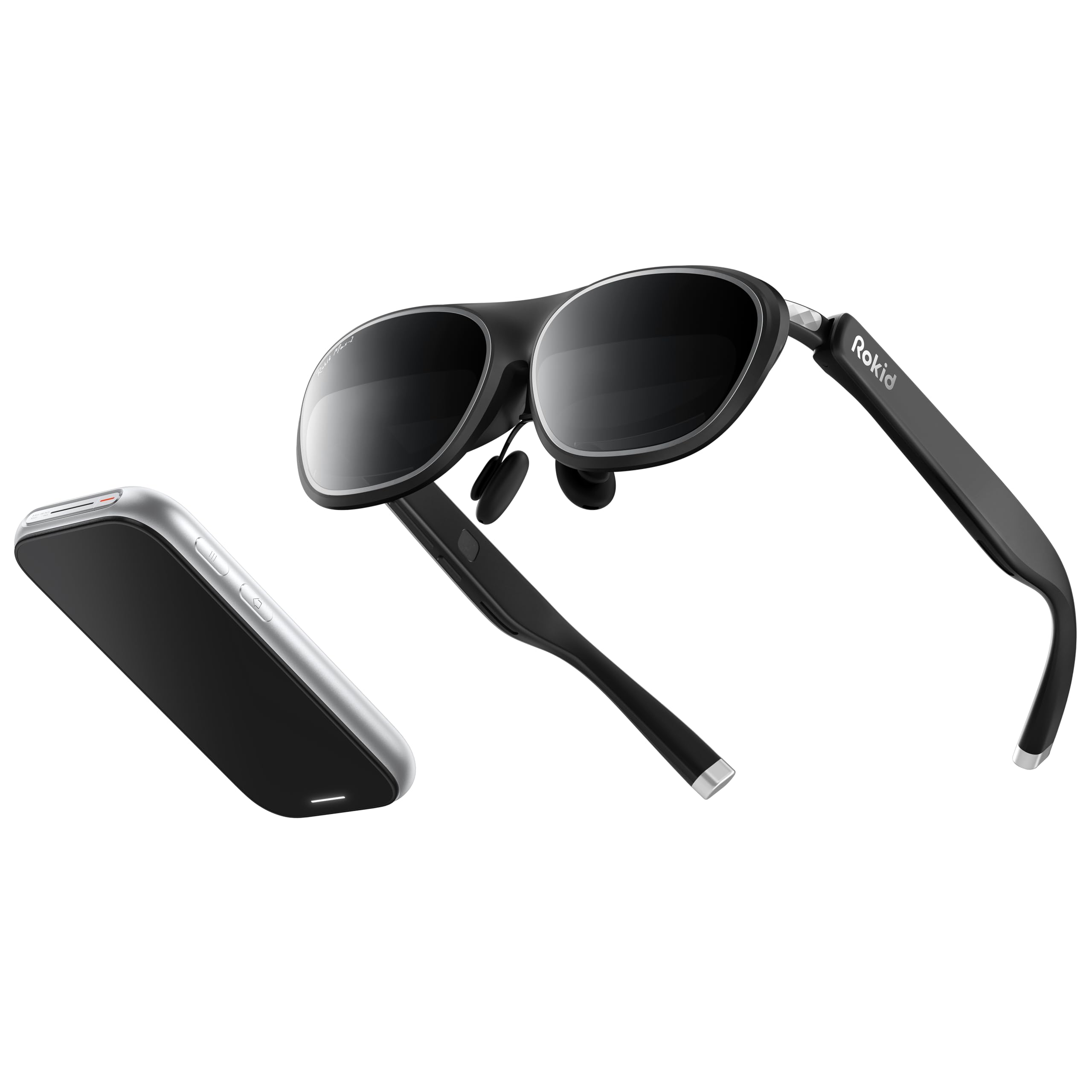
The kit that ships its own computer — three apps on three screens with no laptop attached.
Most glasses in this category are dumb displays that need a computer to feed them. This set is different: it pairs the Rokid Max2 glasses with the Station2, a small spatial computer with its own processor, 8GB of RAM, 128GB of storage, Wi-Fi 6, and Bluetooth 5.2. That means you can run three apps on three screens without ever opening a laptop. The glasses project 360 inches of Micro-OLED at 1920×1200, 120Hz, and 600 nits, and the whole kit weighs in as a portable package.
The multi-screen work is the main event. It offers 3-screen multitasking, four smart modes (Reading, Giant Screen, Sports, Multi-Screen), and three screen ratios — Wide at 16:9, Narrow at 3:4, and Ultra-Wide at 21:9. Giant screen mode can stretch to a 32:9 ratio. Myopia adjustment handles up to 600 degrees, and the Max2 frame weighs just 75 grams with soft temples and a cushioned nose pad, so it sits light on the face. Station2 runs a 5000mAh battery with 3.5 hours of runtime and dual Type-C ports for charging while you work.
Device quality is the thing buyers talk about most, and it shows in the build. The honest limits are worth hearing: the display draws mixed reactions, with blurriness noted in the lower right corner, and the 3-screen mode on Android phones only works through DLNA, since Miracast and ChromeCast are single-screen. Netflix and Apple TV render in 0DoF here, so those apps do not anchor in space.
The draw: a self-contained computer aboard means real multi-app productivity with no PC in the bag.
Where it asks for patience: a corner of the display can go soft, and the phone-based 3-screen path is more limited than the desktop one.
Right for: travelers who want a three-screen workstation in one carry case, computer included.
Not the pick for: someone who already owns a powerful laptop and only needs the display.
6. XREAL 1S AR Glasses
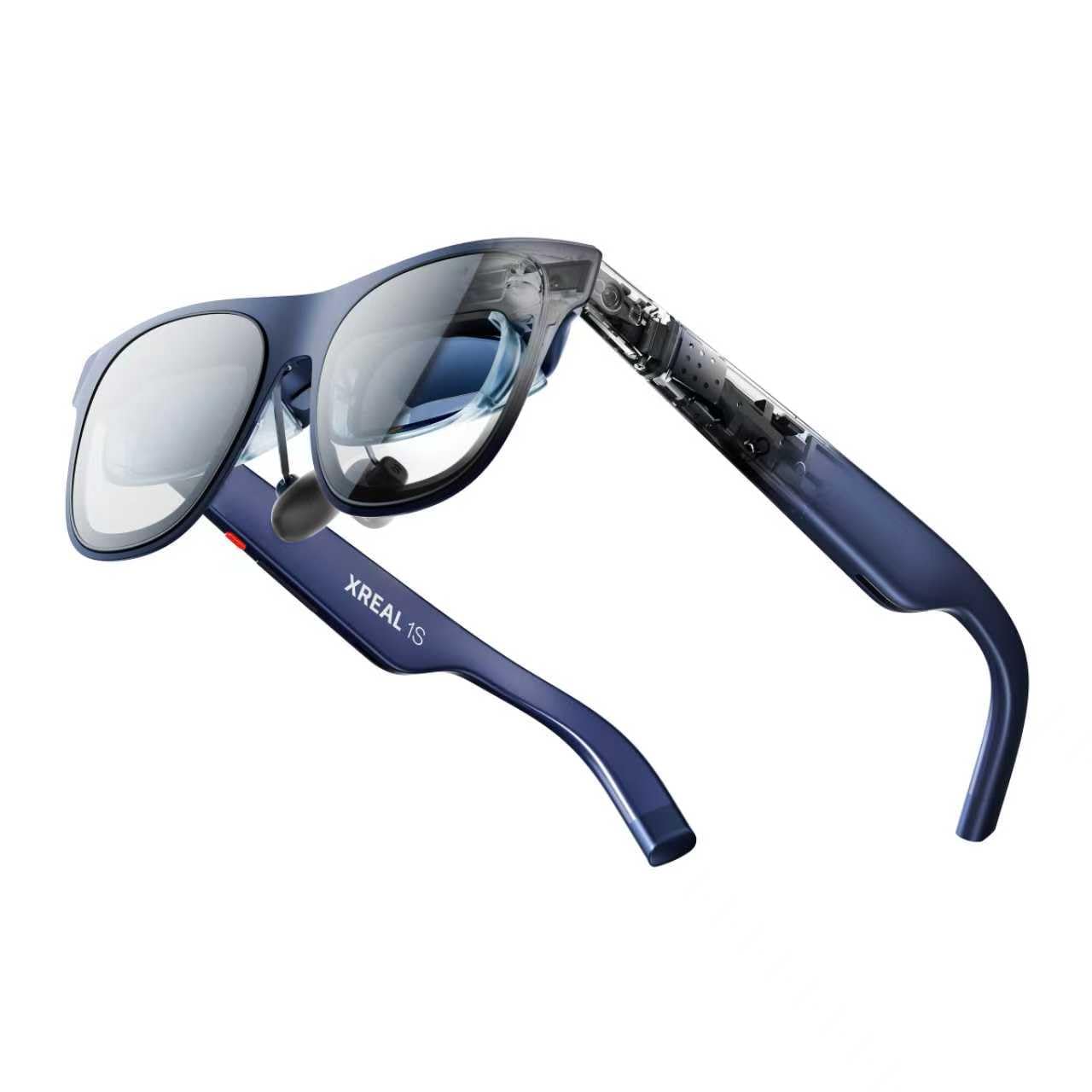
A 500-inch spatial canvas that plugs in and anchors itself — no app required.
The headline here is size: up to a 500-inch virtual screen, pinned in space. What makes that usable is native 3DoF powered by the X1 chip, which means the anchor works the moment you connect a USB-C DisplayPort device — no app, no setup, no software layer to install. For the monitor crowd, that simplicity is the selling point: plug into a laptop and the screen parks itself in front of you. Ultrawide mode runs at 32:9 or 21:9, which is the aspect that behaves most like two monitors joined together.
Sharpness holds across the view thanks to a redesigned optical engine with a stated 9% clarity boost, and each unit is color-tuned individually so hues stay natural. Refresh runs 120Hz in 3DoF mode, with a 90Hz global rate to cut flicker. The X1 chip drives 3ms motion-to-photon latency, keeping a cursor locked tight to your hand motion. Fit is handled through a 59.5–70.5mm IPD range that XREAL says fits roughly 95% of users, and TÜV Rheinland eye-comfort certification plus 100% UV protection back long sessions.
The real 3D feature turns anything you watch into depth with a single switch, and owners single out that 3D trick plus the portable, adjustable screen as the wins. The catch worth flagging: multi-screen surplus beyond the ultrawide mode still depends on the source device and its software, so the “no app” benefit is about anchoring rather than multiplying windows. For a plug-and-play spatial display with a generous canvas, it earns its spot.
Why it stands out: native 3DoF needs no software setup, and the ultrawide ratio gives a stretched desktop feel the instant you plug in.
An honest limit: the biggest number here is screen size, while stacking extra windows still leans on what your computer sends.
Worth it for: buyers who want an instant spatial screen with no app to install, and a standout ultrawide mode.
Look elsewhere if: four separate windows are the goal and you cannot run a PC app layer.
7. INAIR 2 Pro AR Glasses

Built for spreadsheets, not popcorn — 49 PPD of edge-to-edge clarity aimed squarely at an office desk.
Pixels per degree is the number that predicts whether a spreadsheet column survives to the edge of your view. This pair claims 49 PPD with a dual-eye 3840×1080 Micro-OLED panel, and that edge-clarity focus is deliberate — the promo material says even the smallest on-screen text stays crisp. Through the INAIR Space software on a Mac or Windows PC, it expands to as many as four screens plus an ultra-wide display, using a DP cable to carry the desktop. If multi-monitor is your one goal, that four-screen count is the top of this list.
This one is built for the office. Electrochromic dimming (a lens tint you control electronically) lets you swipe along the left temple to fade from rich mode, which blocks nearly 100% of external light, to a transparent mode tuned between 0.1% and 16% transmission (how much light gets through). A privacy mode blanks your PC screen in public, so nobody behind you reads your work. Reverse sound field tech and 3D spatial audio curb sound leaking to neighbors, so your calls stay yours. Brightness sits at 500 nits (a measure of screen brightness), the frame weighs 80 grams, and there are three temple angles plus two nose pads. Buyers praise build quality most about this one.
The honest caveat sits squarely in functionality, which gets mixed notes: the multi-monitor feature has drawn complaints of not working for some, and the field of view is narrow for others. Prescription lenses are not built in, so nearsighted users go through INAIR support for custom inserts. It is at its best for the desk worker who wants many windows, not the movie watcher who wants immersion.
Its clear purpose: four virtual screens on a PC and 49 PPD edge sharpness make it the most windows-first pick.
Step around it if: you need reliability on multi-screen without fuss, or want a wide field of view for media.
Double down on it when: you work in the INAIR Space app all day and value privacy plus crisp small text.
Skip the wait if: you expect multi-screen to simply work out of the gate across every laptop.
8. RayNeo Air 4 Pro AR/XR Glasses
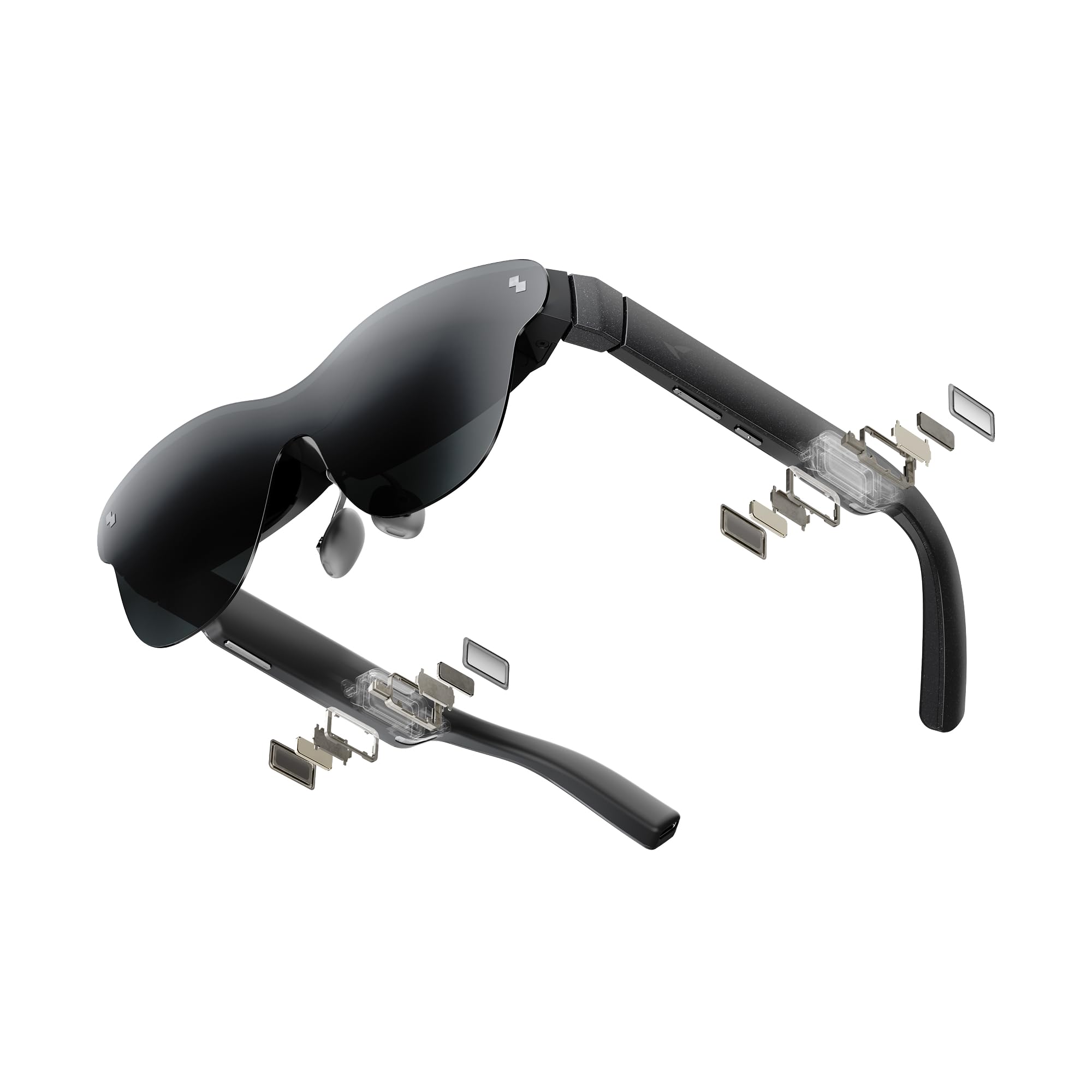
Colour that goes deep — the first HDR10 AR display here, with 10+ billion colours on a 201-inch screen.
HDR10 is the spec to notice here: it lifts highlights and deepens blacks, so dark movie scenes keep detail instead of turning to gray. The 201-inch virtual screen rides on that panel, and the Vision 4000 chip adds AI SDR-to-HDR upscaling to make ordinary video look richer. For work, the 120Hz refresh keeps motion clean and low-lag across PS5, Steam Deck, and Switch 2 — and that smoothness is a big part of why a cursor feels natural rather than draggy.
The display is powered by USB-C with no battery inside, which keeps the frame light and means true plug-and-play — nothing to charge. It supports 2D-to-3D conversion with AI depth for iPhone 15/16/17, and four Bang & Olufsen speakers deliver 360° spatial audio while the open-ear design keeps you aware of the room. Compatibility spans iPhone 17/16/15, Android, MacBook, iPad, and Steam Deck. Frame weight is 2.72 ounces.
Display quality draws mixed feedback, with blurry edges being the reported gripe, and compatibility also splits — one buyer finds it great with a Galaxy S25+, while another finds it basically unusable with their setup. So treat your phone’s USB-C video output as the make-or-break check before buying. For HDR10 colour and no-battery USB-C plug-and-play, the value here is genuinely strong.
Pick it for: punchy HDR colour and a light no-battery frame that starts the second you plug in.
Check first: confirm your device pushes USB-C video, because compatibility has proven uneven.
Good match if: you watch and game more than you type, and want HDR colour on a big canvas.
Not your fit if: multi-monitor work is the mandate rather than movie quality.
9. TOZO VIZO Z1 Pro AR Glasses
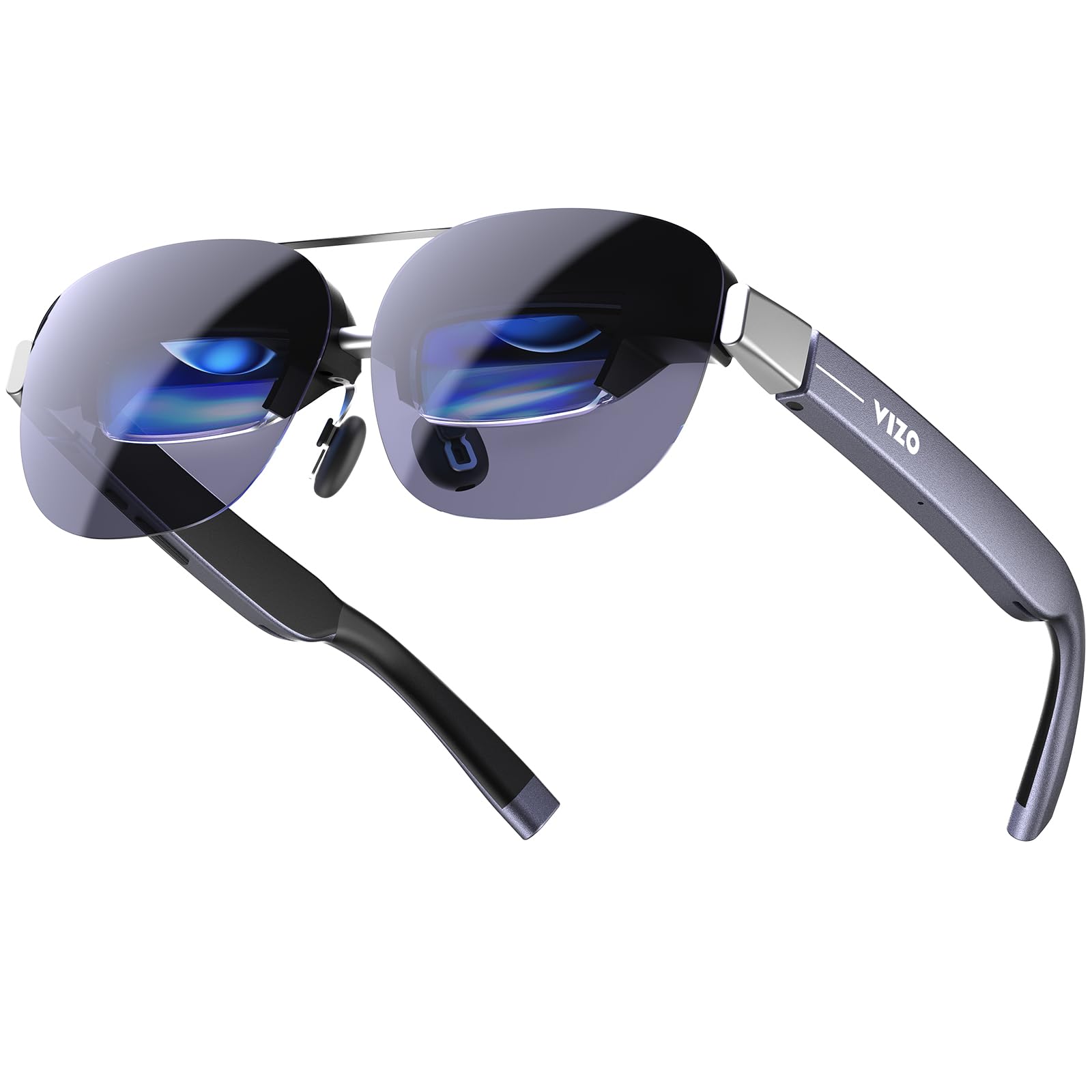
Micro-OLED punch with 1800 nits of brightness for movie night in a lit room.
A 160-inch wearable screen is the promise here, and the Micro-OLED panel backs it with Full HD per-eye resolution and 98% DCI-P3 colour — the colour range that keeps skin tones and greens looking natural. Contrast reaches up to 200,000:1, so dark scenes stay deep rather than washed out. The 120Hz refresh keeps fast game motion fluid, and a multi-level brightness control adapts the optics from cozy indoors to daytime travel.
Setup is USB-C with no app on compatible devices — a display-port-capable phone, tablet, or laptop drives it directly. That simplicity is why it suits travel viewing and gaming over heavy desk work. The matte blue frame keeps the styling low-key. This is a display-first pair with no published multi-screen mode, so treat it as a bright, sharp entertainment screen rather than a multi-window replacement.
The headline: 98% DCI-P3 colour on a 160-inch Micro-OLED canvas is what makes its picture feel rich.
The honest read: there is no published multi-screen mode, so extra windows are not the mission here.
Ideal for: travellers and gamers who want a vivid personal cinema on the move.
Choose different if: multiple anchored windows are the reason you are shopping.
10. HUD Display Sports Glasses for Cycling
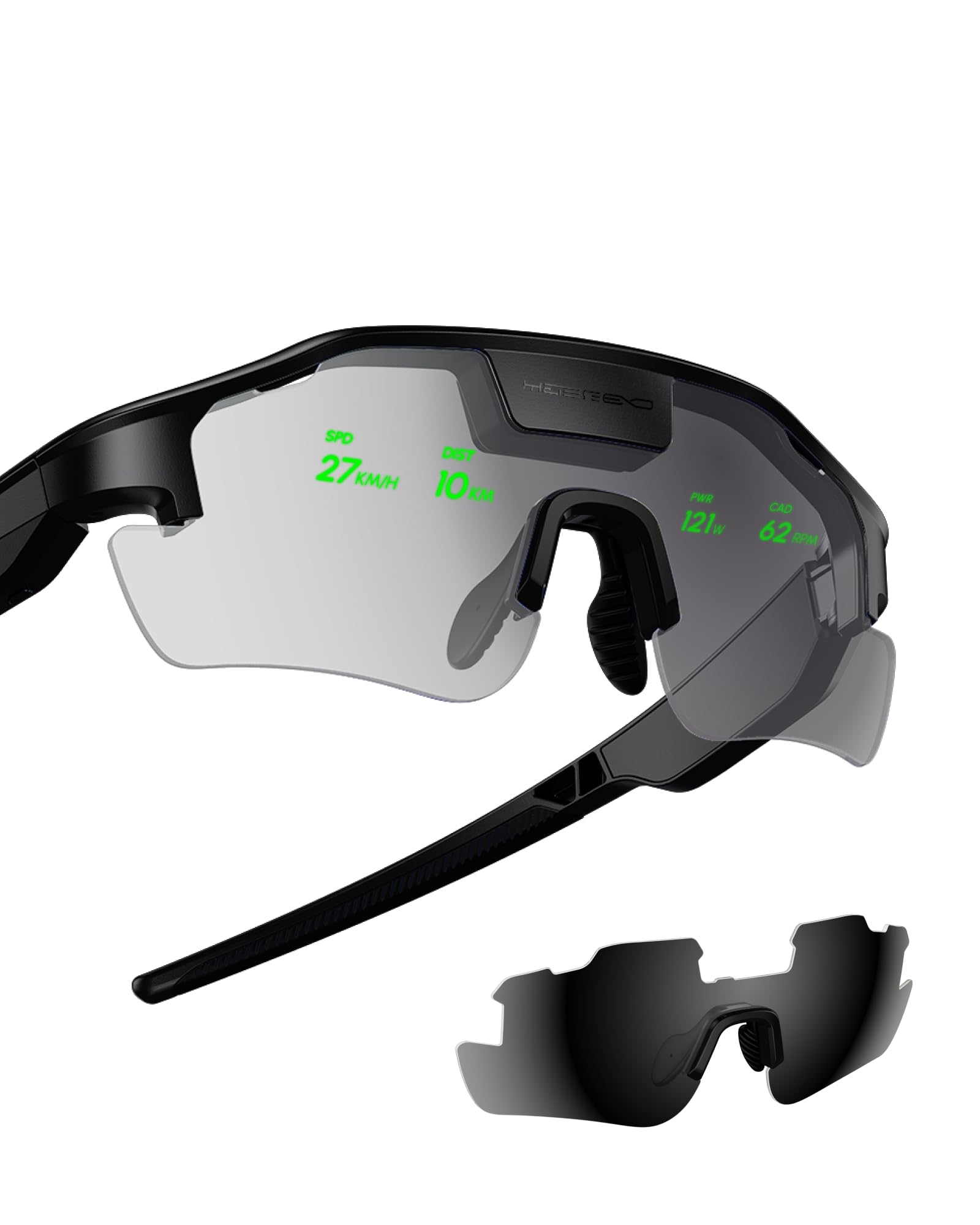
Not a desk monitor — a cycling HUD that floats your speed and heart rate in view.
This is the outlier in the roundup, and worth saying plainly: it is built for the saddle, not the spreadsheet. The dual-eye HUD projects speed, heart rate, power, and navigation directly into your line of sight so you do not look down at a bike computer. Turn-by-turn directions land in your view for cycling, and a radar-based road safety alert warns of approaching vehicles. Proactive AI alerts track your metrics to help manage effort, though the AI features need a phone connection.
It pairs with Garmin, Apple Watch, iPhone, and Android devices, and includes two nonstandard batteries. The package measures 7.2 x 6.42 x 3.94 inches, which is a tighter box than the 8.54 x 4.92 x 4.09 inches of the Rokid Max 2 Silver up in the list. Choose between Standard, Dashboard, and Focus HUD modes depending on how much data you want floating ahead. If you ride long distances and want speed, heart rate, and route guidance without breaking your line of sight, this fills a very different need from a monitor pair.
What it is: a heads-up sports display for riders who want metrics and navigation in view.
What it is not: a multi-monitor replacement — there is no desktop window system here.
Buy it for: cycling and hiking where live speed, heart rate, and route guidance matter.
Pass if: you came here to spread laptop windows — the wrong tool for that job.
Know the Specs
3DoF vs 0DoF and multi-screen layers
3DoF (three degrees of freedom) uses motion sensors to pin a window at a fixed point in space, so the screen stays put while your head turns. 0DoF glues the display to your face, so the whole image drags with every movement — fine for a movie, poor for a desk. Multi-screen modes usually need a software layer on a Mac or Windows PC, and phone support is often more limited than laptop support.
Per-eye resolution, PPD, and field of view
Per-eye resolution is how many pixels each eye receives, and it decides text sharpness. PPD (pixels per degree) measures density inside your view, so a higher PPD tends to keep small letters readable from edge to edge. Field of view, measured in degrees, sets how much of your vision the screen fills — a wider figure feels more like a big desk, a narrower one holds fewer windows comfortably.
Common Questions
Can AR glasses really show more than one monitor at once?
Do I need a special cable or app to get multiple screens?
Will these glasses work with my iPhone for a multi-screen desktop?
Is a 120Hz refresh rate important for reading spreadsheets?
What does IPD mean and why are there two sizes?
Can I wear these if I am nearsighted or need a prescription?
How bright does the display need to be for daytime use?
Can I connect a game console like a Switch or PS5?
Do multi-monitor AR glasses add eye strain over a normal screen?
Do these glasses need a separate computer to run apps?
The Bottom Line
For most people chasing the ar glasses for multiple monitors dream, the winner is the VITURE Luma Pro. Its 1200p per-eye sharpness plus up to three virtual screens through SpaceWalker is the combination that actually behaves like a second and third monitor. Want the widest, most enveloping view and plan to add the XREAL Eye later? Grab the XREEye for true 6DoF anchoring (six degrees of freedom, so screens stay pinned in space as you move your head). For a three-screen workstation with its own computer built in, reach for the Rokid AR Spatial. Whichever you pick, the deciding check stays the same: confirm the multi-screen software works with your laptop before you buy, because that is where the real work happens.
How we choose
We do not accept paid placement. Every pick is matched to a real buyer and a real use-case; we do not hands-on test units.
Sources
Specifications: manufacturer listings and product documentation. Review insights: verified customer reviews, as of November 2026. Pricing: not shown on this page (it changes often); check the current price via the retailer link.
As an Amazon Associate, My Heart Lives Here earns from qualifying purchases. This does not affect which products we feature.