Heads up: This post contains affiliate links. As an Amazon Associate I earn from qualifying purchases, at no extra cost to you. Learn more
Specs are compiled from manufacturer listings and verified buyer reviews and can change over time — please confirm the key details on the product page before buying.
If your mouse hand aches by mid-afternoon, the fix is usually not a wrist brace — it is an ambidextrous mouse with a symmetric shell and buttons you can reach from either side. That is exactly what this shortlist covers: six wireless mice you can drive with your left hand or your right, ranked by real owner experience rather than marketing sheets. The short answer up front: the Logitech G903 Lightspeed is the pick most people should buy, because it pairs a configurable left-or-right button layout with a 140-hour battery and a sensor that tracks without smoothing tricks. Read on for the picks that fit a left hand, a right hand, or both.
This guide is built by comparing the manufacturers’ published specifications and the patterns across verified customer reviews, so you get each pick’s real strengths and trade-offs instead of marketing spin.
Left-handed buyers get tired of mirrored compromises, so every pick here is a true ambidextrous shell rather than a right-hand mould with a friendly label. Below you will find which shell suits a palm or claw grip, which battery figures hold up over real weeks, and what each mouse makes you trade away. The list that follows is the practical answer to picking the best ambidextrous wireless mouse for your own hand, grip and desk.
Top Picks

How To Choose The Best Ambidextrous Wireless Mouse
A left-or-right mouse fails you for one of three reasons: the shape is symmetric but the thumb buttons only exist on the left flank, the sensor makes tiny corrections you can feel, or the battery dies faster than the quoted number because the lights stay on. Check the button layout, the sensor’s smoothing, and the battery figure with the LEDs off, and the rest is preference.
Real ambidextrous versus mirrored
A true ambidextrous mouse keeps its buttons usable from either side — the Logitech G903 does this with a configurable layout that lets you set anywhere from 7 to 11 buttons through its G HUB software. The Corsair M75 takes the other route with swappable side buttons, so you physically move the thumb cluster to whichever flank you use. Either approach works. A shell with side buttons moulded only on the left does not.
Sensor sensitivity you will actually feel
DPI (dots per inch — the sensitivity setting that decides how far the cursor moves per inch of your hand) spans a wide range across this group, from a modest 1000/1600/2400 on the Azio IZO up to 26,000 on the Corsair M75 and 25,600 on the Logitech G903. High DPI numbers sell mice, but the tracking ceiling in IPS (inches per second) is what stops the cursor stuttering when you swipe hard. The Razer Viper V3 Pro SE lists 750 IPS and the Corsair M75 lists 650 IPS — both well beyond a normal desk swipe.
Battery figures and how to read them
Battery quotes are almost always given with the LEDs off, or split into two numbers. Logitech is the clearest about this: the G903 runs up to 140 hours with LIGHTSYNC RGB lighting on, and up to 180 hours with it off. The Lenovo Legion M600 quotes up to 200 hours on a 2.5-hour charge, plus up to 10 hours from a quick 5-minute Type-C top-up. That 5-minute top-up is the figure worth remembering, because it is what saves you mid-project.
Switch life and the double-click question
The switches under the left and right buttons are the part that ages first. Common mechanical switches are often rated in the tens of millions of clicks; the Razer Viper V3 Pro SE lists 90 million clicks on its optical switches, the Corsair M75 lists 100 million, and the Lenovo Legion M600 lists 50 million on its Omron microswitches. Optical switches remove the mechanical contact bounce that causes unintended double clicks, which is why esports-focused mice have moved toward them.
Side-by-Side Comparison
| Model | Best For | Battery Life | Max DPI | Buttons | Amazon |
|---|---|---|---|---|---|
| Logitech G903 Lightspeed★ Best Overall | Do-it-all ambidextrous pick | 140 hours | 25,600 | 11 | Amazon |
| HP 400 Quiet Wireless MouseQuietest Clicks | Quiet shared-desk work | 24 months | 6000 | 5 | Amazon |
| Lenovo Legion M600 | Long battery on a budget | 105 hours | 16,000 | 8 | Amazon |
| Corsair M75 Wireless | FPS play with swapped sides | 105 hours | 26,000 | 6 | Amazon |
| Razer Viper V3 Pro SE | Ultra-light competitive aim | 95 hours | 35,000 | 6 | Amazon |
| Azio IZO Wireless Optical | Desk-matching style | 6 hours | 2400 | 2 | Amazon |
Detailed Reviews
1. Logitech G903 Lightspeed Wireless Gaming Mouse – Black
Our pick — 4.5+★ from 3,500+ verified ratings; the strongest balance of quality and price.
The one mouse whose 7-to-11 button layout you reconfigure for whichever hand is on the desk.
The G903 earns the top spot because it solves the ambidextrous problem properly: its button layout is configurable, so you use the G HUB software to set anywhere from 7 to 11 buttons and arrange them for left- or right-handed use. That is a different league from a symmetric shell with thumb buttons stuck on one side. Owners respond to the shape above all else — the fit in the hand is the single thing they talk about most, far ahead of any other trait. It is the crowd favorite at 4.5+ stars across 3,800+ owners.
Run time is the second pillar. The G903 goes up to 140 hours with LIGHTSYNC RGB lighting active, and up to 180 hours with the lights off — and the gap between those two numbers is the honest reminder that lighting costs you battery everywhere. For scale, the Azio IZO in this same list is quoted at 6 hours, so the Logitech carries a 140-hour rating against a 6-hour one. Add the POWERPLAY wireless charging system (sold separately) and the mouse tops itself up while it sits on the pad, which matters if you never want to think about charging again.
The sensor is the HERO 25K, which tracks with 1:1 accuracy up to 25,600 DPI and 400+ IPS, with zero smoothing, filtering or acceleration applied — so your hand and the cursor move at the same ratio, and there is no software quietly “helping” your aim. LIGHTSPEED wireless runs a 1 ms report rate (one millisecond between updates, fast enough that competitive players rely on it), and metal-spring button tensioning keeps the main left and right clicks poised to fire with less force. The catch is the one that has followed this design: the primary buttons can develop an unintended double-click over long use. It is not universal, but it is the recurring note in the feedback and worth knowing before you commit.
Where the G903 pulls ahead
- True left-or-right usability through a configurable 7-to-11 button layout, not a fixed mirrored shell
- Up to 140 hours on a charge with RGB on, up to 180 with it off, so a full work week fits inside one charge
- HERO 25K sensor with 1:1 tracking up to 25,600 DPI and no smoothing, filtering or acceleration
What to weigh before buying
- The primary clicks are the known long-term weak point — unintended double-clicks turn up in the feedback
- POWERPLAY wireless charging, which removes the charging chore entirely, is a separate purchase
- Full-spectrum LIGHTSYNC RGB is a battery cost you can only reclaim by turning it off
Settle on this one: buyers who want one mouse to serve both hands, long sessions and the occasional game, with a battery that lasts weeks rather than hours.
Think twice: if a stray double-click would be catastrophic for your work, the optical-switch mice lower down this list avoid that specific risk.
2. HP 400 Wireless Mouse
Damped clicks you can use all day in a shared room without anyone turning round.
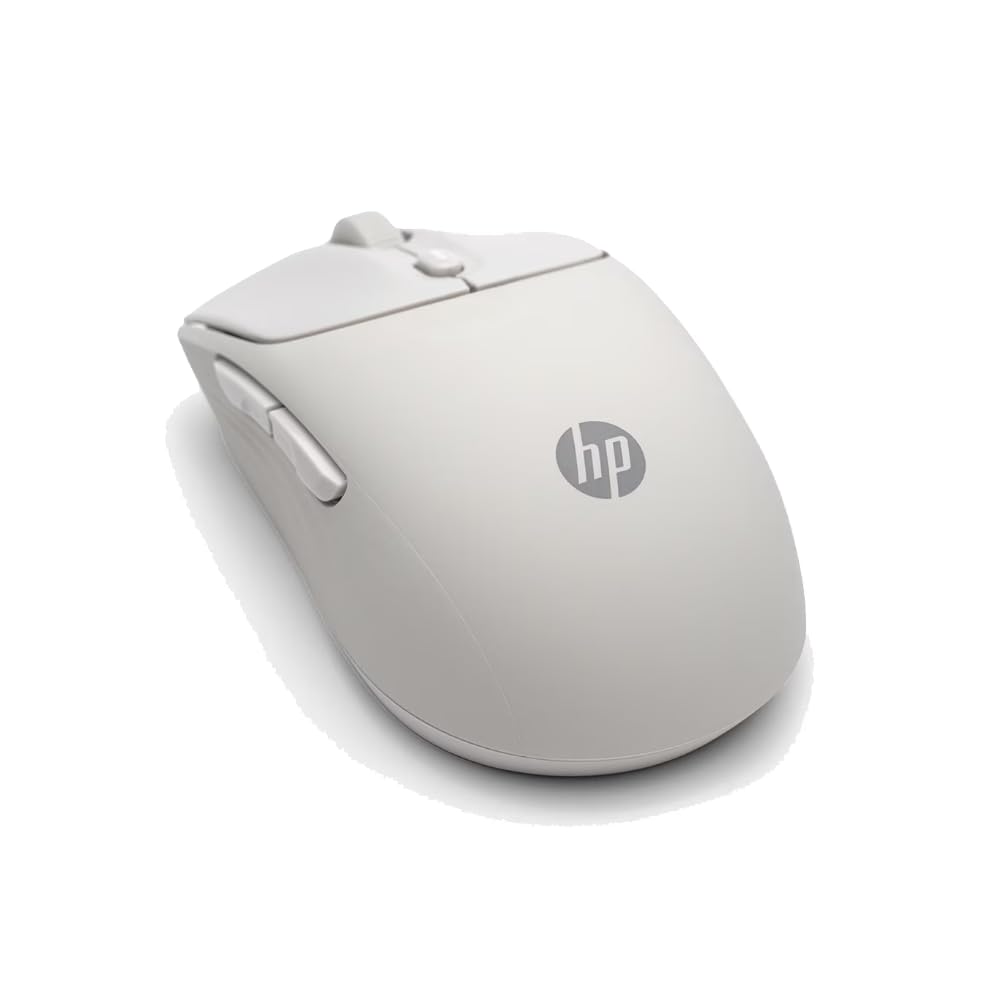
If the reason you are shopping is a noisy desk rather than a frayed cable, the HP 400 is the sensible stop. Its whole identity is the quiet click — the button press is damped enough that an open-plan office or a late-night bedroom stops noticing you. Build quality is what owners bring up most often, and the quiet action is second, which lines up with a mouse whose silicone rubber shell feels softer and more substantial than the usual hard plastic.
The connectivity story is simpler than the ambidextrous label makes it sound. You pair over Bluetooth or the supplied 2.4GHz dongle (a small USB plug that gives a direct link), and then you leave it alone. Sensitivity reaches up to 6000 adjustable DPI, which is enough to cross a large monitor without lifting your wrist. Battery is rated at 24 months on the included AA, so the charging ritual vanishes for roughly two years.
The part that makes this a genuinely ambidextrous buy is the shape: a plain symmetric shell that gives your left hand exactly the same reach as your right, with five buttons and vertical plus horizontal scrolling. It is made with at least 40% post-consumer recycled materials and ships in FSC certified packaging, which explains why it keeps showing up in eco-conscious setups. The honest limit is that nothing here is tuned for fast play — 6000 DPI and quiet, damped clicks are desk tools, not twitch tools. The other quirk is colour: the shell comes in five options, and the purple draws the most affection, so if you want a specific finish check availability before you fall for one.
The value read: what you get is a soft-touch silicone body, quiet clicks, dual Bluetooth and 2.4GHz pairing, a Microsoft Wheel shortcut on the centre button and a 24-month battery — as an entry-level package that undercuts the gaming mice here on both noise and upkeep.
The honest trade-off: a silicone finish is comfortable but picks up desk dust and skin oil faster than matte plastic, so it wants a wipe now and then to stay looking new.
Reach for this if: you share a room, work late next to a sleeping partner, or simply cannot stand click noise in your ears all day.
Look elsewhere if: you need high sensitivity for fast cursor work — the 6000 DPI ceiling is a productivity figure, not a gaming one.
3. Lenovo Legion M600 RGB Wireless Gaming Mouse

The mid-range gamble: huge battery numbers, uneven follow-through.
On paper the Legion M600 reads like the smart buy of the group — up to 200 hours of battery on a 2.5-hour charge, 9 programmable buttons, a 1000 Hz polling rate (the mouse reports its position a thousand times a second), and an adjustable sensor up to 16,000 DPI at 400 IPS. It weighs under 69 g, and the 100% PTFE feet (a slick low-friction plastic on the base) make it glide with very little effort. The quick-charge claim is the standout: up to 10 hours of use from a 5-minute Type-C top-up, which is the sort of thing that rescues you the morning before a deadline.
Where it gets awkward is consistency. The owner feedback is genuinely split — some find the mouse excellent, others run into it refusing to work from the first plug-in, and Bluetooth recognition is a particular sore point for a portion of buyers. The reliable path is to use the bundled 2.4G receiver rather than Bluetooth. Durability on the switches is rated at 50 million clicks on the Omron microswitches, which sits below the optical switches on the Corsair and Razer picks further down.
It is also worth flagging that the listing quotes two different battery figures — up to 200 hours in the feature copy and 105 hours in the specification table. Assume the narrower number when you plan a trip away from a charger. Also note the spec sheet lists 8 buttons against the copy’s 9, so treat the button count as approximate. Ambidextrous comfort is real, though: the shape is built to work with either hand in a palm or claw grip, and the lightweight build means neither wrist carries a heavy shell.
What earns it a place: a sub-69 g shell, a 5-minute charge that buys up to 10 hours, and a genuinely ambidextrous shape put real gaming hardware within reach of a mid-range budget.
The risk you accept: this is the least consistent pick on the list. Buy it for the quick-charge convenience and the light body, and be prepared to lean on the dongle rather than Bluetooth.
Best fit for: a gamer on a tighter budget who wants low weight and a fast top-up more than guaranteed out-of-box reliability.
Less suited to: anyone who needs the mouse to simply work on day one with no troubleshooting — the mixed reliability feedback is a real consideration.
4. Corsair M75 Wireless Gaming Mouse

Swappable side buttons mean your thumb finally lands where it should.
Most ambidextrous mice give your left hand the shape but not the buttons. The M75 fixes that physically — the side buttons detach and re-seat on whichever flank you use, so a left-handed player gets a real thumb cluster instead of a dead panel. That is the defining feature, and it sits inside an 89 g body built for fast FPS play with the wire gone.
The sensor is the CORSAIR MARKSMAN, a 26,000 DPI optical unit with 650 IPS tracking and up to 50G acceleration — the acceleration figure is how hard you can flick and still have the movement captured. That 26,000 DPI ceiling is the highest on this list apart from the Razer’s 35,000, and the 650 IPS sits just under the Razer’s 750 IPS, so both sit in competitive territory. QUICKSTRIKE buttons deliver zero delay between the click and the switch underneath, and the optical left and right switches skip debounce entirely, rated for 100 million clicks.
Responsiveness and battery are what owners praise — quick report, no perceptible lag, and enough run time to stop worrying. The mixed notes are worth hearing: some find the fit and build excellent, while others hit a mouse that disconnects without explanation, and a few find the button placement takes adjusting to. Battery is rated at 105 hours. Pair it with iCUE for the RGB and button mapping, and accept that a stable 2.4GHz link depends on keeping the receiver clear of interference — a USB extension or a front-panel port usually sorts it.
Why left-handers should look here
- Swappable side buttons move to the flank you actually use, so the layout is ambidextrous in function, not just shape
- 26,000 DPI sensor with 650 IPS and 50G acceleration captures hard flicks without dropping the movement
- Optical switches rated for 100 million clicks, with QUICKSTRIKE taking the delay out of the press
Points to go in knowing
- Dropped wireless connections come up in the feedback — house the receiver well and it settles
- At 89 g it is heavier than the sub-69 g Lenovo and the 54 g Razer
- The swappable side buttons are a deliberate learning curve if you are used to fixed positions
The deciding question: do you need side buttons under your left thumb? If yes, this is the pick that actually delivers them.
The single caveat: a dongle tucked behind a metal case or a crowded USB hub is asking for dropouts — give it a clear line to the mouse.
5. Razer Viper V3 Pro SE Wireless Gaming Mouse, 54g, Black
Fifty-four grams you feel in your arm by the fourth hour, not your wrist.
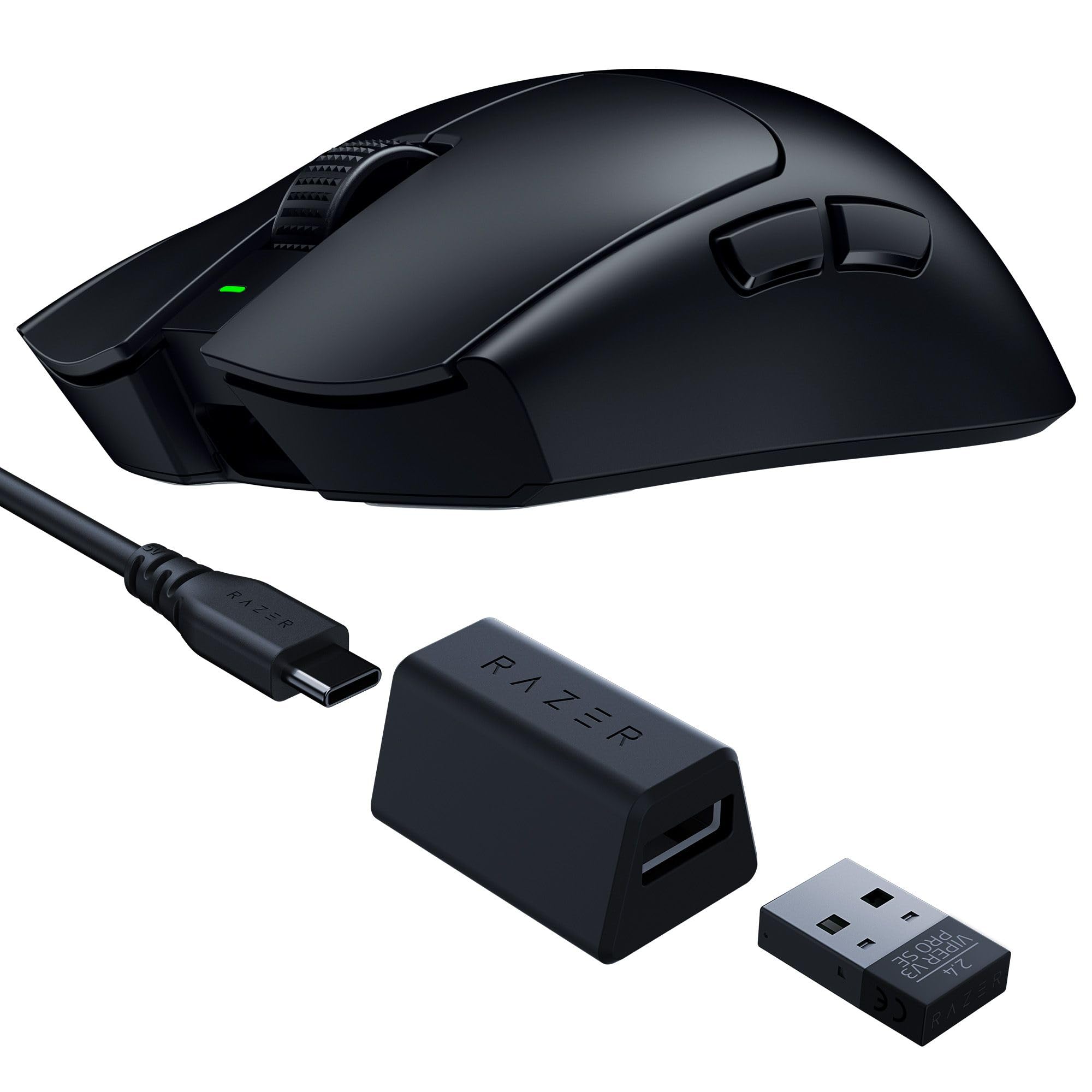
Weighing 54 g, the Viper V3 Pro SE is the lightest thing on this list — noticeably lighter than the 89 g Corsair M75 and the sub-69 g Lenovo M600 — and that difference shows up in fatigue over a long session more than in any single flick. The FOCUS PRO 35K sensor is the most sensitive here at 35,000 DPI, with 750 IPS tracking and 70G acceleration, and its spec sheet states 99.8% resolution accuracy plus glass surface tracking, so a glass or glossy desk that defeats lesser sensors is not a problem.
Owners describe it as a mouse that just works, with the weight getting special mention and the shape earning praise for fitting the hand through long sessions. The build and finish get the positive notes too — the smooth-touch coating holds grip without making your palm sweaty. Battery is rated up to 95 hours at 1000 Hz, which is the number to plan around rather than the longest on the list. Optical switches with 0.2 ms actuation remove the debounce delay and, just as usefully, remove any double-click concern over the mouse’s life — a 90-million-click rating backs that up.
One thing to know before you read “ambidextrous” too literally: Razer lists this as a right-handed symmetrical shape, so while the shell is symmetrical, it is specified for the right hand rather than marketed for both. If your left hand is the primary one, the Logitech G903 or Corsair M75 are the safer choices on this list. If your right hand is doing the work, the 0.2 ms switch actuation and 95-hour battery make this the most precise competitive tool here.
The case for it: 54 g, a 35,000 DPI sensor at 750 IPS, 90-million-click optical switches and glass-surface tracking — the sharpest raw aiming package on the list, and up to 95 hours of wireless play at 1000 Hz.
Know before you commit: HyperPolling up to 8000 Hz needs a separate dongle, and Razer specifies this as a right-hand shape, so left-hand primary users should not treat it as ambidextrous.
Beats the field on: pure aiming precision and low weight — if your right hand does the pointing and you chase every millisecond, this is your pick.
Not the one for: left-hand primary users or anyone who wants the highest polling rates without buying extra hardware.
6. Azio IZO Wireless Optical Mouse – Blue Iris

The one you buy because it looks good on the desk — and it knows it.
Start with the truth: nobody buys the IZO IZO for raw performance. It pairs a blue and gold finish with a soft-touch body and a matte surface, and owners consistently lead with how it looks. The pearly finish gets the most admiration. If your desk is a carefully put-together setup, that matters, and the mouse delivers it in a genuinely ambidextrous shell — a symmetric body with a soft grip that suits either hand.
The functional side is modest but tidy. Sensitivity switches between 1000, 1600 and 2400 DPI through a PixArt PAW3212 sensor, three buttons cover left, right and middle, and connectivity runs on Bluetooth 3.0, Bluetooth 5.0 or a 2.4G RF-USB receiver, with support for Windows 10 or newer and macOS 11 or newer. A USB-C charging cable and the USB-RF receiver both come in the box.
The battery is where you need to do some math before you commit. The listing quotes a 1000 mAh rechargeable cell in the feature copy but a 6-hour average battery life in the specification table — put next to the Logitech G903’s 140-hour rating, that is a 6-hour figure against a 140-hour one. Plan on leaving the USB-C cable nearby and charging often. The button count also reads 3 in the copy and 2 in the spec table, so treat it as a basic three-button layout. It is the least practical mouse here and the most decorative.
Why it earns the spot: a blue and gold pearly finish, a soft-touch ambidextrous body, dual Bluetooth 3.0 and 5.0 plus 2.4G RF-USB, and USB-C charging — a genuine style statement for a curated desk.
What you surrender: a 6-hour battery quote means daily charging, and a 2400 DPI ceiling puts it well behind every performance mouse here.
Buy it when: the look of your desk comes first and the mouse is for browsing and documents rather than any serious play.
Pass if: you want to go days without charging or need sensitivity above 2400 DPI.
Know the Specs
DPI — the sensitivity dial
DPI stands for dots per inch: how far the cursor travels across the screen for each inch you move your hand. A higher setting feels faster; a lower setting feels more precise. The mice here range from 2400 DPI on the Azio IZO to 35,000 DPI on the Razer Viper V3 Pro SE. You do not need a high number for spreadsheets — most people find a comfortable setting and leave it — but a high ceiling usually means the sensor is a better one overall. What actually matters in daily use is that the sensor tracks without software smoothing or acceleration, since that is what keeps your hand and the cursor moving at the same ratio.
IPS and acceleration — the swipe limit
IPS, or inches per second, is how fast you can move the mouse before the sensor loses track of the surface. Acceleration, measured in G, is how hard you can flick and still have the movement registered. Both are ceilings you rarely notice until you cross them, at which point the cursor stutters or overshoots. The Corsair M75 lists 650 IPS and up to 50G acceleration, and the Razer lists 750 IPS and 70G. For office work those figures are far beyond anything you will hit. For fast competitive play they are the numbers that keep your aim predictable.
Battery: two numbers, one honest one
Every wireless mouse quotes a run time, and most quote it in the best possible conditions. Logitech is unusually clear that its G903 reaches up to 140 hours with the RGB lighting on and up to 180 hours with it off. The Lenovo Legion M600 lists up to 200 hours in the feature copy but 105 hours in the spec table. The Azio IZO reads 6 hours. When you compare, keep the two figures for each mouse in mind, take the lower one, and plan around that. A quick-charge figure — like the 5-minute top-up that returns up to 10 hours on the Lenovo — is worth more than a big headline number you will never test.
Switch type and click rating
Switches are the internal contacts under each click. Mechanical switches, like the 50-million-click Omron units in the Lenovo, are the traditional design and are often rated in tens of millions of presses. Optical switches, like the 90-million-click units in the Razer and 100-million-click units in the Corsair, use light rather than physical contact to register a press. They behave identically to you, but they skip the contact bounce that can cause an unintended double click over time, which is why competitive mice have moved toward them.
Common Questions
Is a symmetrical mouse the same as an ambidextrous one?
Can I use a left-handed mouse with my right hand too?
Will an ambidextrous wireless mouse work on a glass desk?
How many DPI do I need for everyday work?
Why does my mouse double click and can I prevent it?
Do I need a special dongle for high polling rates?
Can one ambidextrous mouse share a laptop and a desktop?
How long should a wireless mouse battery last between charges?
Is a lighter mouse actually better for long sessions?
Does the back and forward side button still work on the left side?
The Bottom Line
For most people, the ambidextrous wireless mouse to buy is the Logitech G903 Lightspeed, because it is the one design that genuinely works from both hands — a configurable 7-to-11 button layout, a 25,600 DPI sensor with no smoothing or acceleration, and up to 140 hours with the lights on or 180 with them off. That combination of true ambidextrous function and run time is why it ranks first. Left-handers who need real thumb buttons should look at the Corsair M75 and its swappable side cluster, and anyone chasing maximum precision from a right hand will prefer the Razer Viper V3 Pro SE at 54 g with a 35,000 DPI sensor.
If you share a desk and want silence over speed, the HP 400 quietly does the job with a 24-month battery — and it is the pick that needs the least thought afterward.
How we choose
We do not accept paid placement. Every pick is matched to a real buyer and a real use-case; we do not hands-on test units.
Sources
Specifications: manufacturer listings and product documentation. Review insights: verified customer reviews, as of November 2026. Pricing: not shown on this page (it changes often); check the current price via the retailer link.
As an Amazon Associate, My Heart Lives Here earns from qualifying purchases. This does not affect which products we feature.