Heads up: This post contains affiliate links. As an Amazon Associate I earn from qualifying purchases, at no extra cost to you. Learn more
Specs are compiled from manufacturer listings and verified buyer reviews and can change over time — please confirm the key details on the product page before buying.
A conventional mouse keeps your forearm twisted flat against the desk all day, and for a lot of people that is exactly where the ache starts. This guide rounds up the ergonomic and trackball designs that let your hand rest in a more natural posture instead.
This guide is built by comparing the manufacturers’ published specifications and the patterns across verified customer reviews, so you get each pick’s real strengths and trade-offs instead of marketing spin.
These accessible computer mouse picks focus on ergonomic and trackball shapes that keep your hand in a more natural posture. Here is the best accessible computer mouse for wrist-friendly everyday work.
Top Picks


Side-by-Side Comparison
| Model | Best For | Shape | Hand Fit | Connection | Amazon |
|---|---|---|---|---|---|
| Nulea M501 Wireless Trackball Mouse★ Best Overall | All-day desk work | Thumb trackball | — | Bluetooth | Amazon |
| Lekvey Ergonomic Vertical Wireless MouseBest Value | Wrist-pain relief | Vertical | — | Wireless | Amazon |
| SABLUTE MAM4 Ergonomic Wireless Vertical Mouse | Larger hands | Vertical, tall | Medium to large | Tri-mode | Amazon |
| Logitech Lift for Mac Vertical Ergonomic Wireless Mouse | Mac users | Vertical | Small to medium | Bluetooth | Amazon |
| Evoluent VMC Classic Wireless Ergonomic Mouse | Purists | Vertical | Medium to large | USB or Bluetooth | Amazon |
| Logitech MX Ergo S Advanced Wireless Trackball Mouse | Precision work | Tilted trackball | — | Bluetooth and USB | Amazon |
| Evoluent VMDLW Ergonomic Vertical Mouse | Bigger hands | Vertical, large | Large | USB receiver | Amazon |
Detailed Reviews
1. Nulea M501 Wireless Trackball Mouse
Our pick — 4.0+★ from 12,500+ verified ratings; the strongest balance of quality and price.
A trackball that lets your thumb do the moving while your wrist and arm stay put.
The whole appeal here is that you never slide the mouse across the desk — a smooth thumb ball steers the cursor while your palm rests at a natural angle. Buyers consistently point to the ergonomic shape as the reason wrist and finger pain eases during long sessions.
The trade-off is wireless consistency: connectivity and battery life draw mixed reports, with some units needing more patience than others. Durability also comes up as a weak spot, so treat the ball and buttons with a little care.
thumb-controlled trackball
- Thumb control spares the wrist
- Comfortable palm angle
no left-hand version
- Connectivity can be inconsistent
desk space saver: Anyone who wants to stop moving their arm entirely
wired charging: Wireless link is not always rock-solid
2. Lekvey Ergonomic Vertical Wireless Mouse
A vertical mouse that turns your hand on its side and quiets every click.
The handshake-style posture is the draw: your wrist stays neutral instead of twisted flat, and many users with carpal tunnel symptoms say the ache quiets down. It is rechargeable and the buttons are soundless, which suits shared offices.
Give it a few days — the shape feels strange at first and then settles in. Reliability and ease of use split opinion, so keep the receipt handy in case your unit misbehaves.
rechargeable vertical grip
- Neutral wrist posture
- Quiet buttons
bulky for travel
- Reliability reports are mixed
budget vertical pick: Office workers easing wrist strain
plastic feel: Adjustment period needed
3. SABLUTE MAM4 Ergonomic Wireless Vertical Mouse

A taller vertical shell built for medium to large hands that need real palm support.
The taller profile and natural handshake angle give bigger hands something to actually rest on, rather than perching on a small shell. Battery life is a highlight, with charge stretching for weeks between top-ups, and it pairs across three devices.
The honest caveat is long-term durability — reliability draws mixed feedback, and some units give out after a couple of months. Movement and weight also split opinion, so it is not the nimblest pointer.
medium-hand comfort fit
- Full-palm support
- Battery lasts weeks
limited color options
- Durability is a gamble
mid-size hands: Users with medium or large hands
basic sensor: Some units fail early
4. Logitech Lift for Mac Vertical Ergonomic Wireless Mouse

A vertical mouse tuned for MacBooks and iPads, with a battery that keeps going.
Built for small to medium hands, this one pairs over Bluetooth Low Energy with MacBook, iMac and iPad models, and setup is genuinely quick. The natural handshake position earns steady praise for wrist comfort and better posture through the day.
The battery figure is the headline — up to 24 months between changes. The friction is price: some feel it is worth the money and others do not, and reliability draws mixed notes.
mac-tuned vertical shape
- easy Mac pairing
- Very long battery life
premium price tag
- Price divides opinion
apple ecosystem users: Apple users wanting a tidy setup
no usb receiver: Costly for what it is
5. Evoluent VMC Classic Wireless Ergonomic Mouse
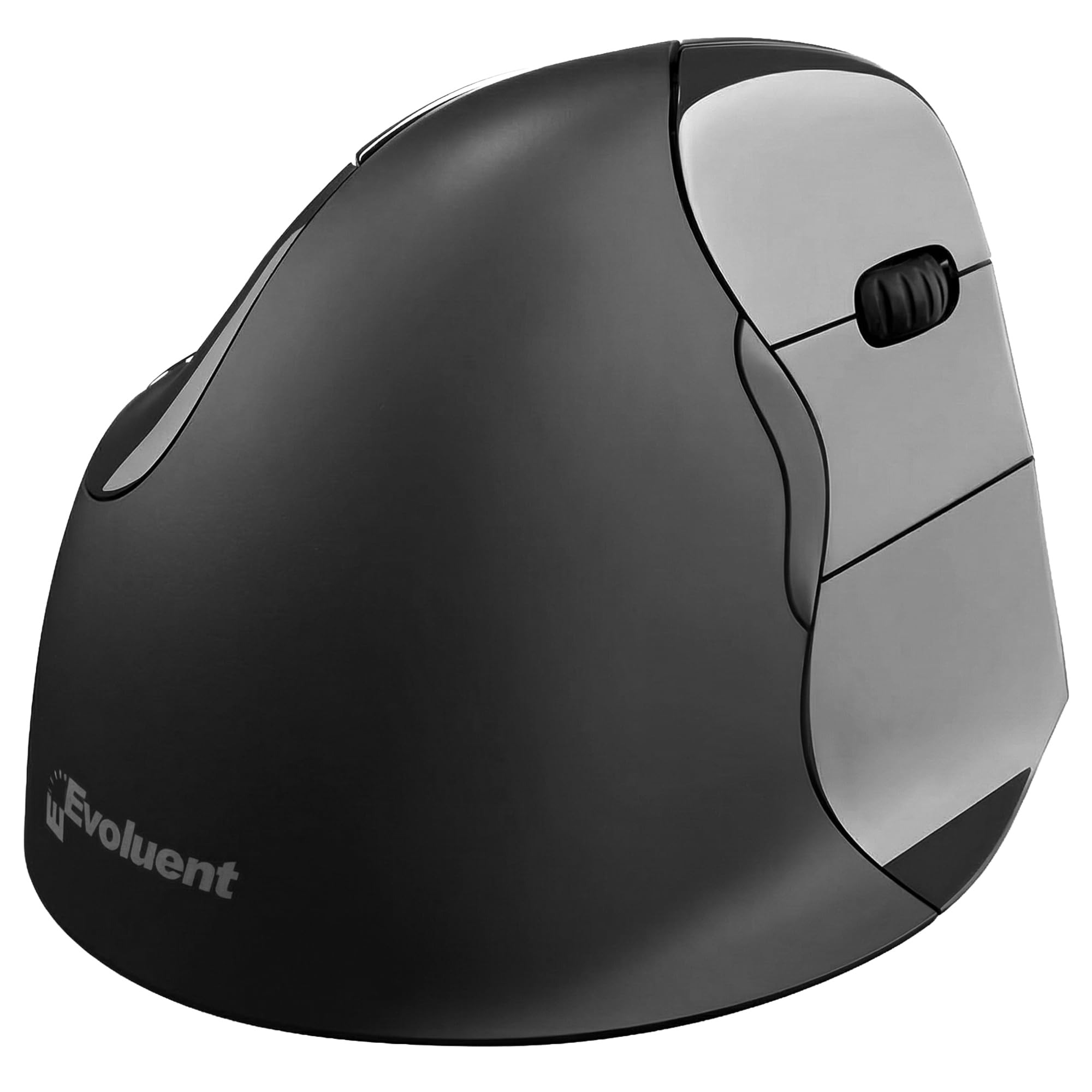
The mouse that started the vertical category, still shaped for an upright grip.
This is the original vertical mouse, and the sculpted shell keeps your hand upright in a natural position that users say eliminates wrist pain. It switches between a USB receiver and Bluetooth, and the copy and paste buttons are fixed rather than programmable.
Size is the sticking point — some find the fit perfect, others find it too big, so check your hand against it. Connectivity and design also draw mixed feedback, and battery life runs to about four months.
original vertical design
- Proven upright shape
- Dual wireless modes
wired old-school build
- Fit is hit or miss
classic ergonomic fans: Fans of the classic vertical shape
dated styling: Buttons are not programmable
6. Logitech MX Ergo S Advanced Wireless Trackball Mouse

A premium trackball with a tilt angle that takes pressure off the forearm.
The adjustable tilt is the clever part — it angles the shell so your forearm sits better, and you can tap between speed and high-precision tracking. Users describe immediate wrist relief, precise aiming and battery life that keeps going.
It is the priciest idea here, and value splits opinion sharply: some call it well worth the money, others balk at the cost. Button responsiveness and reliability also draw mixed notes.
tilt-adjustable trackball
- Adjustable tilt for posture
- Precise, fatigue-free aiming
heavy for portability
- Expensive for many buyers
multi-device switching: Designers and heavy pointer users
steep learning curve: Price is hard to justify
7. Evoluent VMDLW Ergonomic Vertical Mouse
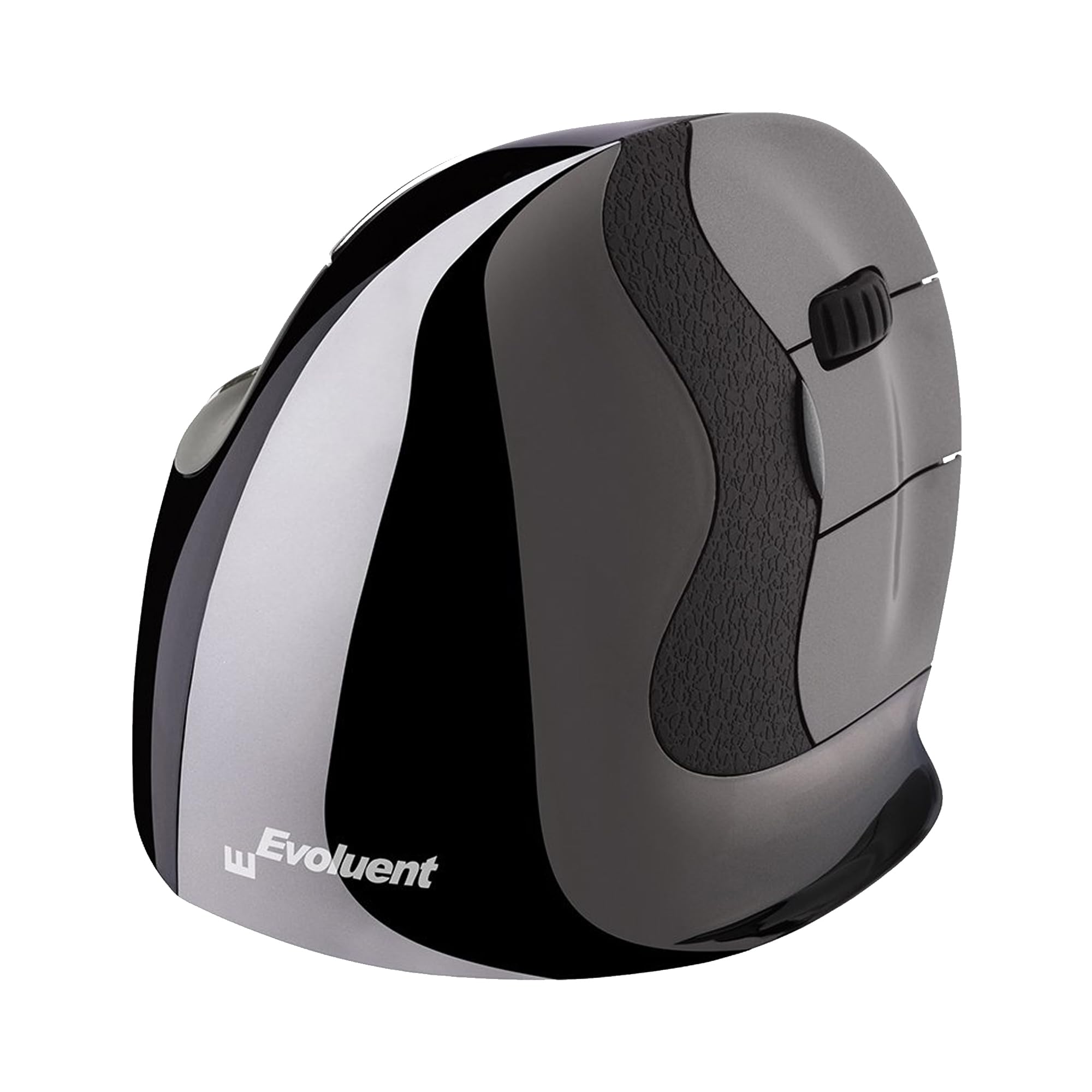
A large-shell vertical mouse that keeps your hand on its side, not flat.
The large shell is built for bigger hands, holding them upright the way they sit in a handshake instead of rotating the forearm flat. Users with carpal tunnel report a real difference in wrist comfort, and six buttons are customizable in Windows.
Grip and value draw the harshest notes — some hands simply slide, and the price feels steep for what you get. Functionality and ergonomics split opinion too, so it is a try-before-you-commit pick.
large-hand vertical support
- Upright handshake posture
- Customizable buttons
pricey niche device
- Grip slips for some hands
big-hand users: Large-handed users with wrist strain
software setup: Grip and price disappoint some
Common Questions
Vertical mouse or trackball — which is better for wrist pain?
Do ergonomic mice take time to get used to?
Does hand size really matter when choosing?
The Bottom Line
Across the board, the best accessible computer mouse winner is the Nulea M501 Wireless Trackball Mouse Ergonomic Thumb Control,4 DPI Levels because it removes arm movement entirely while keeping the palm at a natural angle, which is the most direct fix for desk-bound wrist strain. If wrist pain is your main concern, Lekvey Ergonomic Mouse, Rechargeable Vertical Wireless Mouse, Comfort Grip offers a neutral handshake grip at a friendlier price, while Logitech Lift for Mac Vertical Ergonomic Wireless Mouse – Off White suits Mac owners and Logitech MX Ergo S Advanced Wireless Trackball Mouse USB C – Graphite rewards anyone who wants precision with an adjustable tilt.
How we choose
We do not accept paid placement. Every pick is matched to a real buyer and a real use-case; we do not hands-on test units.
Sources
Specifications: manufacturer listings and product documentation. Review insights: verified customer reviews, as of November 2026. Pricing: not shown on this page (it changes often); check the current price via the retailer link.
As an Amazon Associate, My Heart Lives Here earns from qualifying purchases. This does not affect which products we feature.