Heads up: This post contains affiliate links. As an Amazon Associate I earn from qualifying purchases, at no extra cost to you. Learn more
Specs are compiled from manufacturer listings and verified buyer reviews and can change over time — please confirm the key details on the product page before buying.
If a door needs to open only for the right people, the reader on that door is the whole system — and the wrong one turns a five-minute install into a weekend of wiring. The quick answer: match the reader to the cards you already carry. A mixed office with old 125kHz fobs and newer smart cards needs a dual-frequency unit, a gate or garage door needs a keypad that speaks dry contact, and a single metal door with a mag lock just needs something weatherproof that reads a card fast.
This guide is built by comparing the manufacturers’ published specifications and the patterns across verified customer reviews, so you get each pick’s real strengths and trade-offs instead of marketing spin.
Frequency, wiring protocol, and user capacity decide more than brand name does. Below are the six readers and keypads that cover the realistic jobs, sorted by what each one actually does best, so you can pick the right access control card reader on the first try.
Top Picks

How To Choose The Best Access Control Card Reader
Every mistake in this category traces back to one question you should answer before you buy anything: what card is in your hand right now? A reader only works with the frequency and card family it was built for, and no amount of good wiring fixes a mismatch.
Start with the frequency, not the brand
Old proximity fobs typically run on 125kHz (a low-frequency band that carries a short card number, not encrypted data). Modern smart cards run on 13.56MHz (high frequency, capable of encrypted handshakes). A dual-interface reader handles both bands, which matters in an office where half the staff still carry legacy fobs. If you buy single-frequency and your building has a mix, half your people are locked out.
Decide whether the reader talks or just reads
A standalone keypad stores users locally and decides for itself whether to open the lock. A reader with Wiegand output (a standard wiring format that sends a card number to a separate controller) hands the decision to a control panel. The difference matters: standalone is simpler and needs no software, while Wiegand lets you manage hundreds of doors, schedules, and logs from one place.
Match the housing to the actual door
An IP67 or IP68 rating (a dust-and-waterproofing scale where the number after the 6 measures water resistance) is the difference between a keypad that survives a rainy gate post and one that fogs up by winter. Zinc alloy housings resist prying; plastic faceplates on a back gate do not. Weigh the environment before the feature list.
Check the wiring and power your wall already has
Most keypads in this category run on 12V DC power (a low-voltage wall supply, often sold separately) and switch a lock through a normally-close or normally-open contact. Read your lock type first — a magnetic lock and an electric strike wire differently — and confirm your gate opener accepts a dry contact (a plain open/close signal like a wall push button). Wi-Fi-only and rolling-code gate openers generally do not.
Side-by-Side Comparison
| Model | Best For | Card Frequency | User Capacity | Housing / Rating | Amazon |
|---|---|---|---|---|---|
| HID OMNIKEY 5427ck Gen 2★ Best Overall | Mixed-card offices | Low and high frequency (ISO 14443 A/B, ISO 15693) | — | Compact desktop, USB Type A | Amazon |
| HID 6005BGB00 ProxPoint Plus Mini MullionPremium Pick | Discreet door-mounted reads | 125kHz | — | Mini mullion, 3.52 oz | Amazon |
| MENGQI-CONTROL 4 Doors System | Four-door managed access | EM-ID (125kHz) | 20,000 users | Mag lock kit, 110V box | Amazon |
| RFID Access Control Keypad, IP67 Rated | Single outdoor door with mag lock | RFID card | 3,000 users | Zinc alloy, IP67 | Amazon |
| Universal Wired Access Control Keypad | Garage and gate openers | 125kHz EM / ID | 2,000 users | Zinc alloy, IP68 | Amazon |
| FissaiD RFID Reader EH301 | Desktop card enrollment | 125kHz (1326 family, 4100 ID) | — | Plug-and-play USB, 40 Mbps | Amazon |
Detailed Reviews
1. HID OMNIKEY 5427ck Gen 2 Smart Card Reader
Our pick — 4.5+★ from 60+ verified ratings; the strongest balance of quality and price.
One reader that handles both card generations in the same building, no second unit needed.
Its dual-interface build reads 125kHz proximity cards and 13.56MHz smart cards through a single USB Type A connection. That covers ISO 14443 A/B and ISO 15693 standards (the common high-frequency smart card protocols), which is exactly what you want when half your staff badges are older and half are newer.
It sits on a desk or counter rather than a door, and it connects over USB Type A to a personal computer or laptop. The 4.64-ounce body stays put while you tap, and the 4.25-inch length by 2-inch width footprint leaves room beside a keyboard. CCID mode (the standard smart-card driver that most computers recognise without extra software) and keyboard emulation (the reader types the card number as if it were a keyboard) both work, so legacy software and modern OS setups are covered.
Configuration happens through a web-based management tool you open in a browser, which beats hunting for a proprietary utility. This is also the tallest pick here — 5 inches against the 0.86-inch profile of the Sonew keypad — so check clearance above your counter if you mount it vertically. That dual-frequency flexibility is the draw, and the 4.5+ star rating across 60+ owners backs it up.
What earns it the top slot
- Reads low and high frequency cards from one unit, so a mixed badge population needs no second reader
- CCID and keyboard emulation both supported, covering standard drivers and number-typing software
- Browser-based configuration tool means no separate setup software to install
- Compact 4.64-ounce body with a USB Type A connection that plugs into any PC or laptop
Before you commit
- It is a desktop enrollment reader, not a door-mount keypad — no PIN pad and no lock output
- The 5-inch height is the tallest in this lineup, so plan counter clearance
Reach for this if: you manage a mixed fleet of cards at a reception desk or IT bench and need one reader that speaks to both.
Pass it by if: you need a keypad that physically opens a door — this one reads cards and hands the number to your computer.
2. HID 6005BGB00 ProxPoint Plus Mini Mullion Card Reader
The door reader you barely notice — until the badge taps and the strike clicks.
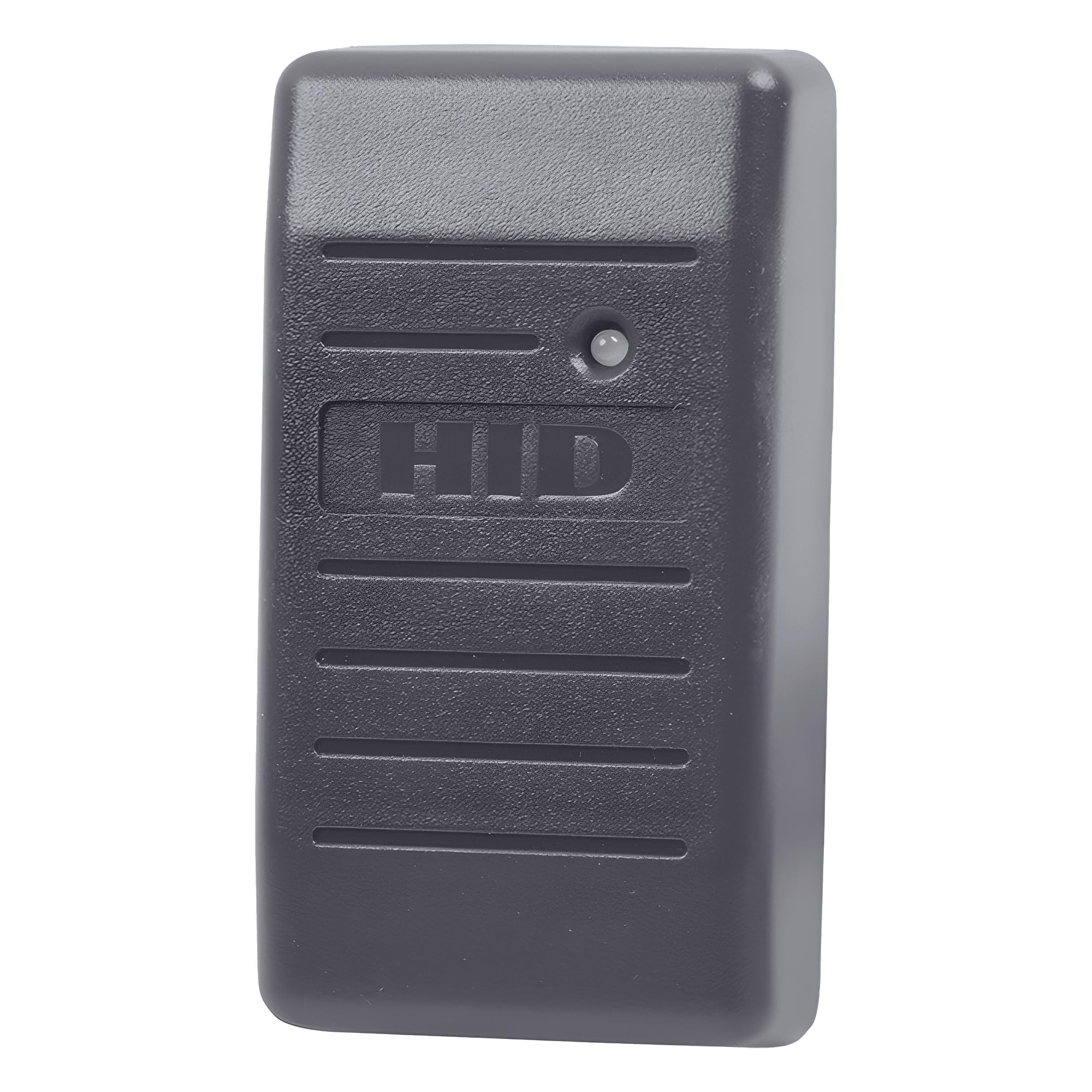
If the brief is a reader that disappears against a narrow door frame, this 125kHz proximity unit is the one. It mounts on a mullion (the slim vertical bar between door panels) and its charcoal gray shell keeps it low-key. At 3.52 ounces it is the lightest reader in this group — the Sonew keypad weighs 16 ounces by comparison, so this hangs on a frame with far less stress on the fixings.
HID builds it to read card formats up to 85 bits, which covers the standard proximity families in most existing installations. The beeper and LED notification can be configured to host-controlled or local behaviour, so it fits a facility that already has its own alerting scheme. A standard 18-inch wire pigtail comes included, which saves you terminating a connector yourself.
Two things to know before ordering. First, it is strictly 125kHz — a modern 13.56MHz smart card will not wake it, so this replaces an existing proximity reader rather than bridging old and new. Second, it is a reader only: no keypad, no local user list, no lock output. It feeds a controller. Owners rate it 4.5+ stars from a smaller pool of buyers, with the low-profile mullion mount driving that score.
The case for the slim HID
- Mini mullion shape and 3.52-ounce weight suit narrow metal door frames
- Reads card formats up to 85 bits, so most proximity families drop straight in
- Host-controlled or locally controlled beeper and LED can be configured to your facility
- 18-inch wire pigtail included in the box
Where it stops short
- 125kHz only — no read support for 13.56MHz smart cards
- No keypad and no standalone mode; it always needs a controller behind it
The right call when: your building already runs 125kHz fobs and you want a tidy reader on a narrow frame that needs almost no space.
Wrong call when: you are upgrading to smart cards — this reader will not see them.
3. MENGQI-CONTROL 4 Doors RFID/Password Door Lock System

A four-door kit with the locks, the power box, and the software already in the cart.
Most picks here are one component. This is the whole job: keypad readers, electric magnetic locks rated at 600lbs holding force, an 110V power supply box, and software that stores entry records and generates reports. It handles up to 20,000 users and 100,000 logs — compare that with the Universal Wired Keypad at 2,000 users if you are sizing for a building rather than a single door.
Access modes cover the useful range: swipe a card or key fob, key in a PIN, or use card plus PIN. Exit is a push button. Card type is EM-ID at 125kHz, and response speed is listed under 0.2 second, so a tap feels instant at the door. You can also set auto open and close at pre-set times during any day, and authorise which user reaches which door at which time — the sort of scheduling that a standalone keypad cannot do.
Remote opening runs through a smartphone app on iOS and Android, and the network side communicates over TCP/IP. The software works with Access and SQL Server databases across Win7 through Win11 in both 32 and 64 bit. A desktop USB reader lets you read a card number straight into the software when registering people. The honest catch: four doors of TCP/IP and lock wiring is a project, not a swap — budget time for the video guide and wire diagram.
Where it earns the money: four doors, 20,000 users, scheduling, reports, and app open up arrive in one box with the mag locks and 110V power supply included.
The trade-off to accept: TCP/IP plus lock wiring plus software setup is a real installation, and the desktop USB reader step is mandatory for easy user registration.
Best suited to: small offices, clinics, or multi-unit properties that want several doors managed from one PC and one app.
Think twice if: you only need one door to open for a handful of people — a standalone keypad does that with far less wiring.
4. RFID Access Control Keypad Door Controller, IP67 Rated
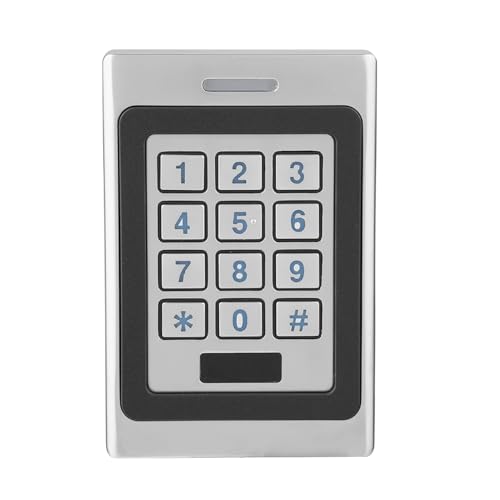
Slim, weatherproof, and built to take a shoulder — this one lives on the back door.
Three access modes in one keypad: tap an RFID card, key in a PIN, or require card plus code together. That third mode is the useful one for a side entrance where a lost card alone should not be enough. Capacity runs to 3,000 users, which comfortably covers a small commercial building or an apartment block without pushing you into networked software.
The housing is the headline. Zinc alloy metal resists prying and vandalism, and the IP67 rating (dust-tight and able to survive a soaking) means an exposed gate or loading bay is fair game. Slim too — 4.33 inches long by 2.95 inches wide by 0.86 inches high, and 16 ounces. That 0.86-inch depth is a fraction of the 5-inch height of the HID OMNIKEY desktop reader, so it hugs a door frame rather than jutting out.
Wiegand input and output are built in (the standard wiring handshake that lets this talk to a larger access system), and the keypad’s anti-interference design keeps reads steady near other electrical gear. The backlit keys and indicator lights mean you are not fumbling in the dark. Standby draw is listed under 30mA, and you can set the door relay from 0 to 120 seconds. Wiring and door adjustments take patience the first time; the payoff is a keypad that shrugs off weather.
Why it fits an outdoor door
- IP67 zinc alloy housing is anti-pry, anti-vandal, and weatherproof for harsh sites
- Three modes — card, PIN, or card plus PIN — with 3,000-user capacity
- Wiegand input and output let it integrate with a larger system
- Backlit keypad with indicator lights, plus adjustable 0–120 second door relay
What to plan around
- Signed up for 12V DC input — you supply the power, it does not come in the box
- Setup and relay timing take a few passes before you get them right
Made for: a single exposed door, gate post, or back entry that needs card and PIN entry without a control panel behind it.
Not the one for: a building-wide schedule and logging system — that needs a networked kit.
5. Universal Wired Access Control Keypad
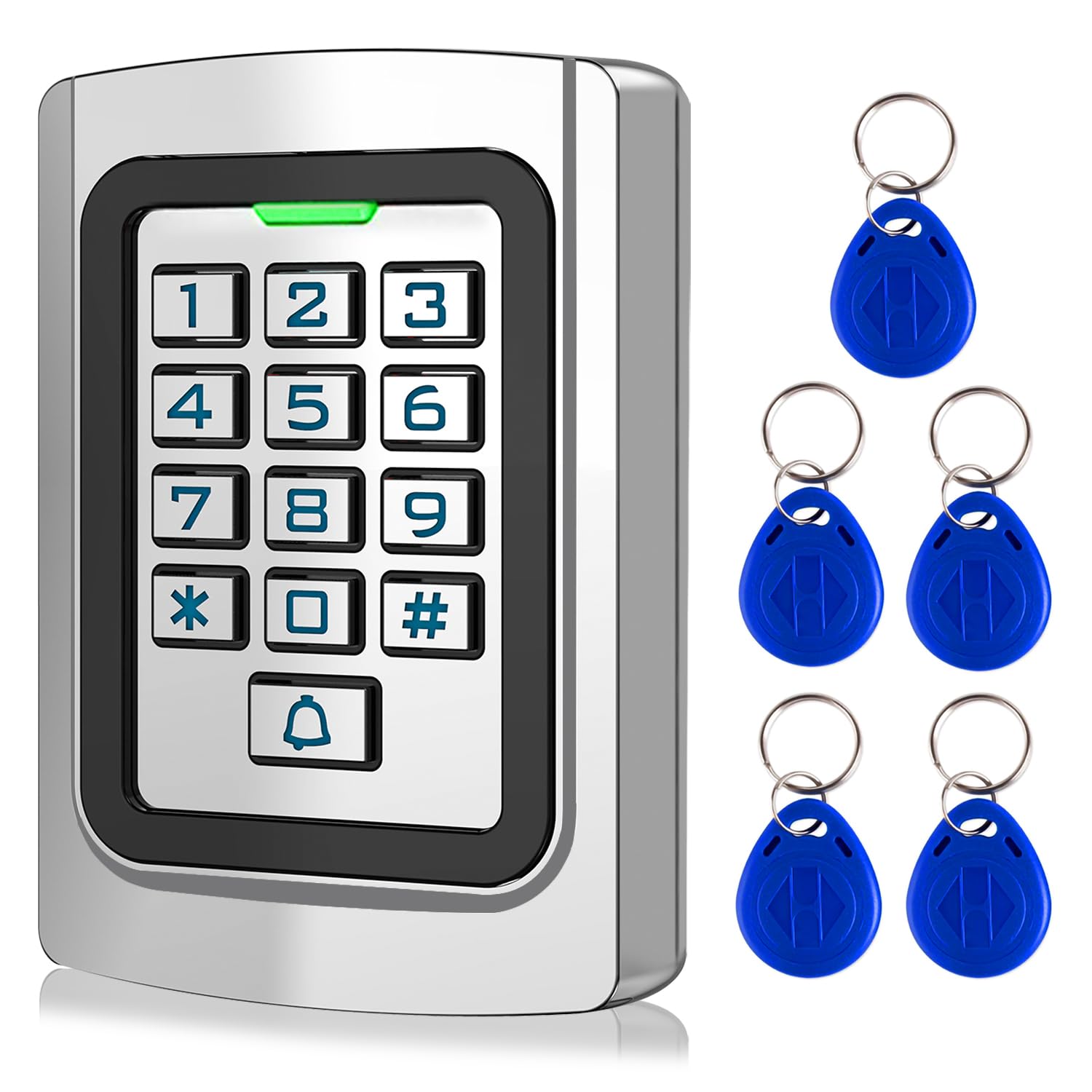
The keypad that opens a driveway gate without asking you to carry a key again.
Built for garage and gate openers whose control boards accept a dry contact signal — the same plain open/close pulse a wall push button sends. Wire the blue and purple leads to the opener’s wall button terminals and the red and black to 12V DC power, and you have keyless entry on a gate that never had it. On top of that, it also works with magnetic locks, electric strikes, and access control systems, so it doubles as a door keypad.
Five keyfobs arrive in the box. You get three working modes — code only, ID card only, or code plus card — and up to 2,000 users. The ID card type is 125kHz EM or ID, and user data is stored locally on the keypad with no software and no internet connection needed. A standard Wiegand 26 output is included, so it can also serve as an extra card reader for a bigger system.
It is genuinely outdoor-rated: zinc alloy housing, LED backlight on the metal buttons, internal epoxy potting, and IP68 waterproofing for long-term rain and sun. What you should expect is a fiddly first install — dodgy instructions are the recurring gripe, and wiring is the part people get stuck on, so budget extra time or a second pair of hands. Once it is wired to your opener, daily use is a short PIN or a fob tap and the gate moves. It sits at 4.0+ stars from a modest owner base: solid zinc alloy build, rough instructions.
What it fixes: keyless entry on garage doors and driveway gates, with 5 keyfobs, IP68 protection, and no internet dependency at all.
What it asks of you: patience during wiring — the instructions leave gaps, and gate openers that only accept Wi-Fi, learn buttons, safety sensors, or rolling code simply are not compatible.
Pick this for: a garage door or driveway gate whose opener takes a dry contact input and where you want PIN or fob access in all weather.
Look elsewhere if: your opener is Wi-Fi-controlled or uses rolling code — this keypad will not speak to it.
6. FissaiD RFID Reader EH301 USB Card Reader

The little USB puck that turns a stack of unlabelled badges into named users.
This is the reader you buy when the door hardware is already sorted and the missing piece is enrolment — reading card numbers off fobs so you can register them in software. It reads both 125kHz 1326-family ISO Prox cards and 4100 ID cards together, needs no driver, and plugs into USB Type A. Setup takes seconds: tap a card, get a number.
The programming depth is the surprise. It sends card numbers in 40 output formats, from 24 to 80 bits of raw Wiegand data, and supports up to 40 bits in either 10H or 13-digit decimal format. Twenty client formats can be configured with a chosen prefix and suffix, and leading zeros can be ignored. It runs on Android, Linux, Mac OS, and Windows, and the USB 2.0 link is rated at 40 megabits per second. Owners praise the 40-format output flexibility first and the driverless setup second.
Two honest limits. It is read-only — if you need to write an ID or facility code onto a card, this model is not the tool. And card recognition draws the mixed feedback, so keep to the 1326 and 4100 families it names rather than assuming it reads every badge in a drawer. At 4.0+ stars across 150+ buyers, it earns its keep as a bench enrollment tool, not a door reader.
Where it shines
- Reads 125kHz 1326-family ISO Prox and 4100 ID cards together with no driver install
- 40 output formats and raw Wiegand from 24 to 80 bits, configurable with a config card
- Works across Android, Linux, Mac OS, and Windows over USB 2.0
- Private prefix and suffix settings with leading-zero control for awkward formats
Know before you buy
- Read-only — it will not write ID or facility codes onto cards
- Card recognition varies, so stay within the 1326 and 4100 families it lists
Worth grabbing if: you are enrolling cards into access software and want a driverless USB reader that handles awkward legacy formats.
Not your tool if: you need to program codes onto blank cards rather than just read them.
Know the Specs
125kHz vs 13.56MHz: the card frequency question
Low frequency (125kHz) proximity cards carry a simple card number over a short range — cheap, common, and read by almost every legacy system. High frequency (13.56MHz) smart cards can hold encrypted data and are read by ISO 14443 A/B and ISO 15693 devices like the HID OMNIKEY. A 125kHz reader will not read a 13.56MHz card, and vice versa, so match the reader to the badges already in circulation.
Wiegand output and dry contact wiring
Wiegand is a wiring format that sends a card number from a reader to a controller in raw bit data — the FissaiD reader pushes formats from 24 to 80 bits, and the Sonew keypad offers Wiegand 26 output. A dry contact is simpler still: a plain open/close pulse, like the wall button a garage opener already uses. Standalone keypads switch a lock directly; Wiegand readers hand the decision to a panel.
IP ratings: how weatherproof is weatherproof
The number after the 6 in an IP rating measures water resistance. IP67 means dust-tight and able to survive a dunking; IP68 goes a step further for continuous immersion. Both the Sonew and the Universal Wired Keypad use these ratings on zinc alloy housings, which is what lets them sit on an outdoor gate post. A desktop USB reader has no rating at all because it never leaves the office.
User capacity and where access logs live
Capacity ranges from 2,000 users on the Universal Wired Keypad to 3,000 on the Sonew keypad to 20,000 on the MENGQI system. If you only need to store a handful of fobs, a standalone keypad is enough. If you need a record of who came in and when, you need a networked unit with logs and reports — the MENGQI kit stores up to 100,000 logs and reports on them through its software.
Common Questions
Will a 125kHz reader read my existing smart card?
Can the Universal Wired Keypad open my garage door?
What do IP67 and IP68 actually protect against on a keypad?
Do I need a separate controller to use a Wiegand reader?
How many users can each reader hold?
Can one keypad control more than one door?
What power does an access control keypad need?
Is card plus PIN more secure than a card alone?
Which reader works with magnetic locks or electric strikes?
Can any of these readers write card IDs rather than just read them?
The Bottom Line
The access control card reader that fits the most situations is the HID OMNIKEY 5427ck Gen 2, because dual low-and-high-frequency read support and browser-based setup cover a mixed badge population without a second unit. If you are mounting on a door frame and running legacy proximity fobs, the HID 6005BGB00 ProxPoint Plus is the tidy 125kHz pick. For a driveway gate, the Universal Wired Keypad with its IP68 housing and five keyfobs is the one to reach for, and if four doors need one managed system, the MENGQI-CONTROL kit brings the locks, power, and software together. Decide what card is in your hand and what door it opens — the rest of the choice follows quickly.
How we choose
We do not accept paid placement. Every pick is matched to a real buyer and a real use-case; we do not hands-on test units.
Sources
Specifications: manufacturer listings and product documentation. Review insights: verified customer reviews, as of November 2026. Pricing: not shown on this page (it changes often); check the current price via the retailer link.
As an Amazon Associate, My Heart Lives Here earns from qualifying purchases. This does not affect which products we feature.