Heads up: This post contains affiliate links. As an Amazon Associate I earn from qualifying purchases, at no extra cost to you. Learn more
Specs are compiled from manufacturer listings and verified buyer reviews and can change over time — please confirm the key details on the product page before buying.
You want a small tablet you can hold in one hand — and most tablets this size quietly cut corners to hit that size. The trick is telling which corners were cut to hit the price and which were trimmed to hit the size. An 8-inch Android tablet lives or dies on three things: whether the battery survives a full evening, whether the screen is sharp enough that small text does not turn to mush, and whether the storage can hold your films without a microSD card. Get those three right and the compact size stops feeling like a compromise.
This guide is built by comparing the manufacturers’ published specifications and the patterns across verified customer reviews, so you get each pick’s real strengths and trade-offs instead of marketing spin.
Below you will find the compact screens that actually earn their place in a bag, sorted by what each one does best — from the metal-framed workhorse to the mini media machine you barely notice you are carrying. Every pick here is an 8 inch android tablet, so the only real question left is which one fits how you actually use it.
Top Picks

How To Choose The Best 8 Inch Android Tablet
The first thing to accept is that an 8-inch tablet is a different animal from a 10-inch one. You are buying it because it fits a coat pocket or a small bag, and because you can hold it with one hand while the other hand stirs a pan or holds a train strap. Everything below flows from that one decision, so decide first whether pocketability is your real goal.
Screen sharpness beats screen size
Two tablets can both say “8-inch” and look wildly different. What matters is the resolution written next to it — numbers like 1340 x 800 or 1920 x 1200. A higher second number means more rows of pixels, so small text in a book or a webpage keeps clean edges instead of blurring together. For reading and streaming, a 1920 x 1200 compact panel beats a larger 1340 x 800 one.
Real memory versus expanded memory
You will see memory advertised in two ways. Some tablets list a single figure like 4GB of RAM (the working memory that holds your open apps). Others advertise a bigger combined number, where part of it is virtual — software borrowing storage space to act like memory. Virtual memory eases app switching, but it borrows storage space rather than adding real RAM chips. Judge a tablet on the physical RAM figure first.
Where your films and photos will live
Built-in storage is the space already inside the tablet, and expandable storage is the microSD card slot you fill yourself. Most picks here take a card, which means you can add room later without replacing the device. If you plan to download whole seasons of a show for a flight, check both figures before you commit.
How long you actually need it to run
Battery claims come in two flavours: capacity in mAh (the size of the fuel tank) and hours (the estimated distance you get from it). A larger mAh number generally means more headroom, but the hours figure tells you what to expect during a long stream. Reading drains a screen far more slowly than video, so a tablet that manages a modest video run can still last days as an e-reader.
Side-by-Side Comparison
| Model | Best For | Screen | Memory / Storage | Battery | Amazon |
|---|---|---|---|---|---|
| Samsung Galaxy Tab A7 Lite★ Best Overall | Everyday family streaming | 8.7″ TFT | 32GB, expandable to 1TB | 5100 mAh | Amazon |
| Lenovo Tab OneLongest Sessions | Long YouTube sessions | 8.7″ HD, 480 nits | 4GB RAM / 64GB | Up to 12.5 hrs YouTube | Amazon |
| BNCF BPad T1Sharpest Small Screen | Sharpest small screen | 8.4″ 1920×1200, 90Hz | 128GB + up to 2TB card | 5500 mAh | Amazon |
| Samsung Galaxy Tab A9 | Fast everyday multitasking | 8.7″ 1340 x 800 | 4GB RAM / 64GB | 5100 mAh | Amazon |
| HAOVM M8 | Big storage on a budget | 8″ 1280×800 IPS | 12GB / 64GB + 2TB card | 5100 mAh | Amazon |
| Azeyou Mini Tablet | Travel and in-car navigation | 8.7″ 800 x 1340 | 64GB + up to 2TB card | 5000 mAh | Amazon |
| Amazon Fire HD 8 (64GB) | Hands-free Alexa home hub | 8″ HD | 4GB RAM / 64GB | Up to 13 hrs | Amazon |
| Amazon Fire HD 8 (32GB) | Kids’ first tablet | 8″ HD | 3GB RAM / 32GB | Up to 13 hrs | Amazon |
| Lenovo Tab M8 (4th Gen) | Marathon battery reading | 8″ HD | 2GB RAM / 32GB | 5100 mAh, up to 16 hrs | Amazon |
Detailed Reviews
1. Samsung Galaxy Tab A7 Lite 8.7″ 32GB WiFi Android Tablet
Our pick — 4.5+★ from 15,500+ verified ratings; the strongest balance of quality and price.
The metal-framed workhorse that survives being handed to a five-year-old.
The Galaxy Tab A7 Lite earns the top spot for one unglamorous but decisive reason: it is built to be dropped. Its 8.7-inch screen sits inside a sturdy metal frame, a step up from the plastic backs on most compact tablets. That frame is the difference between a device that lives on a shelf and one that travels in a school bag every morning.
The 5100 mAh battery (milliamp-hours — the size of the power tank) is enough for an evening of streaming, and fast charging means you are not tethered overnight. Storage starts at 32GB and expands up to 1TB with a microSD card, so a season of downloaded episodes and a child’s whole photo library can both live on board. Samsung’s One UI software also lets you start a show on a Galaxy phone and finish it on the tablet.
Where it fits your life is family entertainment. A 3.5mm headphone jack means wired kids’ headphones work without adapters, and the Samsung Kids app gives you a walled garden of curated apps and screen-time limits. Bluetooth 5.0 handles wireless speakers and earbuds without fuss.
What earns it first place
- Metal frame resists the everyday knocks that kill plastic-backed tablets
- 1TB microSD expansion holds an entire offline library
- Fast charging and a 5100 mAh cell cover a full streaming evening
- 3.5mm headphone jack keeps wired headphones in play
Where it asks patience
- The TFT panel is serviceable rather than vivid — fine for video, not a showcase screen
- 32GB of built-in space fills fast if you skip the microSD card
- No stylus support in this configuration
Strongest fit: a household with children or a commuter who wants a screen that can take a knock.
Think twice if: you want the crispest possible panel for photo editing — a sharper pick sits further down this list.
2. Lenovo Tab One 8.7″ HD Display Tablet with Folio Case
Twelve and a half hours of YouTube, and the case is already in the box.
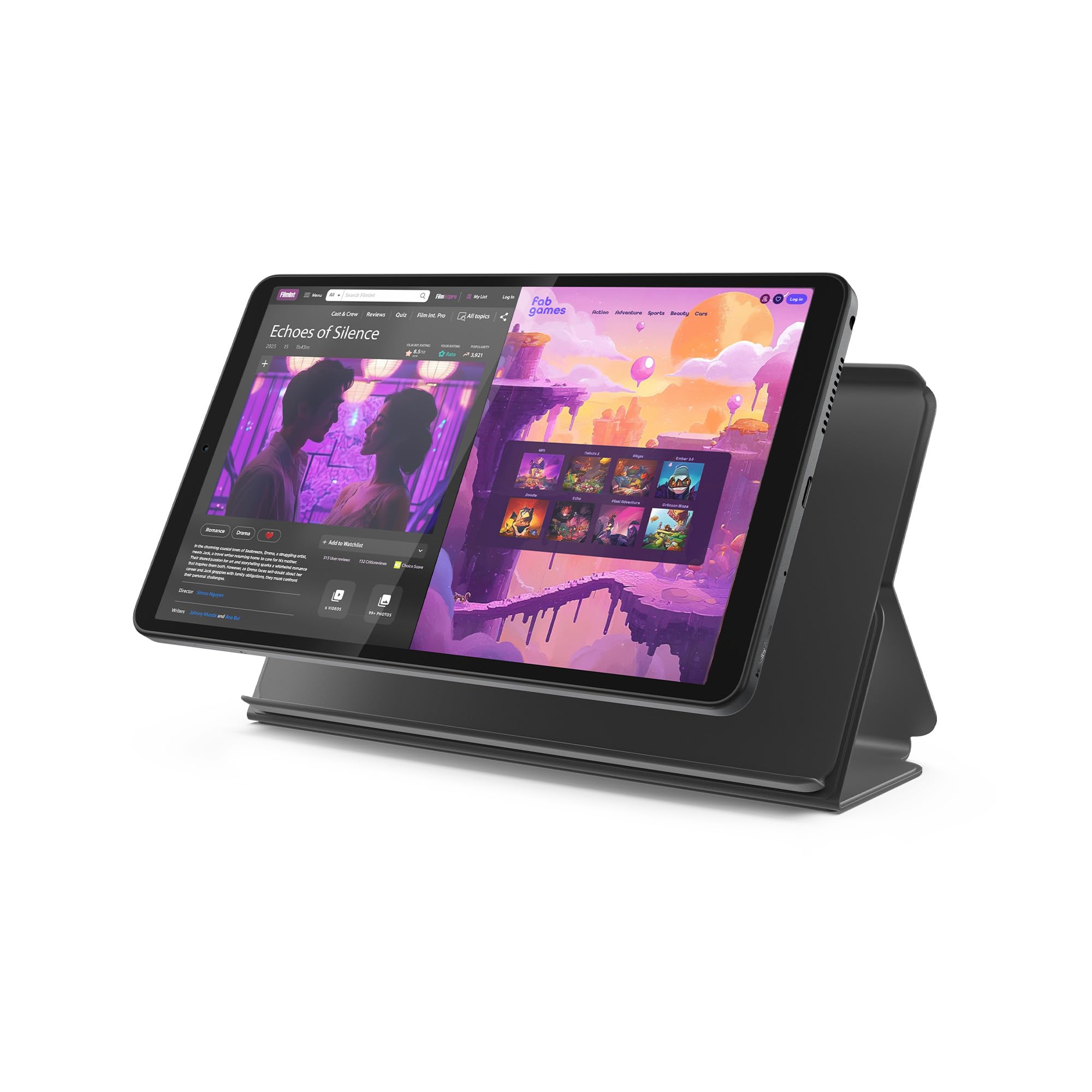
If your tablet mostly plays video, this one is built around that job. Lenovo rates it for up to 12.5 hours of unplugged YouTube streaming, and the 480-nit display (nits measure brightness — higher means it stays readable in a bright room) keeps the picture visible on a sunny kitchen table. Set it up in the included folio case and the built-in stand turns it into a tiny television for the counter.
Under the hood sits a MediaTek Helio G85 processor with a 60Hz refresh rate (how many times per second the screen redraws — higher is smoother). That combination handles fluid browsing and casual gaming without stutter. Audio gets unusual attention for this size: dual Dolby Atmos speakers give films real depth instead of a tinny phone speaker.
It runs Android 14 with 2 years of security patches promised, and Google Kids Space recommends teacher-approved content if you hand it to a child. The whole unit is under a pound, which is the spec that actually matters when you carry it all day.
The convenience factor: the folio case is included rather than sold separately — many compact tablets leave you to buy one — and it doubles as a stand for hands-free viewing.
The honest limit: 4GB of memory and 64GB of storage are modest, so heavy multitaskers will notice apps reloading when they switch back.
Reach for this if: video is your main use and you want the case and stand sorted on day one.
Look elsewhere if: you need a stylus or a large 128GB+ built-in library.
3. BNCF BPad T1 8.4″ Android 16 Tablet with Gemini AI
The only pick here with a 1920×1200 panel at 90Hz — and it shows.
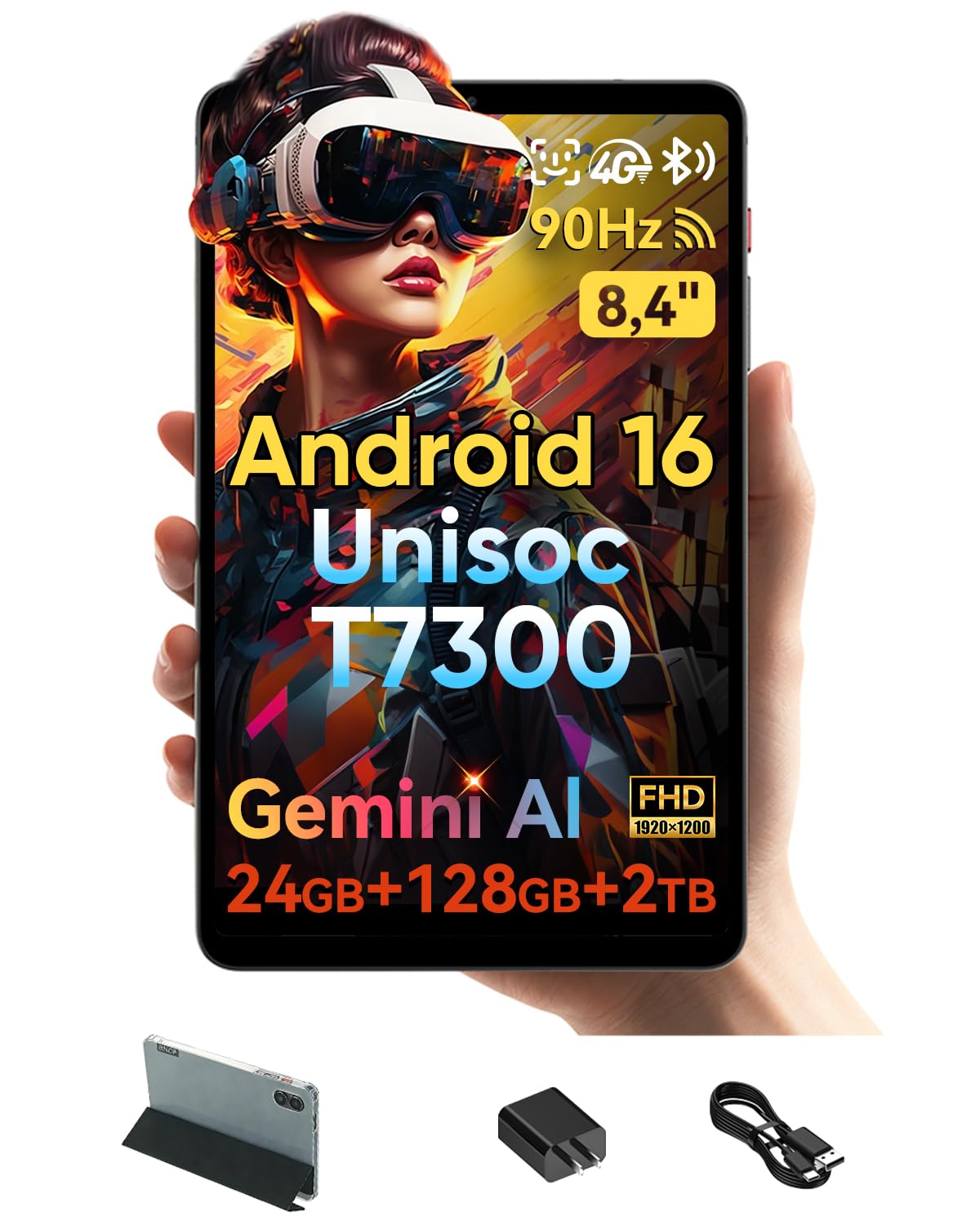
Resolution is exactly where this tablet separates itself from the rest of the list. The 8.4-inch IPS screen runs 1920 x 1200 pixels, a big jump over the 1340 x 800 panels on most of these picks. Text in a book or a webpage keeps clean, sharp edges. The 90Hz refresh rate makes scrolling feel fluid rather than steppy — a difference you notice the moment you flick through a feed.
Running Android 16 with Gemini AI built in, it handles the modern software stack, and the Unisoc T7300 octa-core processor (eight cores working together) on a 6nm process balances speed and power draw. Storage is genuinely generous: 128GB built in, expandable to 2TB via a microSD card. A 5500 mAh battery backs all of it up.
It is also the slimmest thing here at 7.6mm and a 316g body, which makes one-handed reading genuinely comfortable. Facial recognition open up it instantly, and 4G LTE plus Wi-Fi 6 keep you connected on the move. Owners single out the size as the thing they love most, and the screen quality and speed follow close behind.
What owners notice: the size-and-screen pairing lands first — this is the pick for someone who wants a sharp, compact panel rather than a large dull one.
The trade-off: performance feedback is mixed, so treat it as an everyday entertainment and reading device rather than a gaming rig.
Best for: pixel-conscious readers and streamers who want the crispest compact display on this list.
Skip if: you need rock-solid performance under heavy load — the mixed speed reports suggest everyday tasks rather than intensive gaming.
4. Samsung Galaxy Tab A9 64GB 4GB RAM WiFi Tablet

A MediaTek Helio G99 in a body small enough to hold while the kettle boils.
The Tab A9 is the smooth operator of the group. Its Mediatek Helio G99 chip (a 6nm octa-core processor) runs at up to 2 GHz, with a Mali-G57 MC2 graphics chip handling the visuals. What that means in practice is app switching that does not stutter, games that open without a loading wait, and a screen that keeps up. Owners consistently point to performance as the standout, with ease of use right behind it.
The 8.7-inch panel runs 1340 x 800 and gives you enough room for a game like Genshin Impact to feel spacious rather than cramped. Around the edges you get an 8MP rear camera with autofocus, a 2MP front camera, Bluetooth 5.3, and USB Type-C 2.0 charging. A 5100 mAh battery keeps it running through an evening.
One thing to check before you buy: this is an international model with no SIM card slot — it is Wi-Fi only. Setup asks you to pick a country and the setting updates after you connect to Wi-Fi. Samsung’s One UI 5.1 sits on top of Android 13, so the software experience matches the rest of the Galaxy family.
Why it holds its place
- Helio G99 processor at up to 2 GHz keeps apps flowing
- Easy setup and a familiar One UI layout
- 8.7-inch 1340 x 800 screen gives games room to breathe
What to know first
- International version with no domestic warranty — covered by the seller’s return policy instead
- Wi-Fi only, with region setup that can confuse a first boot
Pick it when: you want a fast, well-finished compact tablet for apps, games, and browsing at home on Wi-Fi.
Look past it if: you need cellular data or a local warranty card.
5. HAOVM M8 8-inch Android 15 Tablet

Twelve gigabytes of memory and Android 15 on an eight-inch screen.
On paper the M8 reads like a much larger machine squeezed into an 8-inch frame. The 8-core processor paired with 12GB of memory handles multitasking, and Android 15’s RAM expansion adds virtual memory on top. Storage starts at 64GB and climbs to 2TB with a microSD card, so a film collection fits comfortably.
The 8-inch IPS panel runs 1280 x 800 with 178-degree viewing angles (you can watch off to the side without the picture washing out), and it is calibrated to trim blue light. HDR decoding and Widevine L1 certification mean Netflix and Disney+ stream in true HD rather than a downgraded version. Wi-Fi 6 and Bluetooth 5.4 keep connections quick and low-latency for earbuds and controllers.
Where things get honest: the picture is mixed in owner feedback. Some find it a solid everyday device; others hit slow performance and warmth under load. The 5100 mAh battery is rated for up to 10 hours of streaming or 18 hours of reading, but the recurring note is heat, so treat it as a light-duty tablet rather than a gaming machine.
Where it wins: the memory and expandable storage figures are unusually high for the compact class, which keeps app switching and downloads comfortable.
The catch: warmth and slow patches turn up in the feedback, so it suits browsing, reading, and streaming more than heavy games.
Consider it if: you want big memory and expandable storage for reading, browsing, and video calls on a compact screen.
Pass if: you plan to push serious gaming sessions — the heat reports suggest staying lighter.
6. Azeyou 8.7 Inch Mini Android Tablet with GPS
The one with GPS built in — the compact screen that navigates as well as it reads.
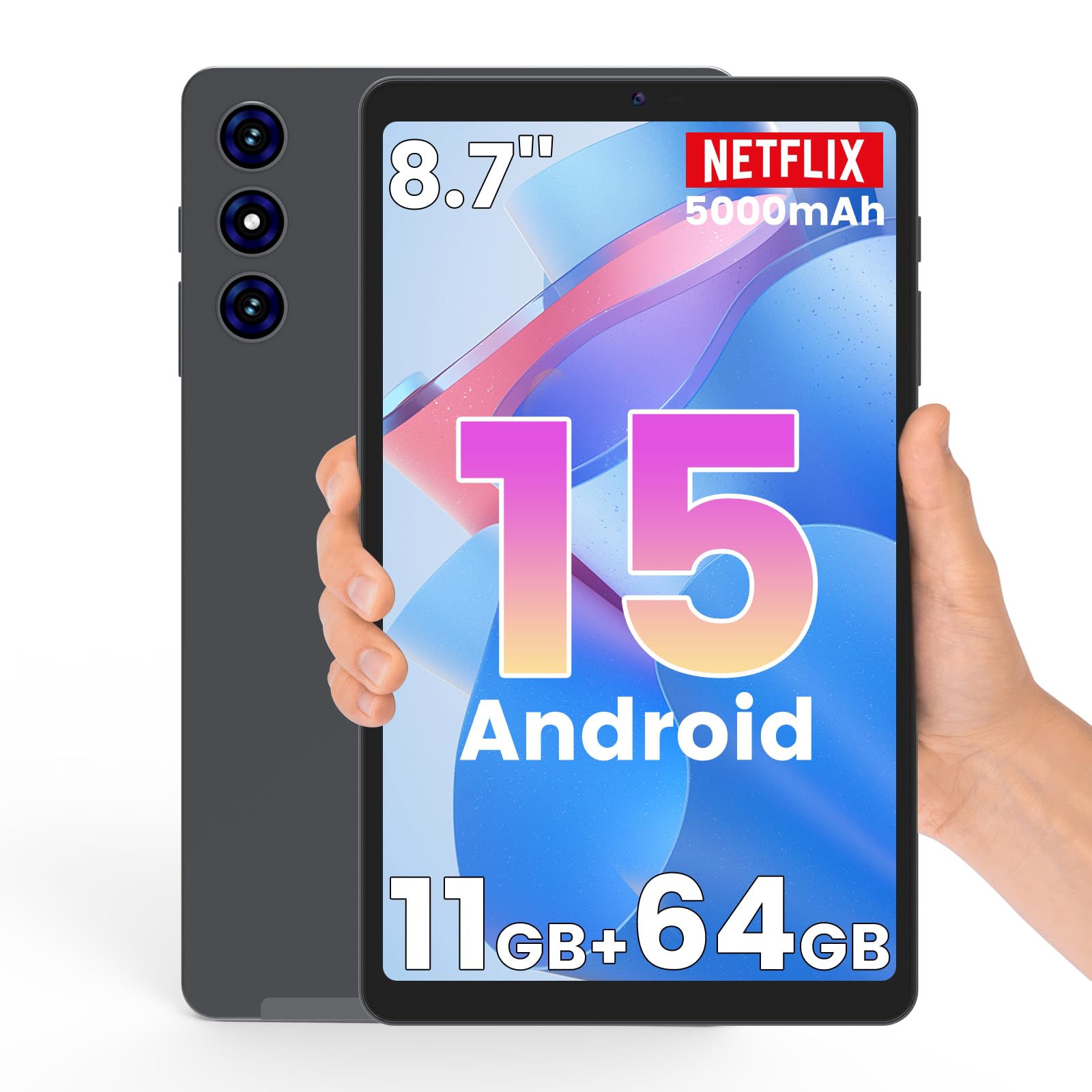
Most compact tablets leave navigation to your phone. This one carries built-in GPS, so compatible map and location apps work directly on the larger screen while you drive or explore. At 361g it is light enough to hold one-handed for a long reading session, and the 8.7-inch 800 x 1340 in-cell display (the touch layer is built into the panel, which trims thickness and sharpens light transmission) keeps text crisp.
Android 15 runs the show, backed by a 2.0GHz quad-core processor. Memory is listed as 3GB physical with 8GB virtual on top, and battery life is rated for up to 8 hours of video, 12 hours of e-book reading, or 20 hours of music. Dual-band Wi-Fi covers both 2.4GHz and 5GHz networks, and Bluetooth 5.0 connects wireless headphones. A 5000 mAh cell sits inside.
The things owners care about most are quality and value, with screen quality close behind — the design and finish punch above the price. Reliability and battery life draw more mixed notes, so plan on it being an everyday companion rather than a workhorse on a heavy travel schedule.
Standout detail: GPS plus dual speakers plus a 361g body make it the travel pick — it fits a purse or backpack and works as a back-seat screen or a road-trip map.
Where to temper hopes: the 8-hour video rating is shorter than some rivals, and reliability notes are mixed, so keep it for everyday tasks.
Reach for this if: you want GPS on board and a genuinely pocketable reading screen for trips.
Think twice if: your main use is long streaming marathons — the battery rating here is on the shorter side.
7. Amazon Fire HD 8 Tablet 64GB with 4GB Memory

A low-cost Kindle-family hub that does exactly one ecosystem extremely well.
The Fire HD 8 is not trying to be a general-purpose Android tablet — and that clarity is its strength. It ships with 4GB of memory (double the earlier generation) and 64GB of storage, expandable to 1TB. The 8-inch HD screen handles streaming and casual gaming, and the 5MP rear camera covers quick photos. A hexa-core processor keeps basic navigation quick.
Battery is rated for up to 13 hours of reading, browsing, video, gaming, and music — a figure that covers a long-haul flight if you are not cranking brightness. That 13-hour figure is the best of the two Fire models here: the 32GB sibling runs the same engine but with half the storage and less memory.
Where it earns its place in the guide is the Alexa layer. Ask it to make video calls through apps like Zoom, control smart-home lights, set reminders, or read the news. It runs Amazon’s Appstore rather than Google Play, so app availability is narrower. For a household already living in the Alexa ecosystem, that trade is comfortable. For a buyer who needs Google Maps or the Play Store, it is the wrong door.
What makes it work: hands-free Alexa plus the Fire OS layout and a 64GB starting point make it a natural fit for a kitchen counter or a bedside smart-home controller.
The honest limit: no Google Play means the app catalogue is smaller than a standard Android tablet, so check your must-have apps are in Amazon’s store first.
Best for: an Alexa household that wants a cheap, cheerful entertainment and voice-control screen.
Not for: anyone who needs full Google Play or maps — the app store is Amazon’s own.
8. Amazon Fire HD 8 Tablet 32GB with 3GB Memory
The entry Fire: same 13-hour engine, trimmed memory for a first screen.
If the question is what to hand a seven-year-old without wincing, this is the short answer. The 32GB Fire HD 8 keeps the same 8-inch HD display and hexa-core chip as its bigger-storage sibling, but drops to 3GB of memory and 32GB of storage. That is plenty for Roblox, Minecraft, Khan Academy Kids, and a downloaded stack of episodes.
Battery is rated for up to 13 hours of reading, video, browsing, and gaming, so it survives a car journey and a hotel evening without a charger. Alexa works the same way — video calls through apps like Zoom, smart-home control, shopping lists, reminders. Parents get the same Amazon ecosystem, kid-safe app filtering, and a screen that is cheap enough to replace without a family meeting.
The obvious comparison sits one pick above: the 64GB model doubles both memory and storage. If you have more than one child or you load full seasons locally, the 64GB earns its upgrade. If you stream over Wi-Fi and the kids mostly play a handful of games, this one leaves money for a case and a screen protector.
Why it fits the kids’ role: 13-hour battery and an 8-inch HD screen cover a long day of games and videos without a charger in the bag.
What to expect: 3GB memory and 32GB storage are modest — multiple heavy apps at once will show their limits.
Go with it if: you need a first kids’ tablet and stream rather than download everything.
Step up if: you want more room for offline files — the 64GB sibling doubles memory and storage.
9. Lenovo Tab M8 (4th Gen) 8″ HD Tablet

Sixteen hours of streaming on a 5100 mAh cell — the reading companion that keeps going.
On the one number that matters for a tablet you keep by the bed, this Lenovo goes furthest: an estimated 16 hours of streaming from a 5100 mAh battery. That is the longest rating in this group, and for an e-reader or a road-trip video machine it means you can leave the charger at home. The 8-inch HD display and dual speakers handle video and audio cleanly.
It carries TÜV Eye Care certification, which means the screen is built to cut blue light, and a Reading Mode softens it further for long sessions. The Helio A22 processor with 2GB of memory and 32GB of storage is modest, and owners describe the speed honestly as the weak spot — sluggish is a word that turns up. For streaming and reading, though, it is more than enough.
Family features round it out: a privacy dashboard to see which permissions apps use, camera and microphone indicators, and Google’s Family Link for content filtering and screen-time limits. That makes it a sensible shared household tablet. It is priced at the top of this group, so treat it as a buy for the battery and the eye-care screen rather than raw speed.
Where it shines
- 16-hour streaming estimate is the longest on this list
- TÜV Eye Care certification plus a Reading Mode built for long reading sessions
- Family Link parental controls and a privacy dashboard for shared use
Where it drags
- 2GB memory and a Helio A22 make it the slowest pick here for app switching
- 32GB of storage needs a microSD card if you download a library
Made for: reading in bed and long trips where the charger stays home.
Less suited to: fast app switching and heavy games — the 2GB memory shows its age under load.
Know the Specs
Screen resolution and pixels per inch
The resolution — written as width x height, like 1340 x 800 — counts the rows and columns of pixels (the tiny dots that make the picture). More dots in an 8-inch space means smaller text stays sharp. A 1920 x 1200 panel packs noticeably more of them than a 1340 x 800 one, which is why it reads better for books and web pages.
Refresh rate in hertz
A refresh rate in hertz (Hz) is how many times per second the screen redraws. 60Hz is the standard — perfectly fine for video and reading. 90Hz updates more often, so scrolling and animation look smoother. It is a comfort upgrade, not a necessity.
RAM — physical versus virtual
RAM is the working memory that holds open apps. Physical RAM is actual chips. Virtual RAM is software borrowing storage to simulate more. A 3GB + 8GB listing means 3GB of real chips plus 8GB of virtual help. That helps with switching, but a tablet with more physical RAM usually feels steadier.
Storage and microSD expansion
Built-in storage is what ships inside the tablet. A microSD card adds more. Most picks here expand up to 1TB or 2TB, so a small starting figure like 32GB is not the end of the story — the card slot is the safety valve.
Battery capacity and hours
Capacity in mAh tells you the size of the power tank. The hours figure tells you what to expect from it. A bigger mAh number tends to mean more headroom, but reading drains more slowly than video, so a tablet with modest video hours can still run for days as an e-reader.
Software, app stores, and Android versions
Most Android tablets here run a full Android version with Google Play. The Fire HD 8 runs the Amazon Appstore instead, which is narrower. The version number (Android 13, 14, 15, or 16) tells you how recent the software is — newer versions generally get updates for longer.
Common Questions
Is an 8-inch Android tablet too small for watching films?
Will an 8-inch tablet fit in my bag or coat pocket?
Can I expand the storage on these tablets with a microSD card?
Do 8-inch Android tablets support stylus input?
What is the difference between the Fire HD 8 and a standard Android tablet?
How many hours of battery do I need for a full day out?
Can I use a compact tablet for GPS navigation in the car?
Is a 90Hz screen worth it on a tablet this small?
Will these tablets work with Google Play and standard apps?
Can I hand a compact tablet to a child safely?
The Bottom Line
For most buyers, the winner on this list is the Samsung Galaxy Tab A7 Lite — the metal frame makes it the pick most likely to survive a household with children, and the 1TB microSD expansion means you never run out of room for downloads. If you want the sharpest compact display, grab the BNCF BPad T1, whose 1920 x 1200 panel at 90Hz easily out-resolves the lower-resolution screens on this list. And for a tablet that runs all evening without a charger, the Lenovo Tab M8 and its up-to-16-hour estimate is the one to reach for.
How we choose
We do not accept paid placement. Every pick is matched to a real buyer and a real use-case; we do not hands-on test units.
Sources
Specifications: manufacturer listings and product documentation. Review insights: verified customer reviews, as of November 2026. Pricing: not shown on this page (it changes often); check the current price via the retailer link.
As an Amazon Associate, My Heart Lives Here earns from qualifying purchases. This does not affect which products we feature.