Heads up: This post contains affiliate links. As an Amazon Associate I earn from qualifying purchases, at no extra cost to you. Learn more
Specs are compiled from manufacturer listings and verified buyer reviews and can change over time — please confirm the key details on the product page before buying.
You want eight colors in one print, with no hand-painting afterward. Here is the honest catch: almost no machine ships with eight filament slots on day one. Most multi-color printers give you four filament slots (the holders that feed each color) and let you chain a second unit to double that to eight. So the real question is not “which printer has eight colors” but “which printer can reach eight and still print well.” Every pick below has a real path to eight or more colors, and each one is judged on how well it prints once you get there.
This guide is built by comparing the manufacturers’ published specifications and the patterns across verified customer reviews, so you get each pick’s real strengths and trade-offs instead of marketing spin.
Some machines reach eight colors with two four-slot units, some go all the way to sixteen, and a few lean on a heated chamber instead of sheer color count. Below you get the speed, build volume, and color path laid out side by side, plus the trade-offs that decide which 8 color 3d printer fits your desk.
Top Picks
How To Choose The Best 8 Color 3D Printer
The fastest way to get this right is to stop shopping for “eight colors” as a single spec and start shopping for the filament system plus the hardware that feeds it. A printer that can hold eight spools but prints at a crawl, or warps every tall ABS part, is not an eight-color printer in any useful sense. Here is what actually decides your result.
The color path: four slots, then double up
Nearly every machine on this list ships with one multi-filament unit holding four spools. To reach eight, you connect a second unit of the same brand. Some systems go further and accept up to four units for sixteen colors. Before you buy, confirm the brand sells the extra unit separately and that your chosen printer actually supports chaining — that single detail is the difference between an eight-color machine and a four-color one.
Speed and acceleration, in plain terms
Print speed is measured in millimeters per second (mm/s) — how fast the nozzle travels. Acceleration, in mm/s², is how quickly it gets up to that speed. A printer rated at 600 mm/s with 20,000 mm/s² acceleration finishes models noticeably faster than a 500 mm/s machine, but only if the frame is rigid enough to keep the layers clean at that pace. Watch for both numbers together, never speed alone.
Build volume decides what fits in one piece
Build volume is the box of space the nozzle can reach, written as width × depth × height in millimeters. A 260 × 260 × 260 mm machine can print a full helmet or a batch of small parts in one run. If you plan on large cosplay pieces or industrial prototypes, size up — a bigger bed saves you from splitting a model and gluing it back together.
Heated chamber and enclosed body
An enclosed printer (one with walls and a lid) traps warm air around the part, so tall prints are less likely to warp. A heated chamber goes further: it actively holds a set temperature so engineering filaments like ABS and nylon bond layer to layer. Print only PLA and PETG and this matters less. Plan to run tough materials and it is among the most useful features on the spec sheet.
Side-by-Side Comparison
| Model | Best For | Color Path | Max Speed | Build Volume | Amazon |
|---|---|---|---|---|---|
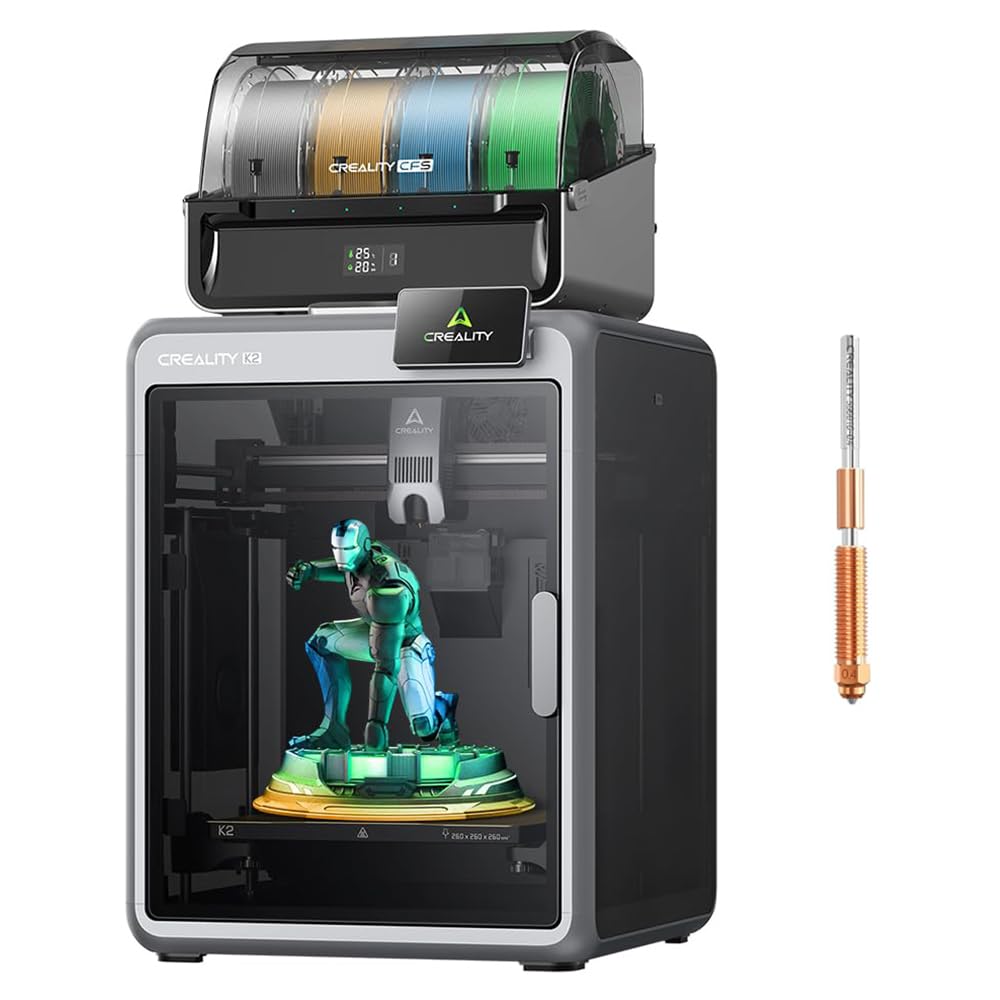
| Official Creality K2 Combo★ Best Overall | All-round multicolor workhorse | Up to 16 colors (CFS) | 600 mm/s | 10.24 × 10.24 × 10.24 in | Amazon |
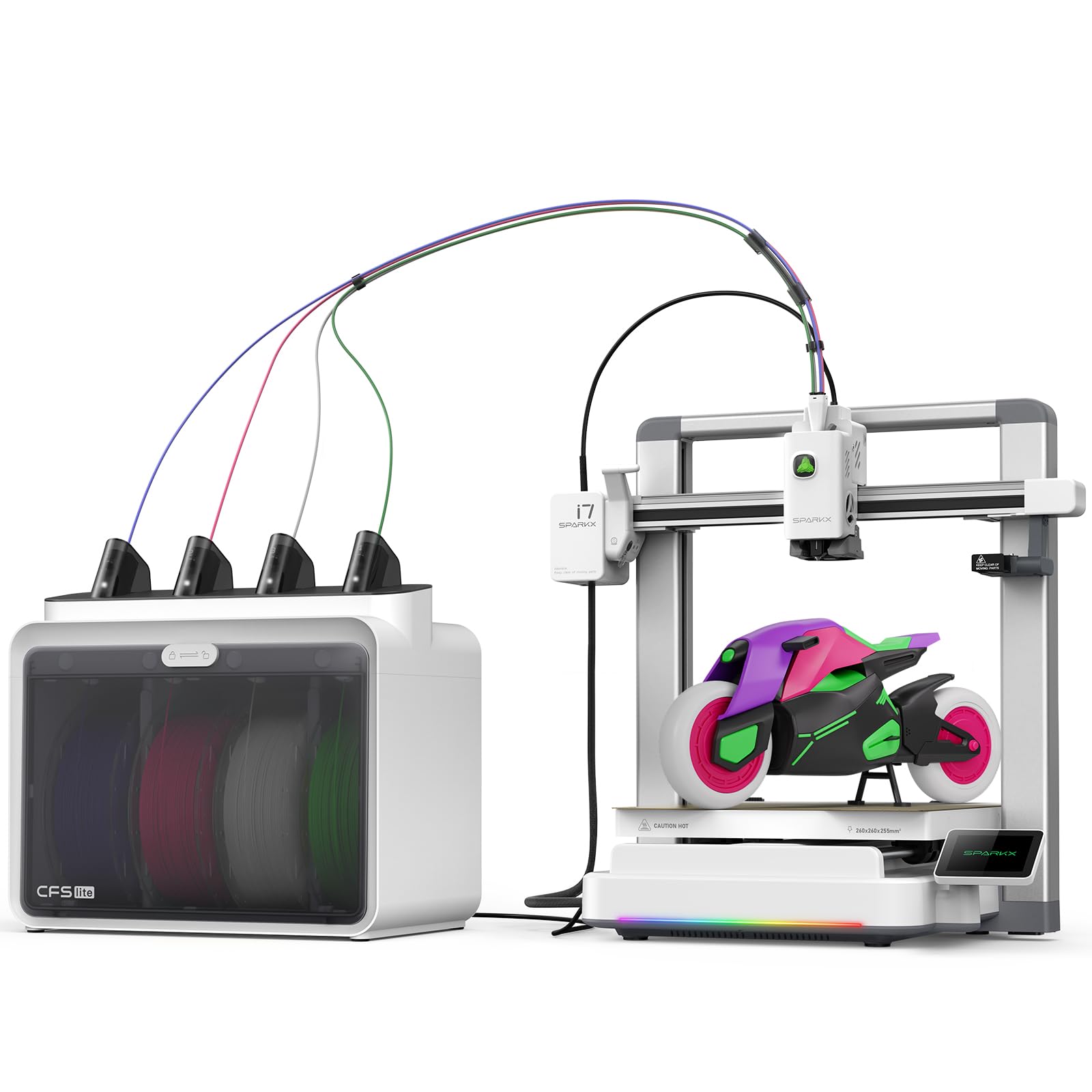
| Creality SPARKX i7 ComboBest for Beginners | First-timers wanting photo-to-3D | 4 colors (CFS Lite) | — | 260 × 260 × 255 mm | Amazon |
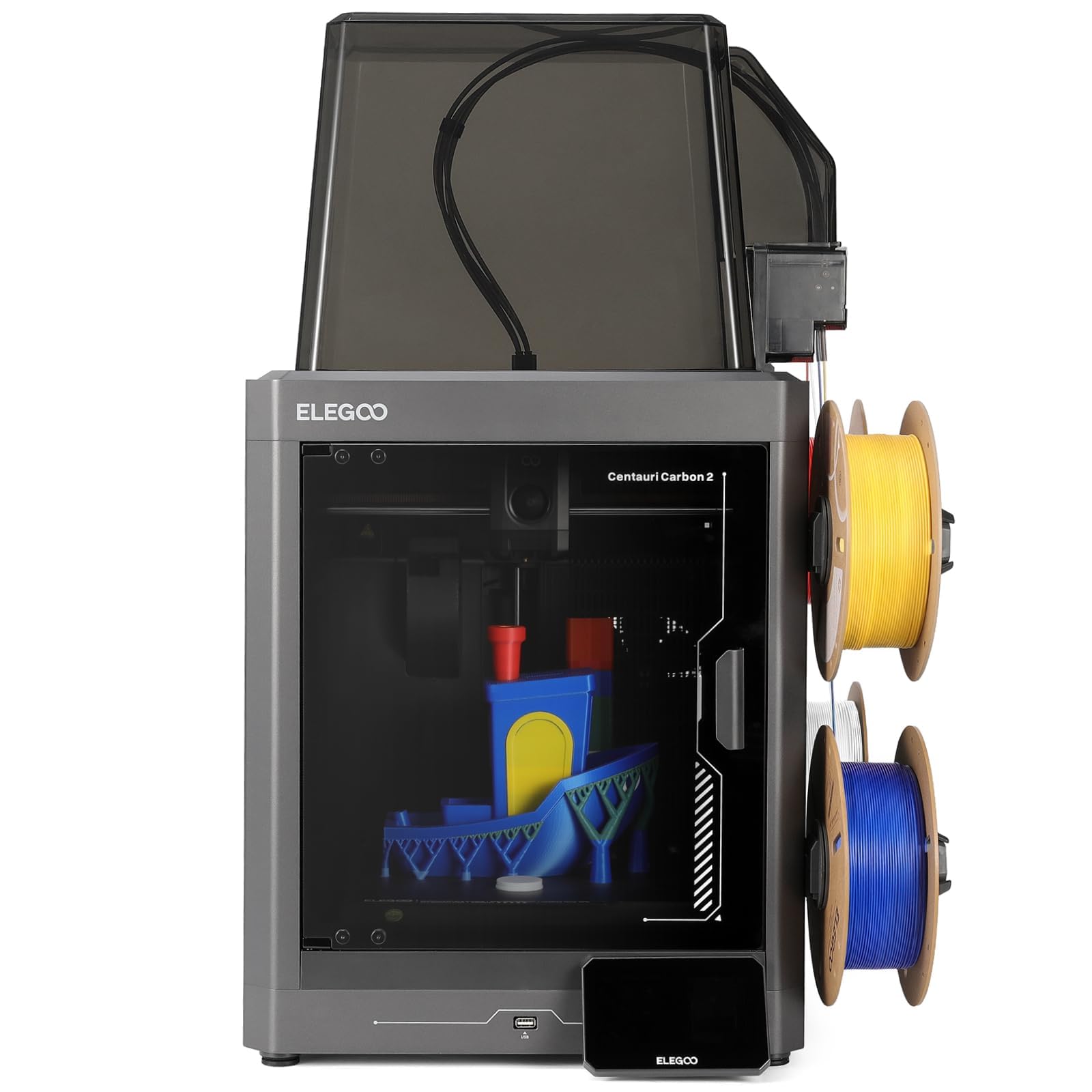
| ELEGOO Centauri Carbon 2 ComboTop Performer | Fast, well-priced multicolor | 4 colors (CANVAS) | 500 mm/s | — | Amazon |
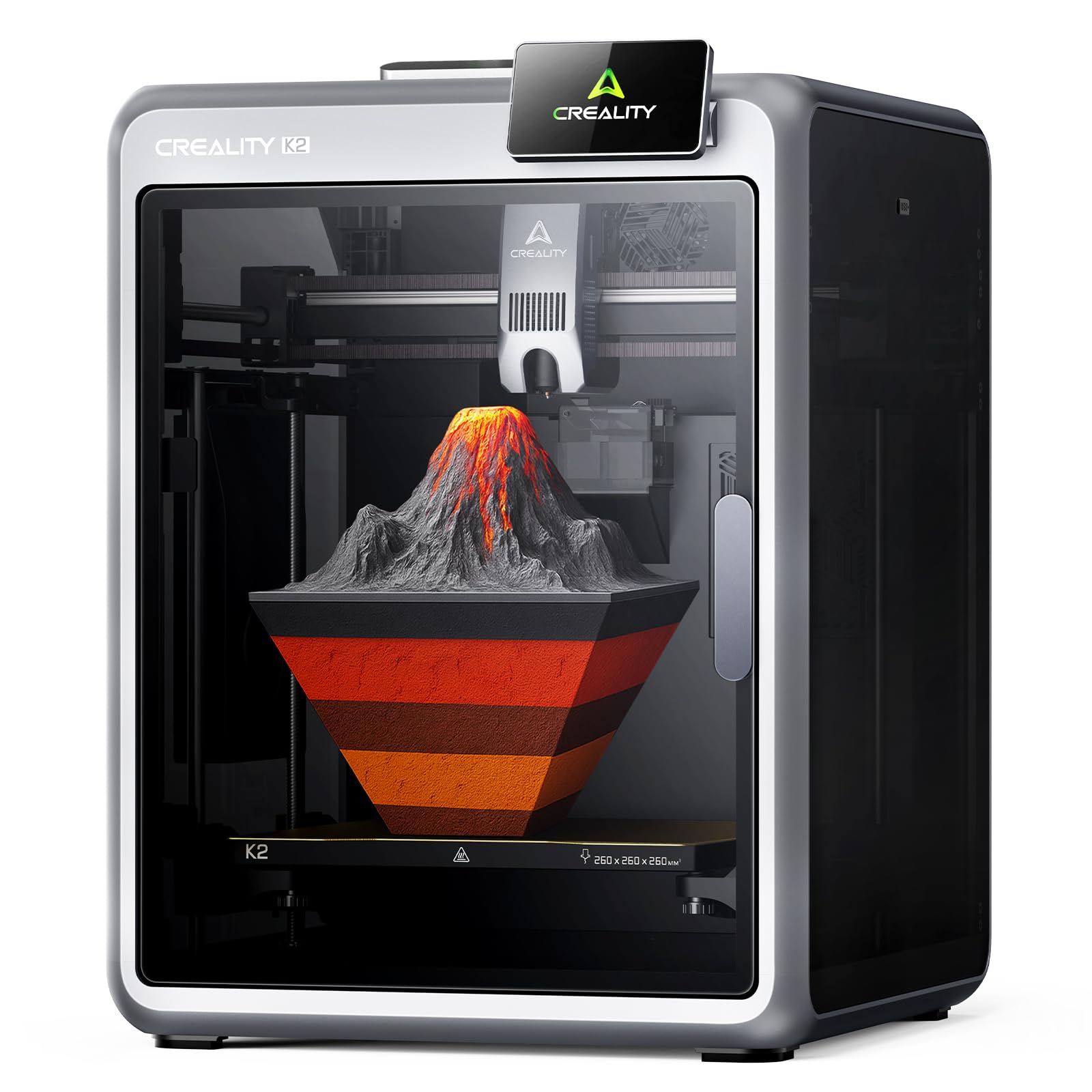
| Creality K2 (printer only) | Buyers adding CFS later | Up to 16 colors (needs CFS) | 600 mm/s | 260 × 260 × 260 mm | Amazon |
| Bambu Lab P1S Combo | Color variety with enclosed build | Up to 16 colors (AMS) | 500 mm/s | — | Amazon |
| QIDI Q2 | High-temp engineering filaments | Up to 16 colors (QIDI BOX) | 600 mm/s | — | Amazon |
| Anycubic Kobra S1 Combo | Eight-color flexibility via two ACE Pros | 4 colors, 8 with two units | 600 mm/s | — | Amazon |
| Creality K2 Combo (A) w/ CFS | Big-frame color printing | Up to 16 colors (CFS) | 600 mm/s | 260 × 260 × 260 mm | Amazon |
| Creality K2 Combo (A) CFS unit | Quiet CFS multicolor | Up to 16 colors (CFS) | 600 mm/s | — | Amazon |
| QIDI Max4 Combo | Large-format colored parts | Up to 16 colors (QIDI BOX) | 800 mm/s | 390 × 390 × 340 mm | Amazon |
| Original Prusa CORE One | Reliability-first single-color base | — | — | 250 × 220 × 270 mm | Amazon |
Detailed Reviews
1. Official Creality K2 Combo 3D Printer Multicolor with CFS
Our pick — 4.0+★ from 3,500+ verified ratings; the strongest balance of quality and price.
Sixteen colors on tap, a rigid aluminum frame under it, and speed that actually holds its accuracy.
Ships with one CFS multi-filament unit that feeds four spools, and you can chain up to four of those units for sixteen colors in a single print. That means a full-color figurine or a multi-material prototype comes off the bed without a paintbrush. The build volume is 10.24 × 10.24 × 10.24 inches, enough for a helmet or a whole tray of small parts at once, so you skip splitting a model and gluing it back together.
Speed is the headline: up to 600 mm/s with 20,000 mm/s² acceleration, driven by three step-servo motors that adjust torque in under a millisecond — that quick correction is what keeps layers clean when the nozzle whips around. The 40 mm³/s hotend sits on an 80W heater, and the nozzle reaches 300°C with a hardened steel tip, so abrasive engineering filaments are fair game. Smart auto leveling probes only where your model will print, which trims the leveling wait, and the chamber AI camera watches for spaghetti and foreign objects and pings you to act.
This is the most-reviewed pick on the list by a wide margin — the crowd favorite at 4.0+ stars across 3,000+ ratings — and the consensus is a great starter machine that assembles easily and delivers value. What wins people over is the combination of color range and speed for the outlay. The honest catch: build quality draws mixed notes, with some calling the frame solid and others finding it less sturdy than expected, so treat the enclosure with care and check every fastener after shipping.
Where it earns the crown
- Up to 16 colors via chained CFS units, no painting needed
- 600 mm/s top speed with 20,000 mm/s² acceleration
- 300°C hardened steel nozzle handles abrasive filaments
- AI chamber camera spots spaghetti and idle prints
What to plan around
- Build-quality feedback is split — some call it less sturdy
- Eight or sixteen colors means buying extra CFS units
Take this home if: you want the widest color range and genuine speed in one package, and you value a huge user base to learn from.
Pause only if: you want a tank-stiff frame above all else — the sturdiness notes here are the one thing to weigh.
2. Creality SPARKX i7 Combo
Upload a portrait, get a printable figurine in seconds — and start printing five minutes from the start.
Where most machines make you learn modeling software first, this one leans on Creality’s CubeMe AI: upload a photo and it generates a 3D model for you. That is a real shortcut if your goal is a personalized gift or a custom figurine, not a CAD education. It arrives fully pre-assembled, so there are no tools and no settings to fumble — Creality rates the first print at five minutes, and the earlier reviews back up how approachable it feels.
Color is a four-slot setup through the CFS Lite system, and it is built to cut waste on color changes — Creality rates the CFS Lite system at 50% less waste than traditional multicolor setups. Build volume is 260 × 260 × 255 mm, roomy enough for a full-size airless basketball or a swarm of miniatures. An AI camera watches each print for spaghetti, air printing, and tangles and alerts you fast, and a Night Mode keeps it quiet and dark for overnight jobs.
What the performance crowd latches onto is that it simply works — it is the aspect that gets talked about most here. Ease of use follows close behind, which lines up with the pre-assembled footwork. Two fair caveats: the setup instructions read awkwardly for a portion of buyers, and noise is a love-it-or-not split — Night Mode handles the second if you print while you sleep. It reaches four colors from the start, so plan a second unit only if you need to push past that.
Who it clicks for: total newcomers and gift-makers who want results, not a hobby in calibration.
Set expectations on: the manual — if you hit a confusing step, the AI-camera and pre-built body mean there is little else to get wrong.
Reach for this one if: you want the gentlest possible on-ramp and photo-to-model magic. Look past it if: eight colors out of the gate is a hard requirement.
3. ELEGOO Centauri Carbon 2 Combo
The value play that punches at 500 mm/s and has the biggest quality fanbase of any pick here.
Four colors come through the CANVAS system, with instant color switching, smart filament detection, auto refill, and tangle detection keeping a multicolor run moving without babysitting. Speed is up to 500 mm/s at 20,000 mm/s² acceleration on a CoreXY design with a rigid aluminum frame. Compared to the Creality K2 Combo’s 600 mm/s, this trails on raw top speed, but active vibration compensation keeps surfaces smooth and details crisp at the pace it does run.
What owners cannot stop praising is print quality — it is the aspect mentioned far more than anything else, with value for money right behind it. That matches the machine’s character: a fully automated calibration flow that lets you load, tap print, and walk away, plus support for basic through engineering-grade materials thanks to advanced temperature control. Projects that used to span an evening wrap in under a couple of hours on a good day.
The one honest note is durability, which is the single most criticized point in the feedback — a few machines have not held up as long as buyers hoped. For a machine with this many happy owners, that reads as the exception rather than the rule, but it is worth knowing if you plan to run it hard, every day.
The real draw: crisp, colorful prints with almost no setup fuss, at a price that keeps it a value pick.
Second-place finish: at 500 mm/s it is a step behind the 600 mm/s K2 on outright speed.
Think twice if: you want a machine proven over many years of hard daily service.
4. Creality K2 3D Printer (printer only, CFS-ready)
The bare K2 that runs near-silent, then grows to sixteen colors when you bolt on CFS units.
This is the K2 without the filament box, so it prints single-color on its own and takes up to four CFS units for sixteen colors when you add them later. At 260 × 260 × 260 mm it covers most everyday jobs, from brackets to helmets. The noise story is the standout: step-servo motors and dynamically balanced fans keep it no louder than someone typing on a laptop, so a home office or spare room works as a print corner.
Three step-servo motors sit in the extruder and on the X/Y axes, adjusting torque in under a millisecond to hold accuracy at speed. Auto leveling probes only the area your model needs, and an AI camera watches for spaghetti and idling in real time. It arrives pre-assembled for plug-and-play, and the filament range stretches from PLA and PETG to ABS and PLA-CF. It handles the same 600 mm/s and 20,000 mm/s² as its combo sibling.
Two practical trade-offs. First, the item weight is 55.9 pounds — noticeably heavier than the SPARKX i7 at 33 pounds — so clear a sturdy table and plan a two-person lift. Second, assembly divides opinion: the machine ships nearly ready, but some buyers find the build quality uneven once they dig in, so inspect it on arrival.
Why it stands out
- Near-silent printing — laptop-typing quiet
- Grows to 16 colors with CFS units added later
- 600 mm/s with under-a-millisecond torque correction
- Ships pre-assembled, ready after screen install
Before you commit
- Heavier 55.9-pound body needs a solid table
- Build-quality feedback is uneven
- Single-color from the start — you add CFS for color
Good match for: quiet-home buyers who want to add color in stages. Not ideal if: you need multicolor the day it arrives.
5. Bambu Lab P1S Combo with AMS
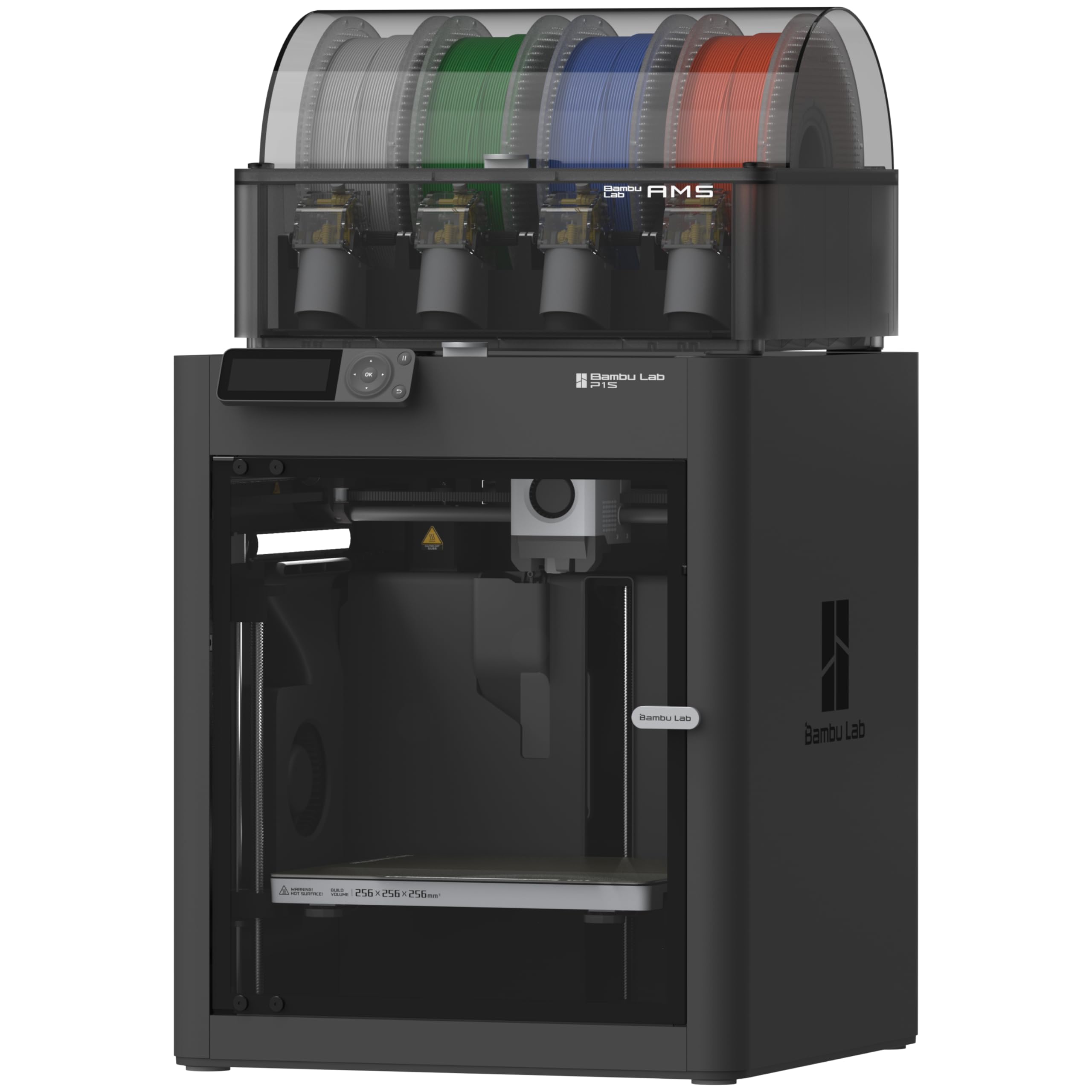
A fully enclosed color machine that hits 500 mm/s and sets up in fifteen minutes flat.
The one thing that sells this machine harder than anything is the sealed body: a fully enclosed chamber keeps warm air around the part and improves results on advanced filaments like ABS and ASA. Pair that with the AMS multi-filament system and you get up to sixteen colors, though note that the extra color capacity lives in the AMS — connecting one is required to get there. Acceleration is rated 20,000 mm/s² with print speed up to 500 mm/s.
Setup is the other quiet win — Bambu Lab rates assembly at fifteen minutes, and auto bed leveling takes the guesswork out of the first layer. Filament support covers PLA, PETG, TPU, PVA, PET, ABS, and ASA as ideal, with PA and PC as capable. It is a smart fit if your work mixes bright decorative prints with functional parts that need an enclosure.
On speed alone it falls short of the 600 mm/s K2 machines on paper, so if raw pace is your priority, the Creality options lead there. What owners describe instead is dependable performance, fast output for its class, and a multicolor experience that feels genuinely fun to use. A 47.5-pound body means a dedicated table, and carbon and glass-fiber reinforced polymers are not recommended on this machine — a limit worth knowing if engineering composites are in your plans.
Standout feature: the enclosed chamber plus AMS makes it a tidy fit for mixed decorative and functional printing.
Know the ceiling: at 500 mm/s it trails the 600 mm/s K2 on top speed, and fiber-filled filaments are off the table.
It suits you if: you want an enclosed, easy-setup color printer you can trust. It may not if: you need the fastest nozzle on the block or composite filaments.
6. QIDI Q2 3D Printer
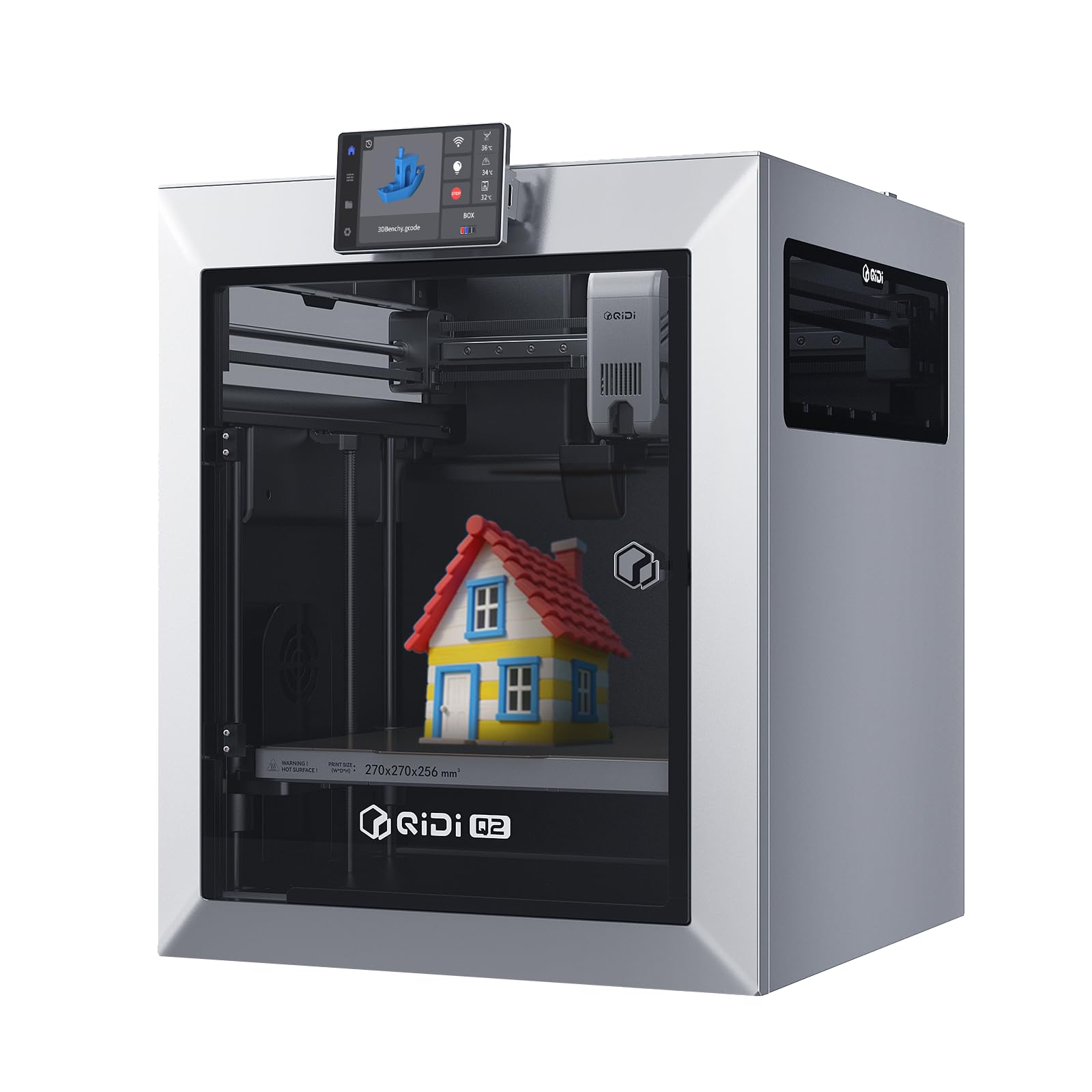
A 65℃ heated chamber and a 370℃ nozzle that open up the filaments most home printers cannot touch.
Most multi-color machines stop at PLA and PETG. This one is built for the hard stuff: a second-generation PTC heated chamber holds 65℃ to control warping, and a 370℃ high-temp nozzle opens up advanced materials most printers skip. The full-metal CoreXY frame with precision linear rails keeps it stable at speeds up to 600 mm/s, and an upgraded 1.5GT synchronous belt cuts vibration artifacts for smoother surfaces.
Color comes via QIDI BOX, which reaches up to sixteen colors and adds dry-while-print to keep filament moisture-free for reliable extrusion. Filament support runs from PLA and PETG through ABS, PA, PC, and carbon or glass-fiber composites. A useful detail for anyone printing indoors: the triple filtration system runs a G3 pre-filter, an H12 HEPA stage, and activated carbon to reduce odors and particles, with a flame-retardant chamber around it.
Setup and operation are described as beginner-friendly, with fast print speeds as the recurring bright spot. The build quality is a fair thing to weigh — some buyers think it feels cheaply made for its tier, so temper expectations on fit and finish. A tiny nozzle used as the leveling sensor is a clever touch that skips the usual bed-surface dependency for the first layer.
Where it shines: high-temperature and composite-capable printing that other picks on this list cannot match.
The trade-off: build quality splits opinion, so handle it in person before committing to a long-term relationship.
Built for: makers and engineers who print engineering filaments and want a heated chamber on a smaller machine. Hold off if: premium fit and finish is a must.
7. Anycubic Kobra S1 Combo
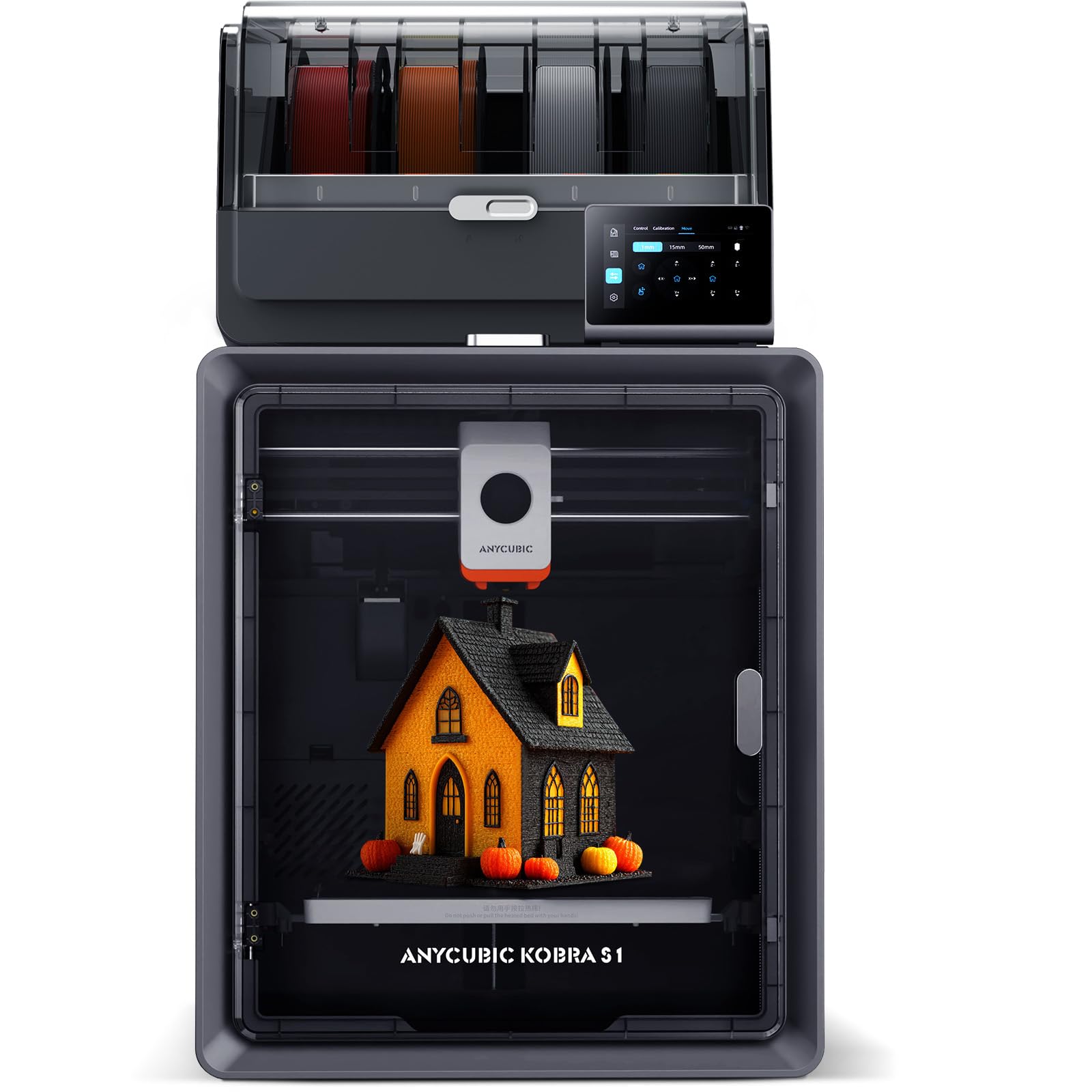
Four colors in the box, eight the moment you pair two ACE PRO units — a direct route to the target.
For anyone set on exactly eight colors, this is the most literal answer on the list: a single ACE PRO runs four spools, and combining two open up eight-color printing. Speed is up to 600 mm/s at 20,000 mm/s² acceleration, Anycubic rates it up to twelve times faster than standard FDM printers. An efficient filament drying setup uses dual PTC heating plus 360° hot-air circulation to keep spools in printing condition for cleaner models.
The Kobra OS handles flow compensation to reduce virtual waste and material overflow, and multi-plate parsing supports intricate designs. App control means you can start a print remotely from your phone, which is handy if the printer lives in a garage or spare room. Prints come off the bed clean right from the start, and the interface is described as super simple to use.
The caution here is reliability — some units are reported to stop working after a couple of weeks, and the value question splits along that line. That makes it the pick for a buyer who wants that eight-color pairing and is comfortable leaning on the return window if a lemon shows up. Reliability, not color, is the thing to keep an eye on.
The draw: a clean four-to-eight color path with 600 mm/s speed and remote app control.
Watch this: reliability is mixed, so buy where returns are easy and test it thoroughly in the first stretch of use.
Pick it if: you want an explicit eight-color path at speed. Look elsewhere if: you need a machine with a long durability record.
8. Creality K2 Combo (A) with CFS
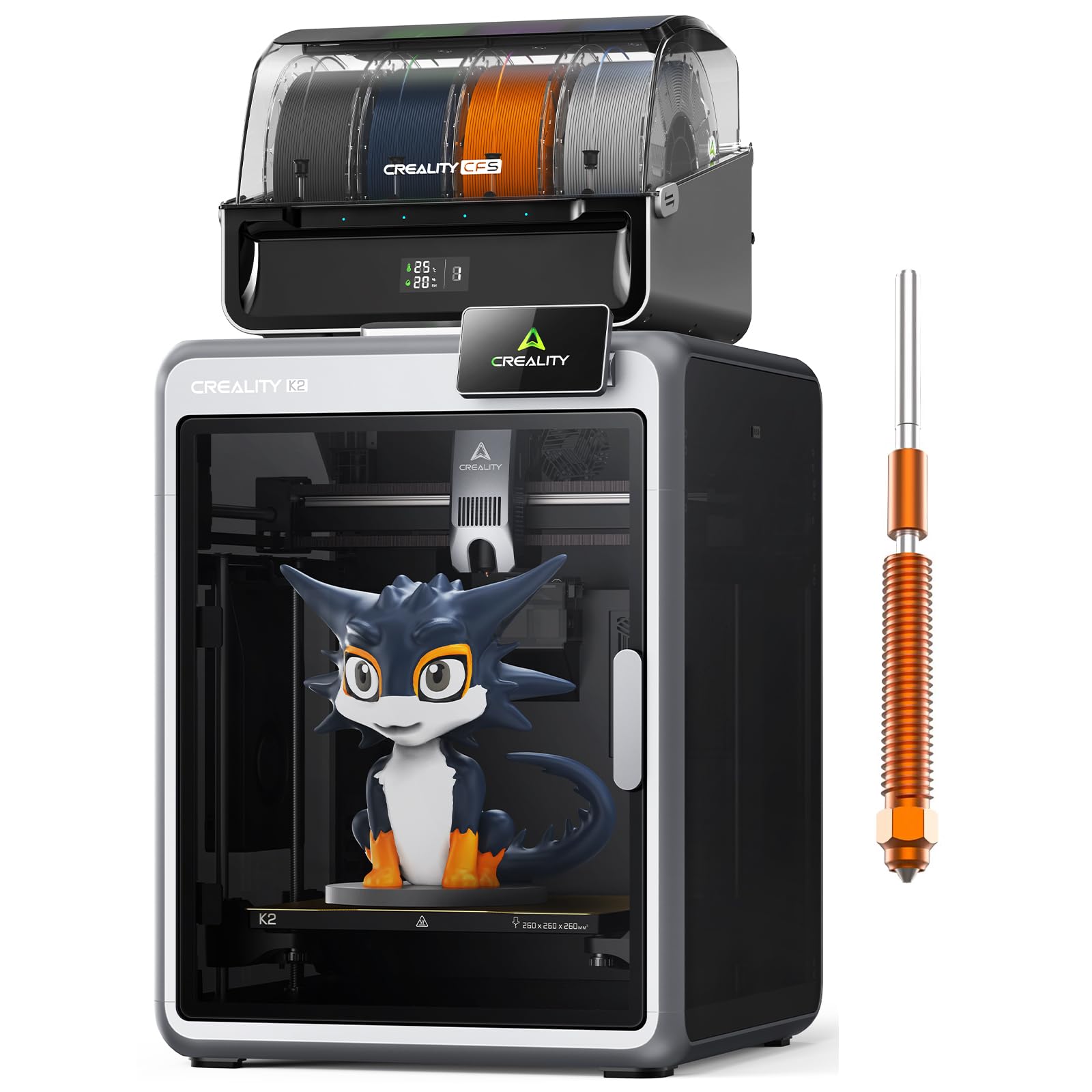
The K2 with color already packed in — four spools now, sixteen when you chain more CFS units.
The difference from the bare K2 is simple and worth stressing: this version includes one CFS unit, so you get four-color printing without buying the filament box separately. Four CFS units chained reach sixteen colors, and the 260 × 260 × 260 mm build volume covers a helmet or a tray of small parts in one run. Three step-servo motors, including in the extruder and on the X/Y axes, adjust torque in under a millisecond to keep accuracy at up to 600 mm/s.
It is a big machine in every sense — 65.9 pounds, heavier than the SPARKX i7’s 33 pounds by a wide margin — so this wants a dedicated, sturdy surface rather than a folding table. The enclosed chamber keeps runs quiet through Silent Mode, the AI camera catches spaghetti and idling, and auto leveling probes only the target area to save time. It is pre-assembled and prints from PLA through PET and PLA-CF from the start.
Build quality is the honest hold-back — construction notes are split, with some finding it sturdy and others less so. It runs the same speed and color ceiling as the other K2 machines, so choose it over the bare model if you want color from day one and can give it real floor space.
Why it makes sense: CFS included means color from the start, plus the option to grow toward sixteen.
Space and sturdiness: at 65.9 pounds it needs its own spot, and the frame draws the same mixed notes as its siblings.
Right for: buyers who want color-ready K2 performance and a permanent print station. Wrong for: tight desks or those who want a lighter machine to move around.
9. Creality K2 Combo (A) Multicolor with CFS
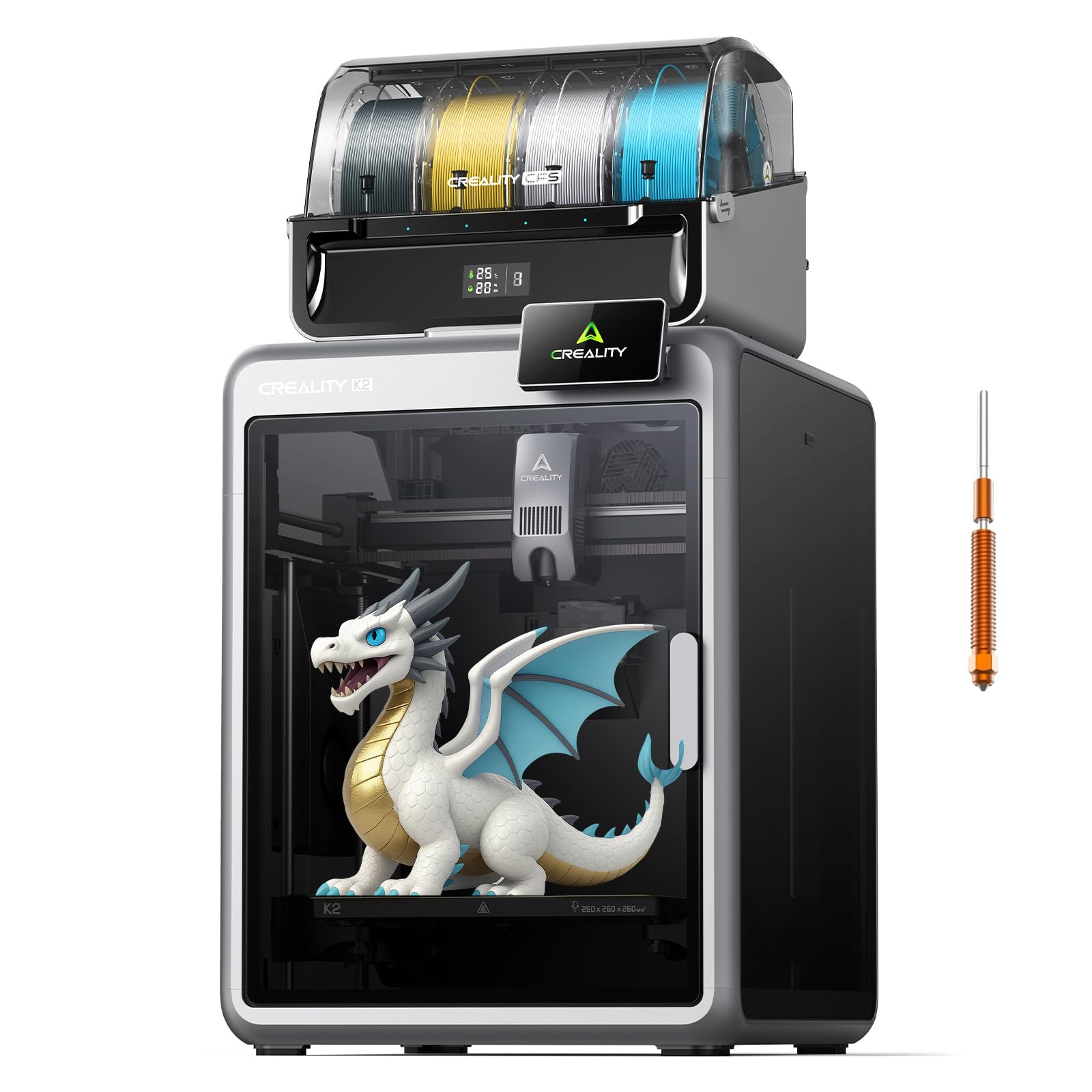
A color K2 with the small extras — air purifier, RFID filament reads, and 8G of local storage.
This K2 Combo ships with one CFS unit for four colors and expands to sixteen with up to four units. Where it pulls ahead of the others in this family is housekeeping detail: an RFID system reads filament info automatically, and the airtight CFS design with desiccants keeps spools dry and ready. An air purifier filters VOCs while it prints, which matters if this runs inside a lived-in room.
Under the hood it is the K2 you know: 600 mm/s with 20,000 mm/s² acceleration, an aerospace-grade aluminum frame, a steel X-axis rail, and a dual Z-axis for consistent layers with almost no wobble. The 40 mm³/s high-flow hotend with a hardened steel nozzle up to 300°C handles PLA, ABS, PETG, and engineering filaments. The AI chamber camera also does time-lapse recording and build-plate monitoring, and Wi-Fi plus 8G local storage round out the connectivity.
Print quality is what stands out in the feedback — it is the aspect owners praise far more than any other — and prints come out beautiful with good speed. The fair counterpoint is reliability and value, which split down the middle, with a portion finding the machine stops working within a short window. Adhesion and durability show up as the gripes to watch. On balance it is a well-loved color machine as long as you test it early.
What owners love: striking print quality from a color-ready K2 with the air-purifier and RFID niceties.
The honest risk: reliability is a coin-flip for a minority, so put your first prints through their paces while returns are open.
Worth it when: print beauty and indoor air quality top your list. Pass if: rock-solid long-term reliability is your single deciding factor.
10. QIDI Max4 Combo
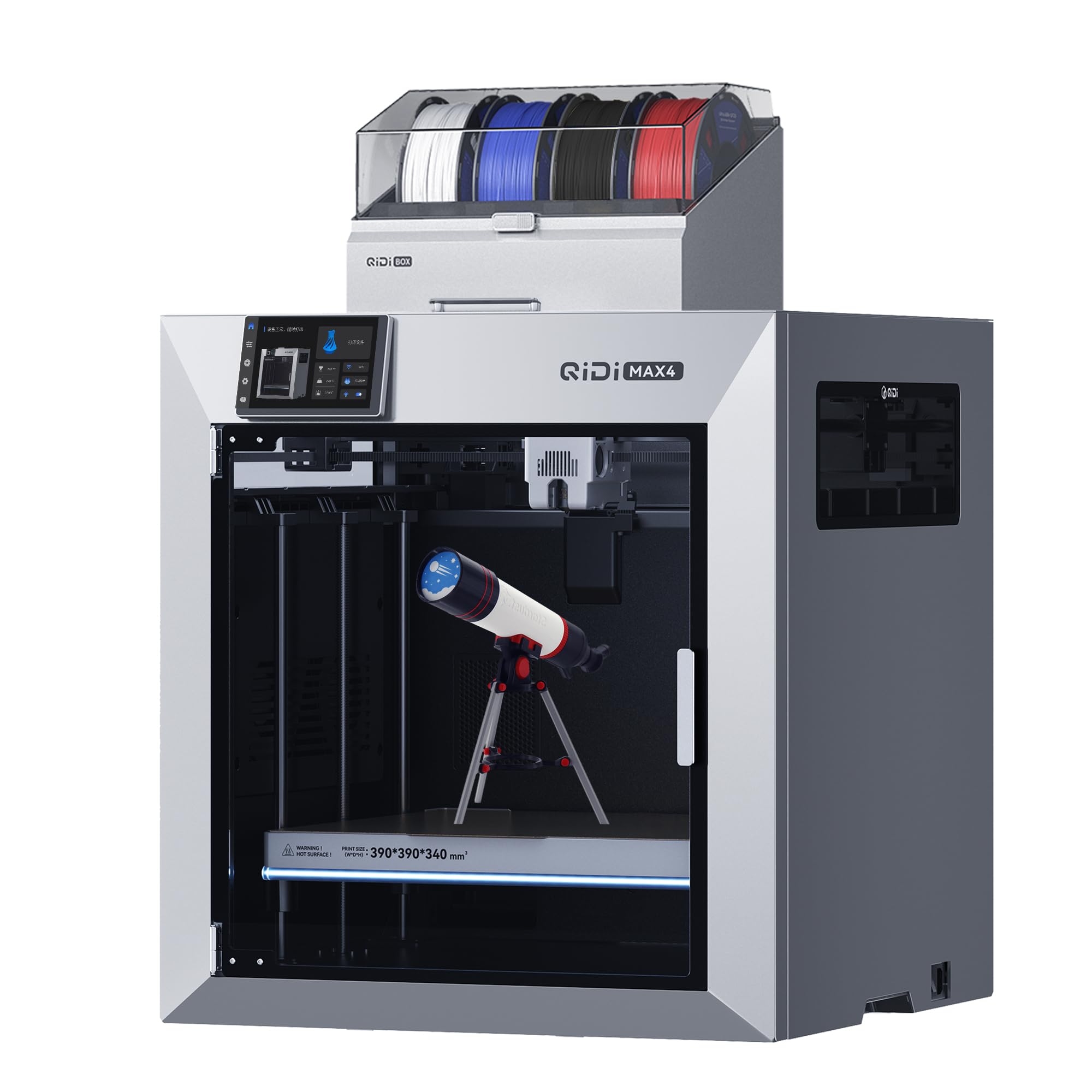
Industrial-sized parts in one piece, with the fastest nozzle on this list at 800 mm/s.
When a model simply will not fit on a normal bed, this is the machine that ends the problem. QIDI rates the 390 × 390 × 340 mm build area 55% larger than the MAX3’s, which means large industrial parts, molds, and prototypes print in one go without splitting. The full-surface silicone heated bed spreads heat evenly and grips the first layer hard to resist warping.
Speed is the top figure on the whole list: closed-loop motors on the X/Y axes push up to 800 mm/s with 30,000 mm/s² acceleration. A 2mm lead screw and anti-backlash nut on the Z-axis reduce vertical gaps for smoother surfaces. A 40 mm³/s high-flow hotend with a hardened steel nozzle runs both everyday and abrasive materials, and a 65℃ active heated chamber holds the right conditions for ABS-CF, PC, and PPS-CF. Connect QIDI BOX to reach sixteen colors.
One thing to read carefully: the Max4 series does not include the Polar Cooler, which must be bought separately — so factor that into your setup. It is a 120-pound machine, so it stays where you put it. Setup earns the most praise in owner feedback, and the solid build and easy software show up right behind it, with large prints handled comfortably.
What sets it above
- 390 × 390 × 340 mm — the biggest bed here
- 800 mm/s with 30,000 mm/s² acceleration
- 65℃ heated chamber for high-temp filaments
- 55% larger build area than the MAX3
Weigh before buying
- Polar Cooler sold separately, not included
- 120-pound body demands permanent floor space
- Multicolor needs QIDI BOX added
The right tool for: large-format prototyping and high-temp materials. Not the tool for: a small apartment or anyone wanting Polar Cooler included.
11. Original Prusa CORE One
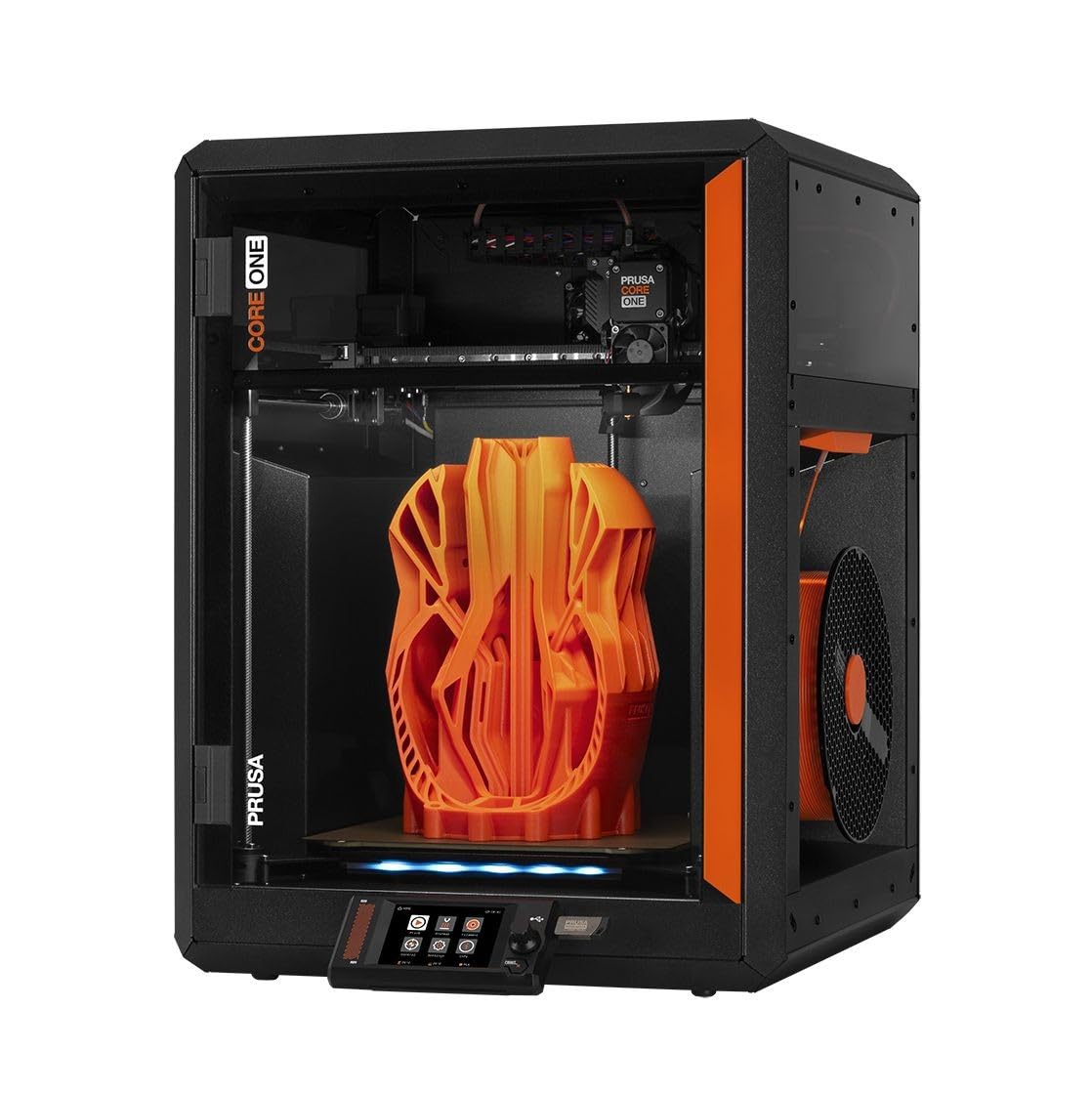
No color changer, no gimmicks — an assembled, tested workhorse with an enclosed chamber up to 55℃.
This one is honest about what it is: a reliability-first printer, not a color machine. It arrives assembled and tested, includes a 1 kg spool of Prusament PLA, and carries an enclosed chamber reaching up to 55℃ with active temperature control. That range covers PLA and PETG even with the door closed, up to demanding materials like ASA, PC, and nylon. The all-steel exoskeleton frame is built for stiffness, and the 250 × 220 × 270 mm print area handles a wide swath of projects.
Print quality is the thing that gets the most praise — it is the aspect that comes up most in owner feedback — with speed close behind. One-click printing and intuitive software have you producing a first model in minutes. Prusa also offers lifetime technical assistance and 24-hour customer service, which is a genuine differentiator for a machine you plan to keep for years. For a buyer who wants to print single colors beautifully and rarely fiddle, this is the least fussy path on the list.
The catch is the color part — and the cost. There is no built-in multi-filament system here, so eight-color printing is not on the table with this unit alone. Value also splits opinion: some call it a dependable workhorse, others feel it is not worth the premium, and calibration experiences vary. Go in knowing you are paying for reliability and support, not color capacity.
What you pay for: an assembled, tested, enclosed machine with strong print quality and real support.
What you give up: no onboard color system and a price that a portion of buyers find hard to justify.
The match for: buyers who value dependable single-color printing and long-term support over color flexibility. Mismatch for: anyone whose must-have is eight-color output.
Know the Specs
Color Path: CFS, AMS, CANVAS, ACE PRO
Each brand names its multi-filament system differently — CFS on Creality, AMS on Bambu Lab, CANVAS on ELEGOO, ACE PRO on Anycubic, QIDI BOX on QIDI. Most hold four spools per unit. To reach eight colors you add a second unit of the same brand; to reach sixteen you chain up to four. The system is what makes multicolor possible, so confirm the extra unit exists and is compatible before you count on a color number.
Print Speed and Acceleration
Speed (mm/s) is how fast the nozzle moves; acceleration (mm/s²) is how quickly it reaches that speed. The picks here range from 500 mm/s up to 800 mm/s, with acceleration figures like 20,000 mm/s² and 30,000 mm/s². Higher speed finishes models sooner, but it only produces clean layers if the frame and motors keep it controlled — which is why step-servo and closed-loop motors show up on the faster machines.
Build Volume in Millimeters
The build volume is the space the nozzle can reach, written width × depth × height. A 260 × 260 × 260 mm machine prints a helmet or a full tray of small parts in one run. The QIDI Max4 Combo stretches to 390 × 390 × 340 mm for large industrial parts and molds. Sizing up saves you from splitting a model, but it also means a bigger, heavier machine to house.
Heated Chamber and Enclosure
An enclosed body traps warm air to reduce warping. A heated chamber actively holds a set temperature — 65℃ on the QIDI Q2 and Max4, up to 55℃ on the Prusa CORE One — so engineering filaments bond cleanly layer to layer. If you print mostly PLA and PETG, an enclosure still helps tall parts; if you print ABS, PC, or composites, a heated chamber is close to essential.
Common Questions
Do I need two filament units to get eight colors?
Which printer here has the fastest print speed?
Can I print a full-size helmet on these printers?
What does the heated chamber actually do for my prints?
Do these printers come fully assembled?
Is an enclosed printer better than an open one?
Can I swap filament colors mid-print?
What filaments can these printers handle?
How much space and weight should I plan for?
Which of these is best for a complete beginner?
Can the Prusa CORE One print in eight colors?
The Bottom Line
For most buyers, the 8 color 3d printer winner is the Official Creality K2 Combo. It gives you a chainable CFS path (a filament feeder you can link to a second unit) all the way to sixteen colors. It also runs at 600 mm/s, uses a 300°C hardened steel nozzle (hot enough for tough filaments), and adds an AI chamber camera that watches the print — the complete multi-color package. If indoor air quality and striking print quality top your list, reach for the Creality K2 Combo (A), which adds an air purifier and 8G storage. For large-format colored parts and high-temp filaments, the QIDI Max4 Combo ends your sizing headaches with its 390 × 390 × 340 mm bed and 800 mm/s speed. Start with the one that matches how you print now, and add filament units as your color needs grow.
How we choose
We do not accept paid placement. Every pick is matched to a real buyer and a real use-case; we do not hands-on test units.
Sources
Specifications: manufacturer listings and product documentation. Review insights: verified customer reviews, as of November 2026. Pricing: not shown on this page (it changes often); check the current price via the retailer link.
As an Amazon Associate, My Heart Lives Here earns from qualifying purchases. This does not affect which products we feature.