Heads up: This post contains affiliate links. As an Amazon Associate I earn from qualifying purchases, at no extra cost to you. Learn more
Specs are compiled from manufacturer listings and verified buyer reviews and can change over time — please confirm the key details on the product page before buying.
Buying a 4060 gaming PC is really about one thing: getting a machine that will run the games you actually play at a frame rate that feels smooth, without parts that choke the card. The graphics card itself is the same 8GB GeForce RTX 4060 in almost every pick below. What changes is everything around it — the processor, the memory type, the cooling, and how easy the tower is to open up later. That is where these ten builds separate from each other, and that is what this guide walks you through in plain terms.
This guide is built by comparing the manufacturers’ published specifications and the patterns across verified customer reviews, so you get each pick’s real strengths and trade-offs instead of marketing spin.
You will see exactly which processor pairs with the card, how much memory you get, and where each build cuts a corner so the rest can stay strong. By the end you will know which tower fits your desk, your monitor, and your upgrade plans — all explained without the jargon fog around this 4060 Gaming PC.
Top Picks


How To Choose The Best 4060 Gaming PC
Every tower here carries the same graphics card, so the shopping decision moves one step down the list. You are really choosing a processor, a memory type, and a case that will not fight you later. Get those three right and the 4060 does the rest at 1080p.
The processor decides whether the card gets fed
The processor (the CPU, the part that runs the game logic) has to keep up with the graphics card or the card sits waiting. A modern six-core chip like an Intel Core i5 or an AMD Ryzen 5 is the sensible floor here. Higher-tier chips like a Ryzen 7 or a Core i9 push more frames in busy scenes, but the 4060 has a ceiling too. Match the two rather than overpaying for one.
DDR5 versus DDR4 memory
System memory (RAM) holds what the game and your browser tabs need at once. Newer builds use DDR5, the current generation; others still ship DDR4. Both work fine with a 4060. DDR5 is the more future-proof choice if you plan to keep the tower and add to it. Look for 16GB as the practical starting point for gaming plus a few background apps.
Storage speed and how much room you get
A 1TB NVMe solid-state drive (a fast flash chip that plugs straight into the board) is the norm in this group. It boots Windows in seconds and loads big open-world games without the stall you get from an old spinning hard drive. If a build lists a second, slower drive alongside the fast one, that is extra room for a game library rather than extra speed.
Cooling, airflow, and what you will hear
A 4060 does not run scorching hot, so you do not need exotic cooling. What matters is a case with real airflow and fans that push air through it. Liquid cooling can run quieter under load but adds a part you will not service yourself. Air cooling with several fans is simpler and easier to live with long term.
Side-by-Side Comparison
| Model | Best For | Processor | Memory | Storage | Amazon |
|---|---|---|---|---|---|
| CyberPowerPC Gamer Xtreme VR★ Best Overall | Balanced all-round gaming | Intel Core i5-13400F 2.5GHz | 16GB DDR5 | 1TB PCIe Gen4 NVMe SSD | Amazon |
| VIPRTECH Ghost 3.0Creator Pick | Streaming and creative work | Ryzen 7 3700X 8-Core | 16GB DDR4 | 1TB SSD | Amazon |
| MXZ Gaming PCFrame-Rate Pick | Fast frame rates on a budget | Intel Core i5-13400F 4.4GHz | 16GB DDR4 | 1TB NVMe SSD | Amazon |
| Skytech Nebula | Smooth 1440p play | Ryzen 5 5500 3.6GHz | 16GB DDR4 3200 | 1TB NVMe M.2 SSD | Amazon |
| MSI Codex R2 | Latest-gen Intel on DDR5 | Intel Core i5-14400F 4.7GHz | 16GB DDR5 | 1TB M.2 NVMe SSD | Amazon |
| Skytech Shadow | 1080p Ultra settings | Ryzen 7 5700X 3.4GHz | 16GB DDR4 3200 | 1TB NVMe SSD | Amazon |
| MSI Aegis Z2 | Easy upgrading later | AMD Ryzen R7-7700 5.3GHz | 16GB DDR5 | 1TB M.2 SSD | Amazon |
| Dell Tower Plus EBT2250 | Creative work with onsite service | Intel Core Ultra 7 265 5.3GHz | 16GB RAM | 1TB SSD | Amazon |
| TOPGRO T1-Pro Mini | Small desks and travel | Intel Core i9-13900HX 5.4GHz | 32GB DDR5 | 1TB PCIe 4.0 SSD | Amazon |
| 12-Core Radeon RX580 PC | Entry-level and everyday use | Intel Xeon 12-Core | 64GB RAM | 512GB SSD + 1TB HDD | Amazon |
Detailed Reviews
1. CyberPowerPC Gamer Xtreme VR (GXiVR8060A24)
Our pick — 4.5+★ from 700+ verified ratings; the strongest balance of quality and price.
The build that pairs a modern Intel chip with newer DDR5 memory and gives you nothing to fix on day one.
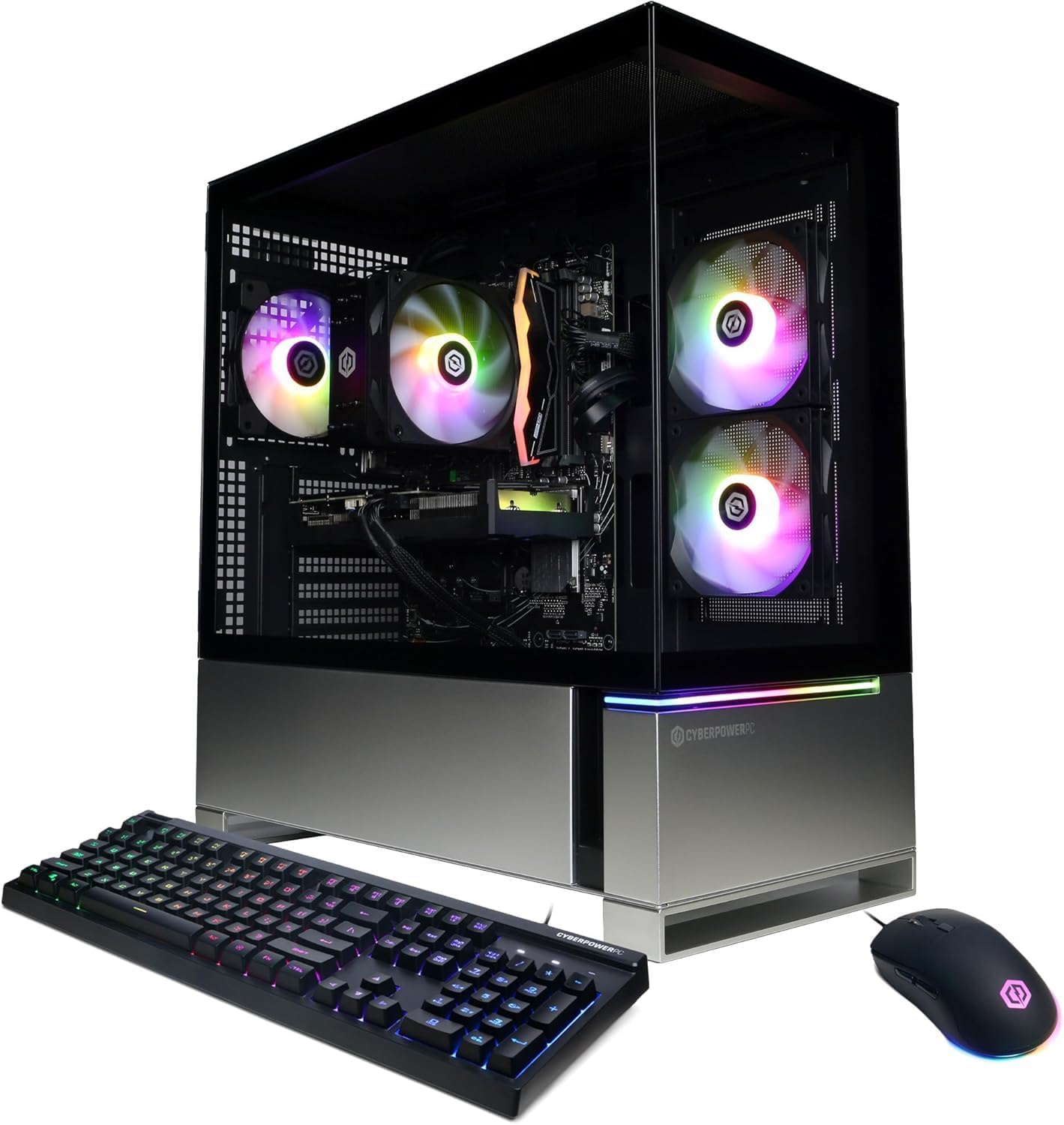
What makes this the pick to start with is the balance. The processor is an Intel Core i5-13400F with 6+4 cores, meaning six performance cores and four efficiency cores that share the load so gaming and background tasks do not trip over each other. The graphics card is the GeForce RTX 4060 with 8GB of its own video memory, and that memory is what holds your textures and lighting data so scenes stay detailed instead of blurring. Together they run the kind of games people actually play — Fortnite, Roblox, Minecraft — at high settings, and buyers report steady 120 fps in that tier. Heavier titles like Cyberpunk 2077 and Baldur’s Gate 3 run cleanly too.
The memory is 16GB of DDR5, the newer generation, and the storage is a 1TB PCIe Gen4 NVMe SSD — a fast flash drive that plugs straight into the board. Practically, that means Windows is up in seconds and a large game loads without the long stall of an old hard drive. Around the case you get a tempered glass side panel, custom RGB lighting, and a bundle that already includes a keyboard and mouse. Connectivity covers 3 USB 3.1 ports, 6 USB 2.0 ports, 1 LAN 1G port, WiFi 5, Bluetooth 4.2, and 7.1 channel audio, so a headset, a controller, and a wired mouse all have somewhere to go. The graphics outputs are 1 HDMI and 2 DisplayPort, which is what lets you run two or three monitors without adapters.
The catch is the clock speed. The i5-13400F here is listed at 2.5GHz, which is markedly lower than the 4.4GHz top speed on the MXZ build further down. You also get a 1 year parts and labor warranty with free lifetime tech support, which is the safety net that makes a prebuilt worth the convenience.
Where it earns the top spot
- DDR5 memory is the newer standard, so the tower stays relevant as games get heavier.
- 1TB PCIe Gen4 NVMe SSD gives fast boots and room for a real game library.
- Keyboard and mouse included, plus WiFi 5 and Bluetooth 4.2 from the start.
- 1 year parts and labor warranty with free lifetime tech support.
What to weigh before you commit
- The 2.5GHz processor clock trails the 4.4GHz chips in this group.
- WiFi 5 is a step behind the WiFi 6 and 6E builds listed here.
Reach for this if: you want a modern Intel chip, DDR5 memory, and a fast 1TB drive in one balanced tower without hunting for parts.
Think twice if: your day job is video rendering or streaming — the faster-clocked chips below will finish those jobs sooner.
2. VIPRTECH Ghost 3.0 GamingPC (Ryzen 7, RTX 4060)
Eight cores and a 4K-capable output make this the tower for people who edit as much as they play.
Start with the processor, because that is the argument for this build. The AMD Ryzen 7 3700X runs 8 cores and 16 threads and boosts up to 4.4GHz, so it chews through video export or a livestream while the game keeps running. The card is the same RTX 4060 8GB, and the memory is 16GB of DDR4 paired with a 1TB SSD. What wins people over here is raw output capability: the listed maximum display resolution is 3840×2160, which is 4K, and that is a clear step above the 1920×1080 ceiling on the RX580 build at the bottom of this list. If you plug into a 4K screen, this is one of the few towers here that lists that resolution.
ViprTech hand-builds each PC in the USA and stress-tests it before shipping, and the machine comes with a 600W Gold-Rated power supply — a unit that wastes less energy as heat than a basic one. A 120mm RGB liquid cooler keeps the processor temperature down during long sessions, and the RGB lighting runs off a button on the case rather than software. You get genuine Windows 11 Pro rather than the Home edition, which adds business-grade management features, plus WiFi antennas and a setup guide in the box. Streaming, VR, and 4K gaming are all listed as supported uses.
The honest trade-off is reliability. Several buyers describe the machine crashing repeatedly, so the first thing to do on arrival is run it hard under warranty and sort out any issue early. It is not a reason to rule the tower out — the failure reports sit alongside plenty of smooth-running units — but it does mean you should keep the 1 year warranty paperwork handy rather than filing it in a drawer.
Core count that pays off: eight cores and sixteen threads with a 4.4GHz boost do the heavy lifting on editing and streaming workloads that lean on the processor.
The one thing to test: crashes turn up in some units, so stress-test on arrival while the 1 year warranty is fresh.
Suits you if: you stream, edit video, or game on a 4K display and want Windows 11 Pro plus a Gold-Rated power supply.
Look elsewhere if: you want a tower you never have to think about — the steadier reliability record belongs to other builds on this page.
3. MXZ Gaming PC (I5 13400F, RTX 4060Ti)
The only tower here that steps up to the RTX 4060Ti and lets the processor stretch to 4.4GHz.
Two numbers set this build apart from everything else on the page. First, the graphics card is an RTX 4060Ti rather than the plain 4060, which is the faster version of the card for higher frame rates. Second, the processor is the same Intel Core i5-13400F family used in the CyberPowerPC, but here it is listed running up to 4.4GHz across 10 cores and 16 threads. Against the Skytech Nebula’s Ryzen 5 5500 at 4.2GHz turbo, this chip holds a higher top clock. For a buyer who wants the smoothest play at high settings, that pairing is the strongest spec combination in the group.
The rest of the machine is sensible rather than flashy. You get 16GB of DDR4 memory and a 1TB NVMe solid-state drive, plus an H610 motherboard and a 550W 80+ power supply. A window side panel shows off the 5RGB fans, which push air through the case while adding lighting, and the CPU is air-cooled. PCI-E WiFi is built in, Windows 11 Pro is already installed, and the tower ships ready to use with a 1 year parts and labor warranty plus free lifetime tech support. One thing to know up front: this is a very lightly reviewed product, so there is little owner history to lean on — the case for it rests on the spec sheet.
What the spec sheet promises: a 4060Ti card and a 4.4GHz processor is the fastest combination listed here, with 1TB of NVMe storage and Windows 11 Pro already loaded.
Worth a look if: raw frame rate matters most to you and you are comfortable trusting the published specs over a long review history.
Hold off if: you prefer to buy on a deep track record of owner experiences rather than a fresh listing.
4. Skytech Nebula Gaming PC Desktop

A mesh-front tower built to push 1440p at 60+ frames without turning your room into a wind tunnel.
The processor here is an AMD Ryzen 5 5500 running 3.6GHz and boosting to 4.2GHz, and Skytech pairs it with the RTX 4060 8GB in its GDDR6X version. That card and chip combination is rated for detailed 1440p Quad HD play at a smooth 60+ fps across titles like GTA V, Valorant, Elden Ring, and Baldur’s Gate 3 at Ultra settings. The 1440p claim is note because several towers in this group top out their listed resolution at 1080p. If you own a 1440p monitor, this build is aimed squarely at it.
Airflow and noise get real attention. The Nebula Black Edition uses a front mesh panel with ARGB fans and a high-performance air cooler, so cool air comes in the front and heat leaves out the back. Owners describe it as super quiet in normal use. Inside you get 1TB of NVMe M.2 storage, 16GB of DDR4 3200 memory with a heat spreader, and a 650W Gold power supply. A keyboard and mouse are included, and 802.11 AC WiFi keeps the cable count down. Skytech assembles these in the USA and backs them with a 1 year warranty plus free technical support.
One detail to plan around: the graphics card brand may vary between units, so the exact cooler design on the 4060 is not guaranteed. The tower itself and its specs are the same either way. For most buyers that is a non-issue — the card performance is what matters, not the sticker on the shroud.
What buyers keep coming back to: the quiet operation and the RGB glow that turns a plain desk into a lit-up setup.
Small print to know: the RTX 4060’s maker varies by unit, so the card shroud you unbox may differ from the photo.
Pick this one if: you game on a 1440p monitor and want a quiet mesh-front tower with a Gold-rated power supply.
Not the one if: you need the absolute fastest processor — the Ryzen 5 5500 sits below the Ryzen 7 chips in this list.
5. MSI Codex R2 Gaming Desktop (A14NUC5-232US)
Newer-generation Intel silicon and DDR5 memory in a case MSI designed to be opened and upgraded.
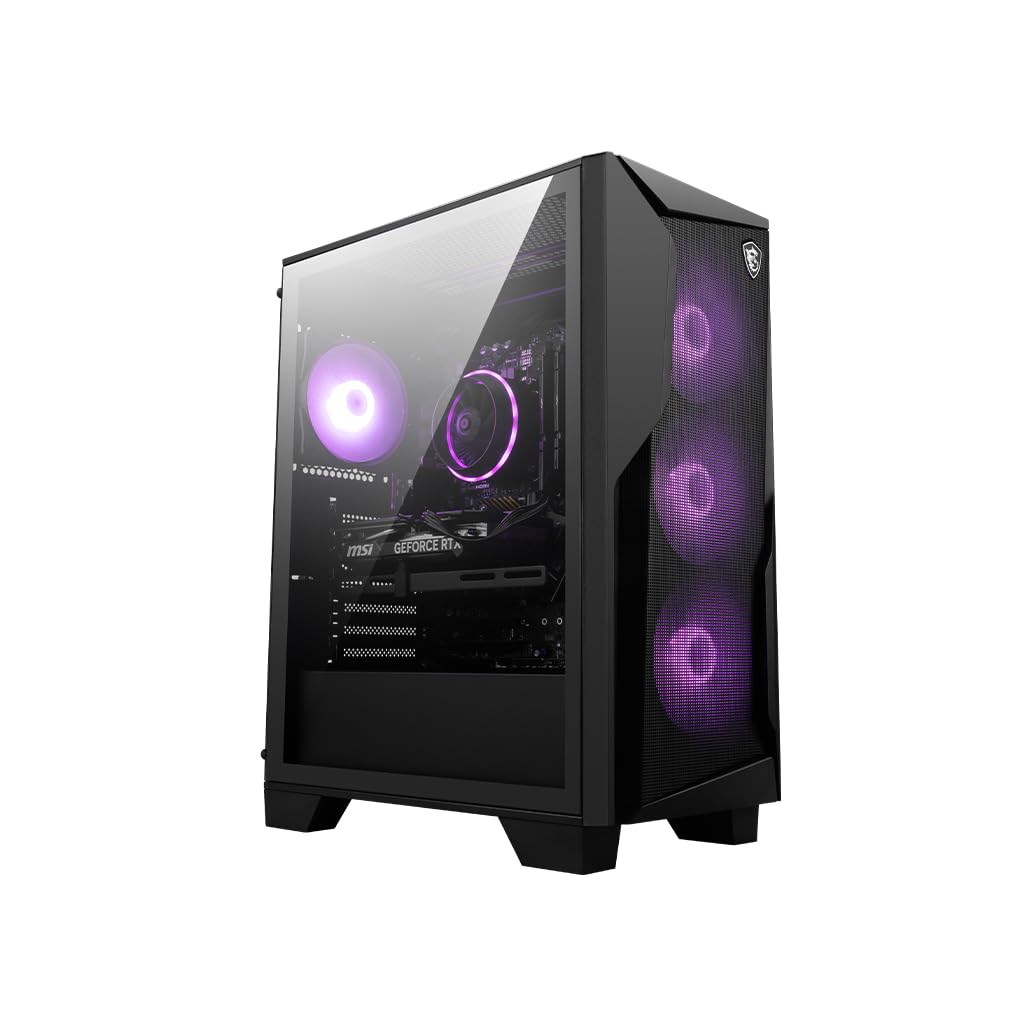
MSI fits the Codex R2 with an Intel Core i5-14400F that boosts to 4.7GHz — the highest clock on any Intel chip in this group and a clear step above the 4.4GHz ceiling of the MXZ and the 2.5GHz base of the CyberPowerPC. It pairs that with the RTX 4060 8GB, 16GB of DDR5 memory, and a 1TB M.2 NVMe SSD. The combination of a current-generation processor and DDR5 makes this one of the more forward-looking builds here, and MSI labels the rig as DIY friendly, meaning the case is set up for you to swap parts later.
Cooling gets four system fans — three pulling air in at the front and one pushing heat out the back — alongside an RGB CPU air cooler. You cycle the lighting with an MSI LED button on the case or fine-tune it in MSI Center software. A Gold-rated power supply, WiFi, and a keyboard and mouse bundle round out the package. Owners mention the machine runs without noticeable lag. The graphics card supports ray tracing, which is the lighting technique that makes reflections and shadows look natural in supported games.
What to keep in mind is the review base. This is a newer listing with fewer owner experiences behind it than the CyberPowerPC or Skytech towers, so you are leaning a little more on MSI’s brand and warranty than on a long history. The DIY-friendly design does soften that, since you can service and upgrade it without voiding your options down the line.
Reasons this earns a place
- 4.7GHz boost is the highest Intel clock in this comparison.
- DDR5 memory and a 1TB M.2 NVMe SSD keep it current.
- Four system fans plus an RGB air cooler manage heat and noise.
- DIY-friendly case makes future upgrades simpler.
Trade-offs to accept
- Fewer owner reviews than the longer-established picks here.
- Still DDR5 at 16GB — fine for gaming, tight if you also run heavy creation apps.
Best match for: gamers who want the newest Intel generation and DDR5 with a case they can upgrade themselves.
Skip past if: you want a long, deep record of owner feedback before you spend — older listings here have more of that.
6. Skytech Gaming Shadow Gaming PC Desktop

A 240mm liquid cooler, eight Ryzen cores, and a tempered glass case aimed at 1080p Ultra play.
This is the second Skytech on the list, and it changes the cooling formula. Where the Nebula runs air, the Shadow fits a 240mm AIO — an all-in-one liquid cooler, meaning a sealed loop that moves heat away from the processor with a pump and radiator. The processor is an AMD Ryzen 7 5700X at 3.4GHz boosting to 4.6GHz, a step above the Nebula’s 4.2GHz turbo. The graphics card is the same RTX 4060 8GB GDDR6X, and the target here is detailed 1080p Full HD at a smooth 60+ fps across the long list of titles Skytech names, from Warzone and Tarkov to Elden Ring and Helldivers 2 at Ultra settings.
Inside you get 1TB of NVMe storage, 16GB of DDR4 3200 memory with a heat spreader, and a 600W Gold power supply. Four RGB ring fans push air through a tempered glass case that shows off the lighting. Ports cover USB 2.0, 3.0, and 3.2 Gen1, with one HDMI and one DisplayPort guaranteed for your monitor, plus HD audio and mic. A keyboard and mouse are included, 802.11 AC WiFi handles the network, and there is no preinstalled bloatware — a genuinely underrated perk. Skytech builds these in the USA with a 1 year parts and labor warranty and lifetime free technical support.
Reliability is where this one asks you to be careful. The owner feedback splits — some machines run flawlessly and others stop working inside the first month. Connectivity is also the weakest area in the reports here. Treat the warranty as a real tool: game on it hard early and get any issue sorted while coverage applies.
Why the cooling matters: a 240mm AIO and a 4.6GHz Ryzen 7 5700X keep temperatures and clocks steady through a long session.
The honest caveat: reliability is a coin flip for a minority of buyers, so test early and keep the warranty close.
An easy yes for: gamers running 1080p Ultra on a tempered-glass tower who like the quiet of liquid cooling.
A pause for: anyone unwilling to stress-test a new PC in its first weeks — this is not the safest bet on the page.
7. MSI Aegis Z2 Gaming Desktop (C7NUC-817US)

The tower built around what comes next — a 5.3GHz Ryzen 7 and standardized parts you can swap yourself.
MSI engineers the Aegis Z2 for people who want to grow the machine rather than replace it. The AMD Ryzen R7-7700 boosts to 5.3GHz, which is the joint-highest clock on the page alongside the Dell’s Core Ultra 7. Combined with the RTX 4060 8GB, 16GB of DDR5 memory, and a 1TB M.2 SSD, it delivers a fast, current-generation platform. The upgrade story is the real headline: the Aegis Z2 uses standardized MSI components and parts, so a memory or storage bump later is a job you can do yourself with off-the-shelf pieces.
Cooling uses an RGB CPU air cooler plus four system fans, three in front and one at the rear, pulling cool air in and pushing heat out. A Gold-rated power supply covers the power side, WiFi is built in, and a keyboard and mouse are in the box. Ray tracing support means the card can render realistic reflections in games that use it. Buyers describe it as a great mid-level starter PC.
The thing to plan for is the startup risk. The owner feedback is mixed on reliability — some units boot and run beautifully, while a few report a tower that would not power on. That is a delivery or unit-level issue rather than a design flaw, but it is worth the first five minutes: plug in, power on, and confirm it posts before you set up your desk around it.
Built to be opened: standardized MSI parts mean you can add memory or storage later without buying a whole new system.
Boot-up roulette: a small number of units fail to power on, so test the machine the day it arrives.
Fits you if: you want a DDR5 tower you can upgrade part by part, with a 5.3GHz Ryzen 7 already installed.
Maybe not if: you would rather not deal with the rare dead-on-arrival unit — the smoother movers on this page are safer.
8. Dell Tower Plus EBT2250 Desktop
A creator’s desktop first and a gaming rig second, with a technician who comes to your door if something breaks.
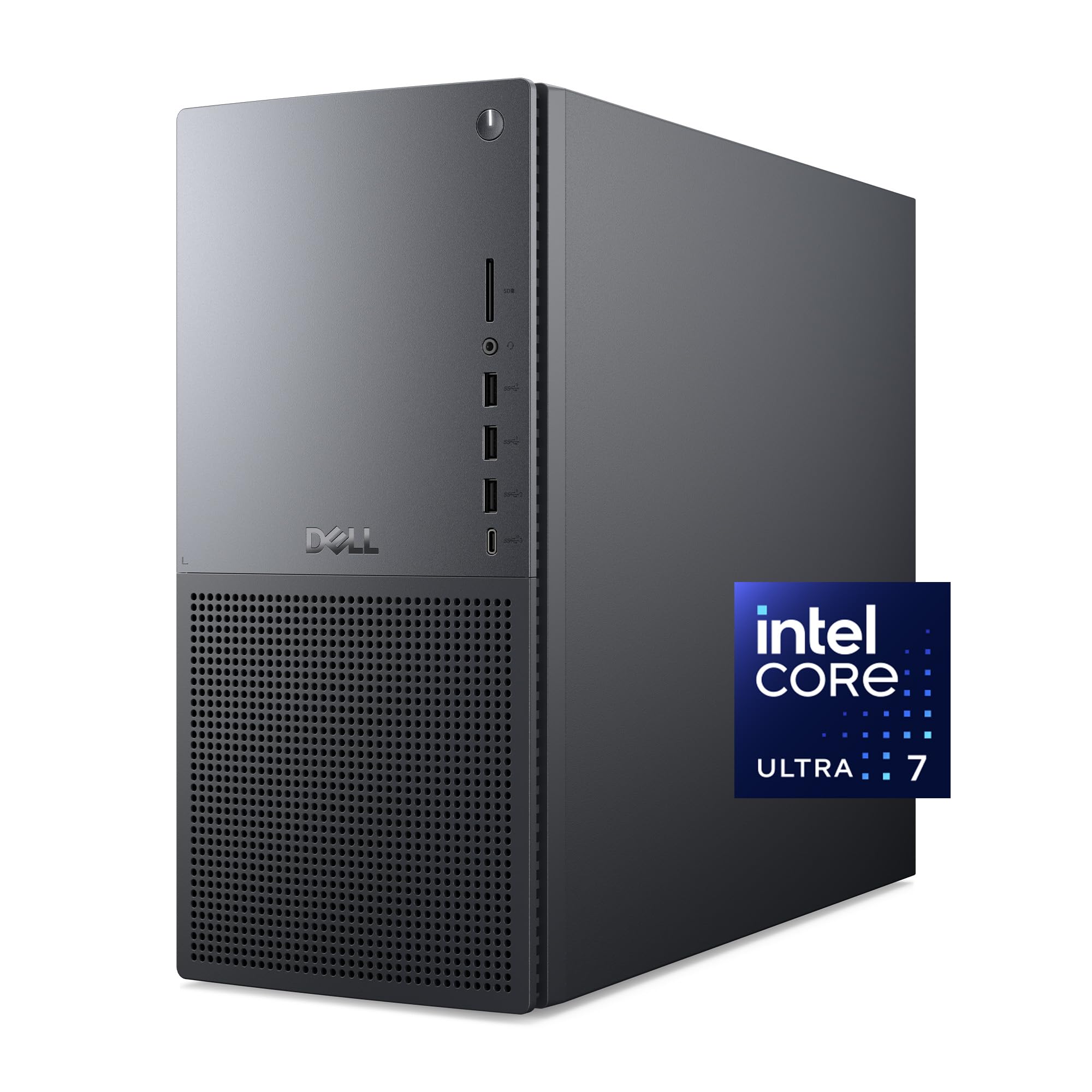
Dell takes a different route with the Tower Plus. The processor is an Intel Core Ultra 7 265 boosting to 5.3GHz, part of Intel’s Core Ultra Series 2 line with dedicated AI accelerators — a CPU, GPU, and NPU each handling certain AI tasks. That is a workstation-leaning chip, and paired with the RTX 4060 8GB, 16GB of RAM, and a 1TB SSD, it handles gaming and creative work in one box. The thermal design is purpose-built to improve airflow and acoustics with standard air cooling aimed at 65W processors, so it stays reasonable under load rather than roaring.
What separates this from every other pick is the service. You get 1 year of onsite service, meaning Dell will send a technician to your home or office if a covered hardware issue cannot be fixed remotely. There is also 6 months of Dell Migrate to move files from an old PC, and 1 year of McAfee+ Premium protection bundled in. The case is built to be upgraded, with available memory, storage, and expansion slots. Buyers here rate the build quality highly.
The trade-off is price-to-gaming ratio. This is a premium tower, and much of what you pay covers the Core Ultra processor and the onsite service rather than frame rate. If pure gaming is the goal, cheaper builds on this page put the same 4060 to work. If you split your time between work and play, the workstation chip and the service plan are the reasons to choose it.
Why creators should look here
- Core Ultra 7 265 with dedicated CPU, GPU, and NPU AI accelerators.
- 1 year onsite service brings a technician to you.
- 6 months Dell Migrate moves your files from an old PC.
- Build quality is the standout in owner feedback.
Where it asks more of you
- You pay a premium for workstation silicon and the service plan, not extra frames.
- The 16GB of RAM is modest for heavy creative workloads.
Made for: designers, editors, and streamers who want one PC for paid work and evening gaming, backed by onsite service.
Not made for: pure gamers chasing the best frame rate per dollar — cheaper towers here do that job.
9. TOPGRO T1-Pro Mini Gaming PC

A Core i9 and 32GB of DDR5 squeezed into a box small enough to carry onto a plane.
This is the outlier, and the processor is why. The TOPGRO runs a 13th Gen Intel Core i9-13900HX at 24 cores and 32 threads, boosting up to 5.4GHz — the highest clock on the entire page. That is a laptop-class chip, which is how it fits in a mini form factor, paired with the RTX 4060 in its mobile version. The memory is 32GB of dual-channel DDR5-5200 (double what most towers here carry), and storage is a 1TB M.2 NVMe PCIe 4.0 SSD with two extra M.2 2280 slots for expansion up to 8TB. Buyers point to the size as a genuine advantage, with one describing a unit small enough to check in while flying.
Networking is unusually strong for the footprint. WiFi 6E and Bluetooth 5.3 cover wireless, and a 2.5 Gigabit Ethernet port runs 2.5 times faster than a standard Gigabit port. Video output covers 1 HDMI 2.0 at 4K 60Hz and 1 DisplayPort 1.4 at 4K 60Hz, with support for multiple monitors for multitasking. A dedicated button controls the RGB lighting, another adjusts fan speed so you can pick quiet or cool, and Windows 11 Pro is installed. The maker lists 24-hour support response.
The catch is noise under heavy load. During normal operation it stays quiet, but the fans spin up noticeably when you push it. A small chassis has less room to move air, so that is the physics of the form factor. If you game with a headset on, it fades into the background. If you need a silent desk for recording, weigh that against the tiny footprint.
The performance case: a 24-core i9-13900HX at 5.4GHz with 32GB of DDR5 is more raw processing power than any tower here.
The noise case: expect the fans to get loud when the load climbs — the price of packing this much into a small box.
Pick it when: desk space is tight or you want a PC you can carry, and you value 32GB of DDR5 and a 5.4GHz i9 over a big tower.
Skip the footprint if: you need a near-silent machine under sustained load — the larger towers here run quieter.
10. Gaming Desktop PC Computer 12-Core Radeon RX580

The entry-level white tower that trades the 4060 for a Radeon card — and piles on memory instead.
Be clear about what this is before anything else: the graphics card is a Radeon RX580 8GB GDDR5, not an RTX 4060. That is an older card, and its listed maximum resolution is 1920×1080, far below the 3840×2160 the VIPRTECH lists — so this is a 1080p machine by design. What it does offer is a different set of value. The processor is a Xeon 12-core chip, the memory is 64GB of RAM (the most on this page), and storage is a 512GB SSD plus a 1TB hard drive. For everyday use, streaming, and lighter competitive titles, that combination is responsive and the SSD keeps it feeling quick.
The white case and liquid cooling give it a look and a quiet running character that punch above the entry tier. Buyers describe it as quiet thanks to the liquid cooling, with ARGB fans that stand out on a desk. The wireless is current — WiFi 6 and Bluetooth 5.3 — and Windows 11 Pro comes installed with a keyboard and mouse in the box. Gaming performance is the most-praised thing about it: it handles titles like Fortnite on performance settings smoothly for a machine at this tier.
The honest limit is where the RX580 stops. For modern AAA games at high settings, this card falls short of every 4060 build here. If your games are competitive and your budget is the driver, it works. If you want to play the newest releases at high detail, the 4060 towers above are the better buy.
What you get for the tier
- 64GB of RAM — the most memory of any PC on this list.
- Liquid cooling for quiet operation, plus showy ARGB fans.
- WiFi 6, Bluetooth 5.3, and Windows 11 Pro from the start.
- 512GB SSD plus a 1TB hard drive for plenty of storage room.
Where it falls short
- The RX580 is an older card, capped at 1920×1080 resolution.
- It cannot match a 4060 in the newest AAA games at high settings.
Right for: buyers on the tightest budget who play competitive titles at 1080p and want a quiet, good-looking tower with huge RAM.
Wrong for: anyone chasing modern AAA games at high detail — that needs one of the 4060 builds above.
Know the Specs
The RTX 4060 and its 8GB of video memory
The graphics card is the part that draws the game. The 4060 here carries 8GB of its own memory (VRAM), which holds textures and lighting data so scenes render detailed instead of blurring. That 8GB is the fixed point across most of these builds, so your frame rate differences come from the processor, memory type, and cooling around it. The one exception on this page is the MXZ, which steps up to the 4060Ti — the faster version of the card.
Processor clock speed and core count
Clock speed (measured in GHz) is how many cycles the chip runs per second; core count is how many jobs it can juggle at once. A higher boost clock helps in busy scenes and single-threaded tasks, while more cores help with streaming, editing, and multitasking. The chips here range from a 3.6GHz base to a 5.4GHz boost, so match the processor to what you actuallydo. Gaming leans on a high clock, while creative work benefits from more cores.
DDR5 versus DDR4 memory
Both memory types work with a 4060, but DDR5 is the newer generation and the more future-proof pick if you plan to keep the tower for years. DDR4 still performs well and often shows up on mid-range builds. Look for 16GB as the practical floor for gaming with background apps open, and step up to 32GB only if heavy multitasking is part of your routine.
Power supply ratings and what Gold means
The power supply feeds every part. An 80+ Gold rating means the unit wastes less energy as heat than a basic supply, which keeps the inside cooler and the power draw steadier. Builds here list supplies from 550W to 650W with Gold ratings on several picks — enough headroom for the 4060 without overspending on power you will never use.
Air versus liquid cooling
Air cooling moves heat with fans and a heatsink; liquid cooling moves it with a pump and radiator. A 240mm AIO runs quieter under sustained load, while an air cooler with several case fans is simpler and adds no part you have to service. For a 4060 build, good airflow matters more than the cooling type.
WiFi generations and port selection
WiFi 6E is the newest wireless standard here, faster than WiFi 5 and WiFi 6 on paper, while WiFi 5 still handles everyday gaming fine. Ports matter too: HDMI and DisplayPort let you run multiple monitors, and more USB ports mean fewer hubs on your desk. Check the port count before you plan your setup.
Common Questions
Is the RTX 4060 enough for 1440p gaming?
What is the difference between the RTX 4060 and the RTX 4060Ti in these builds?
Do I need DDR5 memory or is DDR4 fine for a 4060 gaming PC?
How much RAM do I need for gaming and streaming at the same time?
Can these gaming PCs be upgraded later?
How loud are these towers during a long gaming session?
Does a liquid-cooled gaming PC need maintenance?
Is a mini gaming PC with an RTX 4060 as fast as a full tower?
Do these prebuilts come with Windows and a keyboard and mouse?
Can I use a 4K monitor with these gaming PCs?
The Bottom Line
The strongest all-around pick for most people is the CyberPowerPC Gamer Xtreme VR, because it balances a modern Intel Core i5-13400F, newer DDR5 memory, and a fast 1TB PCIe Gen4 NVMe SSD in one tower you can game on the day it arrives. If you split your time between editing and play, the VIPRTECH Ghost 3.0 gives you eight Ryzen cores and 4K output. And if desk space is tight, the TOPGRO T1-Pro Mini packs a 5.4GHz i9 and 32GB of DDR5 into a box you can carry. The CyberPowerPC is the most-reviewed tower here, and that track record backs up its top slot.
How we choose
We do not accept paid placement. Every pick is matched to a real buyer and a real use-case; we do not hands-on test units.
Sources
Specifications: manufacturer listings and product documentation. Review insights: verified customer reviews, as of November 2026. Pricing: not shown on this page (it changes often); check the current price via the retailer link.
As an Amazon Associate, My Heart Lives Here earns from qualifying purchases. This does not affect which products we feature.