Heads up: This post contains affiliate links. As an Amazon Associate I earn from qualifying purchases, at no extra cost to you. Learn more
Specs are compiled from manufacturer listings and verified buyer reviews and can change over time — please confirm the key details on the product page before buying.
If your software, security recorder or arcade cabinet was built for a square-ish screen, a modern widescreen panel wastes half its surface on black bars. The fix is a true 4:3 or 5:4 display that renders old interfaces at their native shape. Everything below is chosen for that job: matching the panel to the source, ignoring marketing resolution claims that don’t apply, and checking the one port your recorder actually uses.
This guide is built by comparing the manufacturers’ published specifications and the patterns across verified customer reviews, so you get each pick’s real strengths and trade-offs instead of marketing spin.
A square panel is only half the answer — the port list decides whether it works with your gear, so match the inputs before you commit. That single check is what separates a working setup from a return label, and it anchors this guide to the best 4:3 monitor for your desk or rack.
Top Picks


How To Choose The Best 4:3 Monitor
Buying a square panel is a matching job: the screen has to speak your source device’s language. You have a source device — a legacy PC, a DVR, a Raspberry Pi, an arcade board — and the screen has to speak the same language. Get the port and the native resolution right and the rest is detail.
Start with the port, not the picture
Look at the back of the device you want to display. A VGA plug means you need a VGA socket; a yellow composite plug needs AV; a round metal camera connector needs BNC. Every monitor here lists its inputs, so read that list before anything else.
One trap: a BNC port on these screens takes analog video only. If your camera sends a digital signal over coax — SDI, TVI, CVI or AHD — you need a converter between the camera and the screen, or the picture simply will not appear.
Match the native resolution to your software
Native resolution is the exact pixel grid the panel is built from — 1024×768 or 1280×1024 on most of these. Feed it a higher signal and the monitor scales it down to fit. That is fine for video, but small menu text can soften.
If your old software was designed for a 4:3 box, running it at its native shape keeps buttons and toolbars where you expect them. A widescreen panel stretches the layout or adds black bars instead.
Brightness and viewing angle in a real room
Brightness is quoted in cd/m², which is a measure of how much light the screen throws. A 400 cd/m² panel stays readable near a window; a 250 cd/m² one suits a dim room. Viewing angle tells you how far off-centre you can sit before colours fade.
Touch, mount, and the small extras
Some picks here are touchscreens for kiosks, POS machines and industrial control; others are plain displays for video feeds. VESA hole spacing (75x75mm or 100x100mm) decides whether a wall bracket or arm will fit. A built-in speaker and a remote save you reaching behind a rack.
Side-by-Side Comparison
| Model | Best For | Native Resolution | Brightness | Key Inputs | Amazon |
|---|---|---|---|---|---|
| Eyoyo 12 Inch HDMI Monitor★ Best Overall | Compact multi-source desk screen | 800×600 | 400 cd/m² | HDMI, VGA, BNC, AV, USB | Amazon |
| Cocar 8 inch CCTV MonitorBest for Travel | Portable surveillance and car use | 1024×768 | 250 cd/m2 | HDMI, VGA, BNC, AV | Amazon |
| SKitphrati 17″ Square Touch MonitorTop Performer | Touch kiosks and POS counters | 1280×1024 | 250 cd | HDMI, VGA, USB Type B | Amazon |
| JaiHo 14 Inch 4:3 LCD Monitor | Replacing an old VGA workstation screen | 1024×768 | 400 cd/m2 | HDMI, VGA, BNC, AV, USB | Amazon |
| Suprlipy 19 Inch CCTV Monitor | Large-format security desk display | 1280×1024 | 450 cd | HDMI, VGA, BNC, AV, USB | Amazon |
| JaiHo 19 Inch Square LCD Monitor | DVR menus and legacy VGA setups | 1280×1024 | — | HDMI, VGA, BNC, AV, USB | Amazon |
| VSDISPLAY 12.1 Inch Touch Monitor | Industrial machine replacement panels | 1024×768 | 600 cd/m2 | VGA, DVI | Amazon |
| RetroArcade.us 19 Inch Arcade Monitor | MAME and JAMMA cabinets | 1280×1024 | 250 cd/m² | VGA | Amazon |
| UNICO 26 inch Arcade Monitor | Full-size cabinet replacements | 1024×768 | — | HDMI, VGA, CGA, EGA | Amazon |
Detailed Reviews
1. Eyoyo 12 Inch HDMI Monitor
Our pick — 4.0+★ from 100+ verified ratings; the strongest balance of quality and price.
A pocket-sized square screen that speaks to almost any source you own — including the awkward ones.
Six inputs on one back panel is the whole reason this one leads. You get HDMI, VGA, USB, AV and BNC in the same chassis, so a Raspberry Pi, a laptop, a DSLR, a Fire TV stick and an old camera feed all have somewhere to plug in. Few square panels carry six inputs, so one purchase covers a Pi, a laptop and a camera feed without adapters.
You can stand well off to the side and still read this screen, because its 165° viewing angle is the widest on this list. That beats the 95° of the 17-inch touch model by a wide margin. The panel is a 12-inch LCD at 800×600 (800 pixels wide, 600 tall) with 400 cd/m² of brightness (a measure of how bright the screen glows). Its 450:1 contrast ratio (the gap between the darkest black and brightest white) also outruns the 8-inch Cocar’s 400:1. Indoors, that combination keeps text crisp and colours steady from a chair across the room.
The genuinely unusual feature is the image mirror function, which flips the picture left, right, up or down. That is what makes it work as a teleprompter screen or a rear-view display, where the image has to be reversed so the operator reads it correctly. A remote and built-in dual speakers round it out, so you can switch inputs and hear audio without crawling behind a rack.
What earns it the top slot
- Six input types — HDMI, VGA, USB, AV, BNC and USB — cover almost any legacy or modern source in one box
- 165° viewing angle is the widest here, so the picture holds up from an off-centre chair
- Image mirror function flips the picture for teleprompter and rear-view use
- VESA 75mm bracket included for wall mounting, plus a stand for desk use
Where it asks for patience
- 800×600 is the lowest native resolution here, so dense desktop text looks coarse compared with a 1280×1024 panel
- The BNC port accepts analog CVBS only — SDI, TVI, CVI or AHD cameras need a converter in between
- Buyers split on picture quality when it is pressed into duty as a full computer monitor
Reach for this if: you want one small square screen that handles a camera feed, a mini PC and a streaming stick without swapping cables.
Think twice if: you need sharp small text across a full desktop — a 1280×1024 panel serves that better.
2. Cocar 8 inch CCTV Monitor
The one you can throw in a van — a cigarette-lighter adapter turns it into a mobile camera screen.
Eight inches of 1024×768 IPS panel that runs off a car cigarette lighter at 12-24V is an unusual combination. Plug it into a vehicle socket and it becomes a rear-view or side-camera display; unplug it and it sits on a shelf as a small security monitor. Nobody else on this list ships that adapter.
If the screen lives in an unheated cab, the housing holds up: it is ABS plastic (a tough, impact-resistant plastic) chosen for low-temperature ductility (it stays flexible in the cold) and impact resistance. It also has 75x75mm VESA holes (the standard square bolt pattern for wall and arm mounts), two built-in speakers, audio in and out ports, and a USB port that plays video files straight from a flash drive with no computer attached. The panel itself is modest at 250 cd/m2 brightness and a 400:1 contrast ratio — the 14-inch JaiHo’s 2000:1 contrast is five times higher — so treat it as an indoor or shaded-cab screen rather than something for direct sunlight.
For an 8-inch screen, the 1024×768 IPS panel reads clearly at close range. The honest caveat is longevity — a handful of buyers report units giving out inside six months, so treat the warranty terms as part of the purchase and keep the receipt. Compatibility opinions split too, mostly around matching the right source, which makes checking your recorder’s output format before ordering a smart move.
Portability payoff: the included 12-24V car adapter, compact ABS housing and 75x75mm VESA holes make this the only pick here built to move between a vehicle and a fixed spot.
Set expectations: 250 cd/m2 and a 400:1 contrast ratio are the lowest brightness figure among the larger screens here, so plan for indoor or shaded placement.
Suits: van owners, mobile installers and anyone who wants a small camera screen that travels with a 12V socket.
Not the one: for a permanent bright-room security desk where panel life and punch matter more than portability.
3. SKitphrati 17″ Square Touch Screen Monitor
Ten fingers at once on a square panel — the touchscreen that turns an old counter into a kiosk.
If you are building a point-of-sale station or a self-service kiosk, this is the pick. The 17-inch panel runs at 1280×1024 and accepts ten simultaneous touch points, so two people can tap through menus at the same counter without waiting. A 75Hz refresh rate keeps finger tracking smooth rather than smeary.
Connections are USB Type B for the touch signal plus HDMI and VGA for video, which covers a PC, a laptop, a Switch or a Raspberry Pi. The stand tilts from +5° to -20°, and 75mm VESA holes let you bolt it to a wall or an arm. It is a 5:4 panel by spec — the same near-square shape your old software expects.
The trade-off is brightness. At 250 cd and a 95° viewing angle it is a dimmer, narrower screen than the Eyoyo’s 165° — 95° against 165° means you need to sit closer to straight-on for accurate colours. Buyers rate the build and the 1280×1024 panel together, calling the image deeper and more lifelike than expected for a secondary monitor. Apple devices are not fully supported, so check compatibility if your setup is Mac-based.
The right buyer: anyone assembling a touch kiosk, POS till or industrial inspection station who needs ten-point input on a square screen.
Look elsewhere if: you only need a passive video display — the touch layer is wasted, and the brightness is modest.
4. JaiHo 14 Inch LCD VGA Monitor
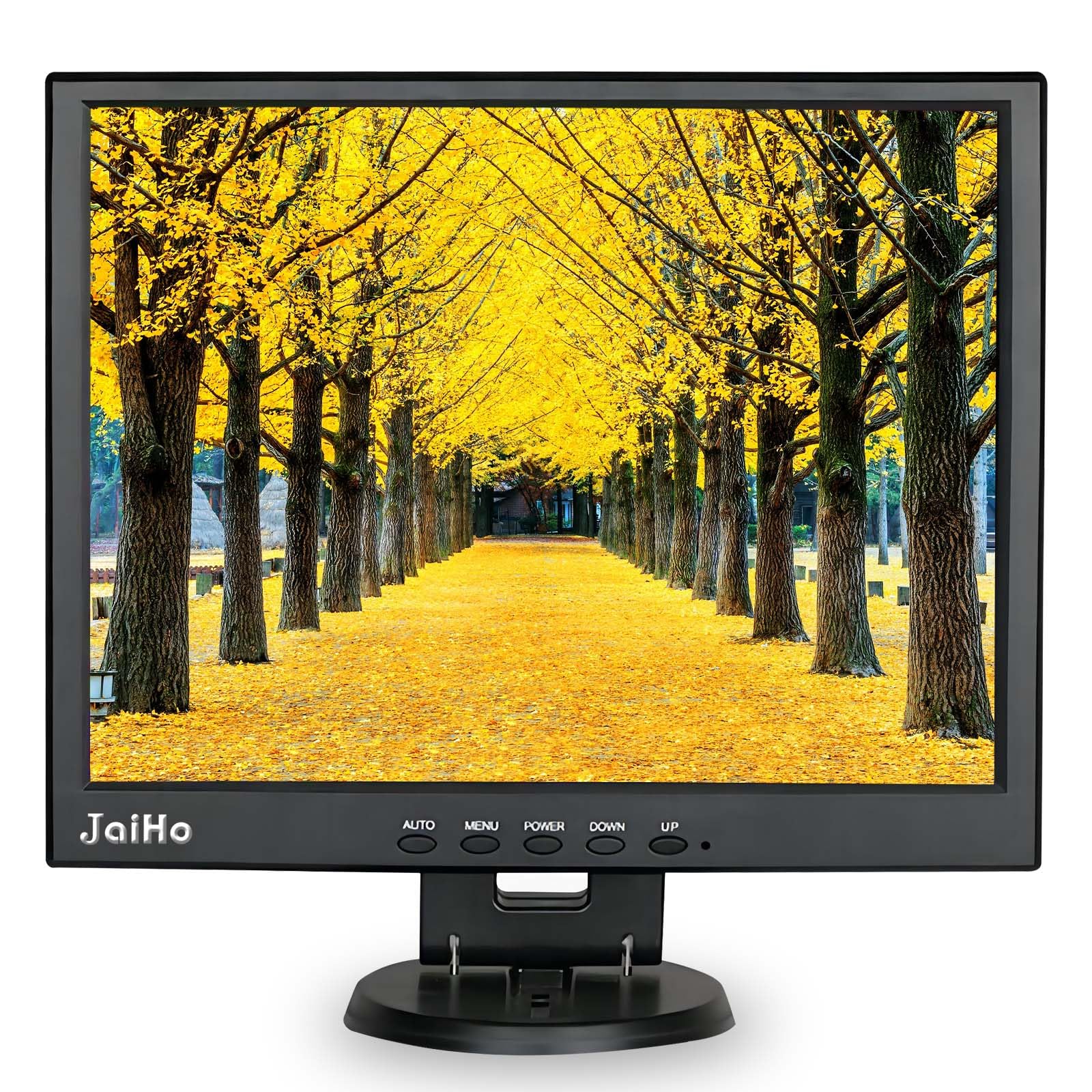
Deep blacks on a small desk — the panel that makes an aging workstation look properly lit again.
Here is the number that matters: a 2000:1 contrast ratio, five times the 400:1 of the 8-inch Cocar, and the highest figure on this list. Contrast is the difference between the darkest black and the brightest white, so a high number means dark menus and camera feeds stay legible instead of turning to grey mush. Add 400 cd/m2 of brightness and 165° of viewing angle and you have a 14-inch screen that reads clearly at close range.
Its job is replacing a compact older PC screen. Native 1024×768 keeps familiar business software laid out the way it was designed, and VGA, HDMI, BNC and AV are all on hand so a recorder output and a computer can share the same display. The included remote handles input switching when the monitor is tucked under a counter, and USB plays media files without a second screen.
This is a non-touch panel, and a 1080p HDMI signal gets scaled down to the 1024×768 grid — worth knowing before you expect HD sharpness. The anti-glare surface helps under shop lighting. What it suits is exactly what it was built for: small desks, service counters and equipment stations where an old machine needs a familiar face. Picture quality and viewing-angle gripes do surface among buyers, so buy it for the right job rather than as a main desktop display.
Contrast champion: a 2000:1 ratio is the top figure in this lineup and the reason dark interfaces and camera feeds hold their shape.
Know before you buy: no touch, and incoming 1080p is scaled to the 1024×768 panel — it is a replacement screen, not an upgrade to HD.
Best match: a service counter or small office desk keeping an older VGA machine alive with a screen that shows deep, readable contrast.
Wrong tool for: a main work display where you want native HD and touch input.
5. Suprlipy 19 Inch TFT LCD Security CCTV Monitor 1280×1024

A big, bright security screen with one trick for sewer and rear-view work: it flips the image.
At 19 inches and 1280×1024, this is a proper desk-sized monitor for a surveillance station. Its 450 cd brightness is the highest figure among the larger screens here — the 17-inch touch panel sits at 250 cd, so this one holds up better near a window or under bright shop lights. The 4:3 shape with a thin bezel keeps a wider field of view than a widescreen cropped to the same footprint.
Ports cover HDMI, AV, BNC and VGA, plus a USB socket that plays video direct from a flash drive. The image mirror function reverses the picture, which is what makes it useful as a rear-view screen or for sewer inspection cameras where the feed arrives flipped. A VESA bracket and screws come in the box for wall mounting, and built-in speakers save you adding a separate audio source.
Do not expect the scores to be the story here — this one has a thinner track record than its siblings, and its 500:1 contrast ratio sits well below the 2000:1 of the 14-inch JaiHo. It is the right choice when physical size and brightness lead your list. Buy it as a dedicated security display rather than a general-purpose PC monitor.
Size and light: 19 inches of 1280×1024 panel at 450 cd is the brightest big screen in this group, and the built-in VESA bracket means wall mounting costs nothing extra.
The catch: a 500:1 contrast ratio trails the sharpest panel here, so dark scenes lose some depth.
Pick this for: a bright security desk or a sewer/rear-view feed that needs mirroring on a large square screen.
Pass if: deep blacks on dark footage matter more to you than sheer size and brightness.
6. JaiHo 19 Inch Square LCD Monitor

Built to keep a DVR’s camera list and timeline fully in frame instead of scrolling off the edge.
The whole point of this panel is its 5:4 shape at 1280×1024. Security software tends to stack a camera list down one side and a timeline along the bottom, and a taller screen keeps both in view while the video plays. On a widescreen those panels get squeezed or hidden behind a menu.
Both analog and modern feeds are covered: BNC and AV accept older camera and recorder outputs, while HDMI and VGA take a computer, NVR or DVR with the matching socket. A 175° horizontal and vertical viewing specification means several people can check the same screen from different desk positions, and the anti-glare surface keeps reflections down under office lighting. A 75x75mm VESA mount frees up bench space if you would rather hang it.
Two things to square away before you buy. A BNC connector does not convert a network camera’s stream, so view IP cameras through a compatible recorder or decoder instead of straight into the monitor. And HDMI can accept a 1080p signal, but the screen is not native 1920×1080 — it scales the picture, so set your output to match for the cleanest text. Front buttons and the included remote both handle input choice.
Made for: a security counter where a tall camera list and recording timeline need to stay visible at once.
Check first: your recorder’s port type — BNC here carries analog video only, not an IP stream.
7. VSDISPLAY 12.1 Inch Touch Screen LCD Monitor

A workshop-grade touch panel bright enough to read beside a machining centre.
Six hundred cd/m2 is the standout figure in this entire lineup — well clear of the 250 cd of the 17-inch touch model and the 400 cd of the 14-inch JaiHo. That level of brightness is what keeps a screen legible in a workshop with overhead lamps or daylight spilling in. The 12.1-inch panel runs 1024×768 at a 700:1 contrast ratio, the second-highest contrast here behind the 2000:1 JaiHo 14-inch.
The touch layer supports ten points and registers movement in 3-5 ms, so swipes and cursor moves feel immediate rather than laggy. Connectivity is VGA and DVI for video with an earphone output for audio, and there are two sets of mounting holes — 75x75mm and 100x100mm — so it fits more brackets than the single-spacing screens here. The stated use is DIY extra monitors and CNC machine replacement.
Be realistic about the audience. There is barely any buyer history on this panel, and no HDMI port, so a modern laptop needs an adapter or a DVI-capable dock. It is a component for a machine build, not a plug-and-play desktop monitor. If your project is a controller panel or an industrial swap, the brightness and dual mounting patterns are exactly what you want.
Why it earns a slot: 600 cd/m2 and 700:1 contrast put it ahead of every other screen here on pure panel punch, and dual VESA patterns widen bracket choice.
Honest limit: no HDMI and a thin review history — this is a build component, not a consumer plug-in screen.
Suited to: CNC retrofits, control panels and DIY machine builds where brightness beats port convenience.
Skip if: you want to plug in a laptop over HDMI with no adapters.
8. RetroArcade.us 19 Inch Arcade Game LED Monitor

A drop-in LED panel for the cabinet you already own — JAMMA boards and MAME rigs welcome.
This is a purpose-built arcade screen. It measures 19 inches, takes a VGA input, and is listed for both cocktail and standup cabinets as well as MAME setups, so it slides into a cabinet where a CRT once sat. The 5:4 shape at 1280×1024 fills a classic bezel without the pillarboxing a widescreen would force on you.
Running an LED panel instead of glass means no burn-in from a score counter left on screen all night, and no warm-up wait when you switch the cabinet on. A 450:1 contrast ratio and 250 cd/m² brightness are modest figures, but for a cabinet viewed in a dim arcade corner that is plenty. A manufacturer warranty is included, which matters on a part you install once and forget.
Only one video input is the limit: VGA. A modern PC or Raspberry Pi build needs a VGA-capable output or an adapter, and there is no HDMI or BNC socket to fall back on. If your cabinet already feeds VGA from a JAMMA board or a MAME PC, that is a non-issue. If you are building from scratch around HDMI, look at the UNICO below instead.
Fits the job: an existing JAMMA or MAME cabinet that already outputs VGA and wants a burn-in-free LED panel.
Rethink if: your build is HDMI-only — this screen has just the one VGA input.
9. UNICO 26 inch Arcade Monitor

Twenty-six inches of square arcade glass — the replacement panel for a full-size cabinet.
Where the RetroArcade.us 19-inch fits a mid-size cabinet, this one is built for the big ones: a 26-inch 4:3 panel at 1024×768, sized by the maker to suit most 26-inch arcade machines. A 1000:1 contrast ratio is more than double the 450:1 of that 19-inch arcade screen, so blacks in dark arcade scenes stay solid rather than washing out.
The real draw is signal flexibility. It takes CGA and EGA along with HDMI and DB15 VGA, which means original arcade boards and a modern MAME PC can both drive it. Built-in connectors on the back let you pull and replace the panel quickly. Because it is an LCD rather than a CRT, it also avoids the burn-in that older arcade glass develops from static score displays. The 12V 3A adapter and pre-installed mounting bracket come in the box.
Owners describe the picture as rich with blacks that stay black and no washout, and call it the best non-CRT option they have found. The one point of disagreement is the 4:3 resolution itself — some want more pixels for modern titles. For original arcade boards running at native resolution, that is not a concern; for a high-detail PC build, weigh it.
What owners rave about: rich colour and blacks that hold without washout, on a panel that speaks CGA, EGA, HDMI and VGA in one unit.
The debate: the 1024×768 pixel count is the point some buyers question — fine for arcade boards, tighter for modern PC games.
Built for: a full-size 26-inch cabinet mixing original arcade boards with a modern PC inside one shell.
Weigh carefully if: you need high-resolution PC gaming — 1024×768 is the ceiling here.
Know the Specs
Native Resolution vs Supported Input
Native resolution is the actual pixel grid the panel is built from — 800×600, 1024×768 or 1280×1024 on these screens. A higher signal, like 1080p over HDMI, gets scaled down to fit that grid. That is fine for video, but small interface text can soften. Match your source output to the native figure for the sharpest result.
Contrast Ratio
Contrast ratio compares the darkest black the panel can show with the brightest white. A 2000:1 screen holds dark menu backgrounds and night camera footage better than a 400:1 one. Higher is better for reading dense interfaces and for security feeds shot at night.
Brightness in cd/m²
Brightness, measured in cd/m², describes how much light the screen throws. A 250 cd panel suits a dim room; a 450 or 600 cd panel stays readable near a window or under workshop lamps. Pick the figure that matches where the screen will actually sit.
BNC, VGA, HDMI and AV Inputs
These are the four video connector families you will see here. BNC is a round metal connector used for analog CCTV coax; AV is composite; VGA is the old blue 15-pin computer plug; HDMI is the modern digital one. A BNC port does not decode a network camera stream, so IP cameras need a recorder or decoder in the chain.
Viewing Angle
Viewing angle tells you how far off-centre you can move before colours fade and contrast drops. A 165° or 175° spec keeps a screen readable from several positions at a desk; a 95° figure means you should sit closer to straight-on.
VESA Mount Patterns
VESA spacing is the distance between the four screw holes on the back, such as 75x75mm or 100x100mm. Your bracket or arm must match it. Panels with both patterns fit a wider range of mounts.
Common Questions
Will a 4:3 monitor work with my modern laptop?
What is the difference between a BNC port and an HDMI port on these monitors?
Can a 4:3 monitor display an IP camera directly?
Is 1024×768 sharp enough for reading documents and menus?
Why do some arcade monitors avoid CRT burn-in?
What does the image mirror or flip function do?
How do I mount a square monitor on a wall?
Does a 5:4 monitor show 4:3 video without stretching it?
Are touchscreen 4:3 monitors compatible with Apple devices?
What power do these monitors need?
The Bottom Line
Picking a square screen is really about matching it to your gear, and the Eyoyo 12 Inch fits the widest range of devices. It gives you six inputs, a 165° viewing angle and a mirror function (it flips the image) that handles teleprompter and rear-view duty in one small box. If your dark interfaces need deep contrast, the JaiHo 14 Inch leads the lineup at a 2000:1 ratio. For a bright workshop panel, the VSDISPLAY 12.1 Inch tops out at 600 cd/m2. Match the port list to your recorder and the brightness to your room, and the rest follows.
How we choose
We do not accept paid placement. Every pick is matched to a real buyer and a real use-case; we do not hands-on test units.
Sources
Specifications: manufacturer listings and product documentation. Review insights: verified customer reviews, as of November 2026. Pricing: not shown on this page (it changes often); check the current price via the retailer link.
As an Amazon Associate, My Heart Lives Here earns from qualifying purchases. This does not affect which products we feature.