Heads up: This post contains affiliate links. As an Amazon Associate I earn from qualifying purchases, at no extra cost to you. Learn more
Specs are compiled from manufacturer listings and verified buyer reviews and can change over time — please confirm the key details on the product page before buying.
You do not actually need a 30-pin to Lightning adapter in most cases. What you need is a way to get modern audio, charging, or video out of an old 30-pin dock, an old iPhone, or a Lightning headphone you still like. Which fix you need depends on which of those three you own, and picking the wrong plug is the most common way buyers waste money here.
This guide is built by comparing the manufacturers’ published specifications and the patterns across verified customer reviews, so you get each pick’s real strengths and trade-offs instead of marketing spin.
A 30-pin dock from the iPhone 4 era and a Lightning-to-USB-C audio chain are two different puzzles, and each needs its own connector rather than a universal patch. This breakdown covers the seven adapters worth considering for a 30 pin to lightning adapter job.
Top Picks


How To Choose The Best 30 Pin to Lightning Adapter
Start by naming the device on each end of the chain. A 30-pin dock on one side and a Lightning phone on the other is not a cable problem — it is a signal problem, and different fixes solve different halves of it.
Match the adapter to the old socket, not the new phone
A 30-pin connector is the wide, flat Apple plug used on the iPhone 4 era and on the speaker docks built for it. It carries charging power and line-level audio out, which is exactly why a Bluetooth receiver that plugs into that socket can wake the whole speaker back up. If your goal is music from a modern phone into an old dock, the receiver route is the one that survives.
Bluetooth receivers need range and pairing count
Range figures here vary a lot between models, so read them before you assume anything. One receiver in this list rates its range at 70 feet in open air while naming other brands at 15-30 feet — that gap decides whether you can leave the phone on the kitchen counter and still control playback from the sofa. Two-device pairing matters too if a phone and a tablet both want the dock.
Lightning audio adapters are not charging adapters
An adapter that turns a Lightning headphone into a USB-A or USB-C signal is a one-way audio part. It will not charge your phone, and it will not move files. If you need power, buy a charging cable; if you need sound, buy an audio adapter. Mixing up those two is the most common source of returns.
Video mirroring is a separate job again
Sending a phone screen to a TV needs a Lightning-to-HDMI part with a real video chip inside. That is a different product from anything that handles audio, and it also needs its own HDMI cable to reach the display. Buy it only if getting a picture onto a big screen is the goal.
Side-by-Side Comparison
| Model | Best For | Connector | Ports | Weight | Amazon |
|---|---|---|---|---|---|
| INVERY DockLinQ Pro★ Best Overall | Reviving a Bose dock wirelessly | 30-Pin | 2 | 3.2 ounces | Amazon |
| ESK 6 Feet 30 Pin Cable (2 Pack)Budget Multi-Pack | Charging old iPhones and iPads | USB | — | 0.69 ounces | Amazon |
| GetsISKON USB C to Lightning Adapter | Lightning earphones on a USB-C phone | Lightning | 2 | 0.02 kg | Amazon |
| Fidioto USB-A to Lightning Adapter | Lightning earphones on a computer | USB Type A, Lightning | 1 | 0.01 kg | Amazon |
| Microwoo Lightning to USB Camera Adapter | Moving camera files to an iPhone | Lightning | 2 | 0.01 kg | Amazon |
| ZIOCOM SOUL 2 | Docks plus aux-only speakers | 30-Pin | 1 | 12 g | Amazon |
| Apple Lightning to Digital AV Adapter | Mirroring a phone to a TV | Lightning | — | 1.44 ounces | Amazon |
Detailed Reviews
1. INVERY 30 Pin Bluetooth Adapter Receiver
Our pick — 4.5+★ from 12,500+ verified ratings; the strongest balance of quality and price.
The dock rescuer that turns a dead Bose speaker into a wireless one in one plug.
If the thing you are actually trying to save is a Bose SoundDock, this is the plug that does it. It seats into the wide 30-pin socket on the back of the dock — the same old Apple connector from the iPhone 4 years — and pairs to your current phone over Bluetooth. No cable runs to the phone, and nothing else needs to change about the speaker.
What defines this one is range. The maker rates it at 70 feet in open air, and buyers report the real-world difference plainly: “DockLinQ bluetooth range is 70 feet in open air while other brand is 15-30 feet.” In a normal home you get room-to-room freedom, so you can leave the phone charging in another room and still run the playlist. It also pairs to two devices at once, which means a phone and a tablet can both hold the dock without re-pairing each time.
The body is what keeps it planted. It weighs 3.2 ounces, which is heavy for a small plug but exactly why it does not work loose. It does not work in cars, though. Audi, VW, Mercedes, BMW, Infiniti and Nissan connectors need a different product, and the maker says so outright.
Bose dock revival
- 30-pin plug seats into Bose SoundDock I, II, Portable SoundDock and SoundDock 10 units
- 70-foot open-air range, far past the 15-30 feet the maker attributes to other brands
- Two-device pairing so a phone and tablet share the dock
- Aluminium shell around a plug that stays put in the socket
older 30 pin only
- Not compatible with car iPod connectors from Audi, VW, Mercedes, BMW, Infiniti or Nissan
- Wireless only — there is no aux jack on this model for speakers without a 30-pin dock
revive old docks: a 30-pin Bose dock that still sounds good and deserves a second life with a modern phone.
newer gear only: your old speaker has a round aux input instead of a dock — the SOUL 2 covers that shape, this one does not.
2. ESK 30 Pin USB Charging Cable 2 Pack
Two chargers and two six-foot cords for the drawer of old Apple hardware.
This is the practical half of the 30-pin world: not sound, just power. You get two wall adapters and two 30-pin USB cables, sized for the iPhone 4/4S, iPhone 3G/3GS, iPad 1/2/3, and the older iPod Touch and Nano generations. If a drawer still holds one of those devices, this keeps it alive and usable.
The 6-foot cable is the detail that earns its keep. That extra length lets you charge from a wall outlet across the room instead of balancing the device on a nightstand near the socket, and the cable is built with pure copper wire for charging and data transfer. Each unit weighs just 0.69 ounces, which tells you these are thin travel-friendly cords — noticeably slimmer than the 3.2-ounce INVERY receiver above, though they do completely different jobs.
Be clear-eyed about speed. The adapters are rated 1 amp, which is slow by modern standards, and the mixed feedback on charging speed reflects that. Treat them as overnight chargers for old hardware rather than quick top-ups. The two-pack structure covers you if one cord eventually gives out, and the AC 100-220V input means the wall adapters travel outside North America without a converter.
certified charging cable: a retired iPhone 4 or iPad 1 that still serves as a bedside clock, kitchen recipe screen, or kids’ game device — this keeps it powered.
power brick extra: the 1 amp rating. Slow is the honest description, so plan charging around a full night rather than a lunch break.
daily recharge runs: you need to keep legacy 30-pin hardware charged and want a spare cord in the bag.
fast charge needs: you are chasing audio or video out — this cable carries power and data only.
3. USB C to Lightning Headphone Audio Adapter
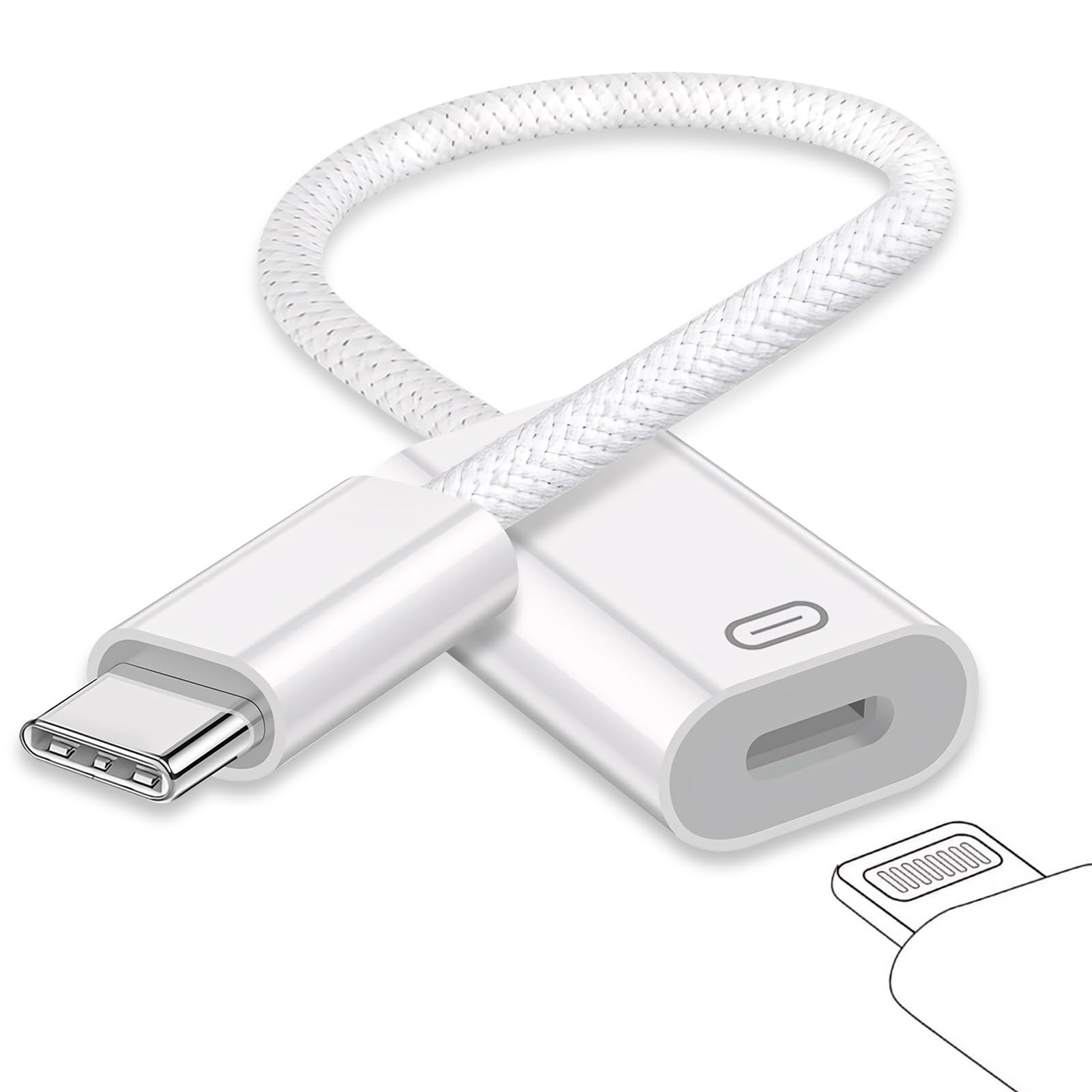
One small block that lets a Lightning headset plug into a USB-C phone.
This is the adapter for the newer end of the chain, not the old dock. It lets you keep a Lightning-earphone set and use it on a USB-C phone, tablet, or laptop — including iPhone 15, 16 and 17 families, USB-C iPad models, and MacBook Pro and iMac machines. Instead of buying new USB-C earbuds, you reuse the ones already in your bag.
Inside sits a lossless decoding DAC — the chip that converts the digital audio signal into sound — rated for 24Bit/96Khz. In plain terms, that is the spec that keeps music clean and calls clear rather than thin. It also handles wire control, so volume up and down, play and pause all work from the headset buttons. The aluminium alloy shell is there to spread heat, and the maker claims it will not over-heat or over-charge.
Know the catch before you commit: sound quality feedback here is genuinely mixed, with some listeners hearing clean audio and others hitting cut-outs. It is not a universal fix, so treat it as a compatibility tool that works for many setups rather than a guarantee. It also carries two ports, which is more physical connection than the single-port Fidioto below — though the Fidioto runs the opposite direction, from a computer’s USB-A into a Lightning headset.
wired headphone calls: anyone who moved to a USB-C iPhone or iPad and wants to keep using Lightning earbuds without buying new ones.
simultaneous charging: the audio is the one part buyers are split on, so test your specific headset pairing early and return it fast if you hear dropouts.
4. Fidioto USB Male to Lightning Female Audio Adapter Cable
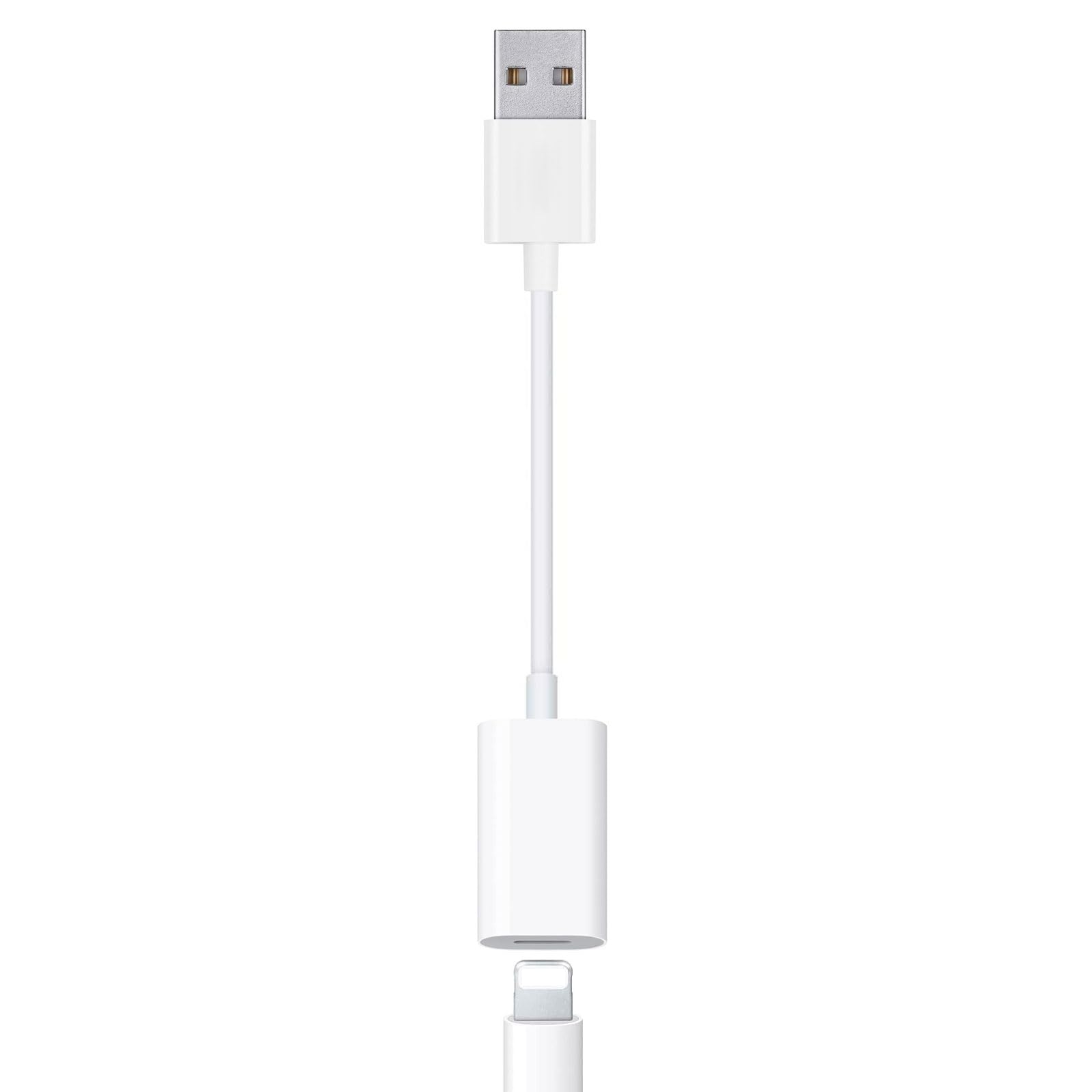
The short cable that puts Lightning earphones on a computer’s USB-A port.
Picture a desktop or laptop with a normal rectangular USB-A port, a Lightning headset on the desk, and no clean way to join them. This cable is that join. One end is USB-A, the other is a Lightning female socket, and the run measures 7.87 inches — long enough to reach a front-panel port without dangling, and short enough to stay tucked behind a monitor.
It carries an MFi Certified chip, which is Apple’s licensing program for Lightning accessories, plus an audio decoding solution for high-definition sound and noise reduction. The mic works for calls, and in-line controls handle pause, track skip, and volume. It is compatible with MacBook Pro and Air, USB tablets, and Windows 10 and above, macOS, Linux and Ubuntu machines.
Important: this is not a charge cable, and it does not move data. The maker says so twice in the listing, and that limitation is the whole trade-off. It weighs 0.01 kg and carries one port, making it physically lighter than the 0.02 kg USB-C adapter above — but unlike that one, it will not top up your phone while you listen.
lightning audio bridge: audio only. If you were hoping to charge and listen through one cable, this is not that product — buy a charging adapter instead.
car aux hookup: your good Lightning earphones should follow you to a work laptop or desktop and you want the mic to keep working on calls.
heavy case users: your machine only has USB-C ports — you need the USB-C adapter instead.
5. Microwoo Lightning to USB Camera Adapter with Charging Port
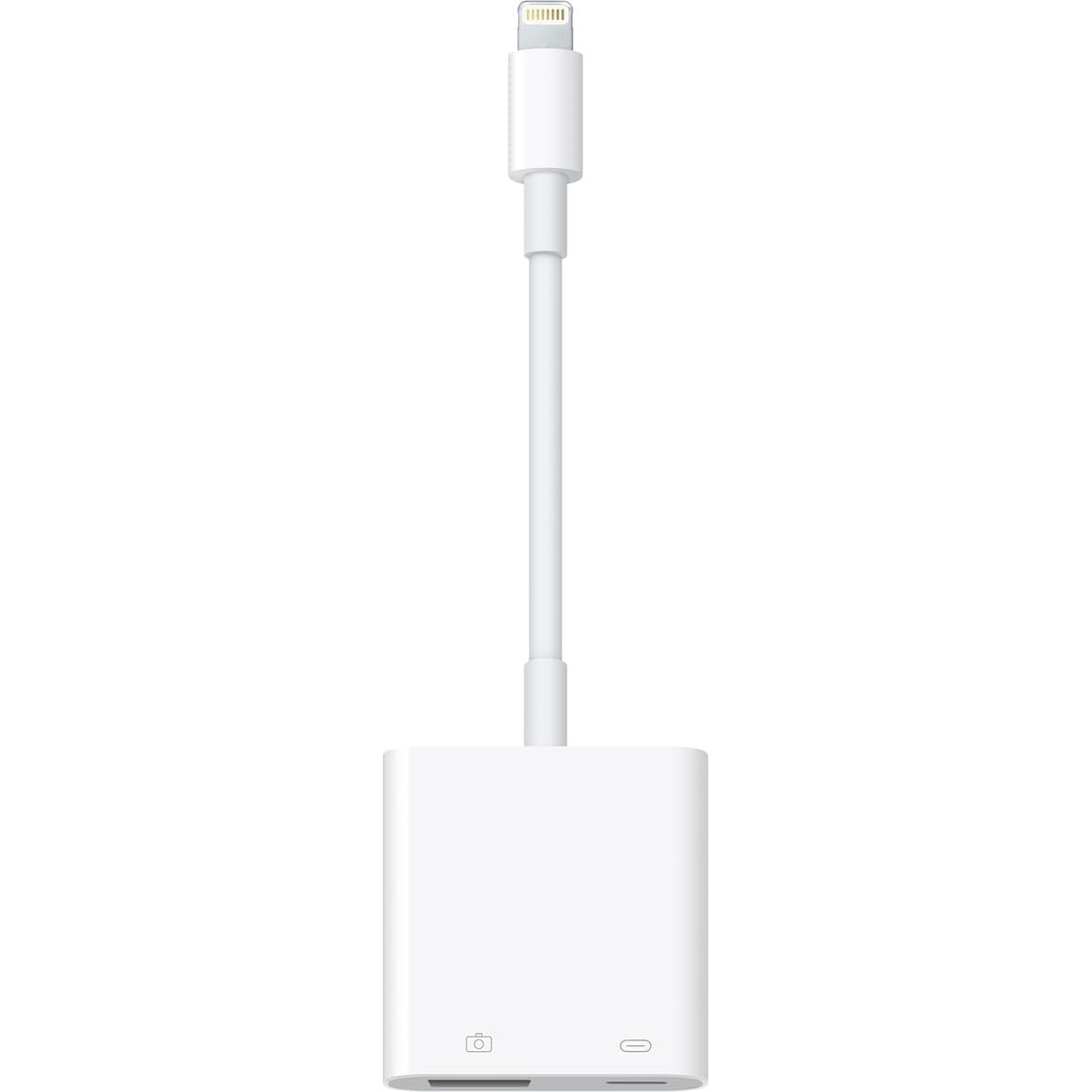
The one adapter on this list built for pulling files, not playing sound.
If the job is copying photos off a camera card without a laptop, this is the shape you want. The Lightning end goes into an iPhone or iPad, and the USB 3.0 female OTG port — OTG meaning the phone acts as the host — takes a card reader, flash drive, or keyboard. No app is needed: you plug in and copy. It reads standard photo formats including JPER and RAW, plus SD and HD video in H.264 and MPEG-4.
It handles keyboards, mice, MIDI keyboards and gamepads too, so a desk setup can run through the phone. Build quality is the strongest theme across the feedback, which backs up the maker’s own claim. The charging port lets you plug the phone in while you copy, which stops a long transfer from eating the whole battery. Writers chasing H.264 or RAW footage off a DSLR get a genuinely useful little tool here.
The catch is reliability with power. Charging performance is the weakest thread in the feedback, with some units simply not charging. Connectivity also draws mixed notes, and a USB mic like the AT2020 USB+ is named as a device that does not work. Treat it as a file-mover that usually charges, not a guaranteed charging dock.
photo transfers: photographers and videographers who want camera files on the phone for quick edits.
pocket carry: the charging passthrough is your main reason for buying — the file transfer is the reliable half.
6. ZIOCOM SOUL 2 30 Pin Bluetooth Adapter

A dock receiver that also rescues speakers with a plain aux hole.
Where the INVERY is a wedded-to-the-dock part, this one keeps a second door open. It slots into a 30-pin dock for Bose SoundDock I, II, Portable SoundDock and SoundDock 10, and it also has a built-in 3.5mm aux jack for docks that lack Bluetooth. Speakers from Sony, JBL, Yamaha and Philips come into range through that jack.
At 12 g it is a light puck, and you set it once and leave it. A small switch toggles the audio source so you are not pulling the plug every time, and low latency technology trims the Bluetooth audio delay so lip-sync and jogging-video sound stay together. The maker rates the working range at up to 33 feet and notes it may shorten with walls or other Bluetooth signals in the way.
Where it shines is breadth: it pairs to iPad, iPhone and iMac Bluetooth, and it brings a Bose Sound Dock Station, a Sony ICF-CS15iP, or a Klipsch iGroove back into service. It does not work in cars, and if it sits switched off and disconnected for a long stretch you need to toggle the power button when you return to it. It carries a twelve-month warranty.
sounddock bluetooth swap: the second route — the aux jack — means a speaker without a 30-pin dock can still go wireless with the included 3.5mm cable.
no mic support: the 33-foot range is the shorter of the two dock receivers here, so a two-story spread will test it where the INVERY pushes 70 feet.
streaming to sounddock: your old speaker has a 30-pin dock, or you need a single receiver that can also handle an aux-only speaker on the side.
speakerphone use: every room needs coverage and range is your priority — the longer-reaching INVERY above wins there.
7. Apple Lightning to Digital AV Adapter

Apple’s own adapter for throwing a phone screen onto a TV in 1080p.
This pick is for the person whose problem is a big screen, not a speaker. Plug the Lightning end into an iPhone, iPad or iPod, run an HDMI cable (sold separately) to the TV or projector, and the phone mirrors what is on screen — apps, slides, websites and slideshows, at up to 1080p HD. Video playback of movies and shows goes out the same way.
It is an Apple-made part and weighs 1.44 ounces, small enough to live in a laptop bag, so it earns its keep for presentations and travel. The pitch is simplicity: one Lightning connection and one HDMI, then the display follows. No app, no settings, no pairing.
Expect pixelation on some displays — picture quality is the one thread buyers are split on, with some seeing a clean image and others hitting artifacts. The adapter also lifts 1080p, not 4K, so it suits a hotel-room TV or a projector rather than a high-end home theater. If audio or charging is your job instead, the audio adapters above fit better.
tv screen mirroring: anyone who needs a phone screen on a TV or projector for a meeting, a stream, or a slideshow.
wireless casting fans: a 4K setup or a dock-revival job — those need a video-capable adapter of a different class and a dock receiver, respectively.
Know the Specs
30-Pin Connector
The wide, flat Apple plug from the iPhone 4 days. It seats into speaker docks and carries both charging power and line-level audio. That double duty is why a Bluetooth receiver can plug into a 30-pin dock and wake the whole speaker, while a plain charging cable into the same socket only tops up a device. If your target is music from a modern phone into an old dock, you need something that occupies the socket and broadcasts sound, not a passive cable.
Bluetooth Range And Latency
Range is the honest distance between the phone and the dock receiver. Open-air figures like 70 feet describe an unobstructed line, so walls and interference shorten it in practice. Latency is the gap between the phone sending audio and the dock playing it — low-latency tech narrows that gap so video sound and lip movement stay aligned. Both figures are worth a look before you assume wireless means the whole house.
DAC And Audio Resolution
DAC stands for digital-to-analog converter. It turns the digital audio signal into sound your headphones can play, and a better chip keeps that sound cleaner. Figures like 24Bit/96Khz describe how much detail the chip can handle. Cross-check the claim with reviews before buying — a spec number on the box does not guarantee a stable connection on your specific headset.
Charging Current In Amps
Amps measure how fast power flows into the device. A 1 amp adapter charges slowly compared to modern rates, so expect hours rather than minutes. Worth pairing with the 100-220V input on travel chargers, since that lets a plug work on foreign wall voltage without a converter. If fast top-ups matter, this class of adapter is not the right tool.
OTG And File Formats
OTG, or on-the-go, means a phone can act as a host and read a USB device like a card reader or flash drive. When you see OTG on a Lightning adapter, it usually means file copying rather than charging. Photo formats like JPER and RAW, and video like H.264 and MPEG-4, are the ones most adapters read. Check the format you actually shoot in before buying.
MFi Certification
MFi is Apple’s licensing program for Lightning accessories. A chip carrying that label is built to Apple’s connector spec, so it tends to behave predictably with the phone. It does not guarantee audio quality or longevity, but it reduces the risk of an unknown accessory misbehaving after the first month. Look for it on audio and adapter cables in particular.
Common Questions
Is there a single plug that turns a 30-pin dock into Lightning?
Will a 30-pin Bluetooth receiver work with a car’s iPod connector?
Can a Lightning audio adapter charge my phone at the same time?
Why do some 30-pin Bluetooth receivers list 70 feet while others list 33 feet?
How long should I expect a 30-pin charging cable to last?
Do I need the Apple Lightning to Digital AV Adapter or a Bluetooth adapter?
What is the difference between an MFi chip and a plain adapter chip?
Can I copy photos from a DSLR to my iPhone with these adapters?
Why does my dock receiver need a power toggle after sitting a while?
Will a 30-pin receiver work with a speaker that has no dock, only an aux jack?
The Bottom Line
For most buyers, the 30 pin to lightning adapter winner is the INVERY DockLinQ Pro because it takes a dead Bose dock and makes it stream from a modern phone in one plug, with a 70-foot range and a solid aluminium seat. If your old speaker has an aux jack instead of a dock, or you want one receiver that covers both, grab the ZIOCOM SOUL 2. And if the real job is charging an old iPhone or iPad rather than audio, the ESK 2-pack is the one to keep in the drawer.
One nudge before you decide: The INVERY is the crowd favorite here — 4.5+ stars across 12,000+ owners — and that volume of feedback on a niche part is a fair signal it does what it says.
How we choose
We do not accept paid placement. Every pick is matched to a real buyer and a real use-case; we do not hands-on test units.
Sources
Specifications: manufacturer listings and product documentation. Review insights: verified customer reviews, as of November 2026. Pricing: not shown on this page (it changes often); check the current price via the retailer link.
As an Amazon Associate, My Heart Lives Here earns from qualifying purchases. This does not affect which products we feature.