Heads up: This post contains affiliate links. As an Amazon Associate I earn from qualifying purchases, at no extra cost to you. Learn more
Specs are compiled from manufacturer listings and verified buyer reviews and can change over time — please confirm the key details on the product page before buying.
You buy an OLED panel for the deepest possible blacks, instant motion and colors that look painted rather than broadcast. The catch is that a 27-inch OLED monitor is not one product but a family of them. Some push 480Hz (480 screen refreshes per second) for competitive shooters. Some are tuned for glossy cinematic contrast. Some trade a little brightness for a matte finish that kills glare. The picks below cover each of those jobs, chosen on published specs and verified owner reviews.
This guide is built by comparing the manufacturers’ published specifications and the patterns across verified customer reviews, so you get each pick’s real strengths and trade-offs instead of marketing spin.
What separates these panels is rarely the resolution — nearly all sit at 2560 x 1440 — but the refresh rate, the glossy or matte coating and each maker’s burn-in protection. Here is an honest look at the best 27 inch oled monitor choices for gaming, creative work and everything in between.
Top Picks
How To Choose The Best 27 Inch OLED Monitor
Start with what you actually do on the screen. A 27-inch OLED at 2560 x 1440 (about 3.7 million pixels) is sharp enough for work and play alike. So the real decision depends on speed, surface finish and how much brightness you can live with.
Refresh rate: match it to your games, not to the spec sheet
Refresh rate is how many times per second the screen redraws, measured in Hz. A 180Hz panel redraws 180 times a second; a 280Hz panel redraws 280. For fast shooters the higher figure means less motion blur between frames, so tracking a moving target feels steadier. If you mostly play slower single-player titles, the jump from 240Hz upward buys you far less than the jump from 60Hz to 240Hz.
Glossy versus matte: a room question, not a taste question
A glossy coating lets the OLED blacks read deeper and colors pop, but it mirrors a window or lamp behind you. A matte or anti-glare finish scatters reflections so a bright room stays readable. If your desk faces a window, lean matte; if you game in a dim room, glossy gives the cleaner image.
Brightness and HDR: read the two numbers separately
OLED panels quote two brightness figures — a typical full-screen level and a peak level for small bright highlights. The typical number tells you how the screen looks on a bright spreadsheet; the peak number tells you how punchy an explosion reads in HDR. Check both before you assume a panel is dim.
Burn-in care and warranty
OLED pixels age as they light up, so a static taskbar or channel logo can leave a faint ghost if you never let the panel rest. Look for automatic pixel refresh cycles and a burn-in warranty. A panel that runs its own care cycles in standby asks nothing of you.
Side-by-Side Comparison
| Model | Best For | Refresh Rate | Resolution | Panel Type | Amazon |
|---|---|---|---|---|---|
| LG 27GX704A-B Ultragear★ Best Overall | All-round gaming and value | 240Hz | 2560 x 1440 | OLED | Amazon |
| GIGABYTE MO27Q28GFastest All-Rounder | Fastest high-refresh all-rounder | 280Hz | 2560 x 1440 | WOLED | Amazon |
| Acer Predator X27U W1Compact Competitor | Competitive play on a compact panel | 240Hz | 2560 x 1440 | QD-OLED | Amazon |
| Samsung Odyssey OLED G5 | Bright-room gaming and color work | 180Hz | 2560 x 1440 | QD-OLED | Amazon |
| AOC Q27G4ZD | Console and PC hybrid setups | 240Hz | 2560 x 1440 | QD-OLED | Amazon |
| ASUS ROG XG27AQDMG | Glossy cinematic visuals | 240Hz | 2560 x 1440 | WOLED | Amazon |
| MSI MPG 271QRX | Highest refresh for competitive shooters | 360Hz | 2560 x 1440 | QD-OLED | Amazon |
| Sony INZONE M10S | Tournament-grade speed and desk space | 480Hz | 2560 x 1440 | OLED | Amazon |
Detailed Reviews
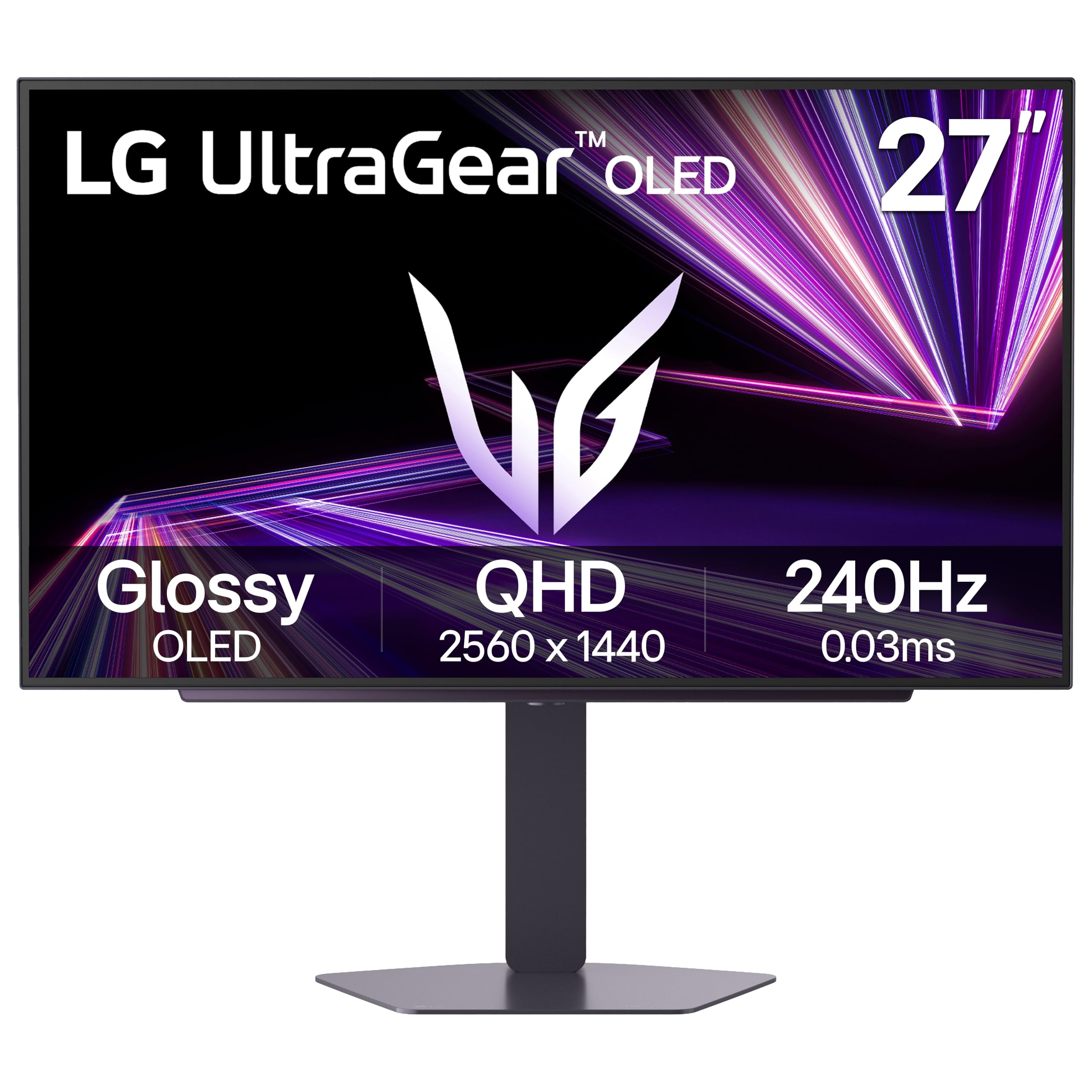
1. LG 27GX704A-B 27-inch Ultragear QHD OLED Gaming Monitor
Our pick — 4.5+★ from 500+ verified ratings; the strongest balance of quality and price.
The glossy OLED that makes dark games look like they cost far more than they do
It handles a shooter, a film and a Monday-morning spreadsheet without a compromise. It pairs a 27-inch OLED panel at 2560 x 1440 resolution with a 240Hz refresh rate and a 0.03ms response time (the pixel color-change speed in milliseconds, which is what kills ghosting). The glossy surface is the part you notice first — blacks sit deep and colors read rich.
The brightness story is where you should pay attention. LG quotes a standard 275 nits (a nit is a unit of screen brightness) with peaks up to 1300 nits, so small highlights punch while a full bright field stays modest. VESA DisplayHDR True Black 400 certification (a standard for OLED HDR that demands very deep blacks) plus a 1.5M:1 contrast ratio is what keeps dark corners detailed. That contrast figure is dramatically higher than the GIGABYTE MO27Q28G’s 1500:1 below, which is the single clearest reason to pick this one for cinematic play.
Around the back you get dual HDMI 2.1, DisplayPort 1.4, and USB 3.2 with one upstream and two downstream ports. G-SYNC Compatible and AMD FreeSync Premium Pro are both supported, so the frame rate stays tear-free whether your graphics card is NVIDIA or AMD. LG also runs automatic pixel care cycles during standby and gave the panel three UL certifications for anti-glare, flicker-free and low blue light. Owners single out the image, which reads like a far more expensive display, and the solid build. The honest limit is HDR brightness in a sunlit room, where this panel is average rather than dazzling.
What earns the top spot
- 1.5M:1 contrast ratio makes dark scenes read cleaner than the 1500:1 GIGABYTE below
- 240Hz with 0.03ms response keeps fast motion free of smear
- 98.5% DCI-P3 color covers the wide range films and games are mastered in
- Dual HDMI 2.1 plus DP 1.4 fits a PC and a current console at once
- Adjustable height, tilt, swivel and pivot, so portrait orientation is available
Where it asks you to compromise
- 275 nits standard brightness can feel dim for HDR in a bright room
- Glossy finish will mirror a window or lamp behind you
Reach for this if: you want the best balance of image quality, speed and connectability, and you game mostly with the lights low.
Think twice if: your desk faces a window and you need peak HDR brightness on a sunny afternoon.
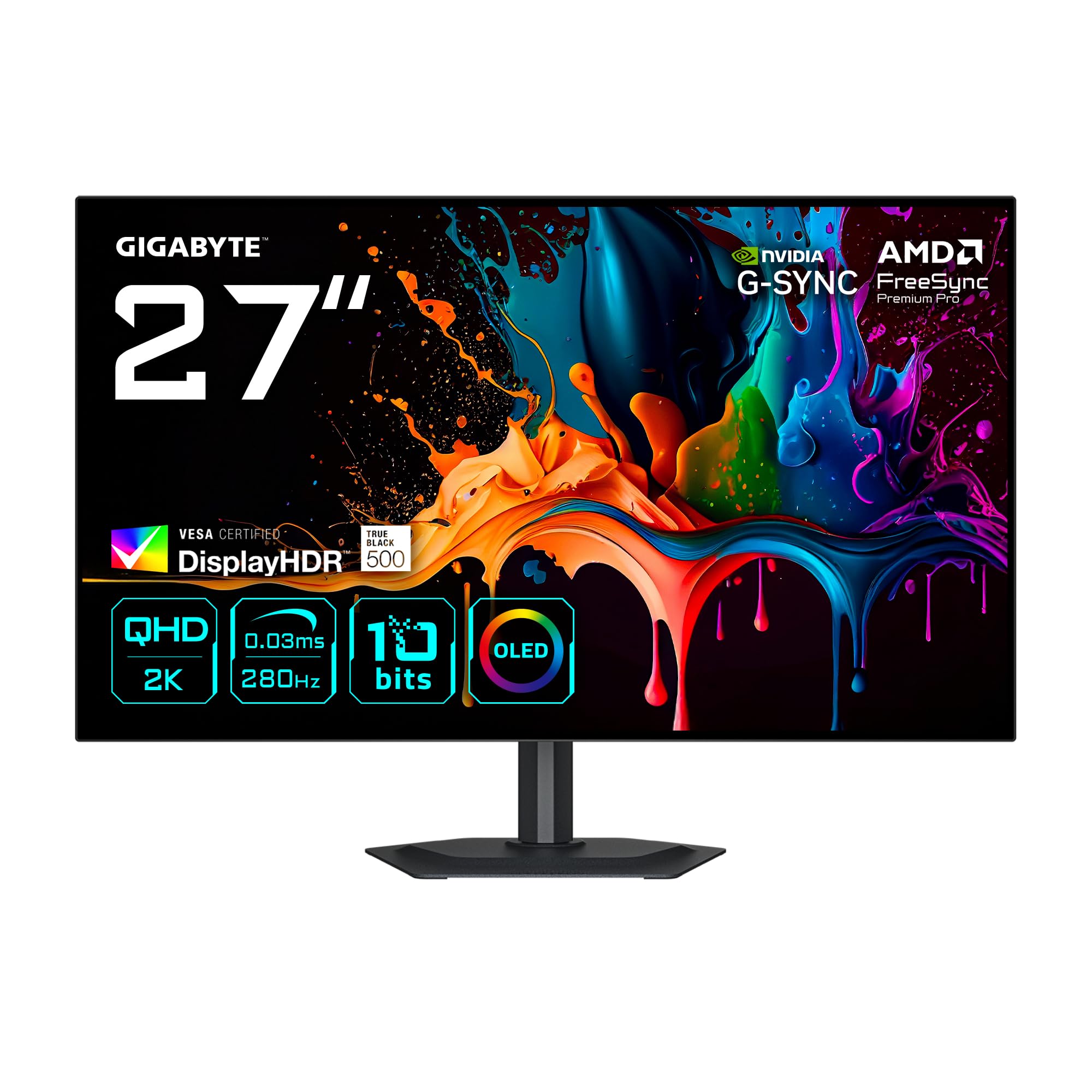
2. GIGABYTE MO27Q28G 27″ OLED QHD Gaming Monitor
A 280Hz WOLED that runs two computers off one keyboard and mouse
Start with the number that moves the needle: 280Hz. That is a full 56% more refreshes per second than the Samsung Odyssey OLED G5’s 180Hz further down this list, and it is the reason fast pans and flick turns stay legible instead of smearing. The panel is WOLED (a white-OLED design that adds color filters over a white light source) at 2560 x 1440, with a 0.03ms response time and a 10-bit display covering 99.5% DCI-P3 and 84% BT 2020.
The KVM is the feature that makes this one husband its desk space. KVM means you can drive two connected machines with a single keyboard, mouse and monitor, switching between them without swapping cables — handy if you run a work laptop beside a gaming PC. You also get a four-sided borderless frame, built-in speakers, and an ergonomic stand with height, tilt, swivel and pivot adjustment.
Here is the trade-off, and it is a real one: the typical contrast ratio is listed at 1500:1. That is the figure you would expect from a strong LED panel, and it is far below the 1,500,000:1 the LG above quotes for its OLED mode. In practice the self-lit pixels still switch off for true black, but the headline number tells you contrast is the area this panel does not shout about. VESA DisplayHDR True Black 500 and Eyesafe 3.0 round out the display certifications, and AMD FreeSync Premium Pro plus NVIDIA G-Sync Compatible keep frames synced on either GPU.
Why 280Hz matters here: competitive shooters reward the extra frames — you see a strafing target a beat earlier than at 180Hz.
What to keep in mind: the 1500:1 typical contrast figure is modest on paper, so buy this for speed and the KVM, not for headline contrast bragging rights.
Go for it when: you juggle two machines on one desk and still want a genuinely fast OLED panel.
Hold off when: a single desktop PC is all you run and cinematic contrast is your priority.
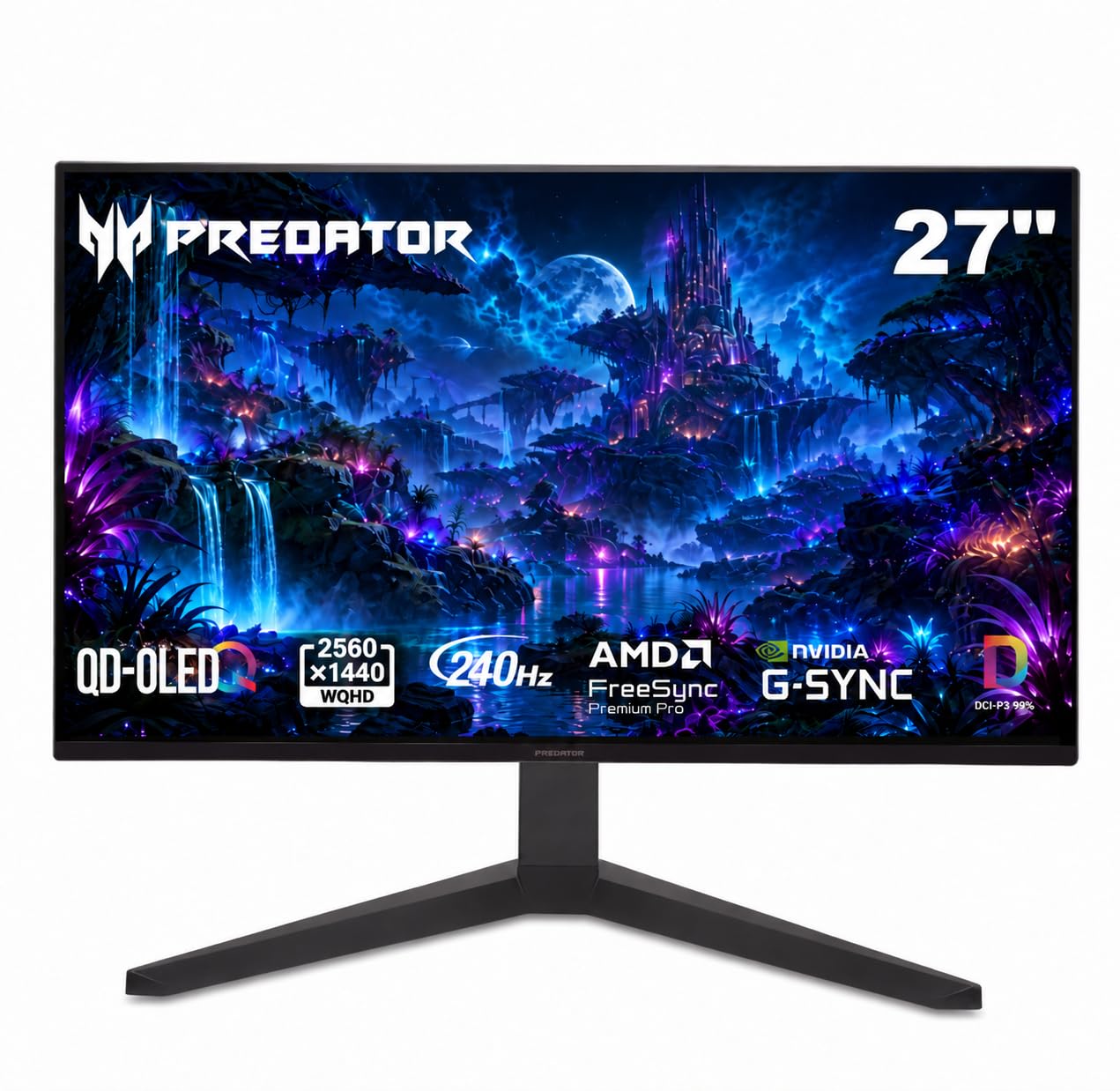
3. Acer Predator X27U W1 Gaming Monitor
Slightly smaller than 27 inches, and that is the whole point
The X27U W1 sits at 26.5 inches rather than a full 27, and Acer frames that as an esports trick. A smaller panel keeps more of the action inside your direct field of view, so you track motion without moving your eyes as far. It is a QD-OLED (an OLED panel with a quantum-dot color layer for wider, purer color) at 2560 x 1440. It runs 240Hz with a 0.03ms G-to-G response time (G-to-G means grey-to-grey, how fast a pixel changes shade), so fast pans stay crisp instead of smearing.
Color is the other headline. Acer lists a 99% DCI-P3 color gamut, a Delta E of under 2 (a measure of how far colors drift from true — lower is more accurate) and HDR10 support, so games look saturated without looking fake. The ZeroFrame bezel keeps the edges thin. The stand adjusts in height, tilt, swivel and pivot, and there are built-in speakers for when you cannot be bothered with a headset.
Check the footprint if your desk is tight. It measures 12.32″D x 24.04″W x 19.25″H, which is a noticeably deeper footprint than the Samsung Odyssey OLED G5’s 9.23″D x 24.01″W x 18.26″H. Those extra inches of depth push the screen closer to your face unless the desk is generous. Owners call it genuinely worth it for its true blacks and easy-on-the-eyes panel, and praise how HDR (high dynamic range, which brightens highlights and deepens shadows) lifts the picture. If a 27-inch panel feels one size too big for your setup, this is the natural fit.
The esports argument: 26.5 inches keeps the whole frame inside your field of view, which is exactly why tournament players favor compact panels.
Desk-space caveat: the deeper stand footprint needs real room behind the screen.
Best match for: competitive players who want QD-OLED color and a tighter view angle on a roomy desk.
Less ideal for: shallow desks where a deep stand crowds your keyboard.
4. Samsung Odyssey OLED G5 G50SF Gaming Monitor

The matte QD-OLED built for a room with a window in it
Samsung’s answer to the glossy-versus-glare problem is Glare Free technology — a surface treatment that keeps reflections from washing out the picture so a lamp or window behind you does not sit on top of the action. Underneath it is a QD-OLED QHD panel at 2560 x 1440 with a 180Hz refresh rate and a 0.03ms GTG response time. It is the slowest panel here on paper, so read it as a color-and-comfort pick first.
Color accuracy gets real attention. The screen is Pantone Validated and reproduces 2100+ colors, and HDR10 adds brighter highlights and deeper shadow detail. OLED Safeguard runs a Thermal Modulation System to keep the panel cool and help prevent burn-in, and Auto Source Switch+ hops between connected devices without you digging through menus. G-Sync compatibility and AMD FreeSync both reduce tearing.
It carries a 1,000,000:1 contrast ratio and a listed 280 nits brightness. Opinion on that brightness splits — plenty find it bright enough, while others want more punch in a lit room — so it is a fair-weather friend for daylight HDR and a strong performer at night. Owners bring up build quality most, and it is well made for the tier. Its shallow 9.23″D x 24.01″W x 18.26″H body also takes up less desk depth than the Acer Predator above.
Why buyers keep it
- Glare Free finish stays readable with a window behind the desk
- Pantone Validated color across 2100+ colors suits photo and video work
- Thermal Modulation System targets burn-in with active cooling
- Auto Source Switch+ saves menu-diving between devices
The honest asterisk
- 180Hz is the lowest refresh rate in this lineup
- 280 nits brightness draws mixed feelings for bright-room HDR
Worth choosing if: color accuracy and a reflection-free screen matter more to you than raw refresh speed.
Look elsewhere if: you chase the highest frame rate for competitive shooters.
5. AOC 27″ Gaming Monitor QHD 240Hz QD OLED Q27G4ZD

A desktop-and-console panel that does not make you choose a side
The Q27G4ZD is built for the person whose gaming chair faces a PC on one input and a console on the other. It runs a QD-OLED panel at 2560 x 1440 and 240Hz with a 0.03ms GTG response, and AOC lists console support up to 120Hz — the ceiling most current consoles can reach — with low latency to match.
Color range is generous. The panel covers 110.2% of DCI-P3 and 147.6% of sRGB, and the self-lit OLED pixels produce true blacks alongside the listed 1,500,000:1 contrast ratio. HDR10 support adds contrast range so bright explosions and dark corridors both hold detail. That 147.6% sRGB figure is the widest color coverage listed by any panel in this group, which is worth knowing if you edit photos as well as play.
Motion is where the praise lands — the pixel response is fast enough that fast pans stay crisp, and the 240Hz ceiling holds up for high-frame-rate play. It is G-SYNC Compatible with AMD FreeSync, the bezel is frameless, and there is an eye-care mode for long sessions. What you give up is flexibility on the stand: this one does not advertise the height and pivot adjustments some rivals offer, so plan on a monitor arm if you like a raised screen.
Hybrid setup strength: PC and console both connect cleanly, with 120Hz console support and low latency.
Small catch: the stand adjustability is thinner than the ergonomic rigs on the LG and Acer above.
Pick this one if: you split play time between a PC and a console and want one OLED to serve both.
Pass if: you need full height and pivot adjustment built into the stand.
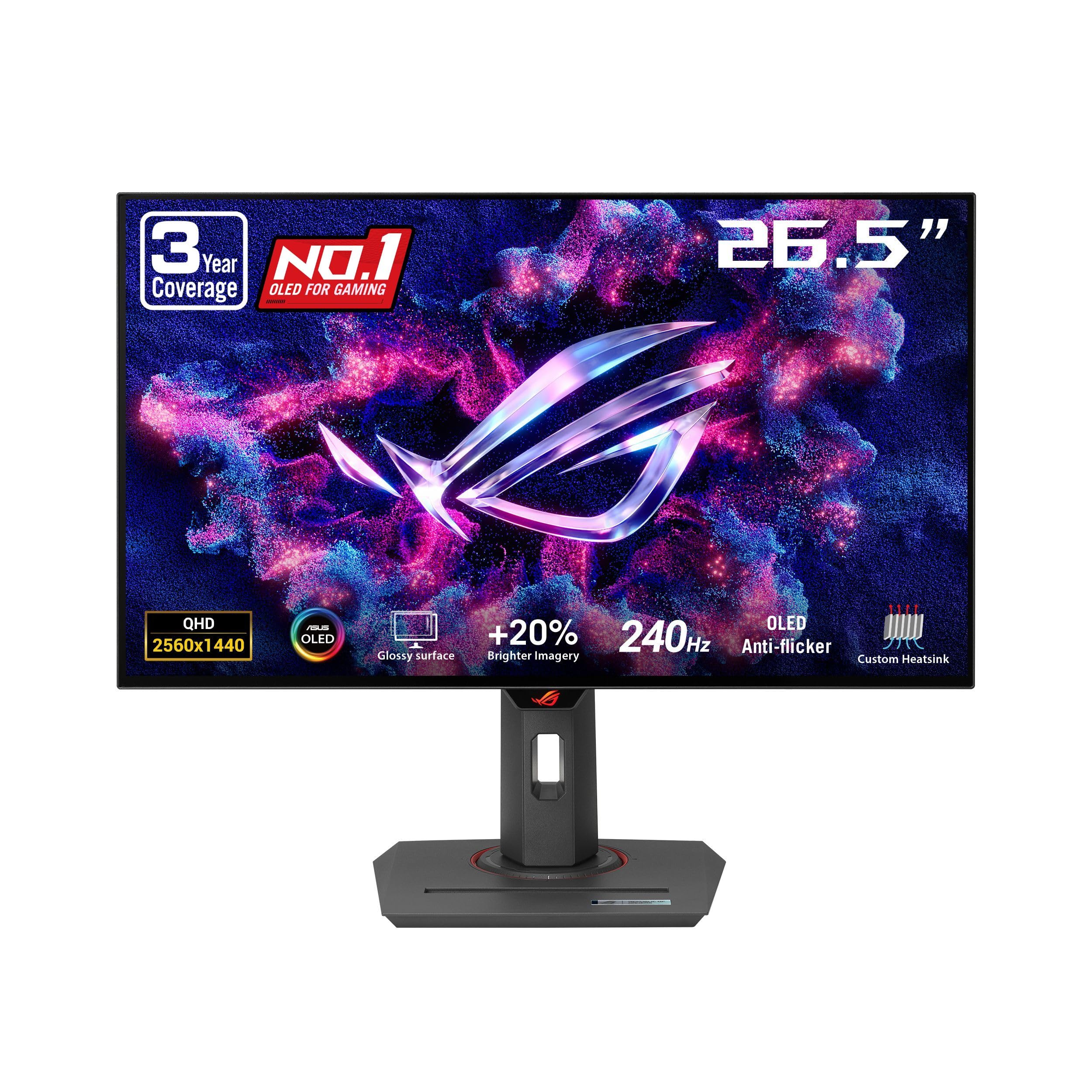
6. ASUS ROG XG27AQDMG Gaming Monitor
A third-generation WOLED with the deepest, glossiest blacks in this lineup
A 26.5-inch WOLED panel at 2560 x 1440, running 240Hz with a 0.03ms response, sits behind a glossy coating that ASUS leans into for immersion. The third-generation WOLED panel is the reason text looks clearer and motion reads sharper than the older design, and a 99% DCI-P3 color gamut keeps games and edits looking accurate.
ASUS put real engineering into making the panel last. A custom heatsink and advanced airflow design sit behind ASUS OLED Care functions to cut burn-in risk, and a three-year warranty includes burn-in coverage. There is also ROG-exclusive OLED Anti-flicker technology that smooths flicker when the refresh rate fluctuates, and an optional uniform brightness setting that holds luminance steady across the screen — useful when you are reading documents rather than gaming.
Owners rave about the glossy finish, where dark blacks against bright highlights make visuals feel like they are in the room. What lands in the “mixed” column is picture quality and brightness: a glossy panel in a bright space will fight reflections, and the brightness ceiling is not the brightest here. A DisplayWidget app lets you tune settings from the desktop, and G-SYNC Compatible keeps the picture tear-free through frame-rate swings.
Where it shines: that glossy third-gen WOLED coating plus a 99% DCI-P3 range gives cinematic, high-contrast images.
Where it is tested: reflections and a mid-tier brightness ceiling mean this wants a controlled-light room.
Made for: gamers who want a glossy, high-contrast showpiece and value a burn-in-covered warranty.
Not the fit for: a sun-drenched room where reflections are impossible to manage.
7. MSI MPG 271QRX QD-OLED 27″ Gaming Monitor

360Hz for the player who counts every frame between shots
For competitive shooters, the 360Hz refresh rate here is the whole reason this panel exists. It redraws 360 times a second with a 0.03ms GtG response, so the gap between seeing a target and reacting shrinks to almost nothing. The QD-OLED panel sits at 2560 x 1440 with a QD Premium Color rating and a Delta E of 2 or under, meaning color lands close to reference.
It supports VESA DisplayHDR True Black 400 for contrast, and MSI OLED Care 2.0 runs protection routines to reduce image sticking and burn-in. The KVM lets a keyboard, mouse and monitor drive multiple devices. Console players get HDMI 2.1 with full 48 Gbps bandwidth (the pipe width that matters for high-frame-rate console output), and the adjustable stand handles height, tilt and swivel.
Its brightness rating is a listed 250 nits, which is the lowest peak figure in this group on paper, so HDR highlights will not have the same snap as the LG or Sony. Set against that, the motion handling is what people talk about — zero blur at high FPS is the experience being described. A 1,000,000:1 contrast ratio backs the deep blacks the panel is known for. Skip it only if you want maximum brightness rather than maximum speed.
The competitive edge: 360Hz and 0.03ms response give the fastest tracking here short of the Sony below.
The compromise: 250 nits is the dimmest peak rating in the lineup for HDR.
Buy it if: high-FPS shooters are your main diet and frame rate beats every other spec.
Leave it if: you need peak brightness for HDR film watching.
8. Sony INZONE M10S 27” 1440p 480Hz OLED Gaming Monitor

480Hz, a 4mm-thin base, and a tournament brain inside a 27-inch frame
This is the highest refresh rate in the group by a wide margin: 480Hz at 2560 x 1440 with a 0.03ms GtG response. That is the figure that matters if you play fast shooters at the top level, because more refreshes per second means less blur between frames. Sony developed the panel with the Fnatic esports team, according to the maker, and backs it up with a dedicated 24.5-inch mode plus FPS Pro and FPS Pro+ modes that sharpen contrast during fast play.
The low-profile stand is the other standout. A 4mm-thin base frees up desk space for a wider keyboard-and-mouse setup, and the stand offers height, tilt and ±180° swivel plus 100mm x 100mm VESA compatibility. A fan-less passive cooling system with a custom heatsink handles burn-in without a spinning fan, and OLED care features include pixel and panel refresh, static image detection, pixel shift and a screensaver.
Ports are generous for a tournament panel — one DisplayPort 2.1 (UHBR10), two HDMI 2.1, USB-B upstream, two USB-A downstream and a 3.5mm audio out. It quotes a 1,500,000:1 contrast ratio, 275 nits brightness, G-SYNC Compatible support and VRR over HDMI 2.1. The one honest note is reliability, which draws mixed feelings — an occasional unit has stopped working inside a year — so lean on the three-year limited warranty that includes OLED burn-in coverage. The monitor quality is what most impresses owners, and the 480Hz at 1440p feels as vivid as it sounds.
Why it earns its place: 480Hz plus a 4mm base is a combination nobody else here offers.
What to weigh: reliability gets mixed feedback, so the three-year burn-in-covered warranty is worth keeping on file.
Right for: serious competitive players who want the fastest panel here and a stand that clears desk space.
Not for: buyers who want a plain set-and-forget screen and would rather not think about warranty registration.
Know the Specs
Refresh Rate (Hz)
Refresh rate is how many times per second the panel redraws the image. Higher figures reduce motion blur between frames, which is why a 280Hz screen makes a strafing target easier to track than a 180Hz one. Past roughly 240Hz the gains get smaller for casual play and matter most for competitive shooters.
Response Time (GtG)
Response time is how long a pixel takes to change colour, measured in milliseconds (ms) from gray to gray. A 0.03ms figure means the pixel flips almost instantly, so fast pans stay crisp instead of smearing. This is the number behind the “zero blur” feel owners describe.
Contrast Ratio
Contrast ratio is the brightness gap between pure white and pure black. OLED pixels switch off entirely for black, which is why OLED panels quote figures far above typical LED panels. A deeper ratio is what keeps dark corridors and shadows detailed rather than grey.
Panel Type: OLED, WOLED and QD-OLED
All three rely on self-lit pixels that switch off for true black. WOLED adds a white light source behind colour filters for bright full-screen whites and clear text. QD-OLED adds a quantum-dot colour layer for wider, purer colour. Neither is strictly better — WOLED tends to favor text clarity and QD-OLED tends to favor colour punch.
Brightness and HDR
Brightness is measured in nits. Panels quote a typical full-screen level and a peak level for small highlights, and the two can differ a lot. VESA DisplayHDR True Black is a certification for OLED HDR that demands very deep blacks; a higher tier allows a brighter peak. Check both numbers before assuming a panel is too dim or dimmer than it is.
Adaptive Sync: G-Sync and FreeSync
Adaptive sync matches the monitor’s refresh rate to your graphics card’s frame output so the image does not tear. G-SYNC Compatible and AMD FreeSync cover NVIDIA and AMD cards respectively, and many panels support both. That means the screen stays smooth whether your card is green or red.
Common Questions
Will a 27 inch OLED monitor fit on a standard desk?
Is 240Hz noticeably better than 180Hz for gaming?
Do I need burn-in protection on an OLED monitor?
Glossy or matte OLED — which is better for daytime gaming?
Can a 27 inch OLED monitor run a PS5 or Xbox at high frame rate?
Is QD-OLED better than WOLED for color accuracy?
What is the difference between 360Hz and 480Hz in practice?
Do I need a graphics card that can feed 2560 x 1440 at 240Hz?
How long does an OLED monitor last compared to an LED panel?
Can I use an OLED monitor for office work as well as gaming?
The Bottom Line
For most people, the best 27 Inch OLED Monitor pick is the LG 27GX704A-B Ultragear. It balances a 240Hz refresh, a 1.5M:1 contrast ratio (1.5 million to 1, so dark scenes stay deep) and dual HDMI 2.1 (the current HDMI standard, good for high refresh at full resolution) at a point where nothing else on this list feels compromised. If you want the fastest panel here and a stand that clears your desk, reach for the Sony INZONE M10S at 480Hz. And for a bright room where reflections are the enemy, the matte, Pantone Validated (Pantone checks the color accuracy) Samsung Odyssey OLED G5 is the one to put on the shortlist.
How we choose
We do not accept paid placement. Every pick is matched to a real buyer and a real use-case; we do not hands-on test units.
Sources
Specifications: manufacturer listings and product documentation. Review insights: verified customer reviews, as of November 2026. Pricing: not shown on this page (it changes often); check the current price via the retailer link.
As an Amazon Associate, My Heart Lives Here earns from qualifying purchases. This does not affect which products we feature.