Heads up: This post contains affiliate links. As an Amazon Associate I earn from qualifying purchases, at no extra cost to you. Learn more
Specs are compiled from manufacturer listings and verified buyer reviews and can change over time — please confirm the key details on the product page before buying.
You want a pocket drive that empties your phone’s storage in minutes, not hours, and still survives the bottom of a camera bag. The short answer: a 256 GB external SSD is worth it when its rated speed is actually reachable over both USB-C and USB-A, and when the case can shed heat so the speed doesn’t collapse halfway through a transfer. Below you get seven real drives, sorted by what each one is genuinely good at.
This guide is built by comparing the manufacturers’ published specifications and the patterns across verified customer reviews, so you get each pick’s real strengths and trade-offs instead of marketing spin.
Here is a plain-English look at the best 256 GB external SSD options you can actually buy.
Top Picks


How To Choose The Best 256 GB External SSD
A pocket SSD only earns its place if it moves a full phone’s worth of photos in one sitting and comes back for more. That means the numbers on the box have to mean something in your hand, not just on a spec sheet.
Read speed and write speed are not the same deal
Read speed is how fast you pull files off the drive — quick to impress, easy to quote. Write speed is how fast files land on the drive, and it is what you feel when you dump a memory card. A drive can advertise 1000MB/s read while writing far slower, so check both figures before you decide.
Dual ports save you the dongle
A USB-A plug is the wide rectangle on older laptops and desktops. USB-C is the small oval on newer phones, tablets, and MacBooks. A drive with both on the same body means no adapter to lose and no hunting for the right cable when you switch devices.
Heat is the quiet speed killer
Pocket SSDs warm up under sustained transfers. A metal or zinc alloy shell spreads that heat away instead of trapping it, which is why some drives hold their speed through a big job and others slow down near the end.
Match capacity to how much you actually shoot
256 GB holds a large phone library or a full day of high-bitrate video. If you shoot long 4K sessions regularly, plan on cycling files onto a laptop rather than treating the drive as permanent storage.
Side-by-Side Comparison
| Model | Best For | Capacity | Rated Read | Rated Write | Amazon |
|---|---|---|---|---|---|
| SSK 256GB Portable SSD★ Best Overall | Reliable everyday backup | 256 GB | 550 MB/s | 500 MB/s | Amazon |
| MOVE SPEED WD10 256GBTop Performer | Fastest phone offload | 256 GB | 1000 MB/s | 1000 MB/s | Amazon |
| ORICO K5PLUS 256GB | Magnetic phone mounting | 256 GB | 460 MB/s | — | Amazon |
| Lexar D50E 256GB | Build quality and app backup | 256 GB | 400 MB/s | 360 MB/s | Amazon |
| GiGimundo 128GB Dual Drive | Fast transfers on a smaller budget | 128 GB | 1073 MB/s | 953 MB/s | Amazon |
| fanxiang 256GB Flash Drive | Pocketable zinc alloy body | 256 GB | 560 MB/s | 490 MB/s | Amazon |
| Orlian 256GB Silver SSD Stick | Raw file capacity on the go | 256 GB | 1000 MB/s | 800 MB/s | Amazon |
Detailed Reviews
1. SSK External Hard Drive 256GB
Our pick — 4.5+★ from 850+ verified ratings; the strongest balance of quality and price.
The unglamorous one that just works, day after day, transfer after transfer.
If your priority is a drive that backs up your laptop and your phone without drama, this is the sensible center of the list. It reads at up to 550MB/s and writes at up to 500MB/s, the maker says roughly ten times the pace of an old USB 2.0 stick. In real terms, a folder of full-resolution photos finishes while you are still deciding what to delete next.
The cable is the clever part: a 2-in-1 USB-C and USB-A lead built into the drive, so the same stick plugs into a modern Android phone or an older laptop without an adapter hunt. from the start it works with Windows, macOS, Linux, Android, iPadOS, iPhone 15 and newer, plus Xbox Series X and Series S — though the listing is clear that a Lightning port will not work, so older iPhones are out.
What wins people over is dependability. The recurring gripe is build feel — the shell is plastic and a few buyers find the durability question worth watching, so treat it as a desk and bag drive rather than something to toss in a toolbox.
What earns the top slot
- Built-in 2-in-1 USB-C and USB-A cable means no adapter to lose
- 550MB/s read and 500MB/s write for phone and laptop backups
- Only 27g and 2.66 by 2.65 by 0.39 inches, so it vanishes in a pocket
- S.M.A.R.T. monitoring and TRIM support help it stay healthy over time
Worth knowing before you buy
- Plastic enclosure rather than metal
- No Lightning support for older iPhones
- Mid-range speed, not a four-figure headline drive
Reach for this if: you want one drive for laptop backup, phone offload, and the occasional smart TV file — and you value it working over raw speed.
Look elsewhere if: you need to record 4K ProRes straight to the drive, where the faster picks below do that job better.
2. MOVE SPEED 256GB External SSD 1000MB/s Read Write Speed
A gigabyte a second, in a stick small enough to forget you packed it.
This is the speed merchant of the group. MOVE SPEED rates the WD10 at 1000MB/s read and write over USB 3.2 Gen 2, and the maker claims a 1GB file lands in about a second. Compared with the SSK above at 550MB/s read and 500MB/s write, that is roughly double the pace on paper — meaningful when you are dumping a whole camera card before a flight.
The 3-stage push-pull mechanism hides both connectors inside a zinc alloy body, so there is no cap to lose and no exposed plug to bend. The shell is built to spread heat, with a stated peak temperature of 122°F, and it adds dust, drop, high-temperature and anti-magnetic resistance to the spec sheet. It also supports 4K ProRes HDR recording on iPhone 15 and 16 Pro and Pro Max, saving footage straight to the drive instead of filling the phone first.
Owners rave about the storage capacity and overall quality — hundreds of HD films on a stick you can pocket — and praise the dual USB-A and USB-C ports for saving adapters. The honest catch is durability: a handful of buyers report the USB-C side failing after a few months, and the push-pull connector is the most-discussed friction point, so push it firmly to the click and don’t force it. Treat the mechanism with a little care and the speed reward is real.
Where it wins outright: nothing else here matches 1000MB/s read and write in a body that peaks at 122°F, and the 4K ProRes HDR support turns an iPhone into a direct-to-drive recorder.
How to get the most from it: use the push-pull click as your guide every time, and keep heavy sustained transfers spaced out so the shell has a chance to cool.
Worth it for: filmmakers and phone-first shooters who need the fastest copy in the smallest body.
Think twice if: you want a drive you can throw around without thinking — the sliding mechanism rewards gentle handling.
3. ORICO 256GB Magnetic Portable SSD

Sticks to the back of your phone and records straight to disk while you shoot.
Most drives here dangle from a cable. This one snaps onto the phone itself using a magnetic ring included in the box, so it rides along as you film instead of swinging loose. That single design choice is what makes it the pick for anyone capturing 4K 120 fps ProRes HDR on an iPhone 16 Pro or Pro Max — the footage saves to the drive as you record, with no second transfer afterwards.
Speed sits at up to 460MB/s over the bundled USB C and A 2-in-1 cable, which is slower than the 1000MB/s MOVE SPEED or the 1000MB/s Orlian, but plenty for steady video capture. The aluminum alloy body spreads heat so the transfer rate stays even through a long take. At 2.36 by 3.15 by 0.47 inches it is chunkier than a stick drive, though that bulk is exactly what lets it sit flat against a phone back.
Owners keep coming back to the magnetic hold and the fast transfer speeds, and the portability makes it a natural travel companion for backing up photos and videos on vacation. One compatibility note worth flagging: the magnetic ring works with iPhone 15 and 16 series, and for iPhone 14 and earlier you need ORICO’s own LC10 Lightning adapter — third-party adapters are not supported. It is also listed for drones, tablets, desktops, and consoles from Xbox Series S and X through PlayStation 5 and Nintendo Switch.
The magnetic advantage: a 4K 120 fps ProRes HDR workflow that records and stores in one pass is a genuinely different way to shoot compared with cabled drives.
The catch worth sizing: 460MB/s is the slowest read figure among the metal-body picks, so if you are moving huge files rather than recording live video, the faster sticks above will finish sooner.
Best matched to: iPhone videographers who want the drive attached to the phone, not trailing off a cable.
Not the one for: you if your phone predates the iPhone 15 and you would rather not add a brand-specific adapter.
4. Lexar D50E 256GB Solid State Dual Drive
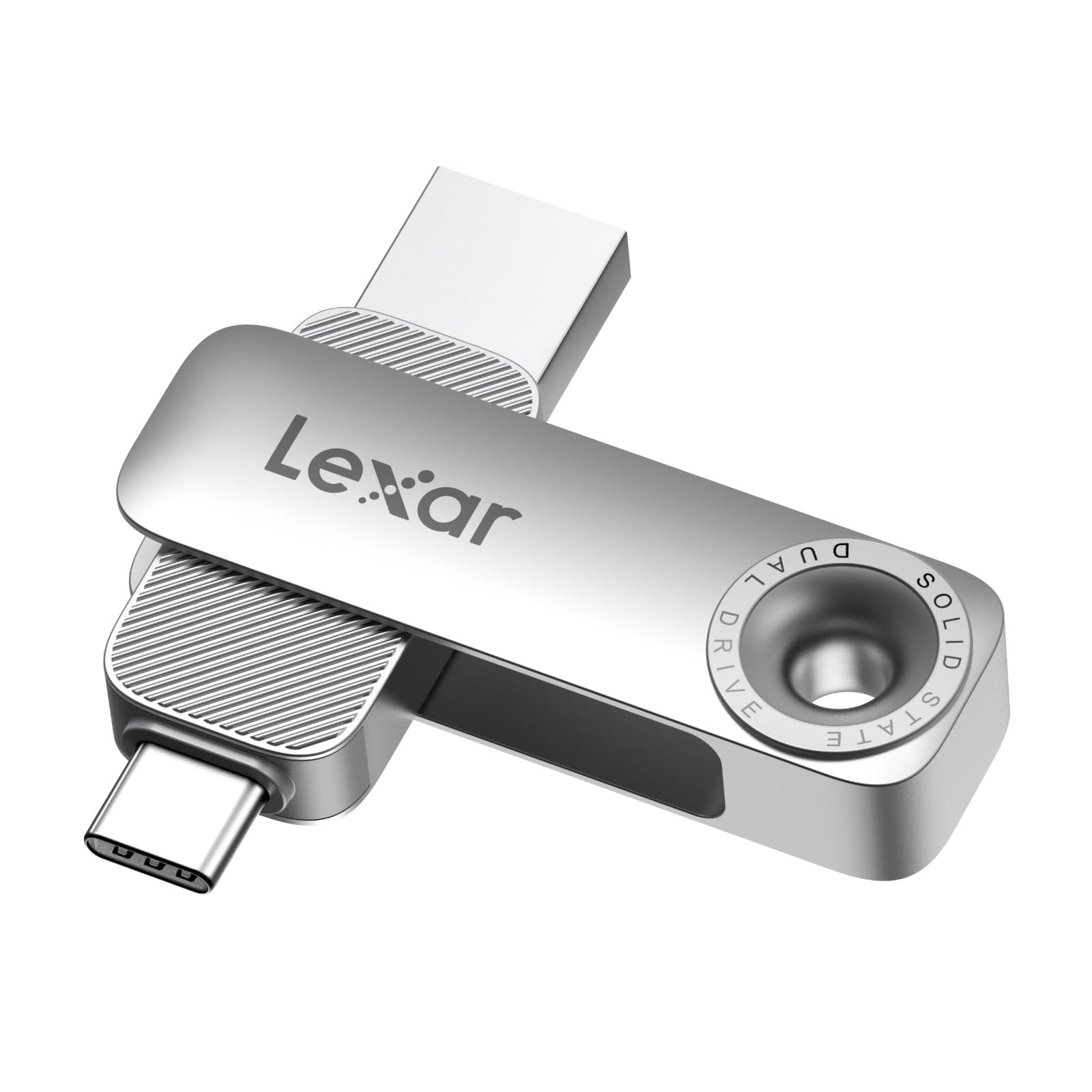
The one you hand to someone else without having to explain what it costs to replace.
Lexar takes the opposite approach to the speed leaders: it leads on how the drive is made. The D50E reads at up to 400MB/s and writes at up to 360MB/s, which is modest against the 1000MB/s pack but four times faster than a USB 3.0 stick by the maker’s own measurement. A metal housing wraps a swivel design that protects both the USB-A and USB-C connectors when they are not in use, so it survives a bag without a cap to lose.
The free Lexar App Photo Backup handles iOS and Android, giving you a one-tap way to pull photos and videos off a phone and manage them on the drive. Two things to know: iCloud content backup is not supported yet, and the app is where the organisation happens. Otherwise it is plug and play, cable-free, and weighs 28.4g.
Praise centres on build quality and functionality, and buyers routinely call the read speed impressive — one noting 419MB/s in their own use, right around the 400MB/s rating. The dual connectors travel well across an iPad Pro, iPad Mini, MacBook, and even Linux installs, which explains why versatility shows up in the feedback. The mixed note is capacity and value: at 256 GB it fills up if you shoot a lot, and the Lexar line runs up to 1TB if you need more room later.
The case for it: a protected swivel metal body plus an app that makes phone backup a tap is a smarter fit for daily carrying than raw speed alone.
What you give up: at 400MB/s read and 360MB/s write, large single transfers take noticeably longer than on the 1000MB/s drives.
Pick this one if: the drive lives in a pocket or bag and you want the connectors shielded and the backup process simple.
Pass on it if: you regularly move multi-hour video files and cannot absorb the slower copy.
5. GiGimundo 128GB External SSD Dual Drive USB A+USB C 3.2
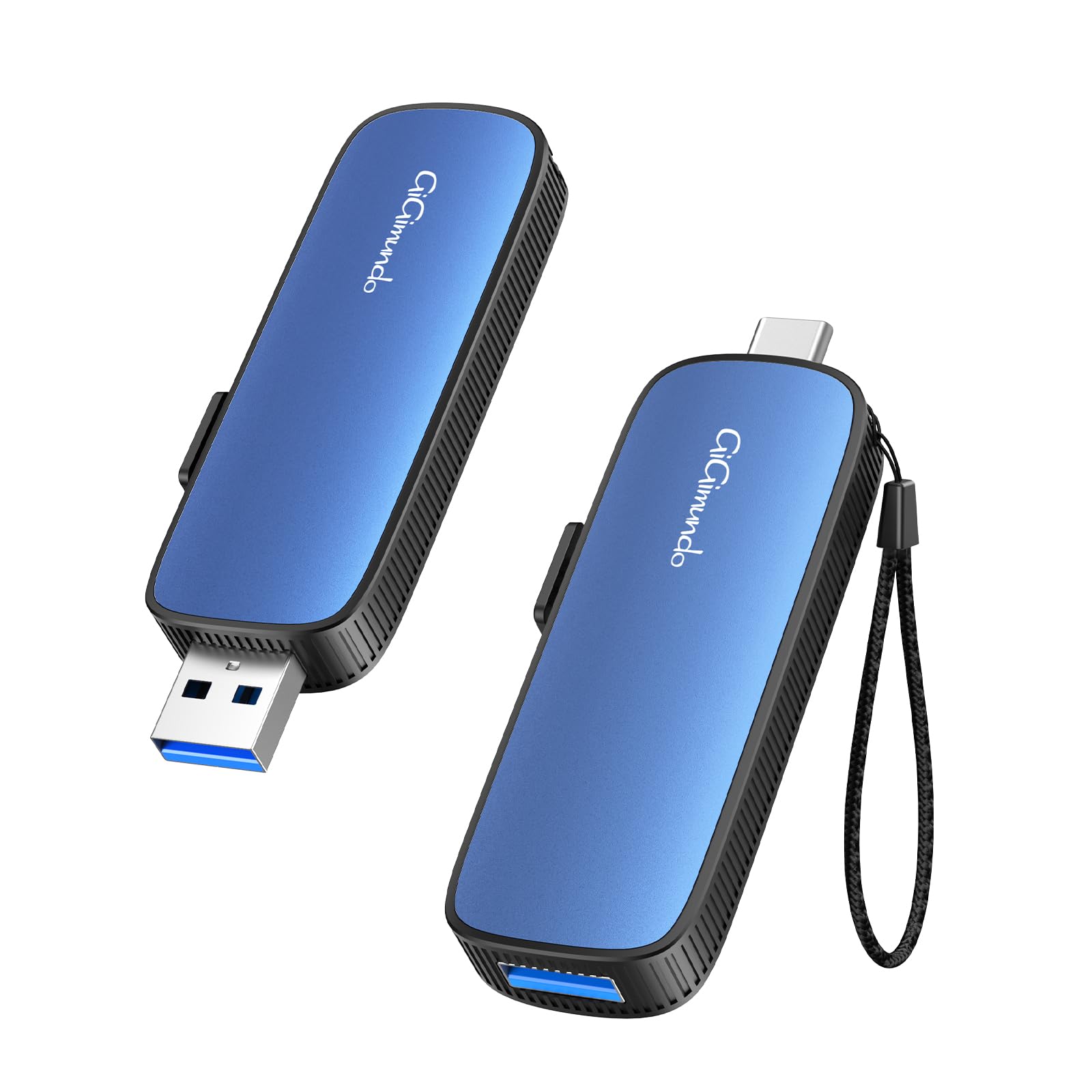
The outright speed winner here, if you can live with less room.
Read this carefully: this GiGimundo drive is the 128GB model, not the 256GB one. What it lacks in capacity it makes up for in pace. It reads at up to 1073MB/s and writes at up to 953MB/s, which beats the fanxiang’s 560MB/s read and 490MB/s write and edges past the MOVE SPEED’s 1000MB/s. For a 59GB file or a card full of 4K clips, those numbers turn an overnight job into a coffee break.
The push-pull USB 3.2 and Type-C ports mean you swap between a phone, a laptop, a PS5, or even a car audio system without an adapter. Inside, higher-grade TLC particles pair with an aluminium and ABS casing for shock resistance and heat dissipation, and the body is slim enough to tuck into a camera cage or backpack for travel.
Owners describe it as working well and being very fast, with 59GB single-file transfers completing cleanly. It is backward compatible down through USB 3.1, 3.0, and 2.0, so older hardware still connects, if slower. At 128 GB it is the smallest drive on this list, so if 256 GB is your minimum, this is the one to skip — otherwise it is a genuine speed bargain.
Go for it when: blistering transfer speed matters more than storage headroom, and you cycle files onto a laptop anyway.
Leave it if: you need 256 GB of room for a full phone library or long shooting days.
6. fanxiang 256GB External SSD Flash Drive, Zinc Alloy

A metal-bodied stick with a swivel cover and a frankly reasonable pace.
The fanxiang sits in the middle of the speed pack at up to 560MB/s read and 490MB/s write, close to the SSK’s 550MB/s and 500MB/s. The maker claims a 1GB video transfers in about two seconds. Both a USB-C and a USB-A connector live on the drive, so it plugs into an iPhone 15 or 16, an iPad Pro, an Android OTG phone, a MacBook, or a Windows PC with no adapter.
The build is where the money went: a zinc alloy body with a 360° swivel metal cover that shields the connector and helps shed heat. Inside, TLC NAND and an SSD controller are rated by the maker for up to five times the durability of QLC flash. The Fanxiang Disk app handles photo, video, contact, and document backup on iPhone and Android, and the drive is listed as shockproof and waterproof with a five-year after-sale service.
Speed is what buyers praise most, and the build quality holds up in the feedback too. The honest caution is durability: some units have failed within a week of use, so check yours thoroughly during the return window and lean on that five-year service. The 256 GB capacity is right for a photo library, and the metal body makes it feel more substantial than a plastic stick — just verify it fully on arrival.
Standout detail: the 360° swivel zinc alloy cover protects the plug and spreads heat, and TLC NAND adds durability the maker rates at up to five times QLC.
Fair warning: the failure reports are real enough that testing yours thoroughly right away, while the return and service window is open, is the sensible move.
Fits you if: you want a dense 256 GB metal stick with dual ports for phone and laptop, at a mid-pack pace.
Better to choose another if: you want zero doubt on long-term reliability and prefer a drive with a longer track record.
7. Orlian 256GB External SSD USB 3.2 Gen 2 Thumb Drive, Silver
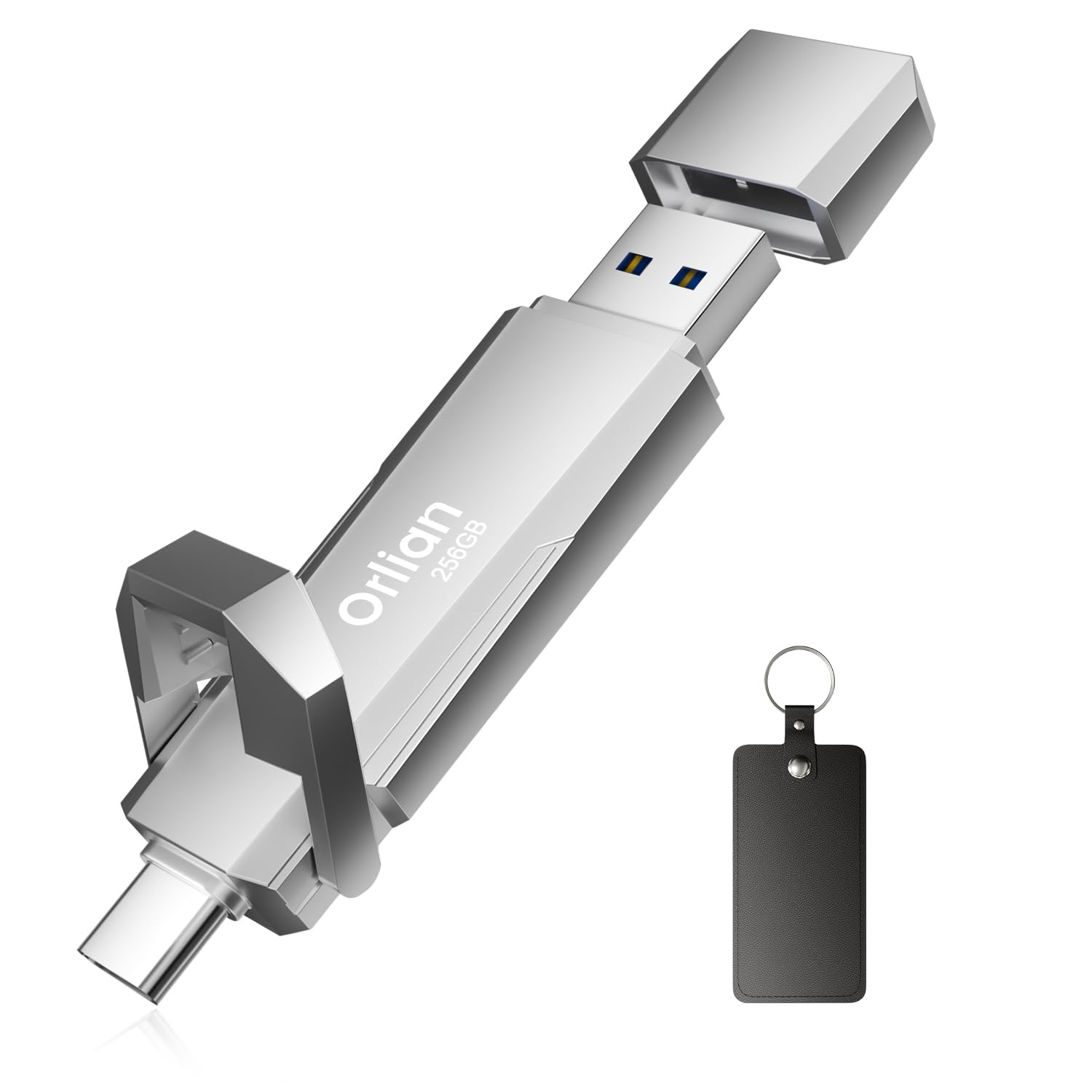
Full 256 GB of room, and 1000MB/s pulls to go with it.
Here is the combination that is hard to argue with: a full 256 GB of space, a read speed of up to 1000MB/s, and a write speed of up to 800MB/s over USB 3.2 Gen 2. That write figure edges past the MOVE SPEED’s 1000MB/s read-and-write claim only in the sense that it is a big number for a stick, but where it clearly wins is cramming fast transfers and bigger capacity into one body. Dual Type-C and USB-A ports handle the phone-to-laptop swap, and the aluminium alloy casing takes daily knocks.
Owners describe moving thousands of files in a few minutes and handling 15,000 files in under eight minutes. It is plug and play across Windows, Android, Linux, and Mac, and it is listed for iPhone 15, 16, and 17 along with iPad Pro, iPad Air, and iPad Mini.
The honest note is heat. A few owners flag the body getting warm under load, and reliability feedback is mixed enough that sustained big transfers deserve a break between them. The speed and big-file capacity are the reason to buy — let the drive cool between giants jobs and it performs well.
Choose it when: you want a genuine 256 GB of fast storage with a metal shell and both ports on one stick.
Weigh it against your habits if: you pile on long sustained transfers back-to-back and would rather not manage a warm body.
Know the Specs
USB 3.2 Gen 2
A USB standard that carries data faster than the older USB 3.0 and 3.1 parts, which is why drives like the MOVE SPEED and the Orlian can claim speeds up to 1000MB/s. The drive and the port on your device both have to support it to hit those numbers; plug one into an older USB 3.0 port and it runs at that slower ceiling instead.
Read vs Write Speed
Read speed is how fast you pull files off the drive, write speed is how fast you push them on. A big read number helps when you are opening or copying files out; a big write number is what you feel when you dump a camera card. The Orlian lists 1000MB/s read and 800MB/s write, so both figures are worth checking.
Dual-Port Design
Both a USB-A plug and a USB-C plug on one drive. The USB-A is the old rectangular port, the USB-C is the newer oval one. Having both means you can move a file from a phone to a laptop without hunting for an adapter — the GiGimundo, Lexar, and SSK all handle this in their own way.
Heat Dissipation
Pocket SSDs slow down when they get hot. A metal, zinc alloy, or aluminium shell spreads the heat so the drive can hold its rated speed longer. The MOVE SPEED states a peak of 122°F, which is the kind of figure to watch if you run long, sustained transfers.
Common Questions
Will a 256 GB external SSD work with my iPhone?
What is the difference between read and write speed on these drives?
Do I need USB 3.2 Gen 2 to get the full speed?
How many photos or videos will 256 GB actually hold?
Why does my external SSD get warm during a big transfer?
Can I record 4K ProRes video straight to these drives?
Are these drives shockproof or waterproof?
Can I use one drive for both a phone and a PS5?
Is a 128 GB drive a bad idea if I shoot a lot?
The Bottom Line
For most people, the 256 gb external ssd winner is the SSK 256GB Portable SSD because it pairs 550MB/s read and 500MB/s write with a built-in 2-in-1 USB-C and USB-A cable and a 27g body — the combination that quietly handles laptop backup, phone offload, and everything between. If raw speed is the whole point, grab the MOVE SPEED WD10 at 1000MB/s with 4K ProRes HDR support. And if you film on an iPhone 16 Pro and want the drive stuck to the phone, the ORICO K5PLUS is the one to reach for.
How we choose
We do not accept paid placement. Every pick is matched to a real buyer and a real use-case; we do not hands-on test units.
Sources
Specifications: manufacturer listings and product documentation. Review insights: verified customer reviews, as of November 2026. Pricing: not shown on this page (it changes often); check the current price via the retailer link.
As an Amazon Associate, My Heart Lives Here earns from qualifying purchases. This does not affect which products we feature.