Heads up: This post contains affiliate links. As an Amazon Associate I earn from qualifying purchases, at no extra cost to you. Learn more
Specs are compiled from manufacturer listings and verified buyer reviews and can change over time — please confirm the key details on the product page before buying.
If your laptop freezes mid-scroll with fifteen browser tabs open, the chip is usually not the problem — the memory is. A 16GB DDR4 laptop RAM upgrade (a single stick of memory that slots into your laptop’s SO-DIMM bay) is the cheapest way to give a struggling machine room to breathe. This guide sorts nine real modules by how they behave once they are actually inside your machine: speed ratings, rank layout, pin count, voltage, and what happens when a 3200MHz stick meets a laptop that only supports 2666MHz.
This guide is built by comparing the manufacturers’ published specifications and the patterns across verified customer reviews, so you get each pick’s real strengths and trade-offs instead of marketing spin.
You will learn which specs actually free up your laptop, why matched 2 x 8GB kits behave differently from single 16GB sticks, and where budget modules match premium ones. The short answer: Crucial CT16G4SFRA32A is the safest all-round pick for most people, thanks to its 3200MHz rating and pre-purchase compatibility scanner. Anyone running a light machine with one free slot can skip straight to the single-stick options further down — they cost less and still deliver the same 16GB lift.
Top Picks


How To Choose The Best 16GB DDR4 Laptop RAM
Buying laptop memory is not like buying a graphics card. There is no benchmark chart to chase — the module either fits your slot, matches your chipset’s supported speed, and behaves stably, or it does not. Every pick here is 16GB of DDR4 SO-DIMM memory, so the differences come down to slot type, speed ceiling, and rank — three numbers on your laptop’s spec sheet.
Match the slot before you read any other spec
A SODIMM (Small Outline Dual In-line Memory Module) is the short, wide memory stick laptops use, and it has 260 pins on the edge connector. Desktop DIMMs are longer and do not fit — the Timetec listing says so outright. Open your laptop’s service manual or the manufacturer’s spec page and confirm the slot type and pin count before anything else.
Speed ratings are ceilings, not guarantees
A 3200MHz stick is rated up to that speed, but it automatically downclocks to whatever your laptop supports. If your machine caps out at 2666MHz or 2933MHz, the module will run there happily. This is why nearly every DDR4 3200 listing spells out “PC4-25600, 2933MHz or 2666MHz” — it is a compatibility range, not a marketing hedge.
Single stick or matched kit?
If your laptop has one free slot, a single 16GB module is the simplest upgrade. If it has two empty slots and you want the pairing to run in dual-channel mode, a matched 2 x 8GB kit is the better fit. Mixing mismatched sticks can work, but the G.SKILL listing warns that mixing kits can cause stability issues — safest is to buy a matched set or one single stick.
Latency and voltage: what actually matters
CL22 (Column Address Strobe Latency 22 — the number of clock cycles the module waits before responding to a read request) is standard for consumer DDR4 laptop memory. A lower number is technically faster, but at this tier it makes no difference you would feel. Voltage is 1.2V across nearly every DDR4 SODIMM here, which is standard. Focus your attention on slot fit, speed ceiling, and rank instead.
Side-by-Side Comparison
| Model | Best For | Speed | Rank / Config | Voltage | Amazon |
|---|---|---|---|---|---|
| Crucial CT16G4SFRA32A★ Best Overall | Most buyers | 3200MHz (PC4-25600) | 1Rx8 or 2Rx8 | 1.2V | Amazon |
| Timetec 16GB DDR4 3200MHzBest Value | Mini PC and AIO owners | 3200MHz (PC4-25600) | 1Rx8 or 2Rx8 | 1.2V | Amazon |
| TEAMGROUP Elite 16GB SingleMost Compatible | Budget single-slot upgrade | 3200MHz (PC4-25600) | Unbuffered non-ECC | 1.2V | Amazon |
| Samsung M471A2G43AB2-CWE (16GB) | Dell / HP / Lenovo swaps | 3200MHz (PC4-3200AA) | 1Rx8 | 1.2V | Amazon |
| TEAMGROUP Elite 2 x 8GB Kit | Dual-channel upgrades | 3200MHz (PC4-25600) | 2-module kit | 1.2V | Amazon |
| Samsung M471A2K43DB1-CWE (SpotMarket) | Gaming laptops | 3200MHz (PC4-25600) | 2Rx8 | 1.2V | Amazon |
| Samsung M471A2K43DB1-CWE | All-in-one and notebook fit | 3200MHz (PC4-25600) | 2Rx8 | 1.2V | Amazon |
| G.SKILL Ripjaws F4-3200C22S-16GRS | Timing-tuned performance | 3200MT/s (CL22-22-22-52) | Non-ECC SO-DIMM | 1.20V | Amazon |
| Kingston KCP432SS8/16 | Brand-matched system builds | 3200MT/s | Single Rank | 1.2V | Amazon |
Detailed Reviews
1. Crucial 16GB DDR4 SODIMM
Our pick — 4.5+★ from 17,000+ verified ratings; the strongest balance of quality and price.
The module most people should buy first, because Crucial’s scanner confirms the 260-pin SODIMM fit before you open the hatch.
What wins people over is that it boots at 3200MHz and downclocks cleanly to 2933MHz or 2666MHz in older laptops. It is a 16GB DDR4 SODIMM rated at 3200MHz (PC4-25600) that steps down to 2933MHz or 2666MHz when your machine caps there. The 260-pin edge connector is the standard laptop shape, and 1.2V keeps it inside DDR4’s standard envelope. Practical upshot: a stuttering eight-tab workflow gets breathing room on the same afternoon you install it.
Installation is genuinely a one-job task. Crucial publishes a system scanner and upgrade selector so you confirm the exact part before you buy — that avoids the classic mistake of ordering a desktop DIMM for a laptop slot. The memory is built by Micron, the parent company, and the listing notes 42 years of memory expertise behind the component and module testing. If you want to double-check compatibility without opening your laptop, the scanner tool does the work for you.
Here is the honest trade-off. At 9.07 grams this stick is lighter than the TEAMGROUP 2 x 8GB kit at 13.61 g, so it adds less weight to a laptop you carry in a bag. That 4.5 g difference is invisible once the stick is screwed down, though. The one real watch-out is the CL22 timing (the delay before the memory responds). CL22 is standard, but it is not the tightest you can find. The G.SKILL pick below offers CL22-22-22-52, so consider that one only if you are chasing lower latencies.
What earns the top spot
- 3200MHz rated, downclocks cleanly to 2933MHz or 2666MHz on older laptops
- Crucial’s System Scanner and Upgrade Selector confirm the exact fit before you buy
- Micron-built memory with 42 years of manufacturing behind it
- 260-pin SODIMM at 1.2V — the standard laptop format
Where a buyer should slow down
- CL22 latency is standard, not tight — the G.SKILL module carries a tuned CL22-22-22-52 profile
- Single 16GB stick means you give up dual-channel pairing if your second slot stays empty
Reach for this if: you want one safe, checked purchase that works in almost any DDR4 laptop with a free SODIMM slot.
Look elsewhere if: your laptop has two empty slots and you specifically want the dual-channel benefit of a matched kit.
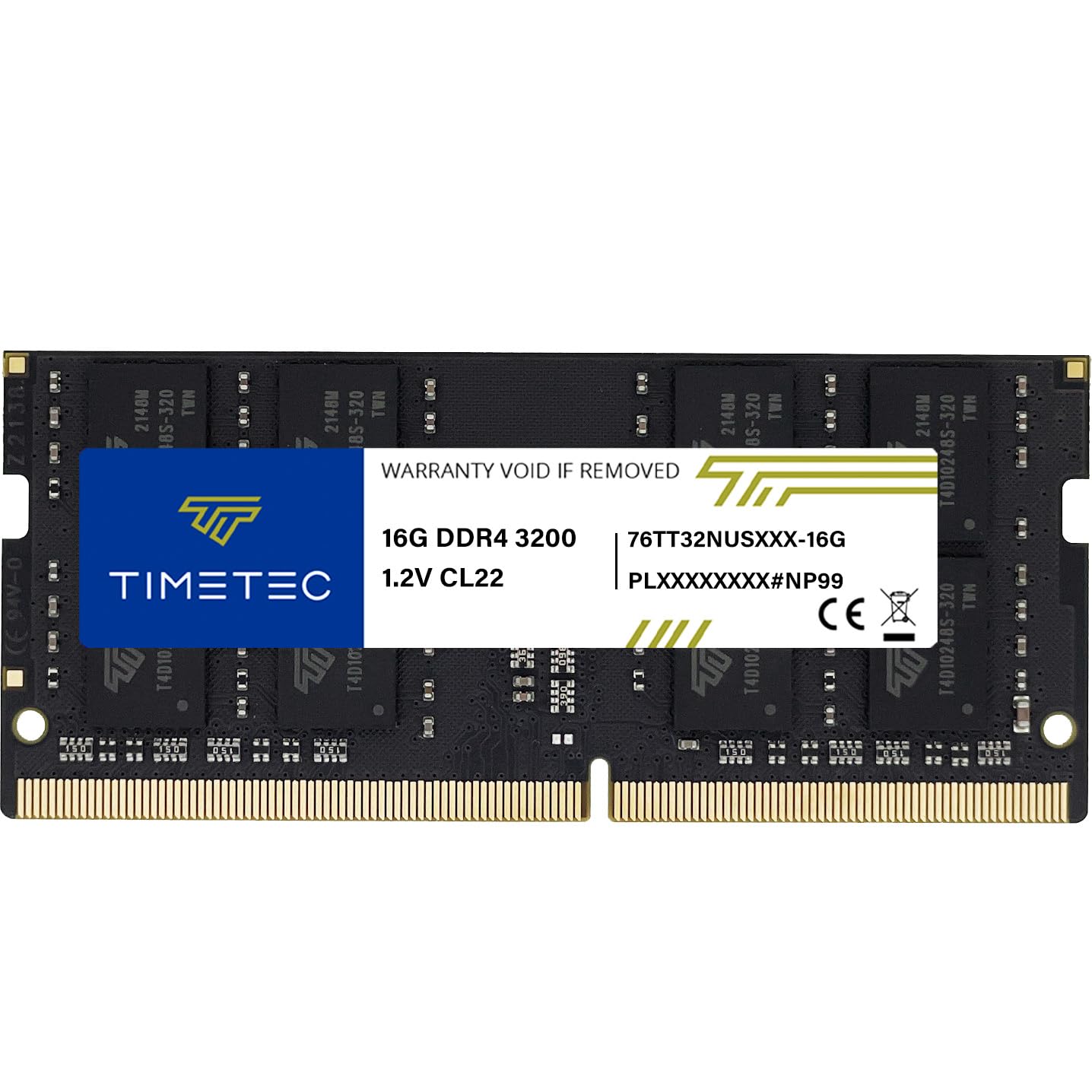
2. Timetec 16GB DDR4 3200MHz SODIMM
A single 16GB stick that also fits mini PCs and all-in-ones, which is a rarer trick than it sounds.
The spec that matters here is the compatibility spread. Timetec lists this 3200MHz (PC4-3200AA) 260-pin 1.2V module for laptops, notebooks, mini PCs, and all-in-ones — so if you are upgrading an AIO that has been crawling, you do not need to find a separate part. It downclocks automatically to 2933MHz or 2666MHz where the system only supports that, so you are not overpaying for speed your board cannot use.
The buyers’ read is that this is a strong SODIMM 3200 option, and that the installation is straightforward — the kind of upgrade where a fifteen-minute guide is the whole project. Laptops that felt slow before installation come back feeling responsive, with one buyer reporting a 2933 MT/s running speed after the swap. That matches the spec sheet: 3200MHz rated, stepping down to 2933MHz inside a machine that caps there.
The catch is the rank and PCB color are batch-dependent — the listing says the board may be green, black, or blue, and the rank may be 1Rx8 or 2Rx8. Performance is stated as consistent across batches, so this is cosmetic variance rather than a functional gamble. Also worth noting: this is a single module, not a kit, so a two-slot machine gains 16GB on one side and dual-channel pairing only if you add a matching stick later.
Warranty worth knowing: Timetec backs this with a limited lifetime warranty and US-based technical support, which is more coverage than the number on the box implies.
Go with it if: your upgrade target is a mini PC or all-in-one rather than a traditional laptop.
Pass it over if: you insist on a guaranteed rank layout and a specific PCB color on arrival.
3. TEAMGROUP Elite DDR4 16GB SODIMM
Cheap, JEDEC-compliant, and proven inside Synology NAS boxes and Lenovo Ideapads alike — a flexibility play.
This is the stick you reach for when you want 16GB at 3200MHz CL22 for the lowest price, with no scanner tools in the way. A 16GB DDR4 SODIMM rated 3200MHz (PC4-25600) with CL22 latency at 1.2V, it does everything the more expensive modules do inside a machine that is not chasing benchmark bragging rights. It adheres to JEDEC standards and complies with RoHS environmental rules, which matters if you care about parts that are built to the published spec rather than a custom profile.
The performance story buyers tell is that it runs at the advertised 3200MHz, and in one case it reported as 24GB at 3200MHz after a mixed-capacity swap. It works across Synology DS224+ storage and Lenovo Ideapad 3 laptops, which tells you the compatibility testing was done on the right hardware. For a laptop with one free slot and a modest budget, this is the entry point that does not make you feel like you bought the cheap version.
What you give up is the extra layer of assurance. There is no system scanner here, no per-brand compatibility picker — you rely on the JEDEC standard and your own reading of the spec sheet. TEAMGROUP does attach an installation video to the product page, which helps a first-timer. And the 9.34g weight puts it in the same featherweight band as the other single sticks here, so it will not shift the feel of your bag.
Pick this one when: you know your laptop’s slot spec and want maximum capacity per dollar without paying for brand-checking tools.
Skip the shortcut if: you would rather a manufacturer confirm the exact fit for you before ordering.
4. Samsung SODIMM 16GB PC4 3200 DDR4

The white-label swap for laptop owners who want the exact part spec their OEM shipped from the factory.
Samsung’s module number M471A2G43AB2-CWE tells the whole story in its own code. 16GB capacity, PC4-3200AA speed rating, 1Rx8 single-rank layout — the same configuration many Dell, HP, and Lenovo machines leave the factory with. If you are matching what came out rather than upgrading to something beefier, this is the closest-to-original drop-in on the list. PC4-3200AA is a spec to look for in your service manual when you pull the old stick out.
What works in its favour is that it satisfies all systems supporting DDR4 SODIMM, so cross-brand swaps hold up. It boots, runs at its rated 3200MHz, and the single-rank arrangement means it plays nicely with an existing stick in a second slot — one buyer reports the total showing 24GB with no issues after installation. Buyers report the machine stops choking on everyday work after the swap, even without a measurable speed gain.
The honest limitation is that this is a spec-matched replacement, not an opportunity to add flash. There is no heatspreader, no RGB, no XMP-style tuning headroom. If you are building a performance machine, look further down the list. If you are keeping a workhorse laptop stable through a memory bump, this is the part number your maintenance sheet probably already names.
The swap to plan for: one 16GB single-rank module means your old stick either stays in the second slot or comes out — either way, there is no mismatched-rank juggling to worry about.
This is your match if: your service manual lists the M471A2G43AB2-CWE part number for your chassis.
Keep looking if: you want the tightest timings or a tuned performance profile rather than an OEM-equivalent replacement.
5. TEAMGROUP Elite DDR4 16GB Kit

Two 8GB sticks that boot together, which matters more than one 16GB stick when your laptop has the spare slot.
This is the pick for the buyer whose laptop has two empty memory slots and who wants both filled. The kit is two matched 8GB DDR4 AC3200MHz SODIMM modules at CL22 and 1.2V, designed to run as a set. Dual-channel operation (both sticks working side-by-side) is what the second slot is really for, and this kit is how you get there without crossing your fingers that two separately bought sticks will cooperate. The modules downclock to 2933MHz or 2666MHz where your laptop caps there, so older machines still get the capacity benefit.
The reliability story is the strongest part of the sales case. Buyers run these in an Omen 15 4800H and an Acer Nitro 5 Ryzen 2500u without incident, across both Intel-adjacent and AMD platforms. There is also the frame of a work computer that felt “lightning fast” after the upgrade — which is what dual-channel pairing actually delivers on a machine built for office multitasking. The pair weighs 13.61g combined, which is heavier than the single-stick Crucial module at 9.07g, but that weight sits inside your chassis, not on your back.
The one mixed note in the buyer data is around capacity expectations, and that is worth flagging honestly. If you want the absolute maximum RAM your laptop can hold, a 2 x 8GB kit caps you at 16GB total — a single 16GB stick leaves a second slot open for a future 16GB addition. Buy this kit because you want dual-channel now, not because you plan to expand later.
Why this kit wins on pairing
- Two matched 8GB modules that are built to run as a set
- Verified across AMD laptops including the Omen 15 4800H and Acer Nitro 5 Ryzen 2500u
- CL22 and 1.2V — standard DDR4 voltage, drops to 2933MHz or 2666MHz where needed
The honest trade-off
- Fills both slots — future capacity upgrades mean replacing, not adding
- Combined 16GB is the ceiling for this kit; expandability is the price of dual-channel
Buy it for: dual-channel performance in a laptop that has two free SODIMM slots today.
Don’t buy it for: a machine you plan to expand to 32GB later — a single 16GB stick is the better base.
6. 16GB DDR4 3200MHz SODIMM M471A2K43DB1-CWE

The dual-rank stick that gives gamers a measurable jump, backed by a real frame-rate before and after.
Gaming laptops are the clearest case for this module. It is a 16GB DDR4 SODIMM at 3200Mbps, 260-pin, 1.2V, laid out as 2Rx8 (dual rank) with a (1G x 8) x 16 chip composition. The dual-rank layout can eke out more performance in games than a single-rank stick of the same capacity, and this is the newest Revision “D” build of Samsung’s M471A2K43DB1-CWE part. For anyone with an 8GB gaming laptop that is choking on the latest titles, this is one of the few upgrades that shows up in a frame counter.
The before-and-after here is concrete. One buyer reports an FPS (frames per second, the smoothness of a game) jump from 100 to 135 after installing this module. That is a counted gain, not just a smoother feel. Another buyer reports going from 8GB to 20GB total. That is exactly the job this stick does: drop it into the free slot of a dual-slot gaming laptop and you gain capacity right away. If the machine was single-stick before, you also gain dual-channel pairing (two sticks working together for more bandwidth). Buyers single out how accurate the spec is, which makes sense when the part number carries the rank and revision in it.
The one thing to check is your slot count. A gaming laptop with only one SODIMM slot will accept this, but you get capacity without dual-channel. A gaming laptop with two slots is where this module earns its keep. The model name field also lists “Trident Z” here, which is a labeling quirk — the part number M471A2K43DB1-CWE and the 2Rx8 spec are what you should go by when confirming compatibility.
Frame-rate proof: the reported 100-to-135 FPS jump is the kind of gain buyers can actually feel in a match, not just see in a benchmark log.
Buy it for: a gaming laptop with one free slot that needs both capacity and a dual-rank boost.
Think twice if: your laptop has a single-slot design — you get the 16GB lift but not the dual-channel pairing.
7. Samsung 16GB DDR4 3200MHz SODIMM

A single 16GB dual-rank stick that also fits all-in-one desktops, which few buyers think to check.
Laptops are only half this module’s audience. Samsung lists it for select DDR4 laptops, notebooks, and all-in-one computers, so if you are upgrading an AIO that has been running on 8GB since it was bought, this is a spec-appropriate replacement rather than a laptop-only part. The spec sheet is clear: 16GB, PC4-25600 or PC4-3200AA, 260-pin SO-DIMM, non-ECC unbuffered, 2Rx8 dual-rank x8, 1.2V. The dual-rank structure is what makes this one of the more capable single sticks on the list.
Memory quality is what buyers keep coming back to, and the fit is another recurring theme — one report has this working perfectly in an HP all-in-one, which is the exact use case the listing claims. Buyers also describe it as a cost-effective way to improve performance, which is the real pitch: you are not buying a speed rating, you are buying the RAM your machine needed two years ago. The module goes through quality assurance testing per Samsung’s published process.
Reliability is the one area where the buyer pattern is genuinely mixed rather than unanimously positive, so treat it as a fit question rather than a red flag. If your machine is fussy about dual-rank modules — some thin-and-light laptops are — a single-rank stick is the safer bet. Otherwise the dual-rank Samsung layout is the more capable of the two.
Choose it when: your upgrade target is an all-in-one or a laptop that accepts dual-rank modules.
Check first if: your laptop’s specification list only guarantees single-rank (1Rx8) modules — a 1Rx8 stick is the safer match there.
8. G.SKILL Ripjaws DDR4 SO-DIMM 16GB

The module with the most honesty in its name: 3200MT/s, CL22-22-22-52, and no pretense of more.
Timings sell this one. Where most sticks on this list simply say “CL22”, G.SKILL publishes the full sequence — CL22-22-22-52 — which tells you exactly what to expect at 1.20V, unbuffered, non-ECC, 260-pin SO-DIMM format. That level of disclosure matters to buyers who compare parts on paper before buying. It also boots at the JEDEC default SPD profile, meaning it runs at its printed speed on first power-up without you triggering anything in BIOS. For a laptop that starts up slowly, this is the module that makes the boot feel different.
Performance is the aspect buyers highlight first, and the reason is not flashy. It runs as rated, with AMD processors working well, and the “correct speed and timings” language keeps appearing — the kind of validation a timing-conscious buyer wants. Laptops start up noticeably faster and multitasking with gaming becomes lighter once 16GB is in place. The 17g weight makes it the heaviest single stick here, but it lives in a slot, so your bag will not tell the difference.
The real caveat is a seller warning, not a product flaw: G.SKILL explicitly says not to mix kits. If you plan to add a second stick later, buy its matched counterpart rather than a random 16GB module, or you risk the stability issues the listing itself mentions. Buy this module alone and once, and treat future upgrades as a matched-kit purchase.
Read the label carefully: “3200MT/s” is the transfer rate the module will run at, not a magic overclock — that is exactly what you want to see on a laptop part.
This is your module if: you compare timings on paper and want a published CL22-22-22-52 profile.
Choose something else if: you plan to add a second stick from a different brand — mixing kits is what G.SKILL warns against.
9. Kingston 16GB DDR4 3200MT/s SODIMM
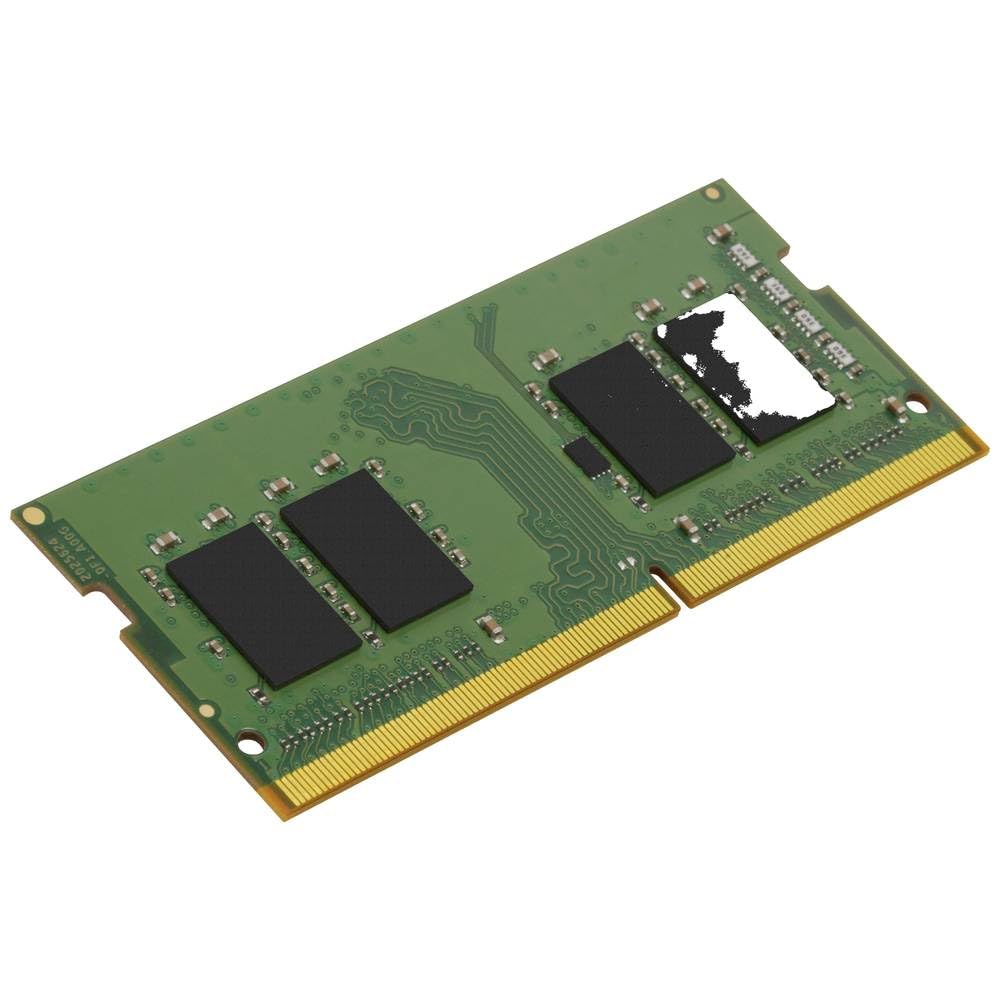
A system-specific module built for buyers who want Kingston’s name on the part number printed in their maintenance sheet.
Kingston’s pitch is different from every other stick here, and it is worth understanding before you buy. This is branded memory — the KCP432SS8/16 part number is designed, manufactured, and tested for specific brand-name computer systems rather than treated as a one-size-fits-all SODIMM. That is why Kingston tells you to check compatibility with your manufacturer before buying. The specs themselves are standard: 16GB, DDR4, 3200MT/s, single rank, CL22, SO-DIMM. The add-on value is the fit assurance behind the part number.
What you are paying for is confidence: a module validated against a specific chassis (the laptop’s internal frame). The listing backs it with free technical support, a lifetime warranty, and quality components the maker says are tested rigorously. This is the straightforward buy for IT buyers, or for anyone upgrading a work laptop whose manufacturer lists Kingston parts in its compatibility matrix (the maker’s list of approved parts). You are not guessing. You are matching a part number that has been vetted for your machine.
The trade-off is the buyer-data gap: this module has a much smaller review footprint than the Crucial or the Samsung options, so the crowd evidence is thinner. That is not a reliability verdict — it is simply a newer or lower-volume listing. If you want thousands of owners backing the decision for you, the Crucial is the more comfortable call. If you want a manufacturer’s name-matched part and the assurance that comes with it, Kingston delivers that specific thing well.
Where the value sits
- System-specific build designed for specific brand-name laptops
- Backed by Kingston’s lifetime warranty and free technical support
- 3200MT/s single-rank, CL22, SO-DIMM — a spec sheet you can line up against your manual
What to know going in
- Thinner buyer-review footprint than the Crucial or Samsung picks — less crowd evidence to lean on
- Kingston says to verify compatibility with your manufacturer before purchase, which adds a step
Buy it if: your manufacturer’s compatibility list names Kingston parts and you want a system-vetted module.
Look elsewhere if: you would rather lean on a large base of verified buyer installs before committing.
Know the Specs
What “3200MHz (PC4-25600)” really means
Treat the 3200MHz figure as a rated ceiling for the module, not a promise your laptop will run that fast. Every DDR4 3200 listing in this guide carries the same qualifier — “or 2933MHz or 2666MHz” — because the module automatically downclocks (slows down) to whatever your laptop’s chipset supports. PC4-25600 is simply the bandwidth label that goes with 3200MHz memory. If your laptop only supports 2666MHz, a 3200MHz stick is still a smart buy: it matches the spec if you later upgrade the machine. It just runs at the lower rate today.
SODIMM, 260-pin, and 1.2V
SODIMM is the short laptop memory form factor; 260-pin is the edge connector standard for DDR4 laptop modules. Both the 260-pin count and the 1.2V voltage are uniform across every stick here, so they are not differentiators — they are the baseline compatibility check. Confirm both before buying. A desktop DIMM is physically longer and will not enter a laptop slot, no matter what its spec says.
Single-rank (1Rx8) versus dual-rank (2Rx8)
Rank describes how the memory chips are grouped on the module. A 1Rx8 single-rank stick has one bank of eight-bit chips; a 2Rx8 dual-rank stick has two. Dual-rank can deliver slightly higher performance in demanding workloads, especially games, but some thin laptops are fussy about it. Single-rank is the safer general fit. Neither is “better” outright — it depends on your machine’s tolerance.
CL22 latency, explained simply
CL22 (Column Address Strobe Latency) is the number of clock cycles a module waits before responding to a memory read request. A lower number is technically quicker, but at laptop-DDR4 speeds, CL22 is standard and the difference between CL22 and CL19 is not something you will feel in day-to-day use. G.SKILL publishes the full timing sequence (CL22-22-22-52) for buyers who care about the detail — everyone else can treat CL22 as the default.
Common Questions
Will a 3200MHz module work in a laptop that only supports 2666MHz?
How do I know if my laptop uses a SODIMM slot rather than a desktop DIMM slot?
Is single-rank (1Rx8) or dual-rank (2Rx8) better for a laptop?
Can I mix a 16GB stick with the 8GB stick already in my laptop?
Does a 16GB DDR4 SODIMM require any setup or BIOS changes?
What does “260-pin” mean and does it matter?
Is CL22 latency a problem for everyday use?
Should I buy a single 16GB stick or a 2 x 8GB kit?
How long does a DDR4 SODIMM module typically last?
Will 16GB of DDR4 max out my laptop’s memory support?
Can I install laptop RAM myself without any tools?
The Bottom Line
For most people shopping for the best 16gb ddr4 laptop ram, the Crucial CT16G4SFRA32A is the one to buy. It is rated at 3200MHz, it is a 260-pin SODIMM (the small laptop memory stick) at 1.2V, and a manufacturer scanner confirms the fit before you spend anything. Crucial’s System Scanner confirms the exact part before you buy, so there is no guesswork. If you are upgrading a mini PC or all-in-one, the Timetec 16GB covers those systems where a laptop-only module might not. And if you have two free slots and want dual-channel performance today, the TEAMGROUP 2 x 8GB kit is built for exactly that job. My one nudge: match the slot count and the speed ceiling to your machine before you buy, and any of these nine will serve you well for the life of the laptop.
How we choose
We do not accept paid placement. Every pick is matched to a real buyer and a real use-case; we do not hands-on test units.
Sources
Specifications: manufacturer listings and product documentation. Review insights: verified customer reviews, as of November 2026. Pricing: not shown on this page (it changes often); check the current price via the retailer link.
As an Amazon Associate, My Heart Lives Here earns from qualifying purchases. This does not affect which products we feature.