Heads up: This post contains affiliate links. As an Amazon Associate I earn from qualifying purchases, at no extra cost to you. Learn more
Specs are compiled from manufacturer listings and verified buyer reviews and can change over time — please confirm the key details on the product page before buying.
Most 14-inch laptops squeeze the number pad off the deck to save space, so anyone who lives in a spreadsheet ends up keying digits across the top row. The picks below keep the bigger screen and still give you a proper number pad — or, where the pad is absent, they make up for it with the business features that matter more. Read the labels carefully: only some of these actually carry the pad, and I flag it plainly on each one.
This guide is built by comparing the manufacturers’ published specifications and the patterns across verified customer reviews, so you get each pick’s real strengths and trade-offs instead of marketing spin.
The first thing most buyers get wrong is assuming every 14-inch machine has a number pad. It does not — and the difference between a keypad model and a travel-focused one changes how you work all day. That gap is exactly what this 14 inch laptop with numeric keypad breakdown fixes.
Top Picks

How To Choose The Best 14 Inch Laptop With Numeric Keypad
You get a screen big enough for real work and a body light enough to carry in a 14-inch laptop. The number pad is the first decision you face. On a 14-inch deck the pad usually sits to the right of the main keys, so your hands shift slightly left of centre when you type. You accept that trade-off to get fast digit entry in spreadsheets, accounting software and data forms.
Confirm the keypad actually exists on your model
Do not assume. Some 14-inch business laptops list a numeric keypad outright in the feature copy, while travel-first models simply leave it off. Check the listing text for the words “numeric keypad” or “with numeric keypad” before you commit. If you do heavy data entry, a model without the pad means buying a separate USB number pad — one more thing to pack and lose.
Read the display resolution the way a spreadsheet user would
A WUXGA panel (1920×1200) gives you 1,200 vertical pixels instead of the 1,080 you get from a standard FHD screen. That extra height means more spreadsheet rows visible before you scroll. A touchscreen adds finger navigation on top, which helps in presentations and quick form fills. Brightness matters too: 300 nit panels hold up in an office but wash out near a bright window.
Match RAM and storage to how many windows you keep open
16GB of RAM is the comfortable floor for a working laptop with a browser, email and a spreadsheet open at once. 32GB gives you headroom for large datasets or many tabs without slowing. On storage, a 512GB SSD covers documents and a modest photo library, while 1TB or 2TB suits video files and large project archives. A PCIe NVMe SSD is the fast type — it cuts boot and file-open times noticeably.
Weigh the port list against your desk setup
If you dock at a desk, Thunderbolt 4 (a fast USB-C standard that carries video, data and power on one cable) lets you run external monitors without a separate dock on some models. Older HDMI and a wired Ethernet jack (RJ45) still matter in offices with cabled networks. A backlit keyboard helps in dim rooms, and a fingerprint reader skips the password every time you open the lid.
Side-by-Side Comparison
| Model | Best For | Numeric Keypad | RAM | Display | Amazon |
|---|---|---|---|---|---|
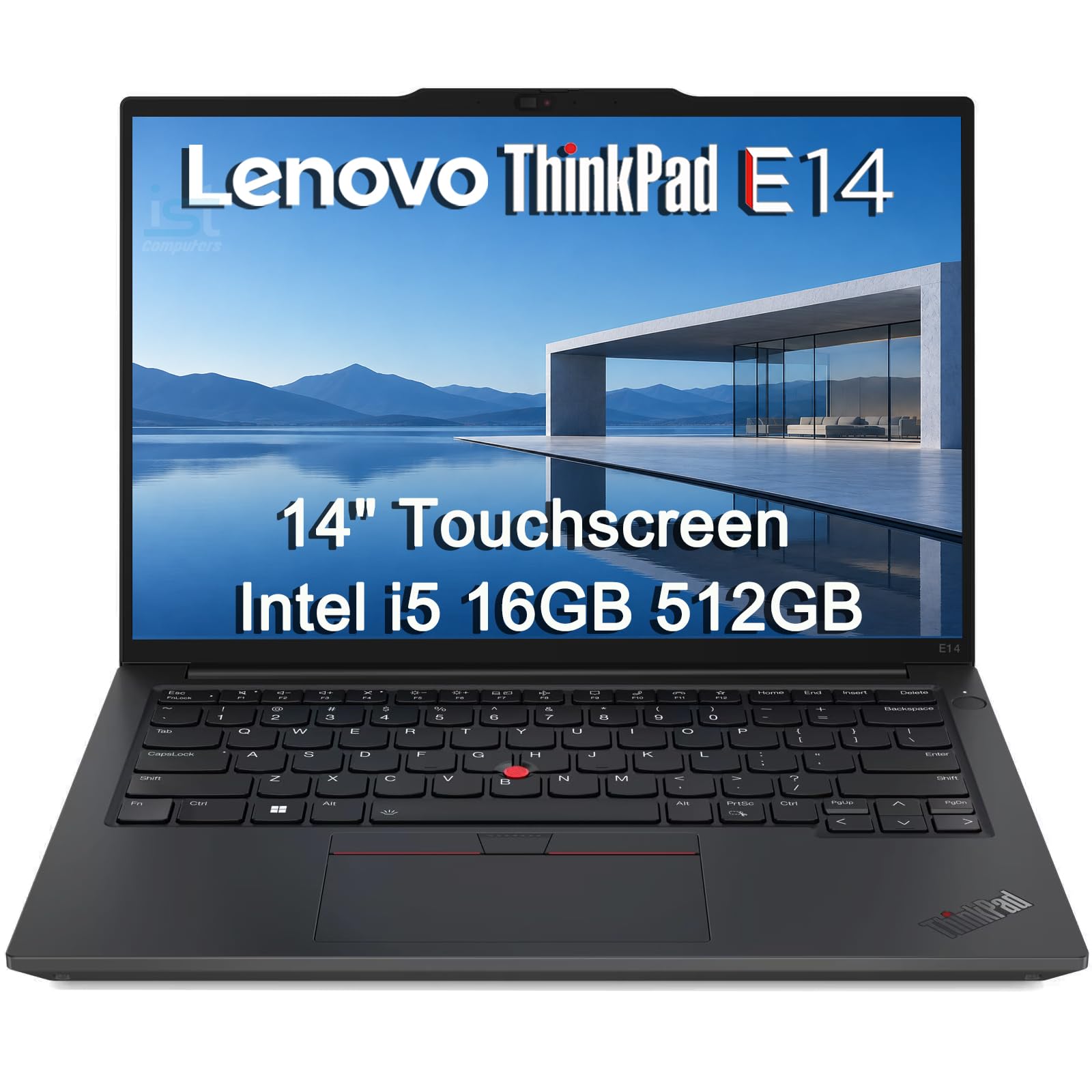
| Lenovo ThinkPad E14★ Best Overall | Everyday business work | — | 16GB | 14″ WUXGA touch | Amazon |
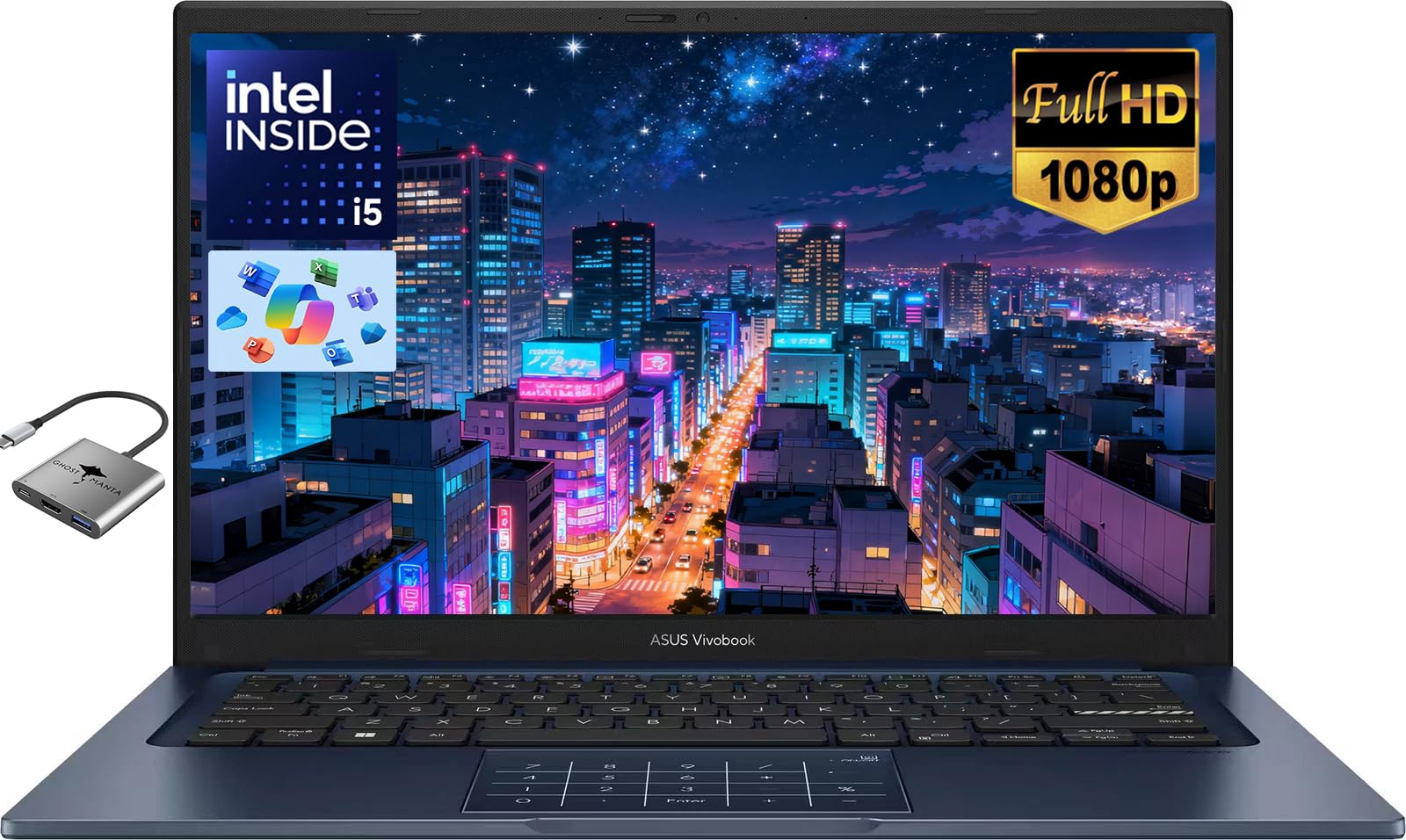
| ASUS Vivobook 14Best Value | Budget multitasking | Yes | 24GB | 14″ FHD | Amazon |
| Dell Latitude 7430Biggest Memory | Heavy spec on a budget | — | 32GB | 14″ FHD touch | Amazon |
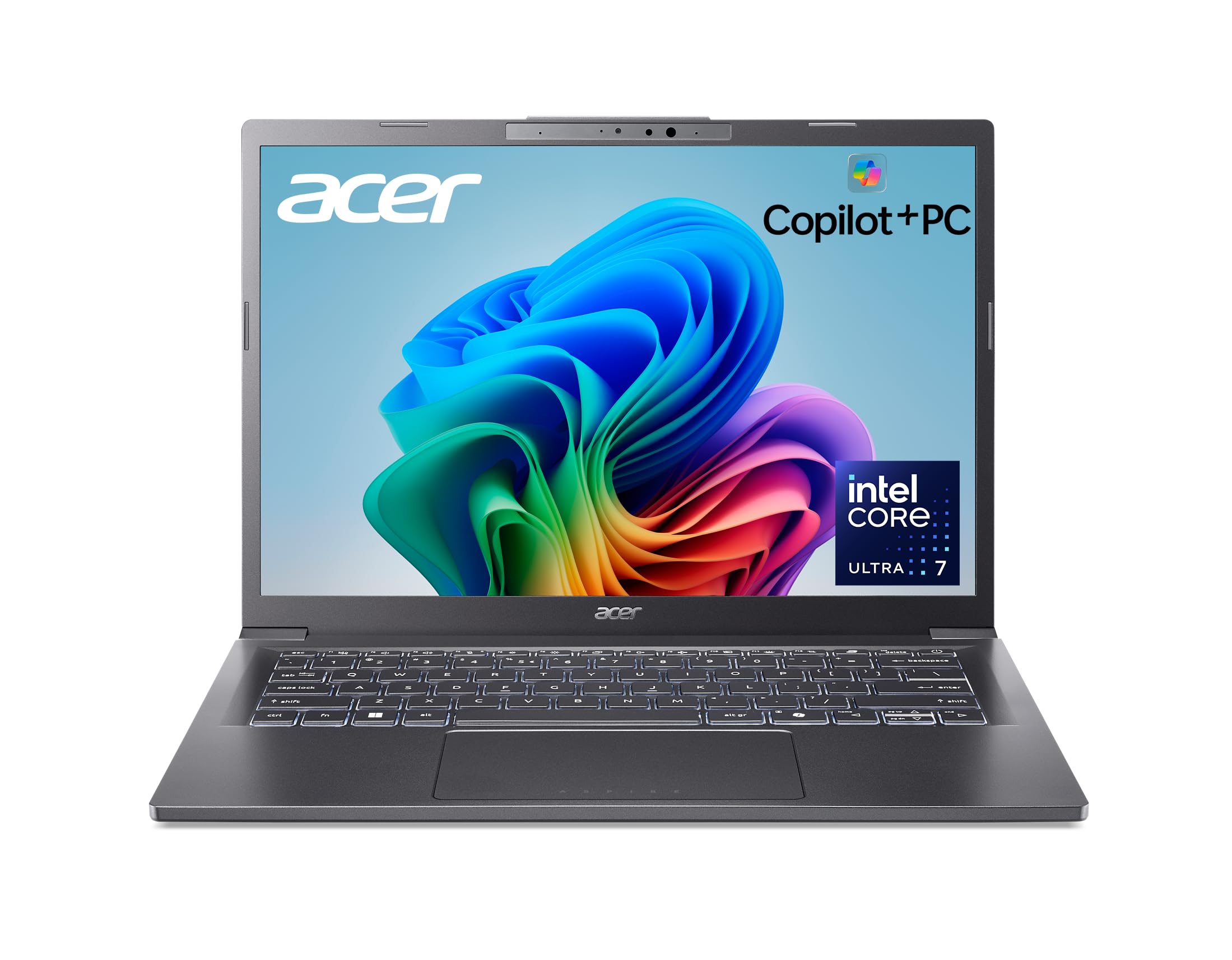
| Acer Aspire 14 AI | AI features and battery | — | 16GB | 14″ WUXGA | Amazon |
| Dell 14 | Simple daily carry | — | 16GB | 14″ FHD+ | Amazon |
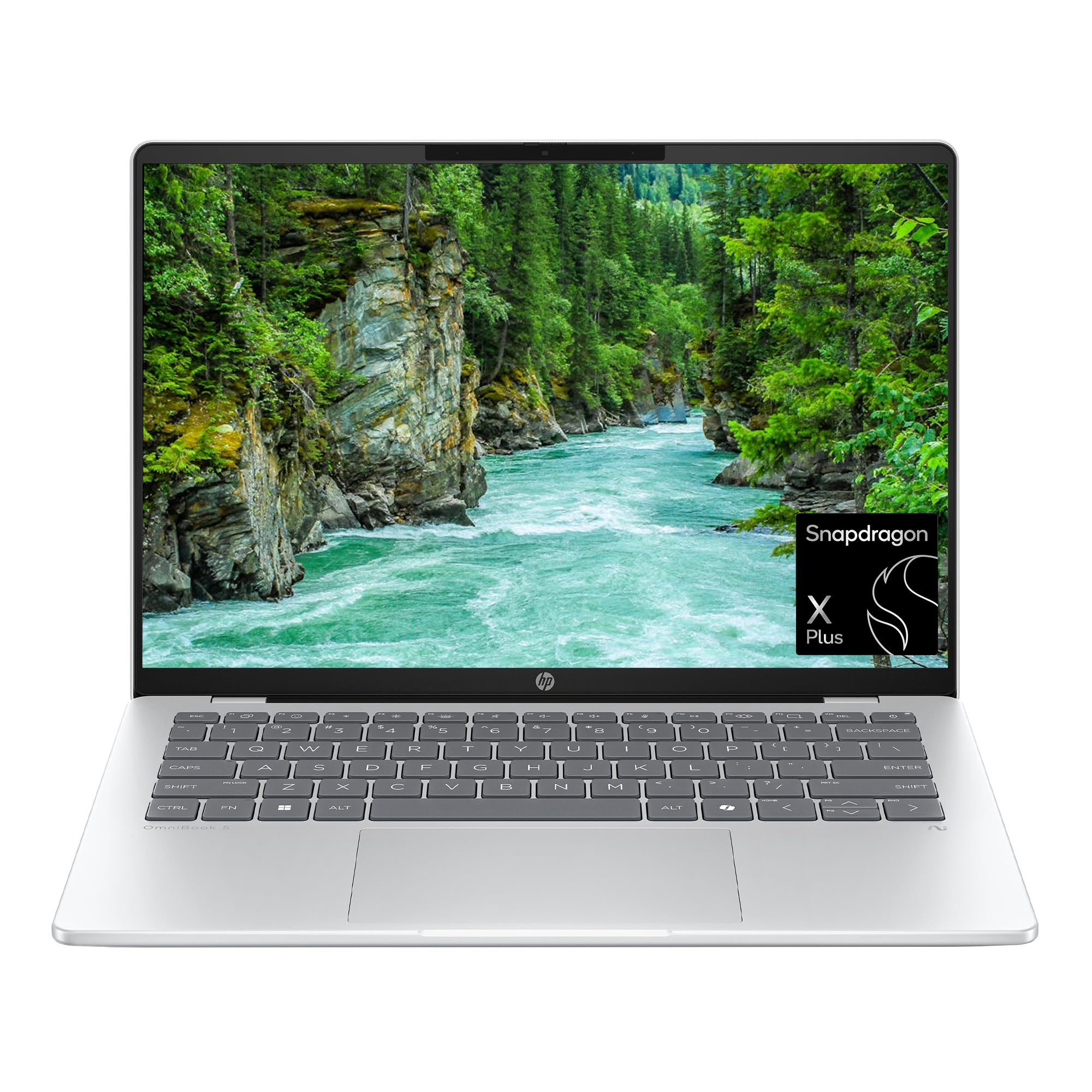
| HP OmniBook 5 14 | OLED display and battery | — | 16GB | 14″ 2K OLED | Amazon |
| Microsoft Surface Pro | Tablet-and-laptop hybrid | — | 16GB | 13″ OLED touch | Amazon |
| Dell 14 Plus | Build quality and speed | — | 32GB | 14″ — | Amazon |
| GEEKOM GeekBook X14 Pro | Ultra-thin OLED power | — | 32GB | 14″ 2.8K OLED | Amazon |
| HP EliteBook 6 G1i | Office work with keypad | Yes | 16GB | 14″ 1920×1200 | Amazon |
| Lenovo ThinkPad X1 Carbon G12 | Premium lightweight build | — | 32GB | 14″ FHD+ touch | Amazon |
Detailed Reviews
1. Lenovo ThinkPad E14 Business Laptop
Our pick — 4.5+★ from 100+ verified ratings; the strongest balance of quality and price.
A 3.11-pound business laptop with MIL-STD 810H durability for the daily commute
The number that grabs attention here is 3.11 lbs — light enough to carry between meetings and train platforms without noticing it in your bag. Around that weight Lenovo wrapped a chassis that meets MIL-STD 810H (a military durability test standard), so bumps in a rucksack are not the worry they would be on a bare plastic body. The keyboard is backlit, which matters on late trains and dim hotel desks, and Rapid Charge tops the battery up between appointments. A word of caution on the keypad front: this E14 model is not sold with a numeric keypad in its copy, so if digits-on-the-right is your must-have, look at the HP EliteBook further down.
Under the lid sits an Intel Core i5-1335U (10 cores, up to 4.6 GHz) paired with 16GB of DDR4 RAM and a 512GB PCIe NVMe SSD. In plain terms, that combination is enough to keep a dozen browser tabs, Teams and a spreadsheet running smoothly at the same time. The 14″ WUXGA screen at 1920×1200 with 300-nit brightness and an anti-glare finish keeps spreadsheets readable near a window, and the touch layer lets you tap through forms. It also carries TÜV Rheinland Low Blue Light certification, which is a filter on the harsh blue end of the light spectrum for longer sessions.
Sourcing the machine on the desk is easy: Thunderbolt 4, USB-C 3.2 Gen 2, USB-A 3.2 Gen 1, USB-A 2.0, Ethernet (RJ45), HDMI 2.1 and a headphone/mic jack are all onboard. Thunderbolt 4 is a fast connector that can carry video, data and power on one cable, so you can add up to three external monitors at up to 4K@60Hz without a docking station. Wi-Fi 6 and Bluetooth 5.1 handle wireless. The fingerprint reader speeds up login, and Windows 11 Pro adds BitLocker encryption and Remote Desktop for office use. What wins buyers over is steady performance on real workloads — this is the crowd favourite at 4.5+ stars across 140+ owners, and the majority of the feedback centres on speed and daily multitasking. The recurring gripe is value, so go in knowing this is a mid-range machine, not a bargain-bin one.
Why it earns the top slot
- 3.11 lbs with MIL-STD 810H durability for daily carry
- 14″ WUXGA 1920×1200 touch at 300 nits with anti-glare
- Thunderbolt 4 drives three external displays without a dock
- 16GB RAM and 512GB PCIe NVMe SSD for real multitasking
Worth knowing before you buy
- No numeric keypad in this model’s listing
- Value is the mixed note in owner feedback
Pick this if: you want a durable, well-connected 14-inch business machine that handles Office, video calls and spreadsheets without flinching.
Go elsewhere if: a built-in number pad is non-negotiable — the E14 does not list one.
2. ASUS Vivobook 14″ FHD Laptop
The keypad you came for, plus 24GB of RAM and a full terabyte of storage
Start with the headline: this is one of the few picks that genuinely carries a numeric keypad. If you spend your day keying invoices, stock codes or grades, that right-hand pad saves real seconds on every entry. Behind it sits an Intel Core i5-1334U (10 cores, up to 4.6 GHz) with an integrated Iris-class graphics setup, and ASUS rates it for light photo and video editing as well as casual gaming. On the memory front, 24GB of RAM is generous for this category. The 1TB PCIe SSD is the roomy side of the aisle too — enough for lecture notes, presentations and a big media library without reaching for an external drive.
The 14-inch FHD screen (1920×1080) uses a 16:9 shape with narrow bezels, which keeps the body compact while giving you a wide canvas for streaming and slides. An HD 720p private camera adds a shutter-style privacy consideration for calls. Wi-Fi 5 and Bluetooth 5.1 handle wireless, which places the machine a step behind Wi-Fi 6E models on crowded networks. Battery life is rated up to 8 hours, so a full campus day is workable but you will want the 45W PD charger in the bag for evening sessions.
Buyers rate the overall quality highly, with value close behind — this is a genuinely well-priced spec sheet. The mixed note is long-run reliability, with some units performing well and others needing attention, so buy from a seller with a clear return path. What wins people over is the sheer space and speed for the outlay: boot-ups are quick, app launches feel instant, and file transfers finish fast. One honest gap on the display: this is a standard 1920×1080 panel, not the taller 1920×1200 WUXGA you get on the ThinkPad E14 or the Acer Aspire 14 — you will see fewer spreadsheet rows before scrolling.
Keypad reality check: if a number pad is the whole reason you are shopping, this is the value pick to take seriously — the pad is right there in the listing.
Small print to note: Wi-Fi 5 rather than Wi-Fi 6E, and an 8-hour battery rating means charging midday on heavy use.
Right for: students and home-office buyers who need a keypad and lots of storage without paying top tier.
Not for: anyone who needs the fastest available wireless standard or a longer-rated battery.
3. Dell Latitude 7430 14″ Laptop
32GB of RAM and a 1TB SSD in a certified refurbished business chassis
The one number that reshapes the deal here is 32GB — double the RAM of the Lenovo ThinkPad E14 above. That does not just mean more tabs; it means a data analyst can keep a multi-million-row workbook open beside a video call without the machine stalling. On top sits a 1TB PCIe M.2 SSD, which covers project archives and photo libraries comfortably.
The 14-inch FHD (1920×1080) wide-view anti-glare multi-touch screen runs at 300 nits, so it stays usable in office light. A four-cell 58 WHr lithium ion battery powers it, and the carbon-fibre chassis keeps the weight in check for a business machine. Backlit keyboard, fingerprint reader and facial recognition round out the login options. The FHD IR camera with a privacy shutter and ExpressSign-In lets the machine recognise you as you sit down and lock when you walk away — a neat bit of automation on a desk you share.
Condition is where this listing shines. Dell’s own refurbished units ship with a Dell 2 Year On-Site Premium Warranty, and buyers overwhelmingly describe arrivals as like-new. The honest catch is reliability — the mixed feedback includes units that simply did not power on, so buying refurbished from a reputable seller and opening the box promptly matters. Connectivity is strong: two Thunderbolt 4 USB-C ports with Power Delivery and DisplayPort 1.4, one USB 3.2 Gen 1 with PowerShare, HDMI 2.0 and a headset jack, plus Wi-Fi 6E AX211 and Bluetooth 5.2. Bluetooth 5.2 here is a step ahead of the E14’s 5.1 — a small edge for pairing across busy environments.
Best for: heavy multitaskers who want 32GB, 1TB of SSD storage and a full-size business chassis without paying premium laptop money.
The catch: it is a certified refurbished unit, so confirm the Dell warranty is active before the return window passes.
Go for this if: raw memory and storage-per-dollar is your top priority and you are comfortable buying refurbished with a warranty.
Hold off if: you want a sealed brand-new machine and zero setup surprises.
4. Acer Aspire 14 AI Copilot+ PC
A 14-inch aluminum Copilot+ PC with an Intel Core Ultra 7 and a 22-hour battery rating
The spec that sets the tone is the NPU — a Neural Processing Unit, a dedicated chip built to run AI tasks locally instead of sending them to the cloud. Acer rates it at up to 47 Tops for the NPU and up to 64 Tops for the GPU, and pairs it with an Intel Core Ultra 7 Series 2 processor. Translation for a normal buyer: the machine can run on-device features like improved Windows search and Recall previews without leaning on your Wi-Fi. If those features do not matter to you, the processor still delivers the responsiveness that earns the machine its 4.0+ star footing.
The 14-inch WUXGA display at 1920×1200 gives you the taller screen that spreadsheet work benefits from — more visible rows per scroll. Inside sits 16GB of LPDDR5X memory, a low-power, high-bandwidth RAM type, alongside a 1TB SSD. The aluminum chassis has a 180° lie-flat hinge, which is handy for passing the screen around a meeting table or propping it on a kitchen counter. Wi-Fi 6E and Bluetooth 5.3 keep the wireless current. The battery claim — up to 22 hours — is described by Acer as measured under specific video-playback test settings, so treat it as a best case rather than a typical-workday number.
Where this machine really appeals is the travel case: it is light enough to slip into a bag and the battery reputation holds up on long flights and full days away from a socket. On the keypad question, though, the Aspire 14 AI listing does not include a numeric keypad, so digits go along the top row. If you are here specifically for a number pad, this is not that machine. The AcerSense key on the backlit keyboard pulls up the AI settings panel in one press, and Copilot+ features continue rolling out via updates, so the software side of the story keeps improving. The model stays a strong pick for photographers and analytics workers who want on-device AI and long endurance more than digital data entry.
Where the value lands
- Intel Core Ultra 7 Series 2 with a dedicated NPU for on-device AI
- Up to 22 hours battery life (video playback test settings)
- 14″ WUXGA 1920×1200 display with a 180° lie-flat hinge
- 16GB LPDDR5X and a 1TB SSD for quick boots
Reasons to pause
- No numeric keypad in the listing
- The 22-hour figure is a specific test scenario, not typical use
Reach for it when: long battery days and on-device AI tools matter more to you than a keypad, and you want the taller WUXGA screen.
Look past it when: a built-in number pad is the deciding feature.
5. Dell 14 Laptop, FHD+, Intel Core 5 120U

A slim silver 14-inch with 16GB of RAM and a fingerprint reader for quick logins
If you want a laptop you barely think about, this is that machine. Dell built it slim and light in a silver metal finish and put an Intel Core 5 120U inside (12th Gen, up to 5 GHz). Pair that with 16GB of RAM and you have enough power to edit a presentation, jump onto a video call and clear email in one sitting. The 14-inch FHD+ screen runs at 300 nits, so bright office light is manageable, and Dell’s adaptive thermals sense when the machine is on a stable surface and adjust power and fan behaviour to stay efficient.
Durability is where Dell leads with its own testing story: the machine goes through military-grade testing to handle the wear of everyday use. The fingerprint reader adds quick login, and Dell includes 1 Year Onsite Service, meaning a technician comes to your home or office if a warranty issue cannot be fixed remotely. On the numeric keypad question, this model’s copy does not list one, so if number-crunching is central to your day, look higher up the list for the EliteBook with the explicit numeric keypad.
The honest caveat is thin feedback: this model has only a small pool of owner reviews to draw from, so any individual gripe carries less weight than it would on a heavily reviewed machine. Treat any single review as one experience, not a pattern. What is clear from the spec sheet is consistency — a slim 14-inch chassis, a metal build, military-grade testing and a fingerprint reader. It is the practical middle-of-the-road pick for someone who wants a clean daily companion, no drama, and onsite service backing the purchase.
Simple recommendation: the dependable daily driver — slim, light, metal-built, with 16GB RAM and onsite service cover for the first year.
The trade-off: no numeric keypad in the listing, and only a modest review base.
You want this if: you value portability, a metal finish and onsite warranty support over a number pad.
Keep looking if: you type figures all day and need a built-in keypad.
6. HP OmniBook 5 14 inch Next Gen AI PC
A 2K OLED panel and a battery rated for up to 34 hours on a Snapdragon X Plus chip
OLED is the technology that lights each pixel individually, so blacks stay truly black and colours come up bolder than on an ordinary LCD. Here it sits behind a 1920×1200 panel at up to 300 nits with a 0.2 ms response time and a 60Hz refresh rate. If you edit photos, watch a series on the train or just want a spread sheet to look less grey, this is the standout display in the list. The Snapdragon X Plus X1P-42-100 processor inside is a mobile-class chip with strong battery efficiency, paired with 16GB of LPDDR5x RAM and a 1TB PCIe Gen4 NVMe SSD.
HP’s headline claim is up to 34 hours of battery, plus Fast Charge that restores the battery to 50% in about 30 minutes. That combination turns a cross-country flight or a full-day external meeting into a non-event. Around it HP added the Qualcomm Adreno GPU for mobile graphics, Wi-Fi 6E and Bluetooth 5.3 wireless, and a Windows 11 Home plus Copilot+ PC setup that opens on-device AI features. Live Captions can turn spoken words into English subtitles in real time on screen, and Paint Cocreator generates images from text or sketch prompts.
What wins people over is performance and value, with screen quality a close follow-up — the display really is what sells this laptop. The honest side of the ledger is reliability and battery life, which split opinion: some machines work beyond expectation with strong endurance, while others stop working within days or develop battery issues. That split means buying from a seller with a clear warranty path matters. On the keypad front, this model’s listing does not mention a numeric keypad, so digits stay on the top row. And the Snapdragon chip runs a different architecture from Intel, which is worth checking against any specialist Windows software you depend on.
What sells this laptop
- 2K OLED at 1920×1200 with a 0.2 ms response time
- Up to 34 hours of battery, 0-50% in around 30 minutes on Fast Charge
- 1TB PCIe Gen4 SSD and 16GB LPDDR5x RAM
- Wi-Fi 6E and Bluetooth 5.3 for future-proof wireless
Be clear-eyed about
- Reliability and battery life split owner opinions
- No numeric keypad in the listing
- Snapdragon architecture requires a software compatibility check
Top pick for: screen quality and battery endurance — travellers, photographers and anyone who watches content on the move.
Less ideal if: you need guaranteed reliability from day one with minimal return risk.
7. Microsoft Surface Pro 2-in-1 Laptop/Tablet

A 13-inch OLED tablet with a kickstand that turns into a laptop when the keyboard attaches
The Surface Pro plays by different rules. Instead of a fixed clamshell, you get a detachable tablet with a kickstand that shifts from tablet to laptop to sketchbook at any angle. The screen is 13 inches of OLED touch at 2560×1600 with a 1M:1 contrast ratio — the kind of wide-gamut panel photographers and illustrators will keep open long after the work is done. Snapdragon X Elite (12 cores) powers it, with 16GB of RAM and 256GB of storage. On endurance, the rated 14 hours of battery life plus 65W fast charging through Surface Connect or USB-C makes it a real all-day companion.
There is an honest keypad warning before you buy. The Surface Pro Flex Keyboard, which is the part that turns the tablet into a typing laptop, is sold separately. And in this model’s listing there is no numeric keypad anywhere on the deck. So for a reader who needs a number pad to key invoices all day, the Surface Pro is not the right fit — its strength is flexibility, not digit entry. What wins people over here is the endurance-and-screen combo: reviewers talk about running sheet music at full brightness for hours without needing a charger, and colours that pop from the OLED.
Beyond the battery, the use case is what justifies the price. In meetings the kickstand and touch screen turn it into a shared whiteboard; on a flight it becomes a slim tablet; back at a desk the keyboard and mouse attach in seconds. That flexibility matters if your work moves between rooms and modes. The caveat is the extra purchase: without the keyboard you are holding a tablet, not a laptop. Budget for the keyboard if typing is core to your day, and check your specialist Windows apps against the Snapdragon chip before you commit.
Ideal for: anyone whose work moves between sketching, presenting and typing, and who wants a gorgeous 13-inch OLED with genuine all-day battery life.
Not the pick if: a number pad is essential — the keyboard with the pad does not ship in the box.
Choose it when: you want one device that works as tablet and laptop with a 14-hour battery and an OLED screen.
Skip the idea if: you need a number pad or a fixed keyboard included in the box.
8. Dell 14 Plus Laptop DB14250
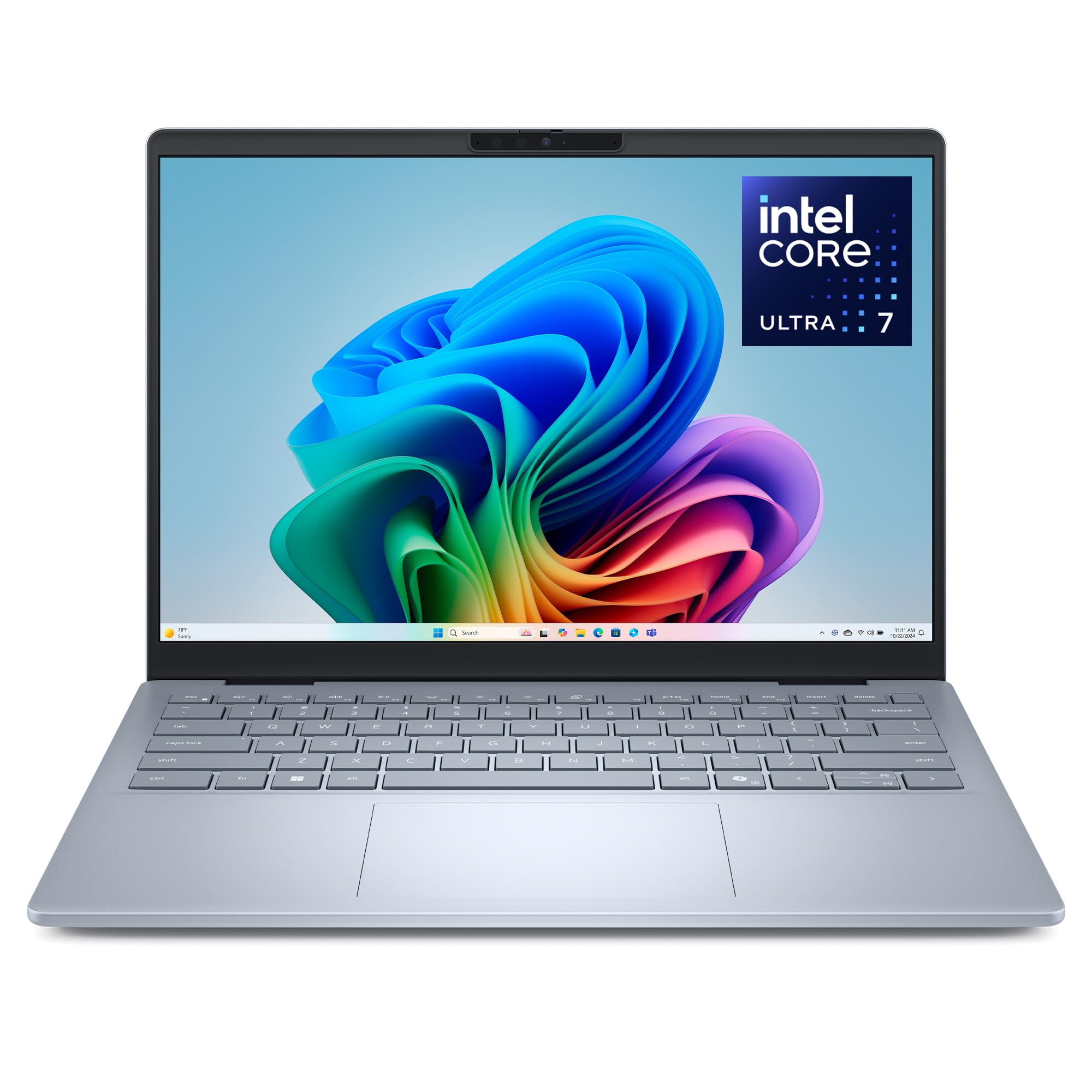
An aluminum 14-inch with 32GB of RAM and an Intel Core Ultra 7 258V
Dell built the 14 Plus around Intel’s Core Ultra 7 258V, a chip from the newer generation that pairs traditional processing with an integrated AI engine. The number to care about is 32GB — matching the ThinkPad E14’s little brother, the Latitude above, in memory depth while sitting in a more modern silicon generation. That means a video editor or coder can keep multiple large applications open without the machine grinding. Speed up to 4.8 GHz puts it in the same general class as the Latitude, but the newer architecture is the bigger story. It runs Windows 11 Home with Microsoft 365 apps preloaded, plus a Family 30-day trial and Xbox Game Pass Ultimate trial.
The physical side gets the highest praise from owners. It is built from sleek aluminum, undergoes military-grade testing for durability, and the build quality is the single most-mentioned positive in owner feedback — buyers describe it as solid and well-finished. Speed is the second recurring theme: with 32GB, many browser tabs and apps can stay open without slowdown, and it feels configured for the long haul. Bluetooth 5.4 gives it the latest wireless pairing standard in the list, so a headset and mouse hold their connections more reliably. Dell also includes 6 Months of Dell Migrate, a do-it-yourself tool to move data from your old machine.
The honest caveats are two. First, the display is not detailed in the listing beyond positive feedback on sharp images, so verify pixel count and brightness for yourself before ordering. Second, there is no fingerprint reader in this model’s listing, so secure login relies on the standard Windows options. On the keypad front, there is no numeric keypad mentioned in the copy — digits stay on the top row. If you weigh build quality, ease of setup and headroom for heavy work above the number pad, this is a calm, confident choice in the upper tier.
Best for: buyers who want a premium aluminum build, 32GB of RAM and a modern AI-first processor — creators, coders and heavy multitaskers.
Be aware: no fingerprint reader, no listed numeric keypad, and the display spec is not detailed.
Pick this if: build quality and sustained performance top your priority list and you want the newest Intel silicon with 32GB.
Look elsewhere if: you want a faster-login fingerprint reader or a numeric keypad built in.
9. GEEKOM GeekBook X14 Pro
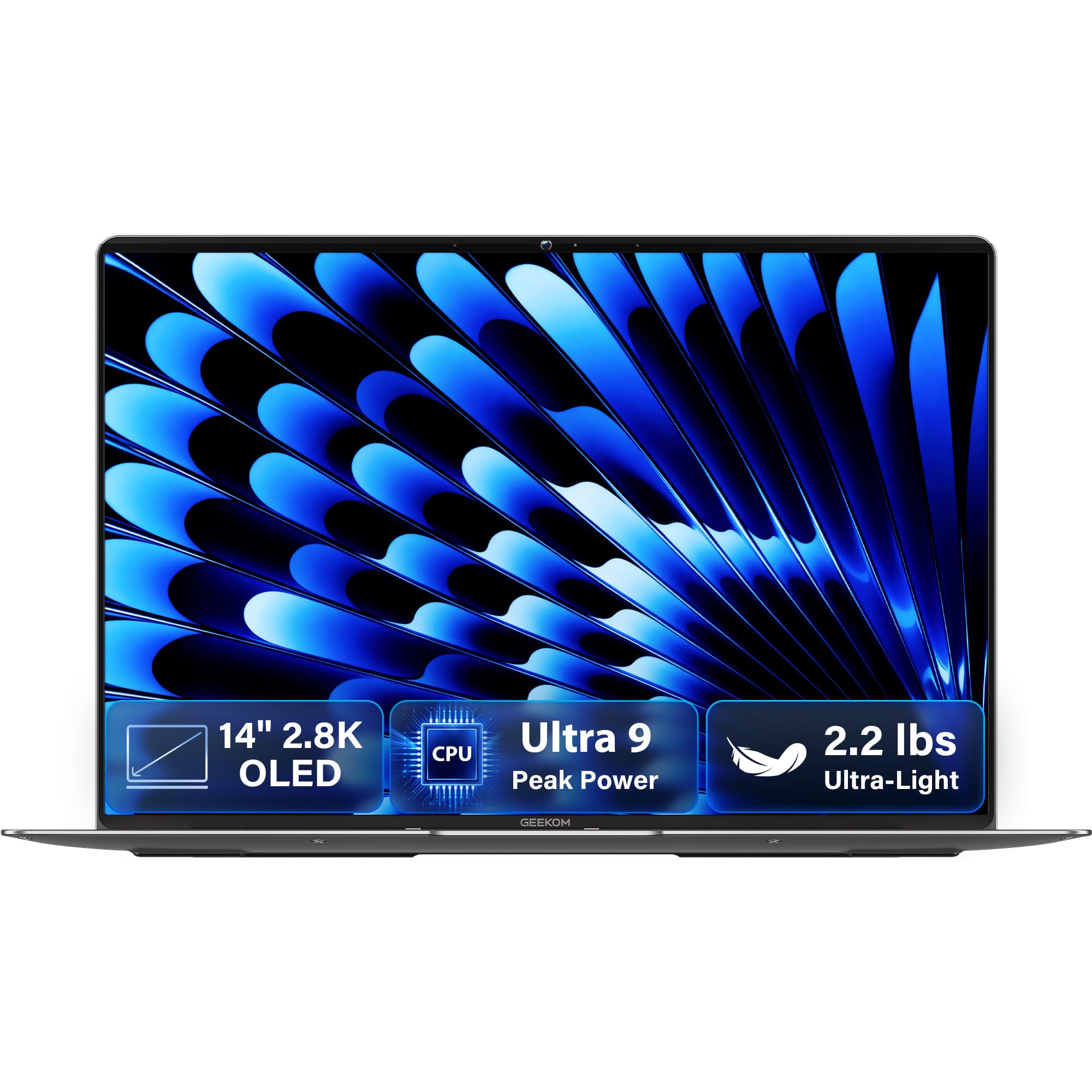
2.2 pounds, 0.23 inches, and a 2.8K 120Hz OLED on a Core Ultra 9 185H
Two figures do all the talking on this one: 2.2 lbs and 0.23 inches thick. That is a machine you toss into a shoulder bag and forget about until you open it. The chassis is aerospace-grade magnesium alloy with a CNC unibody, so it feels solid despite the weight. Under that body sits an Intel Core Ultra 9 185H with 16 cores and up to 5.1 GHz, matched with 32GB of LPDDR5x RAM at 7500MHz and a 1TB PCIe Gen4 NVMe SSD. For creative work — even light video editing and heavy photo sessions — this is the most processor-heavy pick in the lineup.
Colours look true to life on the 14-inch 2.8K OLED screen, which covers 100% DCI-P3 (a wider colour range than sRGB, the standard gamut photographers and designers care about). Scrolling stays smooth at 120Hz (the screen redraws 120 times a second), and up to 450 nits brightness keeps the picture visible in bright rooms. A 72Wh battery rated for up to 16 hours carries you through long travel days, and the 65W GaN charger (a compact gallium-nitride charger) refills up to 80% in about an hour. The IceBlade 2.0 thermal system (the cooling setup) keeps heat down with quiet fans, and dual speakers with DTS:X Ultra audio handle the media side.
You pay a premium price, but you get an unusually complete kit: two 40Gbps USB4 ports (fast connectors that carry data, power and video) with Power Delivery and DisplayPort 2.1, HDMI 2.1, a USB-A port and a 3.5mm audio jack, plus a bundled docking station and a fingerprint reader with a physical camera shutter. Wi-Fi 6E and Bluetooth 5.4 keep the wireless side current. Buyers are won over by the responsiveness and light weight, and reviewers also mention a small amount of pre-installed bloat software. The honest catch is battery life: some find endurance great, while others call it a real issue on this power-hungry processor, so treat the 16-hour claim as a ceiling, not an average for demanding sessions. And on the keypad question, the listing shows no numeric keypad.
Why it stands apart
- 2.2 lbs and 0.23 inches in a magnesium-alloy unibody
- Intel Core Ultra 9 185H with 32GB LPDDR5x at 7500MHz
- 14″ 2.8K OLED at 120Hz with up to 450 nits
- Bundled docking station and physical camera shutter
Trade-offs to weigh
- Battery endurance splits opinion on this power-hungry chip
- No numeric keypad in the listing
- Top-tier price bracket
The right call for: creators and travellers who want maximum performance in the lightest possible body and will not mind topping up on long days.
Tough sell if: you need the longest guaranteed battery or a numeric keypad.
10. HP EliteBook 6 G1i Laptop
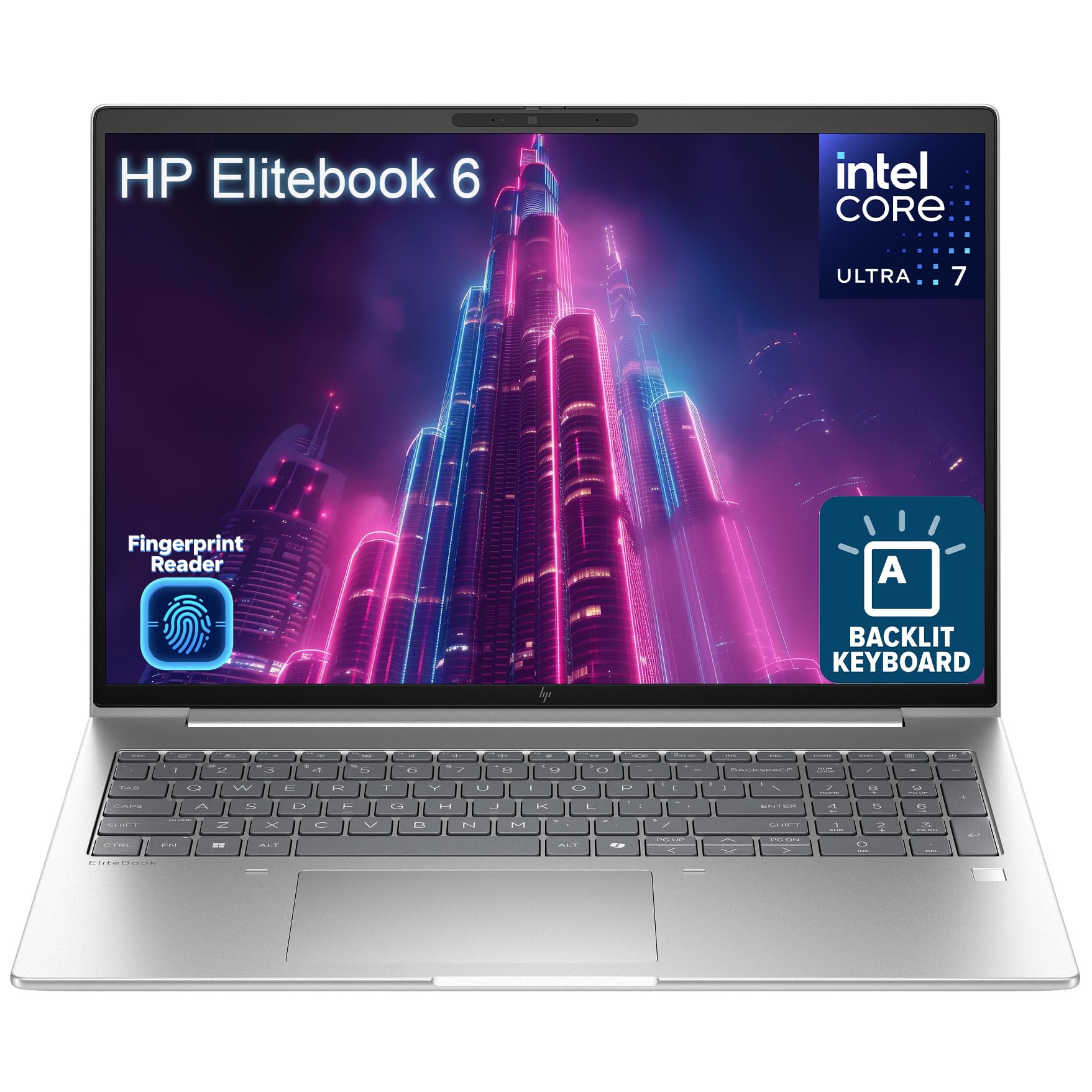
The business workhorse that actually names the numeric keypad in the listing
Here is the one most spreadsheet devotees have been looking for. HP’s listing for the EliteBook 6 G1i explicitly calls out a backlit, spill-resistant keyboard with numeric keypad — the words most 14-inch models avoid. And there is a mouse in the box. Specced on top is an Intel Core Ultra 7 255U (12 cores, up to 5.2GHz), the fastest clock in this list on paper, paired with 16GB of DDR5 RAM and a 1TB PCIe NVMe SSD. DDR5 is the newer memory generation, and it keeps Excel, accounting software and video calls moving even with several apps open.
The port selection is built for a desk that plugs things in: Thunderbolt 4 USB-C at 40Gbps, HDMI 2.1, RJ-45 Ethernet, USB-A ports and an audio jack. That means external monitors, projectors and wired networks connect without an adapter, which matters in offices where Wi-Fi is unreliable. On security, HP adds a fingerprint reader and Windows 11 Pro with device encryption support — a sensible setup for handling sensitive work files. The 14-inch display at 1920×1200 pixels is an IPS LED panel, so colours hold up when you tilt the screen and vertical space beats standard FHD.
Owner feedback is centred on performance, with much of it framing the machine as strong value. The mixed note is reliability — at least some units have seen the keyboard stop functioning within the first day, which is the sort of early defect that a prompt return handles. Buying from a seller with a clear warranty is the sensible move. For a hybrid worker who spends hours in a spreadsheet and wants the numeric keypad plus wired Ethernet on the same machine, this is the clearest fit in the list. It also carries a spill-resistant treatment on the keyboard, a small detail that saves a longer workday if a coffee tips over.
Why it belongs on the shortlist: it is the only premium-tier pick that openly lists a numeric keypad, plus a spill-resistant keyboard, Thunderbolt 4, Ethernet and 1TB of SSD storage.
Keep in mind: reliability feedback is mixed, so buy from a seller with a straightforward return policy.
Built for: office and hybrid workers who key figures all day and want a wired network port, a numeric keypad and Thunderbolt 4 in one machine.
Consider alternatives if: you want the longest possible reliability track record from a new machine.
11. Lenovo ThinkPad X1 Carbon G12 Business Laptop

The top-tier ThinkPad with 32GB of RAM and a full two terabytes of storage
You never reach for an external drive with 2TB of PCIe NVMe SSD storage (fast flash memory), the largest in the lineup by a wide margin — enough for years of project archives, large video files and photo libraries. That pairs with 32GB of LPDDR5X RAM (fast, power-efficient memory) and an Intel Core Ultra 7 165U (12 cores, 14 threads, up to 4.90 GHz Turbo), so the machine stays quick even under sustained heavy use. Windows 11 Pro adds enterprise features like Group Policy, Dynamic Provisioning and Azure AD support.
The screen is a 14-inch WUXGA (1920×1200) IPS touch panel, anti-glare, at 400 nits of brightness — the highest brightness rating in the lineup, so outdoor café work and bright windows are less of a fight. The 100% sRGB coverage means colours stay true for straightforward photo and slide work, and the 60Hz refresh keeps scrolling smooth. On connections, there are two USB-C ports with Thunderbolt 4 and USB 40Gbps support, two USB-A at USB 5Gbps, an HDMI port, an audio combo jack and a 1080p FHD plus IR webcam with a privacy shutter. The IR camera supports facial login, and a fingerprint reader adds a second fast login option. Wi-Fi 6 and Bluetooth round out the wireless side.
Owner feedback is thin here: only a handful of ratings exist, so any pattern of complaints is harder to verify than on a widely reviewed machine. The spec sheet does show clearly why the price is high: 2TB of SSD storage, 32GB of RAM, a 400-nit touch display (bright enough to use near a window), a full Thunderbolt 4 setup, and the ThinkPad build that professionals in the field rely on. On the numeric keypad, the listing does not mention one, so if the number pad is your anchor, the HP EliteBook above is the cleaner pick. Otherwise, this is the machine for people who want headroom, brightness and a build that takes a beating — and who are buying at the top of the market.
Where this shines: a 2TB SSD, 32GB of RAM, a 400-nit 100% sRGB touch display and full Thunderbolt 4 — the most generous single spec sheet in the lineup.
Worth weighing: a premium-tier price and a very small review base, so fewer real-world data points to lean on.
For the buyer who wants everything: 2TB of storage, 32GB of RAM, a bright touch display and a build that shrugs off travel.
Better look elsewhere if: a number pad is required, or you want a machine with a deep pool of owner experience to check against.
Know the Specs
RAM and why 16GB vs 32GB matters
RAM (Random Access Memory) is the workspace where a computer keeps everything that is open right now — browser tabs, a spreadsheet, a video call. 16GB covers the standard working day comfortably: several tabs, email, Office and a call running at once. 32GB gives headroom for large datasets, multiple heavy applications, or dozens of tabs without the machine slowing down as it swaps data to the drive. On a 14-inch laptop it is the single spec that most determines whether the machine feels fast a year from now.
What a WUXGA display actually gives you
WUXGA means a laptop screen with 1920 pixels across by 1200 down. Compared with the standard 1920×1080 FHD panel, that adds extra rows of vertical space — which is exactly what a spreadsheet user or someone editing a tall document values. Higher-resolution panels (like the 2.8K OLED on the GEEKOM) show more detail and sharper text; OLED panels light each pixel individually for deeper blacks and stronger colours. Brightness is rated in nits, so a 300-nit screen is office-friendly while a 400-nit screen holds up better near a window.
The numeric keypad question on a 14-inch deck
Fitting a number pad onto a 14-inch laptop usually means shifting the main keys slightly left, so your typing position is not centred on screen. That shift is the price of faster digit entry. Business lines often include the pad explicitly; consumer and travel-focused models usually drop it to save width or weight. If the listing does not name a numeric keypad, the model almost certainly does not have one — check the words “numeric keypad” in the copy before you order.
Thunderbolt 4, USB-C and ports explained
Thunderbolt 4 is a fast connection standard that runs over a USB-C shaped port. It can carry data, video and power on a single cable, so you can attach external monitors, charge the laptop and connect USB devices through one plug. HDMI carries video to a monitor or projector, and RJ-45 Ethernet is the square wired-network jack for offices where cabled internet is more reliable than Wi-Fi. Wi-Fi 6, 6E and Bluetooth 5.1 to 5.4 are the wireless standards to check for — the higher the number the newer the standard.
Common Questions
Do any 14-inch laptops actually come with a numeric keypad?
Is a 14-inch screen big enough for spreadsheet work?
Should I choose 16GB or 32GB of RAM for a 14-inch business laptop?
Is Thunderbolt 4 worth having on a 14-inch laptop?
Are OLED screens worth choosing on a 14-inch laptop?
How long should the battery last on a 14-inch laptop?
Is a Snapdragon-based laptop as compatible as an Intel one?
Is a certified refurbished laptop like the Dell Latitude 7430 a safe buy?
Can I add a numeric keypad to a 14-inch laptop that lacks one?
Do these 14-inch laptops support Windows 11 Pro?
The Bottom Line
For most people, the best pick in this 14 inch laptop with numeric keypad roundup is the Lenovo ThinkPad E14 — a 3.11 lbs durable business-class chassis, 16GB RAM, a 512GB SSD, Thunderbolt 4 driving three external displays without a dock, and a 14-inch WUXGA touchscreen at 300 nits (bright enough for most indoor rooms). It is not a numeric keypad machine, but as a workhorse 14-inch it stands out. If the number pad is non-negotiable, the HP EliteBook 6 G1i is the honest answer — the only premium pick on this list that names a numeric keypad in its listing, plus Thunderbolt 4, Ethernet and a spill-resistant deck. For heavy data work, the Dell Latitude 7430 packs 32GB and a 1TB SSD against a smaller outlay, and the GEEKOM GeekBook X14 Pro is the one to reach for if you want the lightest, brightest, most powerful 14-inch in the roundup. And for battery-first travel, the HP OmniBook 5 remains the endurance hero with its OLED panel — just verify the seller’s return terms before you order.
How we choose
We do not accept paid placement. Every pick is matched to a real buyer and a real use-case; we do not hands-on test units.
Sources
Specifications: manufacturer listings and product documentation. Review insights: verified customer reviews, as of November 2026. Pricing: not shown on this page (it changes often); check the current price via the retailer link.
As an Amazon Associate, My Heart Lives Here earns from qualifying purchases. This does not affect which products we feature.