Heads up: This post contains affiliate links. As an Amazon Associate I earn from qualifying purchases, at no extra cost to you. Learn more
Specs are compiled from manufacturer listings and verified buyer reviews and can change over time — please confirm the key details on the product page before buying.
You want a screen that keeps up when you flick your mouse across the map — no ghost trails, no tearing, no blur wiping out the enemy silhouette. That is exactly what a 2K 240Hz monitor is built to do. The short answer: buy one with an OLED panel if you can, because those panels hold the fast 0.03ms response time and deep blacks that make 240 frames per second actually look like 240 frames per second. If you want to keep the spend lower, a good IPS panel with a 1ms response time still delivers the smoothness — you just give up the inky contrast.
This guide is built by comparing the manufacturers’ published specifications and the patterns across verified customer reviews, so you get each pick’s real strengths and trade-offs instead of marketing spin.
Below you will find every screen sorted by what it does best, from 27-inch esports panels to a curved ultrawide that swallows a desk. Each entry explains the specs in plain terms and names the one catch you should know before you commit to a 2k 240hz monitor.
Top Picks

How To Choose The Best 2K 240Hz Monitor
The single biggest decision is the panel. A 2K 240Hz monitor can carry an OLED panel or an IPS panel, and that choice drives how the motion looks, how dark the darks go, and how much you spend. Everything else — ports, stand, curve — is detail you tune to your desk.
Panel type: OLED versus IPS
An OLED panel lights each pixel on its own, so black is truly black and motion stays crisp at 0.03ms. An IPS panel uses a backlight behind a liquid crystal layer, so it holds a 1ms response time and rarely suffers burn-in risk — but its contrast is limited, often around 1000:1. If you play dark, moody shooters, OLED is the bigger upgrade. If you stare at spreadsheets for eight hours a day, IPS is the safer long-term pick.
Resolution and screen size
2K means 2560 x 1440 pixels, also called QHD or 1440p. At 27 inches that pixel count looks sharp without forcing your graphics card to work overtime. A 32-inch screen spreads the same pixels wider, so text gets slightly softer — but the extra real estate helps if you also work on the display.
Response time and refresh rate together
The 240Hz refresh rate redraws the image 240 times a second, and the response time is how fast each pixel changes color. Pair a fast refresh with a slow pixel and you get smearing. That is why 0.03ms (GtG, meaning gray-to-gray pixel transition) matters as much as the 240Hz figure on the box.
Adaptive sync that matches your card
AMD FreeSync and NVIDIA G-Sync Compatible both sync the monitor to your graphics card’s frame output to kill tearing. Check which one your card supports before you buy — many panels here list both, but a few lean one way. Matching them saves you a headache mid-match.
Side-by-Side Comparison
| Model | Best For | Resolution | Panel | Response Time | Amazon |
|---|---|---|---|---|---|
| Samsung Odyssey OLED G6 (G61SH)★ Best Overall | All-round OLED gaming | 2560 x 1440 | QD-OLED | 0.03ms | Amazon |
| MSI MAG 321UPX QD-OLEDPremium Pick | Big 4K console and PC play | 3840 x 2160 | QD-OLED | 0.03ms | Amazon |
| Acer Predator X27U W1eSports Pick | eSports-focused desk | 2560 x 1440 | QD-OLED | 0.03ms | Amazon |
| Alienware AW2723DF | Fast IPS on a budget | 2560 x 1440 | IPS | 1ms | Amazon |
| LG 27GX704A-B UltraGear | Glossy OLED with both sync types | 2560 x 1440 | OLED | 0.03ms | Amazon |
| AOC Q27GAZD | Gaming and work on one panel | 2560 x 1440 | QD-OLED | 0.03ms | Amazon |
| ASUS ROG XG27AQDMG | Glossy OLED with burn-in confidence | 2560 x 1440 | WOLED | 0.03ms | Amazon |
| MSI MPG 271QRX | High-frame competitive shooters | 2560 x 1440 | QD-OLED | 0.03ms | Amazon |
| Gigabyte MO27U2 | 4K detail with OLED blacks | 3840 x 2160 | QD-OLED | 0.03ms | Amazon |
| MSI MPG 272URX | One-cable 4K laptop setups | 3840 x 2160 | QD-OLED | 0.03ms | Amazon |
| Samsung Odyssey Neo G9 (G95NC) | Desk-dominating ultrawide | 7680 x 2160 | VA | 1ms | Amazon |
Detailed Reviews
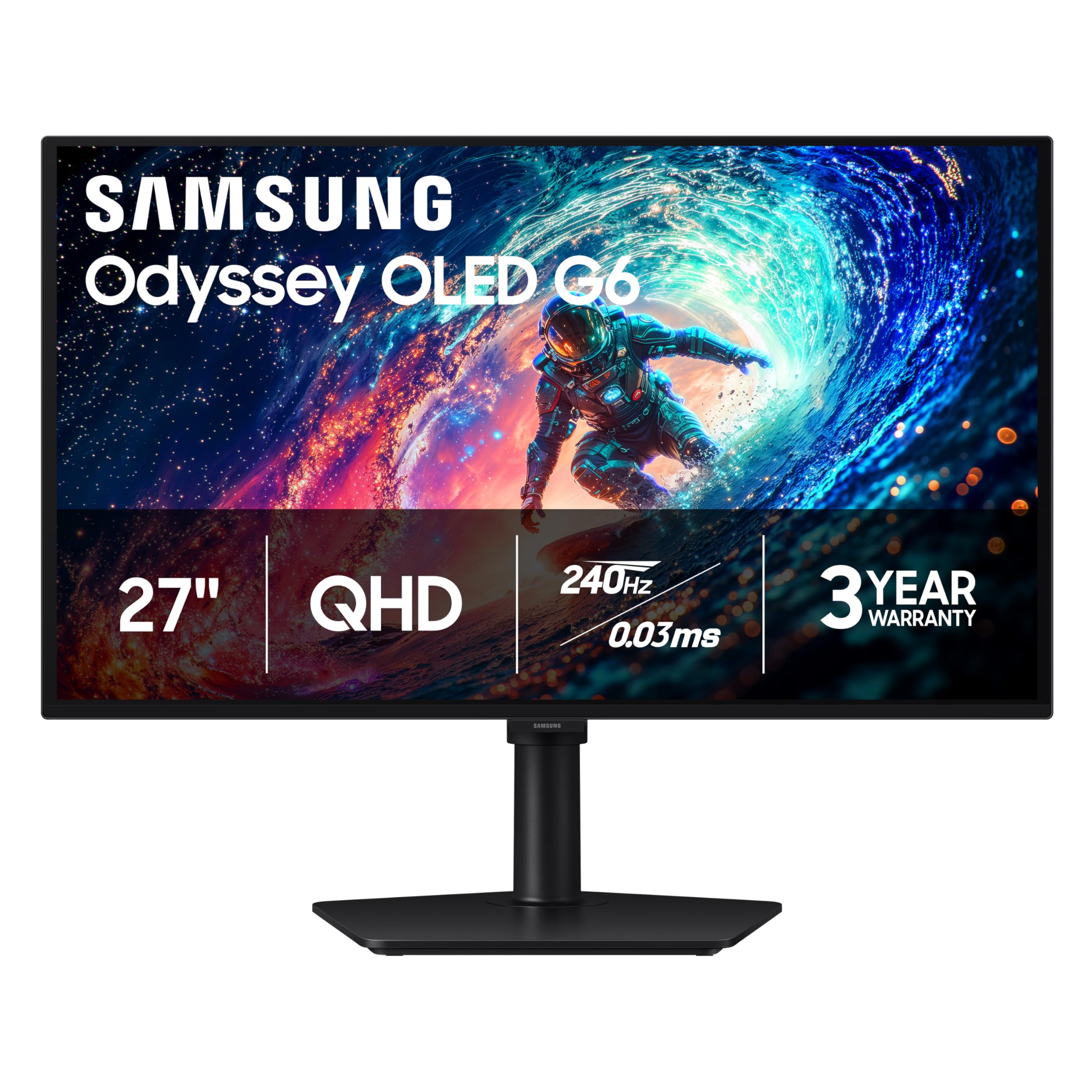
1. Samsung 27″ Odyssey OLED G6 (G61SH) QD-OLED
Our pick — 4.5+★ from 300+ verified ratings; the strongest balance of quality and price.
A 27-inch QD-OLED that pairs lightning pixels with a glare-free finish, built for players who hate reflections.
The Galaxy-maker’s entry into the 2K 240Hz field gets the fundamentals exactly right. It runs 2560 x 1440 pixels on a QD-OLED panel (quantum dots layered over organic pixels for punchier color), a 240Hz refresh rate, and a 0.03ms response time. In plain terms: fast mouse flicks stay sharp instead of leaving a ghost trail behind your crosshair.
What wins people over is the quality of the panel itself — that is the aspect buyers report more than any other on this screen. The color side backs it up, with the screen Pantone Validated for 2100+ lifelike colors and 110+ skin tone shades, so faces and textures look real rather than oversaturated. It also carries AMD FreeSync Premium, which syncs the panel to your graphics card to stop tearing and stutter. Build quality feels solid across the board.
Where the value shows is in the extras: Samsung’s OLED Safeguard uses a thermal modulation system to help prevent burn-in, and the Glare Free coating keeps a window or lamp out of your sightline. The height-adjustable stand pivots, tilts, and swivels so you can line the panel up with your eyes. One honest note: a slice of buyers do catch occasional flicker on certain frame-rate transitions, so test your card’s sync setting early. And keep an eye on brightness — this is a bright OLED, but no OLED loves a sunlit room.
What earns the top spot
- 0.03ms response time kills ghosting at 240Hz
- Pantone Validated color across 2100+ shades
- Glare Free tech and OLED Safeguard burn-in protection
- FreeSync Premium plus a fully adjustable stand
Where it asks for care
- Some units show flicker at tricky frame rates
- No G-Sync certification, so NVIDIA cards rely on FreeSync-style sync
- Reflective-free coating still can’t beat direct sunlight
The crowd favorite: 4.5+ stars from 300+ owners makes this the natural first pick for pure 1440p gaming.
Think twice: if you need cert-stamped G-Sync, look to the LG or the Alienware below.
2. MSI MAG 321UPX QD-OLED (32″ 4K)
The big-screen OLED that pushes past 1440p into 4K — more pixels, same blistering 0.03ms speed.
This is the pick for the player who wants a large panel with the deepest blacks on the list. It steps up to 3840 x 2160 resolution at 32 inches — 50% more pixels than the 2560 x 1440 Acer below — while holding the same 240Hz refresh and 0.03ms GTG response. That pixel leap shows in fine texture detail and distant enemies, though it also asks more of your graphics card to reach 240 frames.
The contrast story is the headline: a 1500000:1 contrast ratio, against the Alienware’s 1000:1, so the black bars in a letterboxed scene actually read as black rather than a hazy gray. MSI leans on QD Premium Color with a Delta E≤2 rating (color accuracy under a small margin of error), so on-screen color tracks the source closely. VESA DisplayHDR True Black 400 adds brighter highlights without washing out the shadows. Console owners get HDMI 2.1 at 4K@240Hz across a full 48 Gbps bandwidth — enough for smooth high-refresh play straight from a current console.
The catch worth knowing: MSI OLED Care 2.0 reduces burn-in risk but does not erase it, so leave the pixel-care setting on. Reliability has drawn a mixed response in the review pool, so buy from a seller with easy returns and check for dead pixels in the first week. If you want a 32-inch 4K OLED, this is the one to chase.
Big-picture play: the jump from 1440p to 4K on a 32-inch OLED is the whole reason to spend here — colors pop on a huge canvas and the response stays instant.
The honest limit: mixed reliability buzz means a quick first-week inspection is smart, and burn-in care is a routine, not a one-off.
Go big or go home: this suit owners who want a massive 32-inch OLED and have the graphics muscle to push 4K at high refresh.
Stay lean: if a tight desk or a modest card rules out 4K, the 27-inch QHD panels here fit better.
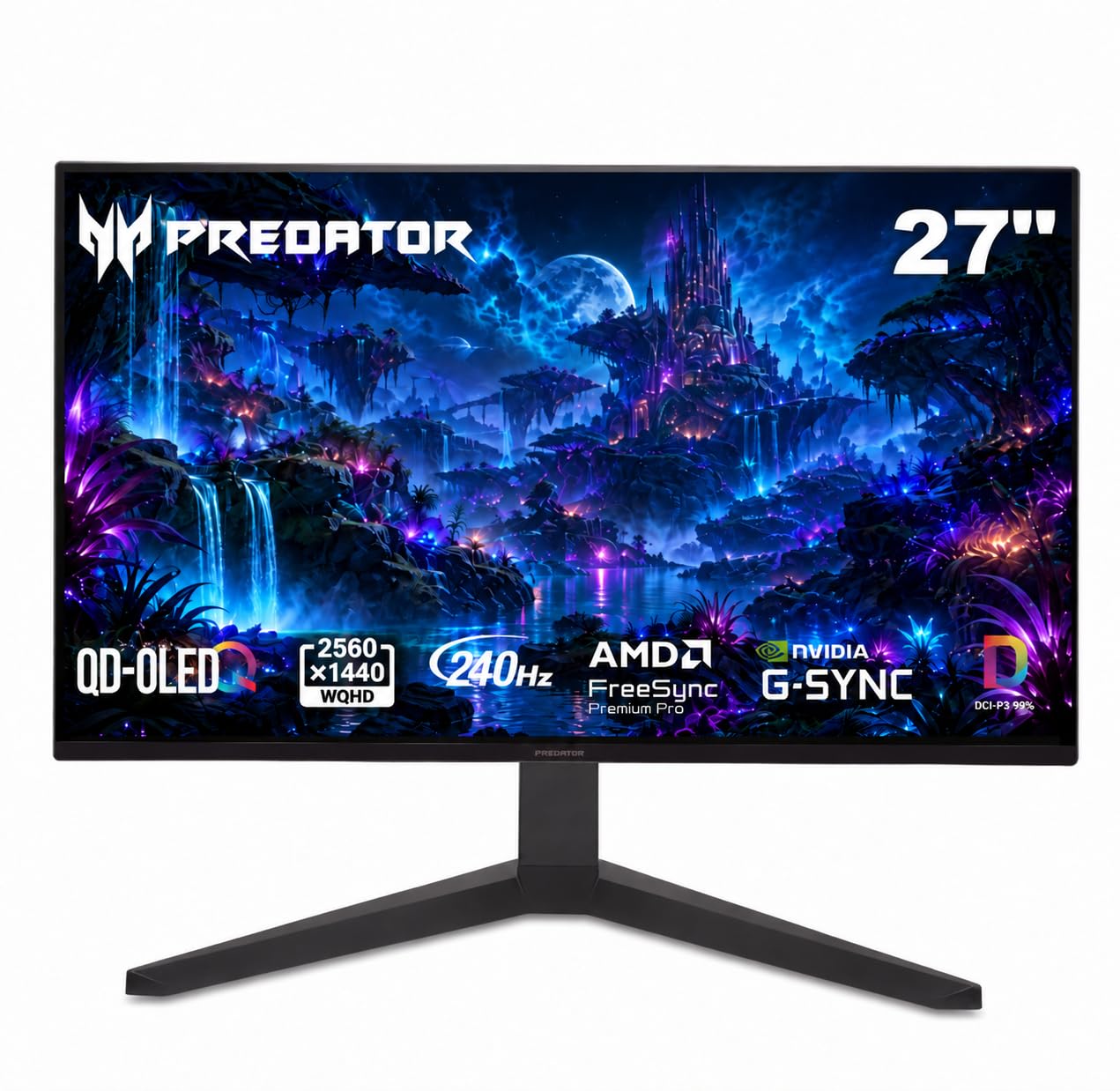
3. Acer Predator X27U W1 (26.5″ QD-OLED)
A tournament-honed 26.5-inch frame that keeps every rival inside your field of view.
The 26.5-inch size is deliberate — it sits right in your line of sight, which is why you see it in esports setups. Add the ZeroFrame bezel-free design and you get a wall of image with nothing distracting around the edges. The WQHD quantum dot OLED panel is 10-bit and rated for DCI-P3 99% coverage with Delta E<2, so colors stay accurate across a wide range instead of over-punching.
Motion is the pitch: a 240Hz refresh with a 0.03ms G-to-G response means your flick and your on-screen crosshair line up with barely a frame of lag. AMD FreeSync Premium keeps frames synced to your card to remove tearing. Image-retention refresh runs in the background to stop static HUDs from sticking, and true blacks help the screen stay easy on the eyes through a long session.
It has built-in speakers, and the stand does height, pivot, swivel, and tilt — a rare full set at this size. The catch: at 8.96 kg it is not a featherweight, so confirm your desk or arm can take the mass before it goes up.
Why it earns its place: targets stay glued to your crosshair in fast shooters, thanks to a 0.03ms response time (how fast a pixel changes color) on a 26.5-inch panel that fills your view without crowding your desk.
Weight warning: the 8.96 kg mass is real, so plan for a sturdy desk or a rated VESA arm.
Built to compete: the natural claim for ranked FPS players who want a tournament-sized OLED.
Skip the mount: if your desk is light or your arm is unrated, budget for a stronger stand.
4. Alienware AW2723DF (27″ IPS)

The IPS holdout — an LCD panel that trades OLED contrast for a burn-in-free, high-refresh workhorse.
If you fear OLED burn-in or stare at static windows all day, this is the sensible choice. It runs a Fast IPS panel at 2560 x 1440 with a 1ms GtG response — the fastest IPS in this group. Its native refresh is 240Hz, but it overclocks to 280Hz, giving you headroom to squeeze more frames when your card can deliver them. NVIDIA G-Sync Compatible certification plus VESA Adaptive Sync keeps the picture tear-free and low-latency and plays nicely with NVIDIA cards that want certified sync.
The color and finish are where it counters the OLED crowd: IPS Nano Color covers 95% DCI-P3 with VESA DisplayHDR 600, and the InfinityEdge screen keeps bezels slim. The Legend 2.0 Lunar Light chassis with AlienFX lighting and full height, tilt, swivel, and pivot adjustment slides onto most any battle station. Its 1000:1 contrast is the honest trade against the OLEDs here — dark scenes look deep, but not truly black.
The review picture is mixed on picture quality and performance, with some noting tearing or flicker and rare early failures. That said, most buyers are happy with the panel, and this remains the fast IPS to pick if you want 280Hz without OLED burn-in care.
Why the LCD crowd picks it
- 280Hz overclocked for extra headroom
- G-Sync Compatible certification
- 95% DCI-P3 and DisplayHDR 600 color
The honest trade-offs
- 1000:1 contrast — not true black like the OLEDs
- A subset of owners mention tearing or flicker
- IPS glow can show at the edges
The burn-in worrier’s answer: right for work-by-day, game-by-night desks that want speed without OLED anxiety.
Then don’t expect: the inky blacks and 0.03ms crispness of the OLED picks above.
5. LG 27GX704A-B UltraGear (27″ OLED)
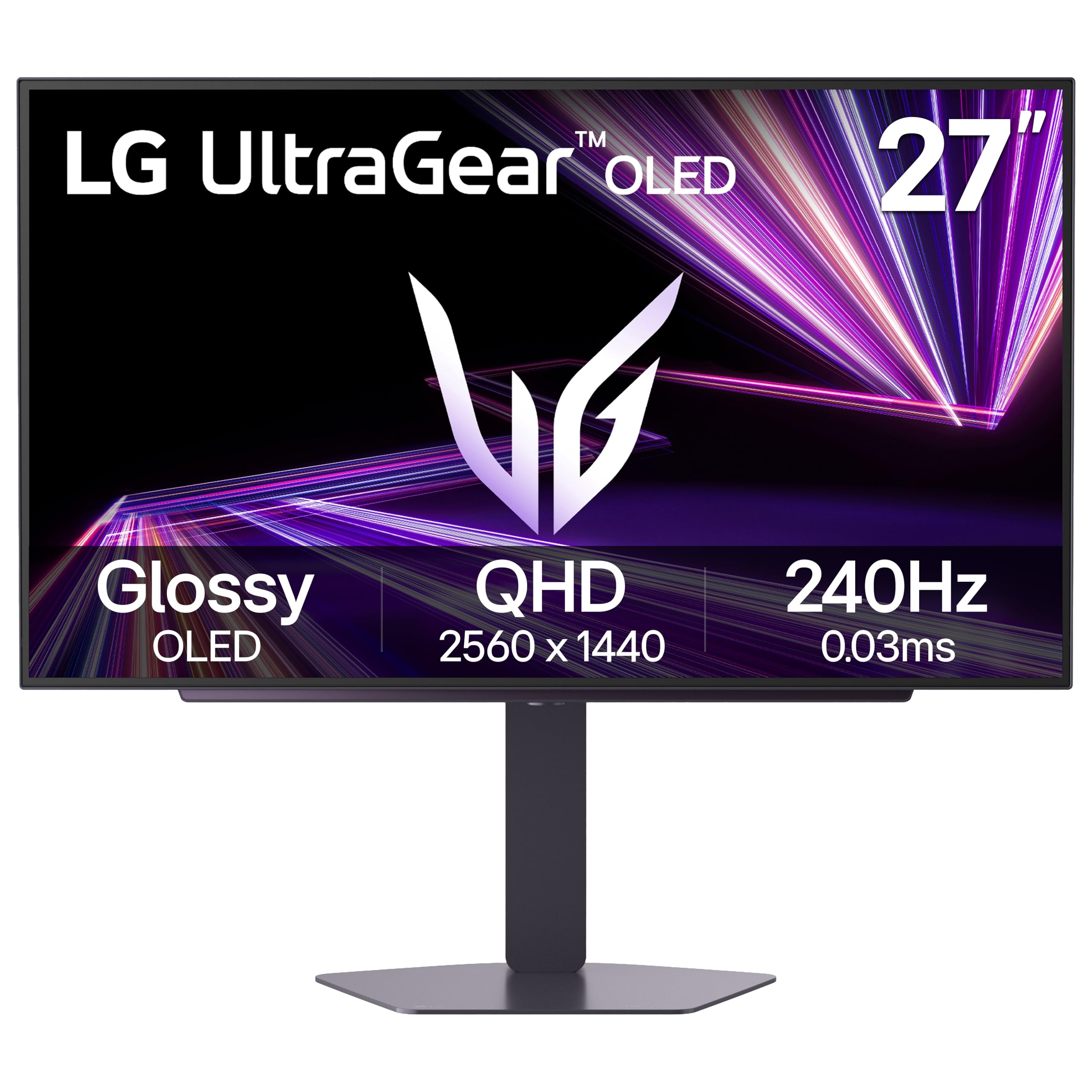
A glossy QHD OLED with both NVIDIA and AMD sync — the rare panel that plays nice with either card.
Most 240Hz OLEDs here lean AMD or stay agnostic; this one is stamped for both. It lists NVIDIA G-Sync Compatible and AMD FreeSync Premium Pro, so whether your build runs green or red, the picture stays tear-free and low-latency. The 27-inch QHD OLED panel holds a 0.03ms response and 240Hz refresh, and the glossy finish makes highlights shine in a way matte screens flatten.
LG quotes a standard 275 nits of brightness peaking at 1300 nits, paired with VESA DisplayHDR True Black 400 and a 1.5M:1 contrast ratio. The color spec is 98.5% DCI-P3, so hues stay vivid and accurate. Three UL certifications — Anti-Glare, Flicker-Free, and Low Blue Light — are aimed at keeping your view comfortable through a long session. Connectivity is generous too: dual HDMI 2.1, DisplayPort 1.4, a USB 3.2 upstream and two downstream ports, plus a three-pole headphone jack.
Owner sentiment is warm on the panel and the sharp 2560 x 1440 resolution — several describe it as punching well above its tier. Brightness splits opinion, though: some find it dazzling, others wish it hit harder in a sunlit room. That glossy coat is exactly what some love and a glare magnet for others, so mind your lighting.
The dual-sync draw: both G-Sync Compatible and FreeSync Premium Pro on one panel saves you from card-matching regret.
Glare reality: that glossy finish looks gorgeous but demands a room you can control.
Card-agnostic comfort: the safest pick if you’re unsure which sync your next GPU will prefer.
Shade your room: skip it in a bright, window-facing setup where reflections rule.
6. AOC Q27GAZD (27″ QD-OLED)
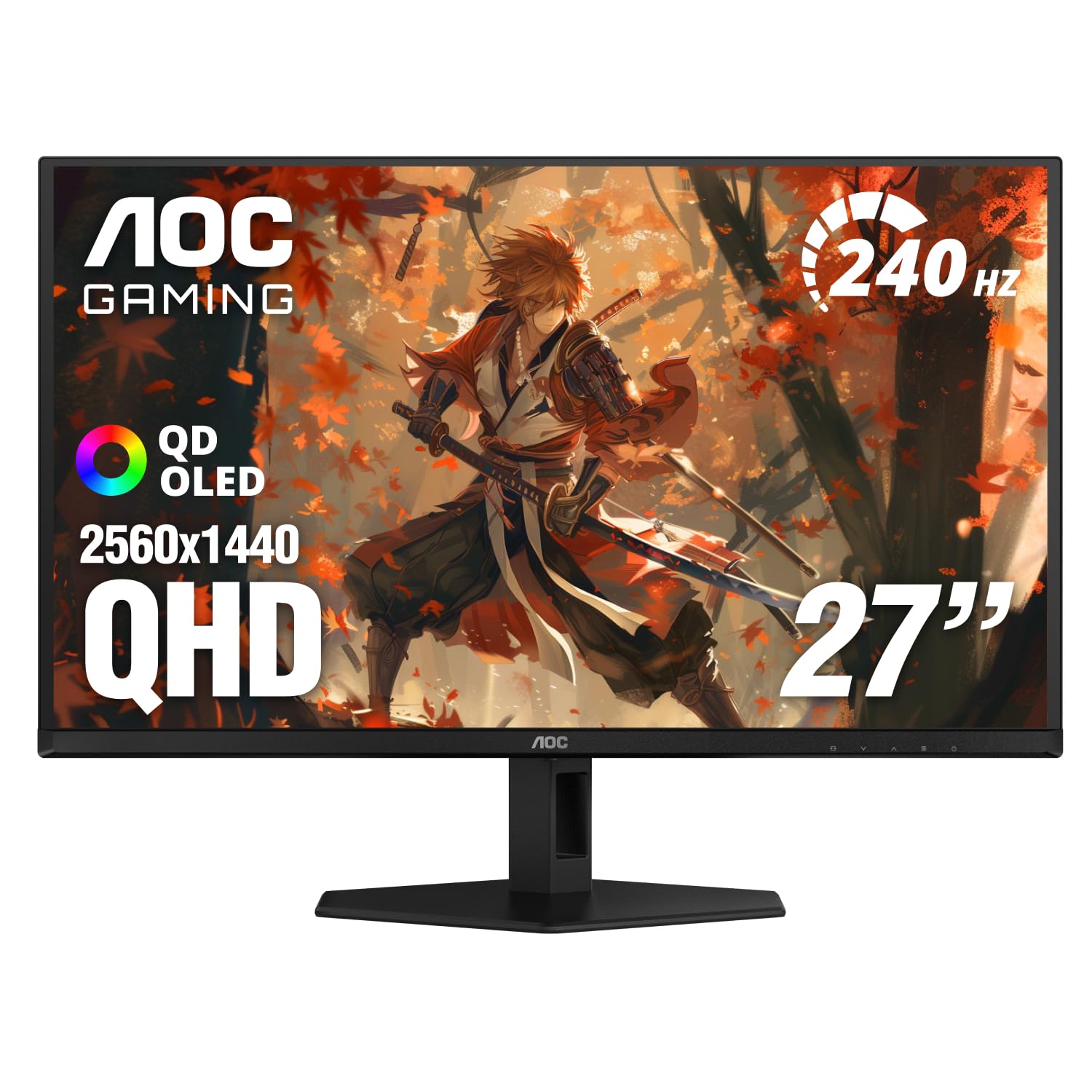
Gaming speed in the evening, color-accurate work by day — a QD-OLED that wears two hats.
This AOC carries a 27-inch QD-OLED at 2560 x 1440, a 240Hz refresh, and a 0.03ms GtG response — the same fast recipe as the Samsung at the top. Where it differentiates is color coverage: it is rated for 147.6% sRGB and 110.2% DCI-P3, so hues run rich and wide, which helps both vivid games and color-sensitive editing. HDR400 True Black adds deeper blacks and brighter highlights for contrast that reads as real.
Adaptive-Sync support keeps the panel paired to your card to remove tearing, and it is NVIDIA G-Sync Compatible. The display is also frameless with an anti-glare screen and eye-care features, so a long workday feels less harsh. It works with desktops, consoles, laptops, tablets, and even phones, which makes it unusually flexible as a single-screen hub.
Brightness is the caveat — the review consensus splits on whether it is bright enough, so avoid a room facing a bright window. Otherwise, the mix of sharp 1440p detail, fast motion, and generous color range makes this a genuine all-rounder.
One-panel setup: the wide sRGB and DCI-P3 coverage plus 240Hz speed covers both work accuracy and play speed.
Light it right: mixed brightness feedback means a controlled room gets the most from this panel.
A desk-only monitor: ideal when one screen must serve both your spreadsheets and your shooters.
Watch the brightness: in a sunlit room you may want a darker space or a different panel.
7. ASUS ROG XG27AQDMG (27″ Glossy WOLED)
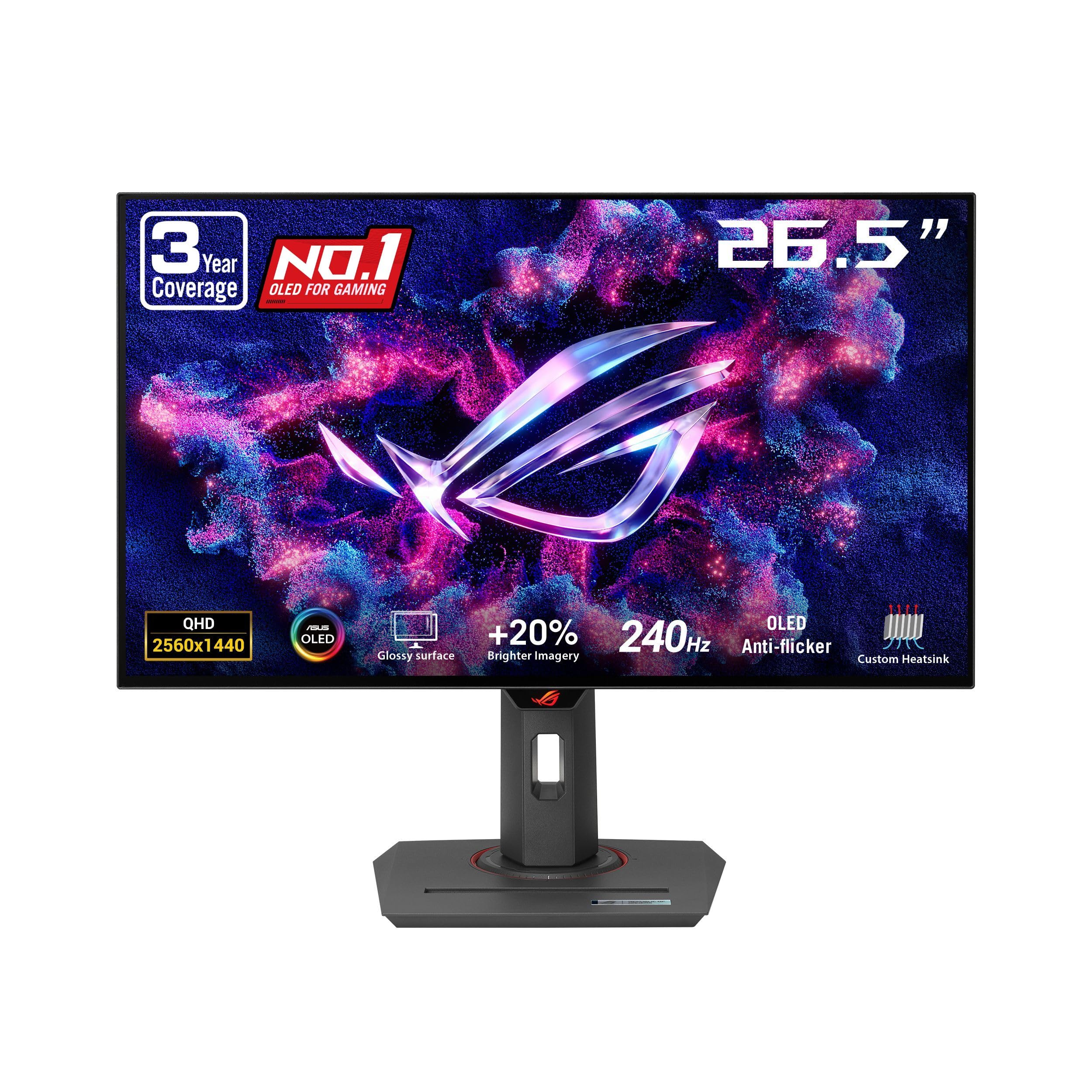
A glossy WOLED built to outlast the worry — heatsink, anti-flicker, and a three-year burn-in warranty.
Asus takes on the two things OLED owners worry about most. The first is burn-in (a faint ghost image that can stick on screen): a custom heatsink, an advanced airflow design and Asus OLED Care functions are designed to reduce that risk. The second is flicker: ROG-exclusive OLED Anti-flicker technology smooths the refresh-rate swings that can otherwise make the screen flicker. Of the OLEDs in this group, it is the most reassuring for long-term confidence.
The panel is a third-generation WOLED at 26.5 inches, 2560 x 1440, 240Hz, with a 0.03ms response. That generation brings brighter full-white windows, clearer text, and improved motion clarity — a real edge if you also read dense documents on it. An optional uniform brightness setting keeps luminance even across the screen, and 99% DCI-P3 coverage keeps color accurate for creative work as well as play. G-Sync Compatible handles the sync.
A glossy finish makes images look deep and rich, and customers note that glossy look is why many of them leave five-star marks. Brightness and long-term display reliability draw mixed signals, so keep the OLED care features switched on. The upside: a three-year warranty with burn-in coverage takes much of the sting out of that risk.
Gloss and glass: the deep glossy OLED finish is the star — colors and blacks feel almost three-dimensional.
Covered if it fades: brightness and reliability are the soft spots, but the three-year burn-in coverage is real backup.
Wants long-term calm: the pick for a glossy-OLED lover who wants a warranty that names burn-in.
Turn on the care: if you leave static windows up for hours, enable the pixel-protection cycles.
8. MSI MPG 271QRX (27″ QD-OLED, 360Hz)

The speed outlier — a 1440p QD-OLED that jumps from 240Hz to a 360Hz refresh rate.
If competitive shooters are the only thing on your calendar, this is the number that matters: 360Hz. Standard 240Hz here is already fast, but 360Hz redraws the screen 360 times a second, shaving visible lag for the players who live in high-frame lobbies. It pairs that with a 0.03ms GTG response on a 2560 x 1440 QD-OLED panel, so motion is razor clean at every step.
Color and contrast get the same treatment — QD Premium Color at Delta E≤2 for accuracy, VESA DisplayHDR True Black 400 for deep blacks, and a glossy finish that pops. The KVM is a genuinely useful extra: control multiple devices from one keyboard, mouse, and monitor setup, which keeps a console and a PC on one desk without a switch box. Console mode delivers HDMI 2.1 with full 48 Gbps bandwidth.
The trade is brightness — this lists a lower peak than the glossy competitors and brightness sits among the mixed notes in its feedback. If your room is dark and your card sustains high frame rates, it fits perfectly; just don’t buy it for a sunlit room.
Built for the leaderboard
- 360Hz refresh outpaces every 240Hz panel here
- 0.03ms GTG on a 1440p QD-OLED
- KVM switches keyboard and mouse between devices
Room for nuance
- Lower peak brightness than the glossy rivals
- 360Hz demands a serious GPU to feed it
- Burn-in care is still a routine to keep up
For frame-chasers: this is the 240Hz-plus panel to buy if your setup can actually output 360 frames.
Check your power first: if your card can’t sustain high frames, the extra refresh is money you won’t feel.
9. Gigabyte MO27U2 (27″ 4K QD-OLED)
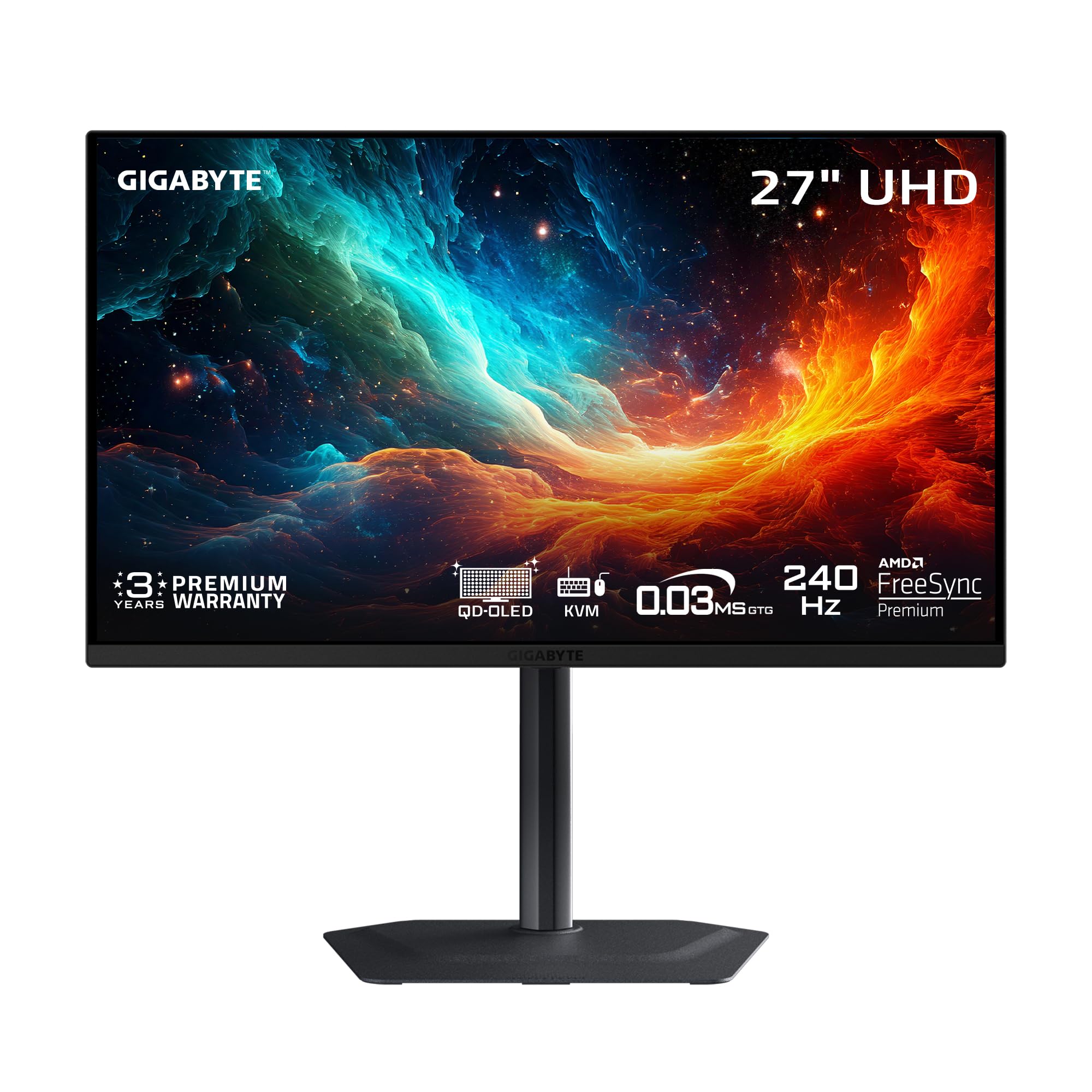
A 27-inch 4K OLED with 166 pixels per inch — text and texture so fine you notice the difference.
This is the pick for someone who wants the sharpest possible image on a 27-inch frame. It runs 3840 x 2160 resolution, giving an ultra-high 166 PPI (pixels per inch — the density that makes small text look crisp instead of chunky). That detail level makes games look photo-real and everyday reading feel crisp, all on a panel that still hits 240Hz at 0.03ms.
Colors live up to the resolution: a 1.5M:1 contrast ratio, 99% DCI-P3 coverage, and 10-bit color depth for smooth gradients. Gigabyte’s OLED Care uses an AI-based algorithm running in the background to minimize burn-in risk with minimal interference — a genuinely modern approach. A graphene thermal film, four-sided ventilation, and a customized fanless heatsink keep it cool without a spinning fan adding noise.
Buyer praise lands hard on picture quality — the way colors bleed and pop off the panel is what gets called out most. It offers built-in speakers, and the display is AMD FreeSync Premium Pro and G-Sync Compatible. One thing to know: at 4K, you need a strong graphics card to hit 240Hz in demanding titles — most owners will run lower frames and still love the detail.
Density does the work: 166 PPI on 4K is the standout — everything from sniper silhouettes to UI text looks finer.
Card headroom required: 4K at 240Hz is a heavy lift, so expect fewer frames in the toughest games.
Detail above all: the pick if you want the crispest resolution and a big OLED with near-silent cooling.
Be GPU-ready: pair it with a strong card, or you’ll admire detail without the full refresh.
10. MSI MPG 272URX (27″ 4K QD-OLED, 98W USB-C)

One USB-C cable for video, data, and laptop charging — the desk-tidy 4K OLED.
If you want a single clean wire from your laptop to a gorgeous screen, this is the pick. It packs a 5-layer tandem OLED panel with EL Gen 3 technology (rated to improve efficiency up to 30%), running 3840 x 2160 at 166 PPI with 240Hz and 0.03ms. It covers 10-bit color, 99% DCI-P3, and Delta E≤2 accuracy, and it’s VESA DisplayHDR True Black 400 certified with a 1500000:1 native contrast and up to 1000 nits peak brightness.
The connectivity is where it earns “versatile”: DisplayPort 2.1a, HDMI 2.1 CEC, and a USB Type-C with 98W Power Delivery to charge your laptop through the same cable. A USB hub adds a Type-B upstream and two Type-A ports. The VESA ClearMR 13000 rating reflects motion clarity, and KVM 1.0 with PiP/PbP lets two sources share one screen. An elite graphene fanless heatsink helps durability while keeping it quiet.
Feedback is warm on the panel and crisp picture, with no flickering issues reported, while value and brightness split opinion — some say worth it, others call it pricey, and brightness earns mixed marks. The honest read: pay for the 98W USB-C and DP 2.1a connectivity, not the peak brightness.
The single-cable trick: 98W USB-C charging plus DP 2.1a and HDMI 2.1 makes a laptop dock nearly redundant.
Cost versus brightness: the price and brightness both draw mixed reactions, so weigh the convenience you actually need.
Desk minimalist’s dream: right for laptop users who want one cable to rule video, data, and power.
Not a brightness monster: if sunlit glare is your world, temper expectations on the peak output.
11. Samsung 57″ Odyssey Neo G9 (G95NC)

A 57-inch 1000R curved wall of pixels — as wide as two 4K screens fused into one.
This is not a subtle pick; it reshapes your whole desk. The 57-inch Dual UHD panel runs 7680 x 2160, so you get the width of two UHD monitors side by side in one smooth view. A 32:9 aspect ratio (ultra-wide shape) with a 1000R curve (a tight bend that wraps the image around you) pulls you into the picture. And a 240Hz refresh rate (the screen redraws 240 times a second) with a 1ms GTG response (how fast a pixel shifts from grey to grey) keeps motion precise across that huge canvas.
Samsung leans on Quantum Matrix Technology with Quantum Mini LEDs and 2,392 local dimming zones to control brightness and boost contrast. VESA DisplayHDR 1000 adds 1,000 nit peak brightness and a 1,000,000:1 contrast ratio. DisplayPort 2.1 inputs carry the full performance with variable refresh, and FreeSync Premium Pro keeps fast scenes smooth. Picture-by-Picture lets you run two sources side by side, while CoreSync and Core Lighting Plus throw the on-screen colors into your room.
The honest caveats: it is a VA panel, so viewing angles and black uniformity won’t match an OLED, and picture quality and refresh-rate feedback splits — some love the 240Hz, others settle for 120Hz. Quality control is the most-praised aspect, though reliability earns mixed marks. This is a desk-height, wall-width commitment — measure your space first.
Two screens, no seam: dual UHD in a single 32:9 field is the whole pitch — more immersion than a normal widescreen.
Size is the cost: measure your desk and check your GPU can drive 7680 x 2160 before this one lands.
Ultrawide diehards: the choice for sim racers and productivity maximalists who want one enormous curved display.
Space check: if your desk can’t take the footprint, stick with a 27-inch OLED here.
Know the Specs
Refresh rate (Hz)
Refresh rate is how many times per second the screen redraws. A 240Hz panel draws 240 times, so a fast-moving object updates more often and looks smoother. Higher is better for competitive play, but you need a graphics card that outputs enough frames to fill the screen — otherwise the extra refresh sits unused.
Response time (ms)
Response time is how fast one pixel changes from gray to gray, measured in milliseconds. A 0.03ms panel flips pixels almost instantly, so a moving enemy stays a crisp shape rather than a trailing smear. A slower panel at the same 240Hz can still blur, which is why the response number deserves as much attention as the refresh number.
Panel type (OLED versus IPS)
OLED lights each pixel individually, so black is truly black and contrast is effectively infinite. IPS uses a backlight behind a liquid crystal layer, so it holds a lower contrast like 1000:1 but has essentially no burn-in risk. If you want the deepest blacks and the fastest pixels, OLED wins; if you want a burn-in-free work screen, IPS is the calmer pick.
Adaptive sync (FreeSync and G-Sync)
Adaptive sync matches the screen’s refresh to your graphics card’s frame output, so you avoid tearing and stutter when frames dip. AMD FreeSync and NVIDIA G-Sync Compatible both do the job — just confirm your card’s side before buying, because a panel that lists both gives you the most freedom.
Resolution and pixel density (PPI)
Resolution is the pixel count; PPI is how tightly those pixels pack into the screen. 2560 x 1440 at 27 inches keeps a sharp image with manageable GPU demands. Stepping to 3840 x 2160 pushes toward 166 PPI for finer detail but raises the frame-rate cost, so match resolution to your card’s power.
HDR and contrast (nits and ratio)
HDR is the range between the brightest highlight and the darkest shadow. A True Black 400 or DisplayHDR 1000 rating, alongside a contrast ratio, tells you how much depth the screen can show. Brighter HDR and a higher contrast ratio make dark corners and bright explosions read with more punch and realism.
Common Questions
Do I need a 240Hz monitor if my graphics card only outputs around150 frames per second?
Is a 2K 240Hz monitor better than a 4K 144Hz one for gaming?
Does a 0.03ms response time really make a visible difference over 1ms?
Will a QD-OLED monitor burn in if I leave a taskbar on screen all day?
Can a 240Hz monitor run at 120Hz for a console instead?
Do I need G-Sync or is FreeSync enough for my NVIDIA card?
Is 27 inches or 32 inches better for a 1440p 240Hz monitor?
What cable do I need to reach 240Hz at 1440p?
Can a curved ultrawide like the Odyssey Neo G9 replace two monitors?
How much desk space does a 27-inch 240Hz monitor take?
The Bottom Line
For most players, the 2k 240hz monitor winner is the Samsung Odyssey OLED G6. It pairs a 2560 x 1440 QD-OLED panel (quantum-dot OLED, which boosts color) with a 0.03ms response, a Pantone Validated color range (colors checked against the Pantone standard) and a glare-free coating, all in one balanced package. Want the fastest motion above 240Hz? Grab the MSI MPG 271QRX at 360Hz. And for a single-cable laptop setup that keeps your desk clean, reach for the MSI MPG 272URX.
One honest nudge before you click: the OLED panels here are the ones owners keep returning to praise, and the Samsung’s 4.5+ star standing across 300+ ratings is the strongest confidence signal in this group. Match the panel to your room’s lighting and your card’s frame output, and the motion clarity shows up immediately.
How we choose
We do not accept paid placement. Every pick is matched to a real buyer and a real use-case; we do not hands-on test units.
Sources
Specifications: manufacturer listings and product documentation. Review insights: verified customer reviews, as of November 2026. Pricing: not shown on this page (it changes often); check the current price via the retailer link.
As an Amazon Associate, My Heart Lives Here earns from qualifying purchases. This does not affect which products we feature.