Heads up: This post contains affiliate links. As an Amazon Associate I earn from qualifying purchases, at no extra cost to you. Learn more
Specs are compiled from manufacturer listings and verified buyer reviews and can change over time — please confirm the key details on the product page before buying.
You want a second switch at the other end of the hallway, and you do not want to open the wall to get it. That is the whole job of a 3 way wireless switch: it lets two locations control one light without a traveler wire running between them. Some kits use a battery-free kinetic remote, some use radio frequency through plaster and brick, and some are full smart switches that need a neutral wire and your Wi-Fi. Below you will find the pick that fits your wiring situation, ranked by how well each one handles the messy reality of an older house.
This guide is built by comparing the manufacturers’ published specifications and the patterns across verified customer reviews, so you get each pick’s real strengths and trade-offs instead of marketing spin.
Wiring rules decide most of these purchases before you ever look at a feature list, so the details below are organized around what your wall box actually contains. Read on for the 3 Way Wireless Switch that matches your house, your bulbs, and your patience for app setup.
Top Picks


How To Choose The Best 3 Way Wireless Switch
The first question is not which switch looks nicest. It is what is already inside your wall box. Answer that, and the shortlist shrinks fast.
Does your box have a neutral wire
A neutral wire is the white wire that carries current back to the panel. Most smart switches need it to power their own electronics while the light is off. If your box has only a black and a red wire, a no-neutral-required switch is your only smart option without new wiring.
Wired 3-way or wireless 3-way
A traditional 3-way circuit runs traveler wires between two switch boxes. A wireless kit skips that run entirely by pairing a battery or kinetic remote with a receiver at the fixture. Wireless wins in finished rooms where opening drywall is off the table.
What is actually being switched
Check the load rating before you buy. A 15 A switch handles most lighting circuits and many fans, while a 5 A switch is aimed at lighting and small fan loads. Running past the rating is the one mistake no brand will cover for you.
Side-by-Side Comparison
| Model | Best For | Current Rating | Wireless Range | Neutral Wire | Amazon |
|---|---|---|---|---|---|
| Lutron Caseta Diva Smart Dimmer (3-Pack)★ Best Overall | Dimming without a neutral wire | 1.25 A | Pico remote pairing | Not required | Amazon |
| Suraielec 3 Way Wireless Remote Light Switch KitBest No-Wiring Fix | Adding a switch with no wiring run | 15 A | 100 ft | Required at receiver | Amazon |
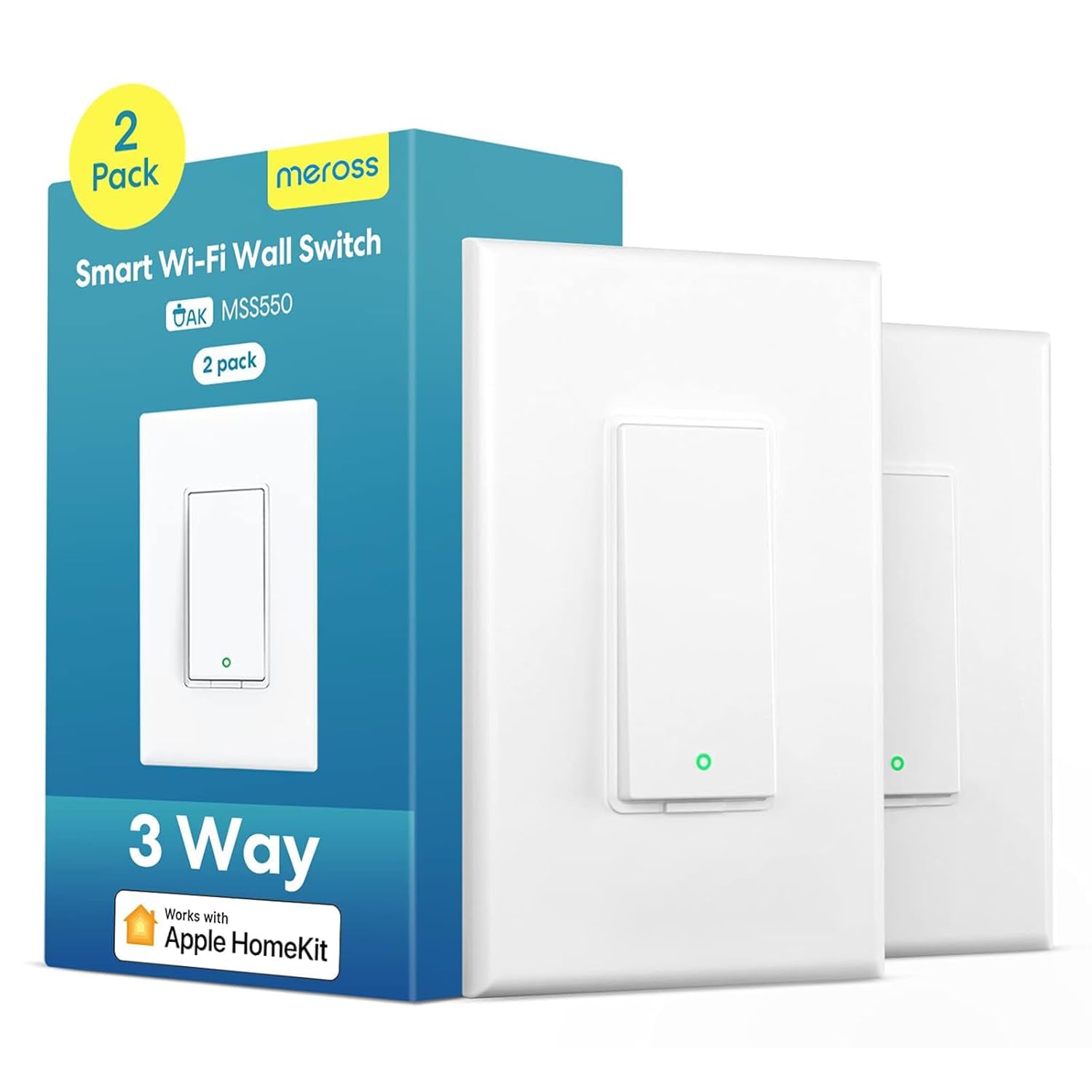
| Meross Smart 3 Way Switch (2-Pack)Best for Apple Homes | Apple HomeKit households | 2.5 A | 2.4 GHz Wi-Fi | Required | Amazon |
| Ortis 300ft RF Wireless Switch Kit | Long range through walls | 10 A | 300 ft | Not required at switch | Amazon |
| Kasa Smart 3 Way Switch HS210 Kit | Voice control on a budget | 15 A | 2.4 GHz Wi-Fi | Required | Amazon |
| Tapo Matter Smart 3-Way Dimmer Switch Kit S515D | Dimming across ecosystems | 15 A | 2.4 GHz Wi-Fi | Required | Amazon |
| Leviton Decora Smart Dimmer D26HD | Tuning out bulb flicker | 15 A | 2.4 GHz Wi-Fi | Required | Amazon |
| Lutron Claro 3-Way Smart Switch Kit | Wall-mounted second switch | 5 A | Pico remote pairing | Required | Amazon |
| RunLessWire 3-Way Battery-Free Kinetic Kit | Zero maintenance, no hub | 5 A | 150 ft | Required at receiver | Amazon |
Detailed Reviews
1. Lutron Caseta Diva Smart Dimmer Switch (3-Pack)
Our pick — 4.5+★ from 650+ verified ratings; the strongest balance of quality and price.
A no-neutral dimmer that installs in an old wall box and still pairs with a Pico remote for 3-way control.
Older homes rarely have a neutral wire in the switch box, and that single missing wire kills most smart dimmer installs. This Caseta Diva sidesteps the problem entirely: it works in any home of any age without one. You get three dimmers in the box, each rated for up to 150W of dimmable LED or 600W of incandescent and halogen bulbs. That covers a hallway, a kitchen, and a bedroom from one purchase.
The 3-way setup is where it earns its place. Instead of pulling traveler wire, you pair a Pico remote and mount it on any wall surface with a bracket, no holes cut. That is the difference between an afternoon project and a weekend one. Pairing it to Alexa, Apple Home, Google Assistant, Ring, Serena shades, or Sonos needs the Lutron Smart Hub, which is not included, so add that to your plan before you start.
Dimming is smooth and deliberate — a soft-glow light bar shows the level, and a preset takes you straight to your preferred brightness. Owners consistently point to that light bar as the thing that makes the switch feel finished rather than gadgety. On the honest side, the hub requirement is real, and the low 1.25 A current rating means this is a lighting dimmer, not a fan or outlet controller. For a light circuit, that is exactly right.
What earns it first place
- Works in homes with no neutral wire, at any age
- 150W dimmable LED / 600W incandescent and halogen rating
- 3-way without cutting drywall — Pico remote mounts on the surface
- Soft-glow bar and preset take the guesswork out of dimming
Before you commit
- Lutron Smart Hub required for app, voice, and scene control
- 1.25 A rating limits it to lighting loads
- Wallplate sold separately
Reach for this if: your box has no neutral wire and you still want app and voice dimming from two locations.
Plan around: the smart hub — it is the gateway to every app feature listed here.
2. Suraielec 3 Way Wireless Remote Light Switch Kit
For the stairwell that needs a switch at both ends without a single new wire.
You replace the existing wall switch with the rocker receiver, then mount the remote wherever you want the second control point. That is the entire concept, and it is rated at 15 A / 1875W so it will run nearly any lamp or bulb you throw at it. No Wi-Fi, no app, no hub, no password.
The remote has a bracket for wall mounting and also works as a handheld remote, which matters if someone in the house has trouble reaching a switch. Multiple kits in the same home use rolling codes so they do not trip each other. The radio signal travels up to 100 ft through walls and doors, no line of sight needed, which covers lofts, attics, basements, and garages comfortably. Just note that Ortis reaches 300 ft — three times the open-air distance — if your far switch sits at the other end of a large property.
Expansion is the quiet bonus. Add more transmitters and receivers and you can build 4-way or 5-way control, or run several lights from one remote. The receiver does need a neutral wire at the box, so confirm that first. If it is there, this is the simplest path to a second switch you will find.
The straightforward math: a 15 A / 1875W rating plus pre-programmed pairing means you mount it and it works, with no account creation anywhere in the process.
The catch worth knowing: its 100 ft reach is the shortest tested range among the RF kits here, so verify the distance between switch and receiver before you mount anything.
Fits you best when: your two switch points sit inside a normal single-family footprint.
Worth a second thought if: the far switch lives across a detached garage or a long outbuilding.
3. Meross Smart 3 Way Switch (2-Pack)
Two switches that slip into HomeKit without a hub sitting on your shelf.
Meross takes a shortcut most smart switches ignore: you only replace one traditional 3-way switch. The other end stays as it is, and the two still control the same light. Installation runs about 15 minutes by the maker’s estimate, and the housing is PC+ABS fire-retardant material with overload protection built in.
Control is where it shines for iPhone households. It works with Apple HomeKit, Siri, Apple Watch, Alexa, Google Assistant, and SmartThings, and all data is stored on AWS servers in the US. You get timers and sunrise/sunset scheduling, so lights come on automatically when you want them. It fits your existing 1/2/3/4 gang standard Decora or GFCI faceplate, which saves you a trip to the hardware store.
Two limits are worth saying plainly. It runs on 2.4 GHz Wi-Fi only and will not connect to a 5 GHz network, so check your router band. And it is not a dimmer — on or off, nothing in between. The neutral wire is required, and Meross will check a photo of your box for you before you buy if you are unsure.
Why it wins the Apple crowd
- Native HomeKit, Siri, and Apple Watch control
- Only one switch needs replacing in the 3-way circuit
- Sunrise and sunset scheduling built in
- Fits existing Decora and GFCI faceplates
Where it stops short
- 2.4 GHz Wi-Fi only, no 5 GHz support
- On/off switching only, not dimmable
- Neutral wire required at the box
Pick this one when: your phone is an iPhone and you want the switch to appear in the Home app alongside everything else.
Walk away if: you wanted dimming or you run a 5 GHz-only network.
4. Ortis 300ft RF Wireless Light Switch Kit

Three switches and a receiver that punch a signal through the whole house.
Range is the headline, and it is not a marketing number: 300 ft in open areas through walls and doors, with no Wi-Fi involved. That is three times the open-air reach of the Suraielec kit. If you have ever wanted a switch at the far end of a detached garage or a basement workshop, this is the kit that actually gets there.
Installation takes about three minutes to wire and mount, and the panel matches a standard Decora look so it does not scream retrofit. The switches run on included batteries with low power draw, and the receiver is rated to 10 A / 1200W, with 1000W tungsten and 600W fluorescent limits. It drives incandescent, halogen, fluorescent, and CFL loads, plus fans. One switch can run several lamps, several switches can run one lamp, and you can keep expanding without touching the existing system.
The detachable switch doubles as a handheld remote, which is genuinely useful for a bedroom light you want to kill from bed. The honest trade-off is brightness-free operation and the 10 A ceiling — fine for lighting and fans, not for anything heavier. Measure the distance between switch and receiver before you commit; the maker says so, and it is good advice.
The range reality: 300 ft of open-air signal is what separates this from the shorter-range RF kits, and it holds through plaster and brick without pairing fuss.
The 10 A line: stay under 10 A / 1200W and it behaves; push past that and you are outside the kit’s design.
Best match for: long houses, outbuildings, and anyone who needs a switch three rooms away.
Check before ordering: your light load against the 10 A rating.
5. Kasa Smart 3 Way Switch HS210 Kit

A 15 A smart 3-way switch with Alexa and Google voice control and no hub required.
Kasa is the brand that made smart switches normal, and the HS210 is the 3-way version of that formula. It runs at 15 A on a 3-way or single-pole circuit, so you can control one light from one location or two — the classic staircase or garage-to-house setup. The app walks you through install step by step, and it needs a neutral wire plus 2.4 GHz Wi-Fi.
Voice control through Alexa or Google Assistant works without a hub, and the away mode randomly flips lights on and off to simulate someone being home. Schedules and countdowns handle the everyday stuff, and a fade setting lets bedroom lights dim out slowly rather than snapping off. It is UL certified for safety use, which is a real check on a device that sits wired into your wall.
The trade-off is the age of the platform. There is no HomeKit or Matter support here, so Apple households are out of luck. And you need the neutral wire, full stop. But for a budget smart switch with a decade of installs behind it, the reliability story is hard to argue with.
Where it delivers
- 15 A rating covers 3-way and single-pole setups
- Alexa and Google voice control with no hub
- Away mode and countdown schedules
- UL certified for safety
What it leaves out
- No Apple HomeKit or Matter support
- Neutral wire required
- Not a dimmer
Your move if: you want a proven smart 3-way with Alexa or Google and no hub clutter.
Look elsewhere if: your home runs on Apple Home or you need dimming.
6. Tapo Matter Smart 3-Way Dimmer Switch Kit S515D

A main dimmer and a satellite that finally talk to each other properly.
Most 3-way dimmer kits make you buy the second switch separately. This one ships as a matched pair — a main S515D plus a satellite dimmer, two wall plates, five wire nuts, and wire labels. Both units work together; neither works alone with a traditional 3-way switch. The quality is what people keep coming back to, and the wiring tags that come in the box make the install far less of a guessing game.
Brightness goes from 0% to 100% through the wall control, the Tapo app, or voice, using leading-edge TRIAC dimming. It handles up to 150W of dimmable LED or 300W of incandescent and halogen at 120V, 60Hz. Matter support means it connects to Apple Home, Alexa, Google Home, and SmartThings, with Bluetooth used only for setup. Energy monitoring in the app shows what the connected light costs you, based on the rate you enter.
Two details to plan around. You need a neutral wire and a wall box at least 2 inches deep, plus 2.4 GHz Wi-Fi. And it is indoor, dry-location use only. Confirm your bulb is dimmable before install — a non-dimmable LED will flicker no matter how good the switch is.
The matched-pair advantage: shipping the satellite in the box saves you a second purchase and a compatibility question, and Matter keeps it working across Apple, Alexa, Google, and SmartThings.
The install reality: a 2-inch-deep box is a firm requirement, and older shallow boxes may need swapping.
Go this route when: you want real dimming at both ends of a hallway and you switch between ecosystems.
Hold off if: your wall box is shallow or you run non-dimmable LEDs.
7. Leviton Decora Smart Dimmer D26HD

Built for the LED bulbs that make other dimmers buzz and flicker.
Flicker is the number one complaint about LED dimming, and Leviton attacks it directly. You set the bulb type, the minimum dim level, and the maximum brightness inside the app, then the switch adapts to that specific load. If you have a stubborn LED fixture that hums on a cheap dimmer, this is the switch built to fix it rather than fight it. The 15 A rating covers 3-way and wired or wireless setups.
Everyday use is polished. You get customizable fade rates so lights rise gently instead of snapping on, preset levels so they always land at your preferred brightness, and My Leviton Night Settings for a softer level after dark — handy for a midnight kitchen run. It works with Alexa, Google Assistant, and Apple Siri, plus SmartThings, Sonos, and Resideo. Matter support arrives with a firmware update through the My Leviton app, so it will not be stranded as platforms shift.
The honest caveat sits with the Wi-Fi connection, which draws mixed feedback from owners — a few report dropouts that need a router reset. A neutral wire is still required here, and if you use eco-friendly LED bulbs, expect to spend a little time tuning the minimum dim level. Once dialed in, the flicker is gone.
The dimming craft: bulb type, min dim, and max bright controls make this the pick for anyone replacing a dimmer that flickers with modern LEDs.
The connection note: Wi-Fi setup is the part to watch — if your router is far from the switch, plan for that.
The right call for: LED-heavy rooms and anyone finishing a remodel with dimming everywhere.
Not your pick if: you want a pure wireless kit with no neutral requirement.
8. Lutron Claro 3-Way Smart Switch Kit

A paddle switch that matches standard Decora looks, with a Pico remote for a second control point.
Lutron’s Claro is the most popular paddle switch design in the country, and this kit makes it smart without changing how it looks. You get the Claro smart switch, a matching paddle Pico remote, a wallmount bracket, a coordinating wallplate, and wire labels — all in one box, which is cheaper than buying the pieces separately. An LED indicator on the right side glows softly when the light is on.
The Pico remote adds a second control point on almost any wall surface with no cutting or pulling wire. No hub or password is needed for that basic wireless pairing. Add the Lutron Smart Hub, sold separately, and scenes, schedules, and app control open up. It works with Alexa, Apple Home, Google Home, Ring, and Sonos.
Rating-wise, this is a lighting and fan switch: 5 A LED or 3 A fan, with a neutral wire required. It does not dim, so it suits porch lights, garage lights, and hallways where you just want on and off. The kit’s reliability and function are the two things buyers praise most, and the design reads as a regular switch — which is the whole point. Ease of use draws the most divided feedback, so if you want a screen full of dimming options, this is not that product.
What makes it worth the shelf space
- Full kit with remote, bracket, and wallplate included
- Matches the most popular paddle design in the country
- Remote pairs with no hub or password
- 5 A LED / 3 A fan rating
What it does not do
- No dimming, on/off only
- Neutral wire required
- App features need the Lutron Smart Hub
Worth grabbing when: you want a second switch point that matches your existing decor exactly.
Think twice if: dimming is on your list anywhere in the room.
9. RunLessWire 3-Way Battery-Free Kinetic Kit

Each press harvests kinetic energy to send the signal, so there is no battery to replace.
This is the kit for someone who has already replaced remote batteries once and refuses to do it again. Each press harvests kinetic energy to send the signal, so there is no battery to change, ever. Two self-powered rocker switches pair with one 5 A receiver (600W at 120V) that installs at the fixture or in an existing junction box with a neutral wire.
The signal runs on 902MHz RF through walls and floors up to 150 ft with no Wi-Fi, hub, or app anywhere in the chain. That is longer than the Suraielec kit’s 100 ft open-air range, though it trails Ortis at 300 ft. Unique digital IDs prevent interference when you run several kits in the same home. Mounting works on drywall, tile, glass, brick, or wood with screws or adhesive — no cut-in box needed.
The kit arrives pre-paired and installs in minutes, and the slim decorator-style switches fit standard single and multi-gang faceplates for a built-in look rather than a stick-on remote. The limitation is load: at 5 A / 600W this is for lighting and small fan duty, not heavier circuits. And there is no app, so if you want schedules and voice control from the far switch, this is the wrong tool.
The best part: zero batteries means zero maintenance, and 150 ft of 902MHz range clears most houses without a repeater.
The honest limit: 5 A / 600W puts this in lighting territory only — check your load before install.
This is for you if: you want a permanent second switch with no battery, no hub, and no app to maintain.
Rule it out if: you want voice control or a circuit above the 5 A rating.
Know the Specs
Neutral wire requirement
The neutral is the white wire that completes the circuit back to your panel. Smart switches need it to keep their own electronics alive when the light is off. Pull the faceplate off, look for a bundle of white wires capped together, and you have your answer before you spend a cent. No neutral means you shop the no-neutral models, or you pay an electrician to pull one.
Current rating and load
Current rating, measured in amps, is the ceiling on what the switch can safely carry. A 15 A switch runs typical lighting circuits and most fans; a 5 A switch is for lighting and small fan loads. Stay under the printed number, and check the wattage of your fixture against it — tungsten, fluorescent, and LED loads each have their own published limit on these kits.
RF range in open air
Manufacturers quote range in open air — a clear line of sight with nothing in the way. In a real house, walls, floors, and metal ductwork eat into that number. A 300 ft kit will likely cover every room in a normal home; a 100 ft kit is better suited to a single floor or a compact layout. Measure the actual distance between switch and receiver before mounting.
Kinetic versus battery remote
A battery remote needs a coin cell swapped every year or two. A kinetic switch harvests energy from each press and never needs one. The trade-off is usually price and sometimes a slightly firmer press. Both send the same radio signal; the difference is whether maintenance is a chore you want in your life.
Common Questions
Can I add a 3 way wireless switch without running traveler wire between the boxes?
Do I need a neutral wire for a smart 3 way switch?
What happens if I install a 15 A switch on a circuit with a heavier load?
Will a wireless light switch work through brick and plaster walls?
Can two wireless switches control the same light?
Do kinetic switches need a battery?
Why does my LED bulb flicker on a smart dimmer?
Do these 3 way wireless switches work with Alexa or Apple Home?
How far can a 3 way wireless switch send a signal?
Can a wireless 3 way switch control a ceiling fan?
The Bottom Line
The 3 Way Wireless Switch that earns the top spot is the Lutron Caseta Diva Smart Dimmer three-pack, because it solves the problem nobody else solves — a dimming 3-way install in a house with no neutral wire. If your box has a neutral and you just want simple wireless reaching across a big layout, the Ortis 300ft kit gets the signal there with no app involved. And for a battery-free, hub-free install you never touch again, the RunLessWire kinetic kit is the one to reach for. Pick the wiring reality first, and the switch choice follows easily.
How we choose
We do not accept paid placement. Every pick is matched to a real buyer and a real use-case; we do not hands-on test units.
Sources
Specifications: manufacturer listings and product documentation. Review insights: verified customer reviews, as of November 2026. Pricing: not shown on this page (it changes often); check the current price via the retailer link.
As an Amazon Associate, My Heart Lives Here earns from qualifying purchases. This does not affect which products we feature.