Heads up: This post contains affiliate links. As an Amazon Associate I earn from qualifying purchases, at no extra cost to you. Learn more
Specs are compiled from manufacturer listings and verified buyer reviews and can change over time — please confirm the key details on the product page before buying.
Here is the short answer up front: the NZXT H3 Flow is the mATX case most builders should buy, because it pairs a genuinely compact footprint with room for a full-length graphics card and a 280 mm radiator up front. Below that you get a spread of nine cases in three flavours — airflow-heavy mesh boxes, glass-fronted showpieces, and tiny desktop towers with carrying handles. Each one lists the exact GPU length, radiator size, and cooler height you need to check against your own parts list before you click buy.
This guide is built by comparing the manufacturers’ published specifications and the patterns across verified customer reviews, so you get each pick’s real strengths and trade-offs instead of marketing spin.
Every measurement in the table is the manufacturer’s own figure, so you can match it to your graphics card, CPU cooler, and power supply without guessing. The one number that decides most builds is GPU clearance, and that is exactly where these nine separate, so here is the honest read on the best mATX Case for your desk and your parts.
Top Picks


How To Choose The Best mATX Case
An mATX case is the middle child of PC building — bigger than the tiny Mini-ITX shoeboxes, smaller than a full tower. It takes a Micro-ATX motherboard, which is a standard board size that gives you four expansion slots instead of the two on Mini-ITX. The whole point is fitting a full-length graphics card and a real cooler into a box that still leaves desk space.
Before you compare anything else, measure the graphics card you intend to install and compare it to each case’s stated GPU clearance. This is the number that ruins builds. A case can look roomy and still refuse a long card once a front fan or radiator is bolted in.
Graphics card length is the first gate
GPU clearance is measured in millimetres and it shrinks depending on what you mount up front. The NZXT H3 Flow is a good example of how this works: it fits a card up to 377 mm with no front fans, 352 mm with front fans, and 317 mm with a front radiator and fans. Those are three different real-world numbers from one case, so always buy against the smallest figure that matches your planned setup.
Decide your cooling before your case
Air cooling means a tall tower heatsink, and that needs clearance measured in millimetres too — anywhere from 160 mm to 178 mm on these cases. Liquid cooling means a radiator, and radiator sizes come in 240 mm, 280 mm, and 360 mm flavours. Pick which one you want first, then buy the case that lists support for it.
Mesh or glass: pick your priority
A mesh panel is perforated steel or plastic that lets air pass through; tempered glass is a solid, toughened pane that shows off your parts. Mesh-leaning cases usually breathe better and filter more dust through their fine openings. Glass-leaning cases look like a display cabinet and often ship with addressable RGB fans already installed, which means one less purchase.
Side-by-Side Comparison
| Model | Best For | Max GPU Length | Max Radiator | Internal Bays | Amazon |
|---|---|---|---|---|---|
| NZXT H3 Flow★ Best Overall | Most builders | 377 mm (no front fans) | 280 mm front / 240 mm top | 7 | Amazon |
| Lian Li A3-mATXBiggest GPU Room | Big radiator builds | 415 mm | 360 mm | 3 | Amazon |
| JONSBO D32 PROBack-Connect Ready | Back-connect boards | 365 mm | 240 mm top | 6 | Amazon |
| JONSBO Z20 | Desk-hopping | 363 mm | 240 mm top | 4 | Amazon |
| ASUS Prime AP201 | Mesh-everywhere cooling | 338 mm | 360 mm | 4 | Amazon |
| Antec Flux M | Six fans in the box | — | 360 mm top | 4 | Amazon |
| Cooler Master Elite 301 Lite | Value minimalist build | 365 mm | 280 mm | 1 | Amazon |
| Thermaltake View 170 TG ARGB | Glass showpiece | 340 mm | 280 mm top | — | Amazon |
| Cooler Master Q300L V3 | Tightest budget | 366 mm | 240 mm | 1 | Amazon |
Detailed Reviews
1. NZXT H3 Flow – Micro-ATX Airflow PC Case – Black
Our pick — 4.5+★ from 700+ verified ratings; the strongest balance of quality and price.
Seven internal bays and a 280 mm front radiator in a box that still fits on a desk.
The number that earns this case the top spot is seven. That is the internal bay count — the mounting positions for your drives and hardware inside the chassis — and it is the highest on this list by a wide margin. Put it beside the Cooler Master Q300L V3, which lists a single internal bay, and you are looking at a 7-versus-1 gap. If you keep a couple of old hard drives plus a boot SSD, that headroom is the difference between a clean build and a fight.
Cooling is where the H3 Flow does its quiet work. The panels and the power-supply shroud are covered in ultra-fine steel mesh, which is a tightly perforated metal sheet that lets air through while catching dust before it settles on your parts. You get support for a 280 mm radiator at the front and a 240 mm at the top, plus room for up to seven fans. A single F120Q fan comes pre-installed at the rear as an exhaust, so the case moves air the moment you finish the build.
Graphics card clearance is stated honestly in three separate figures, and you should shop against the right one. A card up to 377 mm fits with no front fans, up to 352 mm with front fans mounted, and up to 317 mm once you add a front radiator and fans. That last number is the real limit for most liquid-cooled builds. The other thing worth knowing is that this is a steel chassis, not a featherweight — it weighs 4,800 g, which is about what you would expect from a case built to hold a dual-tower CPU cooler and a full-height graphics card without flexing. What wins people over in the review pages is the build itself: it goes together without installation headaches and looks clean in black.
What it gets right
- Seven internal bays — the most room for drives on this list
- 377 mm GPU clearance with no front fans, so long cards fit
- Fine steel mesh on panels and PSU shroud filters dust while feeding air
- Rear F120Q exhaust fan already installed
- 280 mm front and 240 mm top radiator support for liquid cooling
Where it asks something of you
- GPU clearance drops to 317 mm once a front radiator and fans go in
- 4,800 g steel build is solid but not a lightweight to move around
- Mesh front means you see the fans, not a solid panel
Buy this one: a first or second build where you want long-card room, a front radiator option, and drive space without hunting for extra brackets.
Look elsewhere: if your graphics card is near 350 mm long and you also plan a front radiator — check that 317 mm figure first.
2. Lian Li A3-mATX PC Case
A 26.3-litre box that swallows a 415 mm graphics card and a 360 mm radiator.
If your parts list starts with the biggest graphics card you can afford, start here. The A3-mATX takes a card up to 415 mm, the longest clearance in this entire roundup. Compare that with the ASUS Prime AP201 at 338 mm and you can see the gap — the Lian Li leads on card length by a clear margin. It does this inside a 26.3-litre footprint, which is genuinely small for the hardware it accepts.
The cooling side is equally generous. You can mount a 360 mm radiator and up to ten 120 mm fans, and both the side and top panels are steel mesh rather than solid glass. That mesh matters when you put a high-power graphics card inside — hot air has somewhere to go instead of bouncing back off a pane.
One catch to plan around: no fans are included. You will need to budget for a set of 120 mm fans or your radiator’s stock fans, or the case arrives ready to build but not ready to cool. The power supply is also flexible in a way that helps small builds — it mounts at the front or the side and accepts ATX, SFX, or SFX-L units, so you are not locked into a tiny power supply. Owners consistently rate the case quality above everything else about it, and the fit for liquid coolers, tall air coolers, and long cards is the second thing they bring up. A handful find the mesh material less refined than the frame around it, which is a fair note if you like a solid-feeling panel.
Clearance king: 415 mm of GPU room and a 360 mm radiator mount make this the pick for a high-end card plus a big liquid cooler in a genuinely compact 26.3 L footprint.
The catch: it ships with no fans at all, so factor a fan or radiator budget into the build — and weigh that against the 11 lb steel frame.
Worth it when: your graphics card is long, your cooler is a 360 mm AIO, and you want the smallest box that will hold both.
Think twice when: you want a case that arrives ready to cool with fans already screwed in.
3. JONSBO D32 PRO Micro-ATX PC Case
One switch flips the whole layout, and suddenly your cables hide behind the board.
The D32 PRO is built around a genuinely clever idea called A/B mode. In A mode it takes a standard Micro-ATX motherboard; switch the internals to B mode and it accepts a back-connect board, where the power and data plugs sit on the reverse face of the board instead of the front. That matters because back-connect boards hide the power and data plugs behind the tray, and this is one of the few cases on the list that explicitly supports both board styles.
The hardware numbers hold up for a compact tower. It has 24 litres of volume, takes a graphics card up to 365 mm, a 240 mm radiator on top, and a CPU air cooler up to 163 mm in B mode. The tempered glass side panel shows the parts inside, and an adjustable cover slides over to hide the wiring so the build looks tidy rather than busy. Front-panel connections include two USB 3.2 Gen 1 Type-A ports and one USB 3.2 Gen 2 Type-C port.
Case quality is the thing that carries this one — it is the most praised trait in its review pages by a wide margin, with build quality right behind it. The clear caveat is cable management. It is the one aspect that draws mixed feedback rather than praise, because a 24-litre box leaves tight quarters and the adjustable cover is doing real work to keep things clean. Plan your cable run before you start, and it is a non-issue; rush it and the back panel fights you. Its 5.44 kg weight also means it is no trouble to lift onto a desk.
Standout strengths
- A/B mode accepts both a standard and a back-connect Micro-ATX board
- 365 mm GPU clearance and a 240 mm radiator mount up top
- Adjustable cover hides the visible wiring behind the motherboard
- Two USB 3.2 Gen 1 Type-A ports plus one USB 3.2 Gen 2 Type-C up front
The trade-off
- Cable routing is the tightest part of the build and where feedback splits
- Power supplies over 200 mm in length are not supported
- 163 mm cooler ceiling in B mode narrows your air-cooler choices
Made for: anyone buying a back-connect motherboard who wants a clean glass side and a case that adapts to it.
Pass on it: if you run a very long power supply past 200 mm or a fortress of a CPU air cooler over 163 mm.
4. JONSBO/JONSPLUS Z20 Micro-ATX PC Case

A 20-litre tower with a handle — the rare case you can genuinely carry between rooms.
Twenty litres is the headline. The Z20 packs its hardware into roughly 20 L of volume, which makes it one of the smallest cases here, and it still accepts a graphics card up to 363 mm. That handle on top detaches, but it is the reason this case exists: you can lift the whole machine between a desk and a living-room TV in one hand.
The frame is built from 2 mm steel panels that are bent as one piece with the top, and the panels carry a large pattern of square openings. Those openings move air, and a magnetic dust filter covers the intake so dust collects on the filter rather than on your fans. A removable PCI-E fixing piece slides out of the way when you fit a long graphics card, which removes the usual awkward shimmy of threading a card into place. Up top you can fit a 240 mm AIO with room for a 60 mm-thick setup.
Cooler height is stated by processor brand, and this is one of those details that saves a return. In this case you have 164 mm maximum on an Intel CPU or 163 mm maximum on an AMD CPU for an air cooler. Storage is either two 2.5-inch SSDs plus a 3.5-inch hard drive, or three 2.5-inch SSDs, depending on how you configure it. Case quality dominates the feedback here — it is the most-raised point by a long way — with build quality next, and buyers describe a metal feel that punches above the price. The honest note is cable management: it draws mixed comments because a 20-litre shell leaves little slack. Route the cables while the side panel is still off and it works out fine.
Portability, not compromises: 20 L of volume, a detachable handle, and still 363 mm of GPU room plus a 240 mm AIO up top.
Honest limit: tight internal space makes tidy cable routing a job you do deliberately, not an afterthought.
Best fit: a builder who wants a small machine they can pick up and move, with room for a real graphics card and a 240 mm radiator.
Not for: someone who wants to route thick cables in an open, generous interior.
5. ASUS Prime AP201 Micro-ATX PC Case

The mesh is the whole personality — over 57,000 precision-machined 1.5 mm holes across the panels.
Count the holes and you understand the design. The AP201’s panels are a quasi-filter mesh made from over 57,000 precision-machined 1.5 mm holes, which is ASUS’s way of saying the entire case breathes. Air moves through the sides and top, and you get a clear look at your components through the perforations instead of a glass pane. It is a different look from a glass tower, and it is a deliberate one.
Inside a 33-litre frame it supports radiators up to 360 mm and up to six fans, plus an ATX power supply up to 180 mm long and graphics cards up to 338 mm long. That is a lot of capacity for a mid-size box, and the extended motherboard tray comes with a 32 mm gap behind it for tucking cables out of sight. The side panels use a clip mechanism rather than thumbscrews, so they pull off and snap back on without tools.
Airflow is the second-most discussed trait here behind overall case quality, and it lines up with the design — mesh on all sides gives hot air nowhere to sit. Building in it draws praise for needing no tools, and the space inside takes a 360 mm AIO and a long power supply without a struggle. The one thing owners split on is size: it is not a tiny case, and 33 litres is closer to a compact mid-tower than a shoebox. Measure your shelf before you commit, because this is a case that wants a full desk corner rather than a small nook.
Why it breathes
- Over 57,000 precision-machined 1.5 mm holes across the mesh panels
- 360 mm radiator and six-fan support for high-power parts
- Tool-free clip side panels come off without a screwdriver
- 32 mm gap behind the motherboard tray for cable routing
Weigh this first
- 33 L is a big footprint for an mATX case — measure your desk space
- 338 mm GPU limit is shorter than the Lian Li or JONSBO options
- Mesh panels show components and dust rather than hiding them
Reach for this: if you want maximum airflow and a 360 mm radiator in a case that snaps apart without tools.
Skip the shelf: this one — 33 litres wants real desk room, and cards over 338 mm will not fit.
6. Antec Flux M Micro-ATX PC Case, 6 PWM Fans Included
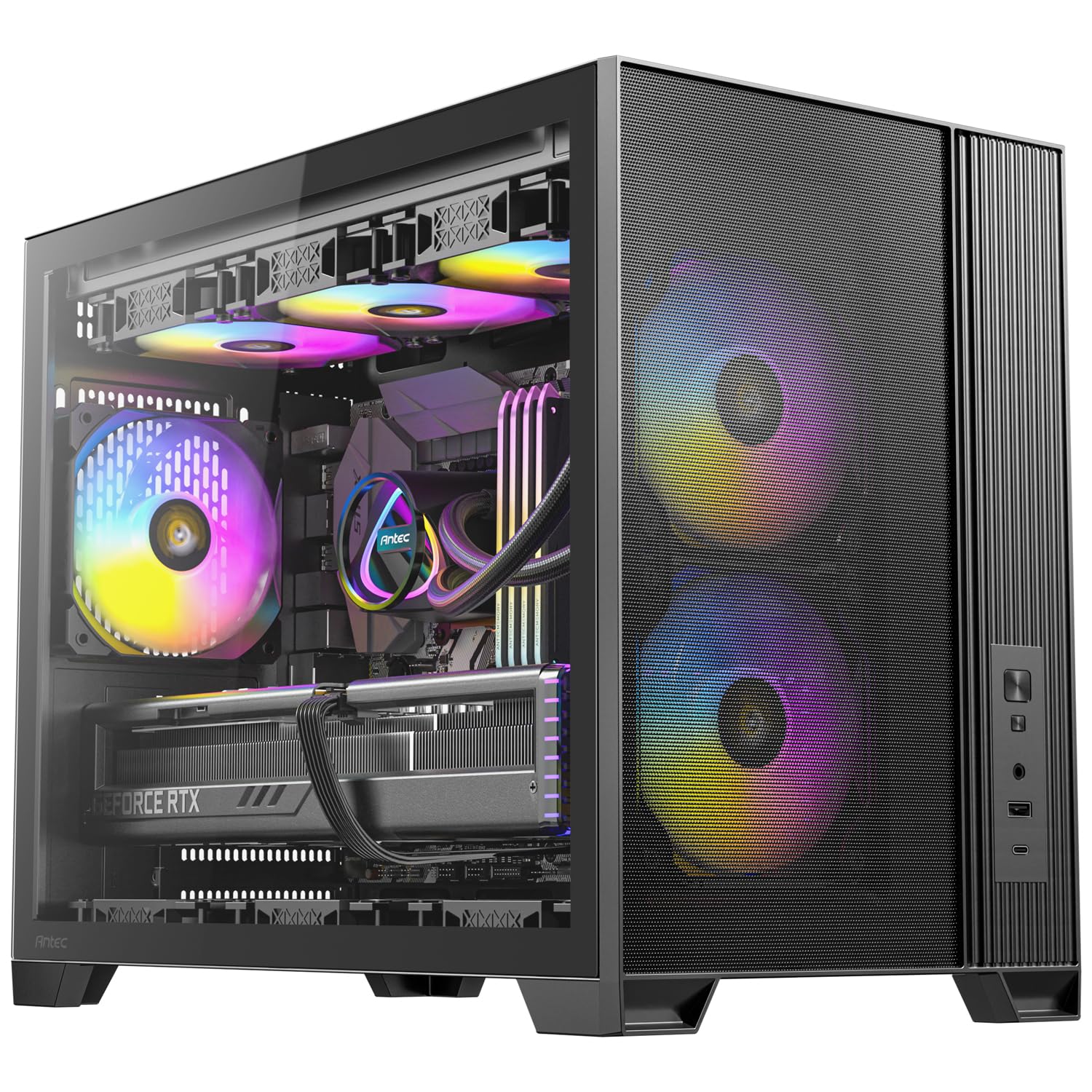
Six PWM fans come screwed in, so your cooling budget is already spent inside the box.
No other case here arrives this well stocked. The Flux M ships with six PWM fans — pulse-width modulation fans that the motherboard can slow down or speed up automatically — split across the front, bottom, and rear. Two 120 mm ARGB units sit at the front, three 120 mm reverse fans run along the bottom, and one 120 mm ARGB fan exhausts at the rear. You buy the case and the fan shopping is already done.
The layout explains the fan count. Antec calls it an F-LUX platform, and the idea is vertical airflow — cool air rises in from the bottom and heat exits out the top rather than drifting sideways. You can also fit a 360 mm radiator at the top if you would rather liquid-cool. Cable room is generous, with 59 mm of management space at the front and 49 mm at the rear, and a 13A extension cable is included for flexible power supply placement.
Weigh it before you buy it, though, and check the shelf. This is the heaviest case on the list at 14 pounds, and its dimensions of 18.07″D x 14.37″W x 9.72″H make it the widest of the group too — beside the Cooler Master Elite 301 Lite at 9.8 pounds, it is the heavier machine. Value is what owners talk about most, with airflow close behind and the included fans earning their own share of the praise. The rear cable space and the six-fan stock setup mean fewer extra purchases, which is exactly why it reads as a good deal.
The complete cooling package: six PWM fans pre-installed in a vertical-airflow layout, plus a 360 mm top radiator mount and a USB Type-C 3.2 Gen 2 port up front.
Check your desk: at 14 pounds and 14.37 inches wide it is the heaviest, widest case here — fine on a big desk, a squeeze on a small one.
Choose it: when you want to build once and never shop for fans — six PWM units and a 360 mm radiator mount are already inside.
Only if the desk allows: 14 pounds and 14.37 inches of width need space and a sturdy surface.
7. Cooler Master Elite 301 Lite Micro-ATX PC Case

A no-fuss tower with a 365 mm card limit and a grille that lets air straight in.
The Elite 301 Lite does the basics without drama, and it does them at the entry end of the mid-range. A graphics card up to 365 mm fits — the same figure as the JONSBO D32 PRO and longer than the ASUS Prime AP201’s 338 mm. You get 280 mm liquid cooler support and room for six fans, so a mid-range gaming build has the thermal headroom it needs.
The intake is a large, unrestricted grille at the front, so the front fans pull air without fighting a solid wall. Inside, the case takes a CPU air cooler up to 163.5 mm tall and a power supply up to 160 mm long. One 120 mm fan is included, a Type-C port sits on the front panel, and the tempered glass side panel lets you see the build.
Build quality is what buyers bring up most, with value for money right behind it, and plenty of room plus cable management round out the positives. The thing to know before you order is storage: it lists a single internal bay. That is one drive position, which is fine for a single SSD build and cramped if you plan to carry over old hard drives. Its 9.8 pounds and slim 8.01-inch width also make it one of the easier cases to slide into a narrow desk gap.
What you actually get
- 365 mm GPU clearance for a long gaming card
- 280 mm liquid cooler and six-fan support
- Large unobstructed front intake grille
- Slim 8.01-inch width slides into a tight desk space
Plan around this
- Only one internal bay, so drive expansion is limited
- Comes with a single 120 mm fan — plan to add more for a hot build
- 163.5 mm cooler ceiling rules out the tallest air towers
Fits best: a clean single-SSD gaming build with one long graphics card and a moderate air or 280 mm liquid cooler.
Skipped by: anyone planning multiple hard drives or a very tall CPU air tower.
8. Thermaltake View 170 TG ARGB Black Micro-ATX Case
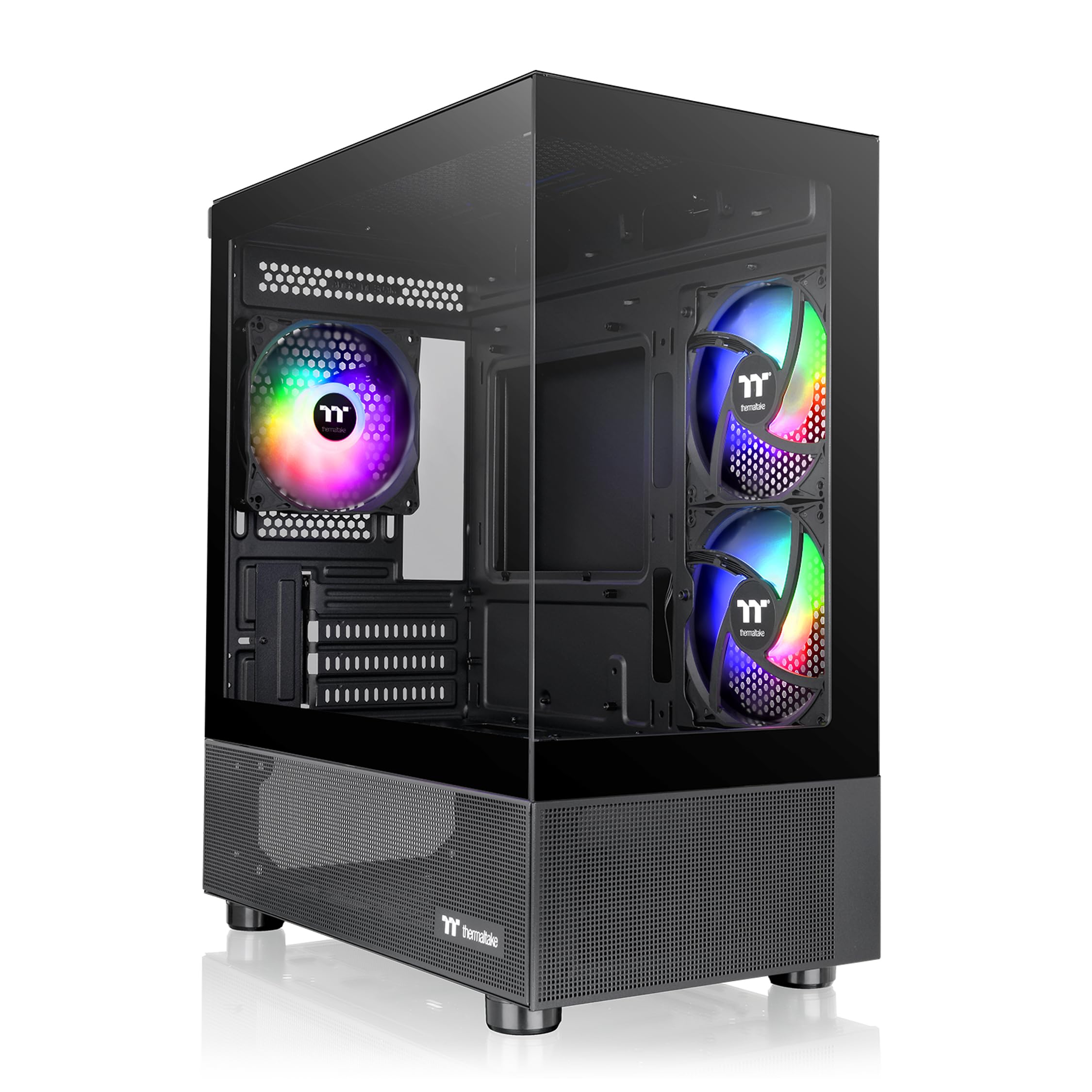
Two panes of glass meet with no corner post, so your parts have nothing in the way.
This is a display case, and the pillarless dual-glass corner is the reason to pick it. The front and side tempered glass panels join at a pillarless corner, which means there is no vertical frame strip interrupting the view from where you sit. Three 120 mm ARGB fans come pre-installed — addressable RGB units whose colours and patterns you control from the motherboard or a controller — so the case glows the moment it powers on without extra fan shopping.
Cooling support is sensible for a small tower. You can mount a radiator up to 280 mm at the top, and the case accepts both air and liquid cooling setups. Graphics cards fit up to 340 mm, which covers most mid-range and many high-end cards but falls short of the 365 mm the JONSBO D32 PRO allows. Front-panel connections are two USB 3.0 ports plus a single HD Audio jack.
Be honest with yourself about the trade-off before ordering. Solid glass panels do not pass air the way mesh does, and this case leans on its three fans to move heat rather than on its panels. That is a fair design for a moderate build; for a furnace of a graphics card you would want more open panels. It also lists no rating data here, so treat the glass-first design as the reason to choose it rather than the cooling. Its power supply mounts at the bottom, which keeps the weight low and the interior accessible. Thermaltake backs it with a three-year warranty.
The showroom angle: a pillarless dual-glass corner and three pre-installed ARGB fans turn a small desk tower into a lit display piece.
Know before you buy: glass blocks airflow, so this is a look-first choice — and the 340 mm card limit rules out the longest cards.
Take it home: if the case is going on show and your card is under 340 mm with a 280 mm radiator at most.
Different case: if you are building a high-heat machine and need mesh panels doing the cooling, not three fans against glass.
9. Cooler Master Q300L V3 Micro-ATX PC Case
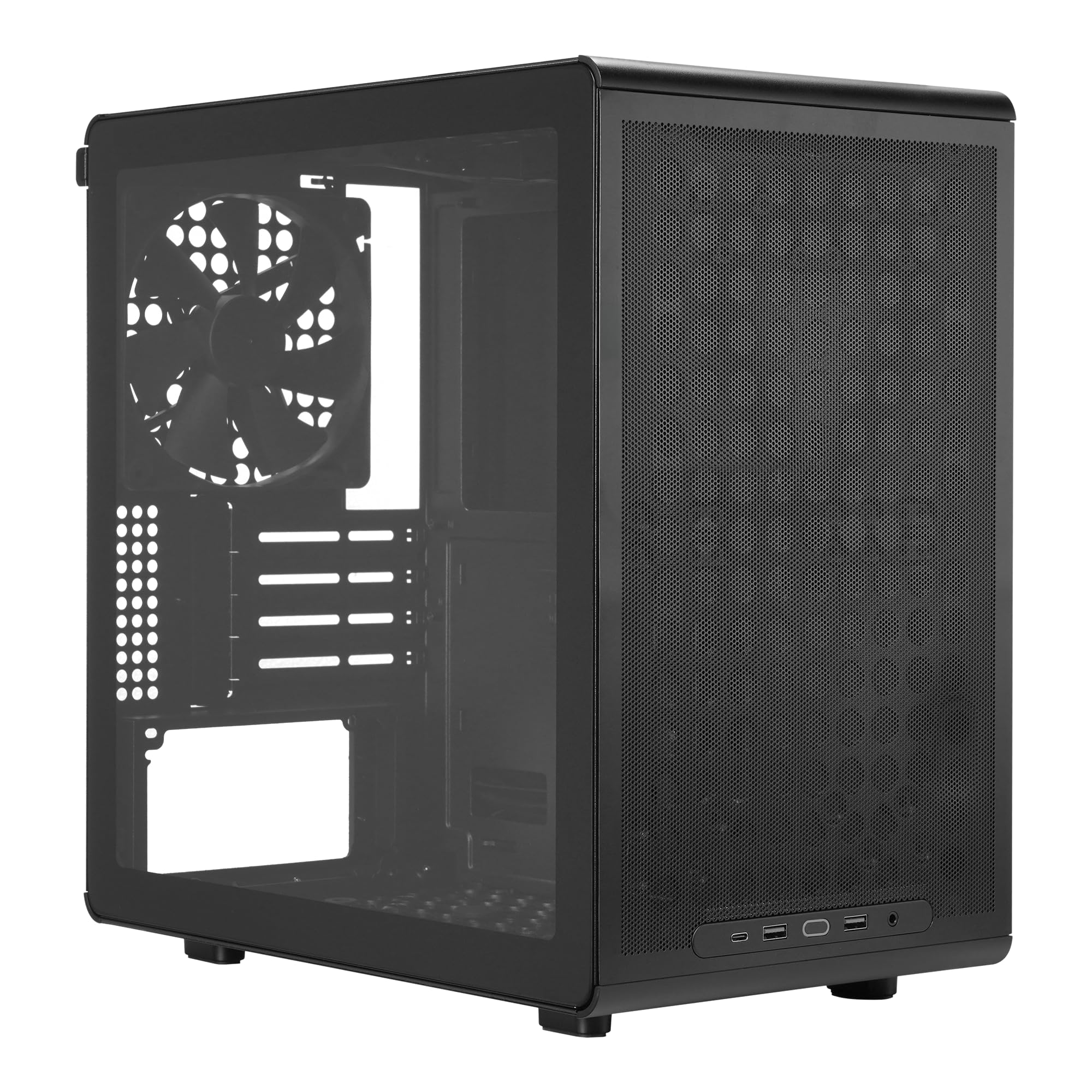
The budget entry that still takes a 366 mm graphics card and a 240 mm radiator.
If the build is a first one and the budget is tight, this is the case that keeps the important numbers. It fits graphics cards up to 366 mm, which is longer than the Thermaltake View 170’s 340 mm limit, and it supports 240 mm AIO radiators plus up to six 120 mm or 140 mm fans. A 178 mm CPU air cooler fits inside, which is a generous ceiling for a tower heatsink.
Practical touches are everywhere for a case at the entry end. The I/O panel — the front-panel port strip — can be moved to a different position, the dust filters are magnetic so they lift out for cleaning, and the side panel is tempered glass. It accepts an ATX power supply up to 200 mm long and a graphics card up to 366 mm when the front fan is left out. Buyer feedback praises the build quality most, with the size next, and the consensus is that it goes together without fuss.
The part to weigh is room for drives. This case lists one internal bay, the same as the Elite 301 Lite, so it suits a build running a single SSD rather than a stack of old hard drives. Its 10 pounds and 15.2″D x 15.3″W x 12.6″H dimensions also make it a fairly wide box for the desk. But compare that against the NZXT H3 Flow’s seven bays and you see the trade you are making: this is the pick when the budget matters more than storage expansion.
Where the value lands
- 366 mm GPU clearance beats the Thermaltake’s 340 mm limit
- 178 mm CPU cooler ceiling fits a tall air tower
- Magnetic dust filters lift out for cleaning
- Movable front I/O panel adapts to your desk layout
Room you give up
- One internal bay only — a single-drive build suits it best
- Relatively wide 15.3-inch footprint on the desk
- 240 mm radiator cap is smaller than the 360 mm cases above
The smart entry: a first mATX build where you need card room and airflow on the smallest budget.
Look up-market: if you are carrying over multiple drives or want a 360 mm radiator.
Know the Specs
GPU clearance and the three-number trap
GPU clearance is the maximum graphics card length a case accepts, measured in millimetres along the card body. It shrinks as you add parts up front — a fan eats roughly 25 mm, and a radiator plus fans eats more. The NZXT H3 Flow spells this out with three figures: 377 mm bare, 352 mm with front fans, and 317 mm with a front radiator and fans. Shop against the smallest one your setup will produce, and a long card will fit.
Radiator size versus air cooler height
Radiator support is given in millimetres — 240 mm, 280 mm, and 360 mm are the common sizes — and it tells you which liquid cooler can mount inside. Air cooler clearance works the same way but measures the height of a tower heatsink from the CPU to the top of the fins. These two limits usually trade off against each other, because a big radiator up top takes room a tall heatsink would have used. Cases like the JONSBO D32 PRO list both separately by processor brand, which is the most precise way to shop.
Internal bays and PSU length
Internal bays are the mounting positions for drives and hardware inside the chassis, and the number varies widely — from one on the Cooler Master Q300L V3 up to seven on the NZXT H3 Flow. Power-supply length is a separate limit measured in millimetres; a 200 mm cap means a long ATX unit fits, while the Antec Flux M works around placement with its 13A extension cable instead. Check both against what you already own.
Mesh, back-connect, and fan counts
A mesh panel is perforated steel or plastic that passes air; a tempered glass panel is solid and shows off your parts. Back-connect support means the case can take a board whose plugs sit on the reverse face, which hides cables — the JONSBO D32 PRO offers this through its A/B mode. Pre-installed fan counts matter too: the Antec Flux M ships with six PWM fans, while the Lian Li A3-mATX ships with none, which changes how much cooling you still need to buy.
Common Questions
Will a Micro-ATX case fit a full-size ATX power supply?
How do I know which graphics card will fit in an mATX case?
Can I use a 360 mm radiator in a Micro-ATX case?
What does back-connect or BTF motherboard support actually mean?
Is a mesh case louder than a glass case?
Do I need to buy extra fans for the Lian Li A3-mATX?
How tall a CPU air cooler fits in these cases?
How many drives can I fit in a small mATX case?
Do I need a specialmotherboard for a back-connect case?
Can a Mini-ITX motherboard go into a Micro-ATX case?
The Bottom Line
The matx case that makes the most sense for most builds is the NZXT H3 Flow, because it balances a genuinely compact steel chassis with seven internal bays, three separate GPU-clearance figures, and both 280 mm front and 240 mm top radiator mounts. It is the case that gives you room to grow without forcing a compromise on card length.
If a massive graphics card and a 360 mm radiator are the core of your plan, the Lian Li A3-mATX leads the whole list on card length at 415 mm — just budget for fans, since it ships with none. And for a first build where the budget is the tightest constraint, the Cooler Master Q300L V3 still takes a 366 mm card for the least money here.
If desk space and the ability to carry the machine between rooms matter more than expansion, the JONSBO Z20 does it in roughly 20 litres with a detachable handle and a 363 mm card limit. Whichever you pick, check the GPU figure with your fans and radiator installed first — that one number decides whether the build goes together smoothly or fights you on the last step.
How we choose
We do not accept paid placement. Every pick is matched to a real buyer and a real use-case; we do not hands-on test units.
Sources
Specifications: manufacturer listings and product documentation. Review insights: verified customer reviews, as of November 2026. Pricing: not shown on this page (it changes often); check the current price via the retailer link.
As an Amazon Associate, My Heart Lives Here earns from qualifying purchases. This does not affect which products we feature.