Heads up: This post contains affiliate links. As an Amazon Associate I earn from qualifying purchases, at no extra cost to you. Learn more
Specs are compiled from manufacturer listings and verified buyer reviews and can change over time — please confirm the key details on the product page before buying.
Most laptop RAM upgrades fail for a boring reason: the stick is the wrong shape or the wrong voltage, not a bad brand. A kit that freezes at boot, or drops to a slower speed the moment you close the BIOS, is usually the wrong shape or the wrong voltage rather than a bad stick of RAM. This guide sorts six 32GB DDR5 SO-DIMM options (SO-DIMM is the smaller memory stick laptops use) by the things that actually decide whether your upgrade works: whether they come as a matched pair of two or as a single stick, the speed they are rated for, the CAS latency (the delay before the RAM delivers data, where lower is faster), and whether other buyers of your exact laptop got them running.
This guide is built by comparing the manufacturers’ published specifications and the patterns across verified customer reviews, so you get each pick’s real strengths and trade-offs instead of marketing spin.
You will see exactly which of these six is the safest bet for a typical gaming or creator laptop, and where the faster-rated kits ask you to do a little homework first. The short answer for most people is a matched 2x16GB kit rated at 5600MHz — and the strongest all-round pick among these six 32gb ddr5 laptop ram options is the one sitting at number one.
Top Picks

How To Choose The Best 32GB DDR5 Laptop RAM
The wrong purchase here is rarely a bad product. It is a kit that fits physically but is logically wrong for your machine — a single stick where two would have run faster, or a 5600MHz set that never leaves its default 4800MHz because the BIOS has not been told to overclock (run the RAM above its base speed).
Start with the form factor and the pin count
Laptops and mini PCs take SO-DIMM, the short memory stick, not the long desktop DIMM. Every kit on this list is SO-DIMM at 262 pins, which is the DDR5 laptop standard. Before you order, confirm your machine takes DDR5 at all — a DDR4 laptop cannot accept these sticks and a DDR5 laptop will not accept DDR4.
Decide between two sticks and one
A 2x16GB kit uses both memory slots, which is the configuration most laptops are happiest with. A single 32GB stick leaves you a free slot to add more later, but it fills only one channel. If your laptop has two slots and you want the cleanest upgrade, a matched pair is the simpler answer.
Read the speed and the CAS latency as a pair
Speed is written in MHz or MT/s — how many million transfers happen per second. CAS latency, usually shortened to CL, is the number of clock cycles the memory waits before answering. A kit rated 5600MHz at CL46 moves data in bigger gulps than one at 5200MHz, but a CL40 kit at the same speed is tighter still.
Know what “requires BIOS adjustments” really means
Several kits here hit their headline speed only through overclocking profiles like XMP 3.0, which you enable in the BIOS. Without that step they fall back to a conservative default speed. If opening the BIOS sounds like a chore, a kit that runs near its rating from the start is the friendlier buy.
Side-by-Side Comparison
| Model | Best For | Modules / Capacity | Rated Speed | CAS Latency | Amazon |
|---|---|---|---|---|---|
| TEAMGROUP Elite SODIMM DDR5 32GB (2x16GB) 5600MHz CL46★ Best Overall | Best overall all-rounder | 2 x 16GB | 5600 MHz | CL46 | Amazon |
| PNY DDR5 32GB (2x16GB) 5600MHz CL46 Performance KitSimplest Install | Simple plug-and-play upgrade | 2 x 16GB | 5600 MHz | CL46 | Amazon |
| Corsair Vengeance DDR5 SODIMM 32GB (2x16GB) 5600MHz C48 | Intel and AMD laptop owners | 2 x 16GB | 5600 MHz | CL42 | Amazon |
| G.SKILL Ripjaws DDR5 SO-DIMM 32GB (2x16GB) 5600MT/s CL40 | Lowest latency on the list | 2 x 16GB | 5600 MT/s | CL40 | Amazon |
| Crucial DDR5 32GB Kit (2x16GB) 5200MHz SODIMM | ThinkPad and 13th-gen builds | 2 x 16GB | 5200 MHz | CL15 | Amazon |
| A-Tech 32GB DDR5 5600MHz PC5-44800 CL46 SODIMM | One-slot upgrades and top capacity | 1 x 32GB | 5600 MHz | CL46 | Amazon |
Detailed Reviews
1. TEAMGROUP Elite SODIMM DDR5 32GB (2x16GB) 5600MHz CL46
Our pick — 4.5+★ from 250+ verified ratings; the strongest balance of quality and price.
A matched 2x16GB pair rated 5600MHz CL46 that most DDR5 laptops accept without a BIOS trip.
If your laptop already runs DDR5 and you want the upgrade to be a five-minute job, this is the kit to beat. You get two matched 16GB sticks for a total of 32GB, rated at 5600MHz with a CAS latency of CL46. That speed is the top of this group’s mainstream tier, so the memory can feed a gaming session or a 3D modelling session without making you wait on data flow.
What sells it is that it holds up in real machines rather than only on a spec sheet. ASUS TUF15 owners are among the crowd who report it slotting in and running well, and a 32GB total is the capacity that makes heavy multitasking feel roomy. The energy figure is modest at 1.1V, which is the standard DDR5 laptop voltage, so you are not asking your battery or cooling to work harder.
The honest catch is boot behaviour. Some buyers hit a first-boot hiccup that resolves with a re-seat or a couple of restarts, so leave yourself ten spare minutes on installation day rather than doing it five minutes before a meeting. For the price tier this sits in, a matched pair at 5600MHz with an on-die ECC layer for stability is genuinely hard to argue with.
What earns it the top slot
- Matched 2x16GB pair for 32GB total, rated 5600MHz
- 1.1V working voltage keeps it within normal laptop power needs
- On-die ECC support for a steadier system
- Holds up in ASUS TUF15 installs based on buyer reports
Where it can trip you up
- A few find a first-boot snag that clears with a re-seat
- Some report it settling at 4800MHz depending on the laptop
Reach for this if: you want a matched 5600MHz pair that most DDR5 laptops accept with little fuss.
Think twice if: a first-boot stall on an unfamiliar machine would stress you out — budget time for the install.
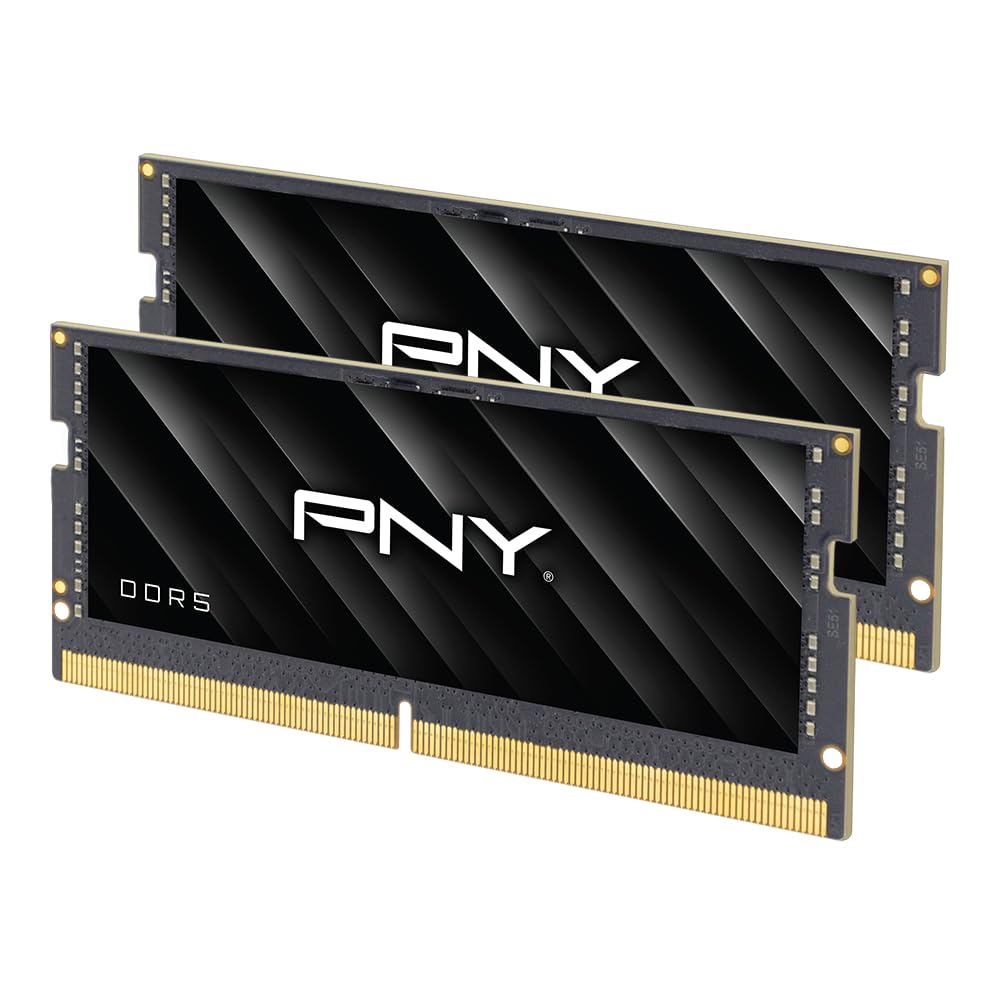
2. PNY DDR5 32GB 5600MHz Notebook Memory Kit
A matched 2x16GB 5600MHz CL46 pair with plug-and-play setup and a limited lifetime warranty.
For anyone who wants the upgrade to be the least complicated part of their week, this PNY kit is the one to pick. It is a matched pair totalling 32GB at 5600MHz with a CL46 latency, and the maker bills it as plug-and-play with no downloads required. That means you open the laptop, swap the sticks, close it up, and go.
This PNY kit matches the TEAMGROUP above on paper — same 5600MHz speed, same CL46 latency — so the choice between them really depends on machine fit and confidence. PNY backs this one with a limited lifetime warranty and 24/7 US-based support, which is the kind of thing you appreciate only when you need it. It also tolerates dropping to 5200MHz or 4800MHz where the laptop demands a slower speed, so it will not fight your system.
The trade-off: this kit’s CL46 latency is looser than the G.SKILL’s CL40.
What the buyers care about: the reviews name performance and quality as the two things that get mentioned most, with machines described as running their games well and meeting advertised specs.
The real value here: a matched 2x16GB 5600MHz pairing with plug-and-play setup and a lifetime warranty behind it.
Go with this one if: you want the swap done in one sitting with no BIOS tinkering and a long warranty as backup.
Look elsewhere if: you specifically want the lowest CAS latency — the G.SKILL holds that claim.
3. Corsair Vengeance DDR5 SODIMM 32GB Black

A 2x16GB kit rated up to 5600MHz C48 that Corsair says fits nearly any Intel or AMD laptop.
Corsair’s take on the 32GB laptop upgrade leans on compatibility. This is a 2x16GB kit rated up to 5600MHz at C48, and the maker states it works with nearly any Intel and AMD system, including small-form-factor PCs and Intel NUC kits. If you are unsure whether your machine will play nicely with a given brand, that broad-compatibility pitch is the reassuring part.
The convenience feature is that Vengeance sets itself to its maximum speed automatically on compatible systems — the maker says no BIOS work is needed — which is a step up from kits that sit at a default until you intervene. At around 9.07 grams per module, each stick is light enough to slot in without strain, and the latch is a simple install for most laptops with just a screwdriver. Owners describe the quality as the standout — it is the most-discussed positive trait here — with load times and multitasking speeding up after the swap.
The catch: this kit’s C48 rating is looser than the CL42 the block lists, and maximum speed still depends on your motherboard and CPU. Two machines can run the same memory at different speeds, so treat 5600MHz as the target rather than a guarantee. It is the honest trade for a set that auto-tunes itself.
Why it belongs here: a matched pair with automatic speed-setting and near-universal Intel and AMD laptop support.
The fine print: 5600MHz top speed still depends on the rest of your system.
This is your pick if: you want brand reassurance and automatic speed-setting across mixed Intel and AMD hardware.
Keep shopping if: you want a tighter latched clock speed than a C48 rating offers.
4. G.SKILL Ripjaws DDR5 SO-DIMM 32GB

A 2x16GB 5600MT/s kit at CL40-40-40-89, the lowest CAS latency on this list.
That CL40-40-40-89 timing is the lowest CAS latency figure here, and it is why this Ripjaws kit earns a spot. It is a 2x16GB DDR5 SO-DIMM running up to 5600MT/s at 1.10V, non-ECC and unbuffered, with a JEDEC default profile plus an Intel XMP 3.0 overclock profile on board. In plain terms: it waits fewer clock cycles to answer the processor than a CL46 kit does, which is the sort of thing benchmark-chasers notice.
Buyers report their machines feel noticeably snappier with the speed running as advertised, and compatibility gets solid attention — reviewers name it specifically as working with models like the Alienware M18 rev2 and the Acer Predator Helios 16 PH16-71. Install is straightforward, and the price band is fair for a kit this tightly timed. Unlike the A-Tech below, which gives you a single stick, this one fills both slots for the standard matched-pair setup.
Here is the part to respect rather than fear: reaching 5600MT/s requires overclocking or BIOS adjustments, and the maker is explicit that maximum speed depends on the board and CPU. The kit boots at the JEDEC default until you enable XMP. G.SKILL also warns against mixing it with another kit, so do not buy it thinking you will pair it later with a stray stick.
Why the timing crowd picks it
- CL40-40-40-89 is the lowest latency on this list
- Matched 2x16GB pair at up to 5600MT/s
- 1.10V non-ECC unbuffered, with XMP 3.0 profile
- Confirmed fit on Alienware M18 rev2 and Acer Predator Helios 16 PH16-71
What you sign up for
- 5600MT/s needs BIOS overclocking to reach
- Cannot be mixed with a second kit
Made for: the buyer who wants the tightest timing and will flip on XMP to get there.
Not for: anyone hoping to add a spare kit later — this one stays a matched pair.
5. Crucial DDR5 RAM 32GB Kit SODIMM

A 2x16GB 5200MHz CL15 kit that downclocks to 4800MHz on laptops that cap there.
Crucial is the name you pick when you want reliability over headline speed, and this kit runs at 5200MHz. That is a notch below the 5600MHz crowd, but Crucial positions it for 13th Gen Intel Core and AMD Ryzen 7000 Series processors, which is the hardware in a lot of recent laptops. It is a 2x16GB set at 1.1V, non-ECC, 262-pin, in the 2Rx8 rank configuration.
The smart bit is the downclocking behaviour: 5200MHz RAM can drop to 4800MHz when the system only supports the lower figure, so it adapts rather than demanding your board match it. That flexibility is why ThinkPad T15P gen 3 owners find it simply works. Reliability is the trait that gets the most love here — it is the top positive aspect in the reviews, with performance right behind it — and the kit’s job is to make your laptop feel less bottlenecked without drama.
One oddity to flag honestly: the listing shows a CAS latency of 15, which is not typical for DDR5 at this speed and may simply be a catalog quirk. If exact latency numbers matter to you, the G.SKILL and Corsair kits publish theirs more conventionally. For a business or productivity laptop, though, this Crucial kit is about as hands-off as it gets.
The steady-hands approach: a matched 2x16GB 5200MHz kit that downclocks to 4800MHz when the laptop needs it to.
A catalog quirk: the listed CAS latency of 15 is unusual for DDR5 — buy this one for reliability, not for timing bragging rights.
Best suited to: ThinkPad, 13th-gen Intel and Ryzen 7000 laptop owners who value a smooth, no-surprise upgrade.
Skip the timing race with this one: if 5600MHz or a conventional latency figure is your requirement, look at the picks above it.
6. A-Tech 32GB DDR5 5600MHz SODIMM

A single 32GB 5600MHz CL46 module for laptops with only one accessible SO-DIMM slot.
This is the odd one out, and deliberately so — it is a single 32GB module rather than a pair, which is exactly what you want in a mini PC, an all-in-one, or a thin laptop that only has one accessible slot. It runs at 5600MHz, PC5-44800 (the module’s bandwidth rating), with CL46 latency, a 1.1V JEDEC-standard voltage (the industry-standard power level), and a dual-rank 2Rx8 layout (two banks of chips per stick, which can help bandwidth).
Where the matched pairs above fill both channels, this single stick fills one with a full 32GB. That is a different job: you keep a slot free and add capacity in one move. The data is thinner here — there is no customer review summary to lean on — so judge this one on the spec sheet. A-Tech tests each module and covers it with a limited lifetime warranty, and it installs with no expertise beyond knowing where the slots are.
The clear trade-off is speed potential. Because it fills only one channel, a dual-stick 2x16GB kit is the faster route on a two-slot laptop. If your machine has just one slot, though, a single 32GB module is the only sensible answer, and this A-Tech is rated at 5600MHz to make the most of it.
The right call for: single-slot laptops, mini PCs and all-in-ones that need a 32GB jump in one module.
Not the first choice for: a two-slot laptop where a matched pair would run faster.
Know the Specs
Speed (MHz and MT/s) vs. CAS Latency
Speed tells you how many million memory transfers happen every second — 5600MHz moves data faster than 5200MHz. CAS latency (the CL number) tells you how many clock cycles the memory waits before responding to the processor, so a lower number is snappier. The two work together, which is why a CL40 5600MT/s kit is the quickest of the group while a CL46 kit at the same speed is a notch behind it.
SO-DIMM, 262-Pin, and 1.1V
SO-DIMM is the short laptop memory stick, and 262-pin is the DDR5 version of that connector. The 1.1V figure is the standard DDR5 working voltage, so it is what your laptop expects and keeps power draw in the normal range. Every kit on this list is SO-DIMM 262-pin at 1.1V — but none will fit a DDR4-only machine.
Matched Kits vs. Single Modules
A 2x16GB kit is a matched pair designed to run as a set, filling both channels for the cleanest performance. A single 32GB module adds the same total capacity but fills one channel, leaving a slot free for later. On a two-slot laptop the matched pair is the faster setup; on a one-slot machine the single stick is the only option.
XMP 3.0 and BIOS Adjustments
Overclocking profiles like Intel XMP 3.0 let a kit run at its rated top speed, but you often have to enable that profile in the BIOS first. Without it, memory boots at a conservative default speed. Corsair’s Vengeance is the exception here, setting its own maximum speed automatically on compatible systems, while others rely on you to switch on XMP.
Common Questions
Will a 2x16GB kit fit my laptop, or do I need a single 32GB stick?
Is 5600MHz noticeably faster than 5200MHz for everyday use?
What does CL46 or CL40 actually mean and does it matter?
Why does my new 5600MHz RAM only run at 4800MHz?
Can I add a single 32GB stick to the RAM I already have?
Is 32GB enough, or should I look for more?
Do I need to touch the BIOS after installing laptop RAM?
Will DDR4 laptop RAM work in my DDR5 laptop, or vice versa?
What voltage should a DDR5 laptop stick run at?
Does a 32GB kit come with a warranty?
The Bottom Line
If you want the safest, strongest choice for a DDR5 laptop with two slots, the 32gb ddr5 laptop ram to buy is the TEAMGROUP Elite 2x16GB 5600MHz kit. It pairs a matched 5600MHz dual-stick setup with on-die ECC and a modest 1.1V draw, which is what makes it the well-rounded pick rather than the flashiest one. If plug-and-play simplicity and a lifetime warranty matter more, the PNY kit delivers the same 5600MHz in an easier install. And for the timing chasers, the G.SKILL Ripjaws with its CL40-40-40-89 spec is the tightest option on the shelf.
How we choose
We do not accept paid placement. Every pick is matched to a real buyer and a real use-case; we do not hands-on test units.
Sources
Specifications: manufacturer listings and product documentation. Review insights: verified customer reviews, as of November 2026. Pricing: not shown on this page (it changes often); check the current price via the retailer link.
As an Amazon Associate, My Heart Lives Here earns from qualifying purchases. This does not affect which products we feature.