Heads up: This post contains affiliate links. As an Amazon Associate I earn from qualifying purchases, at no extra cost to you. Learn more
Specs are compiled from manufacturer listings and verified buyer reviews and can change over time — please confirm the key details on the product page before buying.
If you have ever watched your laptop battery crawl upward while a cheap cable sat plugged in, you already know the problem. A cable that claims big wattage but cannot actually deliver it turns a fast charger into a slow trickle, and the fix starts with understanding one number: the wattage your cable is truly built to carry. This guide cuts through the labels and shows you which 100W USB-C cables actually hold up, which pack real power, and which are worth keeping in your bag for years.
This guide is built by comparing the manufacturers’ published specifications and the patterns across verified customer reviews, so you get each pick’s real strengths and trade-offs instead of marketing spin.
if you need a long cable for the couch or a short one for your desk, the choice depends on wattage, E-marker support and bend rating. Here is what separates a reliable 100w usb-c cable from one that stays coiled in your drawer.
Top Picks


How To Choose The Best 100W USB-C Cable
Buying a 100W USB-C cable is not about picking the prettiest one in the bin. It is about matching three things: the power your charger can push, the device you are charging, and how you actually use the cable in daily life. Get those three right and the cable will hold up for years.
Match the wattage to your charger
A 100W cable does nothing if your wall plug only pushes 30W. The cable is a pipe — the charger decides how much water flows through it. A 100W charger combined with a 100W cable gives you maximum speed for laptops like a MacBook Pro. Pair that same cable with a 20W phone brick and you get phone-speed charging, which is exactly what your phone needs.
Look for the E-marker chip
Inside a good 100W cable is a tiny chip called an E-marker. Its job is to tell your charger “this cable can handle 5 amps safely.” Without that chip, some devices will throttle down to protect themselves. Look for cables that mention an E-marker or E-mark 2.0 chip in their description.
Check the bend test number
Braided nylon cables are advertised with a “bend test” figure — how many times the cable can be flexed before the internal wires break. A 5,000-bend cable is entry-level. A 25,000 or 50,000-bend cable is built to live in your bag and get yanked. This number is the best predictor of how long the cable will actually last.
Decide on length before you buy
A 1-foot cable is perfect for a desk setup where the charger sits right next to your phone. A 6.6-foot cable reaches your couch. A 10-foot cable covers a bed or a back seat. Pick the wrong length and you will end up stretching it, which stresses the connector and shortens its life.
Side-by-Side Comparison
| Model | Best For | Max Power | Length | Data Speed | Amazon |
|---|---|---|---|---|---|
| UGREEN 100W USB C to USB C Cable★ Best Overall | Everyday desk and car charging | 100W | 6.6 ft | 480Mbps | Amazon |
| Belkin USB C to USB C 100W Braided CableBest Certified Pick | USB-IF certified safety | 100W | 9.9 ft | 480Mbps | Amazon |
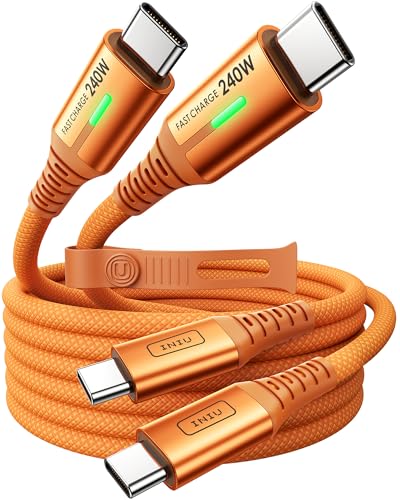
| INIU 240W USB C to USB C Cable240W Powerhouse | High-wattage laptops and gaming | 240W | 6.6 ft | 480Mbps | Amazon |
| DreemTeam 240W USB C Cable | Budget 240W flexibility | 240W | 6.6 ft | 480Mbps | Amazon |
| DEWALT Heavy Duty 100W USB C Cable | Jobsite and rugged use | 100W | 6 ft | — | Amazon |
| Statik MagStack Pro USB C Cable | Travel and cable management | 100W | 3 ft | 480Mbps | Amazon |
| ohbox USB C Cable Short | Compact desk setups | 100W | 1 ft | 480Mbps | Amazon |
| Anker USB C to USB C Cable | Reliable everyday backup | 100W | 6 ft | 0.48 Gbps | Amazon |
| Durcord 100W USB C to USB C Cable 2-Pack | Extra-long reach on a budget | 100W | 10 ft | 0.48 Gbps | Amazon |
Detailed Reviews
1. UGREEN 100W USB C to USB C Cable, 2-Pack, 6.6ft
Our pick — 4.5+★ from 34,500+ verified ratings; the strongest balance of quality and price.
The cable that turned a desk accessory into the most reliable cord in the house.
If you only buy one 100W USB-C cable this year, make it this one. The UGREEN pair is the crowd favorite by a wide margin — 4.5+ stars across tens of thousands of owner reports — and the reason is simple: both cables deliver the full 100W and they hold up. Plug in a MacBook Pro or a Samsung S25 and you get 100W PD3.0 power with no throttling, since the built-in E-marker chip tells the charger exactly what the cable can safely handle.
What wins people over is the build. The aluminum housings and nylon braiding hide a 250d fiber core, and the whole thing is tested against 10,000 ninety-degree bends. That is the kind of number that means the connector — the part that always fails first — is built to outlast the cable jacket. Buyers report that both cables ran Super Fast Charging at 5A on a Samsung Galaxy S25 Edge when tested with a 45W PPS brick, which is exactly what a real 5A cable should do.
The one honest catch: some owners find the fitting tight — the USB-C connector grips firmly and can be stiff to remove if you yank the cable sideways. The trade-off is worth it. A firm connection stays connected, and that is a big deal when you are charging a laptop overnight and do not want a quiet disconnect at 3 a.m. The 6.6-foot length in this 2-pack is not the longest in this guide — the Durcord below stretches to 10 feet — but 6.6 feet hits the balance for desk, car and bedside use.
What Makes It Great
- Full 100W PD3.0 charging with a real E-marker chip, so laptops and phones hit top speed
- Aluminum housing plus nylon braid built for 10,000 ninety-degree bends
- 480Mbps data transfer gets a 1GB movie onto your phone in under a minute
- 2-pack for the price of many single cables, plus a strong 4.5+ star owner consensus
Where It Needs a Gentle Touch
- Connector grip is firm — a firm pull is required to remove it, especially in tight cases
- 6.6 feet rather than the 10-foot reach some bedroom-and-couch setups want
Grab this if: you want the safest one-cable-for-everything pick — a laptop charger, a phone charger and a car backup, all in the box.
Think twice if: your setup needs more than six and a half feet of reach from the outlet.
2. Belkin USB C to USB C 100W Braided Cable, 9.9ft
Nearly ten feet of certified, double-braided cable that ends the “my outlet is too far” problem.
The Belkin is the pick for anyone who has looked at their couch, then their wall outlet, then the short cable that came in the box. At 9.9 feet this reaches almost anywhere in a normal room, and it does it with USB-IF certification — an independent standards test that verifies the cable actually does what the label claims. That certification is the single biggest reason to pay a little more here than for a no-name cable.
The build is straight-up over-engineered, and that is a compliment. The anodized aluminum cable head and double-braided nylon are tested to survive more than 25,000 bends and 10,000 plug-ins, so the parts that normally fail — the connector housing and the joint where the wire meets the head — are the strongest parts of this cable. It charges at up to 100W, which covers a MacBook Pro 14″, an iPad Air 5, a Samsung S24 and a Nintendo Switch 2 at their own max speeds.
Safety is where Belkin pulls ahead of the pack. Dual E-marker chips work alongside OTP (Over-Temperature Protection — a safety cut-off that kicks in if the cable heats up) and the whole package comes with 2-year coverage. The honest flip side: durability complaints do exist among owners, and a handful report the cable breaking sooner than expected. Weigh that against a 4.5+ star consensus of hundreds of owners who find it charges fast, works perfectly with a 65W brick, and lasts.
Where it shines: 9.9 feet of certified, double-braided 100W cable with temperature protection built in. If safety and reach are your two priorities, this is the one to put in your bag.
Worth knowing: the connector housing is bulkier than a slim rubber cable head, so it can be a tight squeeze in a very slim phone case cutout.
Choose it when: you want the longest reach with formal safety certification and do not mind a slightly heavier cable.
Skip it when: a compact, ultra-thin connector is a must for a tight case.
3. INIU 240W USB C to USB C Cable, 6.6ft, Orange
A cable that can hand a MacBook Pro its full 240 watts and shrug it off.
If your device draws more than 100W, every other cable in this guide is a bottleneck — but this INIU is not. It carries up to 240W, so a MacBook Pro, a Steam Deck or a ROG Ally X can pull its maximum without the cable heating up. The 240W headroom is the whole point: pairing it with a 100W charger still works, and it leaves room for the next laptop upgrade.
INIU’s own figures put an iPhone 15 series at 71% in 30 minutes, a MacBook Pro at 88%, an iPad Pro at 91%, and a Samsung S23 at 84% in the same window — with a C-port fast charger of the right wattage. The EMARK2.0 chip monitors temperature and cuts off over-charging automatically, which is how a 240W cable stays safe at full draw.
Owners love the physical feel. The nylon braid and metal plugs do not fray at the junction the way cheap cables do, and a small green LED in the plug confirms power is flowing at a glance. The included silicone tie stays soft and does not shed like velcro. The trade-off is simple: you need a 240W-capable wall plug to open up the top speed, and if you only own a 100W or 65W charger you are paying for headroom you will not use today.
What earns the spot: a genuine 240W rating that future-proofs your kit. Buy it once and it covers your next laptop upgrade.
Best for: high-wattage laptop and handheld-console owners who want a single cable that never throttles.
Not for you if: your daily driver is a phone and a 20W brick — a 100W cable covers that just fine.
4. DreemTeam 240W USB C Cable, 6.6ft, 2-Pack
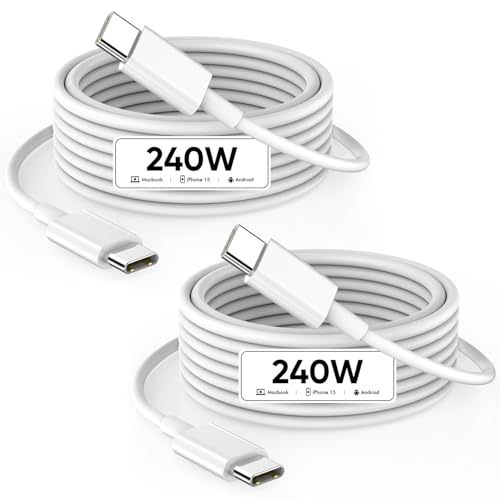
Two 240W cables for the price most brands charge for one, built to last the decade.
This DreemTeam 2-pack is the budget route into 240W, and it holds up under a real device. Each cable pushes up to 240W and supports USB PD3.0, and DreemTeam benchmarks a MacBook Pro 14″/16″ (M3) to 56% battery in 30 minutes and a MacBook Air 13-inch (M2) to 50% in 26 minutes, given a charger powerful enough to feed the demand. Both numbers assume a charger powerful enough to feed the demand — the cable only passes what the brick supplies.
Where the money goes is durability. A special SR joint (a reinforced collar where the wire enters the connector head) lets it survive more than 20,000 bends, and a smart chip inside keeps the current steady so the battery is never over-volted. The 6.6-foot length is comfortable for a desk or a bed, and the 480Mbps data rate handles music, photos and phone files quickly.
One honest note owners keep bringing up: the cables are stiff out of the bag, and the connector grip is firm enough that a light phone has been known to spin on the end of it. That stiffness is a durability side-effect — less flex means less internal wear — but if you want a cable that flops and drapes like a soft shoelace, look at the Anker below instead.
Reasons To Pick This
- 240W per cable for less than many single-cable 100W options cost
- Reinforced SR joint survives 20,000+ bends, plus a smart safety chip
- 6.6 feet reaches a desk or sofa without a strain
- 2-pack means one for the house and one for the bag
What To Weigh First
- Cables are stiff right out of the package and take time to relax
- Firm connector grip can spin a very light phone rather than sit flat
Reach for this if: you want two high-wattage cables on a tight budget and do not mind a slightly rigid feel.
Look elsewhere if: a soft, floppy cable is your personal preference above all else.
5. DEWALT Heavy Duty 100W USB C Cable, 6 ft

A jobsite-bred cable with Kevlar inside and a grip that survives whatever you throw at it.
DEWALT built this for people who destroy cables, and the spec sheet says so. A thick braided exterior sits over a Kevlar-reinforced core with flexible strain relief at both ends — the exact combination that stops the connector junction from splitting after months of yanking. It is rated to 100W and works with the DEWALT USB Charging Kit (DCB094K), plus iPhone 15 series, MacBook Pro and iPad.
The durability focus shows up in how owners talk about it. Parents call it “kid proof” and “toddler proof” because it survives being dragged around the house and shoved in bags. One owner sums up the physical feel: “I’ve seen other reviews say it’s more on the stiffer side but in my opinion, I see that as a plus in terms of quality.” A Velcro tie keeps it tidy when it rides in a work bag, and a 6-foot length matches most toolbags.
Fair warning: the stiffness that makes it tough also makes it less flexible than a soft silicone cable, so it does not loop as neatly in a pocket. And the price sits noticeably above the budget picks in this guide — reasonable for a cable designed to outlive your phone, less so if you just need a cheap spare.
The build is the story: Kevlar reinforcement, a thick braid and strain relief on both ends make this the pick for a life in a truck, a toolbox or a workshop.
Pick it if: your cables historically die young and you want one that finally puts up a fight.
Pass if: you need a soft, pocket-friendly cable for light desk use only.
6. Statik MagStack Pro USB C Coiling Magnetic Cable, 3FT
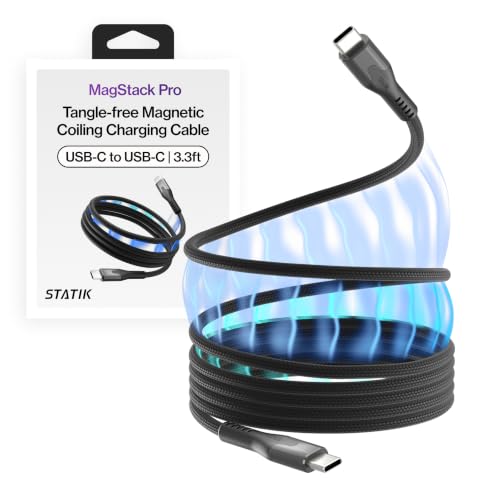
A magnetic cable built to fold itself neatly into a bag pocket instead of tangling.
The MagStack Pro is the only cable in this guide with a magnet inside. Instead of a loose tangle you get a cable that folds back on itself along a magnetic strip, which is great if you have ever pulled a knotted cable out of a bag. It carries up to 100W, moves data at 480Mbps, and packs into a 3-foot length that stays out of the way on a bedside table or a car console.
Owners like it most for the organization side — it stores small, stays ready and takes almost no room in a dopp kit or glovebox. The magnetic coil is what people talk about, but in both directions: some find the pull strong, others report the magnet is weaker than the product photos suggest and the cable does not always hold its coil when you set it down.
That is the honest trade-off here, and it matters. If your goal is a tidy cable that folds flat, this delivers. If your goal is a cable that snaps into a perfect tight spiral every single time, the magnet may disappoint you at some point. Owners also report positive experiences with the warranty — one had a damaged connector replaced quickly by the manufacturer.
Where it wins: a genuinely tidy, travel-friendly design that takes up almost no space. Think of it as a cable for a small bag, not a workhorse.
Real limits: magnetic strength is inconsistent between units, and the coil does not hold as tightly as the marketing photos suggest.
Get this if: you want a small, organized cable for travel, a nightstand or the car and can live with a lighter magnet.
Look past it if: you need a firm, snappy coil or a long reach for a couch setup.
7. ohbox USB C Cable Short, 100W, 1FT, 2-Pack
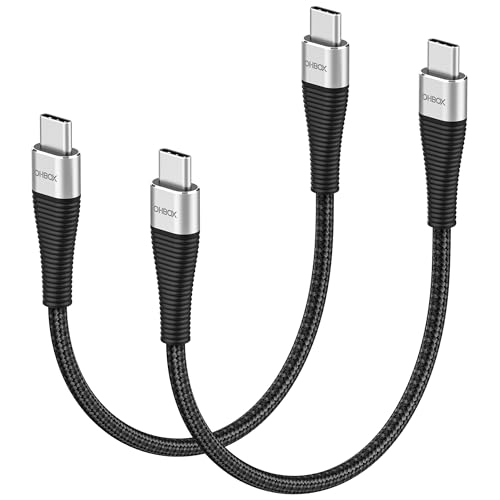
The one-foot stub that clears clutter off a power bank or desk dock.
Some setups need less cable, not more. This 1-foot ohbox cable is made for a power bank in a jacket pocket, a phone sitting on a wireless-charging pad dock, or a laptop plugged into a hub right next to it. At 100W with PD3.0 and QC3.0/4.0 support, it pushes a full 20V/5A when the charger allows, and it charges USB-C phones from 0% to 60% in 30 minutes at 20V/5A.
It is also built to be yanked around. The manufacturer says the cable survives more than 30,000 bending tests, and the short length means there is no extra length to tangle or catch on anything. The 2-pack gives you a spare for the second power bank or the second device.
The obvious thing to think about is exactly why you would want a 1-foot cable in the first place. It is not the cable you use from the couch. It is the cable you keep in a bag with a power bank, or the one that keeps a desk charger from spilling a long cord across your keyboard.
Where It Fits Best
- 1-foot length keeps a power bank or desk dock tidy with no loose cable
- Full 100W PD3.0 charging in a short form factor
- Built to survive more than 30,000 bends
- 2-pack covers your power bank and your travel kit at once
Before You Buy
- Too short for any setup where the outlet is more than a foot from the device
- Not the pick for a couch or bedside if you like a stretched-out reach
Perfect for: a power-bank-and-pocket workflow where a long cable is just dead weight.
Wrong pick if: you want a cable to stretch comfortably from a floor outlet to a bed.
8. Anker USB C to USB C Cable, 100W, 2-Pack, 6 ft
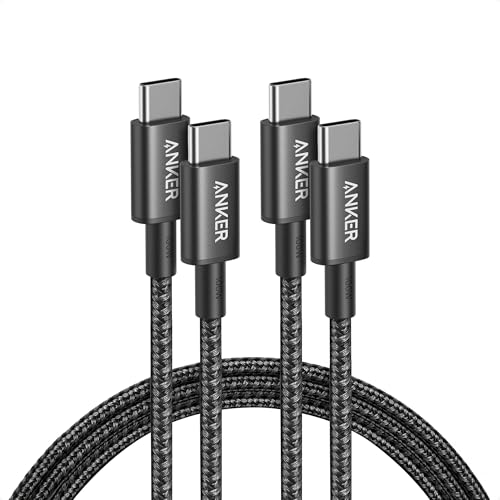
The backup cable you buy in twos and quietly rely on for years.
Anker is the fallback brand for a reason. This 6-foot 2-pack charges up to 100W when paired with a compatible charger, moves data at 0.48Gbps, and is wrapped in a hard-wearing nylon that the maker rates for a 5,000-bend lifespan — plenty for a cable that lives in one spot. Owners describe it as a go-to that lives in every room of the house, in travel bags and in the car.
The catch here is the connector. Both connectors are male-to-male USB-C, and it does not support video output, so you cannot use it to drive a monitor over USB-C. That is worth knowing before you buy — if you are looking to push a display signal, this is not the cable for it.
What keeps it in the shortlist is consistency. It is the dependable spare that ends up in every room of the house.
The honest read: a well-built 100W cable without the flash. Buy the 2-pack, keep one in a bag and one at home.
Worth it if: you want a dependable, cheap second cable and do not care about display output.
skip it if: you need a cable that carries a video signal to a monitor or dock.
9. Durcord 100W USB C to USB C Cable, 2-Pack, 10ft

Ten full feet of 100W reach for the price of a coffee-and-sandwich lunch.
If you want maximum distance for minimum outlay, this is your cable. At 10 feet each, this Durcord 2-pack reaches 4 feet further than the 6-foot Anker above it — 10 feet versus 6 feet — and the extra length is exactly what you want when the outlet is across the room from the couch. Both cables carry 100W at up to 20V/5A using a PD 4.0/3.0 and QC 5.0/4.0 setup, and each one packs an E-Mark 2.0 chip that adjusts the power automatically to protect the battery.
Owners mention it fast-charges Samsung Galaxy phones and fits snugly, with 100W cords that held up for some buyers across a full year of daily use. The 480Mbps data rate handles music, photos and files, and the white jacket keeps it looking clean in a bright room.
The trade-off is at the connector over time. Some customers note the USB-C tips gradually loosening after a month or so of light use, and a few wish the charge stayed as fast as it was in the first weeks. That is the risk with a budget 10-footer — a longer cable has more wire to flex. If you want the safest, longest cable in this guide with a formal safety certification, the Belkin above is the more cautious call. If reach is the whole point, this is the best way to get it for cheap.
The Draw Here
- 10 feet of reach — 4 feet more than the 6-foot Anker — for a genuinely low cost
- 100W at up to 20V/5A with E-Mark 2.0 safety chip on each cable
- 2-pack means a backup for the same low price
- Owners confirm fast charging on Samsung Galaxy phones and a snug fit
What To Keep an Eye On
- Some reviewers point out the USB-C tips loosening gradually after a month or so
- Charge speed may wane with heavy flexing over time
Buy it when: length beats all else and you want a cheap two-pack to cover the whole house.
Step up if: certified safety and long-term connector reliability matter more to you than price.
Know the Specs
Power Rating (Wattage)
The wattage printed on a cable is the ceiling, not the floor. A 100W cable can carry up to 100 watts — enough for most laptops — while a 240W cable can carry up to 240 watts for high-draw machines. The wattage your device actually receives depends on your wall charger, the cable, and the device’s own limit working together. Match a 100W cable with a 20W phone brick and you get 20W charging, not 100W. Match it with a 100W charger and a laptop that accepts 100W and you get the full speed.
E-Marker Chip
An E-marker is a small chip inside the cable connector that tells your charger “this cable is rated for 5 amps safely.” Without one, a charger may limit itself to protect the cable from overheating. Cables rated for 5A and above almost always have an E-marker or E-mark 2.0 chip. If a product description mentions a smart chip, that is what it is talking about.
Common Questions
Will a 100W USB-C cable charge my phone faster than the cable in the box?
What does the E-marker chip actually do in a USB-C cable?
Can I use a 240W cable with a 100W charger and device?
How long should a 100W USB-C cable actually last?
Is a braided USB-C cable better than a rubber one?
How fast is 480Mbps for file transfers on a USB-C cable?
Can I use these cables with a MacBook Pro and an iPhone in the same day?
Why does my new 100W cable seem to charge slower than I expected?
How is a 6-foot cable different from a 10-foot cable in real use?
Do I need a 240W cable in the bag if I only own 100W devices today?
The Bottom Line
For most people, the 100w usb-c cable winner is the UGREEN 100W USB C to USB C Cable because it delivers full 5A power, a genuine E-marker chip, a 10,000-bend build and two cables in the box — all at a price that undercuts most single-cable options. If you want a certified, longer-reach cable for safety and a stretch that covers a bigger room, grab the Belkin USB C to USB C 100W Braided Cable. And if you need a cable that handles more than 100W for a MacBook Pro or a gaming handheld, the INIU 240W USB C to USB C Cable is the one to reach for. Any of these will serve you well — pick the one whose strongest spec matches the device you charge most.
How we choose
We do not accept paid placement. Every pick is matched to a real buyer and a real use-case; we do not hands-on test units.
Sources
Specifications: manufacturer listings and product documentation. Review insights: verified customer reviews, as of October 2026. Pricing: not shown on this page (it changes often); check the current price via the retailer link.
As an Amazon Associate, My Heart Lives Here earns from qualifying purchases. This does not affect which products we feature.